การแนะนำ
This HANLINYUE E2CONTROL Bluetooth Page Turner Remote offers versatile control for various smart devices and applications. It is designed to enhance your experience with e-reading, short video scrolling, camera functions, and music playback, providing hands-free operation.
คุณสมบัติหลัก
- Compatible with iPhone, iPad (requires Zoom in Accessibility settings), and most Android smartphones and tablets.
- Supports most e-book reading apps, short video apps, and camera apps.
- Enables page turning and font size adjustment for e-books.
- Functions as a music controller for play/pause, track switching, and volume adjustment on various music apps.
- Acts as a wireless camera shutter remote for photos and videos (up to 33 feet/10 meters range).
- Lightweight, ergonomic design with three quiet buttons.
- Extended battery life (25 days standby) with quick 20-minute charging.
เนื้อหาแพ็คเกจ
- 1x HANLINYUE E2CONTROL Bluetooth Page Turner Remote
- สายชาร์จ USB 1x
- สายรัดข้อมือ 1x
- กระเป๋าเก็บของ 1x
- 1x คู่มือผู้ใช้ (เอกสารนี้)
ตั้งค่าและจับคู่
การชาร์จอุปกรณ์
The page turner remote and its clip component both use a USB-C charging port. Use the provided USB charging cable to charge both units. A full charge takes approximately 20 minutes and provides up to 25 days of standby time.

Image: The HANLINYUE E2CONTROL remote and its clip component, shown with the USB charging cable. Both units feature a USB-C charging port.
จับคู่บลูทู ธ
- Ensure both the remote and the clip component are charged.
- Turn on the page turner remote.
- บนสมาร์ทโฟนหรือแท็บเล็ตของคุณ ให้ไปที่การตั้งค่าบลูทูธ
- Select "E2CONTROL" from the list of available devices to pair.
- A blue light on the device will flicker to indicate successful pairing.
Note for iPhone/iPad users:
For optimal functionality with iPhone/iPad, ensure "Zoom" is enabled in your device's Accessibility settings.
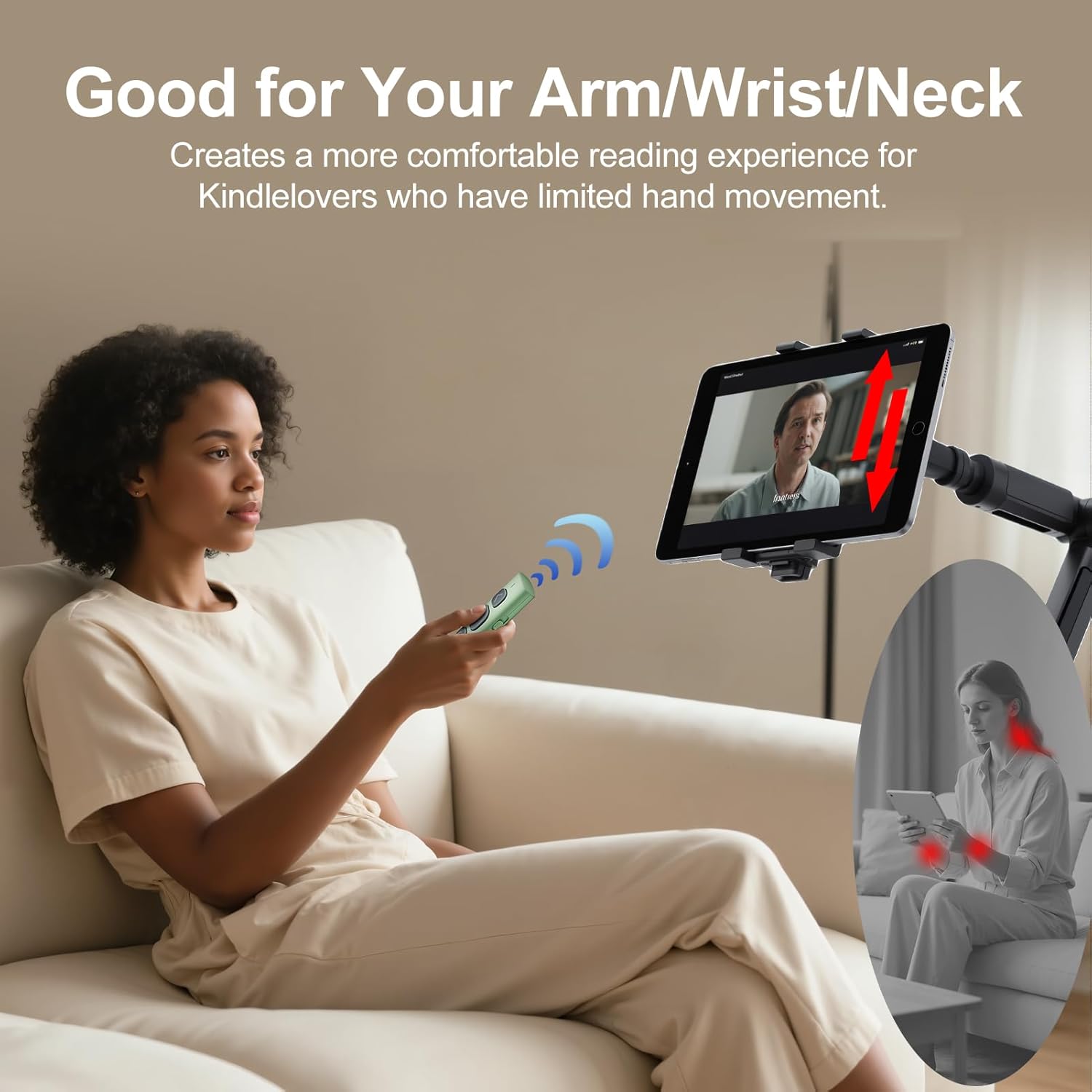
Image: The HANLINYUE E2CONTROL remote attached to an iPad, illustrating how the device is used for hands-free control.
คำแนะนำการใช้งาน
E-book Page Turning
Attach the clip component to the edge of your e-reader or tablet screen. Ensure the conductive tip of the clip makes contact with the screen where you would normally tap to turn the page. Use the buttons on the remote to turn pages forward or backward.
สำคัญ:
Adjust your e-reader's margin settings to "medium" or "wide" to prevent the clip from covering text. The page turner is compatible with slim cases; thick or cushioned cases may interfere with functionality.

ภาพ: ภาพระยะใกล้ view of the HANLINYUE E2CONTROL clip attached to an e-reader screen, showing the contact point for page turning.
Short Video Scrolling (TikTok, YouTube, Instagram Reels)
Once paired, use the remote buttons to scroll through short videos on platforms like TikTok, YouTube, and Instagram Reels. The remote allows for hands-free navigation, liking, and volume adjustment.
Camera Shutter Control
The remote can function as a wireless camera shutter for your iPhone or Android device. Open your native camera app and use the remote to take photos or start/stop video recordings from up to 33 feet (10 meters) away.

Image: A user holding the HANLINYUE E2CONTROL remote to remotely trigger a smartphone camera, which is mounted on a tripod, for taking photos or videos.
การควบคุมการเล่นเพลง
Control music playback on apps like Spotify, Apple Music, and YouTube Music. The remote allows you to play/pause, switch tracks, and adjust volume levels, ideal for workouts or relaxing.
การซ่อมบำรุง
การทำความสะอาด
เช็ดอุปกรณ์ด้วยผ้านุ่มและแห้ง หลีกเลี่ยงการใช้สารเคมีรุนแรงหรือวัสดุที่มีฤทธิ์กัดกร่อน
พื้นที่จัดเก็บ
When not in use, store the remote and its accessories in the provided storage bag to prevent loss or damage.

Image: The HANLINYUE E2CONTROL remote and its clip component, along with the charging cable, neatly stored inside a black velvet pouch for travel or safekeeping.
การแก้ไขปัญหา
อุปกรณ์ไม่จับคู่
- Ensure both the remote and your device have sufficient battery charge.
- Make sure Bluetooth is enabled on your smartphone or tablet.
- Restart both the remote and your device, then attempt pairing again.
- Check if the remote is already paired with another device. Disconnect if necessary.
Page Turning Issues (iPhone/iPad)
- Verify that "Zoom" is enabled in your iPhone/iPad's Accessibility settings. This is crucial for the page turner's functionality on iOS devices.
- Ensure the conductive tip of the clip is firmly in contact with the screen's active area for page turning.
- Adjust e-reader app margin settings to "medium" or "wide" to prevent text obstruction.
รีโมตไม่ตอบสนอง
- Check battery levels of both components.
- Re-establish Bluetooth connection.
- Ensure no physical obstructions are blocking the signal between the remote and the clip.
ข้อมูลจำเพาะ
| คุณสมบัติ | รายละเอียด |
|---|---|
| หมายเลขรุ่น | อีทูคอนโทรล |
| การเชื่อมต่อ | บลูทูธ |
| น้ำหนักสินค้า | 1 ออนซ์ |
| ขนาดแพ็คเกจ | 4.37 x 1.18 x 0.6 นิ้ว |
| อายุการใช้งานแบตเตอรี่ | Up to 25 days standby |
| เวลาในการชาร์จ | ประมาณ 20 นาที |
| พอร์ตชาร์จ | ยูเอสบี-ซี |
| ช่วงสาย | สูงถึง 33 ฟุต (10 เมตร) |
| อุปกรณ์ที่รองรับ | iPhone, iPad (with Accessibility settings), Android Smartphones & Tablets, E-readers (Kindle, Kobo, Surface, etc. - supports capacitive screens only). Incompatible with Kindle 7th/8th Gen, Amazon Fire HD 10th/11th Gen. |
การรับประกันและการสนับสนุน
For warranty information and customer support, please refer to the product packaging or contact HANLINYUE customer service directly.


