การแนะนำ
Thank you for choosing the Baseus Bass BH1 NC Adaptive Active Noise Cancelling Headphones. These headphones are designed to provide an immersive audio experience with advanced noise cancellation, high-resolution sound, and exceptional comfort. This manual will guide you through the setup, operation, and maintenance of your new headphones.
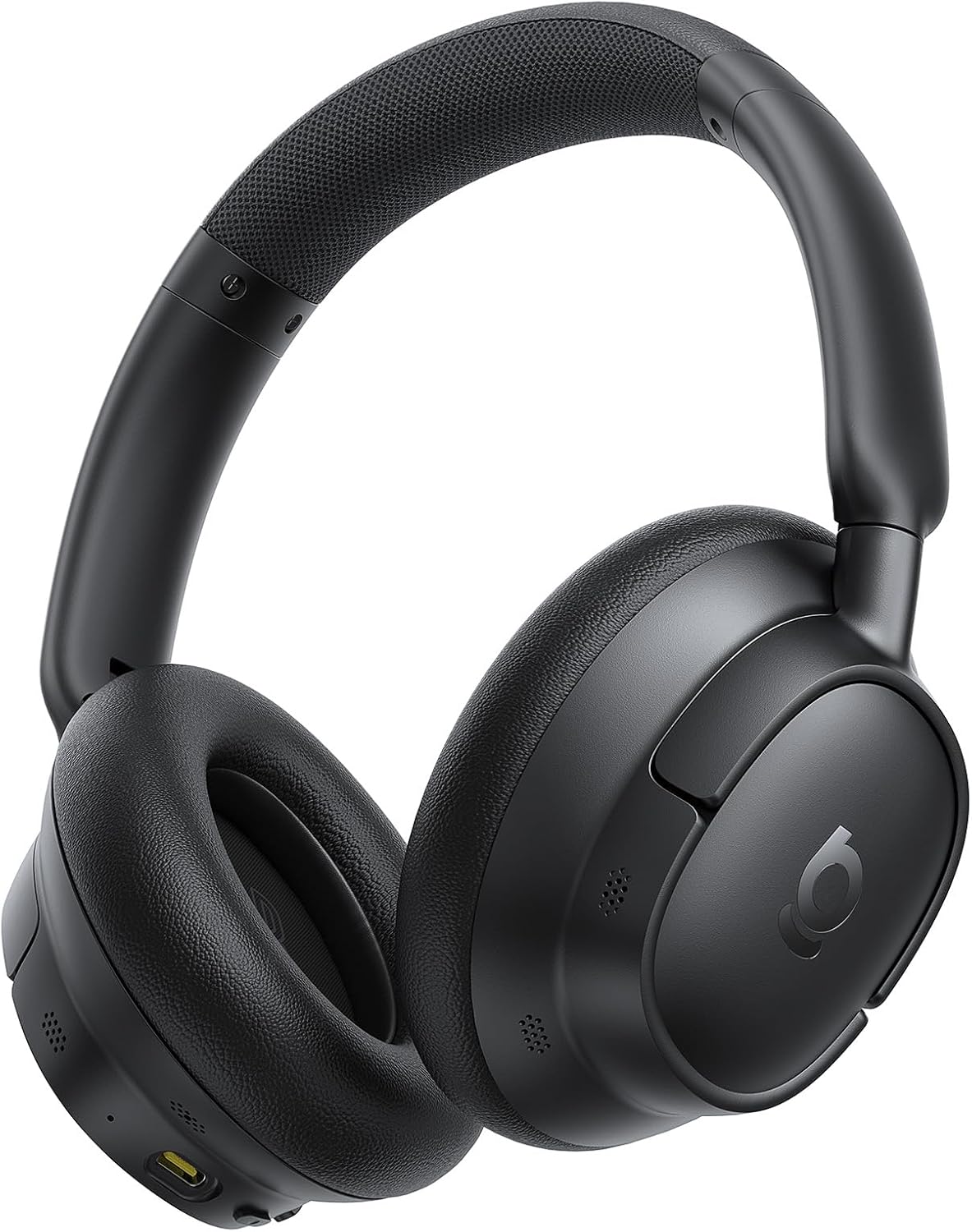
Image: The Baseus Bass BH1 NC headphones in Space Black, showcasinด้วยการออกแบบที่เพรียวบาง
มีอะไรอยู่ในกล่อง
กรุณาตรวจสอบเนื้อหาในแพ็คเกจเพื่อให้แน่ใจว่ามีสินค้าครบทั้งหมด:
- หูฟังตัดเสียงรบกวน Baseus Bass BH1 NC
- สายดาต้า USB-C
- คู่มือการใช้งาน
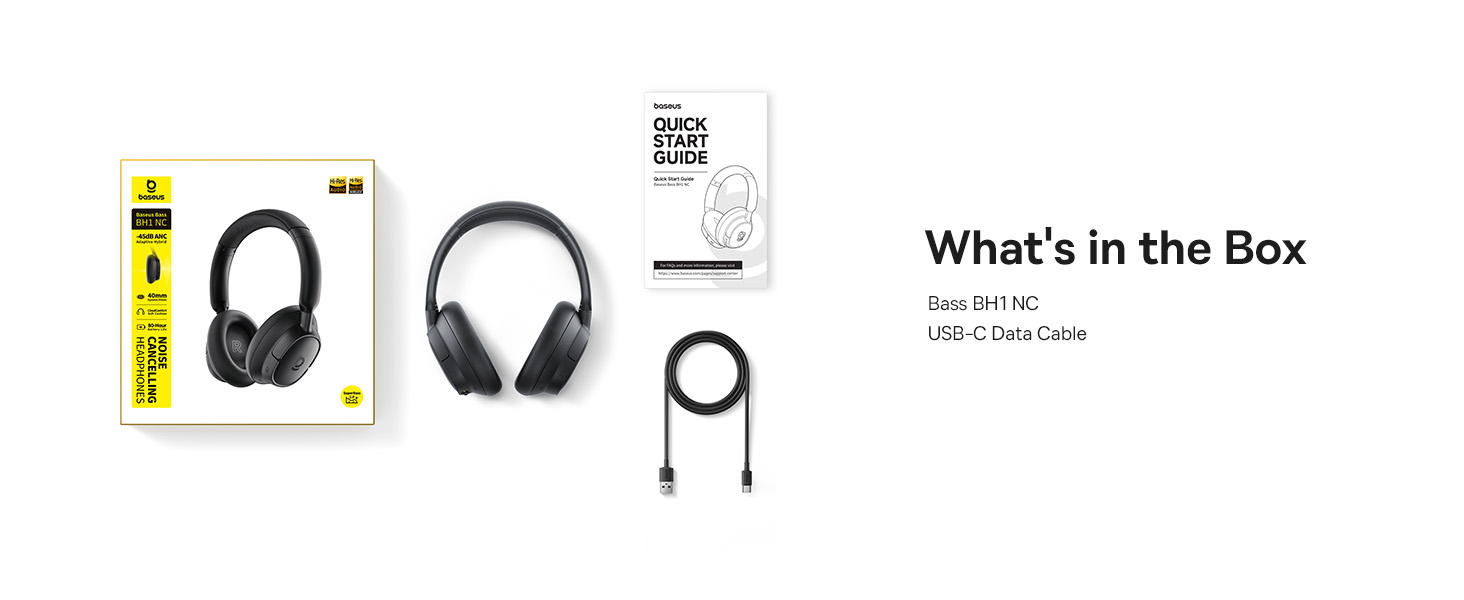
Image: A visual representation of the items included in the Baseus Bass BH1 NC headphone package.
คุณสมบัติผลิตภัณฑ์
The Baseus Bass BH1 NC headphones are equipped with a range of features designed for superior audio and user convenience:
- Real-Time Adaptive Hybrid ANC: Advanced 4-layer adaptive noise cancellation reduces up to -45dB of background noise, adapting to your surroundings for optimal quiet.
- Pristine Hi-Res Sound: Hi-Res and Hi-Res Wireless certifications with LDAC support deliver ultra-clear, lossless audio quality, transmitting 3X more data than standard Bluetooth codecs.
- ซุปเปอร์เบส 2.0: Experience rich, punchy bass and detailed clarity with dynamic low-frequency enhancement and bio-cellulose diaphragms with dynamic drivers.
- Cloud-Like Comfort: Designed for all-day listening with feather-soft memory foam, contoured earcups, and a breathable headband lining for an ergonomic fit.
- Week-Long Playtime: Enjoy up to 80 hours of playtime with ANC off (55 hours with ANC on). A quick 10-minute charge provides 10 hours of listening.
- ไมโครโฟน AI 5 ตัว สนทนาได้ชัดเจน: Five built-in sound sensors with AI-powered ENC and voice boost ensure crystal-clear voice capture for calls and meetings.
- Bluetooth 6.0: Provides stable, lag-free, ultra-fast wireless connectivity.
- การเชื่อมต่อหลายจุดทันที: สลับใช้งานระหว่างอุปกรณ์ที่เชื่อมต่อสองเครื่องได้อย่างราบรื่น

Image: Illustration of the powerful -45dB Adaptive Hybrid ANC technology.

Image: Demonstrating the lossless Hi-Res audio capabilities with LDAC technology.

Image: Visualizing the impressive 80-hour battery life.
คู่มือการติดตั้ง
1. การชาร์จครั้งแรก
Before first use, fully charge your headphones. Connect the provided USB-C data cable to the charging port on the headphones and the other end to a USB power adapter (not included) or a computer's USB port. The charging indicator light will show the charging status.
2. การเปิด/ปิดเครื่อง
- เปิดเครื่อง: กดปุ่มเปิด/ปิดค้างไว้ประมาณ 3 วินาที จนกระทั่งไฟแสดงสถานะจะกะพริบ
- หมดแรง: กดปุ่มเปิด/ปิดค้างไว้ประมาณ 3 วินาที จนกระทั่งไฟแสดงสถานะดับ
3. การจับคู่บลูทู ธ
- ตรวจสอบให้แน่ใจว่าหูฟังปิดอยู่
- Press and hold the Power button for 5 seconds until the indicator light flashes blue and red alternately, indicating pairing mode.
- บนอุปกรณ์ของคุณ (สมาร์ทโฟน แท็บเล็ต แล็ปท็อป) เปิดใช้งาน Bluetooth และค้นหาอุปกรณ์ที่มีอยู่
- เลือก "Baseus Bass BH1 NC" จากรายการอุปกรณ์ที่พบ
- เมื่อเชื่อมต่อแล้วไฟแสดงสถานะจะเปลี่ยนเป็นสีน้ำเงินทึบ
4. Installing the Baseus App
For enhanced features and customization, download the official Baseus app from your device's app store. The app allows you to adjust EQ settings, noise reduction modes, and more.

Image: The Baseus app interface for smart control and personalization.
คำแนะนำการใช้งาน
ปุ่มควบคุม
The headphones feature intuitive button controls for easy management of audio and calls:
| การกระทำ | ปุ่ม/ท่าทาง | การทำงาน |
|---|---|---|
| เปิด/ปิดเครื่อง | ปุ่มเปิด/ปิด (กดค้างไว้ 3 วินาที) | Turns headphones on or off. |
| โหมดจับคู่ | Power Button (Press & Hold 5s from off) | เข้าสู่โหมดจับคู่บลูทูธ |
| เล่น/หยุดชั่วคราว | Multi-function Button (1 click) | เล่นหรือหยุดเสียงชั่วคราว |
| เพลงถัดไป | Volume + Button (Press & Hold 2s) | ข้ามไปยังเพลงถัดไป |
| เพลงก่อนหน้า | Volume - Button (Press & Hold 2s) | ข้ามไปยังเพลงก่อนหน้า |
| เพิ่มระดับเสียง | Volume + Button (1 click) | เพิ่มปริมาณเสียง |
| ลดระดับเสียง | Volume - Button (1 click) | ลดระดับเสียง |
| รับสาย/วางสาย | Multi-function Button (1 click) | Answers or ends an incoming/active call. |
| ปฏิเสธการรับสาย | Multi-function Button (Press & Hold 2s) | ปฏิเสธสายเรียกเข้า |
| Toggle ANC/Transparency | ANC Button (1 click) | Cycles through ANC On, Transparency Mode, and ANC Off. |
| เปิดใช้งานผู้ช่วยเสียง | Multi-function Button (3 clicks) | เปิดใช้งานผู้ช่วยเสียงของอุปกรณ์ของคุณ |

Image: Detailed diagram of headphone button functions.
การเชื่อมต่อหลายจุด
The Baseus Bass BH1 NC headphones support simultaneous connection to two Bluetooth devices. To use this feature:
- Connect the headphones to the first device as per the Bluetooth pairing instructions.
- ปิดใช้งานบลูทูธบนอุปกรณ์ตัวแรก
- เชื่อมต่อหูฟังเข้ากับอุปกรณ์ที่สอง
- เปิดใช้งานบลูทูธบนอุปกรณ์เครื่องแรกอีกครั้ง ตอนนี้หูฟังควรเชื่อมต่อกับอุปกรณ์ทั้งสองแล้ว
- Audio will automatically switch between devices based on which one is actively playing sound or receiving a call.
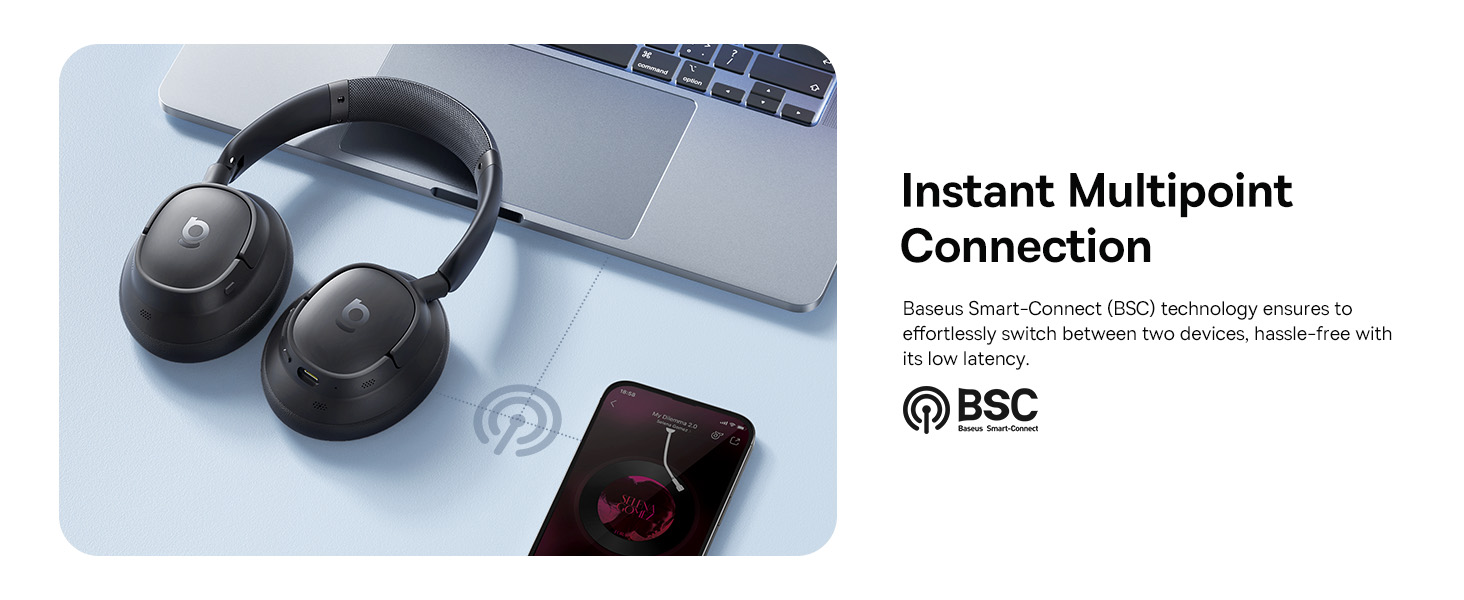
Image: Visual explanation of the instant multipoint connection feature.
การซ่อมบำรุง
Proper maintenance ensures the longevity and optimal performance of your headphones:
- การทำความสะอาด: Use a soft, dry, lint-free cloth to clean the earcups and headband. Do not use abrasive cleaners, alcohol, or chemical solvents.
- พื้นที่จัดเก็บ: When not in use, store the headphones in a cool, dry place, away from direct sunlight and extreme temperatures. It is recommended to use a protective case to prevent damage.
- การดูแลแบตเตอรี่ เพื่อยืดอายุการใช้งานแบตเตอรี่ ควรหลีกเลี่ยงการใช้หูฟังจนหมดบ่อย ชาร์จหูฟังเป็นประจำ แม้จะไม่ได้ใช้งานบ่อยก็ตาม
- หลีกเลี่ยงความชื้น: อย่าให้หูฟังโดนน้ำหรือความชื้นมากเกินไป หากเปียกน้ำ ให้เช็ดให้แห้งสนิทก่อนใช้งานหรือเก็บรักษา
การแก้ไขปัญหา
If you encounter any issues with your Baseus Bass BH1 NC headphones, refer to the following common solutions:
| ปัญหา | สาเหตุที่เป็นไปได้ | สารละลาย |
|---|---|---|
| หูฟังไม่สามารถเปิดเครื่องได้ | แบตเตอรี่อ่อน | ชาร์จหูฟังให้เต็มโดยใช้สาย USB-C ที่ให้มา |
| ไม่สามารถจับคู่กับอุปกรณ์ได้ | หูฟังไม่ได้อยู่ในโหมดจับคู่, Bluetooth ปิดอยู่ในอุปกรณ์, อุปกรณ์อยู่ไกลเกินไป | Ensure headphones are in pairing mode (flashing blue/red). Turn on Bluetooth on your device. Move headphones closer to the device. Try restarting both devices. |
| ไม่มีเสียงหรือเสียงเบา | ระดับเสียงต่ำเกินไป เลือกเอาต์พุตเสียงไม่ถูกต้อง ไม่ได้เชื่อมต่อหูฟัง | Increase volume on both headphones and connected device. Ensure headphones are selected as the audio output. Reconnect Bluetooth. |
| ANC ไม่ทำงานอย่างมีประสิทธิภาพ | ANC mode off; improper fit; very high-frequency noise. | Ensure ANC is activated. Adjust headphones for a snug fit. ANC is most effective on low-frequency sounds. |
| คุณภาพการโทรไม่ดี | Microphone obstructed; weak signal; environmental noise. | Ensure microphones are clear. Move closer to your device. Use the AI Clear Calls feature in noisy environments. |
ข้อมูลจำเพาะ
Detailed technical specifications for the Baseus Bass BH1 NC headphones:
| คุณสมบัติ | รายละเอียด |
|---|---|
| ชื่อรุ่น | เบสอุส บีเอช1 เอ็นซี |
| เทคโนโลยีการเชื่อมต่อ | บลูทูธ 6.0 ไร้สาย |
| เทคโนโลยีการสื่อสารไร้สาย | บลูทูธ 6.0 |
| วัสดุ | พลาสติก |
| การใช้งานเฉพาะของผลิตภัณฑ์ | ความบันเทิง ฟิตเนส การท่องเที่ยว |
| การใช้งานที่แนะนำสำหรับผลิตภัณฑ์ | การโทร, การปั่นจักรยาน, การออกกำลังกาย, ดนตรี, การวิ่ง, การเดินทาง, การฝึกซ้อม |
| อุปกรณ์ที่รองรับ | โทรศัพท์มือถือ อุปกรณ์ที่มีความสามารถเสียงบลูทูธ (iOS, Android, Windows, Mac OS, Switch) แล็ปท็อป แท็บเล็ต |
| ประเภทการควบคุม | ปุ่มควบคุม |
| วิธีการควบคุม | ปุ่มกด |
| จำนวนรายการ | 1 |
| ประเภทไดร์เวอร์เสียง | ไดร์เวอร์แบบไดนามิก |
| เวอร์ชันบลูทูธ | 6.0 |
| ขนาดไดร์เวอร์เสียง | 40 มิลลิเมตร |
| ยูพีซี | 810196181526 |
| ผู้ผลิต | เบสอุส |
| ขนาดแพ็คเกจ | 9.25 x 8.94 x 2.48 นิ้ว |
| น้ำหนักสินค้า | 14.9 ออนซ์ |
| ASIN | B0FHB7NBL5 |
| หมายเลขรุ่นสินค้า | เบสอุส บีเอช1 เอ็นซี |
| แบตเตอรี่ | ต้องใช้แบตเตอรี่แบบไม่มาตรฐาน (มีให้ในชุด) |
| วันที่พร้อมใช้งานครั้งแรก | 20 กรกฎาคม 2025 |
| ยี่ห้อ | เบสอุส |
| สี | สเปซแบล็ก |
| การวางตำแหน่งหู | ครอบหู |
| ฟอร์มแฟกเตอร์ | ครอบหู |
| การควบคุมเสียงรบกวน | ระบบตัดเสียงรบกวนแบบปรับได้ |

Image: Product dimensions for the Baseus Bass BH1 NC headphones.
การรับประกันและการสนับสนุน
Baseus products are designed with quality and reliability in mind. For warranty information and customer support, please refer to the official Baseus webหรือติดต่อฝ่ายบริการลูกค้าโดยตรง โปรดเก็บใบเสร็จรับเงินไว้เป็นหลักฐานการซื้อสำหรับการเรียกร้องการรับประกันใดๆ
คุณยังสามารถเยี่ยมชม ร้าน Baseus บน Amazon สำหรับข้อมูลเพิ่มเติมและทรัพยากรสนับสนุน


