1. คำแนะนำด้านความปลอดภัย
Please read all instructions carefully before assembly and operation. Failure to follow these instructions may result in injury or damage to the product.
- ตรวจสอบให้แน่ใจว่าชิ้นส่วนทั้งหมดครบถ้วนและไม่เสียหายก่อนทำการประกอบ
- ควรกันเด็กและสัตว์เลี้ยงให้อยู่ห่างจากโต๊ะทำงานขณะทำการผ่าตัด เพื่อป้องกันอุบัติเหตุ
- ห้ามเกินขีดความสามารถในการรับน้ำหนักสูงสุด 270 ปอนด์ (122 กก.)
- Connect the power cord to a grounded outlet (100V-240V).
- หลีกเลี่ยงการวางของเหลวลงบนแผงควบคุมโดยตรง หรือใกล้กับชิ้นส่วนอิเล็กทรอนิกส์
- ตรวจสอบให้แน่ใจว่าไม่มีสิ่งกีดขวางใดๆ ในเส้นทางการเคลื่อนที่ของโต๊ะขณะปรับความสูง
- อย่านั่งหรือยืนบนโครงโต๊ะ
2. เนื้อหาบรรจุภัณฑ์
Verify that all parts are included in your package. If any parts are missing or damaged, contact Okin customer support.
- Lifting Columns (2)
- เท้า (2)
- คานประตู (1)
- ขายึดด้านข้าง (2)
- แผงควบคุม (1)
- กล่องควบคุม (1)
- อะแดปเตอร์ไฟ (1)
- สายไฟ (1)
- สายเชื่อมต่อ
- ชุดอุปกรณ์ฮาร์ดแวร์ (สกรู แหวนรอง ประแจหกเหลี่ยม)
- คู่มือการใช้งาน
3. คำแนะนำในการประกอบ
Follow these steps to assemble your Okin standing desk frame. A complete set of tools and parts is included for convenience.
- Attach Feet to Lifting Columns: Securely fasten the feet to the bottom of each lifting column using the provided screws.
- Assemble the Crossbar: Connect the two sections of the crossbar. The crossbar is adjustable in length from 43.3 inches to 71 inches (110-180 cm) to accommodate various desktop sizes.
- Connect Lifting Columns to Crossbar: Attach the lifting columns to the assembled crossbar using the designated screws.
- Install Side Brackets: Mount the side brackets to the top of the lifting columns. These will support your desktop.
- Mount Control Box and Control Panel: Attach the control box to the underside of one of the side brackets. Install the control panel in a convenient location, typically on the front edge of your chosen desktop.
- เชื่อมต่อสายเคเบิล: Plug the motor cables from the lifting columns and the control panel cable into the control box. Connect the power adapter to the control box and then to the power cord.
- Attach Desktop (Not Included): Place your desktop onto the assembled frame. The frame is designed for desktops ranging from 47.2 to 78.7 inches (120-200 cm) in length and 24 to 35.5 inches (60-90 cm) in depth. Secure the desktop to the side brackets using appropriate screws (not included, as desktop material varies).

ภาพ: เหนือview of the Okin Standing Desk Frame components, including the lifting columns, feet, crossbar, and control panel.

Image: Diagram illustrating the recommended tabletop dimensions and the adjustable length of the desk frame's crossbar (43.3"-71").

ภาพ: ระยะใกล้ view highlighting the sturdy steel construction, T-shaped stability feet, and adjustable leveling feet of the desk frame.
4. คู่มือการใช้งาน
The Okin standing desk frame features an intuitive control panel for easy height adjustments.
- ปรับความสูง: ใช้ Up และ ลง arrow buttons on the control panel to raise or lower the desk. The desk adjusts smoothly at a speed of 1.4 inches per second.
- ช่วงความสูง: The desk can be adjusted from a minimum height of 23.6 inches (60 cm) to a maximum height of 49.2 inches (125 cm).
- การตั้งค่าหน่วยความจำ: The control panel includes 3 memory preset buttons (1, 2, 3). To save a desired height, adjust the desk to the preferred level, then press the M button followed by the desired number button (1, 2, or 3). The desk will beep to confirm the setting.
- การเรียกคืนค่าที่ตั้งไว้ล่วงหน้า: Press the corresponding number button (1, 2, or 3) to automatically move the desk to your saved height.
- จอแสดงผลดิจิตอล: The LED screen on the control panel displays the current desk height.
- การทำงานที่เงียบ: The dual motor system operates at a quiet level of approximately 48 dB, minimizing disruption.

ภาพ: รายละเอียด view of the smart control panel, showing the Up/Down buttons, digital display, and memory preset buttons (M, 1, 2, 3).

Image: Illustration demonstrating the adjustable height range of the Okin standing desk, from 23.6 inches to 49.2 inches.
5. การบำรุงรักษา
การบำรุงรักษาอย่างสม่ำเสมอจะช่วยให้โครงโต๊ะยืนทำงานของคุณมีอายุการใช้งานยาวนานและทำงานได้อย่างมีประสิทธิภาพสูงสุด
- การทำความสะอาด: Wipe the desk frame with a dry cloth to remove dust and debris. Avoid using abrasive cleaners or solvents.
- ตรวจสอบการเชื่อมต่อ: ตรวจสอบสกรูและน็อตทั้งหมดเป็นระยะเพื่อให้แน่ใจว่าแน่นสนิทดีแล้ว หากจำเป็นให้ขันให้แน่นอีกครั้ง
- การจัดการสายเคเบิล: Ensure all cables are neatly managed and not pinched or tangled, which could affect operation.
6 การแก้ไขปัญหา
If you encounter issues with your Okin standing desk frame, refer to the following common solutions:
- โต๊ะไม่เคลื่อนไหว:
- Check if the power cord is securely plugged into both the wall outlet and the control box.
- ตรวจสอบให้แน่ใจว่าสายไฟมอเตอร์ทั้งหมดเชื่อมต่อกับกล่องควบคุมอย่างถูกต้อง
- ตรวจสอบว่าปลั๊กไฟใช้งานได้หรือไม่ โดยลองเสียบกับอุปกรณ์อื่นดู
- Uneven Movement or Desk Stops:
- Perform a reset: Press and hold the 'Down' button until the desk reaches its lowest position and then slightly rises. Release the button. If this does not work, consult the full manual or contact support.
- Ensure the desk is not overloaded (maximum 270 lbs).
- Check for any obstructions preventing smooth movement.
- รหัสข้อผิดพลาดบนจอแสดงผล: If an error code appears, unplug the desk for 10 minutes, then plug it back in. If the error persists, contact customer support.
For further assistance, please contact Okin customer support.
7. ข้อมูลจำเพาะ
| ยี่ห้อ | โอกิน |
| หมายเลขรุ่น | DS2.451.3B.01WU111.C |
| ช่วงการปรับความสูง | 23.6" - 49.2" (60 ซม. - 125 ซม.) |
| ความเร็วในการปรับ | 1.4"/second |
| ความจุในการรับน้ำหนัก | 270 ปอนด์ (122 กก.) |
| ระดับเสียง | <48 เดซิเบล |
| Crossbar Length Adjustment | 43.3" - 71" (110 ซม. - 180 ซม.) |
| Recommended Desktop Length | 47.2" - 78.7" (120 ซม. - 200 ซม.) |
| Recommended Desktop Depth | 24" - 35.5" (60 ซม. - 90 ซม.) |
| วัสดุ | เหล็กอัลลอยด์ |
| สี | สีดำ |
| Item Weight (Frame Only) | 72.8 ปอนด์ (33 กก.) |

Image: Visual representation of the desk frame's maximum load capacity of 270 lbs.
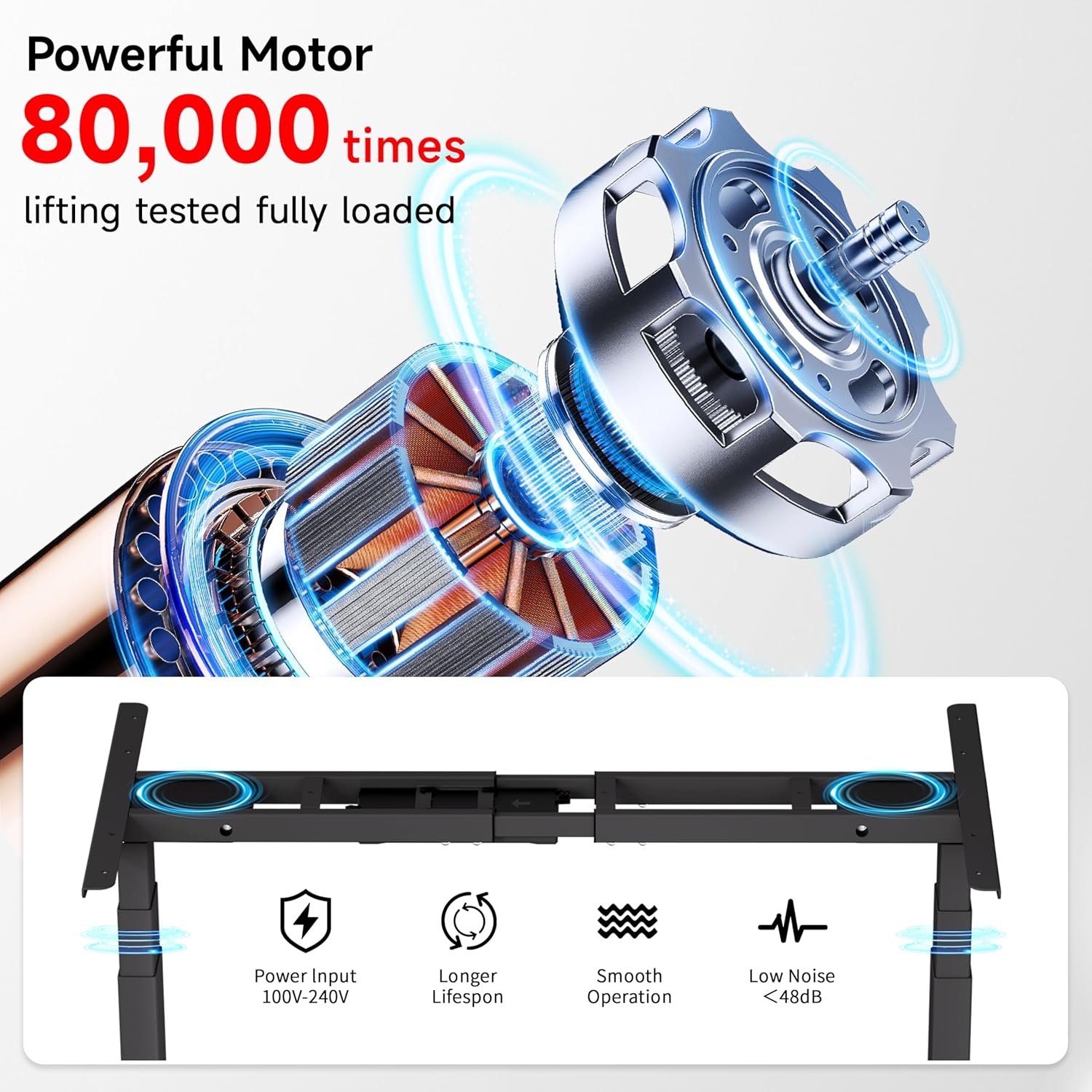
Image: Diagram illustrating the powerful dual motor system, highlighting its smooth operation, longer lifespan, and low noise level (<48dB).

Image: Comparison showing Okin's frame features, including 30% longer flanks, 30% thicker columns (3"x2"), and 30% wider feet for enhanced stability.
8. การรับประกันและการสนับสนุน
Okin is committed to providing quality products and customer satisfaction.
- การสนับสนุนลูกค้า: A dedicated support team is available to assist with any questions or concerns regarding setup, operation, or troubleshooting.
- การส่งคืน: เพลิดเพลินกับนโยบายการคืนสินค้าที่ง่ายดายภายใน 30 วัน
- แผนการคุ้มครอง: Optional 2-Year and 3-Year protection plans are available for extended coverage.
หากต้องการข้อมูลเพิ่มเติมหรือต้องการติดต่อฝ่ายสนับสนุน โปรดไปที่ [ที่อยู่เว็บไซต์] ร้าน Okin บน Amazon.


