1. บทนำ
This manual provides essential information for the safe and efficient use of your DOOGEE U11 Android 16 Tablet. Please read it thoroughly before operating the device and retain it for future reference.

ภาพที่ 1.1: ด้านหน้าและด้านหลัง view of the DOOGEE U11 Tablet, highlighting its sleek design and camera module.
2. ข้อมูลด้านความปลอดภัย
เพื่อป้องกันความเสียหายต่ออุปกรณ์ของคุณ หรือการบาดเจ็บต่อตัวคุณเองหรือผู้อื่น โปรดปฏิบัติตามข้อควรระวังต่อไปนี้:
- อย่าให้แท็บเล็ตถูกอุณหภูมิที่สูงหรือต่ำเกินไป แสงแดดโดยตรง หรือความชื้นสูง
- ควรหลีกเลี่ยงการทำแท็บเล็ตตกหรือกระแทกอย่างรุนแรง
- ใช้เฉพาะที่ชาร์จและอุปกรณ์เสริมที่ได้รับอนุญาตเท่านั้น
- อย่าพยายามถอดประกอบหรือซ่อมแซมแท็บเล็ตด้วยตนเอง โปรดติดต่อช่างผู้ชำนาญการ
- เก็บแท็บเล็ตให้ห่างจากอุปกรณ์ทางการแพทย์ เนื่องจากอาจรบกวนการทำงานของอุปกรณ์ได้
- ทิ้งแท็บเล็ตและแบตเตอรี่อย่างมีความรับผิดชอบตามกฎระเบียบท้องถิ่น
3. เนื้อหาบรรจุภัณฑ์
ตรวจสอบว่ามีรายการทั้งหมดอยู่ในบรรจุภัณฑ์ผลิตภัณฑ์ของคุณ:
- DOOGEE U11 Android 16 Tablet
- สายชาร์จแบบ USB Type-C
- อะแดปเตอร์แปลงไฟ
- คู่มือเริ่มต้นอย่างรวดเร็ว
- เครื่องมือถอดซิม (ถ้ามี)
4. เค้าโครงอุปกรณ์
Familiarize yourself with the physical components of your DOOGEE U11 Tablet.
Image 4.1: The elegant metal body design of the DOOGEE U11 Tablet, showcasinจี อิทส์ สลิม โปรfile and rear camera placement.
The tablet features a durable metal body with a thickness of 8.0mm and weighs approximately 537g. Key physical features include:
- ปุ่มเปิด/ปิด: ปุ่มนี้อยู่ด้านข้าง ใช้สำหรับเปิด/ปิดอุปกรณ์ หรือเปิด/ปิดหน้าจอ
- ปุ่มปรับระดับเสียง: ปรับระดับเสียง
- พอร์ต USB Type-C: สำหรับการชาร์จและถ่ายโอนข้อมูล
- แจ็คเสียงขนาด 3.5 มม.: สำหรับเชื่อมต่อหูฟัง.
- ตะแกรงลำโพง: ลำโพงคู่สำหรับส่งสัญญาณเสียงออก
- กล้องหน้า: Located on the bezel above the screen.
- กล้องหลัง: อยู่ด้านหลังของแท็บเล็ต
- ช่องเสียบการ์ด MicroSD: สำหรับพื้นที่เก็บข้อมูลที่ขยายได้
5. การตั้งค่า
5.1 การเปิดเครื่องครั้งแรก
- กดปุ่มเปิด/ปิดค้างไว้จนกว่าโลโก้ DOOGEE จะปรากฏขึ้น
- ทำตามคำแนะนำบนหน้าจอเพื่อเลือกภาษา เชื่อมต่อกับ Wi-Fi และตั้งค่าบัญชี Google ของคุณ
5.2 การชาร์จแบตเตอรี่
ก่อนใช้งานครั้งแรก โปรดชาร์จแท็บเล็ตให้เต็ม เชื่อมต่อสาย USB Type-C เข้ากับพอร์ตชาร์จของแท็บเล็ต และอีกด้านหนึ่งเข้ากับอะแดปเตอร์แปลงไฟ เสียบอะแดปเตอร์เข้ากับเต้ารับไฟฟ้า ตัวแสดงสถานะแบตเตอรี่บนหน้าจอจะแสดงสถานะการชาร์จ
5.3 การใส่การ์ด MicroSD
To expand storage, insert a MicroSD card (up to 2TB supported):
- ค้นหาช่องเสียบการ์ดที่ด้านข้างของแท็บเล็ต
- ใช้เครื่องมือถอดซิมที่ให้มาเพื่อเปิดถาดใส่ซิม
- Place the MicroSD card into the designated slot on the tray.
- ค่อยๆ ใส่ถาดกลับเข้าไปในแท็บเล็ตอย่างระมัดระวัง
6. การใช้งานแท็บเล็ต
6.1 การดำเนินการพื้นฐาน
- เปิด/ปิดเครื่อง: กดปุ่มเปิด/ปิดค้างไว้ เลือก 'ปิดเครื่อง' หรือ 'รีสตาร์ท'
- ล็อค/ปลดล็อคหน้าจอ: Press the Power button briefly. Use Face ID or your set PIN/pattern/password to unlock.
- การนำทาง: Use gestures (swipe up for home, swipe from sides for back, swipe up and hold for recent apps) or the on-screen navigation bar.
6.2 Operating System: Android 16
The DOOGEE U11 runs on Android 16, offering enhanced app permission controls, stronger privacy protection, and a smoother user experience.

Image 6.2.1: The user interface of the Android 16 operating system on the DOOGEE U11 Tablet.
Image 6.2.2: Icons representing key Android 16 OS features: Bedtime Mode, Automatic Screen Brightness Adjustment, Multi-user System, and Parental Control.
Key OS features include:
- โหมดก่อนนอน: Helps manage screen time and promotes better sleep.
- Automatic Screen Brightness Adjustment: Optimizes display brightness based on ambient light.
- ระบบผู้ใช้หลายคน: Allows multiple users to have separate profiles on the tablet.
- การควบคุมโดยผู้ปกครอง: Tools to manage and restrict content for children.
6.3 การเชื่อมต่อ
- ไวไฟ : Supports dual-band Wi-Fi (2.4GHz/5GHz) for stable internet connection. Access Wi-Fi settings via the Quick Settings panel or Settings app.
- OTG (On-The-Go): Connect USB peripherals like flash drives, keyboards, or mice using an OTG adapter (sold separately). The tablet also supports 5W reverse charging to power other devices.
6.4 การใช้งานกล้อง
The tablet is equipped with a 13MP rear camera and a 5MP front camera.

Image 6.4.1: Visual representation of the 13MP main camera and 5MP front camera, showing exampรูปภาพ
ในการใช้กล้อง:
- เปิดแอปพลิเคชันกล้อง
- แตะปุ่มชัตเตอร์เพื่อถ่ายภาพ
- สลับระหว่างกล้องด้านหน้าและด้านหลังโดยใช้ไอคอนสลับกล้อง
6.5 มัลติมีเดีย
- เสียง: Enjoy immersive sound through dual professionally tuned speakers.
- วีดีโอ: Widevine L1 certification ensures full 1080P HD playback on supported streaming platforms like Netflix, YouTube, Hulu, and Amazon Prime Video.

Image 6.5.1: Illustration of the tablet's dual speaker system, showing sound waves emanating from the device during use.

Image 6.5.2: The DOOGEE U11 Tablet displaying a movie scene, with logos of streaming services like Netflix, Hulu, Prime Video, HBO Max, and YouTube, indicating Widevine L1 support.
6.6 AI Features (Gemini AI)
The tablet integrates Gemini AI for intelligent optimization and enhanced functionality.
Image 6.6.1: Icons representing Gemini AI capabilities: Content Creation, Information Retrieval & Summarization, Image Analysis, Code Development, Language Learning, and Smart Assistant.
Gemini AI assists with tasks such as:
- Optimizing system resources for smoother performance.
- Assisting with photo editing and real-time translation.
- Providing smart assistance for various queries and tasks.
6.7 Productivity
- สำนักงาน WPS: Built-in PC-level WPS Office suite for document creation and editing (Word, Excel, PPT).
- โหมดแบ่งหน้าจอ: Allows running two applications simultaneously for efficient multitasking.
- การโคลนแอป: Run two instances of social media or messaging apps simultaneously.
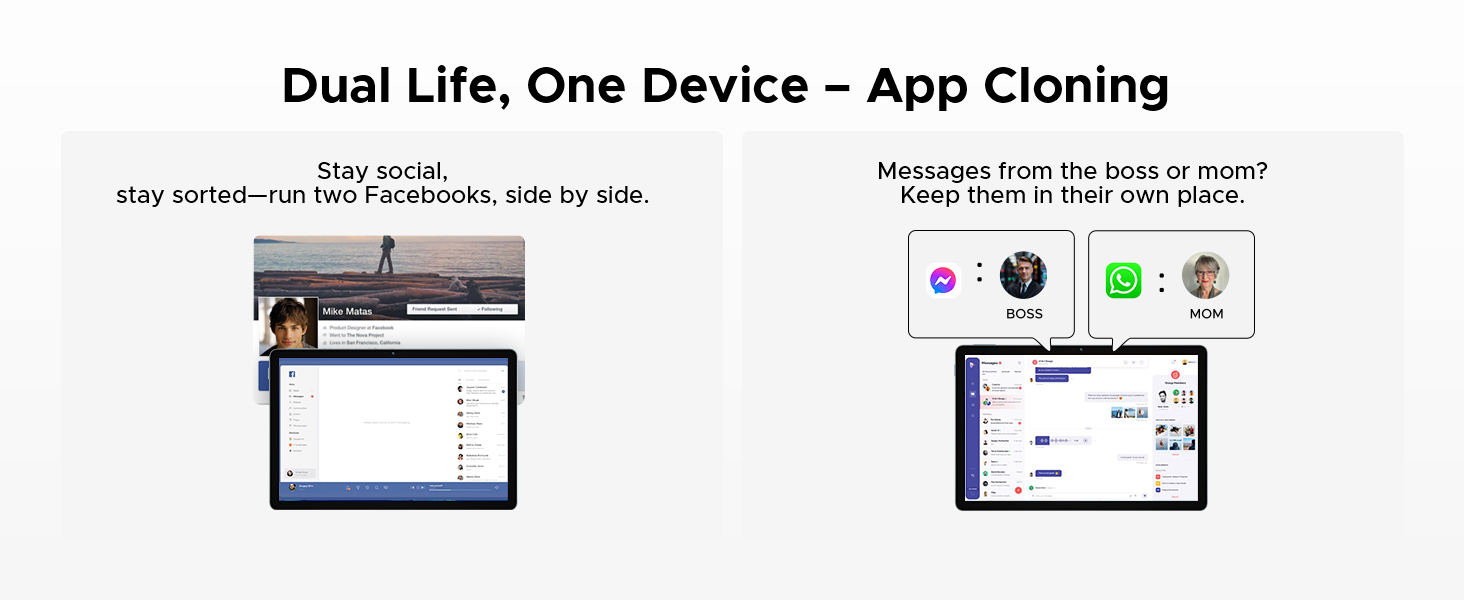
Image 6.7.1: The DOOGEE U11 Tablet displaying WPS Word, WPS Excel, and WPS PPT applications, demonstrating its productivity capabilities.
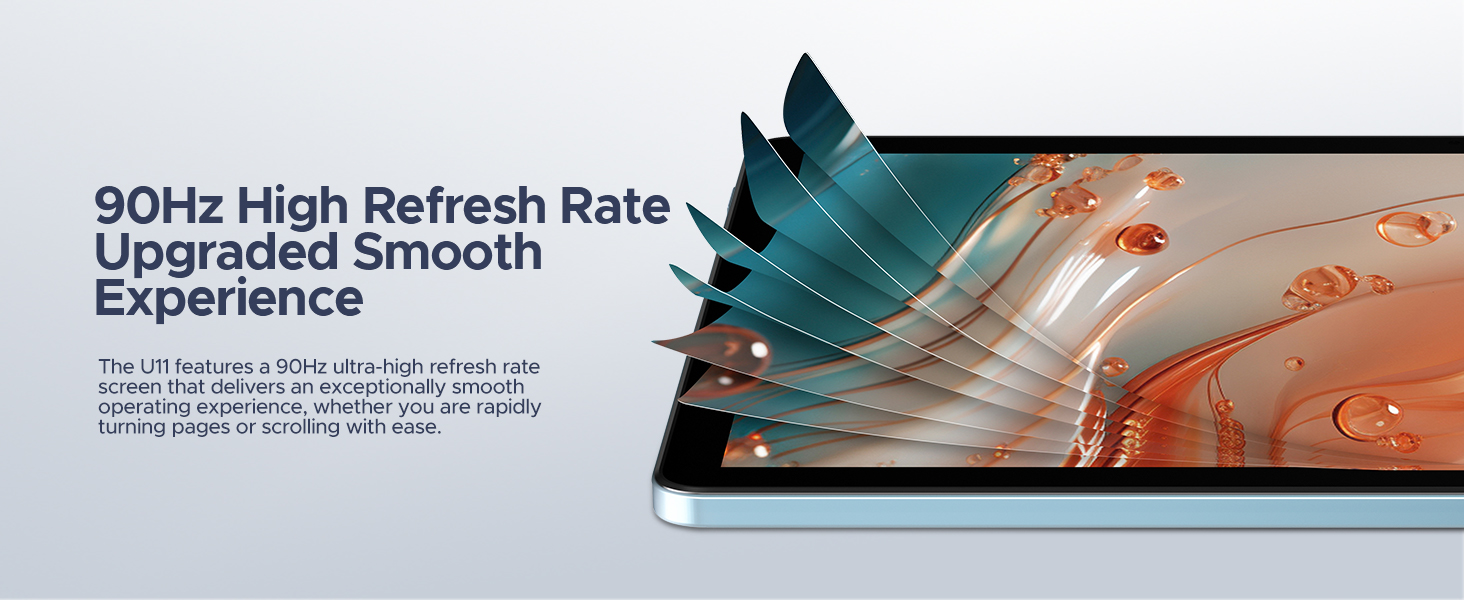
Image 6.7.2: The DOOGEE U11 Tablet in split-screen mode, showing two applications open side-by-side for efficient multitasking.

Image 6.7.3: Illustration of the App Cloning feature, showing two separate instances of Facebook and messaging apps running concurrently.
6.8 Gaming (Game Space)
The Game Space feature optimizes the tablet for gaming, ensuring high frame rates and an immersive experience.

Image 6.8.1: The Game Space feature displaying a split view of a game in SDR and HDR modes, highlighting visual enhancements.
6.9 คุณสมบัติอื่นๆ
- ปลดล็อคด้วยใบหน้า: Securely unlock your device using facial recognition.
- วิทยุ FM: Enjoy local radio stations by plugging in headphones (which act as an antenna).
- ระบบนำทาง: Supports GPS, Beidou, GLONASS, Galileo, and AGPS for accurate location and navigation.
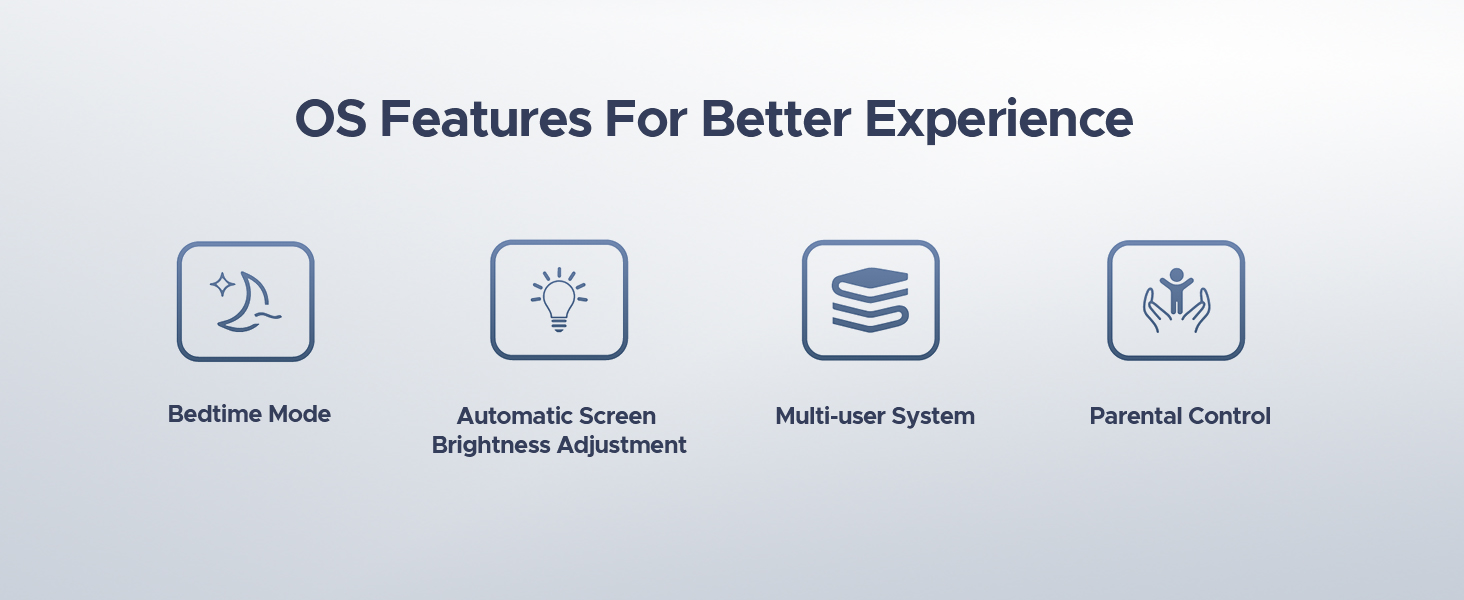
Image 6.9.1: A user unlocking the DOOGEE U11 Tablet using the Face Unlock feature, with a facial recognition overlay.
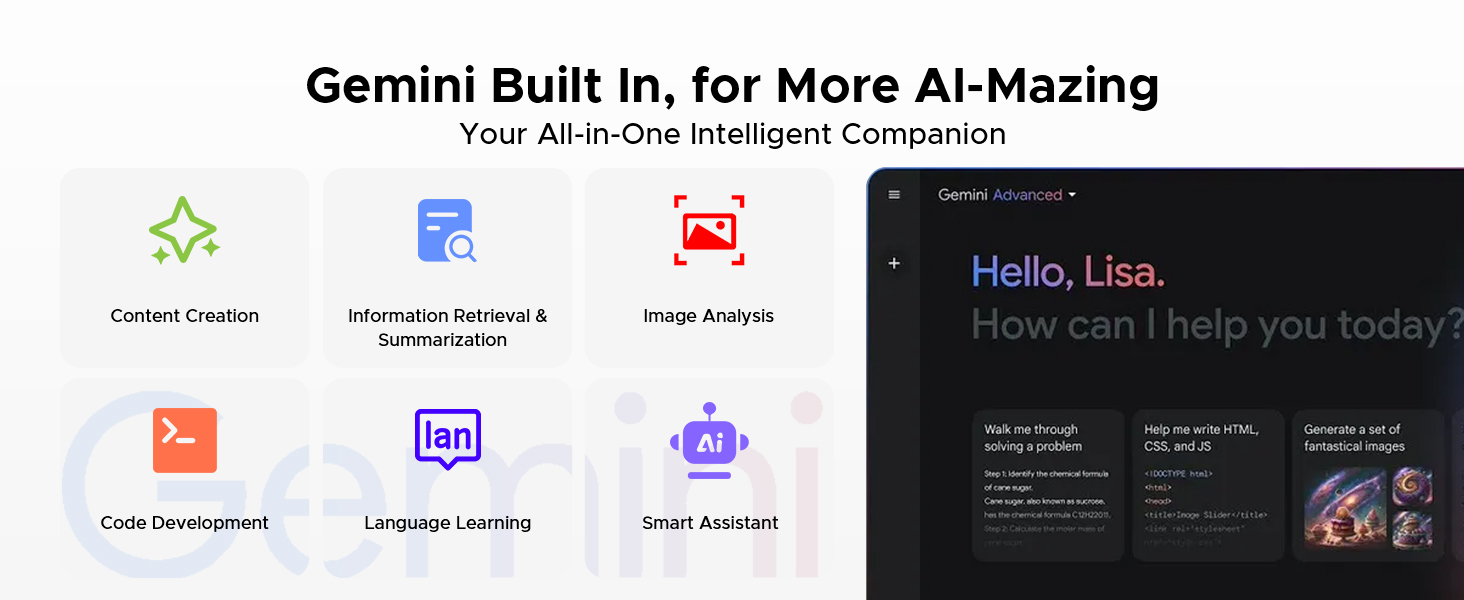
Image 6.9.2: A person listening to music on the DOOGEE U11 Tablet using the FM Radio function with headphones.
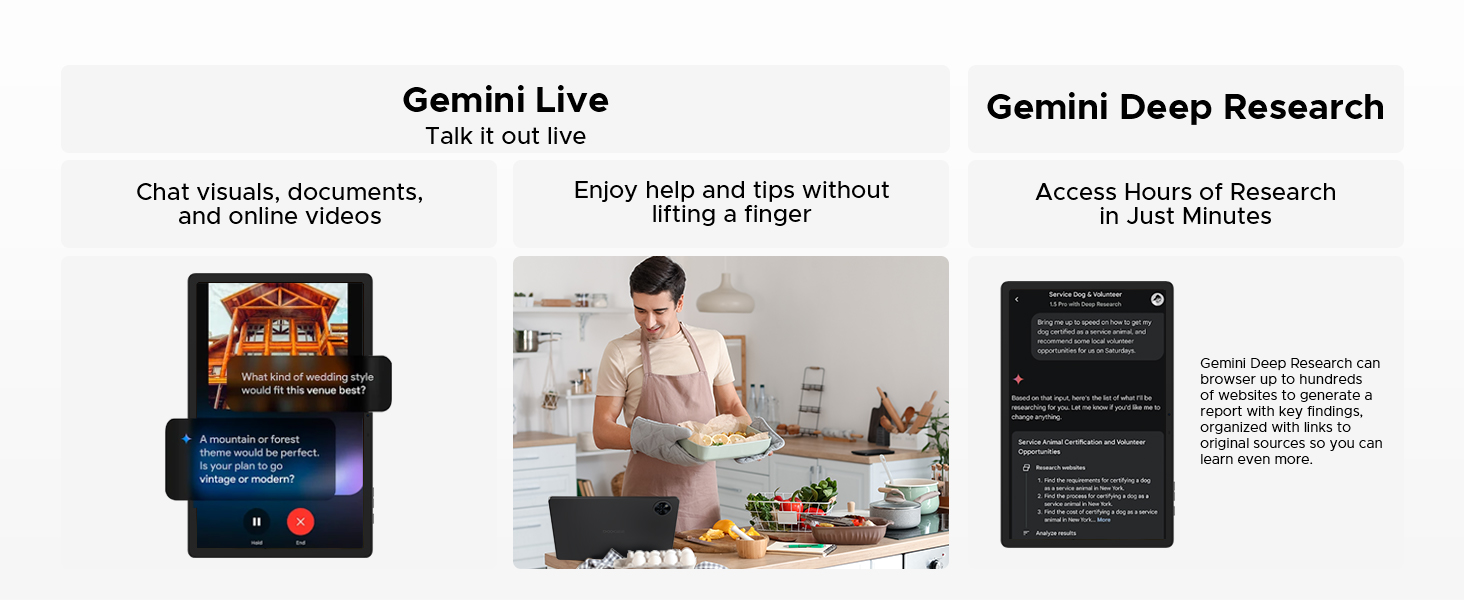
Image 6.9.3: The DOOGEE U11 Tablet displaying a navigation map in a car, illustrating its accurate navigation system.
7. การจัดการแบตเตอรี่
The DOOGEE U11 is equipped with an 8580mAh battery.

ภาพที่ 7.1: ภายใน view of the DOOGEE U11 Tablet highlighting the 8580mAh battery, with estimated usage times for standby, video watching, music playing, and web เรียกดู
เพื่อยืดอายุแบตเตอรี่:
- Adjust screen brightness to a comfortable level or enable automatic brightness.
- ปิดแอปพลิเคชันที่ไม่ได้ใช้งานซึ่งทำงานอยู่เบื้องหลัง
- ปิด Wi-Fi หรือ Bluetooth เมื่อไม่ได้ใช้งาน
- Enable battery saver mode when the battery is low.
7.1 Reverse Charging
The DOOGEE U11 supports 5W reverse charging, allowing it to act as a power bank for other devices in emergencies.

Image 7.1.1: The DOOGEE U11 Tablet connected via a cable to a smartphone, demonstrating its reverse charging capability.
8. การจัดการการจัดเก็บข้อมูล
The tablet comes with 128GB of internal storage and supports expansion up to 2TB via a TF (MicroSD) card.

Image 8.1: The DOOGEE U11 Tablet displaying various app icons, illustrating its 128GB internal storage and 2TB expandable storage capacity.
วิธีจัดการพื้นที่จัดเก็บข้อมูล:
- ล้างข้อมูลแคชจากแอปเป็นประจำ
- ถอนการติดตั้งแอพพลิเคชั่นที่ไม่ได้ใช้งาน
- เคลื่อนย้ายขนาดใหญ่ files (photos, videos) to the MicroSD card or cloud storage.
- Access storage settings in the Settings app to view การใช้งานและเพิ่มพื้นที่ว่าง
9. การบำรุงรักษาและการดูแล
- การทำความสะอาด: ใช้ผ้านุ่มที่ไม่เป็นขุยทำความสะอาดหน้าจอและตัวเครื่อง หลีกเลี่ยงน้ำยาทำความสะอาดหรือตัวทำละลายที่มีฤทธิ์กัดกร่อน
- การอัปเดตซอฟต์แวร์: Keep your tablet's software updated to ensure optimal performance and security. Check for updates in the Settings app.
- สภาพแวดล้อม : Operate the tablet within recommended temperature and humidity ranges.
- โหมดแสงสีน้ำเงินต่ำ: The U11 features a low blue light eye protection mode to enhance visual comfort during extended use.
Image 9.1: The DOOGEE U11 Tablet displaying a warmer color temperature on the screen, illustrating the Low Blue Light Mode for eye protection.
10 การแก้ไขปัญหา
If you encounter issues with your DOOGEE U11 Tablet, try the following solutions:
| ปัญหา | สารละลาย |
|---|---|
| แท็บเล็ตเปิดไม่ติด | Ensure the battery is charged. Connect to charger for at least 30 minutes. If still unresponsive, perform a force restart by holding the Power button for 10-15 seconds. |
| หน้าจอไม่ตอบสนอง | รีสตาร์ทแท็บเล็ต หากปัญหายังคงอยู่ โปรดตรวจสอบให้แน่ใจว่าหน้าจอสะอาดและไม่มีเศษฝุ่น |
| ปัญหาการเชื่อมต่อ Wi-Fi | Restart your Wi-Fi router and the tablet. Forget the network in Wi-Fi settings and reconnect. Ensure you are within range. |
| แอปขัดข้องหรือค้าง | Clear the app's cache and data in Settings > Apps. If the problem continues, uninstall and reinstall the app. Ensure the tablet's software is up to date. |
| ประสิทธิภาพการทำงานช้า | Close unused background apps. Clear storage space. Restart the tablet. |
หากขั้นตอนเหล่านี้ไม่สามารถแก้ไขปัญหาได้ โปรดติดต่อฝ่ายสนับสนุนลูกค้า
11. ข้อมูลจำเพาะ
The following table outlines the key specifications of the DOOGEE U11 Android 16 Tablet:
| คุณสมบัติ | รายละเอียด |
|---|---|
| แบบอย่าง | ยู11 |
| ระบบปฏิบัติการ | แอนดรอยด์ 16 |
| โปรเซสเซอร์ | Unisoc T7200 หน่วยประมวลผลอ็อกตาคอร์ |
| แรม | 16GB (4GB LPDDR4X + 12GB หน่วยความจำเสมือน) |
| การจัดเก็บข้อมูลภายใน | 128GB |
| พื้นที่เก็บข้อมูลแบบขยายได้ | รองรับความจุสูงสุด 2TB ผ่านการ์ด TF |
| ขนาดจอแสดงผล | 11 นิ้ว |
| ความละเอียดการแสดงผล | 1280 x 800 พิกเซล |
| อัตราการรีเฟรช | 90เฮิรตซ์ |
| กล้องหลัง | 13MP |
| กล้องหน้า | 5MP |
| ความจุของแบตเตอรี่ | 8580mAh |
| การเชื่อมต่อ | 2.4G+5G WIFI, OTG |
| เสียง | Dual Speakers, 3.5mm Audio Jack |
| ความปลอดภัย | การระบุใบหน้า |
| ขนาด (กxยxส) | 10.1 x 6.67 x 0.31 นิ้ว |
| น้ำหนัก | 14.7 ออนซ์ (ประมาณ 416 กรัม) |
หมายเหตุ: ข้อมูลจำเพาะอาจมีการเปลี่ยนแปลงได้โดยไม่ต้องแจ้งให้ทราบล่วงหน้า
12. การรับประกันและการสนับสนุน
DOOGEE ให้การสนับสนุนผลิตภัณฑ์อย่างครอบคลุม
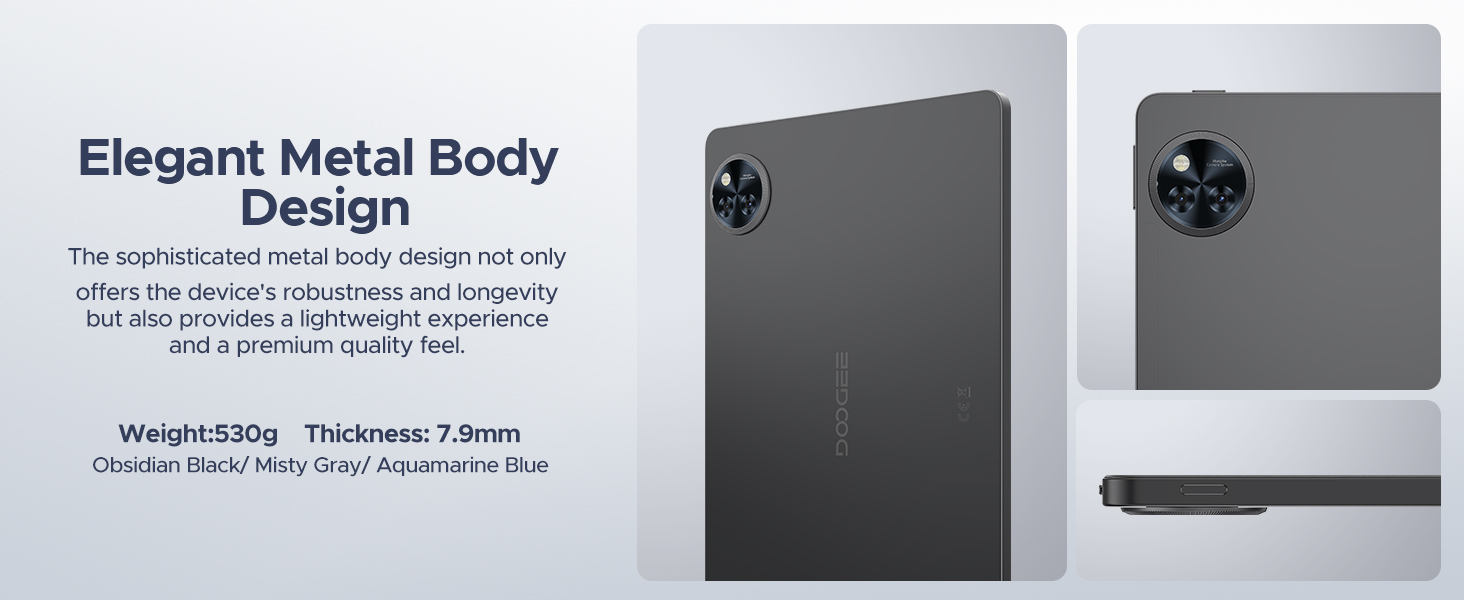
Image 12.1: Icons representing DOOGEE's customer service offerings: 30-Days Money Back Guarantee and Free Return, 2-Years Limited Warranty, and 24/7 One-on-One Online Support.
- รับประกันคืนเงินภายใน 30 วัน: หากคุณไม่พอใจกับการซื้อของคุณ คุณสามารถส่งคืนได้ภายใน 30 วันเพื่อรับเงินคืนเต็มจำนวน
- การรับประกันจำกัด 2 ปี: Your DOOGEE U11 Tablet is covered by a 2-year limited warranty against manufacturing defects. This warranty does not cover damage caused by misuse, accidents, or unauthorized modifications.
- การสนับสนุนออนไลน์ 24/7: For technical assistance or warranty claims, please visit the official DOOGEE website or contact their customer service team available 24/7.


