1. บทนำ
The KinetCam CAM-A is a 4G LTE cellular security camera designed for monitoring locations without Wi-Fi access. It provides 2K HD video, automatic night vision, and intelligent motion detection, making it suitable for various off-grid environments such as cabins, RVs, barns, and remote properties. This manual provides detailed instructions for setting up, operating, and maintaining your camera.

Image 1.1: KinetCam CAM-A 4G LTE Cellular Security Camera.
2. เนื้อหาบรรจุภัณฑ์
กรุณาตรวจสอบแพ็คเกจสำหรับรายการต่อไปนี้:
- KinetCam CAM-A 4G LTE Cellular Security Camera
- Pre-installed SIM Card (with 100MB trial data)
- Mounting Screw(s)
- สายชาร์จ USB
- คู่มือการใช้งาน (เอกสารนี้)

Image 2.1: KinetCam CAM-A camera, highlighting its compact size and 4G SIM card functionality.
3. สินค้าหมดview
The KinetCam CAM-A features a compact design with essential components for cellular surveillance.
3.1 ส่วนประกอบหลัก
- เลนส์กล้อง: Captures 2K HD video.
- ไฟ LED อินฟราเรด: Enable automatic night vision.
- เซ็นเซอร์ PIR: Detects motion from people and pets.
- ช่องใส่ซิมการ์ด: สำหรับการเชื่อมต่อ 4G LTE
- ช่องเสียบการ์ด MicroSD: รองรับพื้นที่เก็บข้อมูลในเครื่องสูงสุด 128GB
- พอร์ตชาร์จ USB: สำหรับชาร์จแบตเตอรี่ภายใน
- ปุ่มเปิด/ปิดเครื่อง/ไฟแสดงสถานะ: For device control and status.

Image 3.1: KinetCam CAM-A mounted, illustrating its discreet placement capability.
4. คู่มือการติดตั้ง
4.1 การชาร์จเริ่มต้น
Before first use, fully charge the camera using the provided USB cable and a standard 5V/1A USB power adapter (not included). The indicator light will show charging status and turn off when fully charged.
4.2 SIM Card Activation and Installation
The camera comes with a pre-installed SIM card and 100MB trial data. This SIM card is compatible with AT&T, T-Mobile, and Verizon networks and will automatically connect to the strongest 4G LTE signal. No manual SIM card installation is typically required for initial setup.
- Ensure the camera is powered off before handling the SIM card slot.
- If replacing the SIM card, carefully insert the new 4G LTE SIM card into the designated slot with the gold contacts facing down.
- After using the trial data, you will need to top up cellular data via the companion mobile application.
4.3 การติดตั้งการ์ด MicroSD (ทางเลือก)
For local video storage, a MicroSD card (up to 128GB, not included) can be installed.
- ปิดกล้อง
- ค้นหาช่องเสียบการ์ด MicroSD
- Insert the MicroSD card gently until it clicks into place.
- Format the MicroSD card via the mobile application after powering on the camera for optimal performance.

Image 4.1: Illustration of MicroSD card and SIM card insertion points on the KinetCam CAM-A.
4.4 Mobile Application Download and Pairing
ในการเข้าถึงการถ่ายทอดสด view, recordings, and settings, download the KinetCam mobile application from your device's app store.
- ค้นหา "KinetCam" in the App Store (iOS) or Google Play Store (Android).
- ดาวน์โหลดและติดตั้งแอปพลิเคชัน
- สร้างบัญชีหรือเข้าสู่ระบบ
- Follow the in-app instructions to add your KinetCam CAM-A device. This typically involves scanning a QR code on the camera or entering its serial number.
4.5 การติดตั้งกล้อง
The camera can be placed on a flat surface or mounted using the included mounting screws.
- เลือกสถานที่ที่ตอบโจทย์ความต้องการ viewing angle and is within 4G LTE signal range.
- Ensure the camera is positioned to avoid direct sunlight or strong light sources that could affect image quality.
- For wall mounting, use the provided screws to secure the camera bracket.

Image 4.2: KinetCam CAM-A demonstrating flexible placement and mounting options.
5. คู่มือการใช้งาน
5.1 การเปิด/ปิดเครื่อง
Press and hold the power button for a few seconds to power the camera on or off. The indicator light will confirm the status.
5.2 สด View
Open the KinetCam mobile application and select your camera from the device list to access the live 2K HD video feed. You can view the feed remotely via the 4G LTE connection.
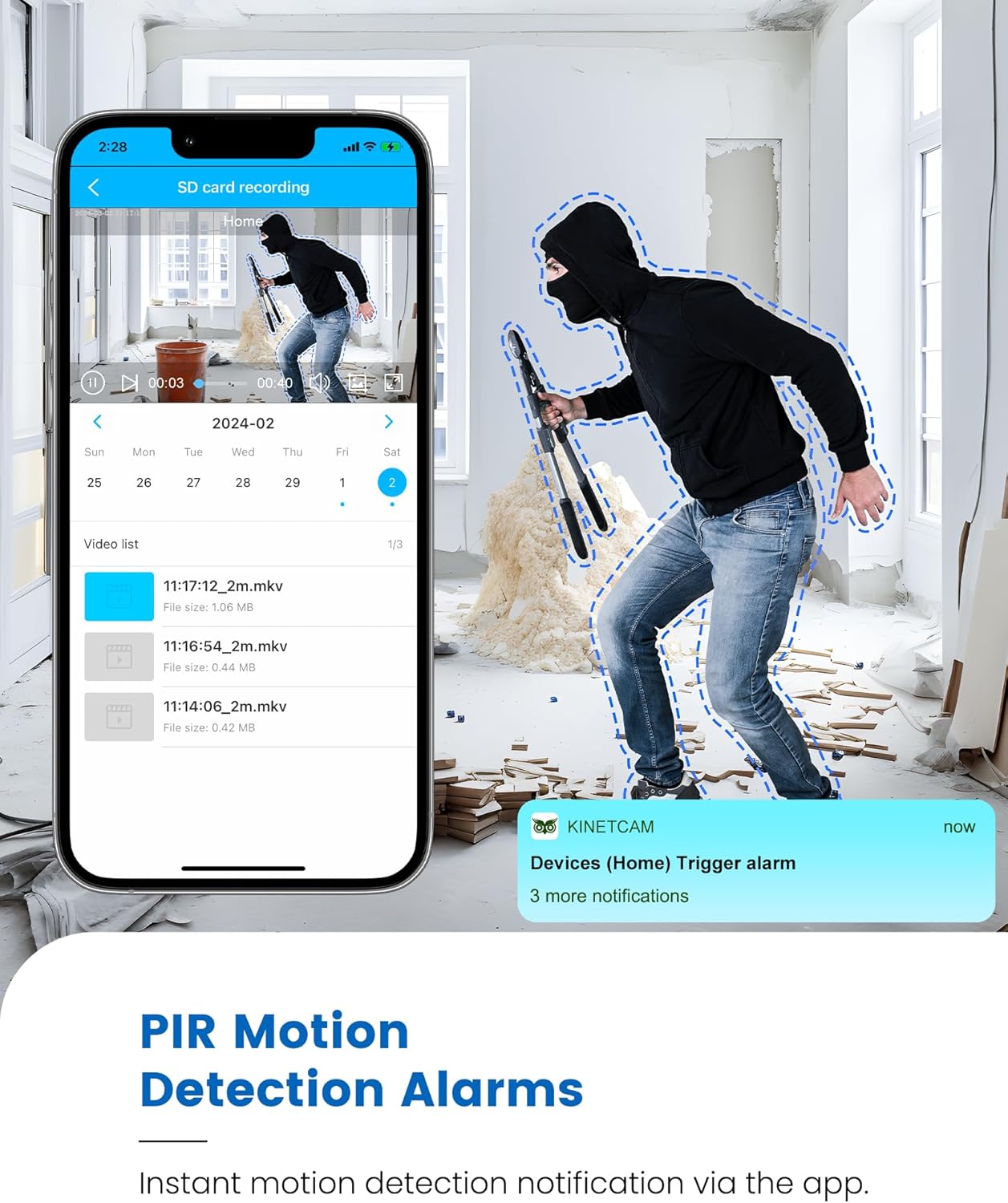
Image 5.1: Live 2K video feed and automatic night vision capability of the KinetCam CAM-A.
5.3 การตรวจจับการเคลื่อนไหวและการแจ้งเตือน
The camera uses an advanced PIR sensor for accurate motion detection, primarily identifying people and pets.
- Enabling/Disabling: Adjust motion detection sensitivity and enable/disable alerts within the app settings.
- การแจ้งเตือนแบบเรียลไทม์: When motion is detected, the camera sends real-time notifications to your paired smartphone.
- หมายเหตุสำคัญ: PIR sensors do not detect motion through glass. Avoid placing the camera behind windows if motion detection is critical for that area.

Image 5.2: Smartphone displaying a motion detection alert from the KinetCam CAM-A.
5.4 การมองเห็นตอนกลางคืน
The camera automatically activates infrared night vision in low-light conditions, providing clear footage up to 20 feet.
5.5 การบันทึกและบันทึกวิดีโอ
The KinetCam CAM-A supports two primary storage methods:
- การ์ด MicroSD: บันทึก footage directly to an installed MicroSD card (up to 128GB). Recordings can be accessed and managed via the mobile app.
- การเก็บข้อมูลบนคลาวด์: An optional cloud storage service is available for secure off-site backup of your video recordings. Details and subscription options are available within the KinetCam application.
5.6 การจัดการแบตเตอรี่
The camera features a rechargeable battery offering up to 30 days of standby time with motion-activated recording or 10+ hours of continuous operation. Battery status can be monitored through the mobile application.
Image 5.3: Visual representation of the KinetCam CAM-A's 30-day battery life.
6. การบำรุงรักษา
6.1 การทำความสะอาด
Gently wipe the camera lens and body with a soft, dry cloth. Avoid using harsh chemicals or abrasive materials that could damage the camera.
6.2 การดูแลแบตเตอรี่
- Charge the camera regularly, especially if it will be stored for an extended period.
- Avoid exposing the camera to extreme temperatures, which can affect battery life.
การอัปเดตเฟิร์มแวร์ 6.3 รายการ
Periodically check the KinetCam mobile application for available firmware updates. Keeping your camera's firmware updated ensures optimal performance and access to new features.
7 การแก้ไขปัญหา
7.1 Camera Not Connecting to 4G LTE
- Ensure the camera is in an area with good 4G LTE signal coverage.
- Check if the SIM card has active data. Top up data via the app if necessary.
- รีสตาร์ทกล้อง
7.2 การแจ้งเตือนไม่มีการตรวจจับการเคลื่อนไหว
- Verify that motion detection is enabled and sensitivity settings are appropriate in the app.
- ตรวจสอบให้แน่ใจว่ากล้อง view ไม่ถูกกีดขวาง
- Remember that PIR sensors do not detect motion through glass.
- ตรวจสอบการตั้งค่าการแจ้งเตือนของแอปบนสมาร์ทโฟนของคุณ
7.3 คุณภาพวิดีโอไม่ดี
- ทำความสะอาดเลนส์กล้อง
- Ensure adequate lighting during the day.
- Check 4G LTE signal strength, as poor signal can affect streaming quality.
7.4 แบตเตอรี่หมดเร็ว
- Frequent motion detection events and continuous live viewing will consume more battery. Adjust settings to optimize.
- ตรวจสอบให้แน่ใจว่ากล้องชาร์จจนเต็มแล้ว
- Extreme temperatures can reduce battery efficiency.
8. ข้อมูลจำเพาะ
| คุณสมบัติ | รายละเอียด |
|---|---|
| ชื่อรุ่น | แคม-เอ |
| การเชื่อมต่อ | เซลลูล่าร์ 4G LTE |
| ความละเอียดวิดีโอ | ความคมชัดระดับ 2K |
| ช่วงการมองเห็นตอนกลางคืน | สูงถึง 20 ฟุต |
| การตรวจจับการเคลื่อนไหว | AI PIR Sensor |
| อายุการใช้งานแบตเตอรี่ (สแตนด์บาย) | นานถึง 30 วัน |
| ความจุของแบตเตอรี่ | 2800mAh |
| การจัดเก็บข้อมูลภายในเครื่อง | การ์ด microSD (สูงสุด 128GB ไม่รวมอยู่ในชุด) |
| การเก็บข้อมูลบนคลาวด์ | ไม่จำเป็น |
| ขนาด | 1.5 x 1.2 x 1.2 นิ้ว |
| น้ำหนัก | 4.2 ออนซ์ |
| การใช้งานภายใน/ภายนอกอาคาร | ในร่ม |
9. การรับประกันและการสนับสนุน
KinetCam products are designed for reliability and performance. For specific warranty details, please refer to the warranty card included with your product or visit the official KinetCam webเว็บไซต์.
For technical support, troubleshooting assistance, or any questions regarding your KinetCam CAM-A, please contact KinetCam customer service through the mobile application or the official website. Please have your model number (CAM-A) and purchase information ready when contacting support.


