การแนะนำ
Thank you for choosing the TESSAN WS-T188LP Wireless Portable Charger Qi2. This device is designed to provide convenient and efficient power to your compatible electronic devices. Please read this manual thoroughly before use to ensure proper operation and to maximize the lifespan of your product.
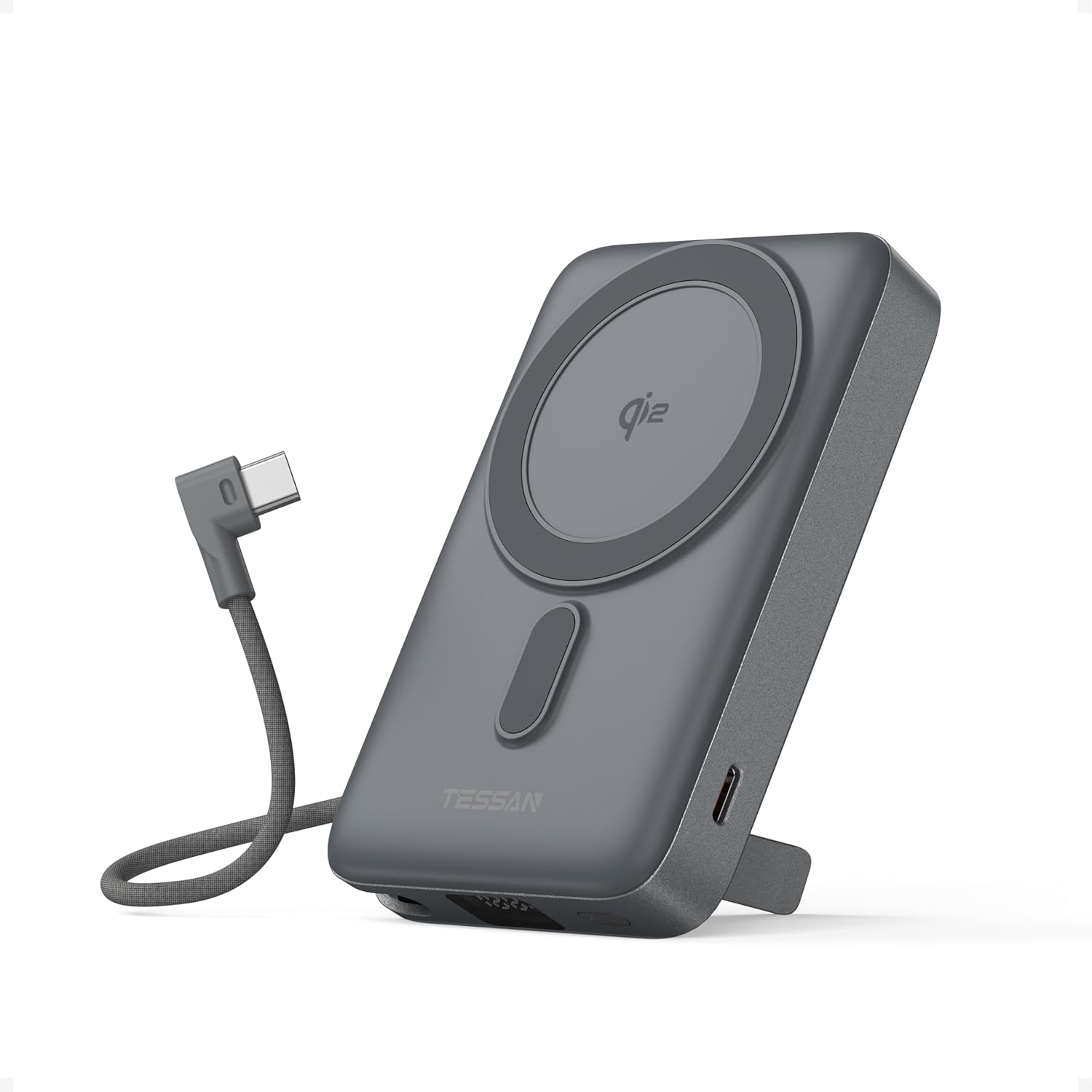
Image: TESSAN WS-T188LP Wireless Portable Charger Qi2, showing its compact design and integrated USB-C cable.
คุณสมบัติผลิตภัณฑ์
- Strong Magnetic Wireless Charging: Securely attaches to compatible iPhones (17/16/15/14 series) and other Qi-enabled devices for stable, cord-free power. Features automatic coil alignment for uninterrupted charging.
- ได้รับการรับรองมาตรฐาน Qi2 ระบบชาร์จเร็ว 15W: Delivers ultra-fast 15W wireless charging, twice the speed of standard wireless chargers. Supports simultaneous charging of two devices with 15W wireless and 35W USB-C wired output.
- High-Capacity & Portable Design: 10,000mAh capacity provides multiple full charges for most smartphones. Compact size and foldable kickstand enhance portability and hands-free viewการไอเอ็นจี
- สาย USB-C ในตัว: An integrated USB-C cable is included for convenient wired charging and for recharging the power bank itself.
- ขาตั้งพับได้ในตัว: ช่วยให้ใช้งานได้โดยไม่ต้องใช้มือ viewing of your device while charging, supporting both horizontal and vertical orientations.
- ความเข้ากันได้กว้าง: Compatible with MagSafe cases, AirPods, Samsung Galaxy devices, and all Qi-certified gadgets.
- Flight-Safe: Designed to meet airline carry-on regulations for safe travel.
- การป้องกันความปลอดภัยขั้นสูง: Offers protection against overheating, short circuits, and over-discharge for safe charging.
การตั้งค่า
1 การชาร์จ Power Bank
Before initial use, fully charge your TESSAN WS-T188LP power bank. Use the built-in USB-C cable or an external USB-C cable connected to a compatible power adapter (not included). The LED display will show the charging progress.

Image: The TESSAN power bank connected to a USB-C cable for recharging, with an arrow indicating 35W max input.
2. การตรวจสอบระดับแบตเตอรี่
กดปุ่มเปิดปิดหนึ่งครั้งเพื่อ view เปอร์เซ็นต์แบตเตอรี่ปัจจุบันtage on the LED display. The display will show the remaining capacity.

Image: The TESSAN power bank with a smartphone magnetically attached, showing the LED display with battery capacity percentage.
คำแนะนำการใช้งาน
1. การชาร์จไร้สาย (รองรับ MagSafe)
- Ensure your device is Qi-enabled and MagSafe compatible (for magnetic attachment).
- Align your device with the magnetic charging area on the power bank. The magnets will securely attach the device.
- The power bank will automatically begin 15W wireless charging.

Image: An iPhone magnetically attached to the TESSAN power bank, displaying the charging animation, highlighting 15W wireless charging.
บันทึก: For optimal magnetic attachment and charging efficiency, use a MagSafe compatible case or no case. Non-magnetic cases may hinder performance.
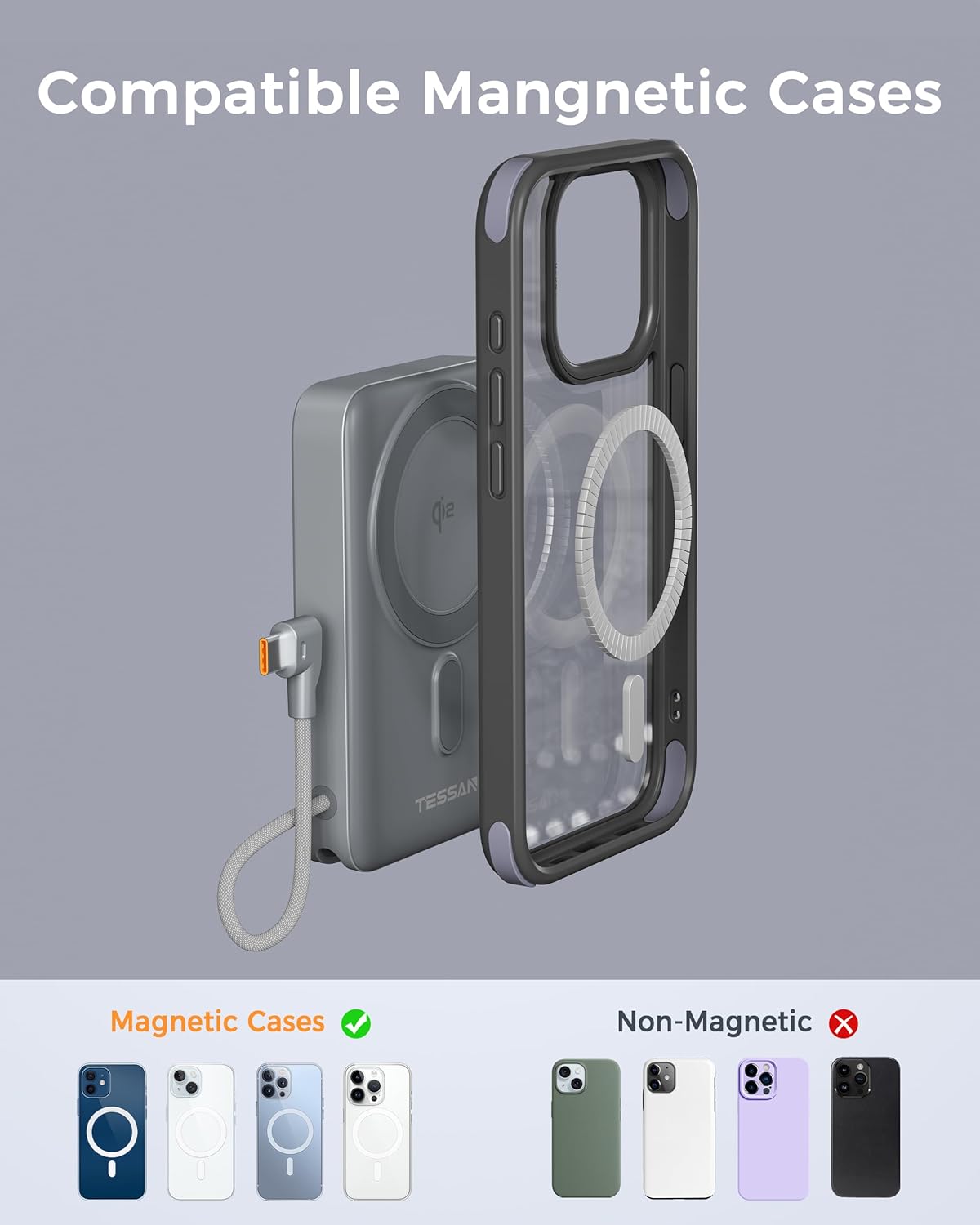
Image: An illustration showing magnetic cases are compatible with the power bank, while non-magnetic cases are not recommended for magnetic attachment.
2. การชาร์จแบบมีสาย
- Pull out the built-in USB-C cable from its storage slot.
- Connect the USB-C cable to your device's charging port.
- The power bank will automatically begin 35W wired charging.

Image: A smartphone being charged by the TESSAN power bank using its integrated USB-C cable, indicating 35W fast charging.
3. การชาร์จพร้อมกัน
The TESSAN WS-T188LP supports charging two devices simultaneously: one wirelessly via the magnetic pad and another via the built-in USB-C cable.

Image: The TESSAN power bank simultaneously charging an iPhone wirelessly and AirPods via the built-in USB-C cable, demonstrating multi-device charging capability.
4. การใช้ขาตั้งในตัว
The power bank features a foldable kickstand for hands-free viewing. Simply pull out the stand from the back of the device. You can position your phone vertically or horizontally on the stand while it charges wirelessly.
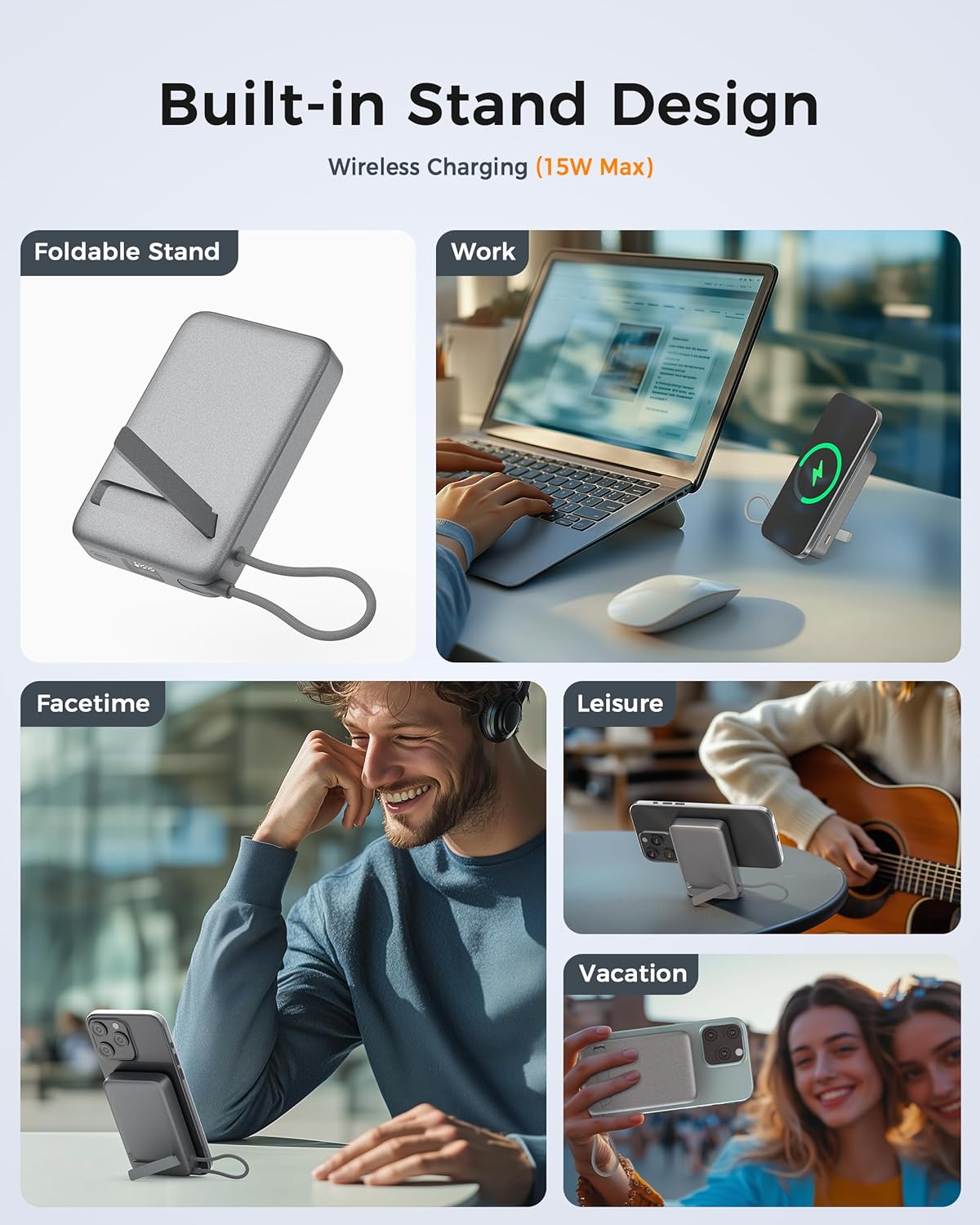
Image: A collage showing the TESSAN power bank's foldable stand in use, supporting a smartphone for work, FaceTime, leisure, and travel.
Video: Demonstration of the TESSAN WS-T188LP Portable Charger, highlighting its magnetic attachment and built-in stand functionality.
การซ่อมบำรุง
- ควรเก็บพาวเวอร์แบงค์ให้ห่างจากน้ำ ไฟ และอุณหภูมิสูง
- หลีกเลี่ยงการทำอุปกรณ์หล่นหรือกระแทกอย่างรุนแรง
- ทำความสะอาดอุปกรณ์ด้วยผ้านุ่มและแห้ง ห้ามใช้สารเคมีรุนแรงหรือวัสดุที่มีฤทธิ์กัดกร่อน
- เก็บพาวเวอร์แบงค์ไว้ในที่แห้งและเย็นเมื่อไม่ใช้งาน
- Recharge the power bank at least once every three months to maintain battery health.
การแก้ไขปัญหา
- อุปกรณ์ไม่ชาร์จ:
- ตรวจสอบให้แน่ใจว่าพาวเวอร์แบงค์มีการชาร์จเพียงพอ
- Verify that your device is properly aligned with the magnetic charging area or securely connected via the USB-C cable.
- Check if your device is Qi-enabled and compatible with the power bank.
- Remove any non-MagSafe compatible cases that may interfere with wireless charging.
- การชาร์จช้า:
- Ensure your device supports fast charging.
- Check for proper alignment during wireless charging.
- หลีกเลี่ยงการใช้งานอุปกรณ์อย่างหนักขณะชาร์จไฟ
- พาวเวอร์แบงค์ร้อนเกินไป:
- Charging may temporarily pause if the device or power bank becomes too hot. This is a safety feature. Allow it to cool down before resuming.
- ตรวจสอบให้แน่ใจว่ามีการระบายอากาศที่เพียงพอรอบๆ อุปกรณ์และพาวเวอร์แบงค์ขณะชาร์จ
ข้อมูลจำเพาะ
| หมายเลขรุ่น | WS-T188LP |
| ความจุของแบตเตอรี่ | 10,000mAh |
| เอาท์พุทชาร์จไร้สาย | 15W (ผ่านการรับรอง Qi2) |
| เอาท์พุตแบบมีสาย (USB-C) | 35W สูงสุด |
| Wired Input (USB-C) | 20W สูงสุด |
| ขนาดสินค้า | 4.23 x 2.7 x 0.78 นิ้ว |
| น้ำหนักสินค้า | 9.6 ออนซ์ |
| สี | สีเทา |
ข้อมูลด้านความปลอดภัย
- Do not disassemble, open, or shred the power bank.
- อย่าให้พาวเวอร์แบงค์โดนความร้อนหรือไฟ หลีกเลี่ยงการเก็บในที่โดนแสงแดดโดยตรง
- Do not short-circuit the power bank. Do not store it haphazardly in a box or drawer where other metal objects might short-circuit it.
- อย่าให้พาวเวอร์แบงค์เกิดการกระแทกทางกล
- หากเกิดการรั่วไหล ห้ามให้ของเหลวสัมผัสกับผิวหนังหรือดวงตา หากสัมผัสถูกผิวหนังหรือดวงตา ให้ล้างบริเวณที่สัมผัสด้วยน้ำปริมาณมากและรีบไปพบแพทย์
- เก็บพาวเวอร์แบงค์ให้พ้นมือเด็ก
- โปรดใช้พาวเวอร์แบงค์ตามวัตถุประสงค์ที่กำหนดไว้เท่านั้น
- Dispose of the power bank in accordance with local regulations.
การรับประกันและการสนับสนุน
TESSAN products come with a standard manufacturer's warranty. For detailed warranty information, product support, or any inquiries, please visit the official TESSAN website or contact our customer service team. Keep your purchase receipt for warranty claims.
ข้อมูลติดต่อ: Please refer to the product packaging or the official TESSAN webเว็บไซต์สำหรับรายละเอียดการติดต่อล่าสุด


