สินค้าเกินview
The OLIGHT Marauder 2 and IMINI 2 bundle provides powerful and versatile lighting solutions for various needs. The Marauder 2 is a high-performance handheld flashlight designed for extensive illumination, while the IMINI 2 is a compact, convenient keychain light for everyday carry.
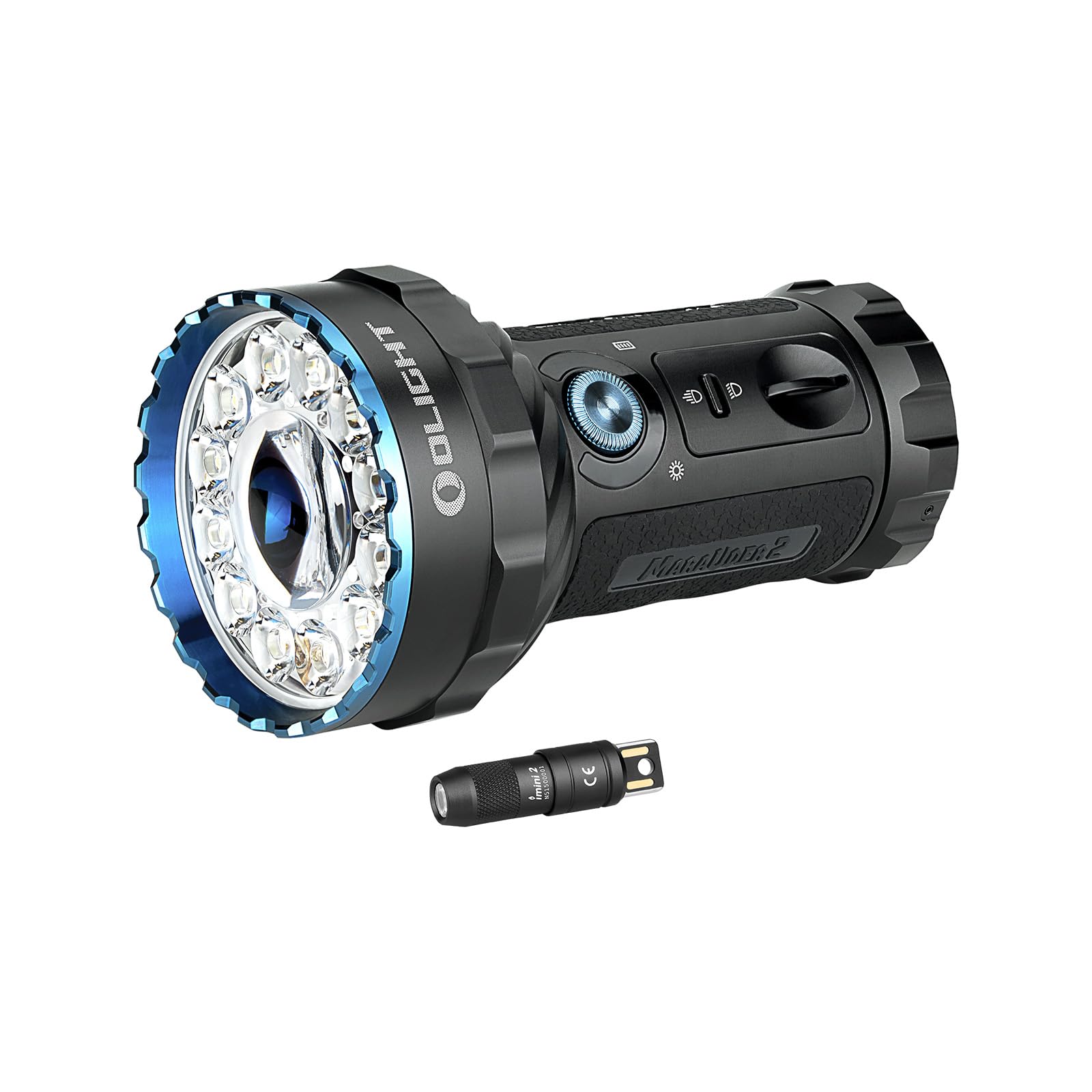
Image: The OLIGHT Marauder 2 and IMINI 2 Flashlight Bundle, showcasing both flashlights.
เนื้อหาแพ็คเกจ
Your OLIGHT Marauder 2 and IMINI 2 bundle includes the following items:
- OLIGHT Marauder 2 ไฟฉายมือถือแบบชาร์จไฟได้
- ไฟฉายพวงกุญแจแบบชาร์จไฟได้ OLIGHT IMINI 2 EDC
- USB Magnetic Charging Cable (for Marauder 2)
- Carrying Case (for Marauder 2)
- คู่มือการใช้งาน
OLIGHT Marauder 2 Flashlight
คุณสมบัติ
- การส่องสว่างอันทรงพลัง: Features an 800-meter spotlight beam from the central LED and a 14000-lumen floodlight beam from 12 surrounding LEDs.
- รันไทม์ขยาย: Built-in 54Wh rechargeable battery pack provides up to 59 hours of runtime.
- อินเทอร์เฟซควบคุมคู่: A simple toggle switch selects between spotlight or floodlight. An intuitive rotary knob switch turns the light on and cycles through 7 output levels.
- ระบบความปลอดภัยแบบบูรณาการ: Includes a thermal sensor, a proximity sensor, and cooling fins to protect against overheating and obstruction.
- โครงสร้างทนทาน: Made from metal with a matte black finish.
- ความต้านทานน้ำ: Designed with water-resistant features for outdoor use.
การตั้งค่าและการชาร์จ
- การใช้งานเบื้องต้น: Before first use, remove any protective films or insulating discs from the battery compartment.
- การชาร์จ: Connect the magnetic USB charging cable to the flashlight's magnetic base. The indicator light on the cable will show charging status.

Image: Close-up of the Marauder 2 showing the rotary knob, toggle switch, and magnetic charging port.
คำแนะนำการใช้งาน
- เปิด/ปิดเครื่อง: Rotate the rotary knob switch quickly over 90 degrees to unlock and turn on the light. After approximately 10 seconds, the light will lock again.
- ปรับความสว่าง: Once on, rotate the knob to cycle through the 7 available output levels.
- Switch Beam Type: Use the toggle switch to select either spotlight or floodlight mode.
- Special Light Modes (RGB): Push and hold the main button to cycle through red, green, and blue light modes.
- โหมดแฟลช: Triple-click the main button to activate the emergency strobe.

Image: Visual comparison of the Marauder 2's spotlight and floodlight beams.
OLIGHT IMINI 2 Keychain Flashlight
คุณสมบัติ
- การออกแบบที่กะทัดรัด: Small and lightweight, ideal for everyday carry on a keychain.
- การเปิดใช้งานทันที: Turns on automatically by detaching the body from its magnetic cap.
- เอาต์พุตเดี่ยว: ให้แสงสว่างที่กว้างและสมดุลถึง 50 ลูเมน
- การชาร์จ USB ในตัว: Features a built-in USB plug for convenient on-the-go charging.
การใช้งานและการชาร์จ
- เปิด/ปิดทันที: Simply pull the flashlight body away from the magnetic cap to turn it on. Reattach the body to the cap to turn it off.
- การชาร์จ: Plug the integrated USB connector directly into any standard USB port for charging.

Image: The IMINI 2 demonstrating its instant on/off feature by detaching from the magnetic cap.
ข้อมูลจำเพาะ
โอไลท์ มารอเดอร์ 2
| คุณสมบัติ | รายละเอียด |
|---|---|
| Max White Brightness | 14000 ลูเมน |
| แม็กซ์ แทรป | 800 meters (Spotlight) |
| แหล่งพลังงาน | Built-in 54Wh Lithium Ion Battery Pack |
| รันไทม์สูงสุด | นานถึง 59 ชั่วโมง |
| วัสดุ | โลหะ |
| คุณสมบัติพิเศษ | Rechargeable, Adjustable Light Modes, Water-Resistant Design, Thermal & Proximity Sensors |
โอไลท์ อิมินิ 2
| คุณสมบัติ | รายละเอียด |
|---|---|
| เอาท์พุต | 50 ลูเมน |
| แหล่งพลังงาน | แบตเตอรี่ลิเธียมไอออน |
| คุณสมบัติพิเศษ | Instant Activation, Integrated USB Plug |
การซ่อมบำรุง
- การทำความสะอาด: Regularly clean the lens and body of both flashlights with a soft, damp ผ้า หลีกเลี่ยงวัสดุที่มีฤทธิ์กัดกร่อน
- การดูแลแบตเตอรี่ For optimal performance, ensure batteries are fully charged before extended storage. Store in a cool, dry place.
- โอริง: Periodically check and lubricate the O-rings on the Marauder 2 to maintain its water resistance.
การแก้ไขปัญหา
- ไฟฉายเปิดไม่ติด:
- For Marauder 2: Ensure the rotary knob is rotated past 90 degrees to unlock. Check battery charge.
- For IMINI 2: Ensure the body is fully detached from the magnetic cap. Check battery charge.
- เอาต์พุตแสงสลัว: Recharge the battery. Ensure the lens is clean.
- Overheating (Marauder 2): The Marauder 2 has built-in thermal protection. If it becomes too hot, the output will automatically reduce. Allow it to cool down.
การรับประกันและการสนับสนุน
OLIGHT products are known for their high quality and durability. This bundle comes with a รับประกันตลอดอายุการใช้งาน, ensuring long-term reliability and customer satisfaction. For any support needs or warranty claims, please refer to the official OLIGHT webหรือติดต่อฝ่ายบริการลูกค้าโดยตรง