
การแนะนำ
The LS2 Spectrum Bluetooth communication system, developed in collaboration with MIDLAND, is designed for LS2 helmets. It delivers premium audio quality from RCF, supports real-time intercom communication for up to four riders, and features an advanced AI-powered noise cancellation system. With its waterproof design and various additional functions, you can stay connected to your voice assistant or engage in clear conversations with other riders.
เนื้อหาแพ็คเกจ
ตรวจสอบว่ารายการทั้งหมดที่ระบุไว้ด้านล่างนี้รวมอยู่ในแพ็คเกจของคุณ:
- 1 x LS2 Spectrum device
- 1 x Pair of 40 mm RCF speakers
- ไมโครโฟน 1 ตัว
- 1 x Helmet mounting kit
- สายชาร์จ USB 1 เส้น

Image: LS2 Spectrum Bluetooth Intercom packaging. The box displays the intercom unit, highlighting features such as Bluetooth connectivity, up to 800m distance, AI noise cancelling, support for up to 4 people, and RCF Ultra HD Sound.
คุณสมบัติหลัก
- Bluetooth 5.1: เพื่อการเชื่อมต่อไร้สายที่เสถียรและมีประสิทธิภาพ
- 4-Way Intercom System: Communicate with up to four riders simultaneously.
- ระยะขยาย: Up to 1200 meters for group communication.
- การเชื่อมต่อแบบสากล: Compatible with intercom systems from other brands.
- Long Talk Time: Up to 20 hours of continuous conversation.
- การออกแบบกันน้ำ: รับประกันความทนทานและประสิทธิภาพในสภาพอากาศที่หลากหลาย
- AI-Powered Noise Cancellation: Reduces background noise for clear audio.
- Ultra HD Audio by RCF: High-quality sound from 40 mm speakers.
- การออกแบบบางเฉียบ: Integrates seamlessly with LS2 helmets.
- ความเข้ากันได้ของอุปกรณ์: Connects with smartphones, GPS devices, and TFT displays.
คำแนะนำการตั้งค่า
1. การติดตั้งชุดอินเตอร์คอม
- Choose a suitable location on the left side of your LS2 helmet for the intercom unit.
- Use the provided helmet mounting kit to securely attach the main unit. Ensure it is firmly in place and does not obstruct helmet functionality.
2 การติดตั้งลำโพงและไมโครโฟน
- Place the 40 mm RCF speakers inside the helmet's ear pockets. Ensure they are positioned directly over your ears for optimal sound quality.
- Attach the microphone to the inside of the helmet, near your mouth, ensuring it is not obstructed and can pick up your voice clearly.
- Connect the speaker and microphone cables to the main intercom unit.
3. การชาร์จครั้งแรก
Before first use, fully charge the LS2 Spectrum device using the provided USB charging cable. Connect the cable to the intercom unit and a standard USB power source. The charging indicator will show the charging status.
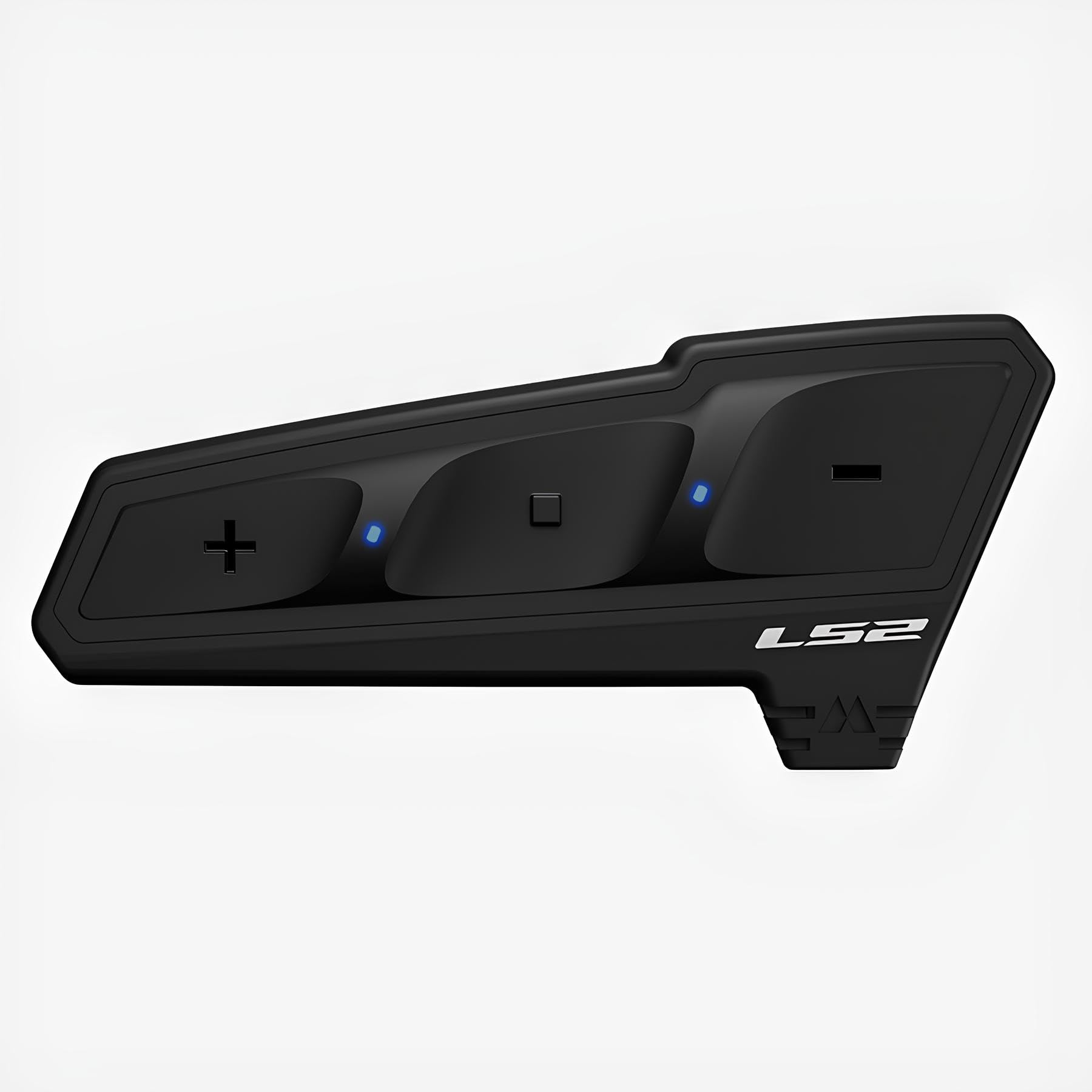
Image: The LS2 Spectrum Bluetooth Intercom device. This image shows the sleek, black unit with control buttons, designed to be mounted on a helmet.
คำแนะนำการใช้งาน
เปิด/ปิดเครื่อง
- การเปิดเครื่อง: Press and hold the Power button for approximately 3 seconds until you hear an audible confirmation.
- วิธีปิดเครื่อง: Press and hold the Power button for approximately 5 seconds until you hear an audible confirmation.
Bluetooth Pairing (First Time)
- With the device off, press and hold the Power button for about 7 seconds until the LED indicator flashes red and blue, indicating pairing mode.
- On your smartphone or GPS device, enable Bluetooth and search for available devices.
- Select "LS2 Spectrum" from the list of found devices.
- เมื่อจับคู่เสร็จแล้ว ไฟ LED จะกะพริบเป็นสีน้ำเงินช้าๆ
การสื่อสารผ่านอินเตอร์คอม
- เริ่มการสื่อสารภายใน: Briefly press the Intercom button to start a conversation with a paired intercom unit.
- สิ้นสุดการสื่อสารผ่านระบบอินเตอร์คอม: Briefly press the Intercom button again to end the conversation.
- Multi-Party Intercom: Follow the specific instructions in the full manual for pairing and managing up to four intercom units for group conversations.
การโทรศัพท์
- รับสาย: Briefly press the Phone button.
- การวางสาย: Briefly press the Phone button.
- การปฏิเสธสาย: กดปุ่มโทรศัพท์ค้างไว้ 2 วินาที
- โทรออกด้วยเสียง: If supported by your phone, briefly press the Voice Assistant button to activate voice dialing.
การเล่นเพลง
- เล่น/หยุดชั่วคราว: Briefly press the Play/Pause button.
- เพลงถัดไป: กดปุ่มเพิ่มเสียงค้างไว้ 2 วินาที
- แทร็กก่อนหน้า: กดปุ่มลดระดับเสียงเป็นเวลา 2 วินาที
การปรับระดับเสียง
- เพิ่มปริมาณ: กดปุ่มเพิ่มระดับเสียงสั้นๆ
- ลดระดับเสียง: กดปุ่มลดเสียงสั้นๆ
การซ่อมบำรุง
- การทำความสะอาด: ใช้แบบนุ่มๆamp cloth to clean the exterior of the intercom unit. Avoid using harsh chemicals or abrasive cleaners.
- พื้นที่จัดเก็บ: When not in use for extended periods, store the device in a cool, dry place. Ensure it is fully charged before storing to prolong battery life.
- การดูแลแบตเตอรี่ Do not expose the battery to extreme temperatures. Follow local regulations for battery disposal.
การแก้ไขปัญหา
| ปัญหา | สาเหตุที่เป็นไปได้ | สารละลาย |
|---|---|---|
| อุปกรณ์ไม่เปิดเครื่อง | แบตเตอรี่อ่อน | ชาร์จอุปกรณ์ให้เต็มโดยใช้สาย USB ที่ให้มา |
| ไม่สามารถจับคู่กับสมาร์ทโฟนได้ | อุปกรณ์ไม่ได้อยู่ในโหมดจับคู่; ปิดบลูทูธบนโทรศัพท์แล้ว | Ensure the intercom is in pairing mode (flashing red/blue). Enable Bluetooth on your phone and retry pairing. |
| Intercom communication is unclear or has static. | Out of range; interference; microphone not positioned correctly. | Move closer to the other intercom unit. Check for sources of interference. Adjust microphone position. |
| ไม่มีเสียงจากลำโพง | Speakers not connected; volume too low; faulty speakers. | Check speaker connections. Increase volume. If problem persists, contact support. |
ข้อมูลจำเพาะ
- เวอร์ชันบลูทูธ: 5.1
- Intercom Capacity: ผู้โดยสารสูงสุด 4 คน
- Maximum Intercom Range: 1200 เมตร
- เวลาสนทนา: นานถึง 20 ชั่วโมง
- เทคโนโลยีเสียง: RCF Ultra HD Audio, 40 mm speakers
- ตัดเสียงรบกวน: ขับเคลื่อนด้วย AI
- ความต้านทานน้ำ: ใช่ (กันน้ำ)
- การเชื่อมต่อ: Universal (compatible with other brands)
- อุปกรณ์ที่รองรับ: Smartphone, GPS, Tablet, TFT displays
- พอร์ตชาร์จ: ยูเอสบี
- วัสดุ: พลาสติก
- น้ำหนัก: ประมาณ 330 กรัม
- ขนาด : 11.7 x 11.2 x 10.7 cm (Package dimensions, actual device dimensions are ultra-thin)
ข้อมูลด้านความปลอดภัย
คำเตือน: This device may cause interference with other wireless devices. Always follow the operating instructions and battery disposal guidelines carefully to ensure safe use and environmental protection.
Do not attempt to disassemble or modify the device. Doing so may void the warranty and could result in injury or damage to the product.
การรับประกันและการสนับสนุน
For warranty information and technical support, please refer to the official LS2 website or contact your authorized LS2 dealer. Keep your proof of purchase for warranty claims.
หมายเหตุ: เงื่อนไขการรับประกันเฉพาะอาจแตกต่างกันไปในแต่ละภูมิภาค