1. บทนำ
This user manual provides comprehensive instructions for the NEC VersaPro VH-1 laptop. It covers setup, operation, maintenance, and troubleshooting to ensure optimal performance and user experience. Please read this manual thoroughly before using your device.
The NEC VersaPro VH-1 is a lightweight and high-performance 12.5-inch Full HD laptop, featuring a 7th Generation Intel Core i5-7Y54 processor. It is designed for efficient web browsing, business applications, and remote work. With pre-installed Windows 11 Pro and MS Office 2019, it is ready for immediate use upon arrival.
2. สินค้าหมดview
2.1 คุณสมบัติหลัก
- Lightweight & Thin Design: Weighing approximately 921g, this 12.5-inch FHD laptop is highly portable, fitting easily into a backpack for commuting, business trips, or mobile work.
- 7th Gen Intel Core i5-7Y54 Processor: Equipped with an efficient and power-saving Intel Core i5-7Y54 (up to 3.2GHz) processor, offering sufficient performance for browsing, online meetings, and Office applications. It also features quiet operation and low heat generation.
- High-Speed SSD Storage: Features an SSD for fast boot-up and smooth operation, handling large files and multiple applications without lag.
- Rich Connectivity & Type-C Expansion: รวมถึง Web camera, Wi-Fi, Bluetooth, HDMI, and a Type-C port for versatile connections to peripherals and external monitors. The Type-C port supports future expansion.
- Pre-installed Software: Comes with Windows 11 Pro and MS Office 2019 pre-installed, allowing immediate document creation, report preparation, and web การประชุมทางไกล
2.2 การระบุส่วนประกอบ
Familiarize yourself with the various parts of your NEC VersaPro VH-1 laptop.

ภาพ: ต่างๆ views of the NEC VersaPro VH-1 laptop, showing the front, back, top, and keyboard layout.

ภาพ: ด้านข้าง view of the laptop highlighting available ports including USB 3.0, LAN, Headphone Jack, HDMI, SD Card Slot, and Power Connector.
3. การตั้งค่า
3.1 การเปิดเครื่องครั้งแรก
- เชื่อมต่อพลังงาน: เสียบอะแดปเตอร์ AC เข้ากับพอร์ตไฟของแล็ปท็อป จากนั้นเสียบเข้ากับเต้ารับไฟฟ้าที่ผนัง
- เปิดเครื่อง: Open the laptop lid and press the power button. The laptop will begin the initial boot process.
- การตั้งค่า Windows: ปฏิบัติตามคำแนะนำบนหน้าจอเพื่อดำเนินการติดตั้ง Windows 11 Pro ให้เสร็จสิ้น รวมถึงภาษา ภูมิภาค การเชื่อมต่อเครือข่าย และการสร้างบัญชีผู้ใช้
3.2 การเปิดใช้งานซอฟต์แวร์
Your laptop comes with MS Office 2019 pre-installed. Follow the prompts to activate your Office suite using your Microsoft account or product key.

Image: The laptop displaying the Windows 11 interface, with logos indicating Windows 11 Pro and MS Office 2019 are installed and ready for use.
4. คู่มือการใช้งาน
4.1 การใช้งานพื้นฐาน
- แป้นพิมพ์: The laptop features a Japanese layout keyboard designed for comfortable and accurate typing.
- ทัชแพด: ใช้ทัชแพดในตัวสำหรับการนำทางและท่าทางต่างๆ
- Web กล้อง: ในตัว web camera and dual microphones are ideal for remote work, online meetings, and video calls.

Image: A user engaged in a video conference call on the NEC VersaPro VH-1 laptop, demonstrating its web camera and dual microphone capabilities for remote work and online learning.
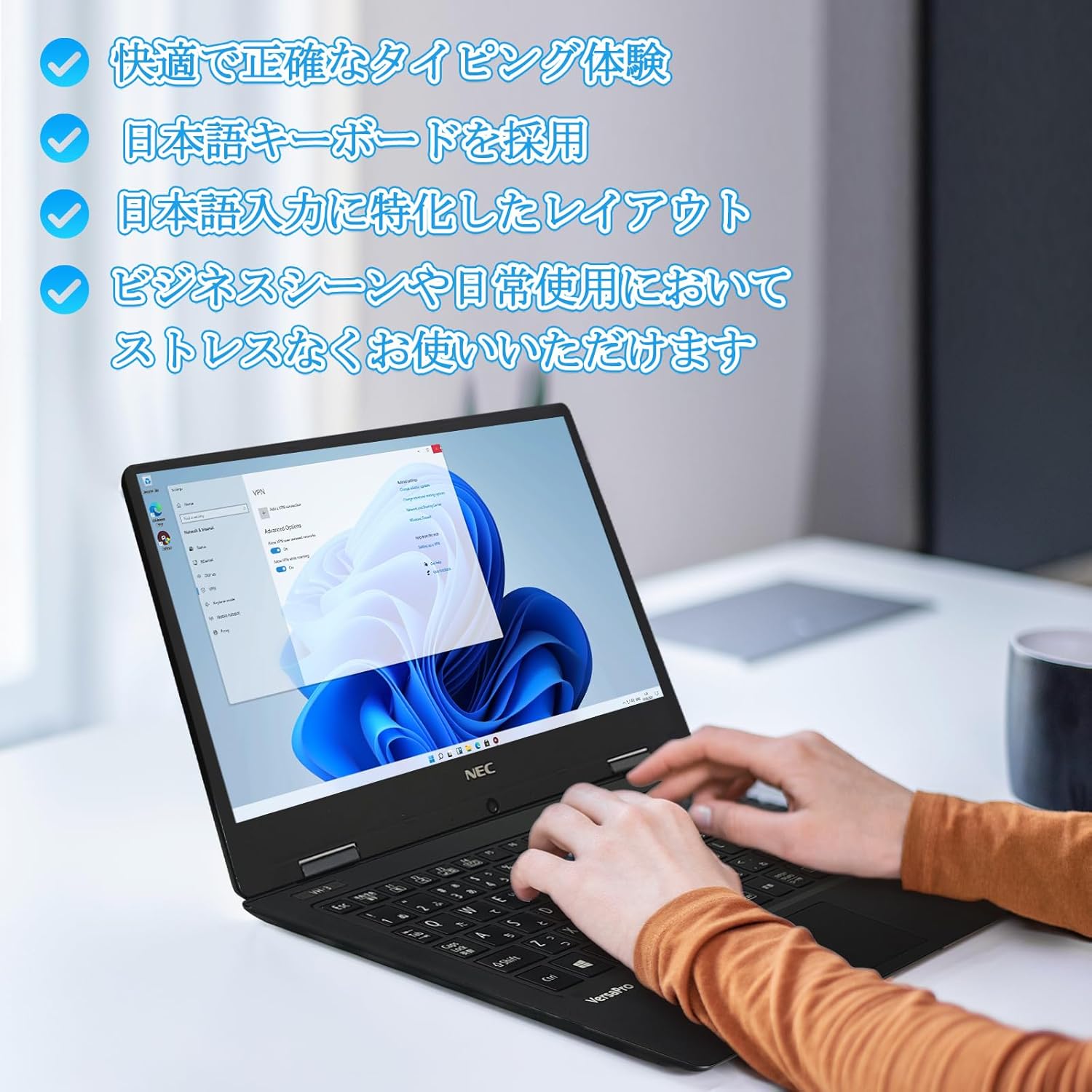
Image: Close-up of hands typing on the laptop's keyboard, illustrating the comfortable and precise typing experience provided by the Japanese layout keyboard.
4.2 การเชื่อมต่อ
- ไวไฟ : เชื่อมต่อกับเครือข่ายไร้สายเพื่อการเข้าถึงอินเทอร์เน็ต
- บลูทูธ: เชื่อมต่อกับอุปกรณ์ที่รองรับบลูทูธ เช่น หูฟังหรือเมาส์
- ช่องต่อ HDMI: เชื่อมต่อกับจอแสดงผลภายนอกหรือโปรเจ็กเตอร์
- Type-C: Use the Type-C port for data transfer, charging compatible devices, or connecting to a USB-C hub for additional ports.
5. การบำรุงรักษา
5.1 การทำความสะอาด
- หน้าจอ: ใช้ผ้านุ่มไม่เป็นขุยเช็ดเล็กน้อยampล้างออกด้วยน้ำหรือน้ำยาทำความสะอาดหน้าจอ ห้ามฉีดน้ำยาลงบนหน้าจอโดยตรง
- คีย์บอร์ดและตัวเครื่อง: ใช้ผ้าเนื้อนุ่มเช็ดพื้นผิว สำหรับคราบฝังแน่น ให้เช็ดเบาๆamp สามารถใช้ผ้าได้ หลีกเลี่ยงสารเคมีรุนแรง
5.2 การดูแลแบตเตอรี่
- เพื่อยืดอายุการใช้งานแบตเตอรี่ ควรหลีกเลี่ยงอุณหภูมิที่สูงเกินไป
- หากจะเก็บแล็ปท็อปไว้เป็นเวลานาน ควรตรวจสอบให้แน่ใจว่าแบตเตอรี่มีประจุอยู่ประมาณ 50-70%
6 การแก้ไขปัญหา
6.1 ปัญหาทั่วไปและแนวทางแก้ไข
| ปัญหา | วิธีแก้ปัญหาที่เป็นไปได้ |
|---|---|
| โน๊ตบุ๊คไม่สามารถเปิดเครื่องได้ | Ensure the AC adapter is securely connected to both the laptop and a working power outlet. Check if the power button is functioning correctly. |
| ปัญหาการเชื่อมต่อ Wi-Fi | ตรวจสอบว่า Wi-Fi เปิดใช้งานอยู่ในการตั้งค่า Windows แล้ว รีสตาร์ทเราเตอร์และแล็ปท็อป และตรวจสอบไดรเวอร์เครือข่ายที่อัปเดตแล้ว |
| External display not detected. | Ensure the HDMI cable is securely connected. Press Windows key + P to cycle through display modes. Check external display input settings. |
| ประสิทธิภาพการทำงานช้า | ปิดแอปพลิเคชันที่ไม่จำเป็น ตรวจสอบกระบวนการเบื้องหลังที่ใช้ทรัพยากร ตรวจสอบให้แน่ใจว่ามีพื้นที่ว่างเพียงพอบน SSD สแกนระบบเพื่อหามัลแวร์ |
หากคุณพบปัญหาที่ไม่ได้ระบุไว้ที่นี่หรือต้องการความช่วยเหลือเพิ่มเติม โปรดดูส่วนการสนับสนุน
7. ข้อมูลจำเพาะ
| คุณสมบัติ | รายละเอียด |
|---|---|
| ยี่ห้อ | เอ็นอีซี |
| ชื่อรุ่น | VasaPro VH-1 |
| หมายเลขรุ่นผลิตภัณฑ์ | วีเคที12 |
| ขนาดหน้าจอ | 12.5 นิ้ว |
| ปณิธาน | 1920x1080 พิกเซล (FHD) |
| แบรนด์ CPU | อินเทล |
| ประเภทซีพียู | Core i5 7Y54 |
| ความเร็วซีพียู | 1.2 GHz (Max 3.2 GHz) |
| จำนวนโปรเซสเซอร์ | 2 |
| ขนาดหน่วยความจำแรม | 4GB |
| รองรับหน่วยความจำสูงสุด | 8GB |
| ประเภทหน่วยความจำ | แรม DDR3 |
| ขนาดฮาร์ดดิสก์ | 1TB |
| ประเภทฮาร์ดดิสก์ | เอสดีเอสดี |
| โคโปรเซสเซอร์กราฟิก | กราฟิก Intel HD 615 |
| คำอธิบายการ์ดจอ | บูรณาการ |
| ระบบปฏิบัติการ | วินโดวส์ 11 โปร |
| ประเภทไร้สาย | Bluetooth, Wi-Fi (802.11n) |
| พอร์ต USB 3.0 | 2 |
| พอร์ต HDMI | 1 |
| ประเภทไดรฟ์ออปติคัล | ไม่มี |
| น้ำหนักสินค้า | 1.5 Kilograms (Shipping Weight) |
| แบตเตอรี่ | 1 12V battery (included), 24 Watt-hours, 4 Lithium Ion cells |
8. การรับประกันและการสนับสนุน
For warranty information and technical support, please refer to the documentation provided with your purchase or contact the retailer. Specific warranty terms may vary.


