การแนะนำ
This manual provides comprehensive instructions for the ORICO EB05 256GB Dual USB 3.0 Flash Drive. This device is designed for convenient data transfer and storage across a wide range of devices, including smartphones, tablets, and computers. Its dual USB-C and USB-A connectors, combined with a durable metal housing and swivel design, offer versatile and reliable performance.
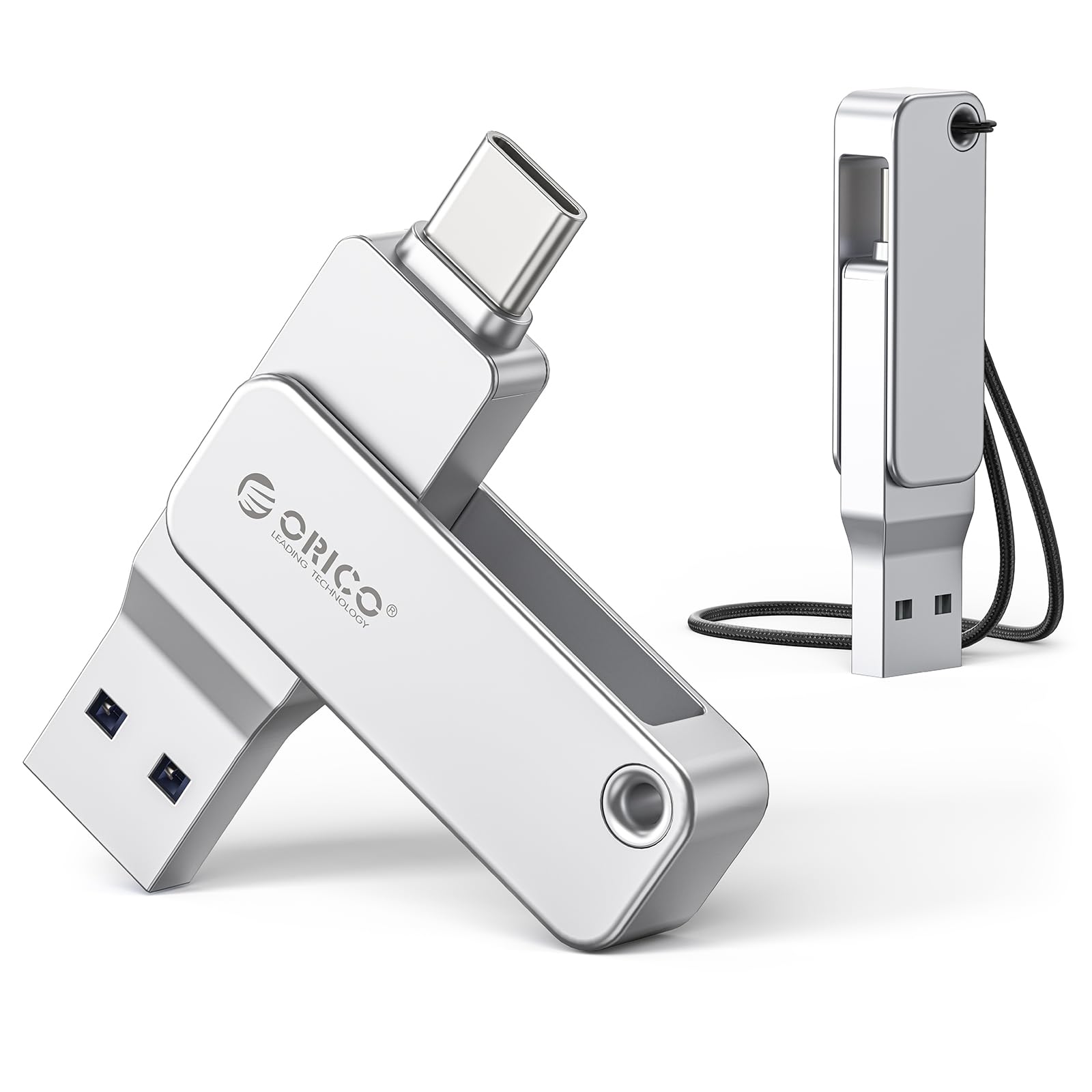
Image: The ORICO EB05 Dual USB Flash Drive, showcasinด้วยดีไซน์ที่กะทัดรัดและขั้วต่อแบบคู่
มีอะไรอยู่ในกล่อง
The ORICO EB05 Dual USB 3.0 Flash Drive package includes the following items:
- ORICO EB05 Dual USB 3.0 Flash Drive (256GB)
- สายคล้องคอ
- คู่มือการใช้งาน (เอกสารนี้)

Image: The ORICO EB05 Flash Drive shown with its retail packaging and included lanyard.
คุณสมบัติหลัก
- ความจุในการจัดเก็บข้อมูล 256GB: จัดเตรียมให้ ample space for thousands of photos, videos, music, and documents.
- Dual USB-C & USB-A Connectors: Offers broad compatibility with modern and traditional devices, including smartphones (iPhone 15+, Android), tablets, laptops, and computers.
- การถ่ายโอนข้อมูลความเร็วสูง: Features USB 3.0 performance with read speeds up to 150MB/s, enabling quick transfer of large files.
- ตัวเรือนโลหะทนทาน: Constructed from zinc alloy for enhanced durability and protection of your data.
- การออกแบบหมุนได้ 360 °: Allows for easy switching between USB-C and USB-A connectors without the risk of losing a cap.
- ฟังก์ชั่น Plug-and-Play: No software installation required; simply connect to your device to begin use.
- ขนาดกะทัดรัดและพกพาสะดวก: Slim design fits easily in pockets, wallets, or attached to a keychain.

Image: Close-up of the ORICO EB05 Flash Drive highlighting its dual USB-A and USB-C interfaces and 360-degree swivel mechanism.
การตั้งค่า
The ORICO EB05 Flash Drive is designed for plug-and-play operation, requiring no special drivers or software installation.
- ระบุตัวเชื่อมต่อ: Determine whether your device requires a USB-A or USB-C connection. The flash drive features a 360° swivel design to switch between these two interfaces.
- เชื่อมต่อกับอุปกรณ์: Insert the appropriate connector (USB-A or USB-C) into the corresponding port on your smartphone, tablet, or computer.
- เข้าถึงพื้นที่จัดเก็บข้อมูล: Your device should automatically recognize the flash drive as external storage. You can then access it through your device's file manager or explorer.
Video: Demonstrates the plug-and-play functionality and dual USB-A and USB-C connectors of the ORICO EB05 Flash Drive, showing it being connected to various devices.
คำแนะนำการใช้งาน
การโอนย้าย files with the ORICO EB05 is straightforward:
- เปิด File ผู้จัดการ: บนคอมพิวเตอร์ของคุณ เปิด File Explorer (Windows) or Finder (Mac). On a smartphone or tablet, open your device's file แอพพลิเคชันการจัดการ
- Locate Flash Drive: The ORICO EB05 will appear as a removable drive (e.g., "ORICO" or "USB Drive").
- โอนย้าย Files:
- การคัดลอก files ถึง the flash drive: Drag and drop files from your device's internal storage to the flash drive's folder.
- การคัดลอก files จาก the flash drive: Drag and drop files from the flash drive's folder to your device's internal storage.
- ดีดออกอย่างปลอดภัย: Before removing the flash drive, always safely eject it from your operating system to prevent data corruption.
- Windows: Right-click the drive icon in File Explorer and select "Eject."
- Mac: Drag the drive icon to the Trash or click the Eject button next to the drive name in Finder.
- Android/iOS: Follow your device's specific instructions for safely unmounting external storage.

Image: A person using the ORICO flash drive to transfer photos directly from a smartphone, illustrating its mobile compatibility.
Video: Demonstrates seamless file transfer between an iPhone and an Android phone using the ORICO EB05 Dual USB Flash Drive.
ความเข้ากันได้
The ORICO EB05 is designed for broad compatibility with various operating systems and devices:
- ระบบปฏิบัติการ: Mac OS, Windows, Linux.
- สมาร์ทโฟน: Android phones with USB-C, iPhone 15 series and newer with USB-C.
- แท็บเล็ต: iPads with USB-C, Android tablets with USB-C.
- แล็ปท็อป/คอมพิวเตอร์: Devices with USB-A or USB-C ports (e.g., MacBook, Windows laptops, desktop PCs).
- อุปกรณ์อื่น ๆ: Smart TVs, car audio systems, projectors, and other devices supporting USB storage.
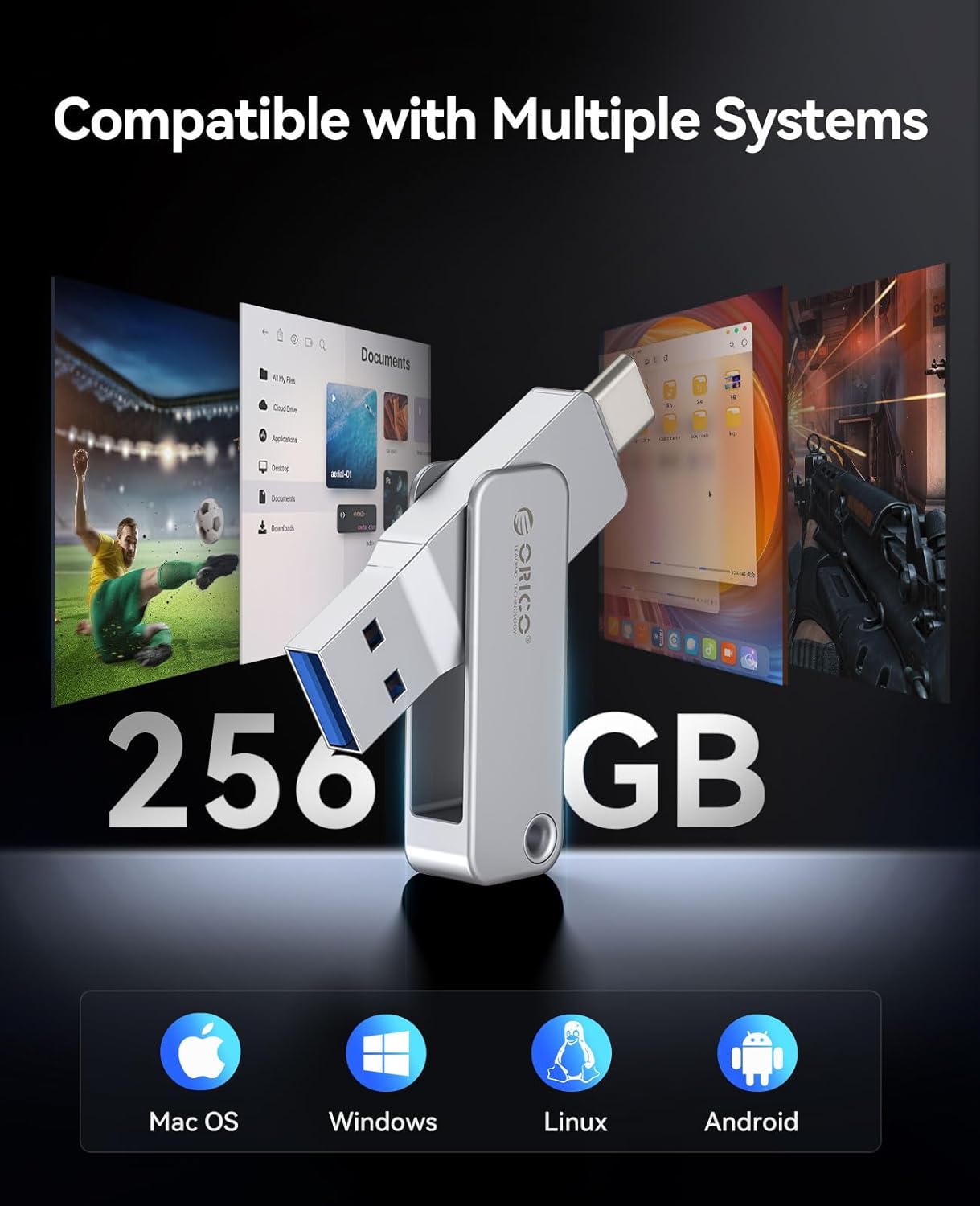
Image: Visual representation of the ORICO EB05 Flash Drive's compatibility with multiple operating systems including Mac OS, Windows, Linux, and Android.
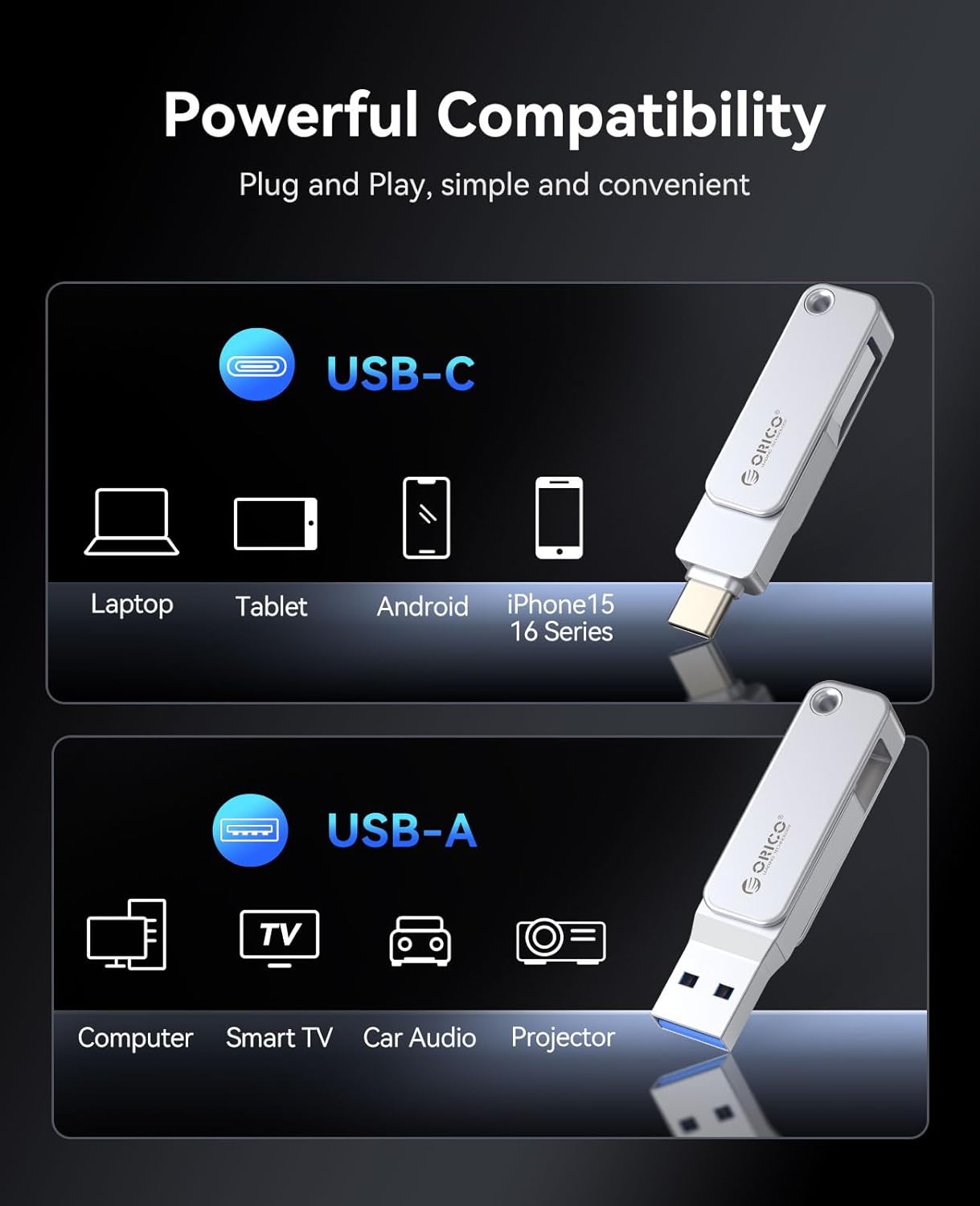
Image: The ORICO EB05 Flash Drive demonstrating its powerful compatibility by connecting to a laptop, tablet, and smartphone via USB-C and USB-A.
ข้อมูลจำเพาะ
| คุณสมบัติ | รายละเอียด |
|---|---|
| ชื่อรุ่น | อีบี 05 |
| ความจุของหน่วยความจำ | 256GB |
| ความเร็วในการอ่าน | สูงถึง 150 MB/วินาที |
| ความเร็วในการเขียน | 80 GB/s (Note: Actual write speeds may vary based on device and file พิมพ์) |
| เทคโนโลยีการเชื่อมต่อ | ยูเอสบี 3.0 |
| ฮาร์ดแวร์อินเตอร์เฟซ | USB ประเภท A, USB ประเภท C |
| วัสดุ | Zinc Alloy Metal Housing |
| คุณสมบัติพิเศษ | Dual USB Connector, Dust Proof, Lightweight, 360° Swivel Design |
| สี | เงิน |
| น้ำหนักสินค้า | 2.11 ออนซ์ |
| ขนาดแพ็คเกจ | 5.2 x 3.43 x 0.75 นิ้ว |
การซ่อมบำรุง
To ensure the longevity and optimal performance of your ORICO EB05 Flash Drive, follow these maintenance guidelines:
- การดีดตัวออกอย่างปลอดภัย: ควรถอดแฟลชไดรฟ์ออกจากอุปกรณ์อย่างปลอดภัยทุกครั้งก่อนดึงออก เพื่อป้องกันข้อมูลเสียหาย
- การป้องกันทางกายภาพ: The metal housing provides durability, but avoid excessive force, dropping, or exposing the drive to extreme temperatures or liquids.
- การทำความสะอาด: Use a soft, dry cloth to clean the exterior of the flash drive. Do not use harsh chemicals or abrasive materials.
- พื้นที่จัดเก็บ: When not in use, store the flash drive in a cool, dry place, ideally in a protective pouch or attached to the included lanyard to prevent loss.
การแก้ไขปัญหา
If you encounter issues with your ORICO EB05 Flash Drive, consider the following:
- ไม่รู้จักไดรฟ์:
- Ensure the flash drive is fully inserted into the correct USB-A or USB-C port.
- ลองเสียบเข้ากับพอร์ต USB อื่นบนอุปกรณ์ของคุณดู
- รีสตาร์ทเครื่องคอมพิวเตอร์หรืออุปกรณ์ของคุณ
- Check your device's operating system for any driver updates or external storage settings.
- ความเร็วในการถ่ายโอนข้อมูลช้า:
- โปรดตรวจสอบให้แน่ใจว่าอุปกรณ์ของคุณใช้พอร์ต USB 3.0 ที่รองรับมาตรฐาน เพื่อความเร็วในการถ่ายโอนข้อมูลที่ดีที่สุด พอร์ต USB 2.0 จะทำให้การถ่ายโอนข้อมูลช้าลง
- จำนวนมากของขนาดเล็ก files สามารถถ่ายโอนได้ช้ากว่าตัวใหญ่ตัวเดียว file ซึ่งมีขนาดรวมเท่ากัน
- Other background processes on your computer might be affecting transfer speeds.
- ไม่สามารถเขียนได้ Files:
- ตรวจสอบว่าไดรฟ์เต็มหรือไม่ ลบข้อมูลที่ไม่จำเป็นออก fileส เพื่อเพิ่มพื้นที่ว่าง
- Ensure the drive is not set to read-only mode (though this model typically does not have a physical write-protect switch).
- ตรวจสอบ file system compatibility. The drive is typically formatted as ExFAT for broad compatibility. If you are having issues, you may need to reformat the drive (this will erase all data).
การรับประกันและการสนับสนุน
The ORICO EB05 Dual USB 3.0 Flash Drive comes with a รับประกันจำกัด 3 ปี. For warranty claims, technical support, or further assistance, please contact ORICO customer service through their official webไซต์หรือผู้ค้าปลีกที่ซื้อผลิตภัณฑ์
โปรดเก็บหลักฐานการซื้อไว้เพื่อใช้ยืนยันการรับประกัน


