1. บทนำ
This manual provides comprehensive instructions for the Inateck Nomad N0158 Foldable Keyboard and Mouse Set. It covers product features, setup procedures, operational guidelines, maintenance tips, and troubleshooting information to ensure optimal performance and user experience. This set is designed for multi-device connectivity, supporting up to three devices simultaneously across various operating systems including Windows, macOS, Android, and iOS.
2. เนื้อหาบรรจุภัณฑ์
ตรวจสอบว่ารายการทั้งหมดที่ระบุไว้ด้านล่างนี้รวมอยู่ในแพ็คเกจของคุณ:
- Inateck Nomad N0158 Foldable Keyboard
- เมาส์ไร้สาย
- Accessory Bag (600D two-tone splash-proof RPET recycled material)
- Folding Stand (suitable for 4-13 inch iPads, smartphones, and tablets)
- สายชาร์จ USB-C
- คู่มือการใช้งาน
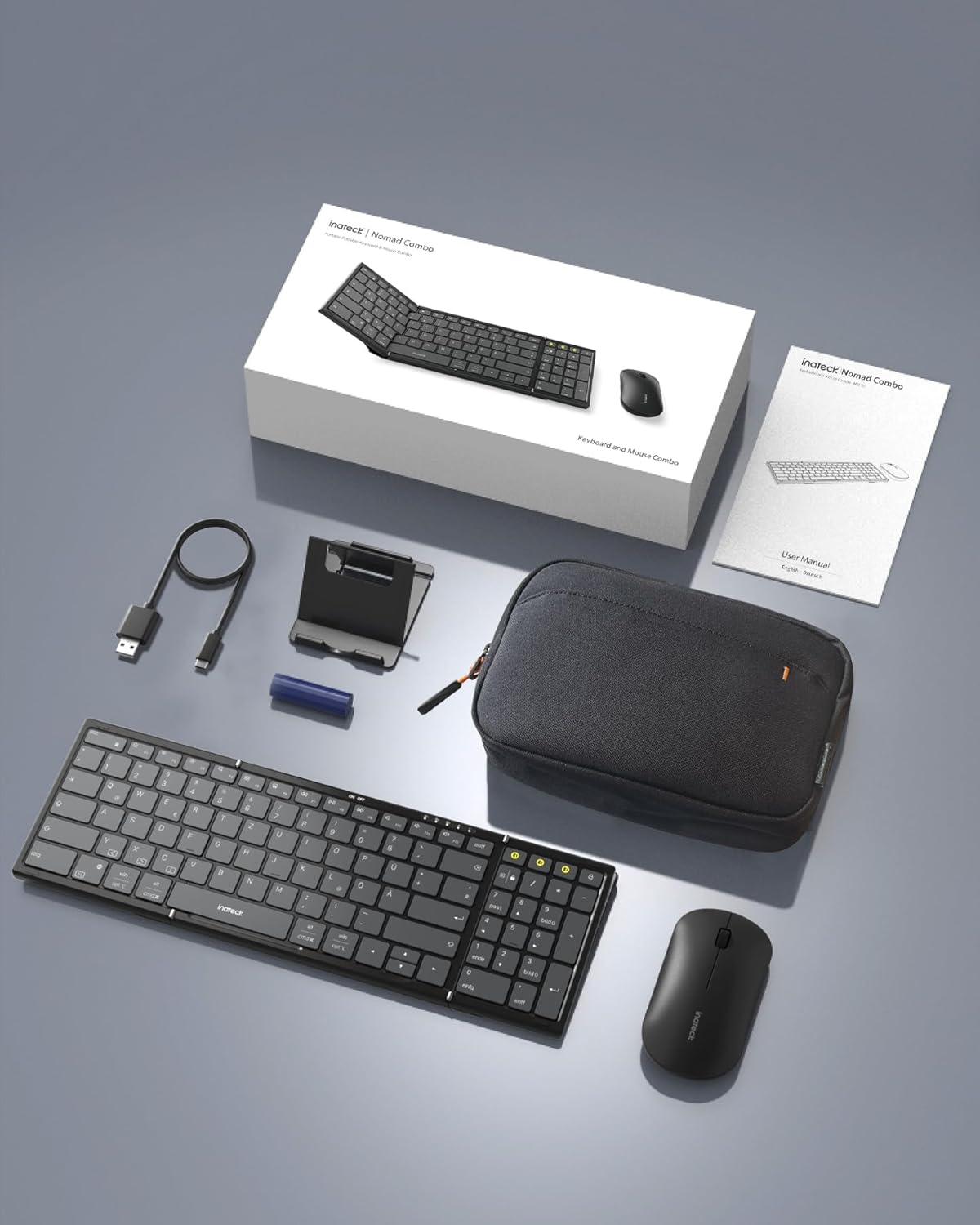
Image: All components included in the Inateck Nomad N0158 package: the foldable keyboard, wireless mouse, accessory bag, folding stand, and USB-C charging cable.
3. สินค้าหมดview
3.1 คุณสมบัติของแป้นพิมพ์
- การออกแบบพับได้: Compact for portability.
- รูปแบบเต็มขนาด: 99 keys with a separate numeric keypad for efficient data entry and document editing.
- การเชื่อมต่อหลายอุปกรณ์: Connects to up to 3 devices via 2.4G, Bluetooth 1 (BT1), and Bluetooth 2 (BT2).
- อายุการใช้งานแบตเตอรี่ยาวนาน: Over 90 hours of continuous use, up to 180 days standby. Rechargeable via Type-C port.
- Stable Hinge: Features a seamless metal hinge with magnetic locking for stability when unfolded.

Image: The Inateck Nomad N0158 keyboard unfolded, showcasing its full-size layout with six rows of main keys and a dedicated numeric keypad.

ภาพ: รายละเอียด view of the keyboard's seamless metal hinge and magnetic locking system, designed for stability when the keyboard is open.
3.2 คุณสมบัติของเมาส์
- การเชื่อมต่อไร้สาย: Connects via 2.4G USB dongle and two Bluetooth channels (BT1, BT2).
- อายุการใช้งานแบตเตอรี่ยาวนาน: Over 50 hours of continuous operation, with extended standby time.
4. คู่มือการติดตั้ง
4.1 การชาร์จคีย์บอร์ด
- ค้นหาพอร์ตชาร์จ USB-C บนแป้นพิมพ์
- เชื่อมต่อสาย USB-C ที่ให้มากับแป้นพิมพ์และแหล่งจ่ายไฟ (เช่น พอร์ต USB ของคอมพิวเตอร์, อะแดปเตอร์ติดผนัง USB)
- ไฟแสดงสถานะการชาร์จจะสว่างขึ้น เมื่อชาร์จเต็มแล้ว ไฟจะเปลี่ยนหรือดับลง
The mouse typically uses a replaceable battery (often pre-installed with a pull tab) or may be rechargeable. Refer to the mouse's specific instructions for charging or battery installation.
4.2 Pairing the Keyboard and Mouse
The keyboard and mouse support multiple connection methods: 2.4G wireless (for mouse only, via USB dongle) and Bluetooth (BT1, BT2 for both keyboard and mouse).
4.2.1 2.4G Wireless Connection (Mouse Only)
- Locate the 2.4G USB dongle, usually stored within the mouse or accessory bag.
- เสียบดองเกิล USB เข้ากับพอร์ต USB ที่ว่างอยู่บนคอมพิวเตอร์ของคุณ
- Turn on the mouse. It should automatically connect to the dongle.
4.2.2 Bluetooth Connection (Keyboard and Mouse)
The keyboard and mouse each have two Bluetooth channels (BT1 and BT2) for connecting to different devices.
- เปิดอุปกรณ์: ตรวจสอบให้แน่ใจว่าคีย์บอร์ดและเมาส์เปิดอยู่
- เลือกช่องสัญญาณบลูทูธ:
- For the keyboard, press the dedicated BT1 or BT2 button.
- For the mouse, switch to the desired Bluetooth mode (BT1 or BT2) using its mode switch.
- เปิดใช้งานโหมดจับคู่:
- For the keyboard, กดยาว the selected BT1 or BT2 button until the indicator light flashes, indicating pairing mode.
- For the mouse, long press its Bluetooth pairing button (refer to mouse-specific instructions if not obvious) until its indicator light flashes.
- เปิดใช้งานบลูทูธบนอุปกรณ์ของคุณ: บนคอมพิวเตอร์ แท็บเล็ต หรือสมาร์ทโฟนของคุณ ให้ไปที่การตั้งค่าบลูทูธ
- ค้นหา อุปกรณ์: Your device will scan for available Bluetooth devices.
- เลือกและเชื่อมต่อ: Choose "Inateck Keyboard" and/or "Inateck Mouse" from the list of found devices. Follow any on-screen prompts to complete the pairing.

Image: Illustration of the keyboard and mouse connected to multiple devices (laptop, tablet, smartphone) via 2.4G, BT1, and BT2 channels. Short press to switch channels, long press to activate pairing mode.
5. คู่มือการใช้งาน
5.1 การสลับระหว่างอุปกรณ์ที่เชื่อมต่อ
Once paired with multiple devices, you can easily switch between them:
- แป้นพิมพ์: Short press the BT1 or BT2 button to switch to the corresponding paired device.
- หนู: Use the mode switch on the mouse to select between 2.4G, BT1, or BT2.
5.2 การใช้งานขาตั้งแบบพับได้
The included folding stand is designed to hold 4-13 inch iPads, smartphones, and tablets, providing an ergonomic viewing angle while using the keyboard. Ensure the stand is placed on a stable, flat surface.
5.3 Keyboard Usage Notes
- พื้นผิวที่มั่นคง: Always place the keyboard on a flat, stable surface. The folding hinge is not designed to lock, and typing on uneven surfaces may cause instability.
- รูปแบบแป้นพิมพ์: The keyboard features a QWERTZ layout. Ensure your device's operating system is configured to match this layout for correct character input.
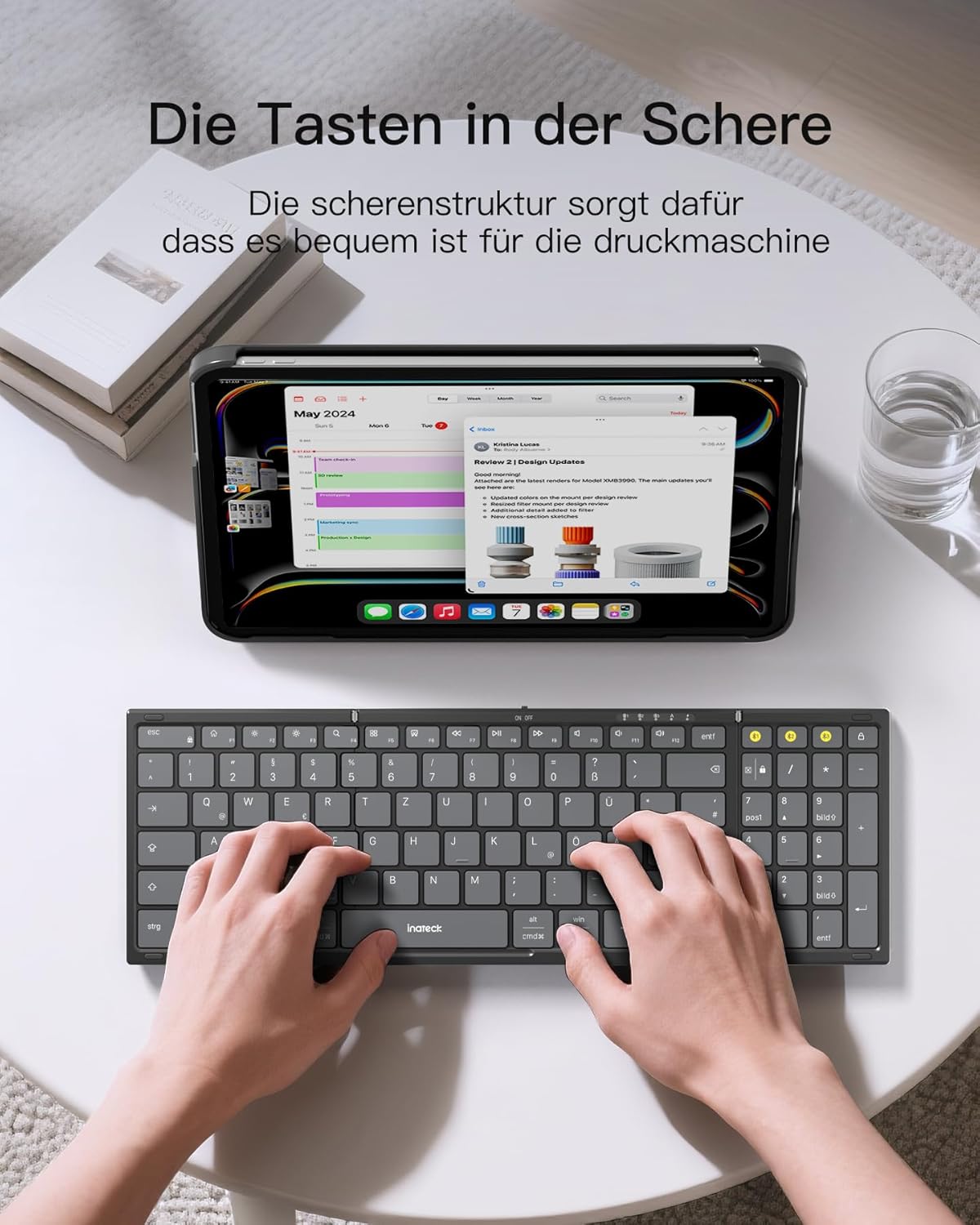
Image: A user demonstrating typing on the Inateck Nomad N0158 foldable keyboard, with a tablet positioned on the included stand for an optimal workspace setup.
6. การบำรุงรักษา
6.1 การทำความสะอาด
- Use a soft, dry, lint-free cloth to clean the keyboard and mouse surfaces.
- สำหรับสิ่งสกปรกฝังแน่น ให้เช็ดออกเล็กน้อยampชุบผ้าด้วยน้ำหรือน้ำยาทำความสะอาดอ่อนๆ ที่ไม่กัดกร่อน หลีกเลี่ยงความชื้นที่มากเกินไป
- Do not use harsh chemicals, solvents, or abrasive materials, as these can damage the product finish.
6.2 พื้นที่จัดเก็บ
- When not in use, fold the keyboard and store it along with the mouse and stand in the provided accessory bag.
- เก็บผลิตภัณฑ์ไว้ในที่แห้งและเย็น ห่างจากแสงแดดโดยตรงและอุณหภูมิที่สูงหรือต่ำเกินไป
- The accessory bag is made from splash-proof material, offering protection during travel.
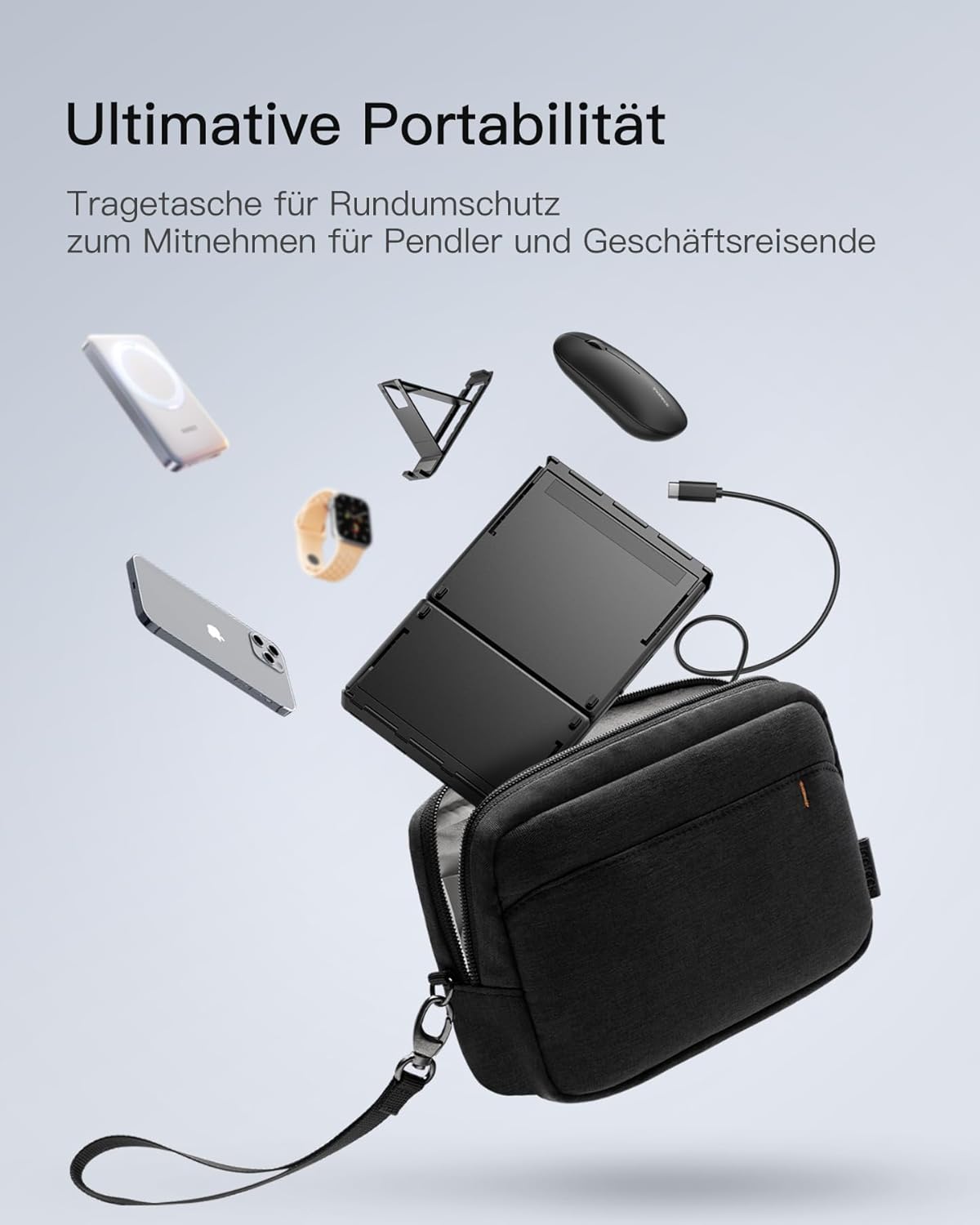
Image: The Inateck Nomad N0158 accessory bag, designed for ultimate portability and protection of the keyboard, mouse, and folding stand during transport.
6.3 การดูแลแบตเตอรี่
- Recharge the keyboard regularly to maintain battery health, even if not used frequently.
- หลีกเลี่ยงการปล่อยแบตเตอรี่จนหมดเป็นเวลานาน
- If the mouse uses replaceable batteries, ensure they are inserted correctly and replace them when power is low.
7 การแก้ไขปัญหา
7.1 ปัญหาการเชื่อมต่อ
- อุปกรณ์ไม่ได้เชื่อมต่อ:
- Ensure the keyboard/mouse is charged and powered on.
- Verify that the correct Bluetooth channel (BT1/BT2) is selected and in pairing mode (flashing indicator).
- On your device, turn Bluetooth off and then on again.
- Remove any previous pairings for the keyboard/mouse from your device's Bluetooth settings and attempt to pair again.
- For 2.4G mouse connection, ensure the USB dongle is securely inserted and the mouse is in 2.4G mode.
- การเชื่อมต่อไม่ต่อเนื่อง:
- Ensure there are no obstructions between the keyboard/mouse and your device.
- ลองขยับเข้าใกล้ตัวเครื่องมากขึ้นเพื่อตรวจสอบปัญหาเรื่องระยะการใช้งาน
- ตรวจสอบสัญญาณรบกวนจากอุปกรณ์ไร้สายอื่นๆ
7.2 Incorrect Keyboard Output (e.g., 'Y' appears instead of 'Z')
This issue typically occurs when the device's operating system keyboard layout does not match the physical QWERTZ layout of the Inateck keyboard. To resolve this, adjust your device's keyboard language settings:
For Windows/Android/macOS/iOS:
- Go to your device's การตั้งค่า.
- นำทางไปที่ ภาษาและการป้อนข้อมูล or similar (e.g., "Other settings > Language and input methods" on Android).
- หา แป้นพิมพ์กายภาพ or แป้นพิมพ์ฮาร์ดแวร์ การตั้งค่า.
- Select the "Nomad" or "Inateck Keyboard" entry.
- Set the keyboard layout to ภาษาเยอรมัน (QWERTZ).
7.3 Keyboard Instability
The keyboard's folding hinge does not lock. For stable typing, always ensure the keyboard is placed on a completely flat and firm surface. Avoid using it on uneven surfaces like a lap, bed, or soft cushions, as this can cause the keyboard to fold unexpectedly.
8. ข้อมูลจำเพาะ
| ยี่ห้อ | อินาเท็ค |
| แบบอย่าง | N0158 |
| เทคโนโลยีการเชื่อมต่อ | Bluetooth, 2.4G Wireless (Mouse) |
| คุณสมบัติพิเศษ | 3 Bluetooth Channels, Ergonomic (design) |
| อุปกรณ์ที่รองรับ | Laptop, Personal Computer, Smartphone (iPad, iPhone, Mac, Android, Windows) |
| คำอธิบายแป้นพิมพ์ | Foldable keyboard mouse set wireless |
| คำแนะนำการใช้งานผลิตภัณฑ์ | สำนักงานการเดินทาง |
| เค้าโครงแป้นพิมพ์ | คิวเวิร์ตซ์ |
| แหล่งพลังงาน | Battery Powered (Rechargeable via USB-C for keyboard) |
| อายุการใช้งานแบตเตอรี่ของคีย์บอร์ด | 90+ hours continuous use, 180 days standby |
| อายุการใช้งานแบตเตอรี่ของเมาส์ | 50+ hours continuous use, extended standby |
| ขนาดสินค้า (กางออก) | 40.54 x 11.49 x 3 ซม. |
| น้ำหนักผลิตภัณฑ์ | 756 กรัม |

Image: Visual representation of the Inateck Nomad N0158 keyboard's dimensions when folded (18.4 cm) and unfolded (34.2 cm x 11.5 cm), alongside a tablet (27.9 cm) and smartphone (14.6 cm) for scale.
9. การรับประกันและการสนับสนุน
Inateck products are designed for reliability and performance. For warranty information, technical support, or customer service inquiries, please refer to the official Inateck webหรือติดต่อฝ่ายสนับสนุนลูกค้าโดยตรง เก็บใบเสร็จรับเงินไว้เพื่อใช้ในการเคลมประกัน
เป็นทางการ Webเว็บไซต์: www.inatec.com


