1. บทนำ
This manual provides essential information for the proper setup, operation, and maintenance of your MUNBYN IRT12 Rugged Windows Tablet. Please read this manual thoroughly before using the device to ensure optimal performance and longevity.
1.1 ผลิตภัณฑ์เกินview
The MUNBYN IRT12 is a rugged 10.1-inch Windows tablet designed for demanding environments. It features a sunlight-readable display, Wi-Fi 6 connectivity, and a robust design to withstand challenging conditions.

Figure 1.1: The MUNBYN IRT12 Rugged Windows Tablet, shown with an included stylus and an attached hand strap.
2. อะไรอยู่ในกล่อง
ตรวจสอบว่ามีรายการทั้งหมดอยู่ในแพ็คเกจ:
- MUNBYN IRT12 Rugged Windows Tablet
- สายคล้องมือ
- อะแดปเตอร์ AC
- สายไฟ AC
- Tablet Stylus
- TYPE-C OTG Cable
- หูหิ้ว

Figure 2.1: All components included with the MUNBYN IRT12 Rugged Windows Tablet.
3. การจัดวางอุปกรณ์และคุณลักษณะ
Familiarize yourself with the physical layout and key features of your IRT12 tablet.

รูปที่ 3.1: ด้านหน้า ด้านหลัง และด้านข้าง views of the IRT12 tablet with labels for all external components.
3.1 คุณสมบัติหลัก
- 1000-nit Sunlight Readable Display: The 10.1-inch display offers high brightness for clear visibility in direct sunlight.
- การเชื่อมต่อ Wi-Fi 6: Supports faster and more stable wireless network connections with data transfer rates up to 1800Mbps.
- Windows 11 โปร: Equipped with the latest Windows operating system for professional needs.
- Intel Alder Lake N100 Processor: Provides enhanced computing power and efficient multitasking.
- แรม 8GB + รอม 128GB: Sufficient memory and storage for multiple applications and data.
- IP65 Rating & MIL-STD-810H Certified: Designed for durability, offering dust-tight and water-resistant protection, and tested against military standards for extreme conditions.
- 5000mAh Removable Battery: Provides up to 6.5 hours of battery life, with a removable design for easy replacement.
- จีพีเอสในตัว: For navigation and location-based services.
4. การตั้งค่าและการใช้งานเบื้องต้น
4.1 Attaching the Hand-Strap
The included hand-strap can be attached to the back of the tablet for secure handling, especially during mobile use.
Video 4.1: Demonstration of attaching the hand-strap to the MUNBYN IRT12 tablet for improved grip and security.
4.2 การติดตั้งแบตเตอรี่
The IRT12 tablet features a removable 5000mAh battery. To install or replace the battery:
- Locate the battery cover on the back of the tablet.
- Unlock the battery cover using the designated latch or screws (if applicable).
- Insert the battery into the compartment, ensuring proper alignment of the contacts.
- ยึดฝาครอบแบตเตอรี่ให้แน่น
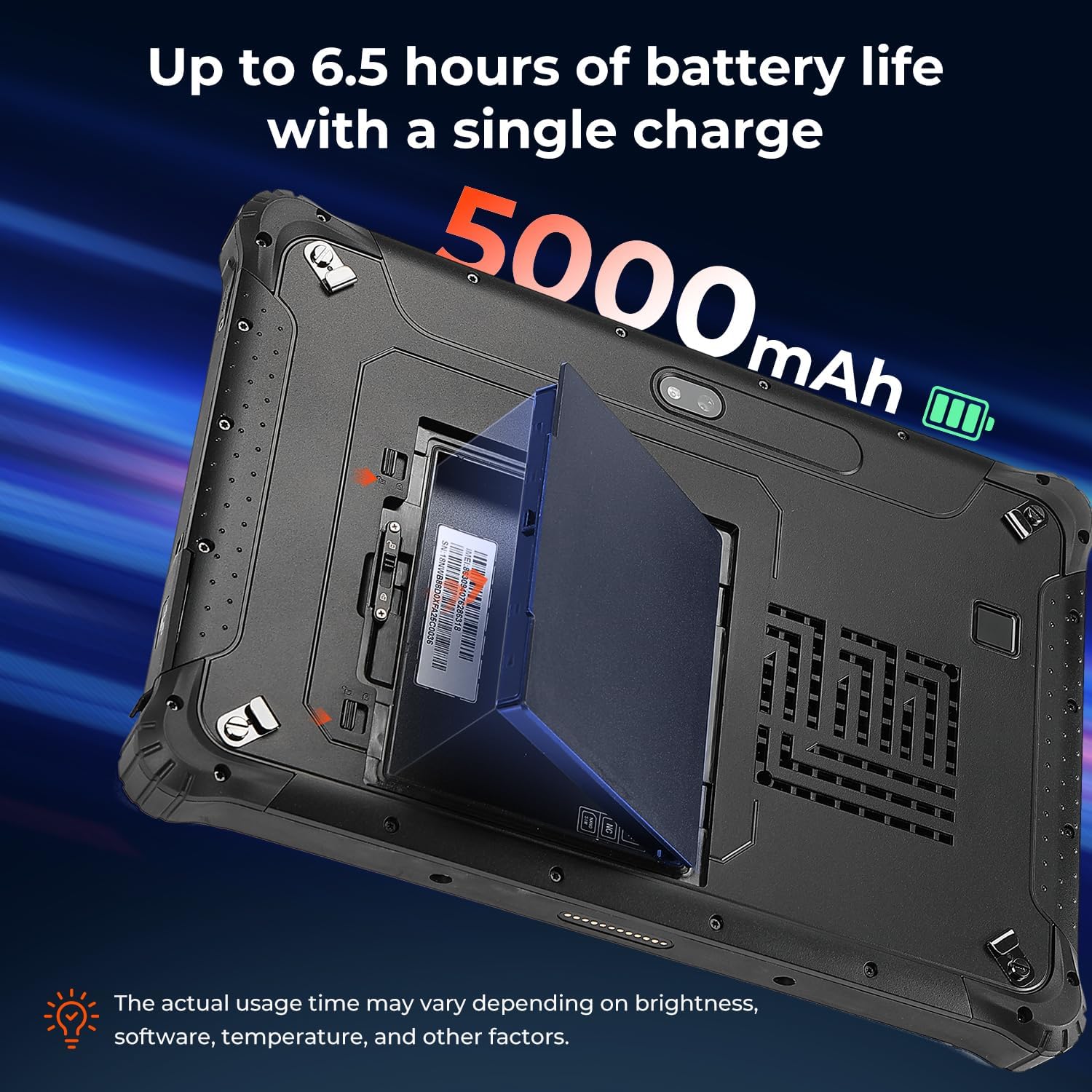
Figure 4.2: The removable 5000mAh battery being installed into the tablet.
4.3 การติดตั้งซิมการ์ด
If you intend to use cellular data, install a Nano SIM card:
- Locate the SIM card slot, typically under the battery cover or a protective flap.
- Insert the Nano SIM card into the slot labeled "NANO SIM." Do not use the slot marked "NC."
- Ensure the SIM card is fully seated.
4.4 การเปิด/ปิดเครื่อง
To power on the tablet, press and hold the power button until the MUNBYN logo appears. To power off, press and hold the power button, then select 'Shut down' from the on-screen options.
5. การใช้งานแท็บเล็ต
5.1 Display and Brightness
The 10.1-inch display is designed for readability in various lighting conditions, including direct sunlight, with a brightness of over 1000 nits.

Figure 5.1: The tablet's screen remains clear and readable even in bright outdoor conditions.
5.2 การปลดล็อกด้วยลายนิ้วมือ
For enhanced security and quick access, the tablet supports fingerprint unlocking.

Figure 5.2: Using the fingerprint reader for secure tablet access.
5.3 Wireless Connectivity (Wi-Fi 6 & Bluetooth 5.2)
The IRT12 supports Wi-Fi 6 for high-speed internet access and Bluetooth 5.2 for connecting wireless peripherals.

Figure 5.3: The tablet's advanced wireless capabilities.
5.4 ฟังก์ชัน GPS
The integrated GPS allows for accurate location tracking and navigation, useful for field operations.

Figure 5.4: The tablet being used for GPS navigation in a vehicle.
6. ความทนทานและการปกป้อง
The MUNBYN IRT12 is built to withstand harsh conditions, featuring an IP65 rating and MIL-STD-810H military standard certification.
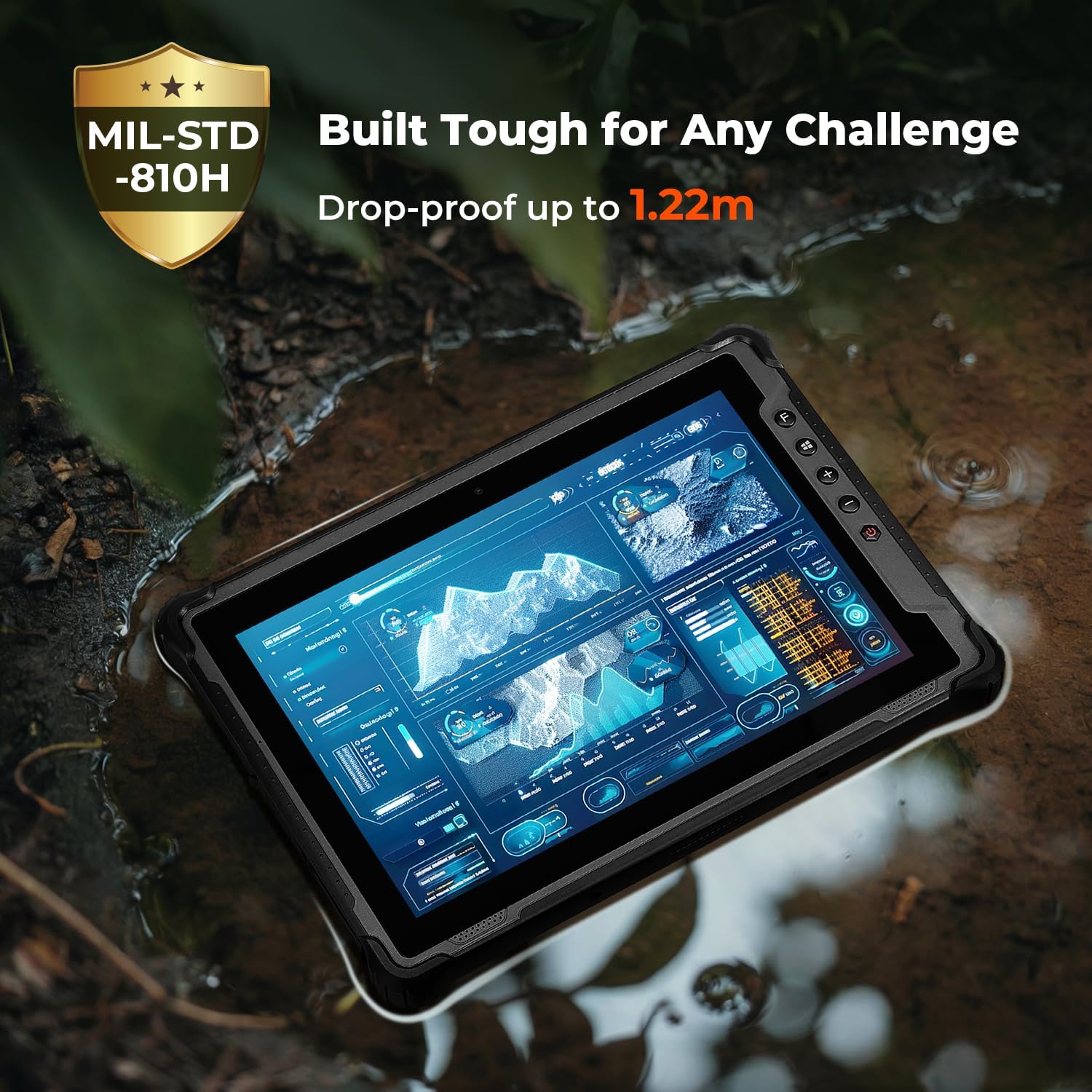
Figure 6.1: The tablet's robust construction allows it to operate in challenging environments.
7. การบำรุงรักษา
To ensure the longevity and optimal performance of your MUNBYN IRT12 tablet, follow these maintenance guidelines:
- การทำความสะอาด: ใช้แบบนุ่มๆamp ใช้ผ้าเช็ดทำความสะอาดหน้าจอและตัวเครื่องภายนอก หลีกเลี่ยงสารเคมีรุนแรงหรือวัสดุที่มีฤทธิ์กัดกร่อน
- การป้องกันพอร์ต: Ensure all port covers are securely closed when not in use to maintain the IP65 rating against dust and water ingress.
- การดูแลแบตเตอรี่ Avoid extreme temperatures when charging or storing the battery. If the tablet will not be used for an extended period, store it with a partial charge (around 50%).
- การอัปเดตซอฟต์แวร์: ตรวจสอบและติดตั้งการอัปเดต Windows เป็นประจำเพื่อให้มั่นใจถึงความเสถียรและความปลอดภัยของระบบ
8 การแก้ไขปัญหา
หากคุณพบปัญหาเกี่ยวกับแท็บเล็ตของคุณ โปรดดูขั้นตอนการแก้ไขปัญหาทั่วไปต่อไปนี้:
- แท็บเล็ตไม่เปิดเครื่อง: Ensure the battery is properly installed and charged. Connect the tablet to the AC adapter and try again.
- หน้าจอไม่ตอบสนอง: Perform a soft reset by holding the power button for 10-15 seconds. If the issue persists, ensure the screen is clean and dry.
- ปัญหาการเชื่อมต่อ Wi-Fi: Check if Wi-Fi is enabled in Windows settings. Restart the tablet and your Wi-Fi router. Ensure you are within range of a Wi-Fi signal.
- ประสิทธิภาพช้า: Close unnecessary applications. Check for available storage space and free up space if needed. Ensure Windows is up to date.
- ไม่ตรวจพบซิมการ์ด: Verify the SIM card is correctly inserted into the "NANO SIM" slot. Restart the tablet.
For further assistance, please contact MUNBYN customer support.
9. ข้อมูลจำเพาะ
| คุณสมบัติ | ข้อมูลจำเพาะ |
|---|---|
| ยี่ห้อ | มุนบิน |
| หมายเลขรุ่น | ไออาร์ที12 |
| ระบบปฏิบัติการ | วินโดวส์ 11 มืออาชีพ |
| โปรเซสเซอร์ | Intel Alder Lake N100 |
| แรม | 8GB |
| พื้นที่จัดเก็บ | 128GB |
| ขนาดหน้าจอ | 10.1 นิ้ว |
| ความละเอียดหน้าจอ | 1920 x 1200 pixels (Max 1200*1920 Pixels) |
| ความสว่างหน้าจอ | 1000 nits (Sunlight Readable) |
| การเชื่อมต่อแบบไร้สาย | Wi-Fi 6, บลูทูธ 5.2 |
| ความจุของแบตเตอรี่ | 5000mAh (Removable) |
| อายุการใช้งานแบตเตอรี่โดยเฉลี่ย | 6.5 Hours (up to) |
| ระดับความทนทาน | IP65, MIL-STD-810H Certified |
| น้ำหนักสินค้า | 4.47 ปอนด์ |
| ขนาดสินค้า | 10.83 x 0.87 x 7.43 นิ้ว |
10. การรับประกันและการสนับสนุน
The MUNBYN IRT12 Rugged Windows Tablet comes with a 2-year protection plan, ensuring support for your device.

Figure 10.1: MUNBYN offers a 2-year protection plan and continuous online support.
10.1 การบริการลูกค้า
MUNBYN provides 24/7 customer service to assist with any inquiries or technical issues. Support options include remote setup assistance, how-to videos, and local tech support.

Figure 10.2: Available customer support services.


