การแนะนำ
Thank you for choosing the Bagotte A22/A6 Pro Robot Vacuum and Mop. This device is designed to provide efficient and convenient cleaning for your home. This manual will guide you through the setup, operation, and maintenance of your robot vacuum to ensure optimal performance and longevity.
โปรดอ่านคู่มือนี้อย่างละเอียดก่อนใช้ผลิตภัณฑ์และเก็บคู่มือนี้ไว้เพื่อใช้อ้างอิงในอนาคต
คำแนะนำด้านความปลอดภัยที่สำคัญ
Before using this product, please read all safety instructions. Failure to follow these instructions may result in electric shock, fire, or serious injury.
- เด็กอายุตั้งแต่ 8 ปีขึ้นไป รวมไปถึงบุคคลที่มีความบกพร่องทางร่างกาย ประสาทสัมผัส หรือจิตใจ หรือขาดประสบการณ์และความรู้ สามารถใช้เครื่องใช้ไฟฟ้านี้ได้ หากมีการดูแลหรือได้รับคำแนะนำเกี่ยวกับการใช้เครื่องใช้ไฟฟ้าในลักษณะที่ปลอดภัย และเข้าใจถึงอันตรายที่อาจเกิดขึ้น
- เด็กไม่ควรเล่นเครื่องใช้ไฟฟ้านี้ ไม่ควรทำความสะอาดและบำรุงรักษาเครื่องโดยเด็กโดยไม่มีผู้ดูแล
- โปรดใช้เฉพาะอะแดปเตอร์แปลงไฟที่ผู้ผลิตให้มาเท่านั้น
- Do not use the product in environments with open flames or flammable materials.
- Ensure the charging station is placed on a flat surface against a wall, with no obstacles within 1 meter on either side and 2 meters in front.
- Do not immerse the robot or charging station in water.
- ทำความสะอาดแปรงและตัวกรองอย่างสม่ำเสมอเพื่อรักษาประสิทธิภาพการทำงานให้อยู่ในระดับสูงสุด
- เก็บผม เสื้อผ้าที่หลวม นิ้ว และส่วนต่างๆ ของร่างกายให้ห่างจากช่องเปิดและชิ้นส่วนที่เคลื่อนไหว
สินค้าเกินview
เนื้อหาแพ็คเกจ
ตรวจสอบว่ามีส่วนประกอบทั้งหมดอยู่ในแพ็คเกจ:

Image: All components included in the Bagotte A22/A6 Pro Robot Vacuum and Mop package. This includes the robot vacuum cleaner, 2-in-1 water tank, charging station, remote control, power adapter, cleaning brush, mop holder, 2 mop cloths, 2 side brushes, and Hepa filters.
- เครื่องดูดฝุ่นหุ่นยนต์ Bagotte A22 จำนวน 1 เครื่อง
- ถังเก็บน้ำ 2-in-1 จำนวน 1 ชิ้น
- สถานีชาร์จ x 1
- รีโมทคอนโทรล x 1
- อะแดปเตอร์แปลงไฟ x 1
- แปรงทำความสะอาด x 1
- ที่วางไม้ถูพื้น 1 ชิ้น
- ผ้าม็อบ x 2
- แปรงข้าง 2 อัน
- แผ่นกรอง HEPA จำนวน 1 ชิ้น
- คู่มือการใช้งาน x 1
ส่วนประกอบของหุ่นยนต์
The Bagotte A22/A6 Pro features a compact design for efficient cleaning.

Image: The Bagotte A22/A6 Pro Robot Vacuum highlighting its slim profile of 2.87 inches, allowing it to clean under furniture. It also features automatic boost and can handle angles up to 15 degrees and obstacles up to 15mm in height.
The robot is equipped with various sensors for navigation and obstacle avoidance, including anti-drop sensors to prevent falls from elevated surfaces.
การตั้งค่า
1. ติดตั้งแปรงข้าง
กดแปรงด้านข้างลงบนเสาที่ด้านล่างของหุ่นยนต์จนกระทั่งล็อคเข้าที่
2. Place the Charging Station
Place the charging station against a wall in an open, uncluttered area. Ensure there are no obstacles within 1 meter (3 feet) on either side and 2 meters (6 feet) in front of the charging station. Connect the power adapter to the charging station and plug it into a wall outlet.

Image: The Bagotte A22/A6 Pro Robot Vacuum automatically returning to its charging station when its battery is low. The image illustrates the recommended clear space around the charging station for optimal docking.
3. ค่าธรรมเนียมเริ่มต้น
Place the robot on the charging station to fully charge the battery before first use. The indicator light on the robot will show charging status. A full charge typically takes 4-5 hours.
4. Connect to Tuya Smart App (Optional)
For advanced features and remote control, download the Tuya Smart app from your mobile app store. Follow the in-app instructions to connect your robot vacuum to your 2.4GHz Wi-Fi network.
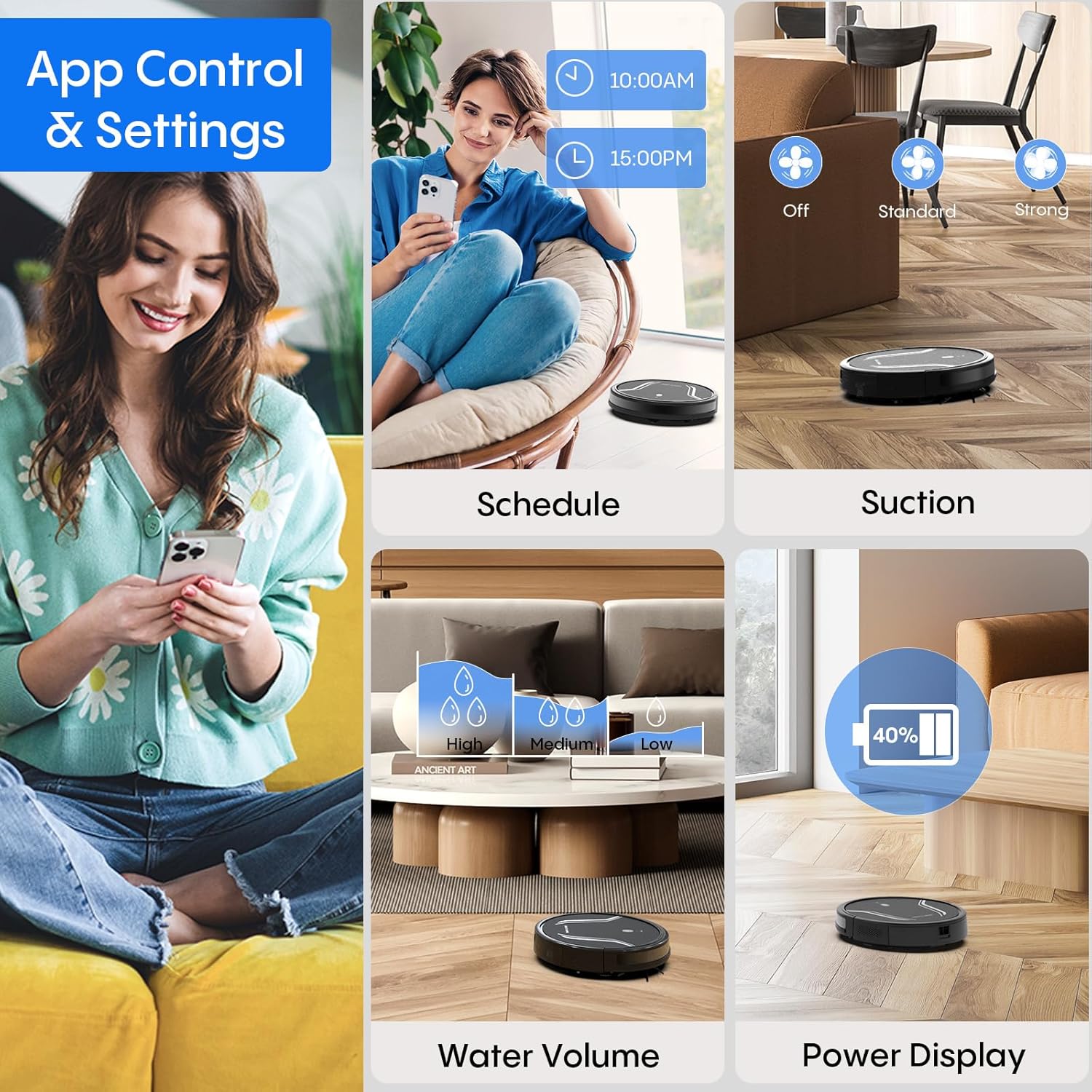
Image: A smartphone screen displaying the Bagotte A22/A6 Pro Robot Vacuum's app control interface, showing options for scheduling, suction adjustment, water volume control, and power display.
คำแนะนำการใช้งาน
การเริ่มวงจรการทำความสะอาด
Press the power button on the robot or the "Clean" button on the remote control/app to start an automatic cleaning cycle.
โหมดการทำความสะอาด
The Bagotte A22/A6 Pro offers four cleaning modes:
- ทำความสะอาดอัตโนมัติ: หุ่นยนต์จะนำทางและทำความสะอาดพื้นที่ทั้งหมดอย่างชาญฉลาด
- การทำความสะอาดขอบ: หุ่นยนต์ทำความสะอาดตามผนังและขอบเฟอร์นิเจอร์
- การทำความสะอาดเฉพาะจุด: หุ่นยนต์จะโฟกัสไปที่บริเวณที่สกปรกโดยเฉพาะ โดยทำความสะอาดในรูปแบบเกลียว
- การทำความสะอาดด้วยตนเอง: Control the robot's direction using the remote control or app.

ภาพ: เหนือศีรษะ view illustrating the four distinct cleaning modes of the Bagotte A22/A6 Pro Robot Vacuum: Auto Cleaning, Edge Cleaning, Spot Cleaning, and Manual Cleaning, showing their respective cleaning paths.
ฟังก์ชั่นการถู
การใช้งานฟังก์ชันถูพื้น:
- Fill the 2-in-1 water tank with clean water.
- Attach a clean mop cloth to the mop holder and then attach it to the water tank.
- ใส่ถังน้ำที่บรรจุเต็มแล้วเข้าไปในหุ่นยนต์
- Adjust the water flow level (low/medium/high) via the Tuya Smart app.

Image: The Bagotte A22/A6 Pro Robot Vacuum demonstrating its 3-in-1 functionality: vacuuming, sweeping, and mopping. The image highlights the two levels of waterflow adjustment and three levels of suction adjustment.
การปรับกำลังดูด
The robot features 5000Pa suction power with adjustable levels (Standard, Maximum) through the app or remote control to suit different cleaning needs.
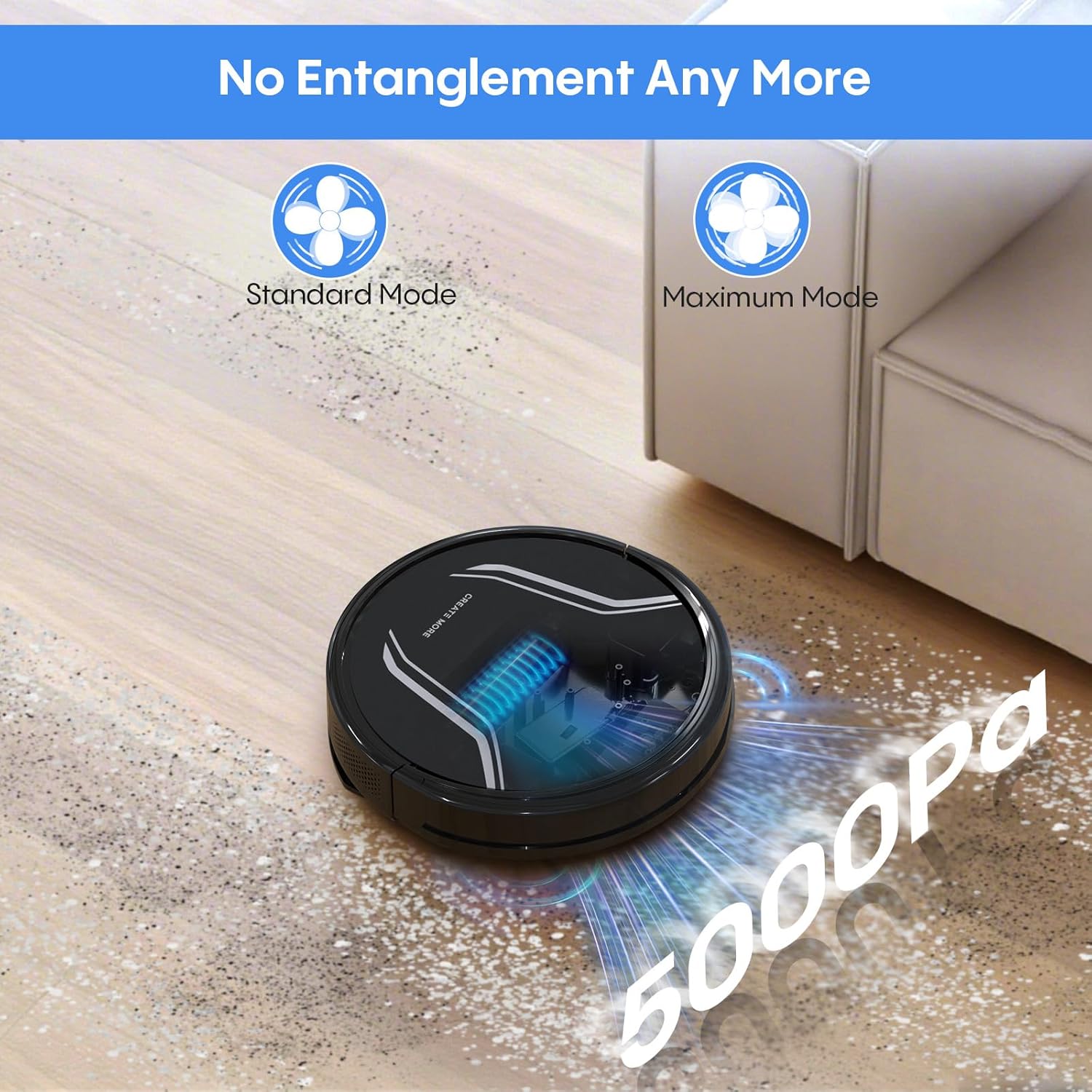
Image: The Bagotte A22/A6 Pro Robot Vacuum demonstrating its 5000Pa suction power, showing debris being collected. The image also indicates Standard Mode and Maximum Mode for suction adjustment.
การควบคุมด้วยเสียง (Alexa/Google Assistant)
Integrate your robot vacuum with Amazon Alexa or Google Assistant for convenient voice commands. Follow the instructions in the Tuya Smart app to link your device.

Image: The Bagotte A22/A6 Pro Robot Vacuum being controlled via voice commands through an Amazon Echo device, alongside a smartphone displaying the app interface. This illustrates the convenience of both voice and app control.
การซ่อมบำรุง
Regular maintenance ensures your robot vacuum operates efficiently.
การล้างถังขยะ
Empty the dustbin after each cleaning cycle. Press the release button to remove the dustbin, open it, and discard the collected debris.
การทำความสะอาดตัวกรอง
Tap the HEPA filter to remove dust. Rinse the pre-filter and sponge filter with water. Allow them to air dry completely before reinstalling. Do not wash the HEPA filter with water.
การทำความสะอาดแปรงหลัก
ถอดฝาครอบแปรงหลักออก แล้วยกแปรงหลักออกมา ใช้เครื่องมือทำความสะอาดเพื่อกำจัดเส้นผมและเศษฝุ่นที่พันอยู่รอบแปรง
การทำความสะอาดแปรงข้าง
Periodically check side brushes for wear or damage. Remove any tangled hair or debris. Replace worn brushes as needed.
การทำความสะอาดเซนเซอร์และหน้าสัมผัสการชาร์จ
Wipe the anti-drop sensors, obstacle sensors, and charging contacts on both the robot and the charging station with a clean, dry cloth.
การทำความสะอาดถังน้ำและผ้าม็อบ
After mopping, empty any remaining water from the tank. Rinse the water tank and allow it to air dry. Wash the mop cloth by hand or machine and air dry.
การแก้ไขปัญหา
| ปัญหา | สาเหตุที่เป็นไปได้ | สารละลาย |
|---|---|---|
| หุ่นยนต์ไม่เปิด | แบตเตอรี่ต่ำ สวิตช์ไฟปิด | ชาร์จหุ่นยนต์ ตรวจสอบให้แน่ใจว่าสวิตช์ไฟเปิดอยู่ |
| หุ่นยนต์ไม่ชาร์จเงิน | Charging contacts dirty; Charging station not powered. | ทำความสะอาดจุดสัมผัสการชาร์จ ตรวจสอบให้แน่ใจว่าเสียบแท่นชาร์จเข้ากับปลั๊กแล้ว |
| พลังดูดไม่ค่อยแรง | ถังขยะเต็ม ตัวกรองอุดตัน แปรงหลักพันกัน | Empty dustbin; Clean/replace filters; Clean main brush. |
| หุ่นยนต์ติดขัดบ่อยครั้ง | มีสิ่งกีดขวางบนพื้น เซ็นเซอร์สกปรก | Clear floor of cables/small items; Clean sensors. |
| ฟังก์ชั่นถูพื้นไม่ทำงาน | Water tank empty; Mop cloth dry; Water flow setting too low. | Fill water tank; Wet mop cloth; Adjust water flow in app. |
| การเชื่อมต่อแอปล้มเหลว | Incorrect Wi-Fi password; Not 2.4GHz Wi-Fi; Robot too far from router. | Verify password; Connect to 2.4GHz network; Move robot closer to router. |
ข้อมูลจำเพาะ
| คุณสมบัติ | รายละเอียด |
|---|---|
| ยี่ห้อ | บากอต |
| ชื่อรุ่น | A21 (A6 Pro) |
| พลังดูด | 5000ปาสคาล |
| โหมดการทำความสะอาด | Auto, Edge, Spot, Manual |
| วิธีการควบคุม | App, Remote Control, Voice (Alexa, Google Assistant) |
| อายุการใช้งานแบตเตอรี่ | สูงสุด 120 นาที |
| การชาร์จไฟ | การชาร์จตัวเอง |
| ประเภทตัวกรอง | แผ่นกรอง HEPA |
| ขนาดสินค้า | ยาว 15 นิ้ว x กว้าง 12.5 นิ้ว x สูง 4 นิ้ว |
| น้ำหนักสินค้า | 7.13 ปอนด์ |
| คำแนะนำด้านพื้นผิว | Hard Floor, Low-Pile Carpet |
การรับประกันและการสนับสนุน
Bagotte provides a 12-month service warranty for this product. For technical support, warranty claims, or any questions regarding your Bagotte A22/A6 Pro Robot Vacuum and Mop, please contact Bagotte customer service.
Please refer to the contact information provided in the original packaging or on the official Bagotte webเว็บไซต์สำหรับรายละเอียดการสนับสนุนล่าสุด


