1. บทนำ
This manual provides detailed instructions for the proper use and maintenance of your OnePlus Buds 4 Wireless Earbuds. Please read this manual thoroughly before using the product to ensure optimal performance and longevity.
เนื้อหาแพ็คเกจ
ตรวจสอบว่ามีรายการทั้งหมดอยู่ในแพ็คเกจ:
- หูฟังไร้สาย OnePlus Buds 4 (ซ้ายและขวา)
- เคสชาร์จไฟ
- สายชาร์จ USB-C
- Multiple Ear Tip Sizes (S, M, L)
- คู่มือการใช้งาน (เอกสารนี้)

Image: Contents of the OnePlus Buds 4 retail package, showing the earbuds, charging case, USB-C cable, and various ear tip sizes.
2. การตั้งค่า
2.1 การชาร์จเริ่มต้น
Before first use, fully charge the OnePlus Buds 4 and their charging case. Connect the provided USB-C charging cable to the charging port on the case and a power source. The indicator light on the case will show charging status.
- A full charge provides extended playback time.
- เคสชาร์จมีความจุแบตเตอรี่ 530mAh

Image: OnePlus Buds 4 earbuds in their open charging case, highlighting the extended battery life capability.
2.2 การจับคู่กับอุปกรณ์
- ตรวจสอบให้แน่ใจว่าหูฟังอยู่ในกล่องชาร์จและฝาเปิดอยู่
- กดปุ่มฟังก์ชั่นบนเคสชาร์จค้างไว้จนกว่าไฟแสดงสถานะจะกะพริบเป็นสีขาว ซึ่งแสดงว่าเข้าสู่โหมดจับคู่แล้ว
- On your device (smartphone, tablet, etc.), go to Bluetooth settings and select "OnePlus Buds 4" from the list of available devices.
- Once connected, the indicator light will turn solid white or off.
The OnePlus Buds 4 utilize Bluetooth 5.4 for stable connectivity and support Fast Pair for quick setup with compatible Android devices.

Image: OnePlus Buds 4 earbuds and charging case with a Bluetooth signal icon, illustrating stable connectivity via Bluetooth 5.4.
2.3 การสวมหูฟัง
Choose the ear tips that provide the best seal and comfort for your ears. A proper fit is crucial for optimal sound quality and effective Active Noise Cancellation.
- ค่อยๆ สอดหูฟังเข้าไปในช่องหูของคุณ
- หมุนหมวกเล็กน้อยจนรู้สึกกระชับและสบาย
3. คู่มือการใช้งาน
3.1 ระบบควบคุมแบบสัมผัส
The OnePlus Buds 4 feature intuitive touch controls on the stem of each earbud.
| การกระทำ | การทำงาน |
|---|---|
| แตะเพียงครั้งเดียว | เล่น/หยุดเพลง, รับสาย/วางสาย |
| แตะสองครั้ง | เพลงถัดไป ปฏิเสธสาย |
| แตะสามครั้ง | เพลงก่อนหน้า |
| กดค้างไว้ (ซ้าย/ขวา) | Switch Noise Control Mode (ANC/Transparency) |
| Swipe Up/Down (Stem) | ปรับระดับเสียง |

Image: Close-up of OnePlus Buds 4 earbuds showing the area for volume swipe control on the stem.
3.2 การตัดเสียงรบกวนแบบแอคทีฟ (ANC) และโหมดโปร่งใส
The earbuds feature advanced Active Noise Cancellation to reduce ambient noise and a Transparency Mode to allow you to hear your surroundings.
- ระบบตัดเสียงรบกวนแบบแอคทีฟ: Reduces external sounds for an immersive listening experience.
- โหมดความโปร่งใส: Amplifies ambient sounds, allowing you to stay aware of your environment without removing the earbuds.
- โหมดปรับอัตโนมัติ: Intelligently switches between ANC and Transparency modes based on your environment.
Switch between these modes by pressing and holding the touch area on either earbud.

Image: A person wearing OnePlus Buds 4 earbuds outdoors, illustrating the effect of Active Noise Cancellation.
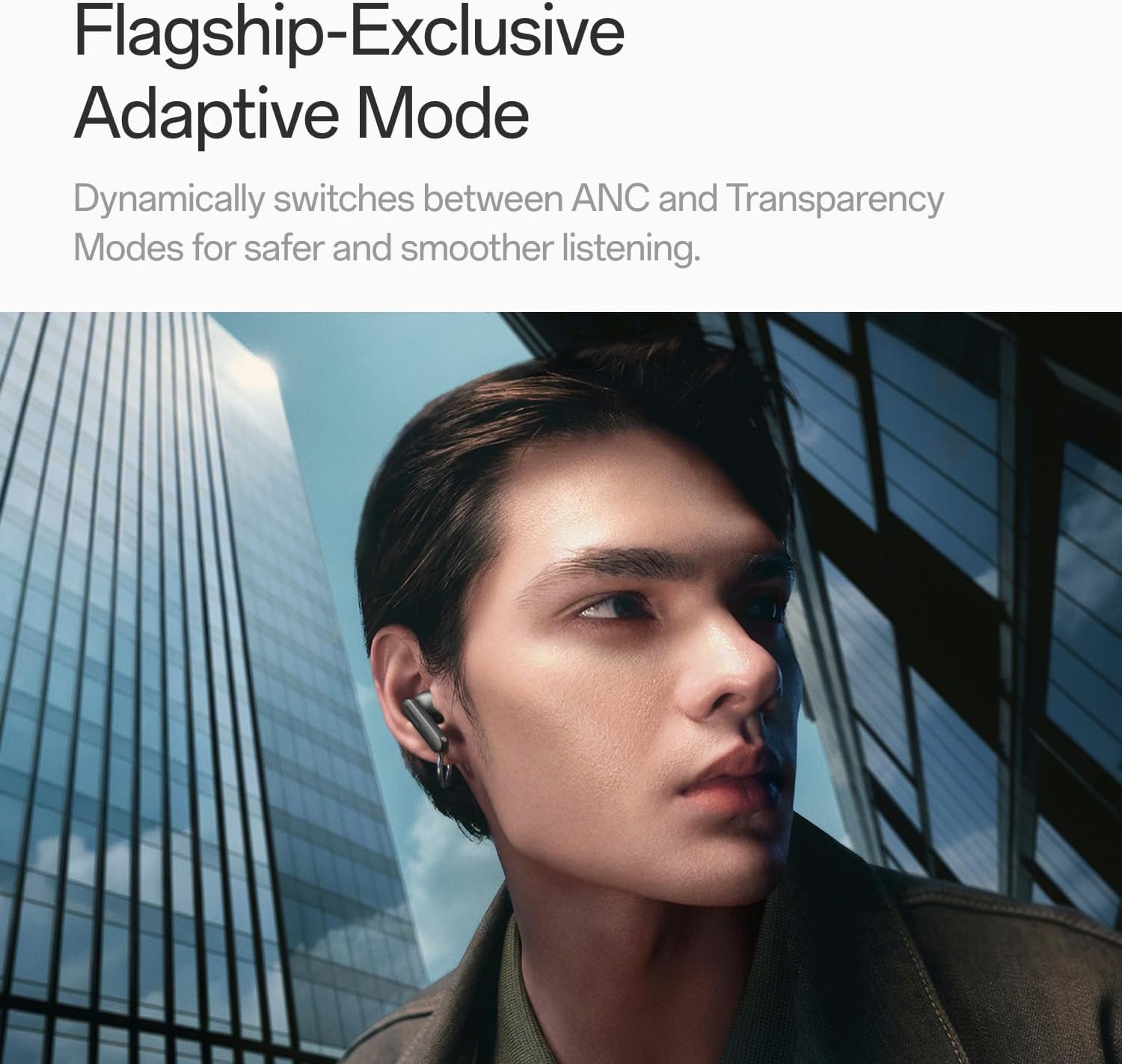
Image: A person wearing OnePlus Buds 4 earbuds in a city setting, highlighting the Adaptive Mode feature.
3.3 คุณสมบัติด้านเสียง
The OnePlus Buds 4 deliver high-quality audio with advanced technologies.
- ไดร์เวอร์เสียงขนาด 11 มม.: Provide balanced, true-to-life acoustics.
- Hi-Res Audio & LHDC 5.0: For detailed, studio-grade sound reproduction.
- Immersive 3D Spatial Audio: Creates a richer, surrounding sound experience.

Image: OnePlus Buds 4 earbuds with Hi-Res Audio and LHDC 5.0 branding, emphasizing advanced audio capabilities.

Image: OnePlus Buds 4 earbuds depicted with a visual effect suggesting immersive 3D Spatial Audio.

ภาพ: ระเบิด view diagram of a OnePlus Buds 4 earbud, highlighting its internal sound components and drivers.
3.4 คุณสมบัติการโทร
The earbuds are equipped with features to enhance call clarity.
- 3-mic AI Call Noise Cancellation: Filters out noise and wind for clear calls in various environments.
- 3x Voice Cancellation: Reduces vocal distractions in noisy settings like cafes or trains.

Image: A person lying down with OnePlus Buds 4 earbuds, representing the effect of voice cancellation for undisturbed listening.
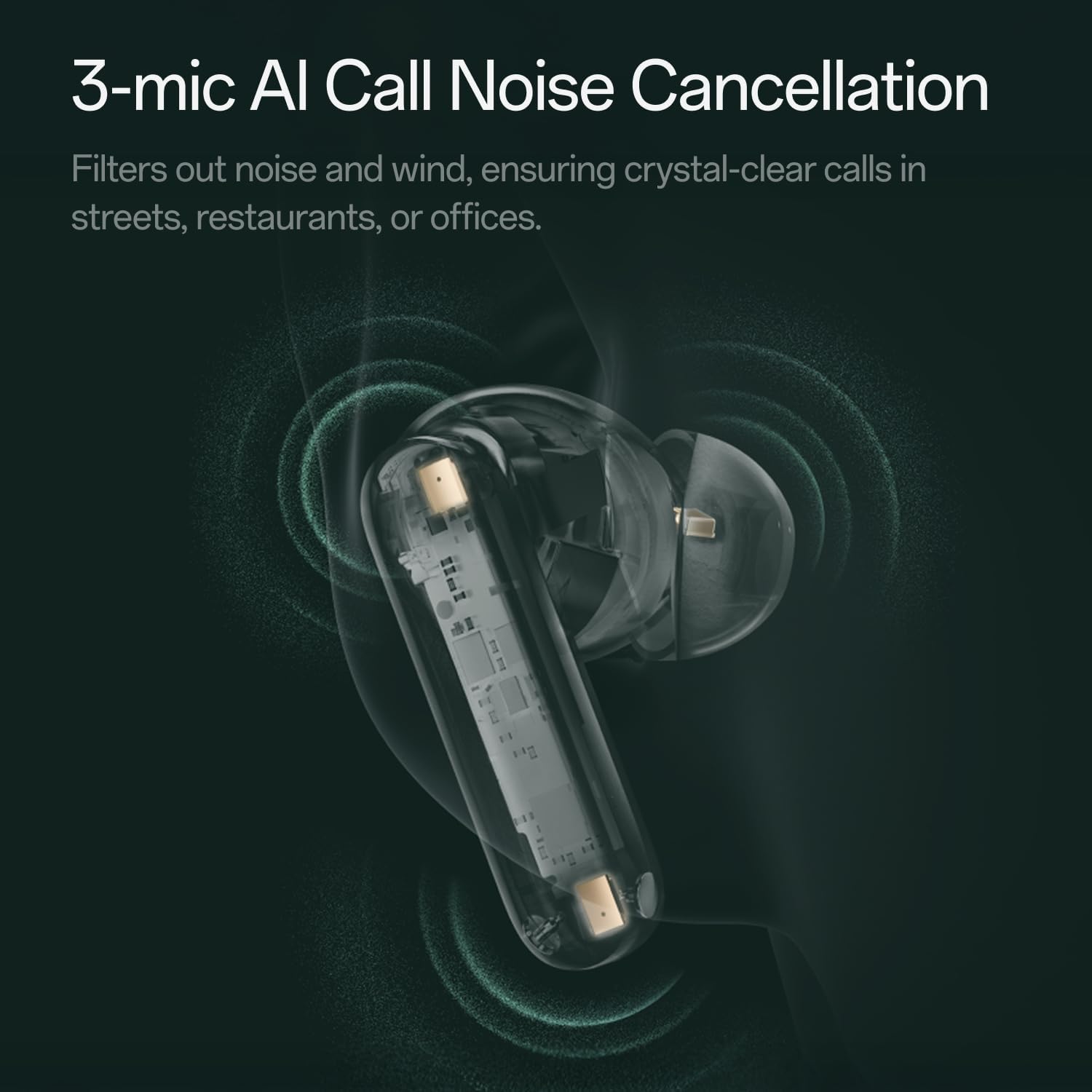
ภาพ: โปร่งใส view of a OnePlus Buds 4 earbud, highlighting the 3-mic system for AI Call Noise Cancellation.
3.5 การแปลด้วย AI
With a compatible OnePlus phone, the earbuds can facilitate real-time conversations in multiple languages.

Image: OnePlus Buds 4 earbuds alongside a smartphone screen demonstrating AI translation functionality.
4. การบำรุงรักษา
4.1 การทำความสะอาด
- ทำความสะอาดหูฟังและกล่องชาร์จเป็นประจำด้วยผ้าแห้งนุ่มที่ไม่เป็นขุย
- ถอดจุกหูออกแล้วทำความสะอาดด้วยน้ำและสบู่ชนิดอ่อนหากจำเป็น และตรวจสอบให้แน่ใจว่าแห้งสนิทก่อนจะใส่กลับเข้าไปอีกครั้ง
- ห้ามใช้วัสดุที่มีฤทธิ์กัดกร่อนหรือสารเคมีรุนแรง
4.2 ความต้านทานต่อน้ำ
The OnePlus Buds 4 are water resistant. This means they can withstand splashes and sweat, making them suitable for workouts. However, they are not waterproof and should not be submerged in water.
4.3 พื้นที่จัดเก็บ
เมื่อไม่ได้ใช้งาน ให้เก็บหูฟังไว้ในกล่องชาร์จเพื่อปกป้องหูฟังและเพื่อให้แน่ใจว่าหูฟังจะยังคงชาร์จอยู่
5 การแก้ไขปัญหา
หากคุณพบปัญหาเกี่ยวกับ OnePlus Buds 4 โปรดดูวิธีแก้ไขปัญหาทั่วไปต่อไปนี้:
5.1 ปัญหาการจับคู่
- Ensure the earbuds are charged and in pairing mode (flashing white light).
- ปิดและเปิดบลูทูธบนอุปกรณ์ของคุณ
- ลบอุปกรณ์ออกจากเมนูการตั้งค่าบลูทูธ แล้วลองจับคู่ใหม่อีกครั้ง
- ลองรีเซ็ตหูฟังดู (โปรดดูคู่มือผู้ใช้ฉบับเต็มสำหรับคำแนะนำในการรีเซ็ตโดยละเอียด)
5.2 ปัญหาเกี่ยวกับเสียง
- Check the earbud fit and try different ear tip sizes.
- Clean the ear tips and speaker meshes to remove any debris.
- Ensure the volume on both your device and earbuds is adjusted correctly.
5.3 ปัญหาการชาร์จ
- ตรวจสอบว่าสายชาร์จเชื่อมต่อกับเคสและแหล่งจ่ายไฟอย่างแน่นหนา
- ตรวจสอบให้แน่ใจว่าขั้วชาร์จบนหูฟังและภายในเคสสะอาดและไม่มีสิ่งกีดขวาง
- ลองใช้สาย USB-C หรืออะแดปเตอร์ไฟอื่น
6. ข้อมูลจำเพาะ
| คุณสมบัติ | รายละเอียด |
|---|---|
| ชื่อรุ่น | วันพลัส บัดส์ 4 |
| หมายเลขรุ่น | E513A |
| ยี่ห้อ | วันพลัส |
| สี | Zen Green |
| การวางตำแหน่งหู | ในหู |
| ฟอร์มแฟกเตอร์ | ในหู |
| การควบคุมเสียงรบกวน | ระบบตัดเสียงรบกวนแบบแอคทีฟ |
| ขนาดไดร์เวอร์เสียง | 11 มิลลิเมตร |
| ประเภทไดร์เวอร์เสียง | ไดร์เวอร์แบบไดนามิก |
| การตอบสนองความถี่ | 40 เฮิรตซ์ |
| ความไวต่อความรู้สึก | 100 เดซิเบล |
| อิมพีแดนซ์ | 18 โอห์ม |
| เทคโนโลยีการเชื่อมต่อ | บลูทูธ |
| เทคโนโลยีการสื่อสารไร้สาย | บลูทูธ |
| เวอร์ชันบลูทูธ | 5.4 |
| ช่วงบลูทูธ | 33 ฟุต |
| วิธีการควบคุม | สัมผัส |
| ประเภทตัวควบคุม | การควบคุมแบบสัมผัส |
| ความจุของเคสชาร์จ | 530mAh |
| ระดับความต้านทานต่อน้ำ | ทนน้ำ |
| น้ำหนักสินค้า | 0.15 กิโลกรัม (5.3 ออนซ์) |
| ส่วนประกอบที่รวมอยู่ | Cable, Charging Case, Eartip, User Manual |
7. การรับประกันและการสนับสนุน
7.1 การรับประกันของผู้ผลิต
The OnePlus Buds 4 are backed by a one-year manufacturer warranty. This warranty covers defects in materials and workmanship under normal use. For specific terms and conditions, please refer to the warranty card included in your product packaging or visit the official OnePlus support webเว็บไซต์.
7.2 การสนับสนุนลูกค้า
For further assistance, technical support, or warranty claims, please contact OnePlus customer service through their official webไซต์หรือข้อมูลการติดต่อที่ระบุไว้ในเอกสารผลิตภัณฑ์ของคุณ
Official OnePlus Store: ร้าน OnePlus บน Amazon


