1. บทนำ
This manual provides essential information for setting up, operating, and maintaining your NIMO 15.6-inch FHD Laptop Nimo N155. Please read this manual thoroughly before using your device to ensure proper function and longevity.

Figure 1: NIMO 15.6-inch FHD Laptop Nimo N155 Overview
The NIMO N155 laptop is equipped with an AMD Ryzen 7 6800H processor, 32GB DDR5 RAM, and a 1TB PCIe 4.0 SSD, designed for efficient performance in various computing tasks. It features a 15.6-inch Full HD IPS anti-glare display, a backlit keyboard, and an integrated fingerprint sensor for enhanced security and user experience.
2. อะไรอยู่ในกล่อง
ตรวจสอบว่ามีรายการทั้งหมดอยู่ในแพ็คเกจ:
- 1 x Nimo N155 Laptop
- 1 x ที่ชาร์จเร็ว Type-C 100W PD
- 1 x คู่มือผู้ใช้ (เอกสารนี้)
- ระบบปฏิบัติการ Windows 11 Home (ติดตั้งมาแล้ว)
3. การตั้งค่าเริ่มต้น
3.1. Charging the Laptop
Before first use, connect the laptop to the power adapter and charge it fully. The Type-C 100W PD Fast Charger provides rapid charging capabilities.
- Connect the Type-C charger to a power outlet.
- Plug the Type-C connector into one of the Type-C ports on your laptop.
- The charge LED indicator will illuminate, indicating that the laptop is charging.

Figure 2: Connecting the Type-C 100W PD Fast Charger
3.2. เปิดเครื่อง
Press the power button located on the keyboard to turn on the laptop. Follow the on-screen instructions to complete the initial Windows 11 setup, including language selection, network connection, and user account creation.
4. ส่วนประกอบและพอร์ตของแล็ปท็อป
Familiarize yourself with the various components and ports of your NIMO N155 laptop.

Figure 3: Laptop Ports and Connectors
4.1. พอร์ตด้านซ้าย
- พอร์ต USB 2.0: สำหรับเชื่อมต่ออุปกรณ์ USB รุ่นเก่า
- พอร์ต USB 3.0: สำหรับเชื่อมต่ออุปกรณ์ USB ความเร็วสูง
- ช่องเสียบการ์ด Micro SD: For reading and writing to Micro SD cards.
- แจ็คหูฟัง: สำหรับการเชื่อมต่อหูฟังหรือลำโพงภายนอก
- สล็อตล็อคเคนซิงตัน: สำหรับใช้ล็อคที่ใช้งานร่วมกันได้เพื่อรักษาความปลอดภัยของแล็ปท็อปของคุณ
4.2. พอร์ตด้านขวา
- ไฟ LED ชาร์จ: บ่งชี้สถานะการชาร์จ
- Type-C (PD/Charging) Port: Primarily for power delivery and charging.
- Type-C (Multifunction) Port: Supports data transfer and display output.
- พอร์ต USB 3.0 (x2): สำหรับเชื่อมต่ออุปกรณ์ USB ความเร็วสูง
- พอร์ต HDMI: สำหรับเชื่อมต่อกับจอแสดงผลภายนอกหรือโปรเจ็กเตอร์
4.3. ส่วนประกอบภายใน
- โปรเซสเซอร์: AMD Ryzen 7 6800H (8 Cores, 16 Threads, up to 4.7 GHz).
- กราฟิก: การ์ดจอ AMD Radeon 680M ในตัว
- แรม : 32GB DDR5 (upgradeable).
- พื้นที่จัดเก็บ: 1TB PCIe 4.0 SSD (upgradeable).
- แสดง: 15.6-inch FHD (1920x1080) IPS Anti-Glare Display.
- Webลูกเบี้ยว: 2.0 MP with privacy shield.
- ไร้สาย: 802.11a/b/g/n/ac (Wi-Fi 5) and Bluetooth 5.2.

Figure 4: AMD Ryzen 7 6800H Processor Details

Figure 5: High-Speed RAM and PCIe SSD
5. การใช้งานแล็ปท็อปของคุณ
5.1. การแสดงผล
The 15.6-inch Full HD IPS display offers a resolution of 1920x1080 pixels. Adjust brightness and display settings through Windows settings (Right-click on desktop > Display settings).
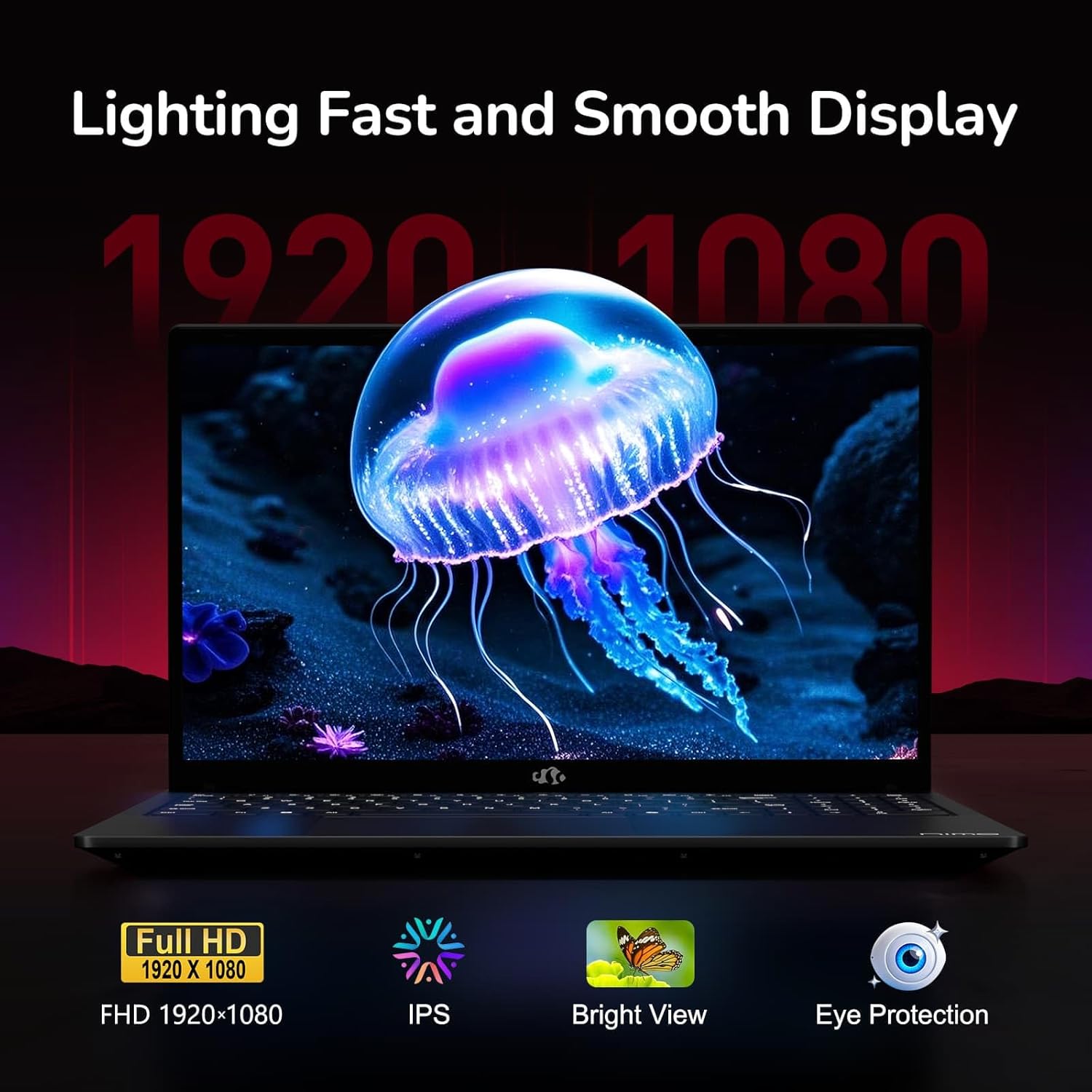
Figure 6: Laptop Display Features
5.2. คีย์บอร์ดและทัชแพด
The laptop features a backlit keyboard and a responsive touchpad with multi-touch gesture support. The integrated fingerprint sensor is located on the touchpad for secure login.
- แป้นพิมพ์พร้อมไฟแบ็คไลท์: กด เอฟเอ็น + เอฟเอ็กซ์ (where Fx is the backlight key, typically F3 or F4) to adjust keyboard backlight brightness.
- เซ็นเซอร์ลายนิ้วมือ: Enroll your fingerprints via Windows Settings > Accounts > Sign-in options for quick and secure access.
- Webแคม Privacy Shield: Slide the physical cover over the webcam for privacy when not in use.

Figure 7: Keyboard and Input Features

Figure 8: Seamless Security Integration (Fingerprint and Webcam Shield)
5.3. การจัดการพลังงาน
The laptop is equipped with a 4700mAh (53.58Wh) Lithium Polymer battery. Battery life can vary based on usage. To optimize battery life, adjust power settings in Windows and close unnecessary applications.

รูปที่ 9: ข้อมูลจำเพาะของแบตเตอรี่
6. การบำรุงรักษาและการดูแล
6.1. การทำความสะอาด
- ใช้ผ้าที่ไม่เป็นขุยและนุ่มเพื่อทำความสะอาดหน้าจอและภายนอก
- สำหรับรอยฝังแน่น ดampชุบผ้าด้วยน้ำหรือน้ำยาทำความสะอาดหน้าจอ หลีกเลี่ยงสารเคมีรุนแรง
- ตรวจสอบให้แน่ใจว่าแล็ปท็อปปิดอยู่และถอดปลั๊กออกก่อนทำความสะอาด
6.2. การจัดเก็บและการจัดการ
- เก็บแล็ปท็อปไว้ในที่แห้งและเย็น หลีกเลี่ยงแสงแดดโดยตรงและอุณหภูมิที่สูงหรือต่ำเกินไป
- หลีกเลี่ยงการวางวัตถุหนักบนแล็ปท็อป
- อย่าให้แล็ปท็อปสัมผัสกับของเหลว
6.3. การอัพเกรด
The NIMO N155 laptop supports detachable RAM and SSD, allowing for user upgrades. Refer to the official NIMO support website or contact customer service for detailed upgrade instructions to avoid voiding your warranty.
7 การแก้ไขปัญหา
This section addresses common issues you might encounter with your NIMO N155 laptop.
| ปัญหา | วิธีแก้ปัญหาที่เป็นไปได้ |
|---|---|
| โน๊ตบุ๊คไม่สามารถเปิดเครื่องได้ | ตรวจสอบให้แน่ใจว่าได้เสียบที่ชาร์จอย่างถูกต้องและแบตเตอรี่มีประจุเพียงพอ ลองเสียบเข้ากับปลั๊กไฟอื่นดู |
| หน้าจอว่างเปล่า | Check if the laptop is powered on. Adjust screen brightness. Connect to an external monitor to check if the issue is with the laptop's display. |
| ปัญหาการเชื่อมต่อ Wi-Fi | ตรวจสอบให้แน่ใจว่าได้เปิดใช้งาน Wi-Fi ในการตั้งค่า Windows แล้ว รีสตาร์ทเราเตอร์และแล็ปท็อป อัปเดตไดรเวอร์ Wi-Fi |
| ไฟแบ็คไลท์คีย์บอร์ดไม่ทำงาน | Press the Fn key combined with the appropriate function key (e.g., F3 or F4) to toggle or adjust the backlight. |
| เซ็นเซอร์ลายนิ้วมือไม่ตอบสนอง | Ensure your finger is clean and dry. Re-enroll your fingerprints in Windows settings. Update fingerprint sensor drivers. |
If you encounter issues not listed here or require further assistance, please contact NIMO customer support.
8. ข้อมูลจำเพาะทางเทคนิค
| คุณสมบัติ | ข้อมูลจำเพาะ |
|---|---|
| ชื่อรุ่น | Nimo N155 |
| แสดง | 15.6-inch FHD (1920x1080) IPS Anti-Glare |
| โปรเซสเซอร์ | AMD Ryzen 7 6800H (8 Cores, 16 Threads, up to 4.7 GHz) |
| กราฟฟิก | การ์ดจอออนบอร์ด AMD Radeon 680M |
| แรม | 32GB DDR5 4800 MHz (Dual-channel, upgradeable) |
| พื้นที่จัดเก็บ | 1TB PCIe 4.0 SSD (upgradeable) |
| ระบบปฏิบัติการ | วินโดวส์ 11 โฮม |
| การเชื่อมต่อแบบไร้สาย | Wi-Fi 5 (802.11a/b/g/n/ac), Bluetooth 5.2 |
| พอร์ต | 1x USB 2.0, 3x USB 3.0, 2x Type-C (1x PD, 1x Multifunction), 1x HDMI, 1x Micro SD, 1x Headphone Jack, 1x Kensington Lock |
| Webลูกเบี้ยว | 2.0 MP (with privacy shield) |
| แบตเตอรี่ | 4700mAh / 53.58Wh Lithium Polymer |
| อะแดปเตอร์แปลงไฟ | Type-C 100W PD Fast Charger |
| ขนาด (กxยxส) | 14.07 x 8.98 x 0.76 นิ้ว (357.4 x 228 x 19.2 มม.) |
| น้ำหนัก | 3.8 ปอนด์ (1.7 กก.) |
| คุณสมบัติพิเศษ | คีย์บอร์ดเรืองแสง, เครื่องอ่านลายนิ้วมือ, ระบบเสียง HD, แป้นตัวเลข |
9. การรับประกันและการสนับสนุน
9.1. การรับประกันของผู้ผลิต
Your NIMO N155 laptop comes with a การรับประกันจากผู้ผลิต 2 ปีการรับประกันนี้ครอบคลุมข้อบกพร่องด้านวัสดุและฝีมือการผลิตภายใต้การใช้งานปกติ โปรดเก็บหลักฐานการซื้อไว้เพื่อขอรับสิทธิ์การรับประกัน
9.2. นโยบายการคืนสินค้า
NIMO offers a นโยบายการคืนสินค้าแบบไม่ยุ่งยากภายใน 90 วัน from the date of purchase. For details on eligibility and the return process, please refer to your purchase documentation or contact customer support.
9.3. การสนับสนุนลูกค้า
For technical assistance, warranty claims, or any other inquiries, please visit the official NIMO support website or contact their customer service team. Contact information can typically be found on the NIMO brand store page or included documentation.
NIMO Brand Store: Visit NIMO Store on Amazon


