การแนะนำ
This manual provides essential information for setting up, operating, and maintaining your Amazon Echo Dot Kids (5th Gen) with Alexa. Designed specifically for children, this smart speaker offers a blend of entertainment and educational content within a safe, controlled environment. It features an improved speaker for clearer audio and vibrant sound, making it ideal for music, stories, and interactive learning.

Image: The Amazon Echo Dot Kids (5th Gen) in Stardust design, showcasing its primary function for music, stories, and skills tailored for children.
การตั้งค่า
- เปิดเครื่อง: Connect the included power adapter to your Echo Dot Kids and then to a power outlet. The light ring will turn blue, then orange, indicating it is ready for setup.
- ดาวน์โหลดแอป Alexa: On your mobile device (Fire OS, Android, or iOS), download and install the Amazon Alexa app.
- เชื่อมต่อกับ Wi-Fi: Open the Alexa app and follow the on-screen instructions to connect your Echo Dot Kids to your dual-band Wi-Fi network (supports 802.11a/b/g/n/ac on 2.4 and 5 GHz). Ensure your device is within range of your home Wi-Fi.
- ลงทะเบียนอุปกรณ์: If not automatically registered, follow the app prompts to register the device to your Amazon account.
- Parent Profile การตั้งค่า: Within the Alexa app, navigate to the Amazon Kids section to set up child profiles and enable parental controls.
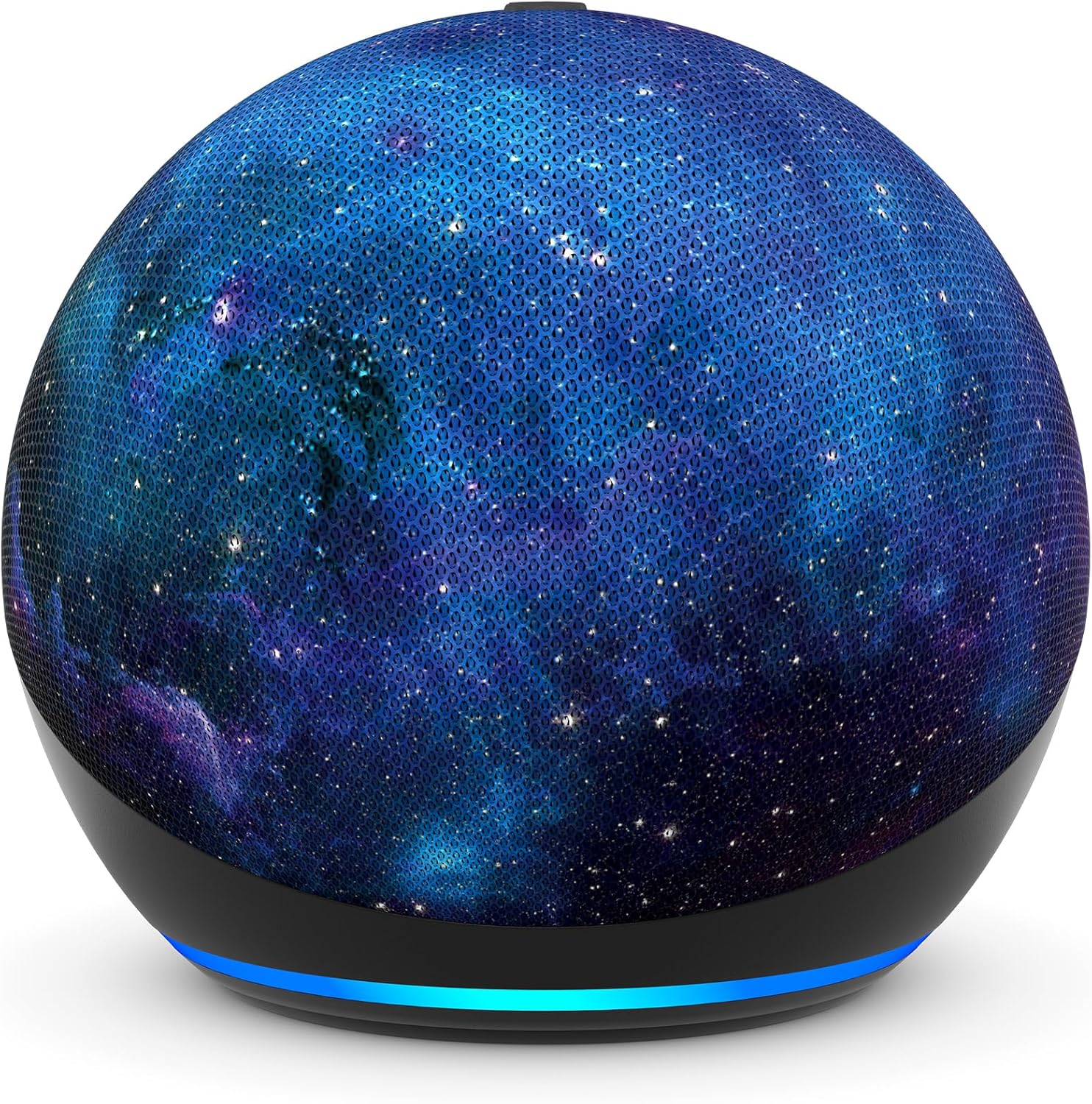
ภาพ: ภาพระยะใกล้ view of the Amazon Echo Dot Kids (5th Gen) in Stardust design, illustrating its compact form factor and illuminated light ring.
คำแนะนำการใช้งาน
คำสั่งเสียง
Your Echo Dot Kids responds to voice commands using the wake word "Alexa."
- Music and Stories: Say, "Alexa, play music for kids" or "Alexa, tell me a bedtime story."
- Questions and Homework Help: Ask, "Alexa, how far away is the sun?" or "Alexa, what's 5 plus 7?"
- Alarms and Routines: Kids can set their own alarms by saying, "Alexa, set an alarm for 7 AM." Parents can set up Morning Routines via the Alexa app.
- Character Voices: Alexa can respond in fun character voices like owl, dragon, tiger, or panda.
- Hey Disney! Integration: Use the Hey Disney! voice assistant for Disney-themed interactions, such as weather updates with Mickey or setting timers with Dory.

Image: An Echo Dot Kids with a dragon design, illustrating a child's interaction with Alexa to play music.

Image: The Stardust Echo Dot Kids on a nightstand, demonstrating its use for bedtime routines with the 'Hey Disney!' feature.
การควบคุมโดยผู้ปกครองและ Amazon Kids+
The Echo Dot Kids is designed with robust parental controls to ensure a safe and age-appropriate experience for children.
การควบคุมโดยผู้ปกครอง
- คำตอบที่เหมาะสำหรับเด็ก: Alexa automatically provides responses suitable for children and filters explicit lyrics from music.
- ระยะเวลาจำกัด: ตั้งค่าจำกัดเวลาการใช้งานอุปกรณ์ต่อวันผ่านทางแดชบอร์ดสำหรับผู้ปกครองของ Amazon
- กิจกรรม Review: ตรวจสอบกิจกรรมและรูปแบบการใช้งานของบุตรหลานของคุณได้ในแดชบอร์ดสำหรับผู้ปกครองของ Amazon
- ความเป็นส่วนตัว: The device includes a microphone off button and options to view and delete voice recordings, protecting your family's privacy.
อเมซอน คิดส์+
Your Echo Dot Kids includes a 1-year subscription to Amazon Kids+, offering a curated library of content for children aged 3-12.
- เนื้อหา: Access kid-friendly Audible books, interactive games, and educational Alexa skills.
- เหมาะสมกับวัย: Content is curated by age range, adapting as your child grows.
- การจัดการ: Manage Amazon Kids+ content and settings via the Amazon Parent Dashboard.

Image: A visual representation of the diverse content available through Amazon Kids+, featuring popular children's brands and educational materials.

Image: A screenshot of the Amazon Parent Dashboard interface, demonstrating how parents can customize age ranges and review their child's digital experience.
การซ่อมบำรุง
เพื่อให้มั่นใจว่า Echo Dot Kids ของคุณจะมีอายุการใช้งานยาวนานและทำงานได้อย่างมีประสิทธิภาพสูงสุด โปรดปฏิบัติตามคำแนะนำในการบำรุงรักษาอย่างง่ายเหล่านี้:
- การทำความสะอาด: Use a soft, dry, lint-free cloth to gently wipe the exterior of the device. Avoid using abrasive cleaners, solvents, or aerosol sprays.
- การจัดวาง: Place the device on a stable, flat surface away from direct sunlight, heat sources, and moisture. Ensure proper ventilation around the device.
- อะแดปเตอร์ไฟฟ้า: Only use the power adapter included with your Echo Dot Kids.
- พื้นที่จัดเก็บ: หากต้องเก็บรักษาอุปกรณ์เป็นเวลานาน ควรตัดการเชื่อมต่อจากแหล่งจ่ายไฟและเก็บไว้ในที่แห้งและเย็น
การแก้ไขปัญหา
If you encounter issues with your Echo Dot Kids, try the following troubleshooting steps:
- ไม่มีไฟฟ้า: ตรวจสอบให้แน่ใจว่าอะแดปเตอร์แปลงไฟเชื่อมต่อกับอุปกรณ์และเต้ารับไฟฟ้าที่ใช้งานได้แน่นหนาแล้ว ลองเสียบกับเต้ารับอื่นดู
- ไม่มีการเชื่อมต่อ Wi-Fi: Check if your home Wi-Fi network is active. Restart your Wi-Fi router. In the Alexa app, go to Device Settings and attempt to reconnect to Wi-Fi.
- Alexa ไม่ตอบสนอง: Ensure the microphone is not muted (the light ring will be red). Try saying the wake word "Alexa" clearly and at a normal volume. Restart the device by unplugging it for 30 seconds and plugging it back in.
- คุณภาพเสียงไม่ดี: Ensure the device is not obstructed. Adjust the volume using voice commands or the Alexa app.
- ปัญหาการควบคุมโดยผู้ปกครอง: Verify settings in the Amazon Parent Dashboard within the Alexa app. Ensure child profiles ได้รับการกำหนดค่าอย่างถูกต้อง
ข้อมูลจำเพาะ
| คุณสมบัติ | รายละเอียด |
|---|---|
| ขนาด | 3.9” x 3.9” x 3.5” (100 mm x 100mm x 89 mm) |
| น้ำหนัก | 10.7 ออนซ์ (304g) |
| เสียง | ลำโพงยิงด้านหน้าขนาด 1.73 นิ้ว (44 มม.) ความละเอียดสูงแบบไร้การสูญเสีย |
| การเชื่อมต่อ Wi-Fi | Wi-Fi แบบดูอัลแบนด์รองรับเครือข่าย 802.11a/b/g/n/ac (2.4 และ 5 GHz) ไม่รองรับเครือข่ายเฉพาะกิจ |
| การเชื่อมต่อบลูทูธ | รองรับ A2DP สำหรับการสตรีมเสียง และ AVRCP สำหรับการควบคุมด้วยเสียงของอุปกรณ์มือถือที่เชื่อมต่ออยู่ ไม่รองรับลำโพงบลูทูธที่ต้องใช้รหัส PIN |
| โปรโตคอลบ้านอัจฉริยะ | Wi-Fi, Bluetooth Low Energy Mesh |
| ความต้องการของระบบ | Alexa app compatible with Fire OS, Android, iOS devices, and web เบราว์เซอร์ |
| สิ่งที่รวมอยู่ในกล่อง | Echo Dot (รุ่นที่ 5) สำหรับเด็ก สีขาว Glacier White พร้อมอะแดปเตอร์แปลงไฟ (15W), คู่มือเริ่มต้นใช้งานอย่างรวดเร็ว, คู่มือการใช้งาน Alexa สำหรับเด็ก |
| รุ่น | Echo Dot (รุ่นที่ 5) สำหรับเด็ก - รุ่นปี 2022 |
| ช่วงอายุ | เหมาะสำหรับเด็กอายุ 3 ปีขึ้นไป คำเตือน: อันตรายจากการสำลัก – ชิ้นส่วนเล็กๆ ไม่เหมาะสำหรับเด็กอายุต่ำกว่า 3 ปี |
| การสมัครสมาชิก | Includes 1 year of Amazon Kids+. |
การรับประกันและการสนับสนุน
การรับประกัน
Your Amazon Echo Dot Kids (5th Gen) comes with a รับประกันไร้กังวล 2 ปี. If the device breaks, you can return it for a free replacement. Use of the Echo Dot Kids is subject to the terms found on the Amazon webเว็บไซต์.
การอัปเดตความปลอดภัยของซอฟต์แวร์
อุปกรณ์นี้จะได้รับการรับประกันการอัปเดตความปลอดภัยของซอฟต์แวร์เป็นเวลาอย่างน้อยสี่ปีนับจากวันที่วางจำหน่ายครั้งสุดท้ายในฐานะสินค้าใหม่บน Amazon webเว็บไซต์
การสนับสนุนลูกค้า
หากต้องการความช่วยเหลือเพิ่มเติม โปรดไปที่ฝ่ายสนับสนุนของ Amazon website or contact Amazon Customer Service. You can also manage your device and content by visiting the 'Manage Your Content and Devices' section on Amazon.


