1. บทนำ
The EWEADN TK100 is a 104-key wired mechanical keyboard designed with a retro typewriter aesthetic. It features durable double-shot injection round keycaps, responsive blue mechanical switches, and a white LED backlight with multiple effects. This manual provides detailed instructions for setting up, operating, maintaining, and troubleshooting your TK100 keyboard.
2. เนื้อหาบรรจุภัณฑ์
โปรดตรวจสอบว่าสินค้าทั้งหมดมีอยู่ในแพ็คเกจของคุณ:
- EWEADN TK100 Wired Mechanical Keyboard
3. การตั้งค่า
Setting up your EWEADN TK100 keyboard is a simple plug-and-play process.
- แกะคีย์บอร์ดออก: นำคีย์บอร์ดออกจากบรรจุภัณฑ์อย่างระมัดระวัง
- เชื่อมต่อกับอุปกรณ์ของคุณ: Locate an available USB-A port on your computer (PC, Mac, laptop, desktop) or compatible device. Insert the USB cable from the keyboard firmly into the USB port.
- การติดตั้งอัตโนมัติ: Your operating system will automatically detect and install the necessary drivers. No additional software installation is required.
- พร้อมใช้งาน: Once the installation is complete, the keyboard is ready for immediate use.
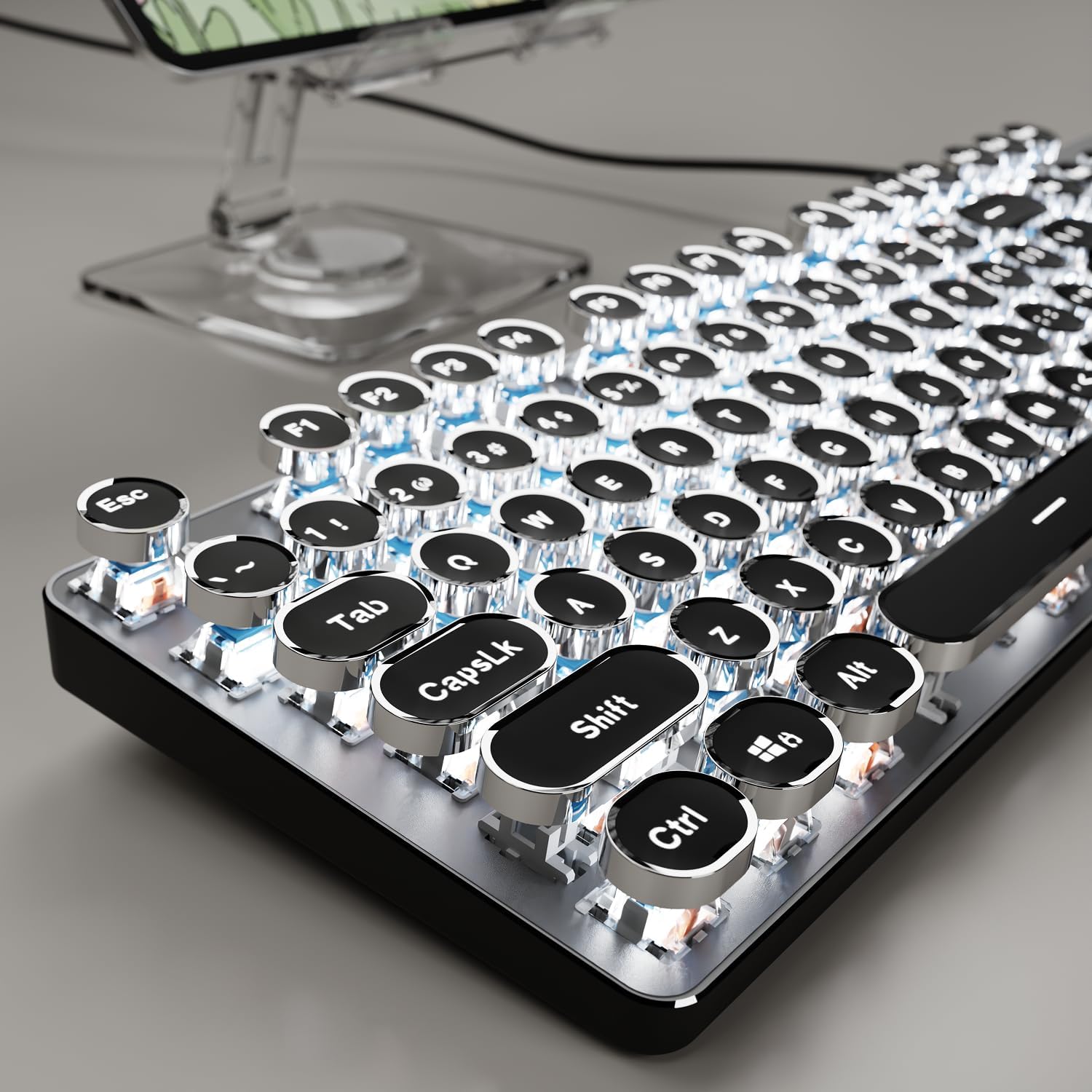
Image: The EWEADN TK100 keyboard connected and ready for use, highlighting its aesthetic design.
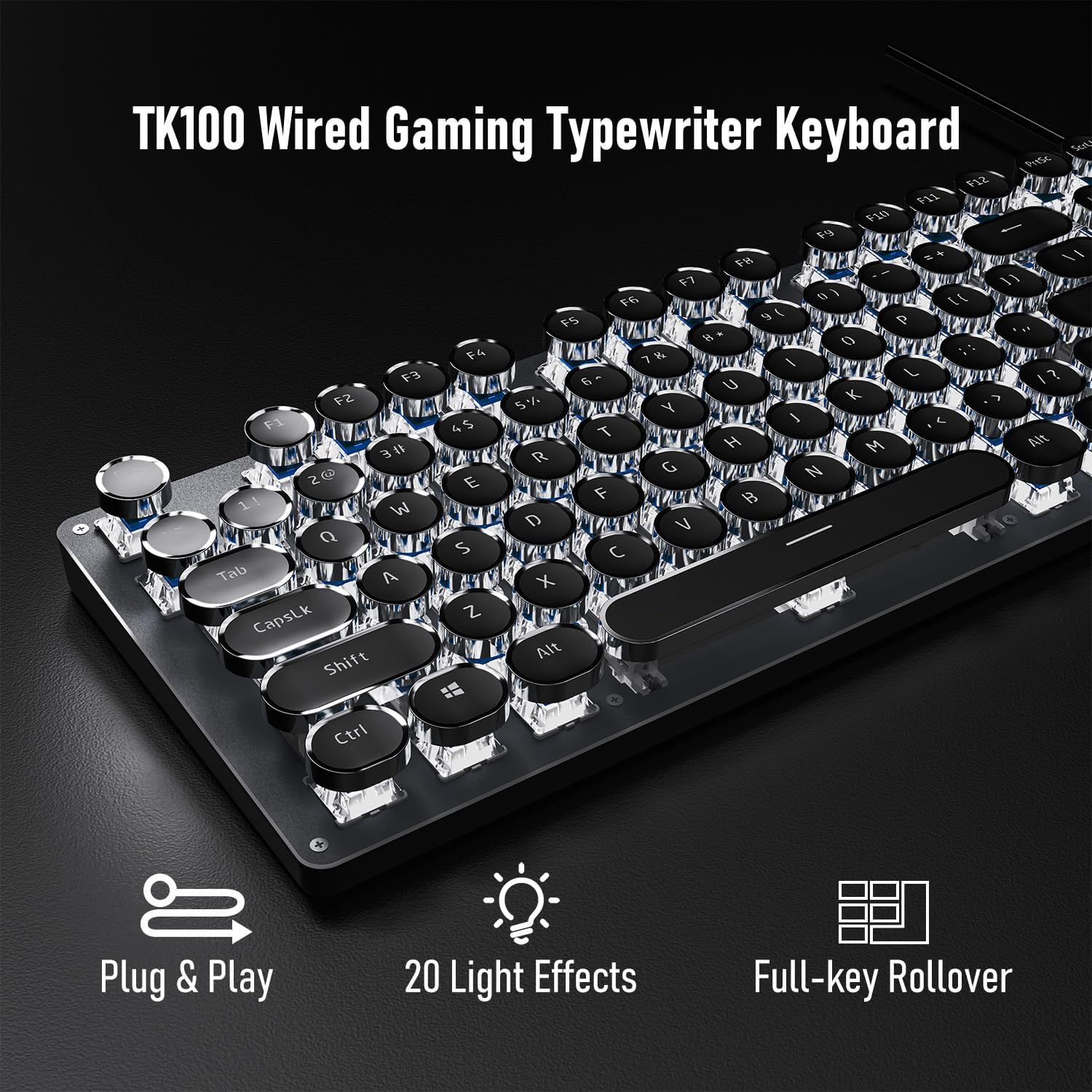
Image: Visual representation of the keyboard's plug-and-play functionality and full-key rollover capability.
4. คู่มือการใช้งาน
การควบคุมแบ็คไลท์ 4.1
The TK100 keyboard features a white LED backlight with various effects and brightness levels.
- เปลี่ยนเอฟเฟกต์แสง: กด FN + อินส์ to cycle through 20 preset basic lighting effects.
- Game Lighting Effects: กด FN + 6, 7, 8, 9, หรือ 0 to activate 4 specific game lighting effects.
- ปรับความสว่าง/ความเร็ว: กด FN + ลูกศรขึ้น (↑) to increase brightness or breathing speed. Press FN + ลูกศรลง (↓) to decrease brightness or breathing speed (5 levels available).
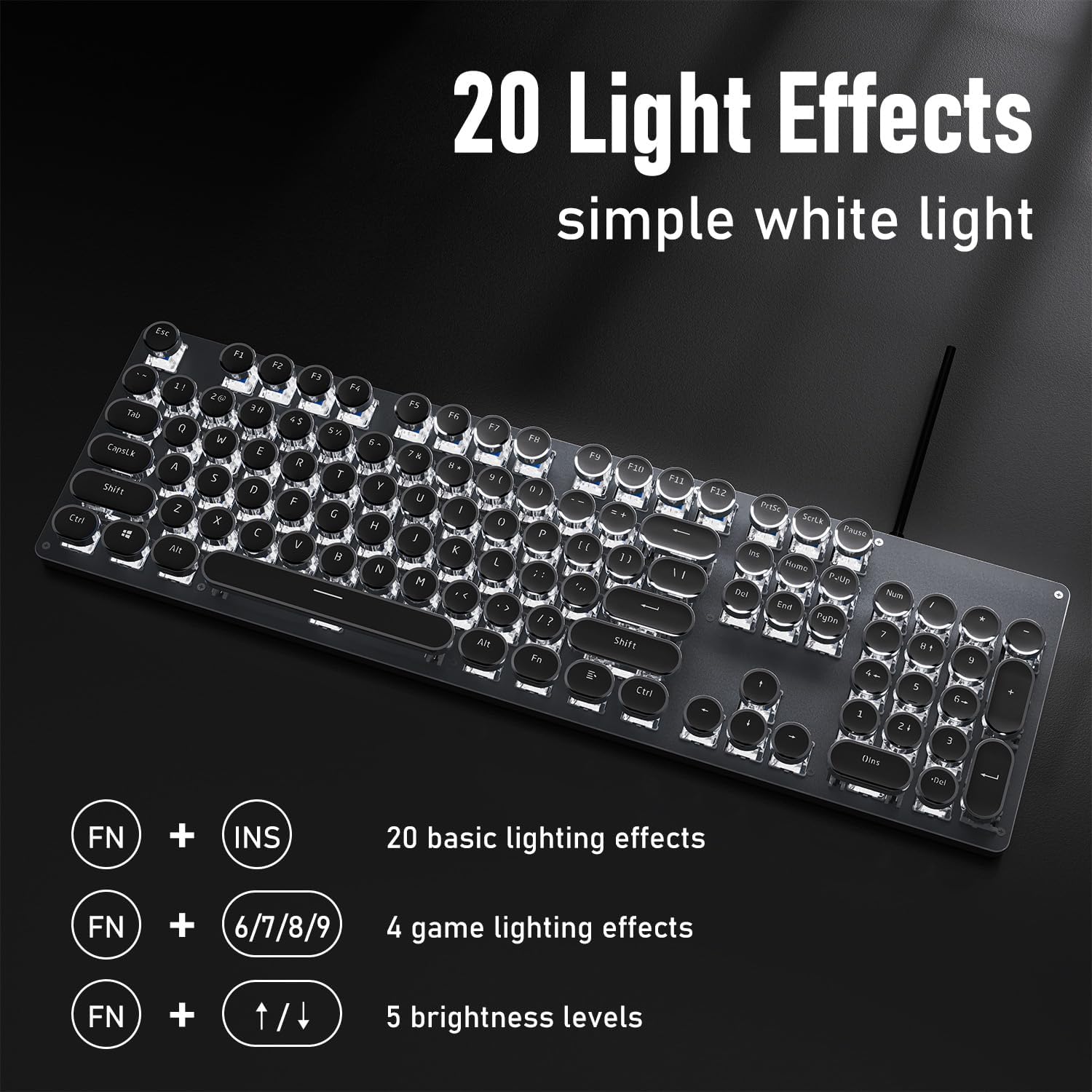
ภาพ: แป้นพิมพ์ที่แสดงอยู่asing its 20 light effects and the FN key combinations for adjusting them.
4.2 คุณสมบัติหลัก
- Mechanical Blue Switches: The TK100 utilizes highly durable mechanical blue switches, known for their tactile feedback and crisp, audible click. This provides a satisfying typing experience and quick response time.
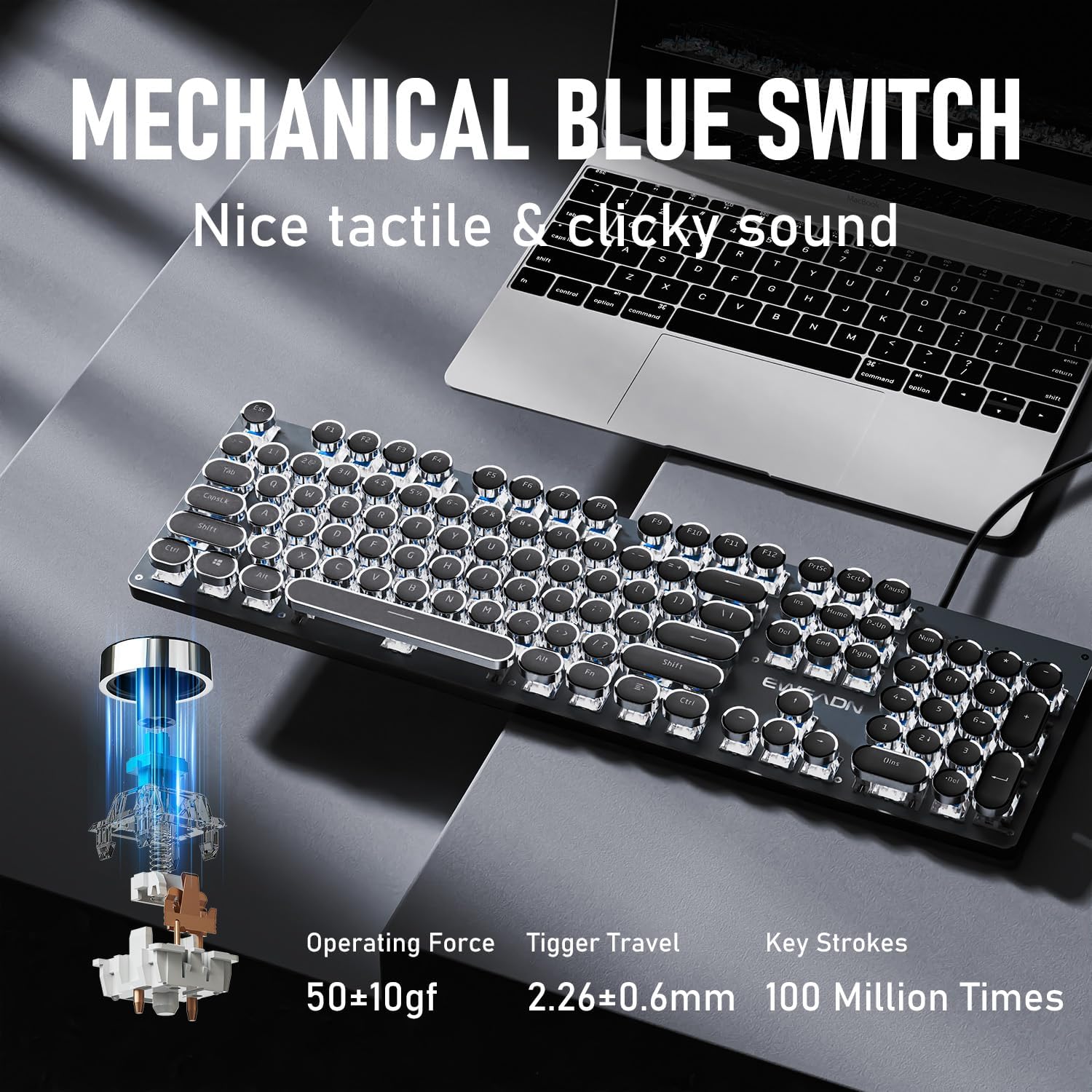
ภาพ: รายละเอียด view of the mechanical blue switch, highlighting its specifications for performance and durability.
- Retro Punk Round Keycaps: The keyboard features double-shot injection retro punk round keycaps. These keycaps are designed for durability, clear character visibility, and a comfortable typing feel.

Image: A close-up of the unique retro punk round keycaps, showcasing their design and clarity.
- Anti-Ghosting & Full Key Rollover: Equipped with anti-ghosting technology, the TK100 ensures that every keystroke is accurately registered, even during rapid, multi-key commands. This full key rollover capability is essential for gaming and fast typing, preventing missed inputs.
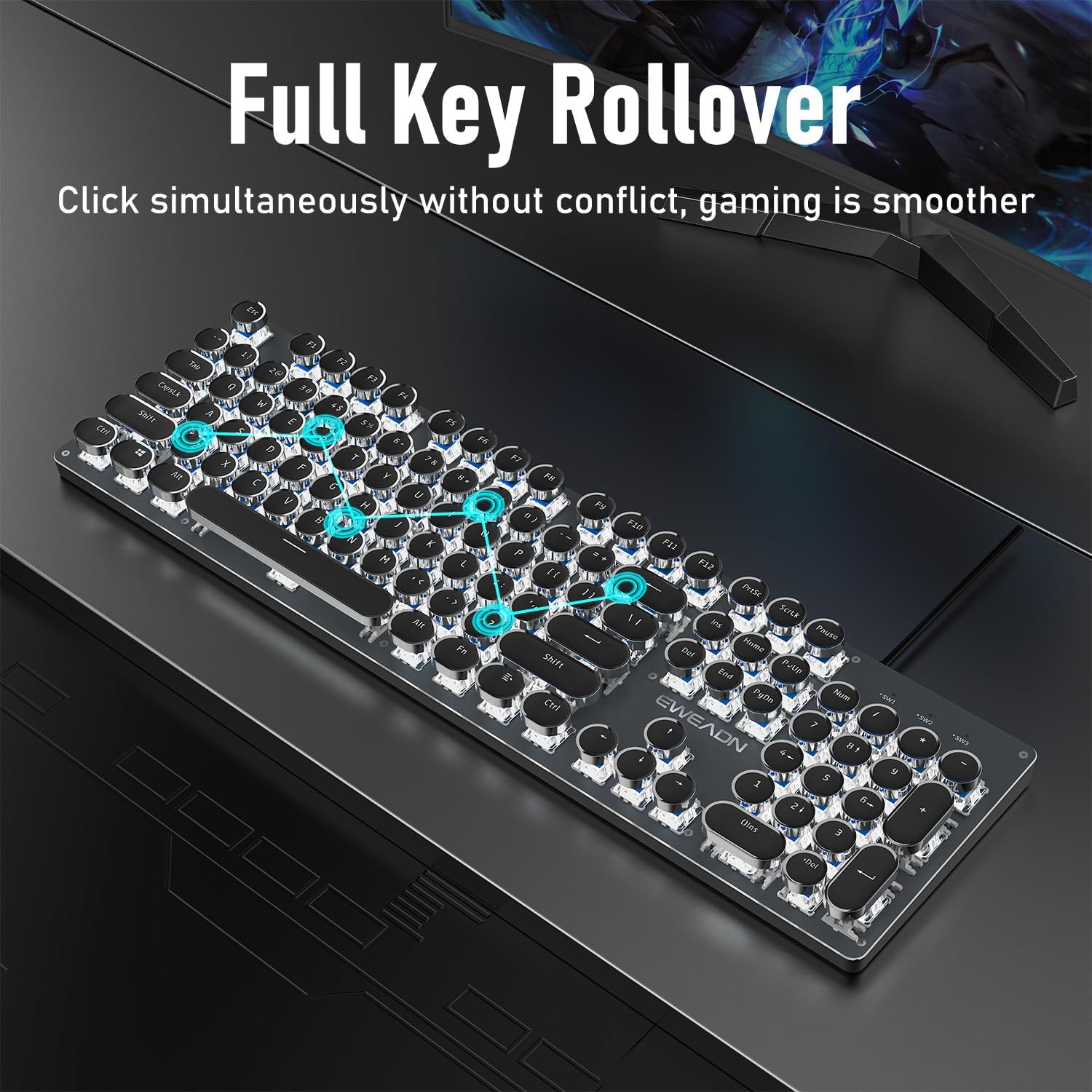
Image: The keyboard demonstrating its full key rollover feature, ensuring smooth and accurate input during simultaneous key presses.
- การออกแบบตามหลักสรีรศาสตร์: The keyboard features stepped floating keycaps that conform to your fingertips for comfortable typing. It also includes two-level adjustable foot supports, allowing you to set the keyboard angle for reduced fatigue during extended use.
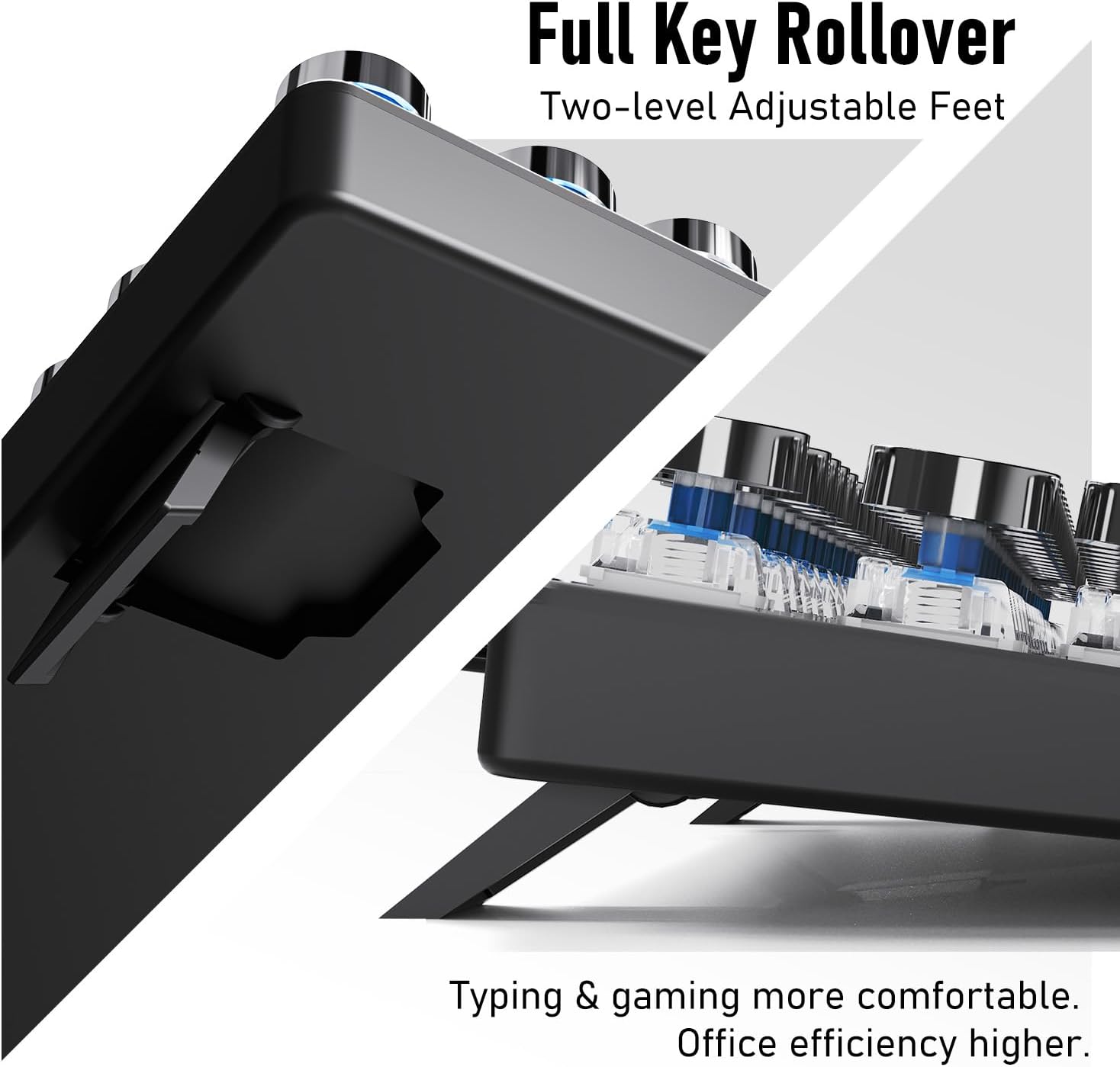
ภาพ: ก. view of the keyboard's adjustable feet, designed to enhance typing comfort and efficiency.
4.3 Multimedia & Hotkeys
The TK100 keyboard provides convenient access to multimedia controls:
- Dedicated quick-access buttons for volume control.
- Dedicated quick-access buttons for backlight effects.
- Dedicated quick-access buttons for play/pause and track switching.
5. การบำรุงรักษา
To ensure the longevity and optimal performance of your EWEADN TK100 keyboard, follow these maintenance guidelines:
- การทำความสะอาดปกติ: ใช้ผ้านุ่มไม่เป็นขุยเช็ดเล็กน้อยampened with water or a mild cleaning solution to wipe down the keycaps and keyboard surface. Avoid harsh chemicals or abrasive materials.
- การกำจัดฝุ่น: Use compressed air to remove dust and debris from between the keycaps and under the switches.
- การป้องกันการรั่วไหล: Avoid spilling liquids on the keyboard. If a spill occurs, immediately disconnect the keyboard from your computer and allow it to dry completely before reconnecting.
- พื้นที่จัดเก็บ: เมื่อไม่ได้ใช้งานเป็นเวลานาน ควรเก็บแป้นพิมพ์ไว้ในสภาพแวดล้อมที่สะอาดและแห้ง หลีกเลี่ยงแสงแดดโดยตรงและอุณหภูมิที่สูงหรือต่ำเกินไป
6 การแก้ไขปัญหา
If you encounter issues with your EWEADN TK100 keyboard, please refer to the following common solutions:
- แป้นพิมพ์ไม่ตอบสนอง:
- ตรวจสอบให้แน่ใจว่าได้เสียบสาย USB เข้ากับแป้นพิมพ์และพอร์ต USB ของคอมพิวเตอร์อย่างแน่นหนาแล้ว
- ลองเชื่อมต่อคีย์บอร์ดกับพอร์ต USB อื่นบนคอมพิวเตอร์ของคุณ
- ทดสอบแป้นพิมพ์บนคอมพิวเตอร์เครื่องอื่นเพื่อตรวจสอบว่าปัญหาอยู่ที่แป้นพิมพ์หรือคอมพิวเตอร์เครื่องเดิม
- รีสตาร์ทเครื่องคอมพิวเตอร์ของคุณ
- Backlight Not Working or Flickering:
- ตรวจสอบให้แน่ใจว่าแป้นพิมพ์เชื่อมต่ออย่างถูกต้องและได้รับพลังงาน
- กด FN + ลูกศรขึ้น (↑) to increase brightness.
- หมุนเวียนผ่านโหมดแบ็คไลท์ที่แตกต่างกันโดยใช้ FN + อินส์ to see if the issue persists across all modes.
- คีย์ไม่ลงทะเบียนหรือพิมพ์ซ้ำ:
- Ensure the keyboard is clean and free of debris that might be obstructing key presses.
- If specific keys are problematic, gently remove the keycap (if possible) and clean around the switch.
- Verify that no software or operating system settings are interfering with key input.
If these steps do not resolve your issue, please contact EWEADN customer support.
7. ข้อมูลจำเพาะ
| คุณสมบัติ | รายละเอียด |
|---|---|
| หมายเลขรุ่น | TK100 |
| เทคโนโลยีการเชื่อมต่อ | USB-A แบบมีสาย |
| คำอธิบายแป้นพิมพ์ | Typewriter Style Mechanical Keyboard Wired |
| จำนวนคีย์ | 104 |
| ประเภทสวิตช์กุญแจ | สวิตช์เชิงกลสีน้ำเงิน |
| การแบ็คไลท์ | ไฟ LED สีขาว สีเดียว |
| คุณสมบัติพิเศษ | Backlit, Ergonomic, Hotkeys and Media Keys, Round Key, Anti-Ghosting, Full Key Rollover |
| อุปกรณ์ที่รองรับ | แล็ปท็อป, พีซี, เครื่องเล่นเกม, แท็บเล็ต, สมาร์ทโฟน |
| น้ำหนักสินค้า | 1.9 ปอนด์ |
| ขนาดแพ็คเกจ | 19 x 7 x 2 นิ้ว |
8. การรับประกันและการสนับสนุน
EWEADN stands by the quality of its products. The TK100 keyboard comes with a 48-month brand support period, ensuring assistance for any manufacturing defects or operational issues.
การสนับสนุนลูกค้า
For any inquiries, technical assistance, or warranty claims, please contact our expert support team:
การสนับสนุนทางอีเมล์: eweadnkeyboard@outlook.com
Our team is dedicated to providing prompt and helpful responses to ensure your satisfaction.


