การแนะนำ
This manual provides comprehensive instructions for the setup, operation, and maintenance of your memzuoix WM125B Wireless Mouse. Designed for comfort and precision, this 2.4GHz wireless mouse offers adjustable DPI settings and broad compatibility for various computing needs.
คุณสมบัติหลัก:
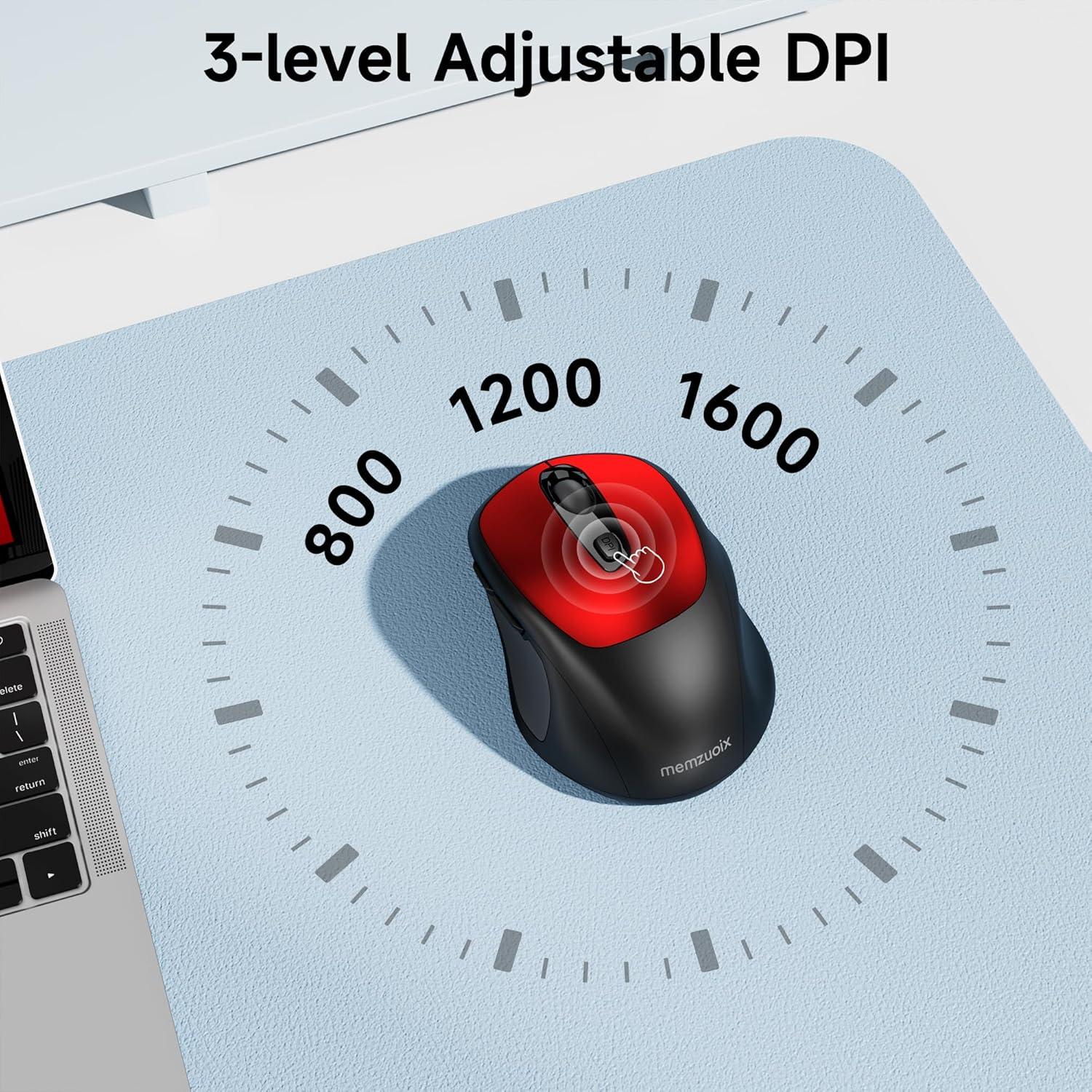
- ปรับระดับ DPI ได้ 3 ระดับ: Easily switch between 800, 1200, and 1600 DPI for optimal control.
- ดีไซน์ตามหลักสรีรศาสตร์และเหมาะสำหรับผู้ใช้ทั้งสองมือ: Contoured shape with rubberized side grips for comfortable use by both left and right-handed users.
- Plug & Play 2.4GHz Nano Receiver: Instant connectivity without software installation, offering a reliable 33ft range.
- โครงสร้างที่ทนทาน: Buttons and scroll wheel tested for 10 million clicks, ensuring long-term reliability.
- เข้ากันได้สากล: Works seamlessly with Windows, macOS, Linux, and ChromeOS devices.
- การออกแบบพกพา: Lightweight and compact, ideal for travel and on-the-go use.
คู่มือการติดตั้ง
1. ติดตั้งแบตเตอรี่
- ค้นหาฝาปิดช่องใส่แบตเตอรี่ที่ด้านล่างของเมาส์
- เลื่อนหรือยกฝาขึ้นเบาๆ เพื่อเปิดช่อง
- ใส่แบตเตอรี่ AAA สองก้อน โดยตรวจสอบให้แน่ใจว่าขั้วถูกต้อง (+/-)
- ปิดฝาช่องใส่แบตเตอรี่กลับเข้าที่จนกระทั่งล็อคเข้าที่อย่างแน่นหนา

2. เชื่อมต่อตัวรับสัญญาณ USB
- Locate the nano USB receiver, typically stored within the battery compartment of the mouse.
- Plug the USB receiver into an available USB port on your computer (PC, Mac, laptop, etc.).
- The computer should automatically detect and install the necessary drivers. No additional software installation is required.

คำแนะนำการใช้งาน
1. เปิด/ปิดเครื่อง
Locate the ON/OFF switch on the underside of the mouse. Slide the switch to the 'ON' position to activate the mouse. Slide it to 'OFF' when not in use to conserve battery life.
2. ปุ่มฟังก์ชัน
- ปุ่มซ้าย: ฟังก์ชั่นคลิกหลัก
- ปุ่มขวา: ฟังก์ชันคลิกเสริม (เมนูบริบท)
- ล้อเลื่อน: เลื่อนขึ้น/ลงในเอกสารและ web pages. Can also be clicked for middle-button functionality.
- ปุ่ม DPI: สลับไปมาระหว่างการตั้งค่า DPI (800/1200/1600)
- ปุ่มไปข้างหน้า: นำทางไปข้างหน้าใน web เบราว์เซอร์หรือ file นักสำรวจ
- ปุ่มย้อนกลับ: นำทางย้อนกลับใน web เบราว์เซอร์หรือ file นักสำรวจ
3. การปรับค่าความไว DPI
กดปุ่ม ปุ่ม DPI located below the scroll wheel to cycle through the available sensitivity settings: 800 DPI (for precise control), 1200 DPI (standard use), and 1600 DPI (for faster cursor movement). The mouse will indicate the change, often with a brief LED flash.
การซ่อมบำรุง
1. การทำความสะอาด
เพื่อให้เมาส์ทำงานได้อย่างมีประสิทธิภาพสูงสุด ควรทำความสะอาดเมาส์เป็นประจำ โดยใช้ผ้าเนื้อนุ่ม ปราศจากขน และชุบน้ำหมาดๆ เช็ดทำความสะอาดampล้างด้วยน้ำหรือน้ำยาทำความสะอาดอ่อนๆ หลีกเลี่ยงสารเคมีรุนแรงหรือวัสดุที่มีฤทธิ์กัดกร่อน ตรวจสอบให้แน่ใจว่าไม่มีของเหลวเข้าไปในส่วนประกอบภายในของเมาส์
2. การเปลี่ยนแบตเตอรี่
When the mouse's performance degrades or it stops responding, it may be time to replace the batteries. Follow the steps in the 'Install Batteries' section of this manual to replace the two AAA batteries. Dispose of old batteries responsibly according to local regulations.
การแก้ไขปัญหา
- เมาส์ไม่ตอบสนอง:
- Ensure the mouse is switched 'ON' using the power switch on the underside.
- ตรวจสอบว่าติดตั้งแบตเตอรี่อย่างถูกต้องและมีประจุเพียงพอ เปลี่ยนแบตเตอรี่หากจำเป็น
- ตรวจสอบให้แน่ใจว่าตัวรับสัญญาณ USB เสียบเข้ากับพอร์ต USB ที่ใช้งานได้บนคอมพิวเตอร์ของคุณอย่างแน่นหนา ลองใช้พอร์ต USB อื่นดู
- รีสตาร์ทเครื่องคอมพิวเตอร์ของคุณ
- การเคลื่อนที่ของเคอร์เซอร์ผิดปกติหรือไม่แม่นยำ:
- Ensure the mouse is used on a clean, non-reflective surface. Avoid glass or highly reflective surfaces.
- เช็ดทำความสะอาดเซ็นเซอร์รับภาพที่อยู่ด้านล่างของเมาส์ด้วยผ้าเนื้อนุ่ม
- Try adjusting the DPI setting using the DPI button.
- Connection issues or frequent disconnections:
- Ensure the mouse is within the effective operating range (approximately 33 feet) of the USB receiver.
- Avoid using the mouse near strong electromagnetic interference sources (e.g., other wireless devices, large metal objects).
- Re-pair the mouse with the receiver if possible (refer to manufacturer's website for specific pairing instructions if needed, as this model is typically plug-and-play).
ข้อมูลจำเพาะ
| คุณสมบัติ | รายละเอียด |
|---|---|
| ยี่ห้อ | เมมซูอิกซ์ |
| หมายเลขรุ่น | WM125B |
| เทคโนโลยีการเชื่อมต่อ | ระบบไร้สาย 2.4GHz (ตัวรับสัญญาณนาโน USB) |
| ระดับ DPI | 800 / 1200 / 1600 |
| จำนวนปุ่ม | 6 (ซ้าย, ขวา, ล้อเลื่อน, DPI, ไปข้างหน้า, ถอยหลัง) |
| เทคโนโลยีตรวจจับการเคลื่อนไหว | ออฟติคอล |
| แหล่งพลังงาน | แบตเตอรี่ AAA 2 ก้อน (ไม่รวม) |
| น้ำหนักสินค้า | 3.2 ออนซ์ |
| ขนาดแพ็คเกจ | 4.8 x 3.23 x 1.85 นิ้ว |
| สี | สีแดง |
| ความเข้ากันได้ | PC, Mac, Laptop (Windows, macOS, Linux, ChromeOS) |
การรับประกันและการสนับสนุน
The memzuoix WM125B Wireless Mouse comes with a standard manufacturer's warranty. For specific warranty details, return policies, or technical support, please refer to the product packaging or contact memzuoix customer service directly through their official webไซต์หรือผู้ค้าปลีกที่ซื้อผลิตภัณฑ์
หากต้องการความช่วยเหลือเพิ่มเติม โปรดไปที่ memzuoix Store on Amazon.
