สินค้าเกินview
The ASTRO Gaming A20 Gen 2 Wireless Headset provides a high-quality audio experience for gaming across multiple platforms. Designed for comfort and performance, it features low-latency wireless connectivity and a convenient flip-to-mute microphone.
คุณสมบัติหลัก:
- Next-Gen Compatibility: Seamlessly works with PlayStation 5, PlayStation 4, Windows, and Mac OS.
- Lag-Free Wireless Audio: 2.4GHz USB wireless transmitter ensures low-latency, high-quality sound.
- แบตเตอรี่ใช้งานได้ยาวนาน: Up to 15 hours of wireless gaming on a single charge.
- ไมโครโฟนแบบพลิกเพื่อปิดเสียง: Flexible boom mic with an intuitive flip-to-mute function for instant control.
- ความสบายตลอดวัน: Lightweight design with padded headband and ear cushions for extended wear.
มีอะไรอยู่ในกล่อง
- A20 ชุดหูฟังไร้สาย
- เครื่องส่งสัญญาณ USB
- สายชาร์จ USB-C เป็น USB-A
คำแนะนำการตั้งค่า
Follow these steps to set up your ASTRO Gaming A20 Gen 2 Wireless Headset:
- ชาร์จหูฟัง: Connect the headset to a power source using the provided USB-C to USB-A charging cable. Ensure the headset is fully charged before first use for optimal battery life.
- Connect the USB Transmitter: Plug the USB transmitter into an available USB port on your PlayStation console (PS5 or PS4) or your Windows/Mac computer. The transmitter facilitates the 2.4GHz wireless connection.
- เปิดเครื่อง: Turn on your ASTRO Gaming A20 Gen 2 Wireless Headset. The headset should automatically pair with the USB transmitter. Refer to your device's audio settings to ensure the headset is selected as the input and output device.
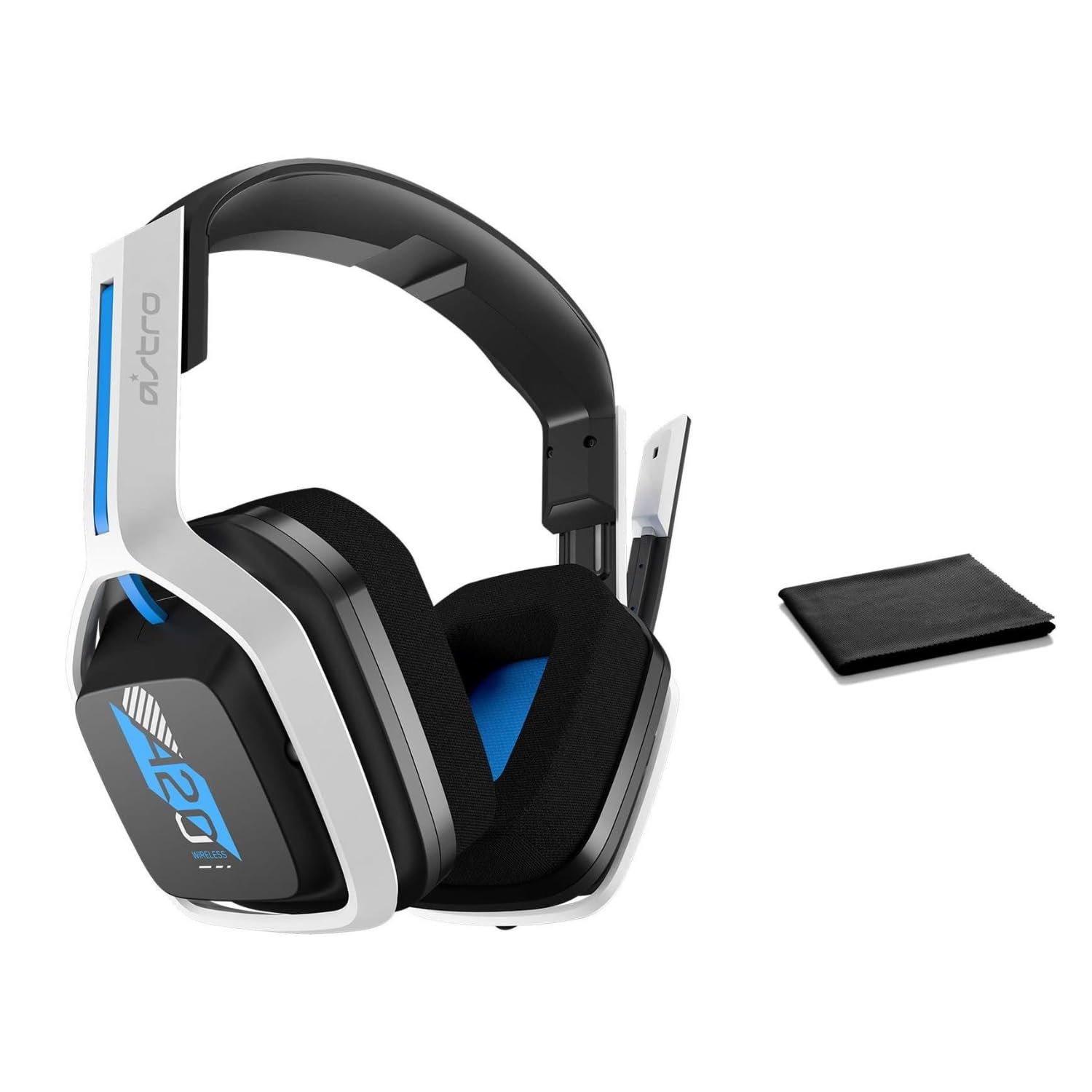
Image: The ASTRO Gaming A20 Gen 2 Wireless Headset, ready for use.
คำแนะนำการใช้งาน
ฟังก์ชั่นไมโครโฟน
The headset features a flexible boom microphone with a flip-to-mute function. To mute your microphone, simply flip the boom arm upwards. To unmute and activate the microphone, flip the boom arm back down to its original position.
การควบคุมระดับเสียง
Adjust the audio volume using the dedicated volume control located on the headset. Rotate the dial or press the buttons (depending on the specific model variant) to increase or decrease the sound output.
การซ่อมบำรุง
เพื่อให้หูฟังของคุณใช้งานได้ยาวนานและมีประสิทธิภาพสูงสุด:
- การทำความสะอาด: Use the included premium microfiber cloth to gently wipe down the headset and accessories. This helps keep your headset dust-free and smudge-free.
- พื้นที่จัดเก็บ: ควรเก็บชุดหูฟังไว้ในที่สะอาดและแห้ง หลีกเลี่ยงอุณหภูมิที่สูงหรือต่ำเกินไป และแสงแดดโดยตรงเมื่อไม่ได้ใช้งาน
- การดูแลแบตเตอรี่ For best battery health, avoid fully discharging the headset frequently. Charge it regularly.
การแก้ไขปัญหา
If you encounter issues with your ASTRO Gaming A20 Gen 2 Wireless Headset, consider the following:
- ไม่มีเสียง/ไมโครโฟนไม่ทำงาน: Ensure the USB transmitter is securely plugged into your device and the headset is powered on and paired. Check your device's audio settings to confirm the headset is selected as the default input/output. For the microphone, ensure it is not in the 'flipped-up' (muted) position.
- ปัญหาการเชื่อมต่อ: Try unplugging and re-plugging the USB transmitter. If issues persist, try connecting to a different USB port.
- แบตเตอรี่ไม่ชาร์จ: Verify the charging cable is properly connected to both the headset and the power source. Try a different USB port or power adapter.
- อัพเดตเฟิร์มแวร์: Visit the official ASTRO Gaming support website for any available firmware updates for your headset, as these can resolve various performance issues.
ข้อมูลจำเพาะ
| คุณสมบัติ | รายละเอียด |
|---|---|
| ชื่อรุ่น | 939-001876 |
| ยี่ห้อ | แอสโตร เกมมิ่ง |
| เทคโนโลยีการเชื่อมต่อ | ไร้สาย |
| การสื่อสารแบบไร้สาย | 2.4GHz ไร้สาย |
| อุปกรณ์ที่รองรับ | Mac OS, PlayStation 4, Playstation 5, Windows |
| อายุการใช้งานแบตเตอรี่ | 15 ชั่วโมง |
| เวลาในการชาร์จ | 15 ชั่วโมง |
| ไมโครโฟน | พลิกเพื่อปิดเสียง |
| การวางตำแหน่งหู | ครอบหู |
| น้ำหนักสินค้า | 11.2 ออนซ์ (318 กรัม) |
| วัสดุ | พลาสติก |
| ส่วนประกอบที่รวมอยู่ | A20 Wireless Headset, USB transmitter, USB-C to USB-A charging cable |
การรับประกันและการสนับสนุน
For detailed warranty information and technical support, please refer to the official ASTRO Gaming webหรือติดต่อฝ่ายบริการลูกค้า เก็บหลักฐานการซื้อไว้เพื่อใช้ในการเคลมประกัน


