การแนะนำ
Thank you for choosing the GOBOULT Crown Smart Watch. This manual provides essential information for the proper setup, operation, and maintenance of your device. Please read it thoroughly to ensure optimal performance and longevity of your smartwatch.
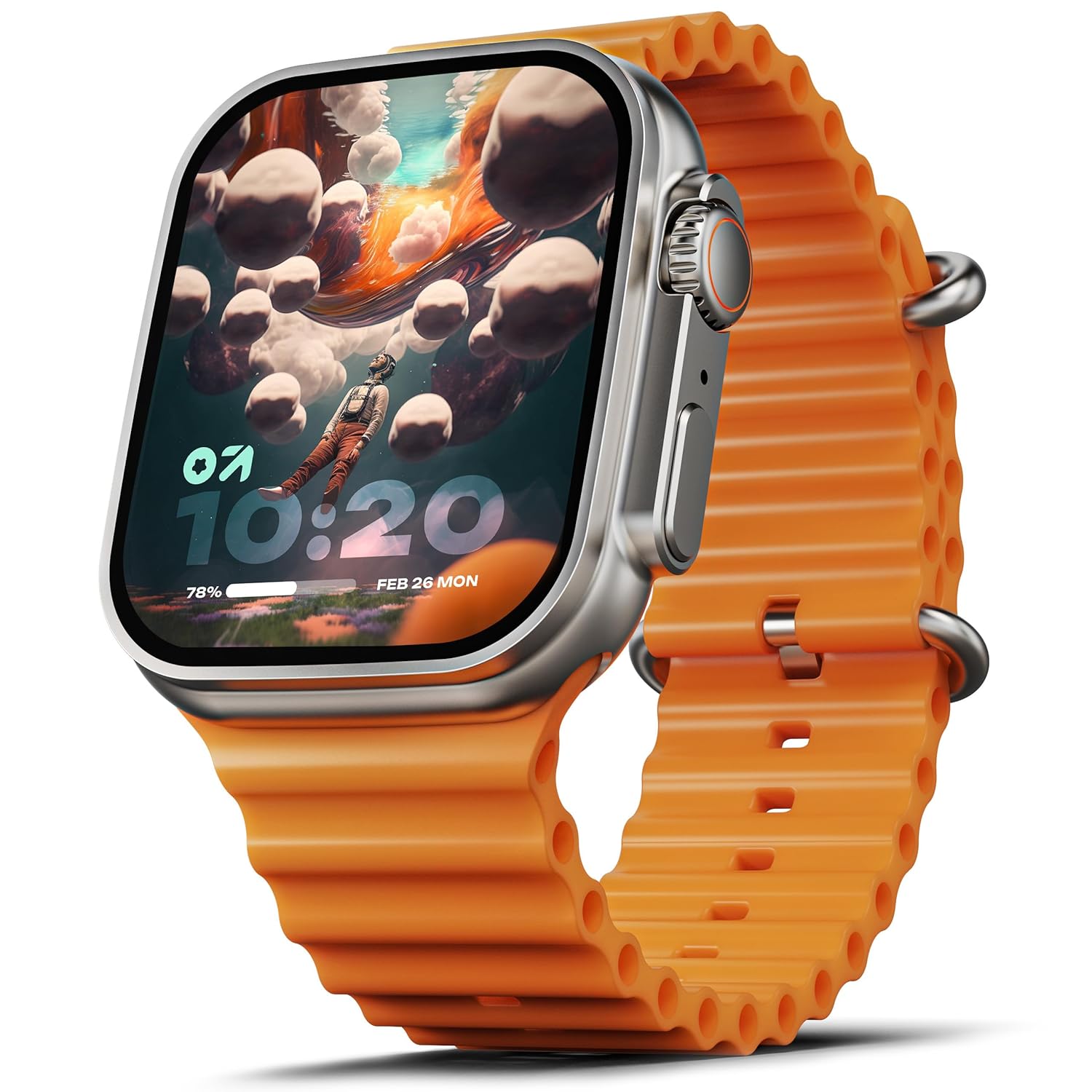
Image: The GOBOULT Crown Smart Watch, featuring a large display and an orange silicone strap.
มีอะไรอยู่ในกล่อง
เมื่อแกะกล่อง โปรดตรวจสอบว่ามีสิ่งของต่อไปนี้ครบถ้วนหรือไม่:
- GOBOULT Crown Smart Watch
- สายชาร์จ
- คู่มือการใช้งาน
- บัตรรับประกัน
การเริ่มต้น
1. การชาร์จสมาร์ทวอทช์
Before initial use, fully charge your GOBOULT Crown Smart Watch. Connect the provided charging cable to the charging port on the back of the watch and to a standard USB power adapter. The watch display will indicate charging status.
2. การเปิด/ปิดเครื่อง
To power on, press and hold the side button until the GOBOULT logo appears. To power off, navigate to the settings menu on the watch, select 'Power Off', and confirm.
3. การจับคู่กับสมาร์ทโฟนของคุณ
- Download the official GOBOULT companion app from your smartphone's app store (available for Android and iOS).
- ตรวจสอบให้แน่ใจว่าได้เปิดใช้งาน Bluetooth บนสมาร์ทโฟนของคุณแล้ว
- Open the GOBOULT app and follow the on-screen instructions to search for and pair with your Crown Smart Watch.
- ยืนยันคำขอจับคู่บนโทรศัพท์และนาฬิกาของคุณทั้งคู่
คำแนะนำการใช้งาน
การแสดงผลและการนำทาง

Image: Close-up of the smartwatch display, highlighting its 1.95-inch size and 900 Nits brightness for clear visibility.
- จอแสดงผล HD ขนาด 1.95 นิ้ว: The large, high-definition screen provides clear visuals and responsive touch interaction.
- ความสว่าง 900 นิต: Ensures excellent visibility even in bright outdoor conditions.
- Working Rotating Crown: Use the functional rotating crown on the side of the watch to scroll through menus, zoom in/out, and switch watch faces.
ภาพ: ระเบิด view illustrating the internal mechanism of the working rotating crown, used for navigation and control.
การโทรด้วยบลูทูธ

Image: The smartwatch screen showing an incoming call, alongside diagrams explaining Bluetooth 5.2 calling features like call answer/reject, dial pad, and contact sync.
The GOBOULT Crown Smart Watch supports Bluetooth Calling 5.2, allowing you to make and receive calls directly from your wrist. It features a built-in speaker and microphone for clear communication.
- การรับสาย/ปฏิเสธสาย: Tap the green icon to answer or the red icon to reject an incoming call.
- แป้นกดหมายเลข: Access the dial pad on the watch to make outgoing calls.
- ซิงค์รายชื่อผู้ติดต่อ: Sync your phone's contacts to the watch via the companion app.
การติดตามสุขภาพ
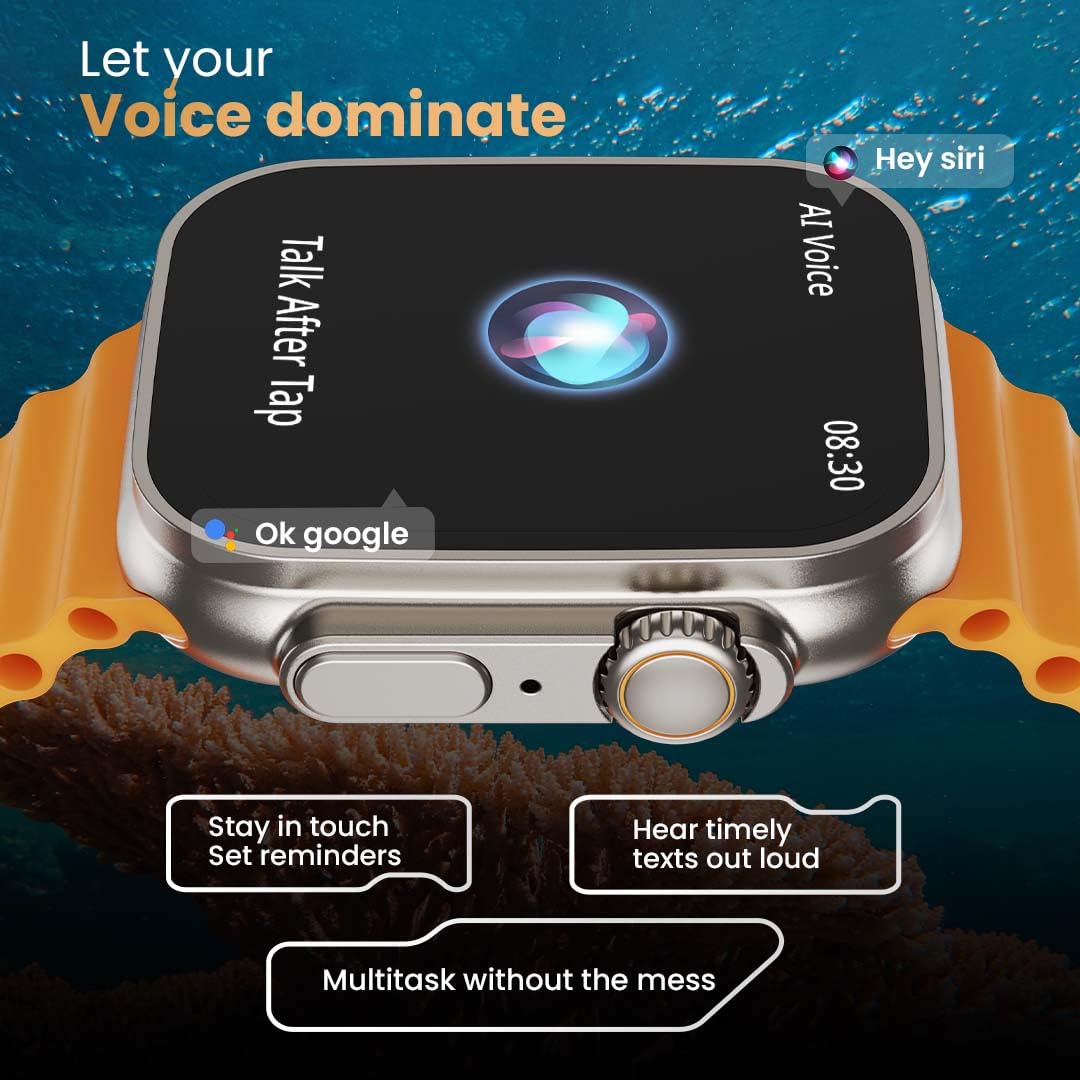
Image: The rear of the smartwatch showing its health sensors, accompanied by a list of health metrics it tracks, including heart rate, SpO2, and sleep.
The watch is equipped with an advanced health suite to help you monitor your well-being:
- เครื่องวัดอัตราการเต้นของหัวใจตลอด 24 ชั่วโมง: ติดตามอัตราการเต้นของหัวใจของคุณอย่างต่อเนื่องตลอดทั้งวัน
- SpO2 Blood Oxygen Saturation Monitor: วัดระดับออกซิเจนในเลือดของคุณ
- การติดตามการนอนหลับ: วิเคราะห์รูปแบบและคุณภาพการนอนหลับของคุณ
- ตัวติดตามกิจกรรม: บันทึกจำนวนก้าว ระยะทาง และปริมาณแคลอรีที่เผาผลาญ
- การติดตามรอบเดือนของผู้หญิง: ให้ข้อมูลเชิงลึกและการคาดการณ์เกี่ยวกับรอบเดือน
- การฝึกลมหายใจ: การฝึกหายใจแบบมีคำแนะนำเพื่อการผ่อนคลาย
โหมดกีฬา
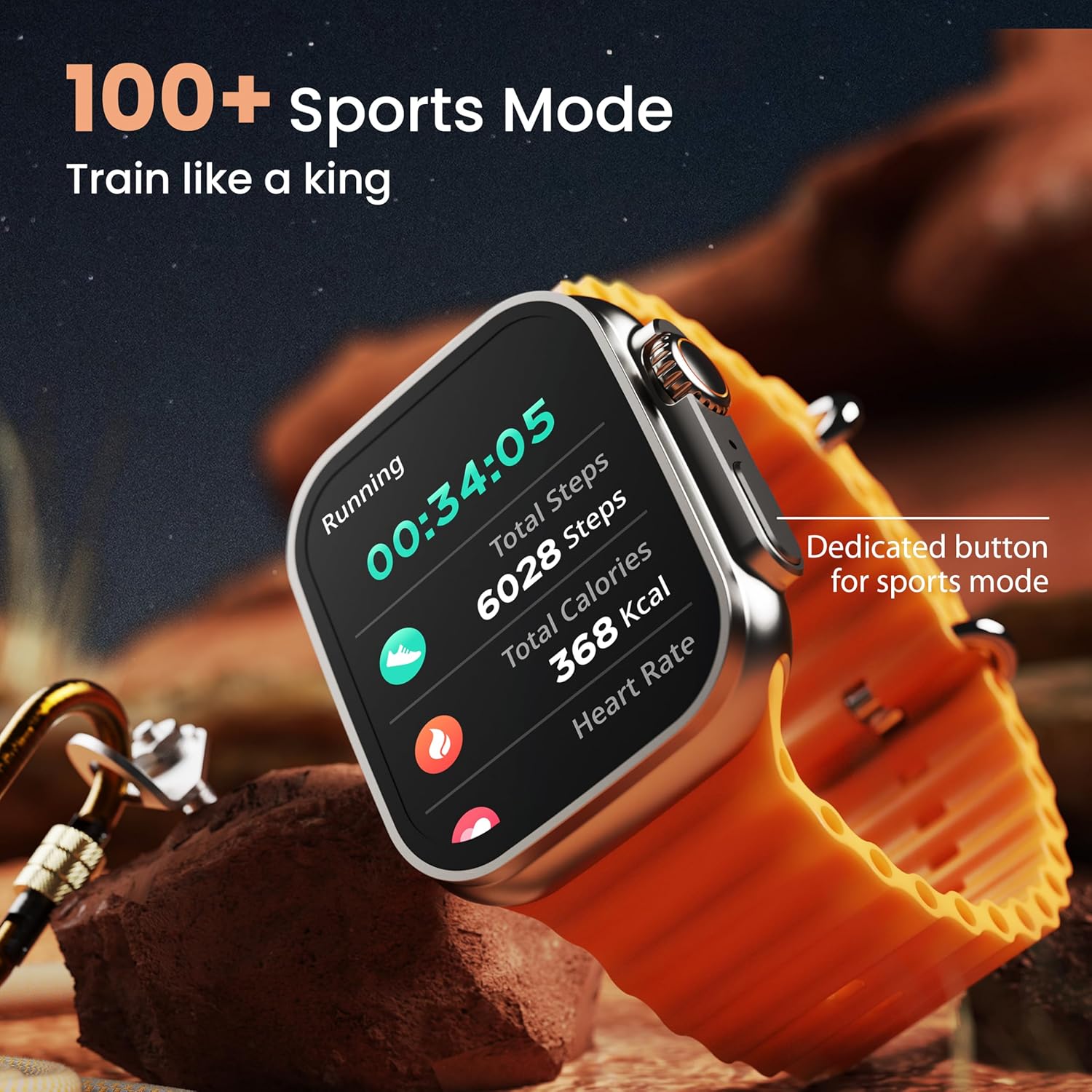
Image: The smartwatch screen showing a 'Running' sports mode with real-time metrics like duration, total steps, calories, and heart rate. A dedicated button for sports mode is also visible.
With over 120 sports modes, the GOBOULT Crown Smart Watch can track a wide range of physical activities. Select your desired sport from the watch menu to record real-time metrics, performance insights, and track your progress.
การปรับแต่ง

ภาพ: ภาพตัดปะแสดงasing various watch faces, including custom and animated options, along with different UI styles available for personalization on the smartwatch.
ปรับแต่งประสบการณ์สมาร์ทวอทช์ของคุณ:
- 100+ Cloud-Based Watch Faces: Choose from a wide selection of watch faces available through the companion app.
- ตัวเลือกการปรับแต่ง: Customize your screen with widgets, backgrounds, and layouts to match your style.
- 8 UI Styles: Select from different user interface styles for menu navigation.
ฟังก์ชั่นเพิ่มเติม
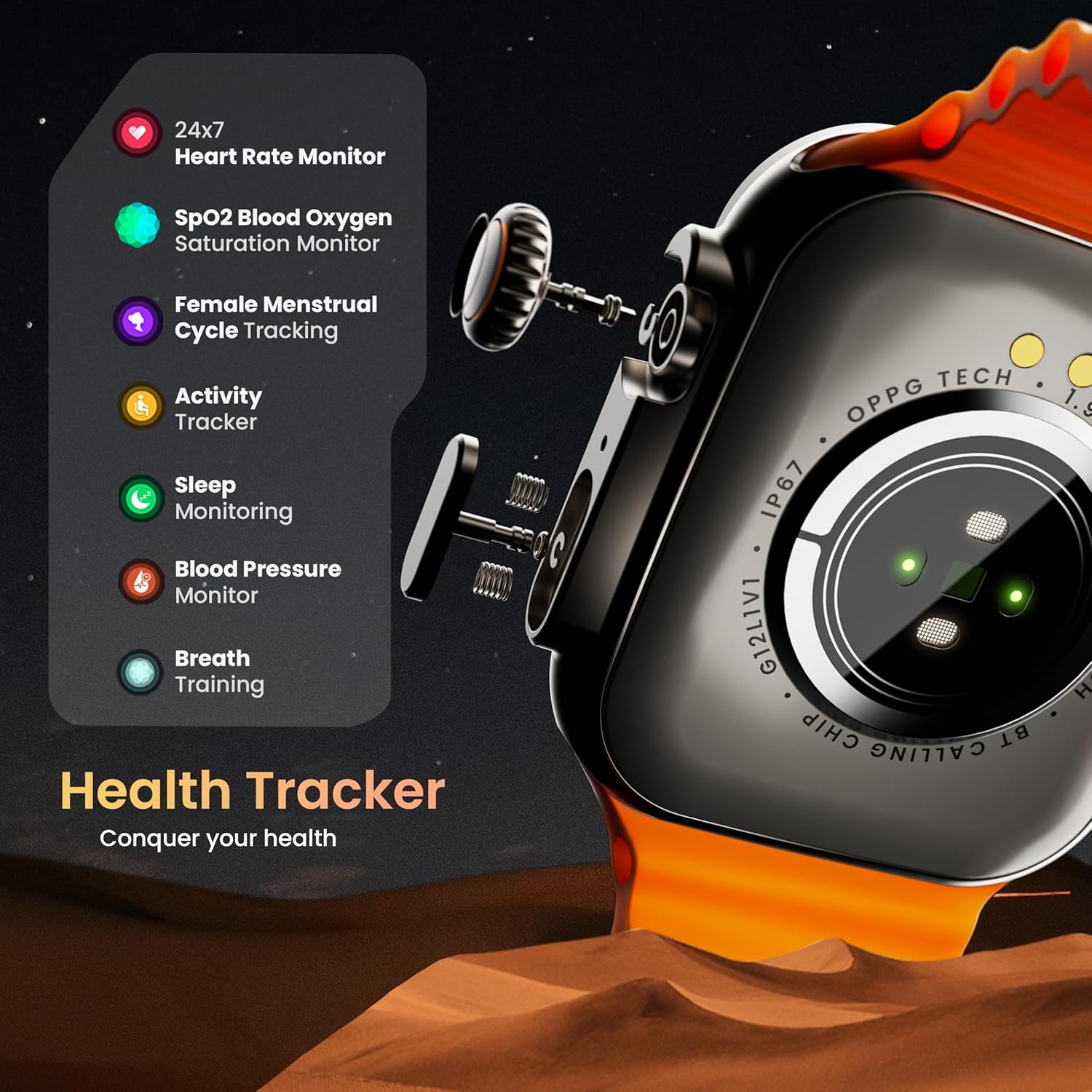
- ผู้ช่วยเสียง AI: Interact with your watch using voice commands (e.g., "Hey Siri" or "Ok Google") for tasks like setting reminders or hearing texts aloud.
- ค้นหาโทรศัพท์ของฉัน: If your paired phone is misplaced, use this feature on your watch to make it ring/vibrate.
- มินิเกม: Enjoy pre-installed mini-games directly on your watch.
- การแจ้งเตือนและการเตือนความจำ: Receive SMS, WhatsApp, social media, and mail notifications. Set goal achievement reminders.
- เครื่องคิดเลข: นาฬิกาเรือนนี้มีฟังก์ชันเครื่องคิดเลขพื้นฐานให้ใช้งานได้
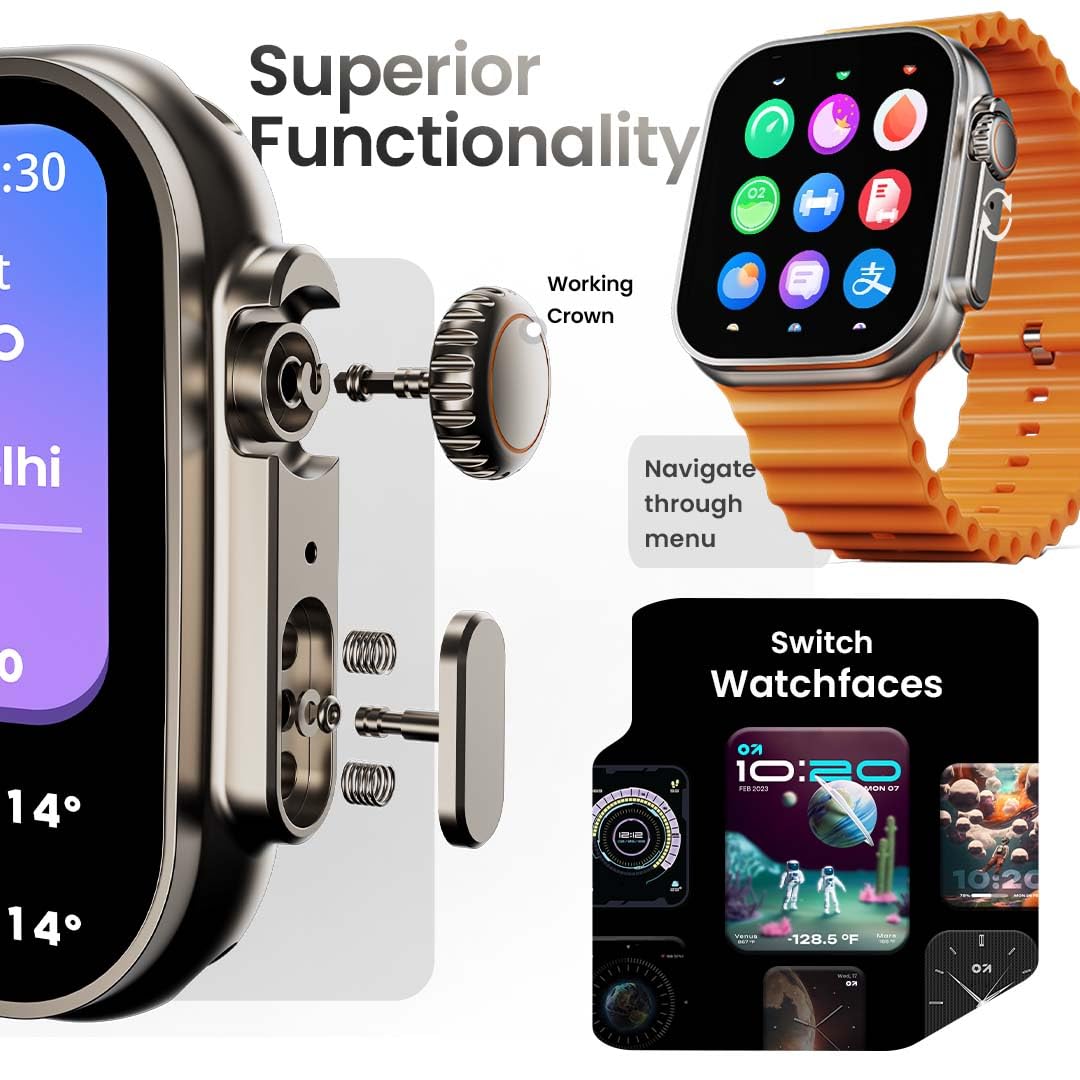
Image: The smartwatch screen showing the AI Voice Assistant interface, indicating support for voice commands like "Hey Siri" and "Ok Google".
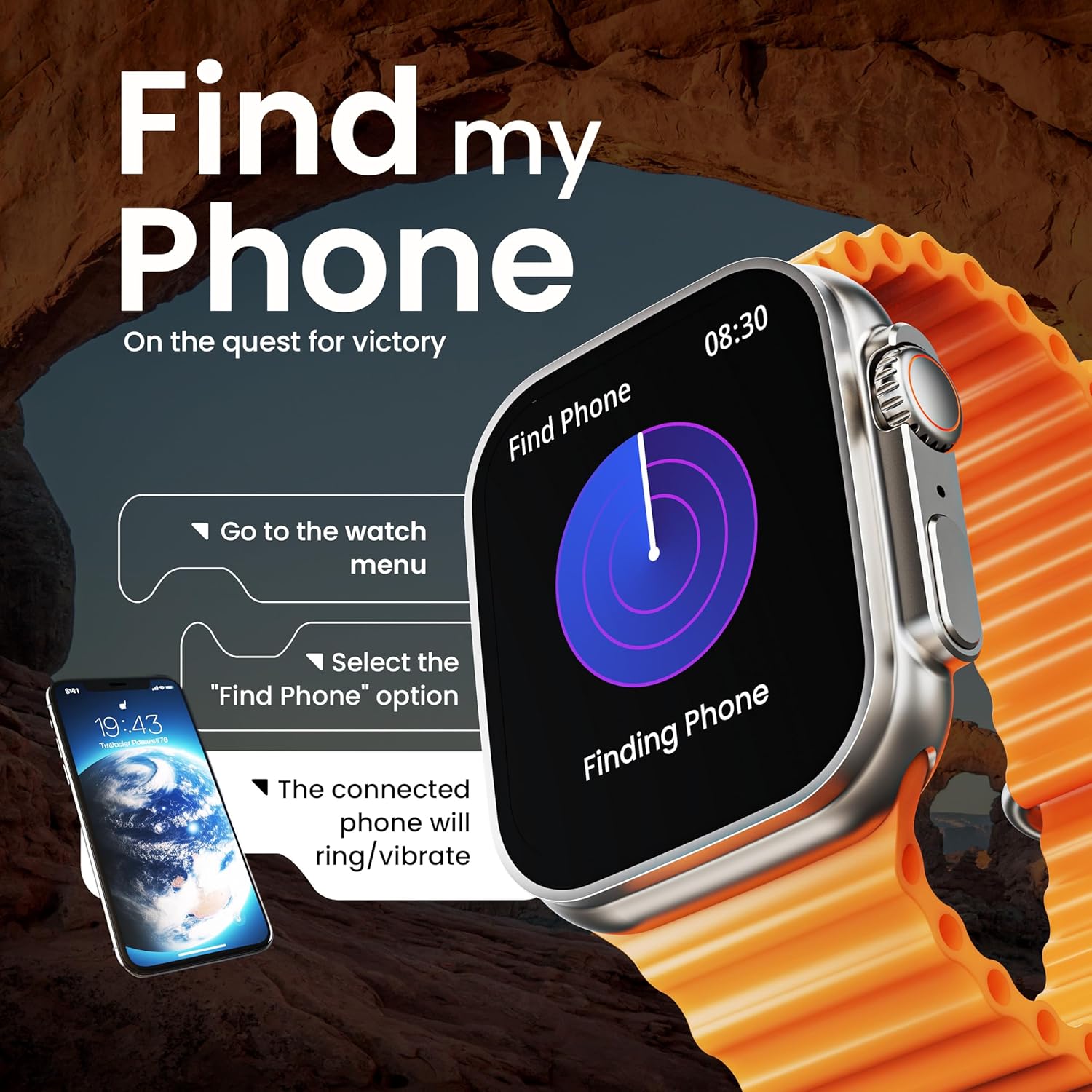
Image: The smartwatch screen illustrating the 'Find Phone' feature, with instructions on how to activate it to locate a connected smartphone.
Image: The smartwatch screen showcasing a selection of mini-games available on the device, such as 'Young Bird', 'Hamster', and 'Battleships'.

Image: The smartwatch screen showing a calculator interface, along with a pop-up notification and a list of reliable and robust features like sync notifications and reminders.
การซ่อมบำรุง
การทำความสะอาด
Regularly clean your smartwatch and strap to prevent skin irritation and maintain device hygiene. Use a soft, lint-free cloth. If necessary, slightly dampชุบผ้าด้วยน้ำ หลีกเลี่ยงสารเคมีรุนแรงหรือวัสดุที่มีฤทธิ์กัดกร่อน
ความต้านทานต่อน้ำ
The GOBOULT Crown Smart Watch is IP67 water resistant. This means it is protected against dust and can withstand immersion in water up to 1 meter for up to 30 minutes. It is suitable for daily use and light splashes but not recommended for swimming, showering, or diving.
การดูแลรักษาสายรัด
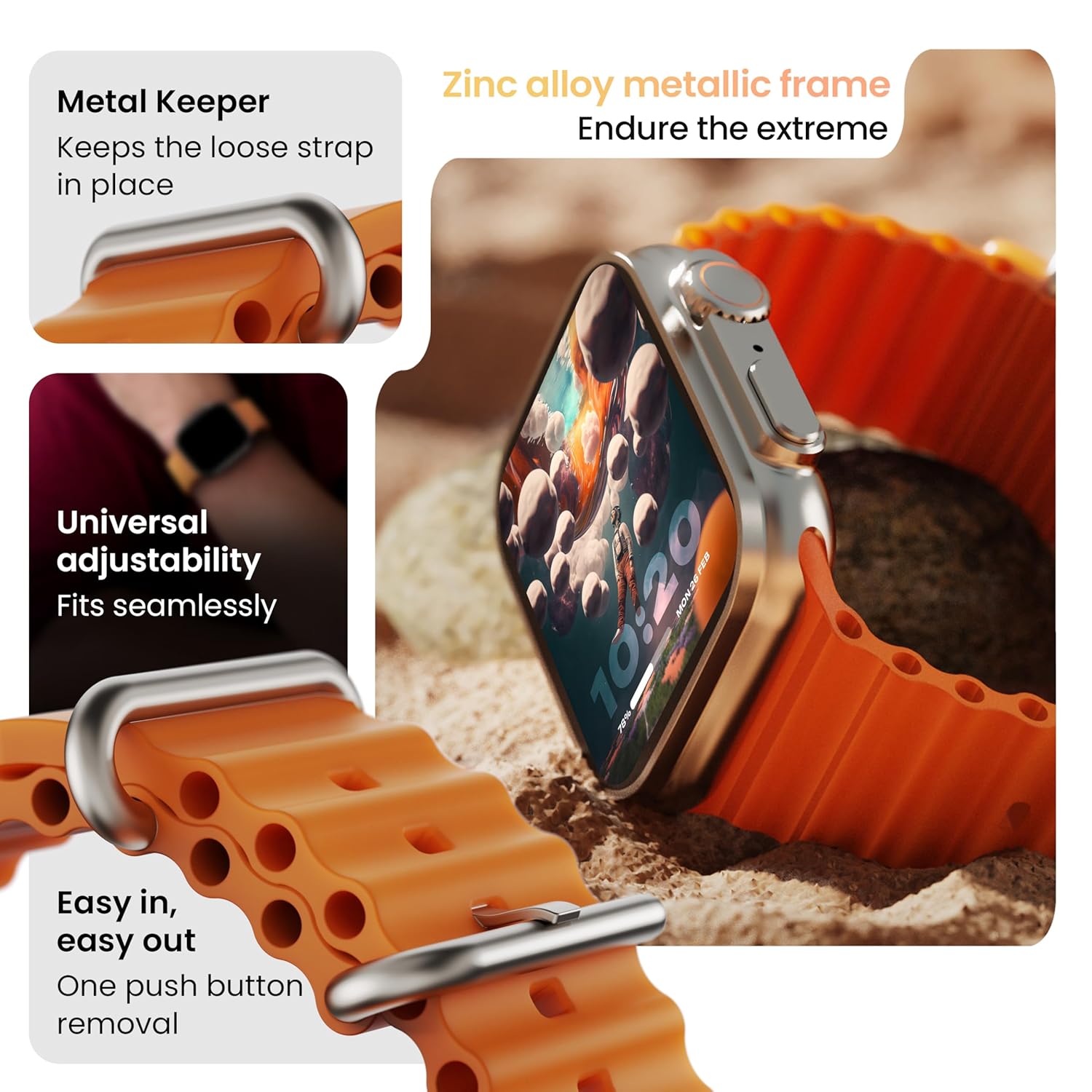
ภาพ: รายละเอียด view of the smartwatch strap, highlighting features such as the metal keeper for securing the loose end, universal adjustability for a seamless fit, and a push-button mechanism for easy removal.
The skin-friendly silicone strap is designed for comfort. Ensure it is not too tight or too loose for accurate health tracking. Clean the strap regularly, especially after workouts, to remove sweat and dirt.
การแก้ไขปัญหา
นาฬิกาไม่เปิด
- ตรวจสอบให้แน่ใจว่านาฬิกาชาร์จเต็มแล้ว เสียบนาฬิกาเข้ากับเครื่องชาร์จอย่างน้อย 30 นาที
- กดปุ่มด้านข้างค้างไว้ 10-15 วินาทีเพื่อลองรีสตาร์ทเครื่องแบบบังคับ
ปัญหาการจับคู่
- ตรวจสอบให้แน่ใจว่าได้เปิดใช้งานบลูทูธบนโทรศัพท์และนาฬิกาของคุณแล้ว
- Ensure the watch is within the Bluetooth range (approximately 10 meters).
- รีสตาร์ททั้งโทรศัพท์และนาฬิกาของคุณ
- ล้างแคชบลูทูธในโทรศัพท์ของคุณ หรือลบอุปกรณ์ออกจากระบบ แล้วลองจับคู่ใหม่อีกครั้ง
ข้อมูลสุขภาพที่ไม่ถูกต้อง
- ตรวจสอบให้แน่ใจว่าสวมนาฬิกาให้พอดีกับข้อมือ แต่ไม่แน่นเกินไป
- ทำความสะอาดเซ็นเซอร์ที่ด้านหลังของนาฬิกา
- หลีกเลี่ยงการเคลื่อนไหวมากเกินไปขณะทำการวัด เพื่อให้ได้ผลลัพธ์ที่แม่นยำยิ่งขึ้น
การแจ้งเตือนไม่ปรากฏ
- Check if the watch is properly connected to your phone via Bluetooth.
- Verify notification permissions for the GOBOULT app in your phone's settings.
- Ensure 'Do Not Disturb' mode is not active on either your phone or watch.
ข้อมูลจำเพาะ
| คุณสมบัติ | รายละเอียด |
|---|---|
| ยี่ห้อ | โกบูลท์ |
| แบบอย่าง | นาฬิกาสมาร์ทวอทช์ Crown |
| ขนาดจอแสดงผล | 1.95 นิ้ว |
| ความสว่างของจอภาพ | 900 นิต |
| การเชื่อมต่อ | บลูทูธ 5.2 |
| ระบบปฏิบัติการ | Android Wear 1.0, iOS compatible |
| อายุการใช้งานแบตเตอรี่ (เฉลี่ย) | 7 วัน |
| เวลาในการชาร์จแบตเตอรี่ | 150 นาที |
| ความจุของแบตเตอรี่ | 300 มิลลิวินาทีamp ชั่วโมง |
| ความต้านทานต่อน้ำ | IP67 |
| น้ำหนักสินค้า | 40 กรัม |
| ส่วนประกอบที่รวมอยู่ | Smartwatch, Charging Cable, User Manual, Warranty Card |
การรับประกันและการสนับสนุน
Your GOBOULT Crown Smart Watch comes with a Warranty Card included in the box. Please refer to this card for detailed information regarding warranty coverage and terms. For technical support or further assistance, please contact GOBOULT customer service through the contact information provided on the warranty card or the official GOBOULT webเว็บไซต์.


