1. บทนำ
This manual provides detailed instructions for the assembly, operation, and maintenance of your FLEXISPOT Q5 Standing Desk with Drawer. Please read this manual thoroughly before assembly and use to ensure proper function and safety.
2. ข้อมูลด้านความปลอดภัย
คำแนะนำด้านความปลอดภัยที่สำคัญ:
- ควรประกอบโต๊ะบนพื้นผิวที่มั่นคงและเรียบเสมอกัน
- Keep the desk away from heat sources and avoid placing heavy objects on the edges to prevent tipping.
- Be cautious when adjusting the desk's height to avoid injury.
- Always follow the assembly instructions carefully and use appropriate tools.
- Ensure all cables are properly managed to prevent entanglement during height adjustments.
- Do not allow children to operate the desk without adult supervision.
3. เนื้อหาบรรจุภัณฑ์
Verify that all components are present before beginning assembly. The FLEXISPOT Q5 Standing Desk typically ships in two separate packages. If any parts are missing or damaged, please contact customer support.
- Whole-piece desktop (55.1"x23.6")
- Desk frame (alloy steel)
- Motor and control panel
- Two wooden drawers
- Assembly hardware and tools (some tools may not be included, refer to instructions)
- อะแดปเตอร์และสายไฟ
4. คำแนะนำในการประกอบ
Assembly is required for the FLEXISPOT Q5 Standing Desk. It is recommended to have two people for assembly due to the size and weight of the components. Follow the step-by-step instructions provided in the separate assembly guide included with your product. Ensure all connections are secure before use.
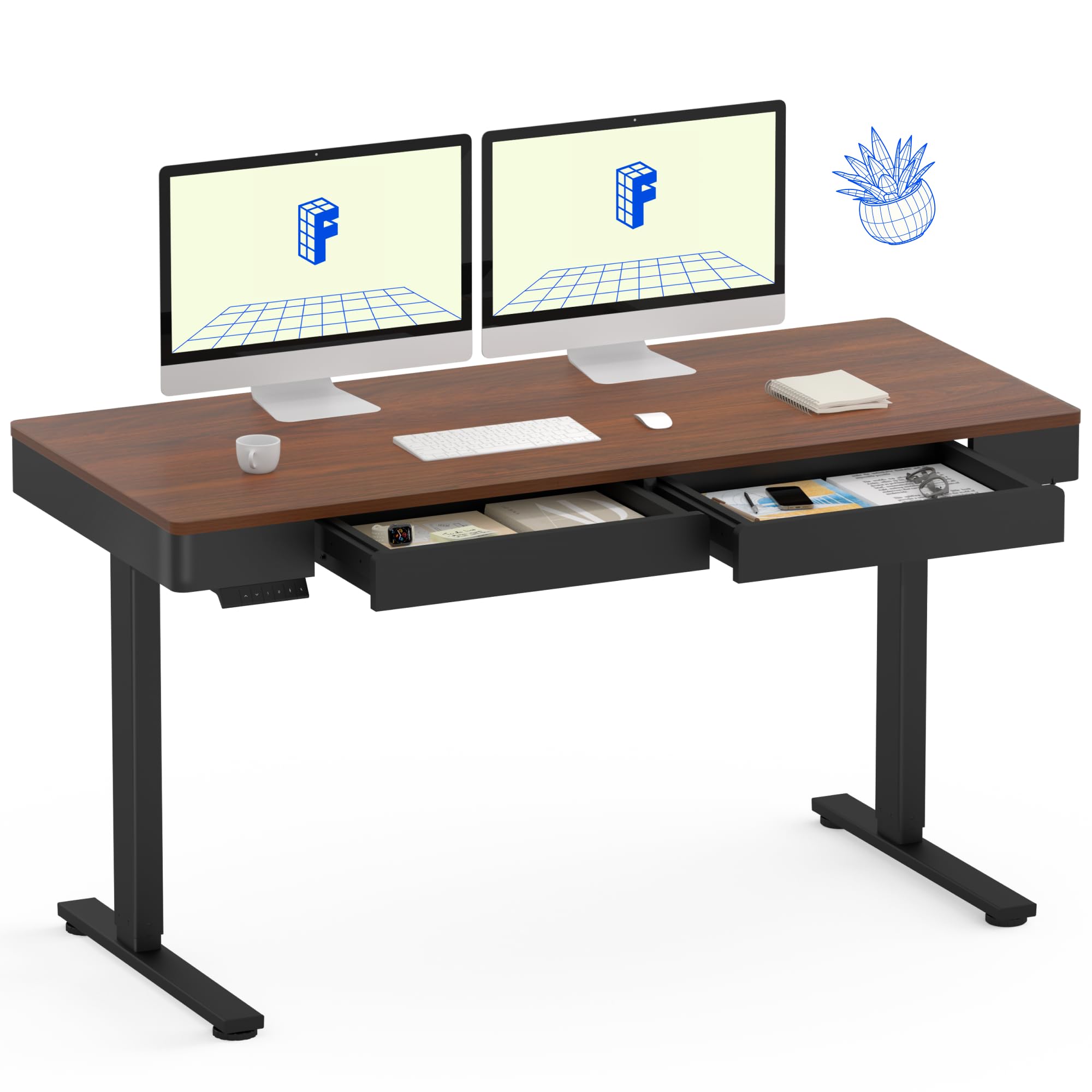
Image: The FLEXISPOT Q5 Standing Desk in Dark Walnut, featuring a spacious desktop, two open storage drawers, and a control panel on the left side. Two computer monitors are placed on the desk.
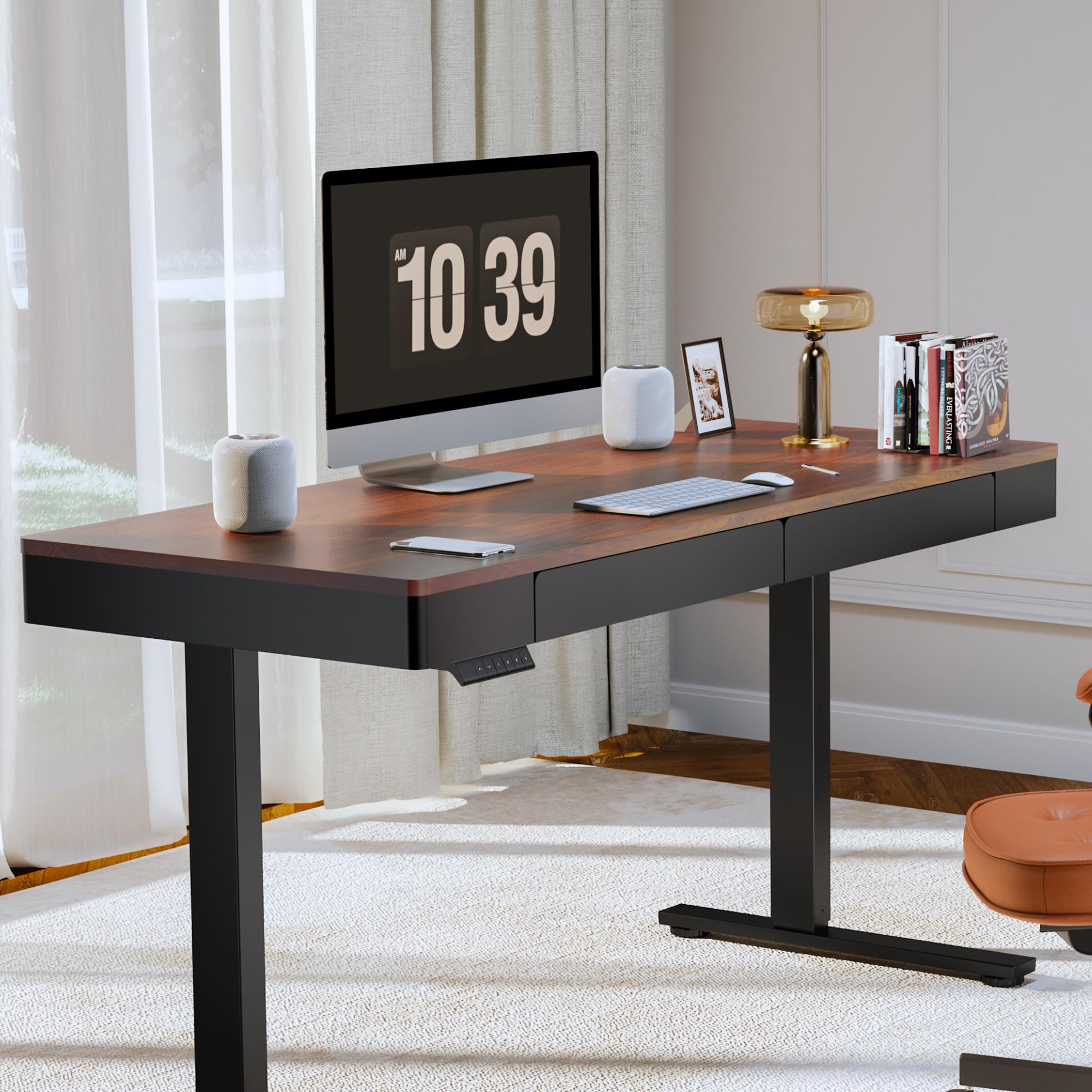
Image: The FLEXISPOT Q5 Standing Desk in a modern home office environment, showcasing its sleek design with a computer monitor, lamp, and books on the desktop.
5. คู่มือการใช้งาน
5.1. เปิดเครื่อง
Connect the power cable to the desk's control box and then to a standard electrical outlet. The control panel should illuminate, indicating the desk is ready for operation.
5.2. การปรับความสูง

Image: Close-up of the smart control panel, highlighting the up/down movement buttons and the four height memory preset buttons (1, 2, F, 4).
- การเคลื่อนที่ขึ้น/ลง: ใช้ ขึ้น (^) และ ลง (กริยา) arrow buttons on the control panel to manually adjust the desk height. The desk will move smoothly between 28.9 inches (minimum) and 46.5 inches (maximum).
- การตั้งค่าหน่วยความจำความสูง: The control panel features four memory buttons (1, 2, F, 4) to save your preferred sitting and standing heights.
- ปรับความสูงของโต๊ะตามต้องการโดยใช้ปุ่มขึ้น/ลง
- Press and hold one of the memory buttons (1, 2, F, or 4) until you hear a beep or see the display flash, indicating the height has been saved.
- To recall a saved height, simply press the corresponding memory button. The desk will automatically move to that position.
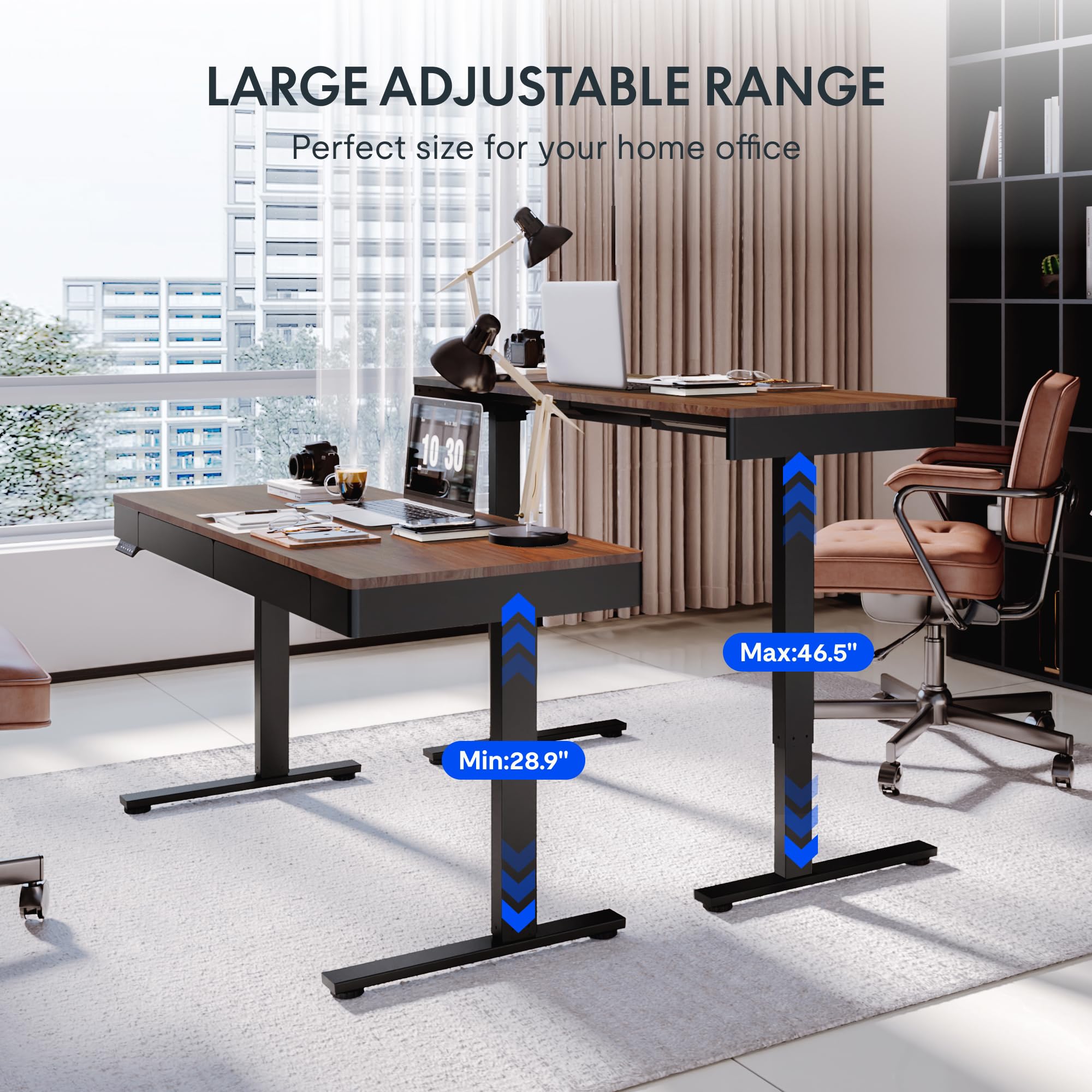
Image: Two FLEXISPOT Q5 desks side-by-side, illustrating the large adjustable height range from a minimum of 28.9 inches to a maximum of 46.5 inches.
5.3 การใช้งานลิ้นชัก
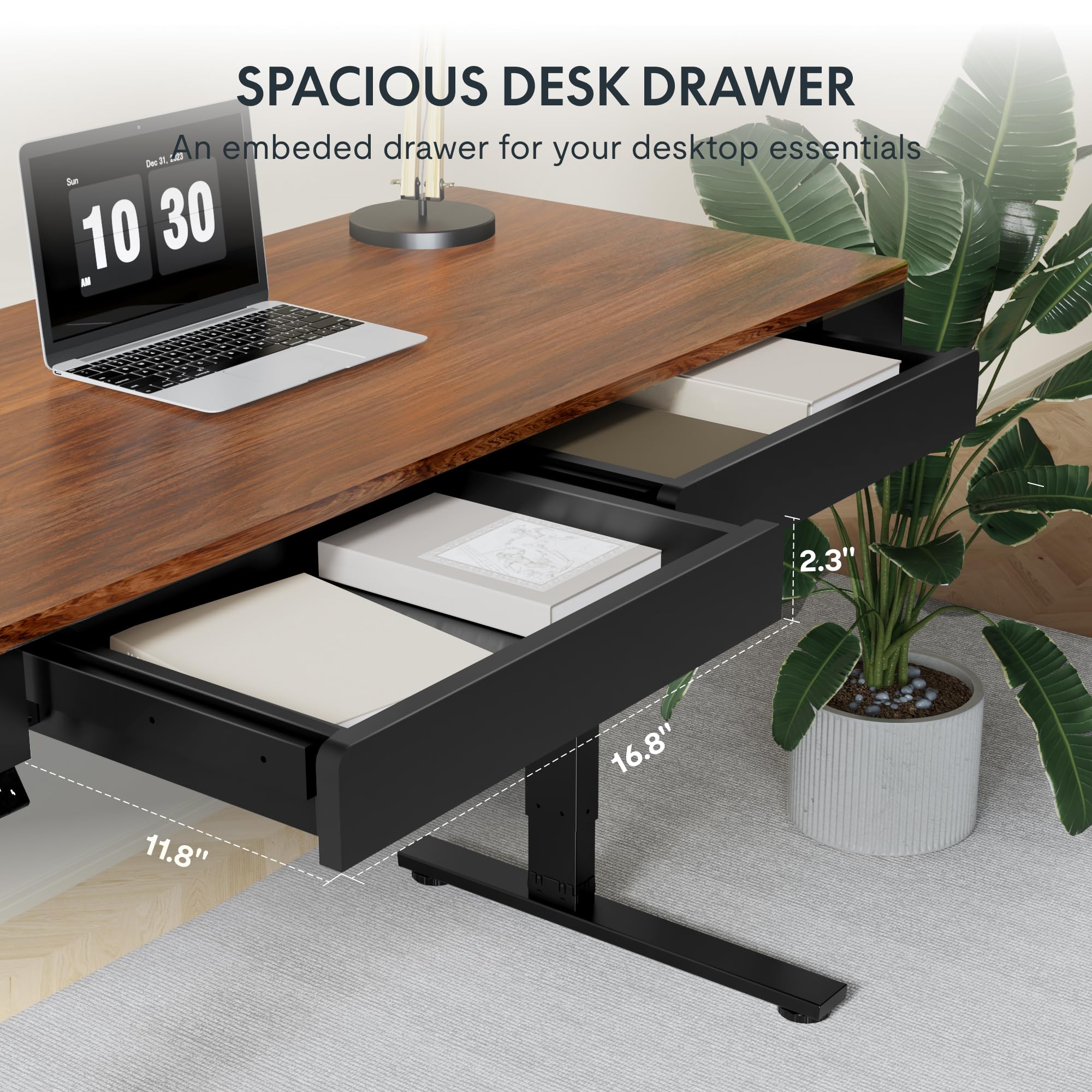
ภาพ: ภาพระยะใกล้ view of one of the spacious desk drawers, showing its internal dimensions of 16.8 inches in width, 11.8 inches in depth, and 2.3 inches in height.
The desk is equipped with two spacious wooden drawers for storage. Gently pull the drawer handles to open and push to close. Avoid overloading the drawers to ensure smooth operation of the sliding rails.
6. การบำรุงรักษา
- การทำความสะอาด: เช็ดพื้นเดสก์ท็อปและกรอบด้วยผ้าเนื้อนุ่มamp ผ้า. หลีกเลี่ยงน้ำยาทำความสะอาดที่มีฤทธิ์กัดกร่อนหรือสารเคมีรุนแรงที่อาจสร้างความเสียหายให้กับพื้นผิว
- การจัดการสายเคเบิล: Periodically check and organize cables to prevent them from getting pinched or tangled during height adjustments.
- ตัวล็อค: ตรวจสอบสกรูและน็อตทั้งหมดเป็นระยะเพื่อให้แน่ใจว่าแน่นดีแล้ว หากจำเป็นให้ขันให้แน่นอีกครั้ง
- ความจุน้ำหนัก: Do not exceed the maximum weight capacity of 110 lbs (50 kg) on the desktop.
7 การแก้ไขปัญหา
If you encounter issues with your FLEXISPOT Q5 Standing Desk, refer to the following common troubleshooting steps:
- โต๊ะไม่เคลื่อนไหว:
- Check if the power cable is securely connected to both the desk and the wall outlet.
- ตรวจสอบให้แน่ใจว่าเต้ารับไฟฟ้าที่ผนังใช้งานได้โดยเสียบอุปกรณ์อื่นเข้าไป
- If the control panel display shows an error code, consult the full troubleshooting guide available on the FLEXISPOT webไซต์หรือติดต่อฝ่ายสนับสนุนลูกค้า
- การปรับความสูงที่ไม่เท่ากัน:
- Perform a reset procedure (refer to the detailed assembly guide for specific steps, usually involves holding down certain buttons).
- Ensure no obstructions are preventing one leg from moving freely.
- เสียงที่ผิดปกติ:
- The motor operates quietly (under 50 dB). If loud or grinding noises occur, discontinue use and contact customer support.
- Check for loose components or obstructions under the desk.
8. ข้อมูลจำเพาะ
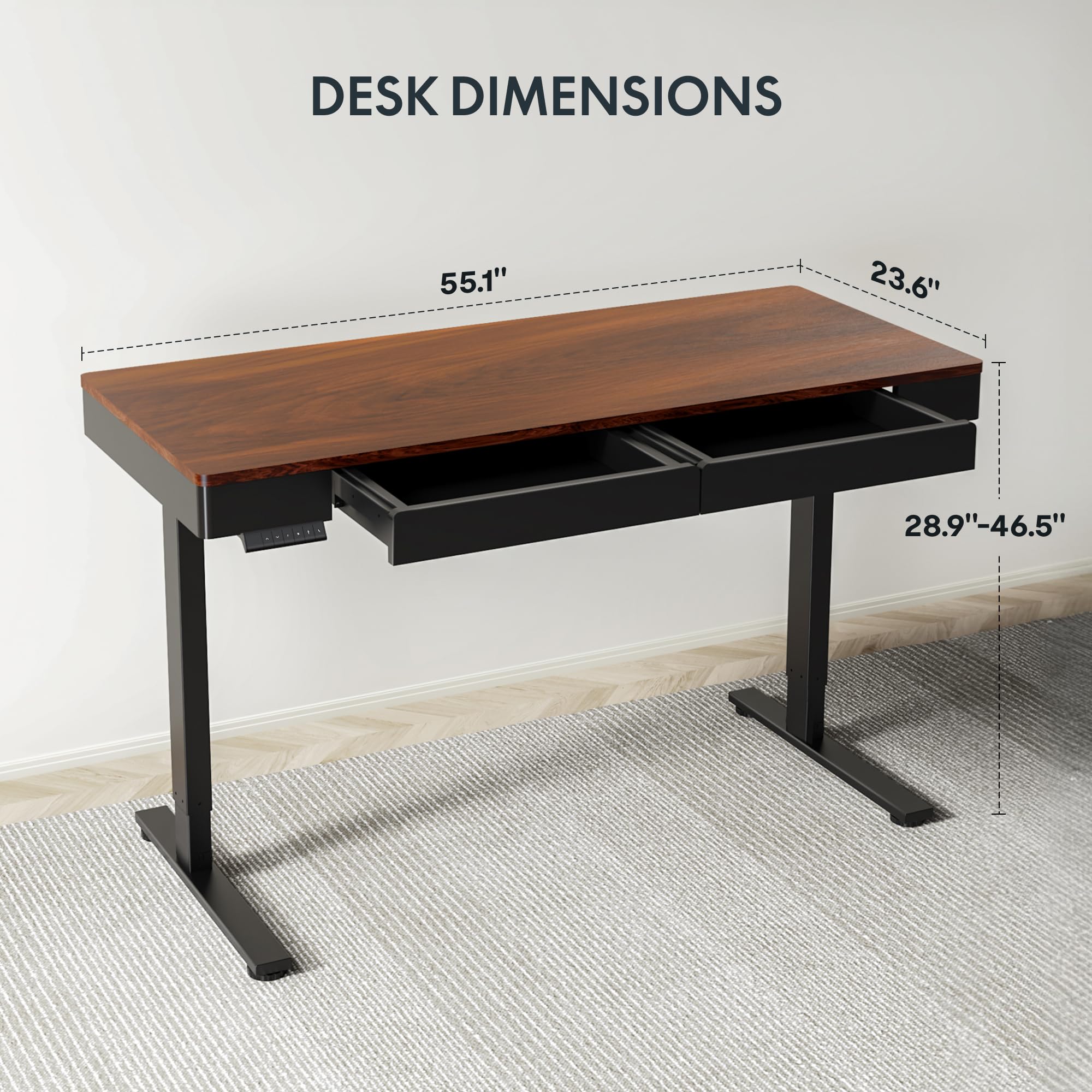
Image: Diagram illustrating the key dimensions of the FLEXISPOT Q5 Standing Desk: 55.1 inches in length, 23.6 inches in width, and an adjustable height range from 28.9 to 46.5 inches.
| คุณสมบัติ | รายละเอียด |
|---|---|
| แบบอย่าง | Q5 |
| ขนาดเดสก์ท็อป | 55.1" (W) x 23.6" (D) |
| ช่วงการปรับความสูง | 28.9" - 46.5" |
| ความจุน้ำหนักสูงสุด | 110 ปอนด์ (50 กก.) |
| ระดับเสียง | ต่ำกว่า 50 เดซิเบล |
| วัสดุเดสก์ท็อป | Wood (Whole-piece) |
| วัสดุกรอบ | เหล็กอัลลอยด์ |
| Drawer Inner Space | 16.8 นิ้ว (กว้าง) x 11.8 นิ้ว (ลึก) x 2.3 นิ้ว (สูง) |
| สี | วอลนัทสีเข้ม |
| ยูพีซี | 840460476911 |
9. การรับประกันและการสนับสนุน
FLEXISPOT provides the following warranty coverage for the Q5 Standing Desk:
- รับประกัน 5 ปี: ใช้ได้กับโครงโต๊ะและมอเตอร์
- การรับประกัน 2 ปี: ใช้ได้กับแผงควบคุมและอุปกรณ์อิเล็กทรอนิกส์
For warranty claims, technical support, or missing parts, please contact FLEXISPOT customer service. Refer to the contact information provided in your product packaging or on the official FLEXISPOT webเว็บไซต์.


