1. บทนำ
The EUQQ YYK-Q10 AI Translation Earbuds are advanced wireless headphones designed to facilitate communication across language barriers, provide high-fidelity audio, and offer effective noise control. This manual provides essential information for setting up, operating, and maintaining your earbuds.

Figure 1: EUQQ YYK-Q10 AI Translation Earbuds in their charging case.
2. เนื้อหาบรรจุภัณฑ์
ตรวจสอบให้แน่ใจว่ามีสินค้าทั้งหมดอยู่ในแพ็คเกจของคุณ:
- 2 x AI Language Translation Earbuds
- 1 x เคสชาร์จ
- 1 x สายชาร์จ (USB-C)
- 3 x S/M/L Ear Caps (one set pre-installed)
- 1 x คู่มือผู้ใช้
3. การตั้งค่า
3.1 การชาร์จหูฟังและเคส
ก่อนใช้งานครั้งแรก ควรชาร์จหูฟังและกล่องชาร์จให้เต็ม
- ใส่หูฟังลงในกล่องชาร์จ ตรวจสอบให้แน่ใจว่าใส่หูฟังเข้าที่อย่างถูกต้อง
- เชื่อมต่อสายชาร์จ USB-C ที่ให้มาเข้ากับพอร์ตชาร์จบนเคสและแหล่งพลังงาน USB ที่เข้ากันได้
- จอแสดงผล LED บนกล่องชาร์จจะแสดงเปอร์เซ็นต์แบตเตอรี่tage of the case and individual charging status of the left (L) and right (R) earbuds.
- A full charge for the earbuds takes approximately 1 hour. The case provides up to 36 hours of total playtime.
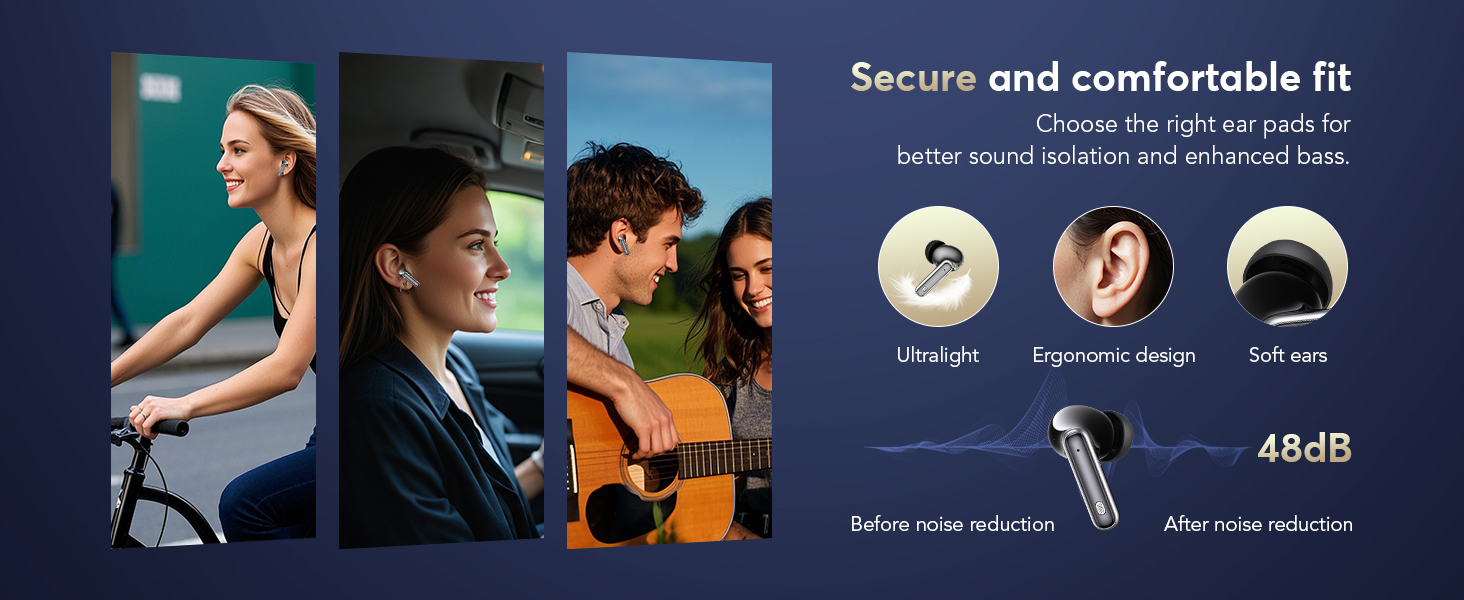
Figure 2: Earbuds and charging case displaying battery levels and USB-C charging port.
3.2 ดาวน์โหลดและติดตั้งแอพ
To utilize the translation features, download the companion application:
- Scan the QR code provided in the user manual or visit the official app download page: https://bitdynamic.ai/app/download.html
- Install the application on your smartphone (compatible with Android and iOS devices).
- Follow the on-screen instructions to sign up or log in to the app.

Figure 3: Step-by-step guide for app setup and initial use.
3.3 การจับคู่บลูทูธ
Pair your earbuds with your smartphone via Bluetooth 5.4 technology for a stable connection up to 15 meters.
- เปิดกล่องชาร์จ หูฟังจะเข้าสู่โหมดจับคู่โดยอัตโนมัติ
- บนสมาร์ทโฟนของคุณ ไปที่การตั้งค่าบลูทูธ และเปิดใช้งานบลูทูธ
- Select "YYK-Q10" from the list of available devices to connect.
- Once connected, a confirmation message will appear in the app.
Video 1: Demonstration of AI Language Translation Earbuds and Bluetooth 5.4 pairing.
4. คู่มือการใช้งาน
4.1 ระบบควบคุมแบบสัมผัส
หูฟังไร้สายรุ่นนี้มีระบบควบคุมแบบสัมผัสที่ใช้งานง่ายสำหรับฟังก์ชั่นต่างๆ:
- Click MFB key: Pause/Play music.
- Double-click left/right MFB buttons: ข้ามแทร็ก
- Click MFB button: รับสาย/วางสาย
- Long press MFB button: ปฏิเสธสาย
- Press and hold right MFB button for 2 seconds: Call Siri/Voice Assistant.
- Press and hold left MFB button for 2 seconds: Switch to ANC mode.

Figure 4: Smart Touch Control functions on the earbuds.
4.2 โหมดควบคุมเสียงรบกวน
The earbuds offer three versatile modes to tailor your audio experience:
- การตัดเสียงรบกวนแบบแอคทีฟ (ANC): Blocks out distractions for an immersive sound experience.
- โหมดปกติ: การเล่นเสียงมาตรฐานโดยไม่มีระบบตัดเสียงรบกวนหรือความโปร่งใส
- โหมดความโปร่งใส: Allows you to hear your surroundings without removing the earbuds, balancing ambient sounds for safety and interaction.
To switch between modes, press and hold the left MFB button for 2 seconds.
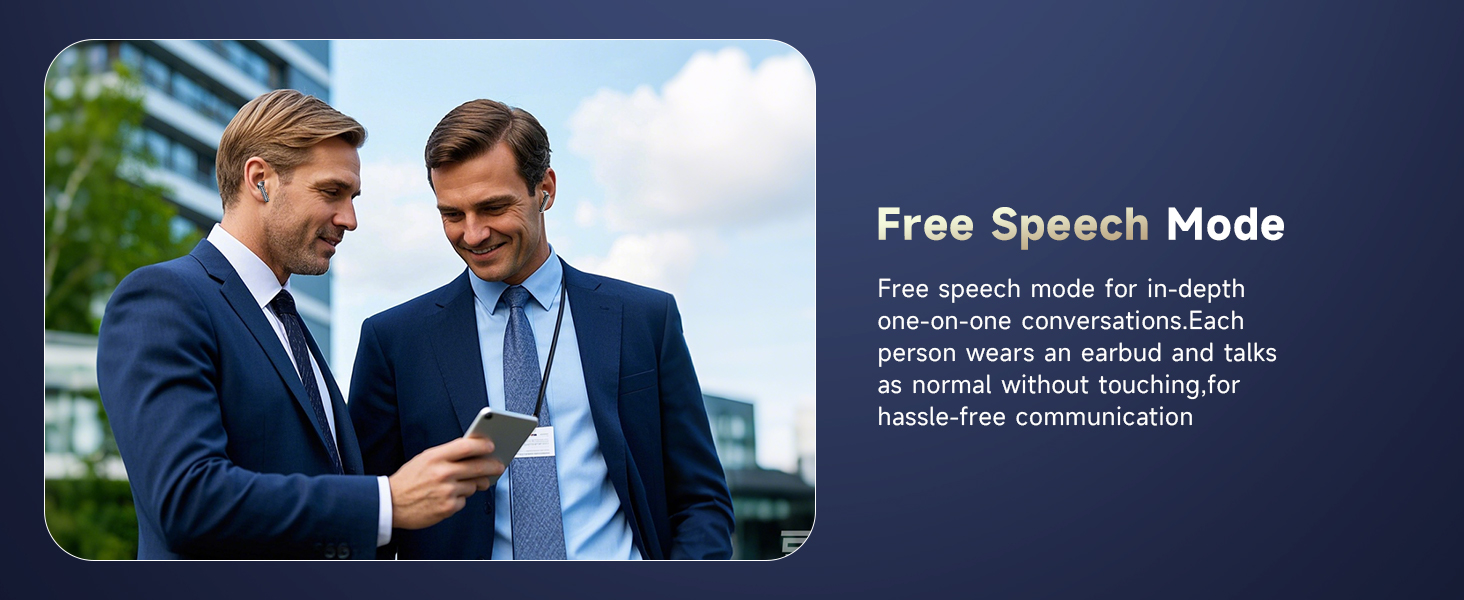
Figure 5: Seamless switching between noise control modes.
4.3 Real-Time Translation Modes
The companion app provides various translation modes to optimize communication:
- Free Speech Mode: For in-depth one-on-one conversations. Each person wears an earbud and speaks normally without touching, allowing for hassle-free communication.
- โหมดสัมผัส: For fluent conversation. Each person wears an earbud. Touch the earbud before speaking; the other person will hear the translation in their earbud.
- โหมดลำโพง: For directions or ordering food. Wear the earbud yourself and speak; the results will be played through the phone's speaker.
- การแปลพร้อมกัน: Real-time translation with voice, ideal for international conferences.
- Face-to-Face Translation (Earphones + Mobile Phone): Two-way translation with voice for global negotiations or travel.
- Face-to-Face Translation (Dual-Ear Mode): Share earbuds with another person, allowing both to speak and receive translations simultaneously.
รูปที่ 6: เกินview of real-time translation modes.
Video 2: Real-time AI translation demonstration.
Video 3: Features of the 144-language translator earbuds.
5. คุณสมบัติ
5.1 High-Fidelity Sound Quality
Experience clear and balanced audio with 13mm dynamic drivers and volume-optimized active EQ, ensuring high-fidelity sound at any volume.

Figure 7: Internal components for Hi-Fi Sound Quality.
5.2 Advanced Bluetooth 5.4 Technology
Benefit from lightning-fast data transfer, ultra-stable connection, and an extended range of up to 15 meters with Bluetooth 5.4. This technology ensures minimal latency for music, calls, and real-time translation, even in high-interference environments.
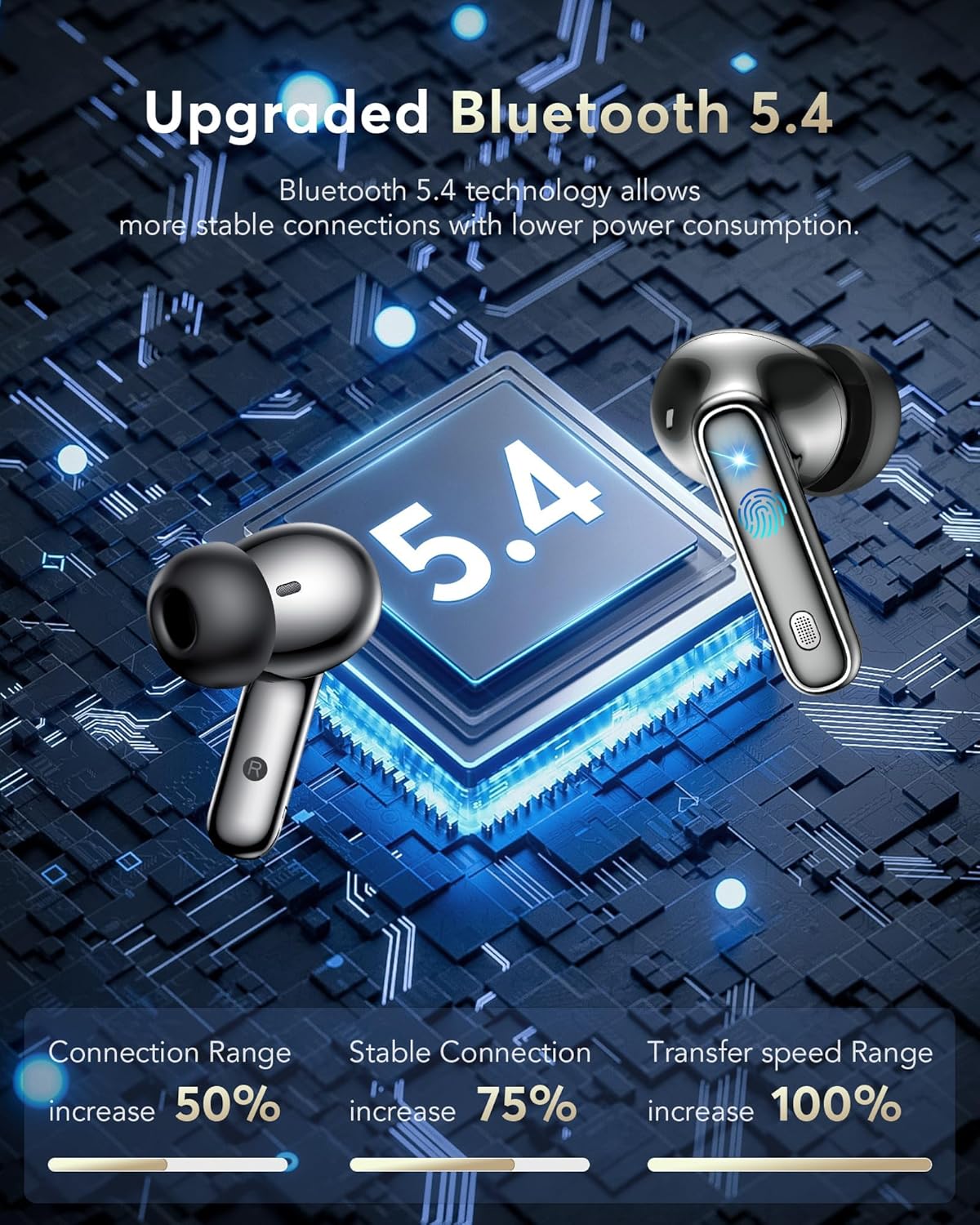
รูปที่ 8: Advantages of Bluetooth 5.4 technology.
ระดับการกันน้ำ IPX7 5.3
The earbuds are IPX7 waterproof, making them resistant to sweat and splashes, suitable for various activities including sports and travel.
Video 4: IPX7 Waterproof feature demonstration.
5.4 อายุการใช้งานแบตเตอรี่ยาวนาน
Enjoy 6-7 hours of continuous playtime on a single charge. The charging case extends this to a total of 36 hours, ensuring your earbuds are ready for extended use.

รูปที่ 9: อายุการใช้งานแบตเตอรี่และความสามารถในการชาร์จเร็ว
5.5 ความสบายและการสวมใส่
The lightweight and ergonomic design ensures a secure and comfortable fit for extended wear, making them suitable for various activities.
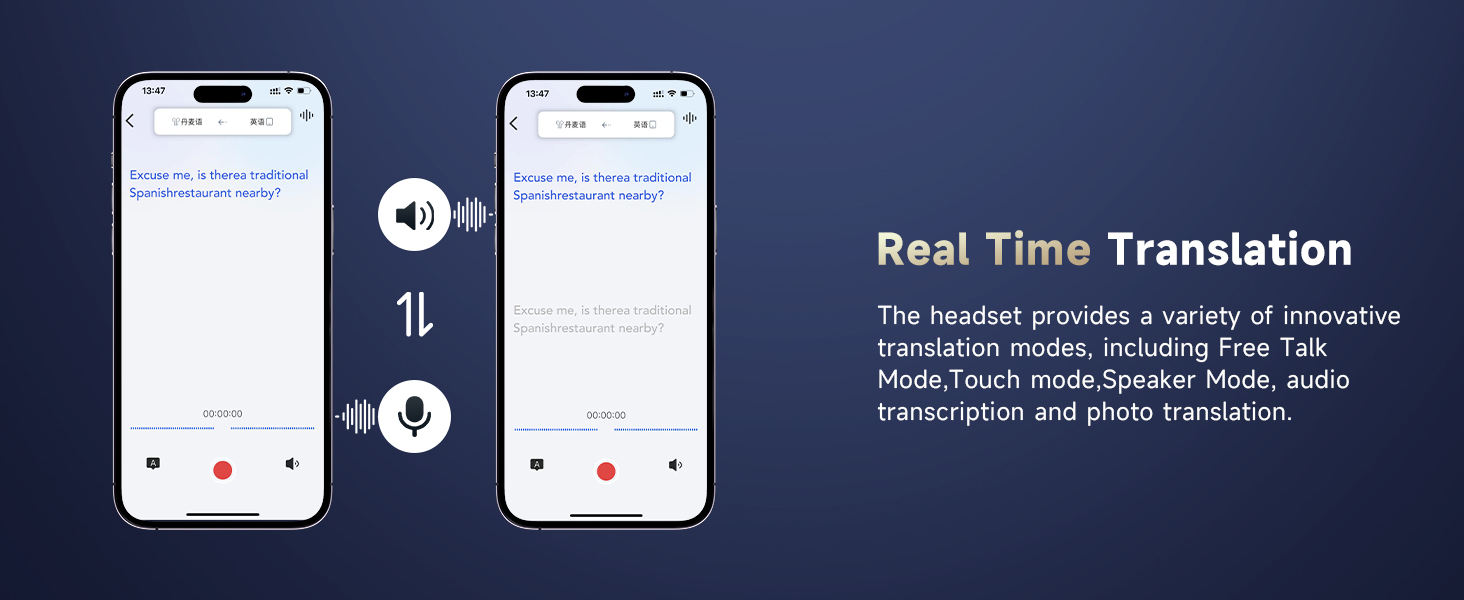
Figure 10: Ergonomic design for secure and comfortable fit.
5.6 คุณสมบัติแอปเพิ่มเติม
The companion app also includes features to enhance your daily life:
- ตัวช่วยในการนอนหลับ: Built-in white noise features like rain and ocean waves to help you fall asleep.
- Audio and Video Call: Online calls with real-time translation, no app needed for the other party.
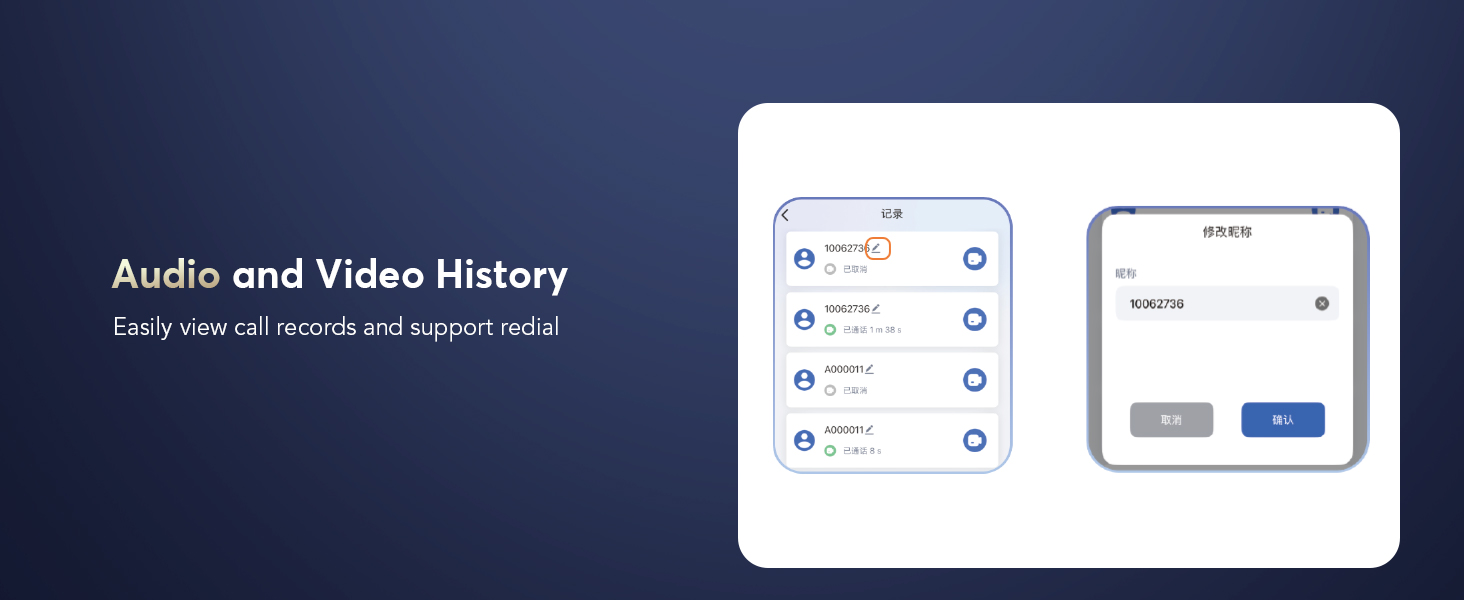
- Audio and Video History: อย่างง่ายดาย view call records and support redial.
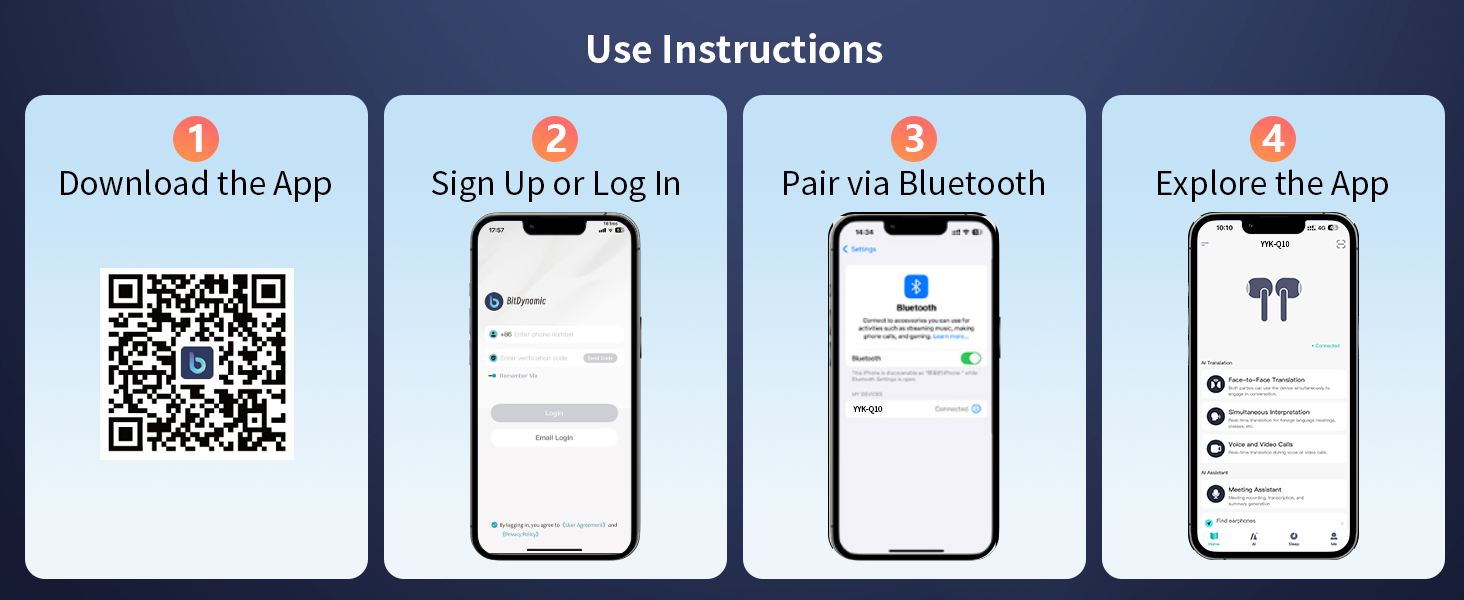
Figure 11: Sleep Aid feature in the app.

Figure 12: Audio and Video Call with real-time translation.
6. การบำรุงรักษา
- ทำความสะอาดหูฟังและกล่องชาร์จเป็นประจำด้วยผ้าแห้งนุ่ม
- หลีกเลี่ยงการใช้วัสดุที่มีฤทธิ์กัดกร่อนหรือสารเคมีรุนแรง
- รักษาความสะอาดและแห้งของขั้วชาร์จบนหูฟังและภายในเคส เพื่อให้มั่นใจได้ว่าการชาร์จเป็นไปอย่างถูกต้อง
- เก็บหูฟังในกล่องชาร์จเมื่อไม่ได้ใช้งานเพื่อปกป้องหูฟังและรักษาอายุการใช้งานแบตเตอรี่
- Replace ear caps as needed with the provided spares for optimal fit and hygiene.
7 การแก้ไขปัญหา
| ปัญหา | สาเหตุที่เป็นไปได้ | สารละลาย |
|---|---|---|
| หูฟังเอียร์บัดไม่จับคู่ | Bluetooth is off on device; earbuds not in pairing mode; out of range. | Ensure Bluetooth is on; open case to activate pairing; move device closer to earbuds. |
| ไม่มีเสียง | ระดับเสียงต่ำเกินไป ไม่ได้เชื่อมต่อหูฟัง สื่อหยุดชั่วคราว | Increase volume; re-pair earbuds; check media playback. |
| การแปลไม่ทำงาน | App not open; incorrect language settings; poor microphone input. | Open and configure app; verify language settings; speak clearly into microphone. |
| หูฟังเอียร์บัดไม่ชาร์จ | Charging contacts dirty; cable faulty; power source issue. | Clean contacts; try different cable/power source; ensure earbuds are seated correctly. |
8. ข้อมูลจำเพาะ
- ชื่อรุ่น : ปปป-Q10
- ยี่ห้อ: EUQQ
- เทคโนโลยีการเชื่อมต่อ: ไร้สาย (บลูทูธ 5.4)
- ช่วงบลูทู ธ : 15 เมตร
- การควบคุมเสียงรบกวน: การตัดเสียงรบกวนแบบแอคทีฟ (ANC)
- ประเภทไดรเวอร์เสียง: ไดรเวอร์ไดนามิก (13 มม.)
- อายุการใช้งานแบตเตอรี่ (เอียร์บัด): 6-7 Hours (continuous playtime)
- อายุการใช้งานแบตเตอรี่ (พร้อมเคสชาร์จ): นานถึง 36 ชั่วโมง
- เวลาในการชาร์จ: 1 ชั่วโมง (หูฟัง)
- อินเทอร์เฟซการชาร์จ: ยูเอสบี-ซี
- ระดับการต้านทานน้ำ: IPX7 (กันน้ำ)
- ประเภทการควบคุม: การควบคุมแบบสัมผัส
- วัสดุ: อะคริโลไนไตรล์ บิวทาไดอีน สไตรีน (ABS)
- น้ำหนักสินค้า: 12 กรัม
- ภาษาที่รองรับ: 144 Languages and Accents
9. การรับประกันและการสนับสนุน
For warranty information and customer support, please refer to the documentation included in your product packaging or visit the official EUQQ webไซต์นี้ โปรดเก็บใบเสร็จรับเงินที่ซื้อไว้เพื่อใช้เรียกร้องการรับประกัน


