1. บทนำ
This manual provides detailed instructions for the HUPEJOS D700 4K Action Camera, a versatile device designed for cycling enthusiasts. It integrates a 4K action camera, GPS tracking, speedometer, and a bicycle light into a single unit. Please read this manual thoroughly before using the product to ensure proper operation and to maximize its features.

Figure 1.1: HUPEJOS D700 Action Camera and companion app.
2. เนื้อหาบรรจุภัณฑ์
ตรวจสอบว่ารายการทั้งหมดที่ระบุไว้ด้านล่างนี้รวมอยู่ในแพ็คเกจของคุณ:
- 1 x SPORT DV D700 Action Camera
- 1 x ที่ยึดแฮนด์บาร์
- สาย USB 1 เส้น (Type-C)
- 1 x คู่มือผู้ใช้
- 1 x 64GB Memory Card (supports up to 512GB)

Figure 2.1: Included components in the HUPEJOS D700 package.
3. สินค้าหมดview
The HUPEJOS D700 features an integrated design combining a camera, light, and display for cycling data. Familiarize yourself with the device's components and controls.
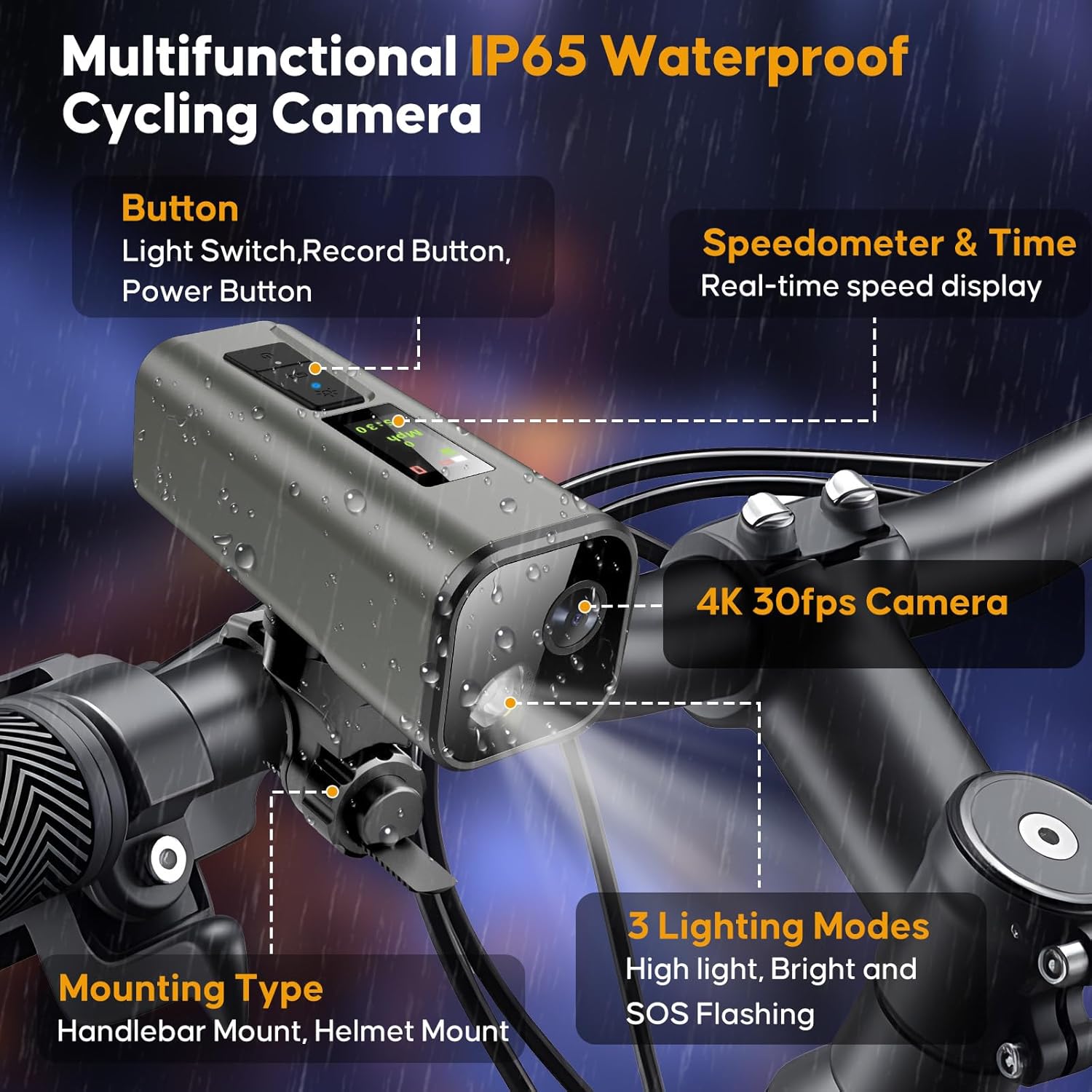
Figure 3.1: HUPEJOS D700 Multifunctional Cycling Camera features.
3.1. ส่วนประกอบสำคัญ
- เลนส์กล้อง: บันทึกวิดีโอความละเอียด 4K
- Bicycle Light: ให้แสงสว่างด้วยโหมดต่างๆ
- หน้าจอ IPS: Displays real-time speed, time, and other cycling data.
- ปุ่มควบคุม: Power, Record, and Light Switch.
- พอร์ต USB-C: สำหรับการชาร์จและถ่ายโอนข้อมูล
- ช่องเสียบการ์ด Micro SD: สำหรับการจัดเก็บ
4. การเริ่มต้น
4.1. การชาร์จอุปกรณ์
Before first use, fully charge the camera. Connect the provided USB-C cable to the camera's charging port and a standard USB power adapter (not included). A full charge typically takes approximately 3 hours.
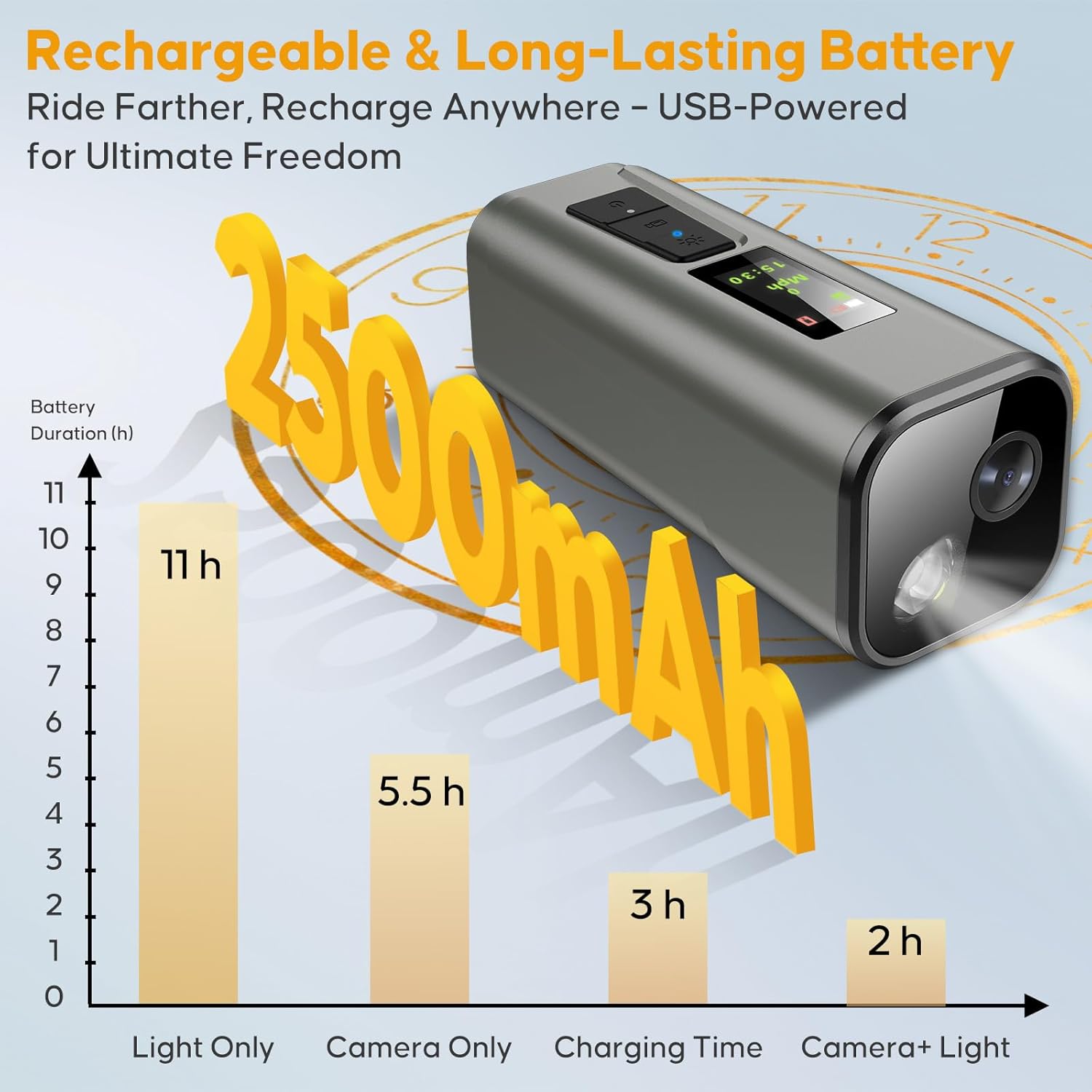
Figure 4.1: Battery performance and charging time.
4.2. การใส่การ์ด SD
The device supports Micro SD cards up to 512GB. A 64GB card is included. Insert the Micro SD card into the designated slot until it clicks into place. Ensure the camera is powered off before inserting or removing the card.
4.3. การติดตั้งกล้อง
The HUPEJOS D700 can be mounted on handlebars, helmets, or motorbikes using the included mount. No tools or wiring are required for installation.
- Attach the handlebar mount to your bicycle handlebar. The strap length is 15cm (5.9in).
- Ensure the handlebar circumference is ≤14cm (5.5in).
- Secure the mount firmly, allowing 1cm clearance for nut rotation and tightening.
- Slide the camera onto the mount until it locks securely. The camera can be quick-released by a 90-degree rotation.

Figure 4.2: Mounting instructions and compatibility.
4.4 การติดตั้งแอปและการเชื่อมต่อ Wi-Fi
Download the dedicated mobile application to access advanced features, playback, and share recordings. The app is available for both iOS and Android devices.
- ค้นหา the official HUPEJOS app in your device's app store.
- ติดตั้งแอปพลิเคชัน
- Power on the D700 camera.
- Enable Wi-Fi on your smartphone and connect to the camera's Wi-Fi network. The Wi-Fi range is approximately 6-7 meters.
- Open the app to establish a connection and begin using its features.

Figure 4.3: Smart APP and Wi-Fi control interface.
4.5. GPS Initialization
For accurate speed and route tracking, ensure GPS is initialized. The first positioning may take approximately 1 minute in a stationary, open outdoor location.
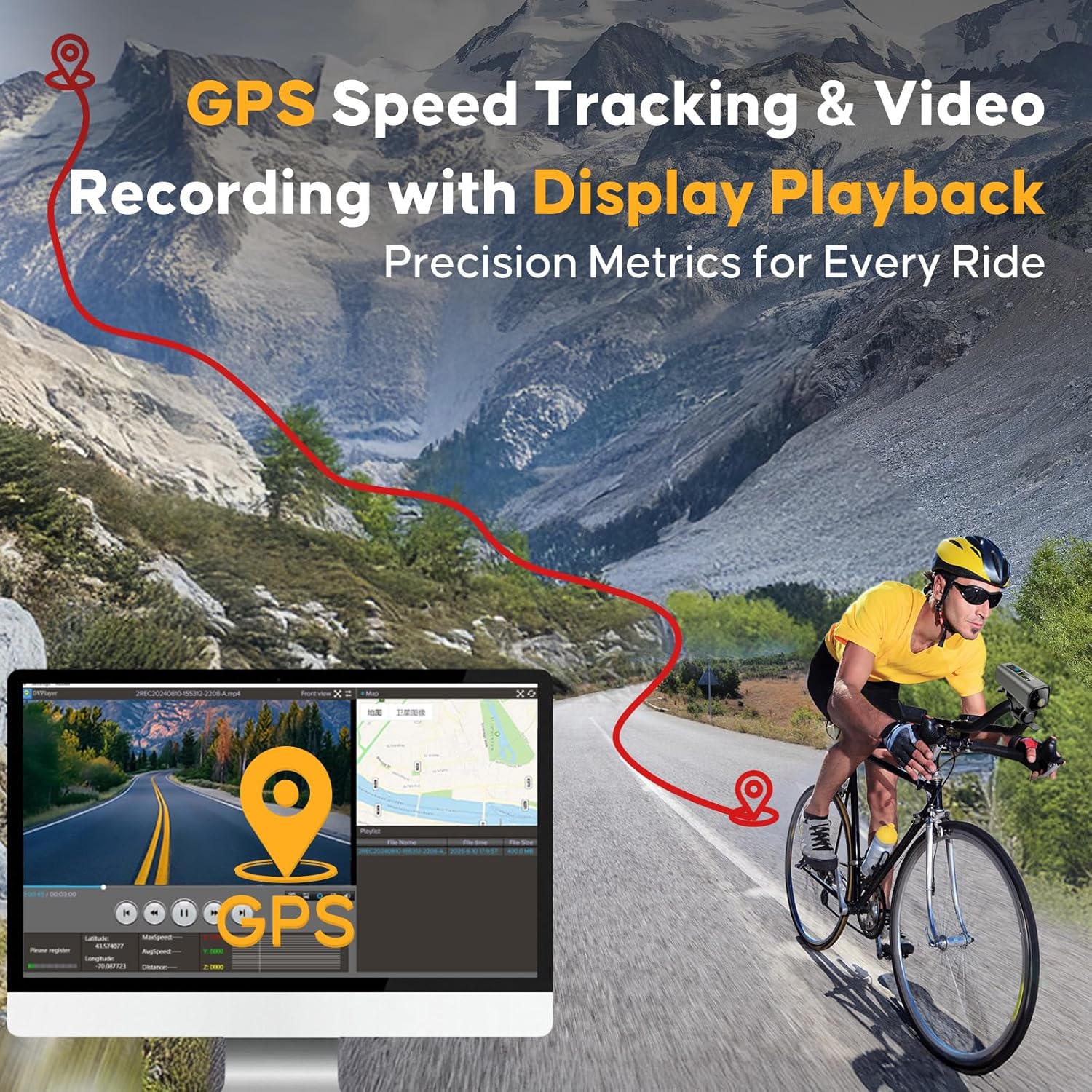
Figure 4.4: GPS speed tracking and video recording capabilities.
5. การดำเนินการ
5.1. เปิด/ปิดเครื่อง
- เปิดเครื่อง: กดปุ่มเปิด/ปิดค้างไว้จนกว่าหน้าจอจะสว่างขึ้น
- หมดแรง: กดปุ่มเปิด/ปิดค้างไว้จนกว่าอุปกรณ์จะปิดเครื่อง
5.2. การบันทึกวิดีโอ
The D700 records in 4K UHD at 30 frames per second (fps) with 6-axis stabilization for smooth footage.
- เริ่มการบันทึก: Press the Record button once. A recording indicator will appear on the screen.
- หยุดการบันทึก: Press the Record button again.
- การตั้งค่าความละเอียด: The camera offers three resolution settings: 3840x2160P (4K), 2704x1520P (2K), and 1920x1080P (Full HD). These can be adjusted via the mobile application under 'Recorder Settings' > 'video resolution'.
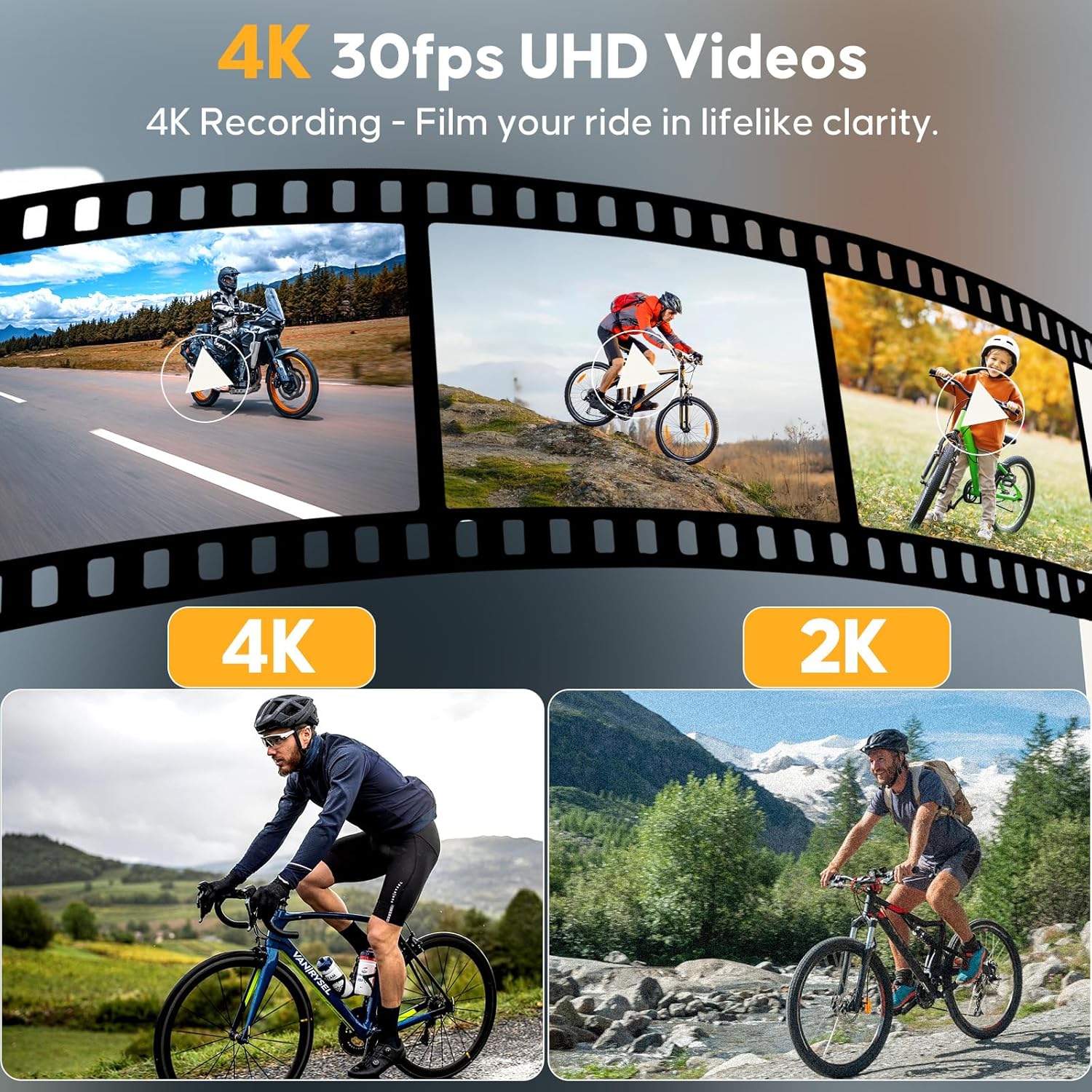
Figure 5.1: 4K 30fps UHD video recording capability.
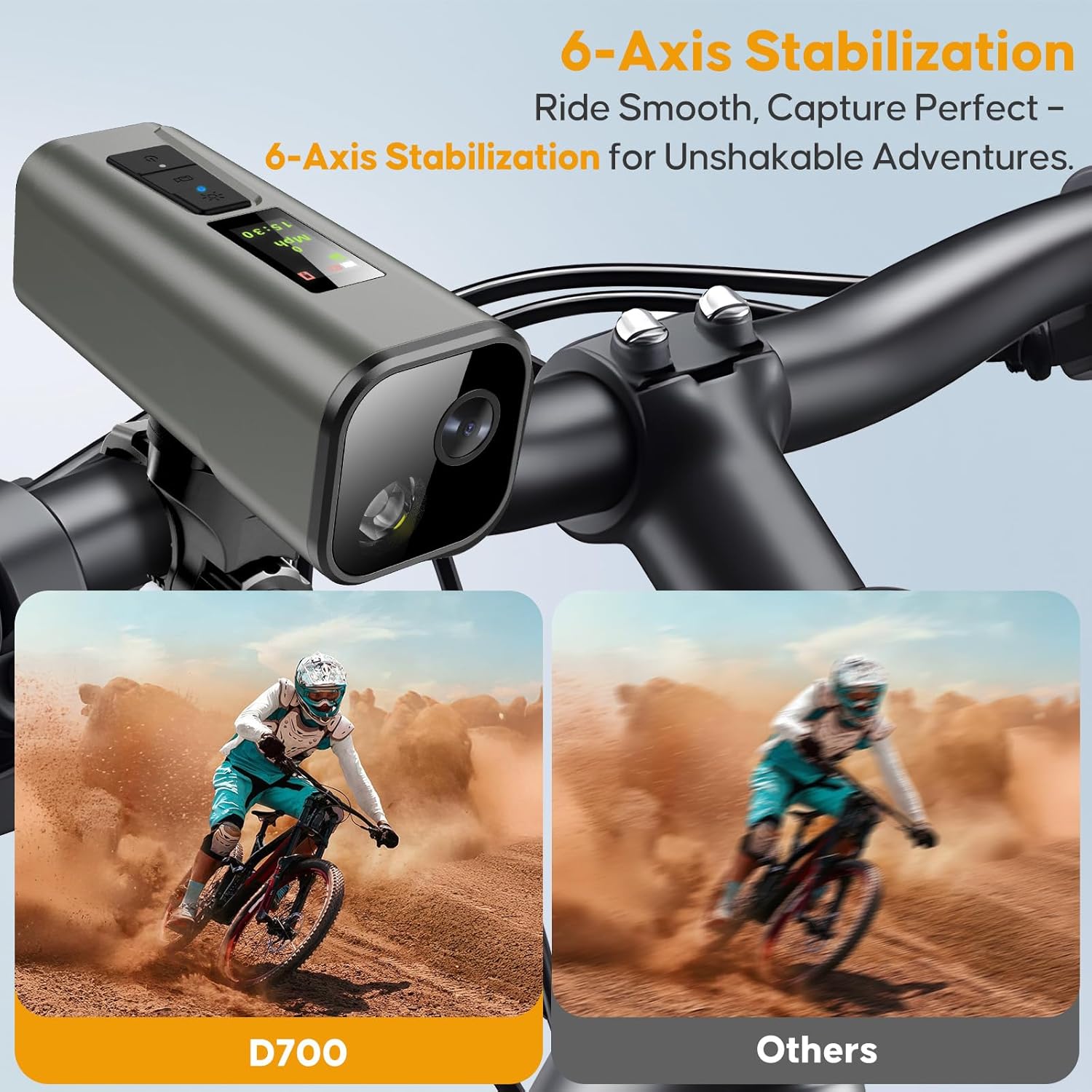
Figure 5.2: 6-Axis stabilization for smooth footage.
5.3. Bicycle Light Functions
The integrated headlight features an IMX335 sensor for night vision and offers three adaptive light modes:
- แสงที่แข็งแกร่ง: ความสว่างสูงสุดเพื่อการมองเห็นที่ชัดเจน
- แสงน้อย: Reduced brightness for extended battery life or less intense lighting needs.
- Flash (SOS): Flashing pattern for emergency signaling.
Press the Light Switch button to cycle through the modes. The light can be used independently of the camera function.
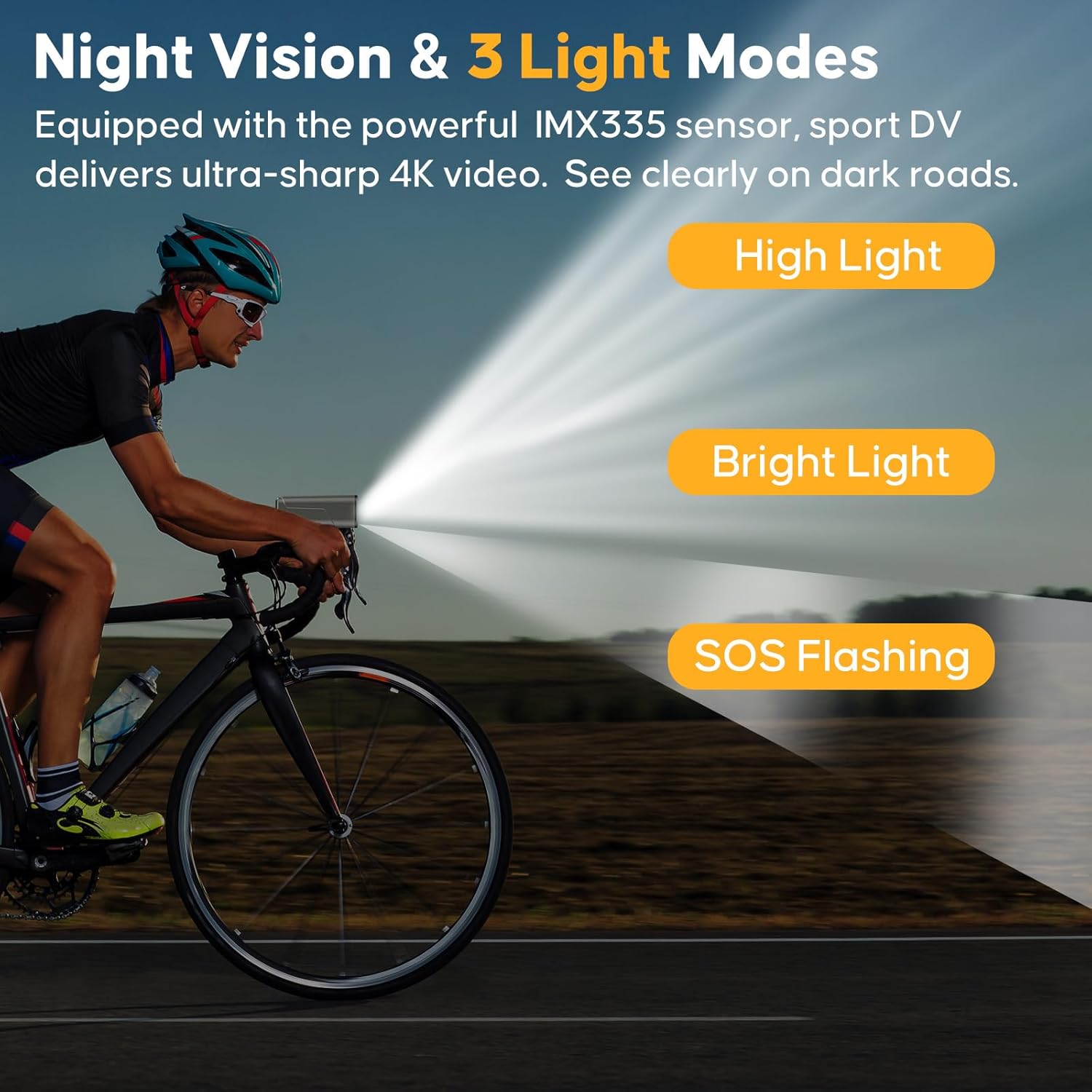
Figure 5.3: Night vision and 3 light modes (4000-4500K daylight).
5.4. Cycling Computer Display
The 0.96-inch IPS screen provides real-time cycling data:
- ความเร็ว: Current speed in mph or km/h.
- เวลา: เวลาปัจจุบัน.
- สถานะ GPS: Indication of GPS signal acquisition.
Additional data like distance and routes can be viewed and analyzed through the mobile application.
5.5. การใช้แอปมือถือ
The mobile app enhances the functionality of your D700 camera:
- สด View: See what your camera is recording in real-time.
- การเล่นและการดาวน์โหลด: Review recorded videos and download them to your smartphone.
- Share & Edit: Easily share your cycling footage or perform basic edits.
- การปรับการตั้งค่า: Configure video resolution, light modes, and other camera settings.
- Route Analysis: View recorded GPS routes, speed, and distance data.
6. การบำรุงรักษา
6.1. แนวทางการกันน้ำ
The D700 camera is IP65 waterproof, meaning it is rainproof and protected against low-pressure water jets. It is ไม่ designed for immersion in water. Immersion will cause external or internal damage and void the warranty.
6.2. การดูแลแบตเตอรี่
- ชาร์จอุปกรณ์เป็นประจำ แม้จะไม่ได้ใช้งาน เพื่อรักษาสุขภาพแบตเตอรี่
- หลีกเลี่ยงอุณหภูมิที่สูงหรือต่ำเกินไป เพราะอาจทำให้ประสิทธิภาพของแบตเตอรี่ลดลง
- If the battery depletes, the light may dim progressively to prolong usage.
6.3. การทำความสะอาด
Wipe the camera body and lens with a soft, damp cloth. Avoid using harsh chemicals or abrasive materials that could scratch the lens or screen.
7 การแก้ไขปัญหา
| ปัญหา | สาเหตุที่เป็นไปได้ | สารละลาย |
|---|---|---|
| กล้องไม่สามารถเปิดได้ | แบตเตอรี่เหลือน้อย; อุปกรณ์ทำงานผิดปกติ | ชาร์จกล้องให้เต็ม หากปัญหายังคงอยู่ โปรดติดต่อฝ่ายสนับสนุน |
| ไม่สามารถเชื่อมต่อ Wi-Fi/แอปได้ | Camera Wi-Fi off; out of range; app issue. | Ensure camera Wi-Fi is enabled. Move closer to the camera (within 6-7m). Restart app and camera. |
| GPS ไม่สามารถติดตามตำแหน่งได้ | Poor GPS signal; first initialization. | Ensure you are in an open outdoor area. Allow up to 1 minute for initial GPS lock. |
| วิดีโอ footage สั่นคลอน | Extreme vibrations; stabilization off. | Ensure camera is securely mounted. The 6-axis stabilization is always active. |
| มีข้อผิดพลาดของการ์ด SD | Card not inserted correctly; incompatible card; card full. | Reinsert the SD card. Ensure it is a compatible Micro SD card. Format the card (via app or computer) or replace if full/corrupted. |
8. ข้อมูลจำเพาะทางเทคนิค
| คุณสมบัติ | รายละเอียด |
|---|---|
| หมายเลขรุ่น | DV_D700 |
| ความละเอียดวิดีโอ | 4K (3840x2160P), 2K (2704x1520P), 1080P (1920x1080P) @ 30fps |
| เซ็นเซอร์รับภาพ | IMX335 (for night vision) |
| การรักษาเสถียรภาพ | 6-Axis Electronic Stabilization |
| จีพีเอส | Built-in GPS for tracking speed, distance, routes |
| หน้าจอแสดงผล | หน้าจอ IPS ขนาด 0.96 นิ้ว |
| การเชื่อมต่อ | Wi-Fi (6-7 meter range), USB-C |
| พื้นที่จัดเก็บ | การ์ด Micro SD สูงสุด 512GB (รวม 64GB) |
| ระดับการกันน้ำ | IP65 (Rainproof, not for immersion) |
| ไฟจักรยาน | 3 modes (Strong/Low/Flash), 4000-4500K daylight |
| อายุการใช้งานแบตเตอรี่ | Approx. 5.5h (recording only), 2.5h (recording + light), 11h (light only) |
| เวลาในการชาร์จ | ประมาณ 3 ชั่วโมง (USB-C) |
| ขนาด | 4.13 x 1.65 x 1.65 นิ้ว |
| น้ำหนัก | 11.3 ออนซ์ |
9. การรับประกันและการสนับสนุน
For warranty information, technical support, or customer service inquiries, please refer to the contact details provided on the product packaging or the official HUPEJOS webไซต์ โปรดเก็บใบเสร็จรับเงินไว้เป็นหลักฐานการซื้อสำหรับการเรียกร้องการรับประกัน


