1. บทนำ
Thank you for choosing the TERUNSOUl D016 4K+4K Dual Dash Cam. This device is designed to provide comprehensive video surveillance for your vehicle, recording both front and rear views in high definition. It features advanced functionalities such as built-in GPS, 5.8GHz WiFi for app control, G-Sensor for incident detection, enhanced night vision, and 24-hour parking monitoring. Please read this manual thoroughly before use to ensure proper installation and operation.
2. สินค้าหมดview

Image: The TERUNSOUl D016 dash cam system, showing the main front camera unit, the smaller rear camera, the suction cup mount, and an included 128GB microSD card.
The TERUNSOUl D016 is a high-performance dual dash camera system. Key features include:
- Dual 4K Recording: Simultaneous front and rear recording at 3840x2160P resolution.
- มุมกว้าง 170°: Front camera provides a wide field of view.
- GPS ในตัว: Records driving routes, locations, and speed data.
- 5.8GHz WiFi & App Control: Connects to the TERUNSOUl App for live viewing, video management, and firmware updates.
- จีเซ็นเซอร์: Automatically locks video footagเช่น ในระหว่างการชนหรือการกระแทกอย่างกะทันหัน
- Super Starlight Night Vision: Enhanced clarity in low-light conditions with F1.5 (front) and F1.8 (rear) apertures.
- ระบบตรวจสอบการจอดรถตลอด 24 ชั่วโมง: Time-lapse recording and G-sensor detection for vehicle protection when parked (requires hardwire kit, sold separately).
- การบันทึกแบบวนซ้ำ: Ensures continuous recording by overwriting the oldest unlocked files.
- รวมการ์ด MicroSD ขนาด 128GB: Ready for immediate use, supports up to 512GB.
3. เนื้อหาบรรจุภัณฑ์
โปรดตรวจสอบว่าสินค้าทั้งหมดมีอยู่ในแพ็คเกจของคุณ:
- 4K Dash Cam (Front Unit)
- กล้องหลัง 4K
- GPS Suction Cup Mount
- TERUNSOUl 128GB microSD Card (pre-installed)
- 21ft Rear Cam Extension Cable
- 11ft USB-C Fast Car Charger
- คู่มือการใช้งาน
- คู่มือเริ่มต้นอย่างรวดเร็ว
- คลิปหนีบสายไฟ 5x
- เครื่องมือตัดลวด
- ฟิล์มไฟฟ้าสถิต
- แผ่นทำความสะอาด
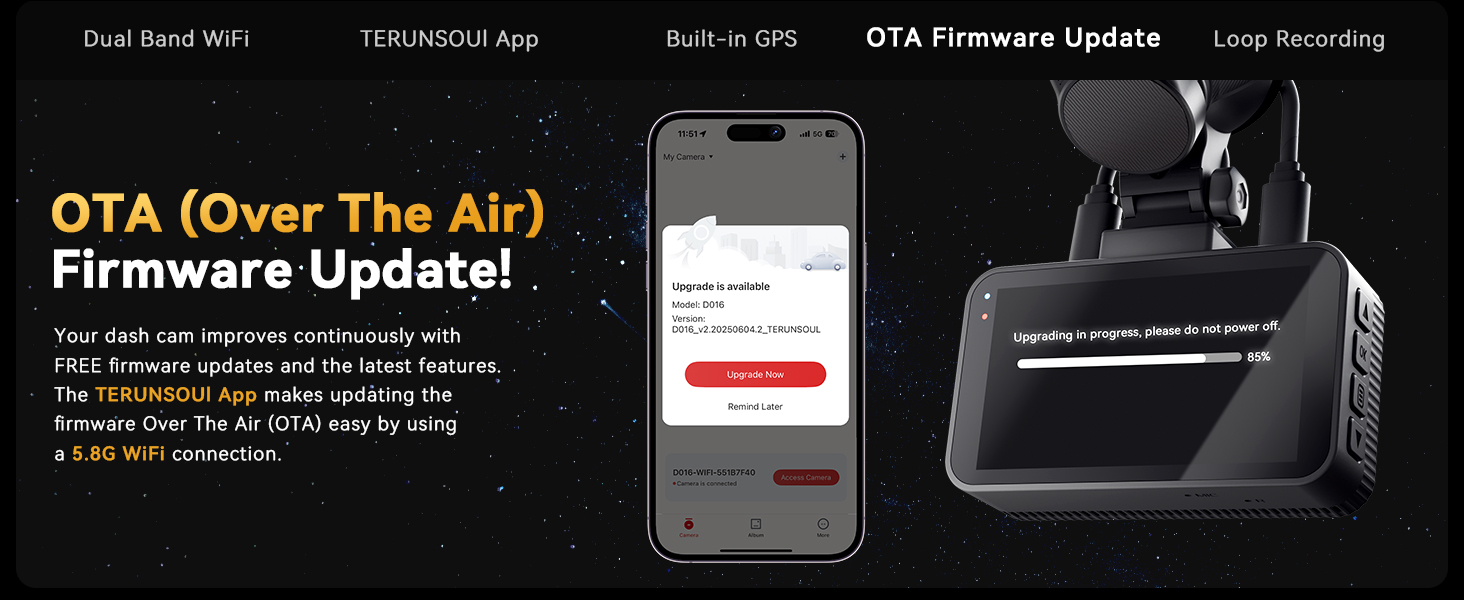
Image: An illustration detailing all components included in the TERUNSOUl D016 dash cam package.
4. การตั้งค่าและการติดตั้ง
4.1 Memory Card Installation and Formatting
The 128GB microSD card is pre-installed. Before first use, or if you replace the card, it is recommended to format it within the dash cam's settings to ensure optimal performance. The dash cam supports up to 512GB microSD cards.
- Insert the microSD card into the designated slot (if not already inserted).
- เปิดกล้องหน้ารถ
- Navigate to the system settings menu.
- Select "Format SD Card" and confirm.
4.2 การติดตั้ง Dash Cam
- Clean the windshield area where you intend to mount the front camera. Ensure it does not obstruct your view.
- Attach the electrostatic film to the chosen area on the windshield.
- Attach the GPS suction cup mount to the electrostatic film.
- Slide the main dash cam unit onto the GPS suction cup mount until it clicks into place.
- ปรับมุมกล้องให้ชัด view ของถนนข้างหน้า
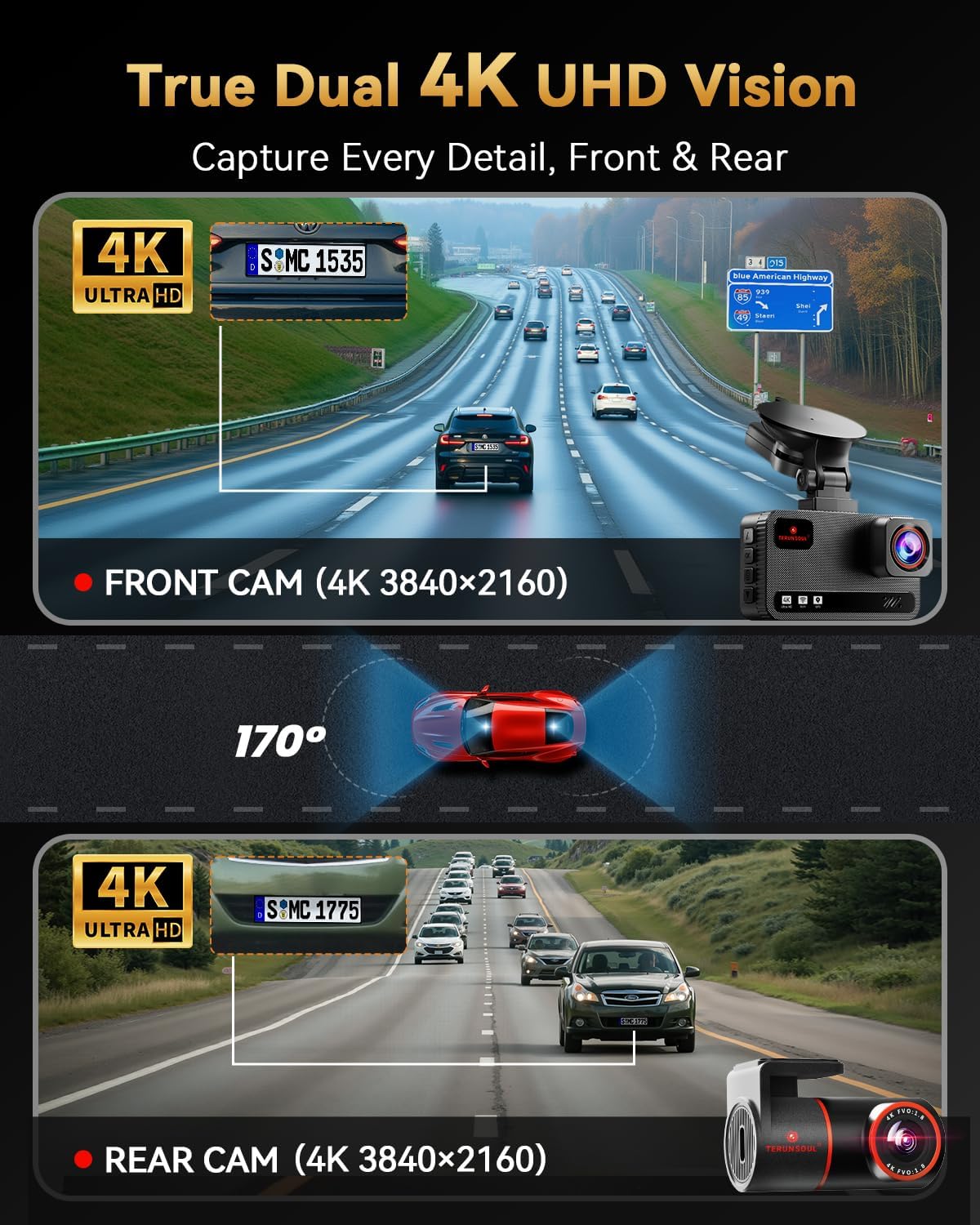
Image: The front dash cam unit mounted on a vehicle's windshield using the suction cup mount.
4.3 การติดตั้งกล้องด้านหลัง
- ติดตั้งกล้องมองหลังไว้ที่กระจกหลังรถ โดยให้แน่ใจว่ามองเห็นได้ชัดเจน view.
- Connect the rear camera to the main front unit using the provided 21ft extension cable.
- Route the cable neatly along the vehicle's headliner and pillars using the cable clips and wire trim tool.

Image: A visual guide for connecting and routing the front and rear camera cables within a vehicle.
4.4 การเชื่อมต่อสายไฟ
- Connect the 11ft USB-C car charger to the main dash cam unit.
- Plug the other end of the charger into your vehicle's 12V power outlet (cigarette lighter socket).
- กล้องติดรถยนต์จะเปิดอัตโนมัติและเริ่มบันทึกเมื่อเปิดกุญแจรถ
5. คู่มือการใช้งาน
5.1 การควบคุมขั้นพื้นฐาน

Image: A detailed illustration of the dash cam's buttons and their corresponding functions.
- ปุ่มเมนู (M): Press once to enter/exit menus. Press to go back to the previous screen in menu mode.
- ปุ่มขึ้น (▲): Press once to move up in menus or play previous video in playback. Hold for 2 seconds to turn Wi-Fi on/off in recording mode.
- Emergency Lock Button (🔒): Press once to lock/unlock video (indicator turns yellow when locked). Hold for 1 second to take a photo.
- OK Button (OK): Press once to turn On/Off recording. Press to confirm/select in menu mode.
- ปุ่มเปิด/ปิด (⏻): Press once to turn screen off (while device is on). Hold for 2 seconds to power on/off the device.
- ปุ่มลง (▼): Press once to switch front/rear camera view, split screen mode, etc. Press once to move down one line in menu. Press once to play next video in playback. Press and hold for 2 seconds to enable/disable audio recording (Recording Interface).
- File Button (☰): กดหนึ่งครั้งเพื่อเข้า file การจัดการ.
Note: Once the dash cam is connected to the app, the physical buttons may be disabled. Configure the dash cam through the app or disconnect Wi-Fi first.
5.2 การบันทึกแบบวนซ้ำ
The dash cam records continuously in 1, 3, or 5-minute segments. When the memory card is full, the oldest unlocked video files will be automatically overwritten to make space for new recordings. Locked videos (triggered by G-Sensor or manual lock) will not be overwritten.

Image: A visual explanation of how loop recording works, ensuring continuous footage.
5.3 G-Sensor (Emergency Accident Lock)
The built-in G-Sensor detects sudden impacts or collisions. When an event is detected, the current video segment is automatically locked and saved to prevent it from being overwritten by loop recording. This ensures critical evidence is preserved.

Image: The G-Sensor feature automatically locking footage during a collision.
5.4 ระบบตรวจสอบการจอดรถตลอด 24 ชั่วโมง
To protect your vehicle when parked, the dash cam offers 24-hour parking monitoring with time-lapse recording and G-sensor detection. In time-lapse mode, the camera records at a low frame rate, saving storage space. If a collision is detected while parked, the G-sensor will trigger normal recording and lock the video.
Note: A separate hardwire kit (TERUNSOUl Ultimate USB Type C Hardwire Kit, ASIN: B0FNB4BPK2) is required for the 24-hour parking mode to function. This kit is not included in the standard package and must be purchased separately.
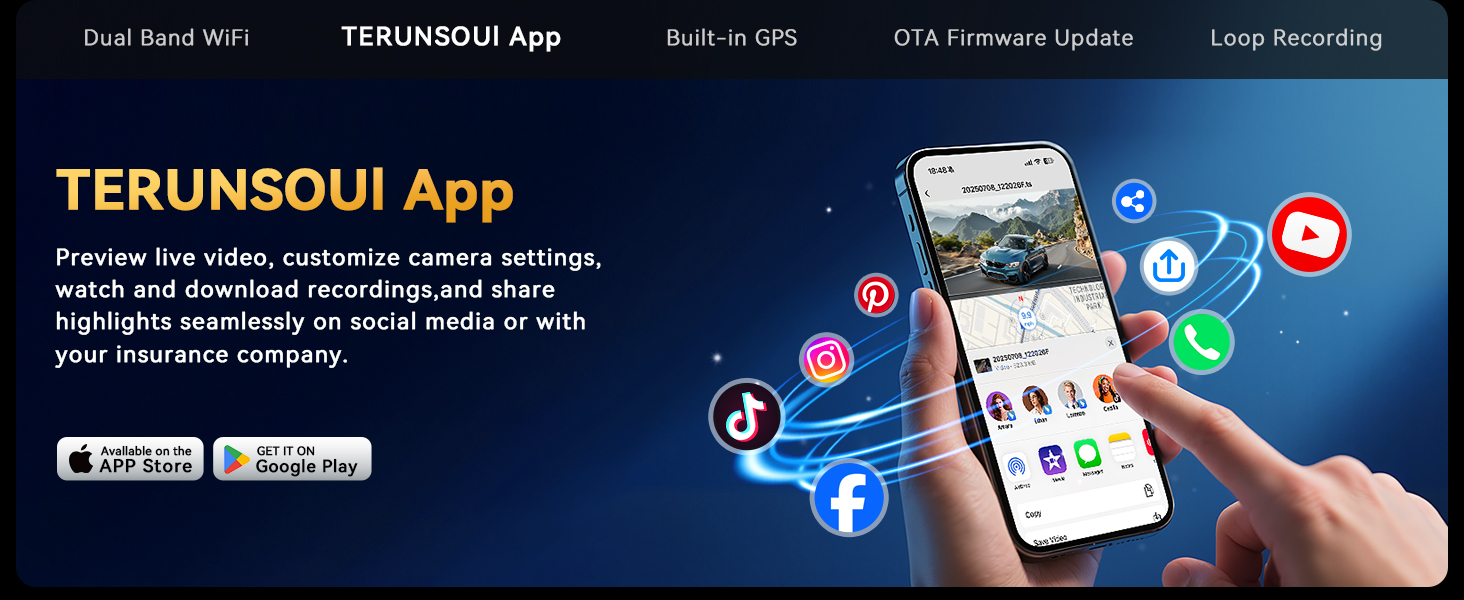
Image: The 24-hour parking monitor feature, highlighting the need for a hardwire kit.
5.5 Built-in GPS Tracking
The integrated GPS module records precise driving routes, locations, and speed data directly onto your video footagง. ข้อมูลเหล่านี้สามารถ viewed in real-time on the 3-inch IPS screen or later via the TERUNSOUl App or a dedicated GPS Player software on Windows/Mac.

Image: GPS tracking in action, displaying route and speed data on the dash cam screen and a computer application.
5.6 Super Starlight Night Vision
Equipped with enhanced WDR (Wide Dynamic Range) and Starlight CMOS Sensor technology, the dash cam delivers clear and vibrant video quality even in challenging low-light conditions. The large F1.5 (front) and F1.8 (rear) apertures allow more light to reach the sensors, improving night recording performance.

Image: The dash cam's display showing clear night vision footage of a vehicle.
5.7 TERUNSOUl App Control (5.8GHz WiFi)
The dash cam features dual-band 5.8GHz and 2.4GHz WiFi for fast and stable connection to the TERUNSOUl App (available on iOS and Android). The app allows you to:
- View live video feed from both cameras.
- Replay recorded videos and photos.
- ดาวน์โหลด files to your smartphone at high speed.
- Share recordings directly to social media or with insurance companies.
- Remotely manage camera settings.
- Perform Over-The-Air (OTA) firmware updates.

Image: The TERUNSOUl mobile application interface for managing dash cam recordings and settings.
6. การบำรุงรักษา
- การจัดรูปแบบปกติ: To maintain optimal performance and prevent data corruption, it is recommended to format the microSD card monthly. Back up any important fileก่อนทำการฟอร์แมต
- การทำความสะอาด: Use a soft, dry cloth to clean the camera lenses and the dash cam screen. Avoid abrasive cleaners.
- อัพเดตเฟิร์มแวร์: Regularly check for and install firmware updates via the TERUNSOUl App to ensure your dash cam has the latest features and improvements.
- อุณหภูมิ: The dash cam is designed to withstand temperatures from -4°F to 158°F. Avoid prolonged exposure to extreme temperatures outside this range.
7 การแก้ไขปัญหา
| ปัญหา | วิธีแก้ปัญหาที่เป็นไปได้ |
|---|---|
| กล้องติดรถยนต์ไม่สามารถเปิดได้ |
|
| Recording stops or fileเสียหาย |
|
| ปัญหาการเชื่อมต่อ WiFi กับแอป |
|
| ระบบ GPS ไม่สามารถบันทึกตำแหน่ง/ความเร็วได้ |
|
| โหมดจอดรถไม่ทำงาน |
|
8. ข้อมูลจำเพาะ
- แบบอย่าง: D016
- ความละเอียดวิดีโอ: Front 4K (3840x2160P), Rear 4K (3840x2160P)
- Front Camera Angle: มุมกว้าง 170°
- แสดง: หน้าจอ IPS ขนาด 3 นิ้ว
- ไวไฟ: ดูอัลแบนด์ 5.8GHz และ 2.4GHz
- จีพีเอส: Built-in for route, location, and speed tracking
- จีเซ็นเซอร์: การตรวจจับเหตุการณ์อัตโนมัติ
- การมองเห็นตอนกลางคืน: Super Starlight Night Vision with F1.5 (Front) / F1.8 (Rear) Aperture, WDR
- โหมดจอดรถ: 24-Hour Time-Lapse + G-Sensor (requires optional hardwire kit)
- พื้นที่จัดเก็บ: Supports up to 512GB microSD card (128GB included)
- การบันทึกแบบวนซ้ำ: Yes (1/3/5 min segments)
- อุณหภูมิในการทำงาน: -4°F ถึง 158°F (-20°C ถึง 70°C)
- ขนาด : ขนาด 1.46 x 3.4 x 1.97 นิ้ว (ตัวเครื่องหลัก)
- น้ำหนัก: 1.79 ปอนด์
9. การรับประกันและการสนับสนุน
TERUNSOUl provides an รับประกัน 18 เดือน for the D016 Dash Cam. If you encounter any issues or have questions regarding your product, please contact our ฝ่ายสนับสนุนลูกค้าตลอด 24 ชั่วโมงทุกวัน team. Our dedicated after-sales team is ready to assist you.
For support, please refer to the contact information provided in your Quick Start Guide or visit the official TERUNSOUl webเว็บไซต์.


