1. บทนำ
The Logitech MX Master 4 for Mac is an advanced ergonomic Bluetooth mouse designed for precision and control across macOS and iPadOS environments. It features haptic feedback, ultra-fast MagSpeed scrolling, and an 8K DPI sensor for tracking on various surfaces, including glass. This manual provides instructions for setting up, operating, maintaining, and troubleshooting your MX Master 4 for Mac mouse.

Image: The Logitech MX Master 4 for Mac mouse, presented in Space Black.

Image: The MX Master 4 for Mac mouse seamlessly integrated into an Apple desktop workstation.
2. การตั้งค่า
2.1 การเชื่อมต่อเริ่มต้น
The MX Master 4 for Mac connects wirelessly via Bluetooth. Follow these steps to pair your mouse with your device:
- ตรวจสอบให้แน่ใจว่าเมาส์ได้รับการชาร์จแล้ว
- เปิดเมาส์โดยใช้สวิตช์เปิด/ปิดที่อยู่ด้านล่าง
- Press and hold one of the Easy-Switch buttons (1, 2, or 3) on the bottom of the mouse until the LED indicator blinks rapidly, indicating pairing mode.
- On your Mac or iPad, navigate to การตั้งค่าระบบ (macOS) หรือ การตั้งค่า (iPadOS) > บลูทูธ.
- Select "MX Master 4 for Mac" from the list of available devices to complete pairing.
บันทึก:
- A USB-C receiver is not included with the Mac version of this mouse.
- The mouse is compatible with macOS, iPadOS, Windows, Linux, and Chrome OS.

ภาพ: ด้านข้าง view of the mouse, highlighting the USB-C charging port and Bluetooth connectivity.
2.2 การติดตั้งซอฟต์แวร์ Logi Options+
For full functionality and customization, install the Logi Options+ software. This application allows you to personalize buttons, adjust haptic feedback intensity, and configure application-specific settings.
- เยี่ยมชม Logitech อย่างเป็นทางการ website to download Logi Options+.
- ทำตามคำแนะนำบนหน้าจอเพื่อติดตั้งซอฟต์แวร์ลงในคอมพิวเตอร์ของคุณ
2.3 เนื้อหาบรรจุภัณฑ์
The retail package for your Logitech MX Master 4 for Mac includes:
- Logitech MX Master 4 Mouse
- เอกสารประกอบการใช้งาน
Please note that a USB-C charging cable and a USB-C receiver are not included in the box.

Image: The MX Master 4 for Mac mouse and user documentation, indicating responsible packaging.
3. คู่มือการใช้งาน
Familiarize yourself with the key features and controls of your MX Master 4 for Mac mouse.

Image: A labeled diagram illustrating the various buttons and features of the MX Master 4 for Mac mouse.
ล้อเลื่อน MagSpeed 3.1
The MagSpeed scroll wheel offers two modes: hyper-fast scrolling, allowing you to scroll 1,000 lines per second, and a precise, click-to-click mode for detailed navigation. The mouse automatically switches between these modes based on your scrolling speed, or you can manually toggle it.

Image: A hand operating the MagSpeed scroll wheel for fast and precise navigation.
3.2 Haptic Sense Panel
The Haptic Sense Panel provides tactile feedback for specific actions, shortcuts, and notifications. This feature enhances your interaction with the mouse by providing physical cues. The intensity of the haptic feedback can be customized via the Logi Options+ software.

ภาพ: ภาพระยะใกล้ view of the Haptic Sense Panel, illustrating its tactile feedback capability.
3.3 Actions Ring Shortcuts
The Actions Ring provides dynamic, customizable shortcuts that adapt to the application you are using. This feature allows you to access frequently used tools, filters, and adjustments directly at your cursor, potentially saving time and reducing repetitive movements.

Image: A user utilizing the Actions Ring for quick access to application-specific shortcuts.
3.4 Easy-Switch Technology
The MX Master 4 for Mac can be paired with up to three different devices and allows for seamless switching between them using the Easy-Switch buttons located on the bottom of the mouse. This is ideal for users who work across multiple computers or devices.
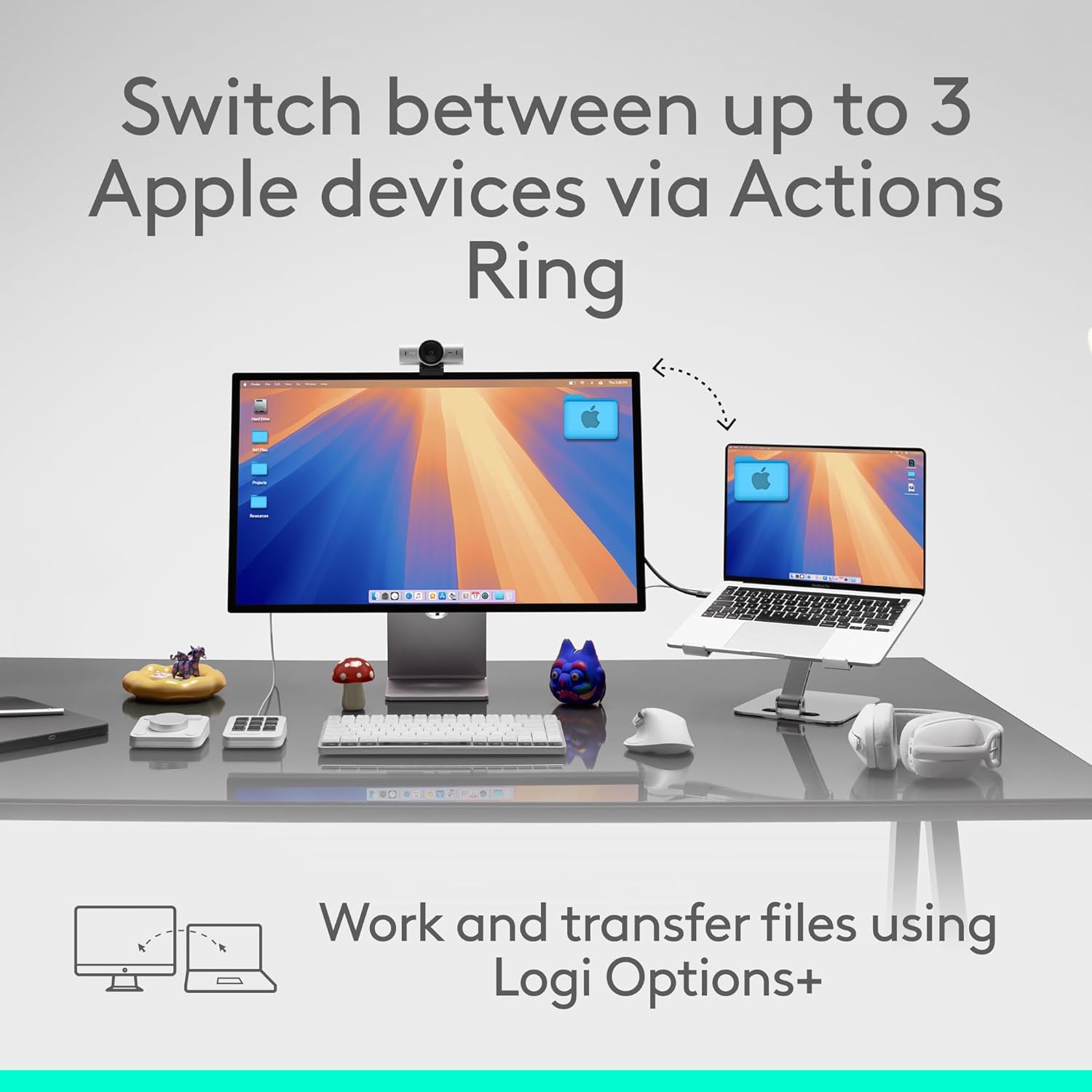
Image: A visual representation of switching between up to three Apple devices using the mouse's Easy-Switch feature.
3.5 8K DPI Sensor
The mouse is equipped with an 8K DPI optical sensor, enabling precise tracking on virtually any surface, including glass (minimum 4mm thickness).

Image: The mouse demonstrating its ability to track precisely on a glass surface.
3.6 Quiet Clicks
The MX Master 4 for Mac features quiet click technology, reducing click noise by 90% compared to standard mice. This creates a quieter working environment without compromising tactile feedback.
4. Customization with Logi Options+
The Logi Options+ application unlocks the full potential of your MX Master 4 for Mac. Through this software, you can:
- Customize button assignments for various applications.
- Adjust the intensity of haptic feedback.
- Configure the Actions Ring for specific workflows.
- Set up application-specific profiles.
Regularly check for updates to Logi Options+ to ensure you have the latest features and performance enhancements.

Image: The Logi Options+ application interface, showing customization options for the mouse.
5. การชาร์จและแบตเตอรี่
The MX Master 4 for Mac is powered by a rechargeable battery. To charge the mouse, connect a USB-C cable (not included) to the USB-C port on the front of the mouse and to a power source.
- การชาร์จเต็มหนึ่งครั้งสามารถใช้งานได้นานสูงสุด 70 วัน ขึ้นอยู่กับการใช้งาน
- A quick 1-minute charge can provide approximately 3 hours of use.
The LED indicator on the mouse will show charging status and battery level.
6. การบำรุงรักษา
To ensure optimal performance and longevity of your MX Master 4 for Mac mouse, follow these maintenance guidelines:
- การทำความสะอาด: The mouse features improved stain resistance. To clean, gently wipe the surface with a soft, damp, lint-free cloth. Avoid abrasive cleaners or solvents.
- พื้นที่จัดเก็บ: เมื่อไม่ได้ใช้งานเป็นเวลานาน ควรเก็บเมาส์ไว้ในสภาพแวดล้อมที่สะอาดและแห้ง
- หลีกเลี่ยงเงื่อนไขที่รุนแรง: อย่าปล่อยให้เมาส์อยู่ในที่ที่มีอุณหภูมิสูงหรือต่ำเกินไป แสงแดดโดยตรง หรือความชื้นมากเกินไป

Image: The mouse's surface, emphasizing its improved stain resistance for easier cleaning.
7 การแก้ไขปัญหา
If you encounter issues with your MX Master 4 for Mac, refer to the following common solutions:
- Mouse Not Connecting:
- Ensure the mouse is turned on and charged.
- ตรวจสอบว่าได้เปิดใช้งานบลูทูธบนอุปกรณ์ของคุณแล้ว
- Re-initiate pairing mode on the mouse by holding an Easy-Switch button.
- Remove and re-add the mouse from your device's Bluetooth settings.
- Try connecting to a different Easy-Switch channel (1, 2, or 3).
- Haptic Feedback Not Working:
- Ensure Logi Options+ software is installed and running.
- Check haptic feedback settings within Logi Options+ to ensure it is enabled and configured.
- การติดตามไม่แม่นยำ:
- เช็ดทำความสะอาดเซ็นเซอร์แสงที่อยู่ด้านล่างของเมาส์ด้วยผ้าแห้งนุ่มๆ
- Ensure the surface you are using is clean and free of debris.
- If tracking on glass, ensure the glass thickness is at least 4mm.
- ปุ่มหรือวงล้อเลื่อนไม่ตอบสนอง:
- ตรวจสอบระดับแบตเตอรี่และชาร์จหากจำเป็น
- รีสตาร์ทเครื่องคอมพิวเตอร์หรืออุปกรณ์ของคุณ
- Reinstall Logi Options+ software.
8. ข้อมูลจำเพาะ
| คุณสมบัติ | รายละเอียด |
|---|---|
| ยี่ห้อ | โลจิเทค |
| ชุด | โลจิเทค MX มาสเตอร์ 4 |
| หมายเลขรุ่น | 910-007575 |
| แพลตฟอร์มฮาร์ดแวร์ | แมค, พีซี |
| ความเข้ากันได้ของระบบปฏิบัติการ | Android, Chrome OS, Linux, Windows, iPadOS, macOS |
| น้ำหนักสินค้า | 10.2 ออนซ์ (ประมาณ 289.2 กรัม) |
| ขนาดแพ็คเกจ | 6.61 x 5.59 x 2.24 นิ้ว |
| สี | สเปซแบล็ก |
| แหล่งพลังงาน | ใช้พลังงานจากแบตเตอรี่ (ชาร์จใหม่ได้) |
| เทคโนโลยีการเชื่อมต่อ | Bluetooth, Radio Frequency (Logi Bolt ready, receiver not included) |
| คุณสมบัติพิเศษ | Lightweight, Programmable Buttons, Rechargeable, Soundless (Quiet Clicks), Wireless, Haptic Feedback, MagSpeed Scroll Wheel, 8K DPI Optical Sensor |
| เทคโนโลยีตรวจจับการเคลื่อนไหว | ออฟติคอล |
| อายุการใช้งานแบตเตอรี่ | Up to 70 days on a full charge; 3 hours of use from 1-minute charge |
9. การรับประกันและการสนับสนุน
Logitech products are manufactured to high-quality standards and are backed by a limited hardware warranty. For specific warranty details, terms, and conditions applicable to your region, please refer to the warranty information included with your product or visit the official Logitech support webเว็บไซต์.
For technical assistance, frequently asked questions, and driver downloads, please visit the Logitech Support webเว็บไซต์:


