1. บทนำ
The OSRAM Door LED is a versatile, battery-operated luminaire designed for both indoor and outdoor use. It features an integrated light and motion sensor for automatic illumination, providing targeted downward lighting. Its robust, weather-resistant design and easy installation make it suitable for various applications.
คุณสมบัติหลัก:
- เอาท์พุตแสง: 40 lm, 4000K cool white light, downward emission.
- ความยืดหยุ่น: Cordless operation with 3 AA batteries (included).
- ความทนทาน: High-quality polycarbonate housing with IP54 protection rating, resistant to weather and impact.
- เซ็นเซอร์: Integrated passive infrared (PIR) motion and light sensor for automatic activation in darkness upon motion detection.
- การติดตั้ง: Easy and quick mounting with included accessories (screws or adhesive).
2. ข้อมูลด้านความปลอดภัย
โปรดอ่านคำแนะนำด้านความปลอดภัยทั้งหมดอย่างละเอียดก่อนใช้ผลิตภัณฑ์ เก็บคู่มือนี้ไว้เพื่อใช้อ้างอิงในอนาคต
- This product is not a toy. Do not leave it unattended with children or allow children to use it.
- Not designed to replace conventional lighting in a private household.
- คำเตือนแบตเตอรี่: Keep batteries out of reach of children. Ingestion can lead to chemical burns, perforation of soft tissues, and death. Severe burns can occur within 2 hours of ingestion. Seek immediate medical attention.
- หากช่องใส่แบตเตอรี่ (ถ้ามี) ปิดไม่แน่น ให้หยุดใช้ผลิตภัณฑ์และเก็บให้ห่างจากเด็ก
- If you suspect batteries may have been swallowed or placed inside any part of the body, seek immediate medical attention.
- หลีกเลี่ยง:
- Maximum ambient temperature exceeding +35 °C.
- Replacing a battery with an incorrect type that may defeat a safeguard (e.g., in the case of some lithium battery types).
- Operating at altitudes above 2000 m.
- Disposing of a battery into fire or a hot oven, or mechanically crushing or cutting a battery, which can result in an explosion.
3. เนื้อหาบรรจุภัณฑ์
ตรวจสอบให้แน่ใจว่ามีส่วนประกอบทั้งหมดอยู่ก่อนการติดตั้ง:
- 1x OSRAM Door LED Down Sensor 4000K White Luminaire
- 3x AA แบตเตอรี่
- Mounting accessories (screws, adhesive)
4. ข้อมูลจำเพาะ
| คุณสมบัติ | ข้อมูลจำเพาะ |
|---|---|
| หมายเลขรุ่น | 4099854531439 |
| ขนาด (กว้าง x ยาว x สูง) | 10.3 ซม. x 9.2 ซม. x 3.7 ซม. |
| น้ำหนัก | 154 กรัม |
| สีอ่อน | สีขาวนวล (4000K) |
| ฟลักซ์ส่องสว่าง | 40 ลูเมน |
| การใช้พลังงาน | 0.95วัตต์ |
| แหล่งพลังงาน | 3x AA Batteries (DC) |
| ระดับการป้องกัน | IP54 (กันน้ำ) |
| วัสดุ | โพลีคาร์บอเนต (พีซี) |
| ประเภทสวิตซ์ | เครื่องตรวจจับความเคลื่อนไหว |
| โปรโตคอลการเชื่อมต่อ | อินฟราเรด |
| อุณหภูมิในการทำงาน | สูงสุด +35 °C |
| ระดับความสูงในการทำงาน | สูงสุด 2000 เมตร |
| แอปพลิเคชั่น | Indoor/Outdoor, Entrances, Hallways, Patios, Balconies |
For detailed technical information, please refer to the official product page or contact OSRAM support.
5. การตั้งค่าและการติดตั้ง
The OSRAM Door LED is designed for quick and flexible installation. It can be mounted using screws or adhesive.
5.1. การติดตั้งแบตเตอรี่
- Locate the battery compartment on the back of the luminaire.
- เปิดฝาช่องใส่แบตเตอรี่
- ใส่แบตเตอรี่ AA จำนวน 3 ก้อน โดยให้แน่ใจว่าขั้วถูกต้อง (+/-)
- Securely close the battery compartment cover. Ensure it clicks into place to maintain IP54 rating.

Figure 1: Technical diagram illustrating battery insertion and product dimensions.
5.2. ตัวเลือกการติดตั้ง
Choose a mounting location that provides optimal coverage for the motion sensor and desired illumination area. Consider entrances, hallways, patios, or balconies.
ตัวเลือก A: การติดตั้งด้วยสกรู
- Hold the luminaire against the desired mounting surface and mark the screw holes.
- Drill pilot holes if necessary, suitable for the provided screws.
- Secure the luminaire to the surface using the provided screws.
Option B: Adhesive Mounting
- Clean the mounting surface thoroughly to ensure it is free of dust, grease, and moisture.
- Apply the provided adhesive to the back of the luminaire.
- Press the luminaire firmly against the desired surface for the recommended duration (refer to adhesive instructions if separate).

Figure 2: Product dimensions for mounting reference.

รูปที่ 3: อดีตample of the Door LED installed above an entrance, providing downward illumination.

Figure 4: The Door LED installed on an outdoor ceiling, demonstrating its discreet profile.
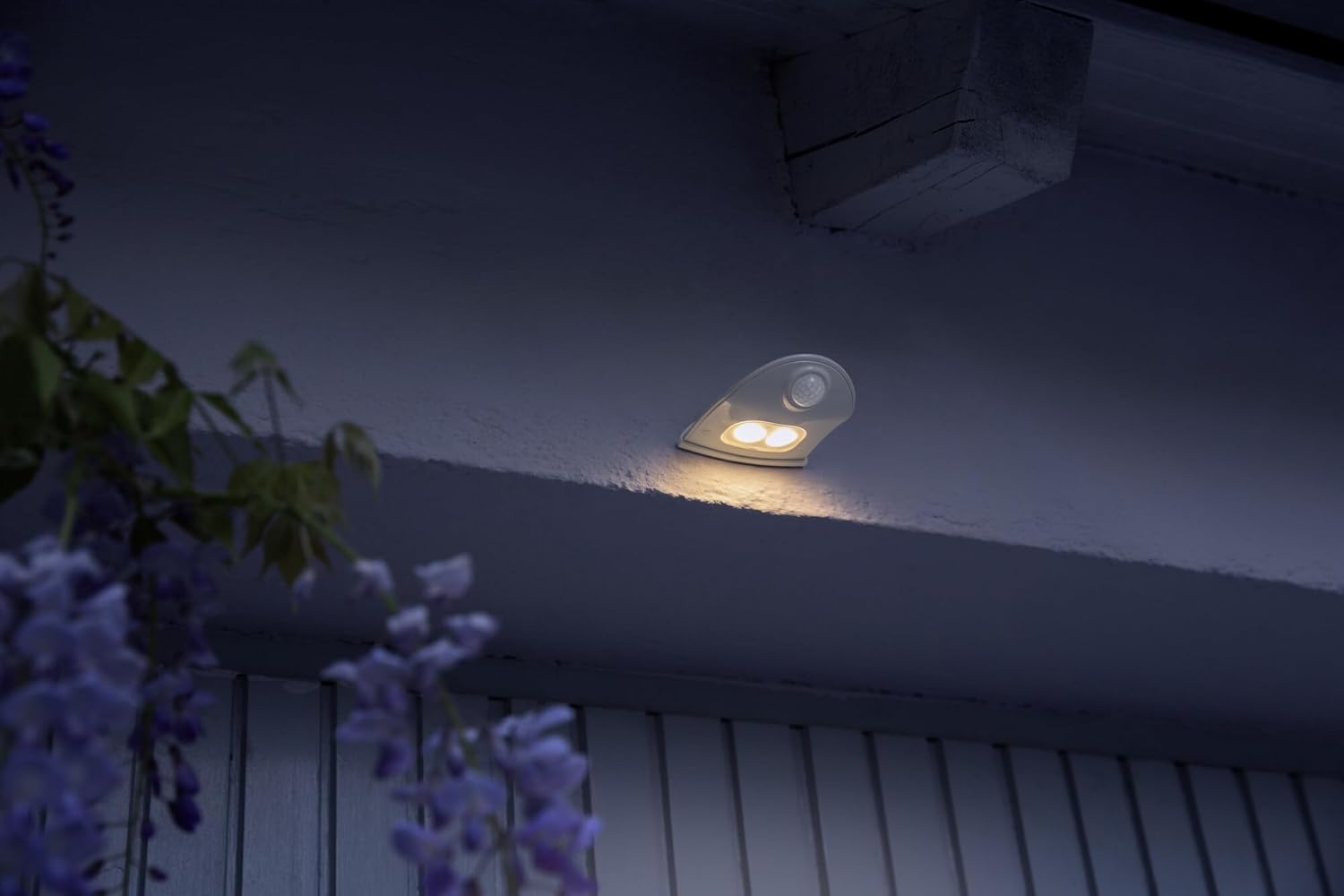
รูปที่ 5: ภาพระยะใกล้ view of the Door LED on a wall, highlighting the integrated motion sensor.
6. คู่มือการใช้งาน
The OSRAM Door LED operates automatically using its integrated motion and light sensors.
- การเปิดใช้งานอัตโนมัติ: The luminaire will automatically turn on when motion is detected in its sensing range and the ambient light level is low (darkness).
- ช่วงเซนเซอร์: The passive infrared (PIR) sensor detects movement within its field of view. Ensure the sensor is not obstructed.
- การปิดใช้งาน: The light will turn off automatically after a short delay once no motion is detected and sufficient ambient light is present, or after a preset duration if in darkness.

Figure 6: The Door LED providing illumination on a staircase upon detecting movement.

Figure 7: The Door LED used as a night light in a child's room, demonstrating its versatility.
7. การบำรุงรักษา
7.1. การเปลี่ยนแบตเตอรี่
When the light output diminishes or the device stops responding, it is time to replace the batteries.
- เปิดช่องใส่แบตเตอรี่ตามที่อธิบายไว้ในหัวข้อ 5.1
- Remove the old batteries and dispose of them responsibly according to local regulations.
- Insert 3 new AA batteries, observing correct polarity.
- ปิดฝาช่องใส่แบตเตอรี่ให้แน่น
บันทึก: Always use high-quality AA batteries for optimal performance and longevity.
7.2. การทำความสะอาด
To maintain the appearance and functionality of your luminaire:
- เช็ดภายนอกด้วยผ้านุ่มๆamp ผ้า.
- Do not use abrasive cleaners or solvents, as these can damage the polycarbonate housing.
- Ensure the motion sensor lens is clean and free of obstructions for proper operation.
8 การแก้ไขปัญหา
| ปัญหา | สาเหตุที่เป็นไปได้ | สารละลาย |
|---|---|---|
| ไฟไม่เปิด | แบตเตอรี่เสียหรือติดตั้งไม่ถูกต้อง | ตรวจสอบขั้วแบตเตอรี่และเปลี่ยนแบตเตอรี่หากจำเป็น |
| เปิดไฟในเวลากลางวัน | Light sensor obstructed or faulty. | Ensure the light sensor is clean and not covered. Relocate if ambient light is insufficient. |
| เซ็นเซอร์ตรวจจับการเคลื่อนไหวไม่ตรวจจับการเคลื่อนไหว | เซ็นเซอร์ถูกกีดขวางหรืออยู่นอกระยะ | Clear any obstructions from the sensor. Adjust mounting position for optimal coverage. |
| ไฟกระพริบหรือสลัว | พลังงานแบตเตอรี่ต่ำ | เปลี่ยนแบตเตอรี่ |
หากปัญหายังคงมีอยู่หลังจากพยายามแก้ไขปัญหาเหล่านี้แล้ว โปรดติดต่อฝ่ายสนับสนุนลูกค้า
9. การรับประกันและการสนับสนุน
สำหรับข้อมูลการรับประกันและการบริการลูกค้า โปรดดูที่เว็บไซต์อย่างเป็นทางการของ OSRAM webเว็บไซต์หรือติดต่อร้านค้าปลีกของคุณ
แหล่งข้อมูลออนไลน์:
- OSRAM อย่างเป็นทางการ Webเว็บไซต์: www.osram.com
- LEDVANCE Product Page (Manufacturer): ledvance.com/docs/4099854531439
เมื่อติดต่อฝ่ายสนับสนุน โปรดเตรียมหมายเลขรุ่นผลิตภัณฑ์ (4099854531439) และรายละเอียดการซื้อให้พร้อม


