1. บทนำ
The Amazon Echo Studio (2025 Model) is a smart speaker designed to deliver immersive spatial audio and Dolby Atmos sound. It features a compact design, a built-in smart home hub, and is powered by the AZ3 Pro chip for advanced performance. This device also includes early access to Alexa+, offering a smarter and more proactive AI assistant experience.

Image 1.1: The Amazon Echo Studio (2025 Model) in Glacier White, showcasing its compact, spherical design with control buttons on top.
2. อะไรอยู่ในกล่อง
Before you begin, ensure all items are present in the packaging:
- Echo Studio (2025 release)
- อะแดปเตอร์แปลงไฟ (50W)
- คู่มือเริ่มต้นอย่างรวดเร็ว
3. การตั้งค่า
3.1 การเปิดเครื่องครั้งแรก
- Connect the provided power adapter to the Echo Studio and then to a wall outlet.
- The light ring on your Echo Studio will turn blue, then orange, indicating it is ready for setup.
3.2 Alexa App Installation and Connection
- Download the Alexa app on your mobile device (compatible with Fire OS, Android, and iOS).
- Open the Alexa app and sign in with your Amazon account.
- Follow the on-screen instructions to add a new device. Select "Amazon Echo" then "Echo Studio".
3.3 การตั้งค่า Wi-Fi
The Alexa app will guide you through connecting your Echo Studio to your Wi-Fi network. The device supports 1x1 Wi-Fi 6E (11a/b/g/n/ac/ax). Amazon Wi-Fi simple setup is available to streamline this process.
3.4 Room Adaptation
After initial setup, Echo Studio analyzes the acoustics of your room to fine-tune playback for optimal sound. This process occurs automatically.
3.5 Pairing for Enhanced Audio
- ดนตรีหลายห้อง: Play music across multiple Echo devices by grouping them in the Alexa app.
- โฮมเธียเตอร์ : Pair your Echo Studio with compatible Fire TV devices for an immersive home theater experience. This can be done through the Fire TV settings.
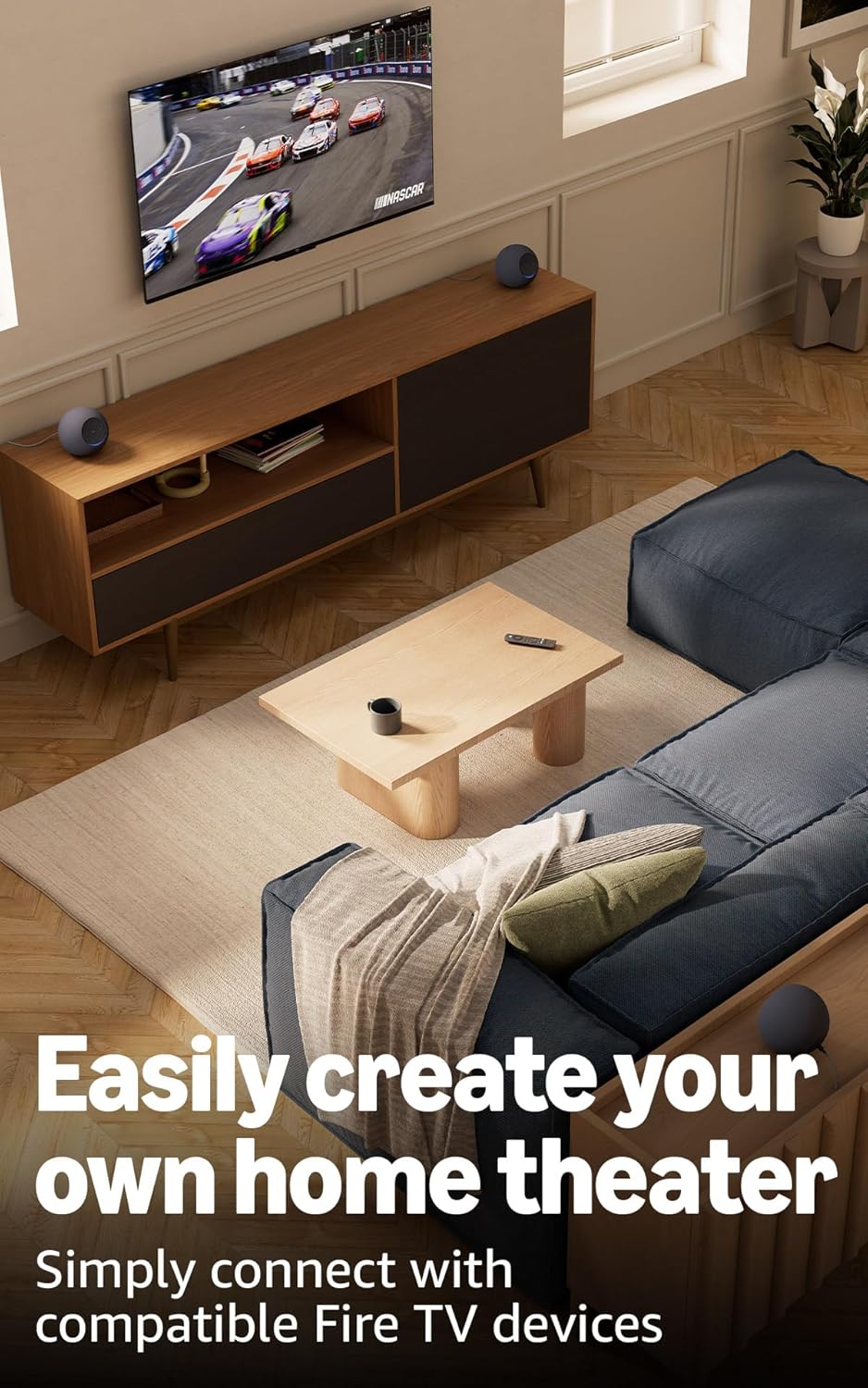
Image 3.1: Two Echo Studio devices positioned to create a home theater setup with a television, demonstrating multi-speaker audio.
4. Operating Your Echo Studio
4.1 การควบคุมด้วยเสียงด้วย Alexa
Your Echo Studio is primarily controlled by voice commands using the wake word "Alexa". Speak clearly and directly to the device.

Image 4.1: A graphic introducing the updated Alexa+ assistant, highlighting its smarter and more proactive capabilities.
4.2 Alexa+ Early Access
This device provides early access to Alexa+. Upon setup, you can upgrade to this enhanced AI assistant for a more natural and conversational experience, capable of handling a wider range of tasks.
4.3 การควบคุมบ้านอัจฉริยะ
The Echo Studio includes a built-in smart home hub supporting Zigbee, Matter, and Thread Border Router protocols. This allows you to connect and control compatible smart lights, locks, and other devices directly without a separate hub.
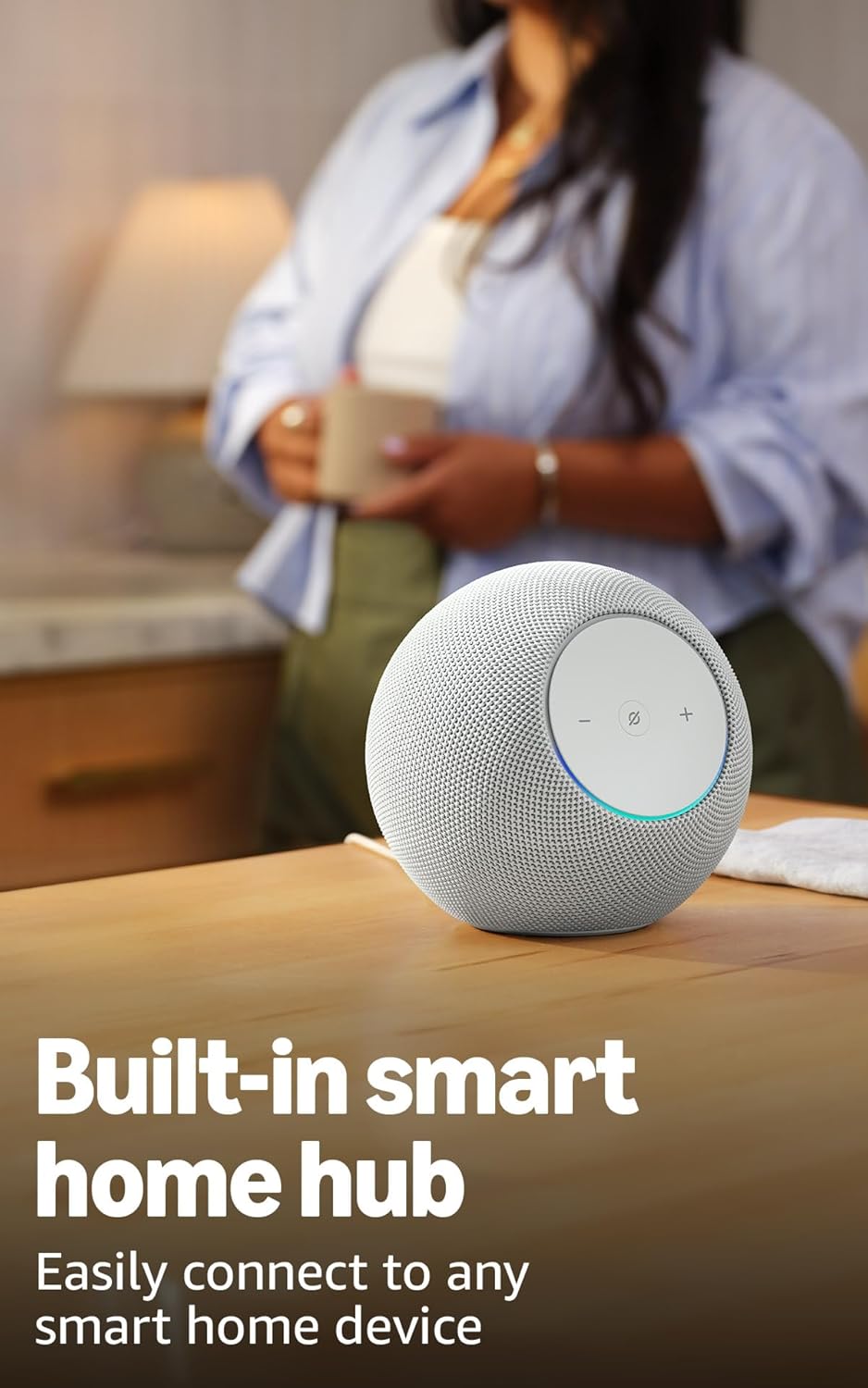
Image 4.2: The Echo Studio on a table, emphasizing its function as a built-in smart home hub for easy device connectivity.
4.4 การเชื่อมต่อบลูทูธ
Echo Studio supports Bluetooth wireless technology/Bluetooth Low Energy 5.3. You can stream audio from your mobile device to Echo Studio (A2DP) or from Echo Studio to a Bluetooth speaker (A2DP). AVRCP is supported for voice control of connected mobile devices. Bluetooth speakers requiring PIN codes are not supported.
4.5 Omnisense Technology
Omnisense technology enables proactive and personalized experiences through features like presence detection, ambient temperature sensing, and accelerometer-based tap gestures. For example, you can activate routines based on temperature changes or detected presence.
4.6 eero Built-in
If you have a compatible eero router, your Echo Studio can extend Wi-Fi coverage. Link your eero and Amazon accounts and manage this feature through the eero mobile application. This feature supports up to 1,000 sq. ft. of additional coverage, speeds up to 100 Mbps, and 10 or fewer connected devices in the 5GHz band.
5. การบำรุงรักษา
To ensure the longevity and optimal performance of your Echo Studio:
- Keep the device dry and away from direct sunlight or heat sources.
- Clean the exterior with a soft, dry, lint-free cloth. Do not use abrasive cleaners or solvents.
- ตรวจสอบให้แน่ใจว่าวางอุปกรณ์ไว้บนพื้นผิวที่มั่นคงเพื่อป้องกันการตกโดยไม่ได้ตั้งใจ
6 การแก้ไขปัญหา
If you encounter issues with your Echo Studio, consider the following steps:
- ไม่มีไฟฟ้า: ตรวจสอบให้แน่ใจว่าได้เสียบอะแดปเตอร์แปลงไฟเข้ากับอุปกรณ์และเต้ารับไฟฟ้าที่ใช้งานได้สนิทแล้ว
- ไม่มีการเชื่อมต่อ Wi-Fi: Check your router and internet connection. Verify that your Echo Studio is within range of your Wi-Fi network. Re-attempt Wi-Fi setup through the Alexa app.
- Alexa ไม่ตอบสนอง: Ensure the microphone is not muted (the light ring will be red if muted). Try saying the wake word more clearly or adjusting your proximity to the device.
- ปัญหาคุณภาพเสียง: Confirm the device is placed optimally for room adaptation. Check audio settings in the Alexa app.
- ปัญหาทั่วไป: Try restarting your Echo Studio by unplugging it from the power outlet for a few seconds and then plugging it back in.
For further assistance, refer to the help section within the Alexa app or visit the Amazon support webเว็บไซต์.
7. ข้อมูลจำเพาะ
| คุณสมบัติ | รายละเอียด |
|---|---|
| ขนาด | 6.1”W x 5.6”D x 5.8”H (155mm W x 142.2mm D x 147.3mm H) |
| น้ำหนัก | 57.56 oz (1632 grams) 3.6 lbs |
| แบนด์วิดท์เสียง | 30 เฮิรตซ์ - 18 กิโลเฮิร์ตซ์ (ระดับเสียง 6) |
| ตัวขับลำโพง | 1x 3.75” high excursion woofer, 3x 2.25” full-range drivers |
| ช่องการเล่น | 3.1.1 (left, center, right, height, subwoofer) |
| การประมวลผลเสียง | Distortion reduction, Lossless High Definition, Automatic Room Adaptation, Amazon Spatial Audio, Dolby Atmos |
| การเชื่อมต่อ Wi-Fi | Wi-Fi 6E 1x1 11a/b/g/n/ac/ax |
| การเชื่อมต่อบลูทูธ | Bluetooth wireless technology/Bluetooth Low Energy 5.3 (A2DP, AVRCP) |
| ฮับบ้านอัจฉริยะ | Zigbee + Matter + Thread Border Router |
| โปรเซสเซอร์ | AZ3 Pro พร้อม AI Accelerator |
| เซ็นเซอร์ | อุณหภูมิแวดล้อม, แสงแวดล้อม, การตรวจจับการมีอยู่, มาตรวัดความเร่งสำหรับการแตะ |
| เทคโนโลยีออมนิสเซนส์ | Custom technology for ambient AI, enabling proactive and personalized experiences |
| อีโร บิวท์อิน | Extends Wi-Fi coverage with compatible eero routers (up to 1,000 sq. ft. additional coverage) |
| ภาษา | Alexa พูดภาษาอังกฤษและภาษาสเปน |
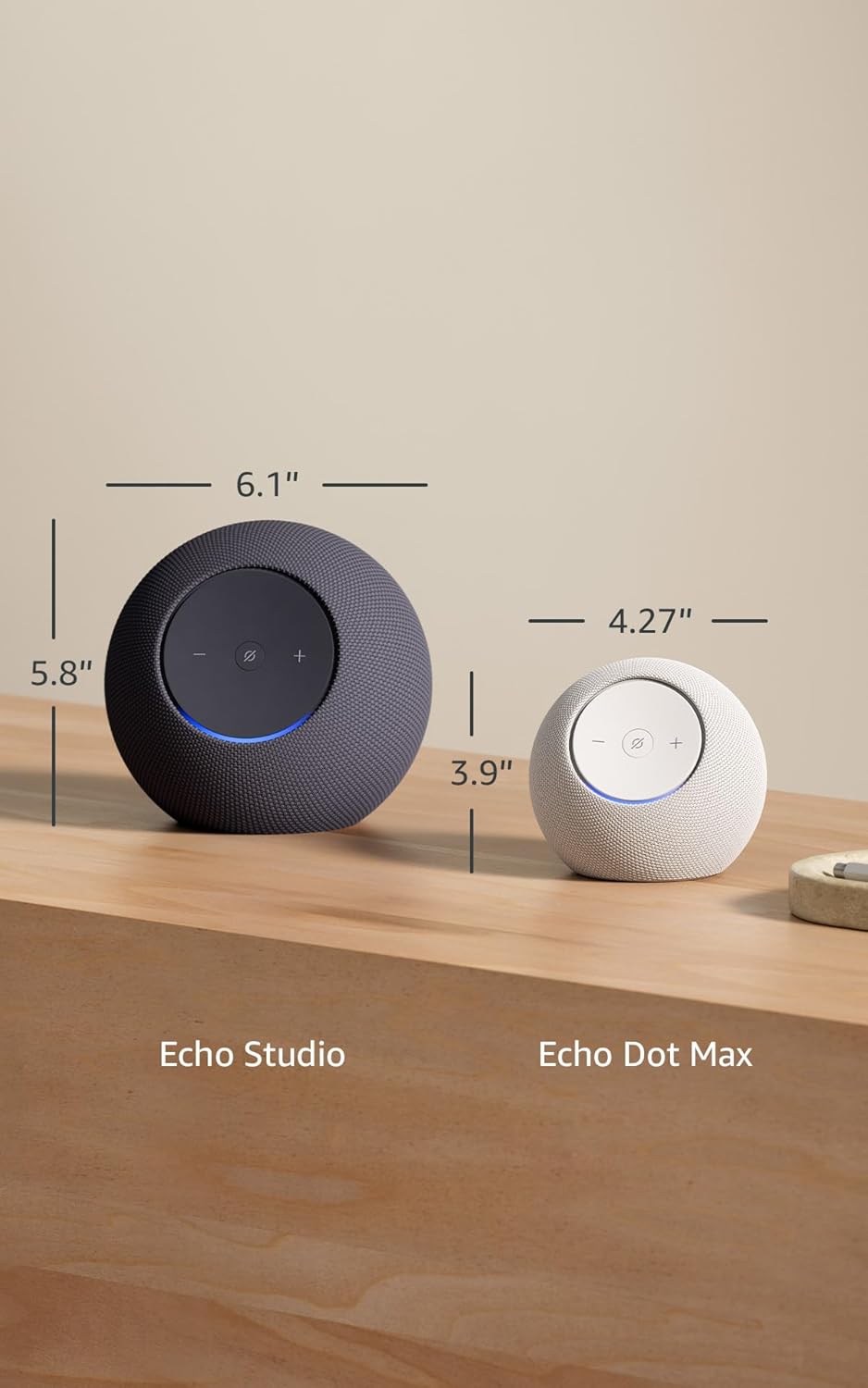
Image 7.1: A visual comparison showing the dimensions of the Echo Studio next to an Echo Dot Max.
8. ความปลอดภัยและการปฏิบัติตาม
8.1 คุณสมบัติความเป็นส่วนตัว
The Echo Studio is designed with multiple layers of privacy controls:
- Microphones Enable/Disable Button: A physical button allows you to electronically disconnect the microphones. When disabled, the light ring will turn red.
- เทคโนโลยี Wake Word: The device only begins recording and sending audio to the cloud after detecting the wake word (e.g., "Alexa").
- การจัดการบันทึกเสียง: คุณมีความสามารถที่จะ view และลบบันทึกเสียงของคุณผ่านแอป Alexa

ภาพที่ 8.1: ภาพระยะใกล้ view of the Echo Studio's control panel, highlighting the microphone enable/disable button for privacy control.
8.2 คุณสมบัติการเข้าถึง
Alexa offers various accessibility features to personalize your experience. These can be enabled in the Alexa App under Settings → Accessibility:
- การฟังแบบปรับตัว: เพิ่มเวลาให้พูดจบก่อนที่ Alexa จะตอบกลับ
- อัตราการพูดที่ต้องการ: ควบคุมความเร็วหรือความช้าของ Alexa ที่จะพูด (เช่น "Alexa พูดช้าลงหน่อย")
- เสียงร้องขอ: จะมีเสียงเตือนดังขึ้นเมื่อคุณพูดกับ Alexa
- Kindle อ่านออกเสียง: ให้ Alexa อ่านหนังสือ Kindle ของคุณออกเสียงดังๆ
- แจ้งเตือนเมื่ออยู่ใกล้: เล่นเสียงแจ้งเตือนเมื่อตรวจพบว่าคุณอยู่ใกล้กับอุปกรณ์ Echo ของคุณ
9. การรับประกันและการสนับสนุน
Your Echo Studio comes with a 1-year limited warranty and service. Optional 1-year, 2-year, and 3-year extended warranties are available for U.S. customers, sold separately. For detailed warranty terms and conditions, please refer to the documentation provided with your device or visit the Amazon support webเว็บไซต์.
For customer support, visit the Amazon Help & Customer Service pages or contact Amazon customer service directly.


