1. บทนำ
This manual provides essential information for setting up, operating, and maintaining your HP 17.3-inch Laptop PC. Designed for performance and user comfort, this laptop is suitable for business, academic, and home environments. It features an Intel Core i3 processor, 32GB DDR4 RAM, a 1TB PCIe NVMe M.2 SSD, and runs on Windows 11 Pro.
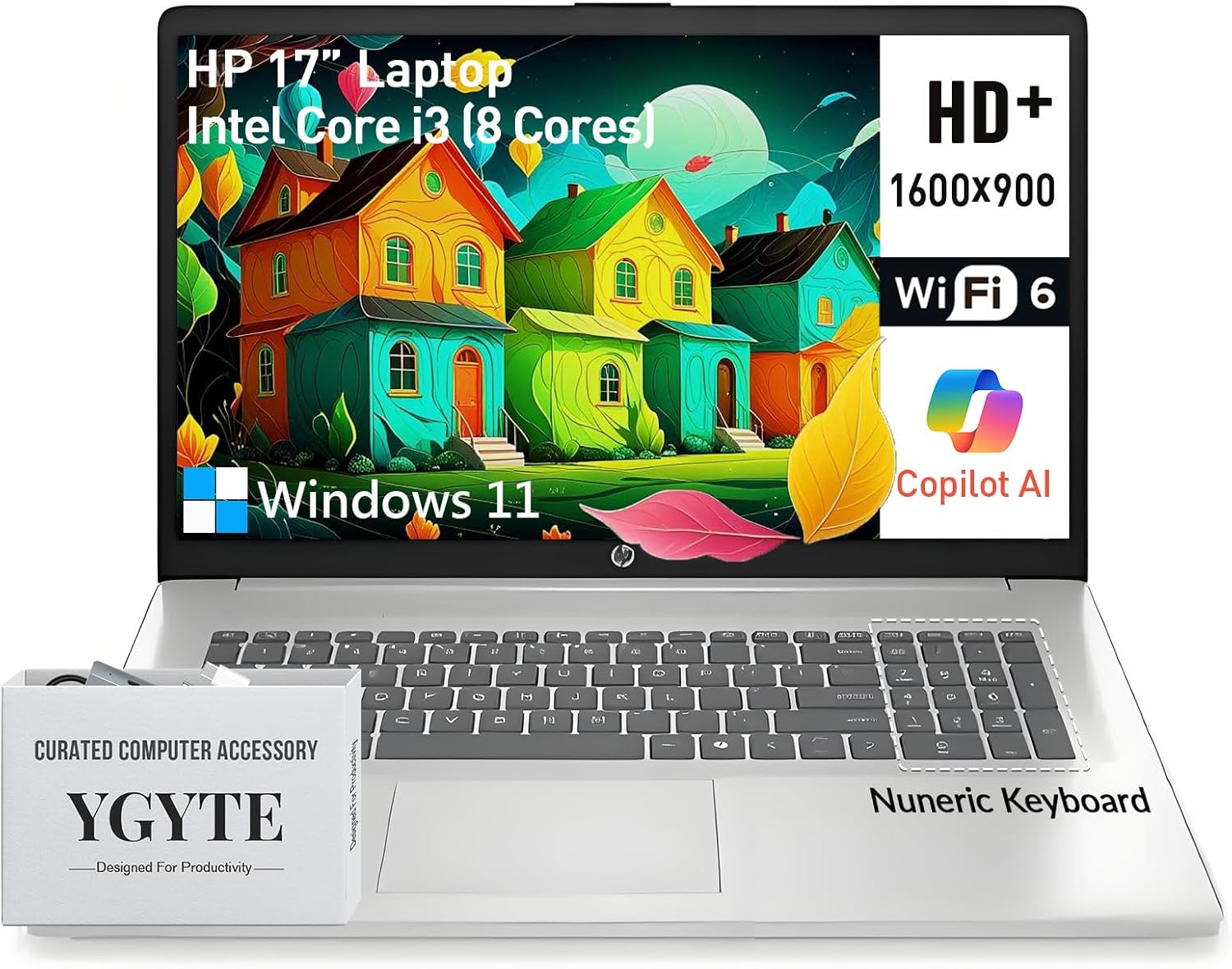
Image: The HP 17.3-inch Laptop PC, showcasing its large screen and keyboard layout.
2. การตั้งค่าเริ่มต้น
Follow these steps to set up your new HP 17.3-inch Laptop PC:
- แกะกล่องแล็ปท็อป: Carefully remove the laptop and all accessories from the packaging. Ensure all components are present.
- เชื่อมต่อพลังงาน: Plug the AC adapter into the laptop's power port and then into a wall outlet. Allow the battery to charge sufficiently before first use.
- เปิดเครื่อง: เปิดฝาแล็ปท็อปแล้วกดปุ่มเปิดปิด ซึ่งโดยปกติจะอยู่ทางด้านบนขวาของแป้นพิมพ์
- การตั้งค่า Windows 11 Pro: Follow the on-screen instructions to complete the initial Windows 11 Pro setup, including language selection, network connection, and user account creation.
3. ส่วนประกอบและคุณสมบัติหลัก
Your HP 17.3-inch Laptop PC is equipped with the following:
- แสดง: 17.3-inch HD+ (1600 x 900) anti-glare display with narrow bezels and 250 nits brightness for clear visuals.
- โปรเซสเซอร์: Intel Core i3 (8-Cores) processor, with speeds up to 3.8GHz, providing efficient multitasking capabilities.
- หน่วยความจำ: แรม DDR4 ขนาด 32GB ช่วยให้การใช้งานหลายแอปพลิเคชันพร้อมกันเป็นไปอย่างราบรื่น
- พื้นที่จัดเก็บ: 1TB PCIe NVMe M.2 Solid State Drive (SSD) for fast boot times and ampความจุในการจัดเก็บ
- กราฟิก: Integrated Intel UHD Graphics for clear visuals and multimedia playback.
- ระบบปฏิบัติการ: Windows 11 Pro 64-bit, offering advanced features for productivity and security.
- แป้นพิมพ์: Full-size keyboard with a 10-key numeric keypad and an ergonomic lift-hinge design for comfortable typing. Includes a Copilot key for quick access to AI features.
- Webลูกเบี้ยว: HP True Vision 720p HD camera with AI-noise removal, a privacy shutter, and dual array digital microphones for clear video calls.
- เสียง: B&O-tuned stereo speakers for an enhanced audio experience.
- การเชื่อมต่อ: Wi-Fi 6 และ Bluetooth 5.3 สำหรับการเชื่อมต่อไร้สายความเร็วสูง
- พอร์ต: 1x USB-C (5Gbps signaling rate, data transfer only), 2x USB-A, 1x HDMI 1.4b.
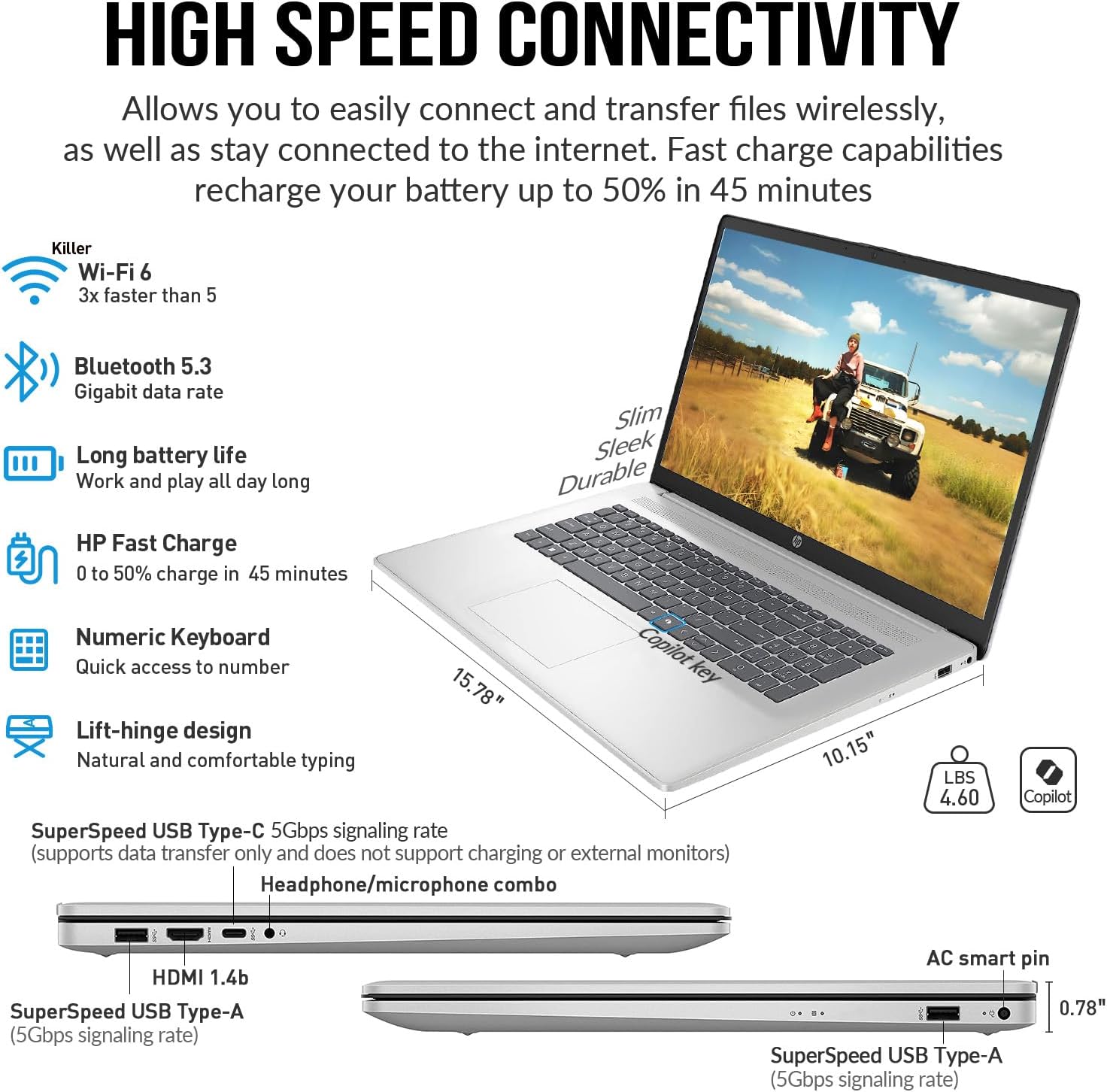
ภาพ: ด้านข้าง view of the HP 17.3-inch Laptop PC, highlighting its SuperSpeed USB-C, USB-A, HDMI, and headphone/microphone combo ports.
4. คู่มือการใช้งาน
4.1 การจัดการพลังงาน
- เปิดเครื่อง: กดปุ่มเปิด/ปิด
- โหมดสลีป: ปิดฝาแล็ปท็อปหรือเลือก 'พักเครื่อง' จากเมนูเริ่มต้น
- ปิดระบบ: เลือก 'ปิดเครื่อง' จากเมนูเริ่มต้น
- เริ่มต้นใหม่อีกครั้ง: Select 'Restart' from the Start menu.
4.2 คีย์บอร์ดและทัชแพด
The full-size keyboard includes a numeric keypad for data entry. The touchpad supports multi-touch gestures for navigation. Refer to Windows 11 Pro settings for customizing touchpad gestures.
4.3 Using the Copilot Key
Your laptop features a dedicated Copilot key. Press this key to instantly access the AI-powered assistant in Windows 11 Pro for various tasks, summaries, and creative assistance.
4.4 Multimedia Usage
Utilize the HP True Vision 720p HD camera for video conferencing. The integrated privacy shutter can be manually slid to cover the camera lens when not in use, ensuring your privacy. B&O-tuned speakers provide clear audio for entertainment and communication.

Image: The HP 17.3-inch Laptop PC displaying a video call, emphasizing the HP True Vision 720p HD camera with privacy shutter and dual array microphones.
4.5 การสาธิตวิดีโอ
รับชมวิดีโอนี้เพื่อรับข้อมูลโดยย่อview of the HP 17 business laptop's features and performance.
Video: A short demonstration of the HP 17 business laptop, highlighting its screen and overall functionality.
5. การดูแลรักษา
- การทำความสะอาด: ใช้ผ้าเนื้อนุ่มที่ไม่เป็นขุยเช็ดทำความสะอาดหน้าจอและภายนอก หลีกเลี่ยงสารเคมีรุนแรง
- การดูแลแบตเตอรี่ To prolong battery life, avoid extreme temperatures and fully discharging the battery frequently. The laptop supports HP Fast Charge.
- การอัปเดตซอฟต์แวร์: Regularly update Windows 11 Pro and device drivers to ensure optimal performance and security.
- การจัดการพื้นที่เก็บข้อมูล: ล้างสิ่งที่ไม่จำเป็นออกเป็นระยะๆ fileเพื่อรักษาประสิทธิภาพการทำงานของ SSD ให้อยู่ในระดับที่เหมาะสม
6 การแก้ไขปัญหา
หากพบปัญหา โปรดลองวิธีแก้ปัญหาทั่วไปต่อไปนี้:
- ไม่มีไฟฟ้า: ตรวจสอบให้แน่ใจว่าอะแดปเตอร์ AC เชื่อมต่อกับแล็ปท็อปและเต้ารับไฟฟ้าที่ใช้งานได้แน่นหนา
- ปัญหาหน้าจอ: If the screen is blank, try adjusting the brightness or connecting an external monitor to check if the display is faulty.
- ประสิทธิภาพการทำงานช้า: ปิดแอปพลิเคชันที่ไม่จำเป็น ตรวจสอบกระบวนการเบื้องหลัง และตรวจสอบให้แน่ใจว่ามีพื้นจัดเก็บข้อมูลว่างเพียงพอ
- ปัญหาการเชื่อมต่อ: For Wi-Fi or Bluetooth issues, try restarting the laptop and your router/Bluetooth device. Check device manager for driver status.
- ปัญหาด้านเสียง: Verify volume settings, check speaker connections, and update audio drivers.
7. ข้อมูลจำเพาะทางเทคนิค
| คุณสมบัติ | ข้อมูลจำเพาะ |
|---|---|
| ขนาดหน้าจอยืน | 17.3 นิ้ว |
| ความละเอียดหน้าจอ | 1600 x 900 พิกเซล (HD+) |
| โปรเซสเซอร์ | Intel Core i3 (up to 3.8 GHz, 8 cores) |
| แรม | แรม 32GB DDR4 |
| ฮาร์ดไดรฟ์ | SSD ขนาด 1 TB (PCIe NVMe M.2) |
| โคโปรเซสเซอร์กราฟิก | กราฟิก Intel UHD |
| ประเภทไร้สาย | 802.11ax (Wi-Fi 6), บลูทูธ 5.3 |
| ระบบปฏิบัติการ | วินโดวส์ 11 โปร |
| น้ำหนักสินค้า | 4.6 ปอนด์ |
| ขนาดสินค้า | 15.78 x 10.15 x 0.78 นิ้ว |
| สี | เงิน |
| คุณสมบัติพิเศษ | Copilot key, Numeric Keypad |
8. การรับประกันและการสนับสนุน
For warranty information, technical support, or service inquiries, please refer to the documentation included with your product or visit the official HP support webไซต์ โปรดเก็บใบเสร็จรับเงินและหมายเลขซีเรียลของผลิตภัณฑ์ไว้ให้พร้อมเพื่อการบริการที่รวดเร็วยิ่งขึ้น