1. บทนำ
The NYXI Warrior Wireless Switch Controller is a versatile gaming peripheral designed for enhanced gameplay across multiple platforms. It features advanced technologies such as Hall Effect Joysticks and Triggers for precision and longevity, micro mechanical switch buttons for rapid response, HD Rumble for immersive feedback, and a 6-axis gyroscope for motion sensing. This controller is compatible with Nintendo Switch, Nintendo GameCube (NGC), Wii, and PC.

Image: NYXI Warrior controllers in various colors, highlighting the product line.
2. เนื้อหาบรรจุภัณฑ์
- NYXI Warrior Wireless Switch Controller
- ตัวรับสัญญาณไร้สาย USB
- สายชาร์จ USB-C
- คู่มือการใช้งาน (เอกสารนี้)

Image: The NYXI Warrior controller and its wireless receiver.
3. คู่มือการติดตั้ง
3.1 การชาร์จคอนโทรลเลอร์
Before first use, fully charge the controller. Connect the supplied USB-C charging cable to the controller's USB-C port and the other end to a USB power source (e.g., console, PC, or USB wall adapter). The indicator lights on the controller will show charging status and turn off when fully charged. A full charge typically takes approximately 2-3 hours.
3.2 การเชื่อมต่อกับอุปกรณ์
3.2.1 การเชื่อมต่อ Nintendo Switch
- เปิดเครื่อง Nintendo Switch ของคุณ
- จากเมนู HOME เลือก ตัวควบคุม, แล้ว เปลี่ยนกริป/สั่งซื้อ.
- กดปุ่มค้างไว้ ปุ่มจับคู่ on the top of the NYXI Warrior controller for 3 seconds until the indicator lights begin to flash rapidly.
- เมื่อเชื่อมต่อแล้ว ไฟแสดงสถานะของผู้เล่นที่เกี่ยวข้องบนตัวควบคุมจะติดสว่างตลอดเวลา
3.2.2 PC/NGC/Wii Connection (via USB Wireless Receiver)
- Insert the USB Wireless Receiver into an available USB port on your PC, NGC, or Wii console.
- Ensure the NYXI Warrior controller is powered on.
- The controller should automatically connect to the receiver. The indicator light on the receiver and controller will become solid once a connection is established.
- For PC, additional driver installation may be required depending on the operating system. Refer to your PC's documentation for USB device setup.

Image: The NYXI Warrior controller connected to a laptop via its USB receiver, demonstrating PC compatibility.

Image: The NYXI Warrior controller with a Nintendo Wii console, illustrating Wii compatibility.
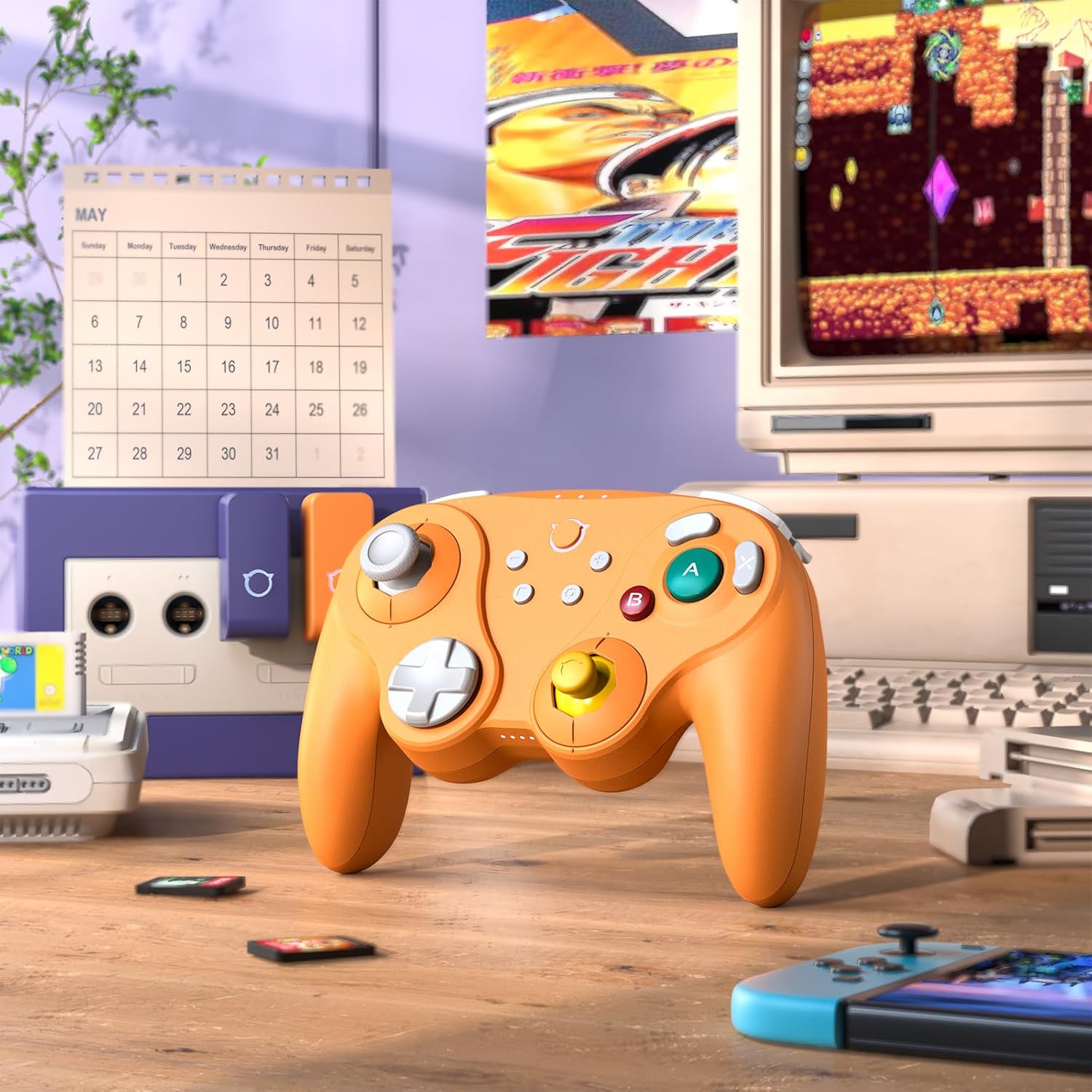
Image: The NYXI Warrior controller with a retro gaming setup, illustrating GameCube compatibility.
4. คู่มือการใช้งาน
4.1 เค้าโครงปุ่มและฟังก์ชั่น
The NYXI Warrior controller features a comprehensive button layout for various gaming needs:
- แท่งอนาล็อกซ้าย: สำหรับการเคลื่อนไหวและควบคุมกล้อง
- ดี-แพด: การป้อนข้อมูลแบบทิศทาง
- อนาล็อกสติ๊กขวา: For camera control or specific in-game actions.
- ปุ่ม A/B/X/Y: Action buttons with micro mechanical switches for precise and rapid input.
- ปุ่ม L/R: กระดุมไหล่
- ตัวกระตุ้น ZL/ZR: Hall Effect analog triggers for precise input, adjustable for different gameplay styles.
- ปุ่ม +/-: Start/Select or Menu functions.
- ปุ่มโฮม: กลับไปยังหน้าจอหลักของเครื่องเล่นเกม
- ปุ่มจับภาพหน้าจอ: จับภาพหน้าจอ
- Programmable Back Paddles (M1/M2): Located on the underside, these can be assigned to various button functions.

ภาพ: ด้านหน้า view of the NYXI Warrior controller, illustrating its button layout.

ภาพ: ด้านหลัง view of the NYXI Warrior controller, highlighting the programmable back paddles.

ภาพ: มุมมองด้านบน view of the NYXI Warrior controller, showing triggers and charging port.

Image: Two users playing with NYXI Warrior controllers, demonstrating in-game use.
คุณสมบัติขั้นสูง 4.2 ประการ
4.2.1 จอยสติ๊กและไกปืนแบบ Hall Effect
The controller utilizes Hall Effect technology for its joysticks and triggers. This magnetic sensing technology prevents stick drift and ensures precise, long-lasting input. The triggers are also adjustable, allowing users to fine-tune their activation distance based on personal preference or game requirements.

Image: Illustration of the Hall Effect Joystick technology.

Image: Adjustable Hall Sensing Triggers feature.
4.2.2 Micro Mechanical Switch Buttons
The A/B/X/Y buttons and D-pad utilize micro mechanical switches, offering a short travel distance of approximately 0.3mm and a response speed of 0.2ms. This design provides tactile feedback and minimal latency, crucial for competitive gaming.

Image: Microswitches for A/B/X/Y buttons and D-pad.
4.2.3 ไจโรสโคป 6 แกน
The integrated 6-axis gyroscope supports motion sensing, particularly useful for games on the Nintendo Switch that utilize tilt or motion controls.

Image: 6-Axis Gyroscope feature illustration.
4.2.4 HD Rumble
The controller features HD Rumble, providing enhanced vibration feedback that can convey a wider range of sensations, from subtle tremors to powerful impacts, enriching the gaming experience.

Image: HD Rumble feature illustration.
4.2.5 Programmable Back Paddles and Turbo Function
The interchangeable back paddles (M1 and M2) can be programmed to replicate other button inputs, offering additional customization and ergonomic advantages. The controller also supports a turbo function for rapid, repeated button presses. Refer to the specific programming instructions provided with the controller for detailed steps on assigning functions to the back paddles and activating turbo mode.

Image: Interchangeable Back Paddle Design.
5. การบำรุงรักษา
- การทำความสะอาด: ใช้ผ้าแห้งนุ่มๆ เช็ดทำความสะอาดพื้นผิวของตัวควบคุม สำหรับคราบสกปรกที่ติดแน่น ให้ใช้ผ้าชุบน้ำหมาดๆ เช็ดเบาๆampชุบผ้าด้วยน้ำ หลีกเลี่ยงการใช้สารเคมีรุนแรงหรือวัสดุที่มีฤทธิ์กัดกร่อน
- พื้นที่จัดเก็บ: เก็บตัวควบคุมไว้ในที่แห้งและเย็น ห่างจากแสงแดดโดยตรงและอุณหภูมิที่สูงหรือต่ำมาก
- การดูแลแบตเตอรี่ To prolong battery life, avoid fully discharging the controller frequently. If storing for an extended period, charge the battery to approximately 50% every few months.
- การจัดการ: หลีกเลี่ยงการทำคอนโทรลเลอร์ตกหรือโดนแรงกระแทกรุนแรง เพราะอาจทำให้ชิ้นส่วนภายในเสียหายได้
6 การแก้ไขปัญหา
6.1 ตัวควบคุมไม่เชื่อมต่อ
- ตรวจสอบให้แน่ใจว่าตัวควบคุมมีประจุเพียงพอ
- Verify the USB Wireless Receiver is securely plugged into the console/PC.
- For Switch, ensure you are in the "Change Grip/Order" menu.
- Try re-pairing the controller by pressing the pairing button.
- Restart your console/PC and the controller.
6.2 อาการหน่วงของอินพุต หรือปุ่มกดไม่ตอบสนอง
- ตรวจสอบให้แน่ใจว่าไม่มีแหล่งรบกวนสัญญาณไร้สายที่รุนแรงอยู่บริเวณใกล้เคียง (เช่น เราเตอร์ Wi-Fi อุปกรณ์ไร้สายอื่นๆ)
- ขยับเข้าไปใกล้คอนโซล/พีซี
- ตรวจสอบว่าแบตเตอรี่ของตัวควบคุมเหลือน้อยหรือไม่
- Perform a controller reset (refer to manufacturer's specific reset procedure if available, typically a small pinhole button).
6.3 การปรับเทียบจอยสติ๊ก
While Hall Effect joysticks are designed to prevent drift, if you experience any unusual behavior, you may need to recalibrate them through your console's system settings (e.g., Nintendo Switch System Settings > Controllers and Sensors > Calibrate Control Sticks).
7. ข้อมูลจำเพาะ
| หมายเลขรุ่น | นักรบ |
| ASIN | B0FB9577L9 |
| ขนาดแพ็คเกจ | 7.64 x 7.52 x 3.58 นิ้ว |
| น้ำหนักสินค้า | 1.54 ปอนด์ |
| แบตเตอรี่ | แบตเตอรี่ลิเธียมไอออน 1 ก้อน (รวมอยู่ด้วย) |
| วันที่พร้อมใช้งานครั้งแรก | 24 มีนาคม 2025 |
8. การรับประกันและการสนับสนุน
For information regarding warranty coverage, technical support, or replacement parts, please refer to the official NYXI website or contact the retailer from whom the product was purchased. Keep your proof of purchase for warranty claims.
ร้านค้า NYXI อย่างเป็นทางการ: ร้านค้า NYXI บน Amazon


