1. บทนำ
This manual provides detailed instructions for the proper use, setup, and maintenance of your WIWU OWS O300 Wireless Earbuds. Please read this manual thoroughly before using the product to ensure optimal performance and longevity.
2. เนื้อหาบรรจุภัณฑ์
ตรวจสอบว่ารายการทั้งหมดที่ระบุไว้ด้านล่างมีอยู่ในบรรจุภัณฑ์ผลิตภัณฑ์ของคุณ:
- WIWU OWS O300 Wireless Earbuds (Left and Right)
- เคสชาร์จไฟ
- สายชาร์จ USB-C
- คู่มือการใช้งาน
3. สินค้าหมดview
The WIWU OWS O300 earbuds feature an open-ear design for comfort and situational awareness, paired with a compact charging case.

Figure 3.1: WIWU OWS O300 Wireless Earbuds and Charging Case

Figure 3.2: WIWU OWS O300 Charging Case open with earbuds inside
ส่วนประกอบของเอียร์บัด
- ที่เกี่ยวหู: ช่วยให้กระชับพอดีกับหู
- หน่วยลำโพง: ส่งสัญญาณเสียง
- พื้นที่ควบคุมแบบสัมผัส: สำหรับจัดการการเล่น การโทร และฟังก์ชั่นอื่นๆ
- ไมโครโฟน: สำหรับการโทรด้วยเสียง
- หน้าสัมผัสการชาร์จ: เชื่อมต่อกับเคสชาร์จ
ส่วนประกอบของเคสชาร์จ
- ช่องใส่หูฟัง: ถือและชาร์จหูฟังเอียร์บัด
- พอร์ตชาร์จ USB-C: สำหรับชาร์จเคส
- ไฟแสดงสถานะ LED: แสดงสถานะการชาร์จและระดับแบตเตอรี่
4. การตั้งค่า
4.1 การชาร์จหูฟังและเคส
ก่อนใช้งานครั้งแรก ควรชาร์จหูฟังและเคสชาร์จให้เต็มก่อน
- วางหูฟังลงในกล่องชาร์จ ตรวจสอบให้แน่ใจว่าขั้วสัมผัสการชาร์จตรงกัน
- เสียบสายชาร์จ USB-C เข้ากับพอร์ตชาร์จบนเคส และเสียบปลายอีกด้านหนึ่งเข้ากับแหล่งจ่ายไฟ (เช่น อะแดปเตอร์ USB ติดผนัง หรือพอร์ต USB ของคอมพิวเตอร์)
- The LED indicator on the case will show the charging status. A full charge typically takes approximately 1.5 hours.
- เมื่อชาร์จเต็มแล้ว ให้ถอดสายชาร์จออก
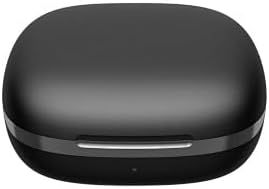
Figure 4.1: WIWU OWS O300 Charging Case in closed state
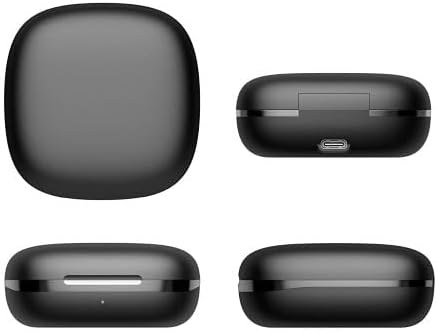
รูปที่ 4.2 : ต่างๆ views of the WIWU OWS O300 charging case, highlighting its design and USB-C charging port
4.2 การจับคู่กับอุปกรณ์
- Ensure the earbuds are charged. Open the charging case; the earbuds will automatically enter pairing mode. The LED indicator on the earbuds may flash to indicate pairing readiness.
- เปิดใช้งาน Bluetooth บนอุปกรณ์ของคุณ (สมาร์ทโฟน แท็บเล็ต ฯลฯ)
- ค้นหา available Bluetooth devices and select "WIWU OWS O300" from the list.
- Once connected, a voice prompt will confirm successful pairing, and the earbud LED indicators will turn off or show a steady light.
- If pairing fails, place the earbuds back into the case, close it, and repeat the steps.
5. คู่มือการใช้งาน
5.1 เปิด/ปิดเครื่อง
- เปิดเครื่อง: เปิดกล่องชาร์จ หูฟังจะเปิดโดยอัตโนมัติ
- หมดแรง: ใส่หูฟังกลับเข้าไปในกล่องชาร์จและปิดฝา หูฟังจะปิดโดยอัตโนมัติและเริ่มชาร์จ
5.2 การเล่นเพลง
- เล่น/หยุดชั่วคราว: แตะที่พื้นที่ควบคุมแบบสัมผัสบนหูฟังข้างใดข้างหนึ่งหนึ่งครั้ง
- เพลงถัดไป: แตะสองครั้งที่พื้นที่ควบคุมแบบสัมผัสบนหูฟังด้านขวา
- แทร็กก่อนหน้า: แตะสองครั้งที่พื้นที่ควบคุมแบบสัมผัสบนหูฟังด้านซ้าย
- ปรับระดับเสียงขึ้น: แตะสามครั้งที่บริเวณควบคุมแบบสัมผัสบนหูฟังข้างขวา
- ลดเสียงลง: แตะสามครั้งที่บริเวณควบคุมแบบสัมผัสบนหูฟังข้างซ้าย
5.3 การจัดการการโทร
- รับ/วางสาย: แตะที่พื้นที่ควบคุมแบบสัมผัสบนหูฟังข้างใดข้างหนึ่งหนึ่งครั้ง
- ปฏิเสธสาย: กดปุ่มควบคุมแบบสัมผัสบนหูฟังข้างใดข้างหนึ่งค้างไว้ 2 วินาที
5.4 ผู้ช่วยเสียง
- เปิดใช้งาน Voice Assistant: กดค้างที่บริเวณควบคุมแบบสัมผัสบนหูฟังข้างใดข้างหนึ่งเป็นเวลา 3 วินาที (เมื่อไม่ได้อยู่ในระหว่างการสนทนา)

Figure 5.1: The open-ear design of the WIWU OWS O300 earbuds allows for situational awareness while listening.

Figure 5.2: Ergonomic design of the WIWU OWS O300 earbuds for a secure and comfortable fit.

Figure 5.3: The WIWU OWS O300 earbuds are suitable for various activities and environments, including outdoor use, office work, leisure, and sports.
6. การบำรุงรักษา
การบำรุงรักษาอย่างถูกต้องจะช่วยให้หูฟังของคุณมีอายุการใช้งานยาวนานและมีประสิทธิภาพ
- การทำความสะอาด: ใช้ผ้านุ่ม แห้ง และไม่เป็นขุยทำความสะอาดหูฟังและกล่องชาร์จ ห้ามใช้สารเคมีรุนแรงหรือวัสดุที่มีฤทธิ์กัดกร่อน
- หน้าสัมผัสการชาร์จ: ควรทำความสะอาดจุดสัมผัสการชาร์จทั้งบนหูฟังและเคสเป็นระยะด้วยสำลีแห้ง เพื่อให้แน่ใจว่ามีการเชื่อมต่อที่ดี
- พื้นที่จัดเก็บ: เมื่อไม่ใช้งาน ให้เก็บหูฟังไว้ในกล่องชาร์จเพื่อป้องกันฝุ่นและความเสียหาย เก็บในที่แห้งและเย็น ห่างจากอุณหภูมิที่สูงหรือต่ำเกินไป
- การสัมผัสน้ำ: Avoid exposing the earbuds or case to water or excessive moisture.
7 การแก้ไขปัญหา
If you encounter issues with your WIWU OWS O300 earbuds, refer to the following table for common problems and solutions.
| ปัญหา | สารละลาย |
|---|---|
| หูฟังไม่เปิดใช้งาน | Ensure the earbuds and charging case are fully charged. Place earbuds in the case and close the lid, then open again. |
| หูฟังไม่สามารถเชื่อมต่อกับอุปกรณ์ได้ | Make sure Bluetooth is enabled on your device. Place earbuds back in the case, close, then open to re-enter pairing mode. Forget "WIWU OWS O300" from your device's Bluetooth list and try pairing again. |
| ไม่มีเสียงหรือเสียงเบา | Check the volume level on both your device and the earbuds. Ensure earbuds are properly connected. Try playing different audio. |
| เคสชาร์จไม่ชาร์จ | Verify the USB-C cable is securely connected to both the case and the power source. Try a different cable or power adapter. |
| One earbud has no sound. | Ensure both earbuds are charged. Try placing both earbuds back into the case, closing it, and then taking them out again to re-establish connection. |
8. ข้อมูลจำเพาะ
Technical specifications for the WIWU OWS O300 Wireless Earbuds:
| คุณสมบัติ | รายละเอียด |
|---|---|
| แบบอย่าง | O300 |
| เวอร์ชันบลูทูธ | วี5.3 |
| บลูทู ธ ชิปเซ็ต | แอร์โรเฮีย AB1562M |
| ความจุแบตเตอรี่เอียร์บัด | 50mAh (ต่อหูฟังเอียร์บัด) |
| ความจุแบตเตอรี่ของเคสชาร์จ | 400mAh |
| พอร์ตชาร์จ | ยูเอสบี-ซี |
| เวลาในการชาร์จ | ประมาณ 1.5 ชั่วโมง |
| เวลาโทร | นานถึง 5 ชั่วโมง |
| เวลาเล่นเพลง | นานถึง 8 ชั่วโมง |
| เวลาสแตนด์บาย | นานถึง 12 เดือน |
| น้ำหนักสุทธิของหูฟัง | 7.5g ± 0.2g (per earbud) |
| น้ำหนักสุทธิของเคสชาร์จ | 52.6กรัม |
| ขนาดเอียร์บัด | 16.10มม. x 41.51มม. x 49.60มม. |
| ขนาดเคสชาร์จ | 66.71มม. x 66.28มม. x 28.97มม. |
| เทคโนโลยีการเชื่อมต่อ | ไร้สาย |
| การวางตำแหน่งหู | In Ear (Open-Ear Design) |
| ตัวเลือกสี | สีดำ, สีขาว |

Figure 8.1: The WIWU OWS O300 earbuds offer extended battery life for music playback, with additional charge provided by the charging case.
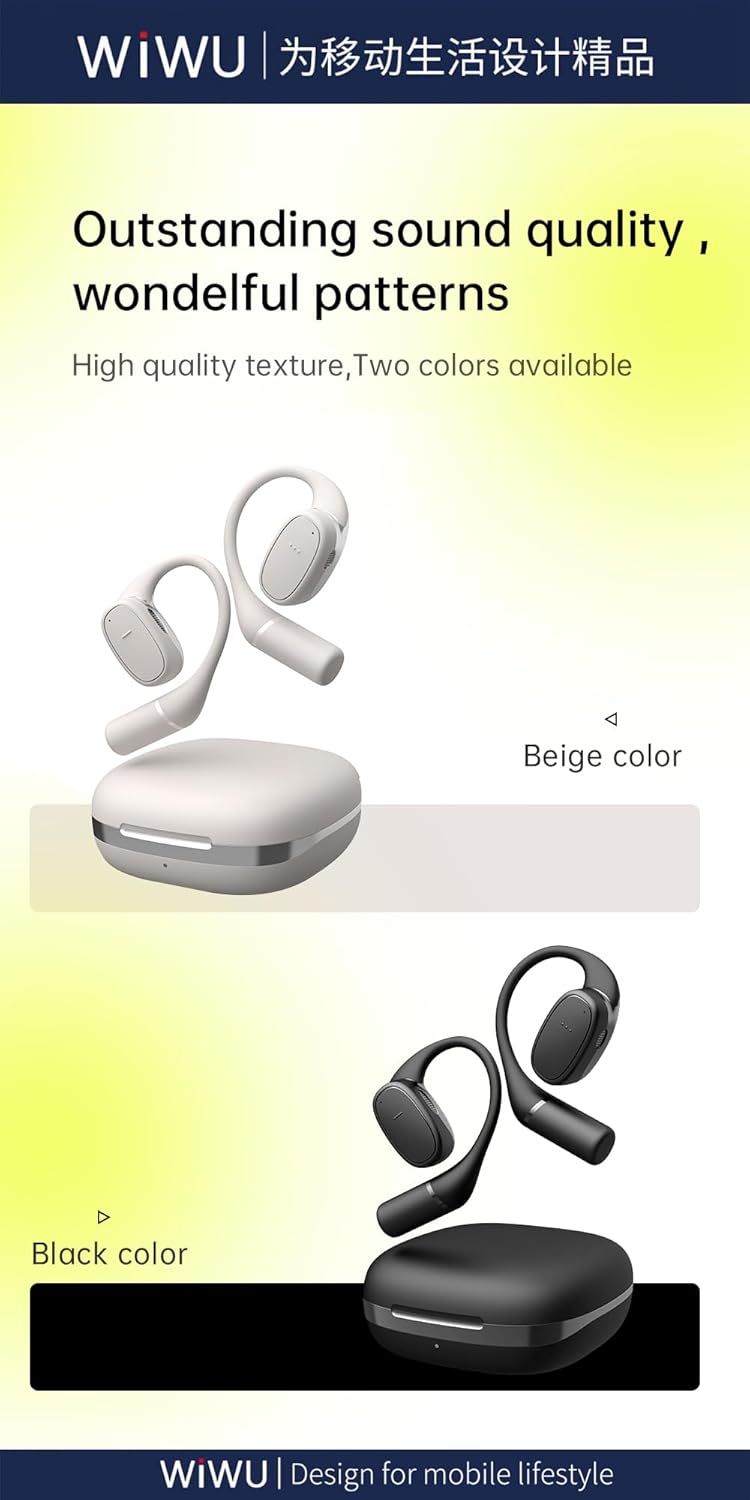
Figure 8.2: Available color options for the WIWU OWS O300 earbuds, including Black and White.
9. ข้อมูลการรับประกัน
WIWU products are covered by a limited warranty from the date of purchase. Please refer to the warranty card included in your package or visit the official WIWU webดูรายละเอียดข้อกำหนดและเงื่อนไขการรับประกันได้ที่เว็บไซต์ การรับประกันนี้โดยทั่วไปครอบคลุมข้อบกพร่องจากการผลิต แต่ไม่ครอบคลุมความเสียหายที่เกิดจากการใช้งานผิดวิธี อุบัติเหตุ หรือการดัดแปลงโดยไม่ได้รับอนุญาต
10. การสนับสนุน
For further assistance, technical support, or inquiries regarding your WIWU OWS O300 Wireless Earbuds, please contact WIWU customer service through their official webไซต์หรือข้อมูลการติดต่อที่ให้ไว้ในบรรจุภัณฑ์ผลิตภัณฑ์ของคุณ


