การแนะนำ
This manual provides essential instructions for the safe and efficient use of your GT POWER AC/DC Power Adapter, designed for compatibility with the Paxcess Rockman 200W Portable Power Station. Please read this manual thoroughly before use and retain it for future reference.

ภาพที่ 1: The GT POWER AC/DC Power Adapter. This image displays the main unit with its label, indicating input voltage (AC 100-240V), output (DC), and safety certifications. The attached power cable is also visible.
คำแนะนำเพื่อความปลอดภัย
เพื่อป้องกันการบาดเจ็บหรือความเสียหายต่อผลิตภัณฑ์ โปรดปฏิบัติตามข้อควรระวังด้านความปลอดภัยต่อไปนี้เสมอ:
- สำหรับใช้ภายในอาคารเท่านั้น: อะแดปเตอร์นี้ออกแบบมาสำหรับใช้ภายในอาคารเท่านั้น ห้ามใช้ในที่โดนฝน ความชื้น หรืออุณหภูมิที่สูงหรือต่ำเกินไป
- ฉบับที่เหมาะสมtage: ตรวจสอบให้แน่ใจปริมาณอินพุตtage of the power outlet matches the adapter's specifications (AC 100-240V).
- หลีกเลี่ยงการโอเวอร์โหลด: Do not connect devices that exceed the adapter's output capacity.
- คุณสมบัติการป้องกัน: The adapter includes Over Voltage Protection (OVP), Over Current Protection (OCP), and Short Circuit Protection (SCP). However, always use it responsibly.
- จัดการด้วยความระมัดระวัง: Do not drop, disassemble, or attempt to repair the adapter. Refer servicing to qualified personnel.
- เก็บให้ห่างจากเด็ก: เก็บอะแดปเตอร์ให้พ้นมือเด็ก
- ถอดปลั๊กเมื่อไม่ได้ใช้งาน: ควรถอดอะแดปเตอร์ออกจากเต้ารับไฟฟ้าเมื่อไม่ได้ใช้งานเป็นเวลานาน
การตั้งค่า
Follow these steps to set up your GT POWER AC/DC Power Adapter:
- ตรวจสอบอะแดปเตอร์: Before first use, visually inspect the adapter and its cable for any signs of damage. Do not use if damaged.
- เชื่อมต่อกับสถานีไฟฟ้า: Locate the charging input port on your Paxcess Rockman 200W Portable Power Station. Insert the barrel connector of the GT POWER adapter firmly into this port.
- เชื่อมต่อกับเต้ารับไฟฟ้า: Plug the AC prongs of the adapter into a standard AC 100-240V wall outlet. Ensure the connection is secure.


ภาพที่ 2 และ 3: ด้านข้าง views of the GT POWER AC/DC Power Adapter. These images show the compact design of the adapter, including the AC prongs and the ribbed surface for heat dissipation.
คำแนะนำการใช้งาน
Once connected, the adapter will begin charging the Paxcess Rockman 200W Portable Power Station. Refer to your power station's manual for specific charging indicators and times.
- ตัวบ่งชี้การชาร์จ: The power station will typically display a charging icon or indicator light when receiving power.
- เวลาในการชาร์จ: Charging duration depends on the power station's battery level and capacity.
- การตัดการเชื่อมต่อ: Once charging is complete, first unplug the adapter from the wall outlet, then disconnect the barrel connector from the power station.
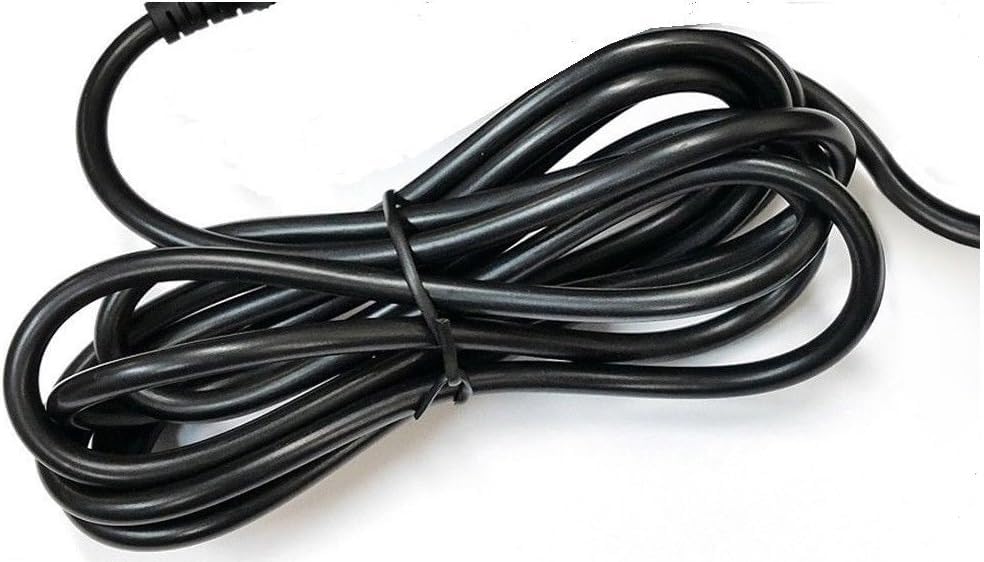
ภาพที่ 4: The heavy-duty power cable of the GT POWER AC/DC Power Adapter. This image highlights the robust construction of the cable, designed for durability.
การซ่อมบำรุง
การบำรุงรักษาอย่างถูกต้องจะช่วยให้มั่นใจได้ถึงอายุการใช้งานที่ยาวนานและการทำงานที่ปลอดภัยของอะแดปเตอร์ของคุณ:
- การทำความสะอาด: Use a dry, soft cloth to clean the adapter. Do not use liquid cleaners or solvents.
- พื้นที่จัดเก็บ: Store the adapter in a cool, dry place away from direct sunlight and moisture when not in use.
- การดูแลสายเคเบิล: หลีกเลี่ยงการดัดหรือบิดสายไฟมากเกินไป และอย่าวางสิ่งของหนักทับสายไฟ
การแก้ไขปัญหา
If you encounter issues with your GT POWER AC/DC Power Adapter, refer to the following common solutions:
| ปัญหา | สาเหตุที่เป็นไปได้ | สารละลาย |
|---|---|---|
| สถานีจ่ายไฟไม่ชาร์จไฟ |
|
|
| อะแดปเตอร์ร้อนผิดปกติ |
|
|
ข้อมูลจำเพาะ
| คุณสมบัติ | รายละเอียด |
|---|---|
| ยี่ห้อ | จีที พาวเวอร์ |
| อุปกรณ์ที่รองรับ | Paxcess Rockman 200W Portable Power Station |
| ประเภทขั้วต่อ | บาร์เรล |
| อินพุต Voltage | 110 Volts (AC) / AC 100-240V (from image label) |
| ปริมาณการส่งออกtage | 15 โวลต์ (กระแสตรง) Note: Product specifications listed "15 Volts (AC)", but the adapter label indicates "Output: DC", which is standard for charging portable power stations. |
| กระแสไฟขาออก | 3 Amps |
| คุณสมบัติพิเศษ | Short Circuit Protection (SCP), Over Voltage Protection (OVP), Over Current Protection (OCP) |
| น้ำหนักสินค้า | 6 ออนซ์ |
| ผู้ผลิต | จีทีพาวเวอร์ |
การรับประกันและการสนับสนุน
Your GT POWER AC/DC Power Adapter comes with the following:
- การรับประกัน: One Year Warranty.
- นโยบายการคืนสินค้า: 30 Days Money Back Guarantee.
For technical support or warranty claims, please contact your retailer or the manufacturer directly. Refer to your purchase documentation for contact information.


