1. บทนำ
This manual provides essential information for the proper setup, operation, and maintenance of your Ulefone Armor 29 Ultra 5G rugged smartphone. Please read this guide thoroughly before using your device to ensure optimal performance and longevity.
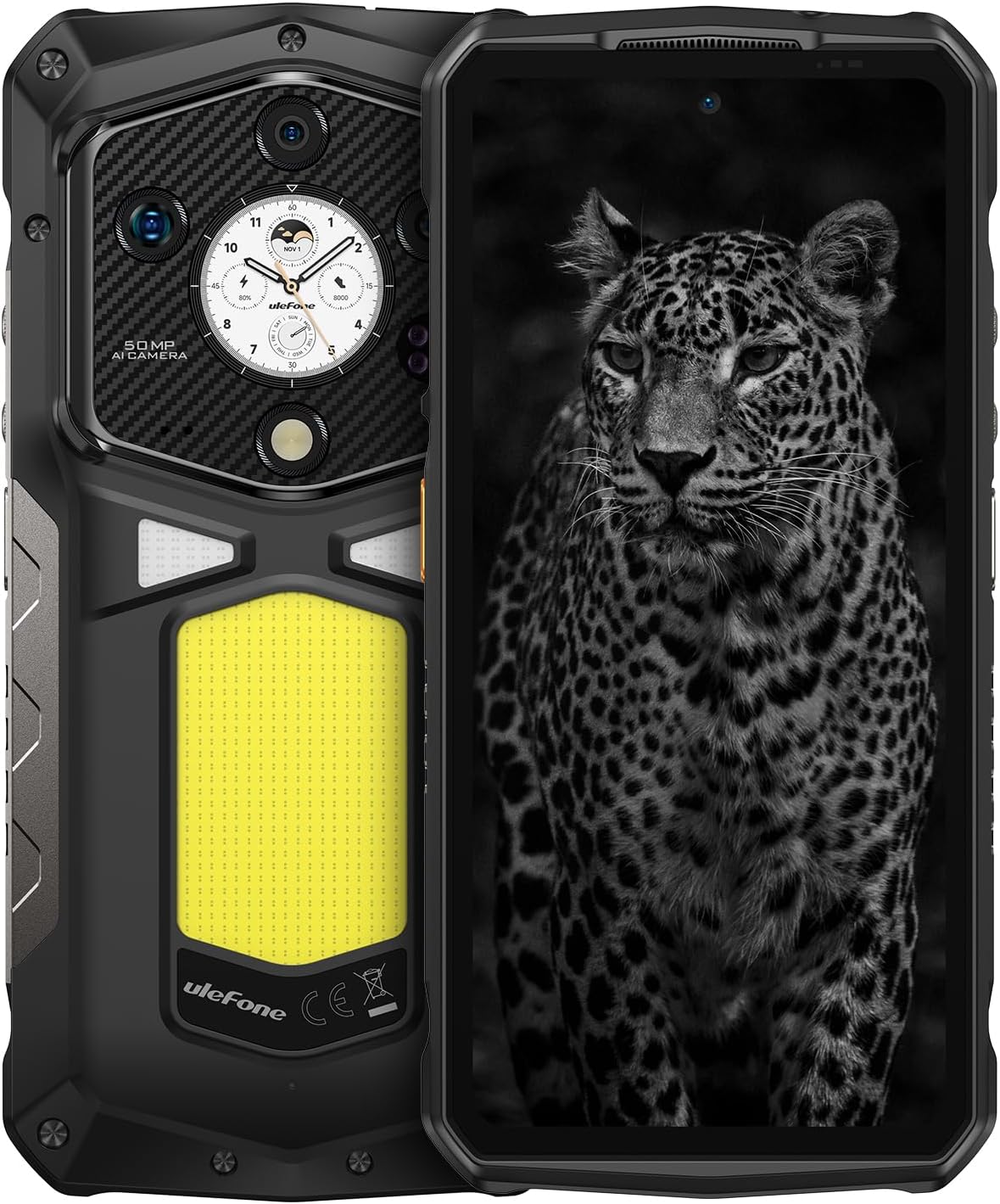
ภาพที่ 1.1: ด้านหน้าและด้านหลัง view of the Ulefone Armor 29 Ultra 5G smartphone.
2. การตั้งค่า
2.1 สิ่งของในกล่อง
ตรวจสอบว่ามีรายการทั้งหมดอยู่ในแพ็คเกจ:
- Ulefone Armor 29 Ultra 5G Smartphone
- เครื่องชาร์จไฟ AC (100~240V)
- สายเคเบิลข้อมูล Type-C ถึง Type-C (100 ซม.)
- ฟิล์มกันรอยหน้าจอ (ติดมาแล้วหรือแยกชิ้น)
- ตัวดันถาดซิม
- สายคล้องคอ

Image 2.1: Contents included in the Ulefone Armor 29 Ultra retail box.
2.2 การติดตั้งซิมการ์ด
- ค้นหาถาดใส่การ์ด SIM ที่ด้านข้างของอุปกรณ์
- ใส่เครื่องมือถอดถาดซิมเข้าไปในรูเล็ก ๆ ข้างถาดแล้วกดให้แน่นจนกว่าถาดจะดีดออกมา
- ใส่การ์ด Nano-SIM และ/หรือการ์ด microSD ลงในช่องที่กำหนดบนถาด ตรวจสอบให้แน่ใจว่าวางตำแหน่งถูกต้อง
- ค่อยๆ ใส่ถาดกลับเข้าไปในโทรศัพท์จนกระทั่งแนบสนิทกับตัวเครื่อง
2.3 การเปิดเครื่องครั้งแรก
Press and hold the Power button (located on the right side of the phone) until the Ulefone logo appears. Follow the on-screen instructions to complete the initial setup, including language selection, Wi-Fi connection, and Google account setup.
3. คู่มือการใช้งาน
3.1 ประสิทธิภาพและการจัดเก็บ
The Armor 29 Ultra is powered by the MediaTek Dimensity 9300+ processor, offering robust performance. It features up to 32GB RAM (16GB physical + 16GB virtual) and 1TB internal storage, expandable up to 2TB via microSD card.
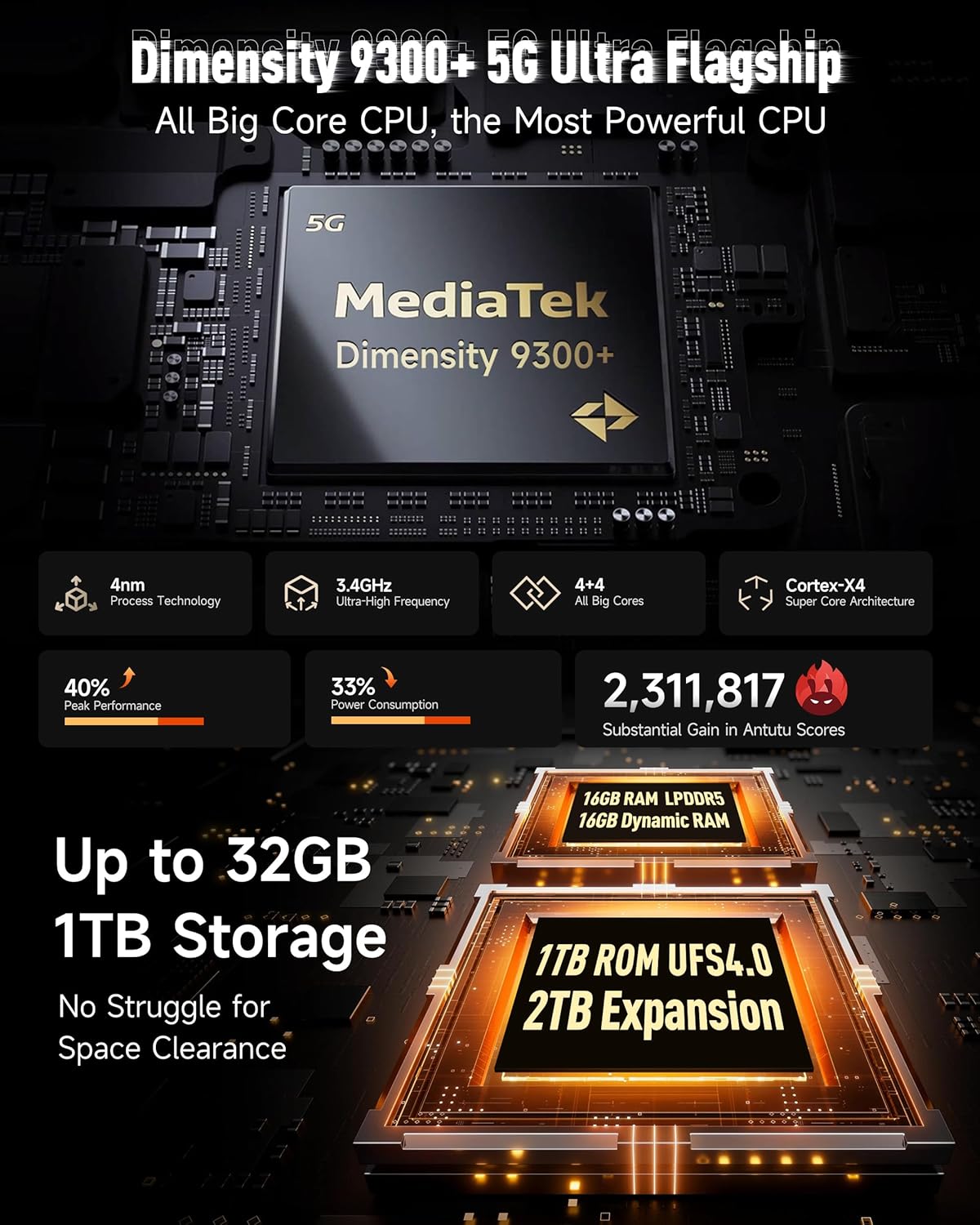
ภาพที่ 3.1: จบแล้วview of the Dimensity 9300+ processor and memory configuration.
3.2 Dual AMOLED Display
The device features a 6.67-inch flexible AMOLED main display with a 120Hz refresh rate and up to 2200 nits peak brightness. A 1.04-inch flexible AMOLED sub-display on the rear provides quick access to notifications, music controls, and selfie previews.

Image 3.2: Details of the 6.67-inch main AMOLED display and the 1.04-inch sub-display.
3.3 ระบบกล้อง
The Armor 29 Ultra is equipped with a versatile camera system:
- กล้องหลัก 50MP: 1-inch Sony IMX989 sensor, capable of 8K video recording.
- กล้องมองกลางคืน 64 ล้านพิกเซล: OMNIVISION OV64B sensor with 4 infrared LEDs for enhanced low-light visibility.
- 50MP Ultra-wide Macro Lens: Samsung JN1 sensor with a 117.3° field of view.
- กล้องหน้า 50MP: For high-resolution selfies and video calls.

ภาพที่ 3.3: จบแล้วview of the triple rear camera setup and front camera.
3.4 แบตเตอรี่และการชาร์จ
The device features a 21200mAh battery. It supports 120W flash charging, allowing for a 20% charge in approximately 10 minutes. Additionally, it offers 10W reverse charging to power other devices.

Image 3.4: Details on the 21200mAh battery capacity and 120W fast charging capabilities.
3.5 LED Light and Warning Lights
The Armor 29 Ultra includes a powerful 1000-lumen LED camping light with 570 LEDs and a 5-watt output. It also features red and blue warning lights for emergency situations, which can operate in constant or flashing modes with selectable alarm sounds.

Image 3.5: Illustration of the 1000-lumen LED light and emergency warning lights.
3.6 ความแข็งแกร่งและความทนทาน
The phone is designed to meet MIL-STD 810G standards and boasts IP68 and IP69K ratings, providing protection against water, dust, dirt, sand, humidity, and salt mist. The display is protected by Corning Gorilla Glass 5.

Image 3.6: Visual representation of the phone's IP68/IP69K and MIL-STD-810H durability ratings.
3.7 การเชื่อมต่อ
The Armor 29 Ultra supports global 5G networks with dual SIM dual standby. It features Wi-Fi 7, Bluetooth 5.4, NFC, Infrared, USB 3.2 Gen 2, and comprehensive GPS (GPS + GLONASS + Beidou + Galileo).

Image 3.7: Information on 5G network support and Wi-Fi 7 capabilities.
3.8 ตัวเชื่อมต่อขยาย uSmart
The device includes a uSmart Expansion Connector for compatibility with various external accessories, enhancing its functionality for specialized tasks.

Image 3.8: The uSmart Expansion Connector and exampอุปกรณ์เสริมที่ใช้งานร่วมกันได้มีจำนวนน้อยลง
3.9 Android 15 and AI Features
The Armor 29 Ultra runs on Android 15, offering the latest features and security updates. It integrates an AI engine for enhanced computations and supports third-party AI applications.

ภาพที่ 3.9: ภาพแสดงส่วนติดต่อผู้ใช้ของระบบปฏิบัติการ Android 15
4. การบำรุงรักษา
4.1 การดูแลทั่วไป
- ควรหลีกเลี่ยงการวางโทรศัพท์ไว้ในที่ที่มีอุณหภูมิสูงหรือต่ำเกินไป หรือโดนแสงแดดโดยตรงเป็นเวลานาน
- ห้ามถอดชิ้นส่วนอุปกรณ์ด้วยตนเอง เพราะจะทำให้การรับประกันเป็นโมฆะและอาจทำให้เกิดความเสียหายได้
- Keep the charging port and other openings free from dust and debris.
4.2 การทำความสะอาด
To clean the device, use a soft, lint-free cloth. For stubborn dirt, a slightly damp cloth with mild soap can be used, ensuring all ports are securely closed. Avoid using harsh chemicals or abrasive materials.
4.3 การอัปเดตซอฟต์แวร์
ตรวจสอบและติดตั้งการอัปเดตซอฟต์แวร์เป็นประจำเพื่อให้มั่นใจถึงประสิทธิภาพ ความปลอดภัย และการเข้าถึงฟีเจอร์ใหม่ๆ ที่ดีที่สุด ไปที่ การตั้งค่า > ระบบ > อัปเดตระบบ เพื่อตรวจสอบการอัปเดตที่มีอยู่
5 การแก้ไขปัญหา
5.1 อุปกรณ์ไม่เปิดเครื่อง
- ตรวจสอบให้แน่ใจว่าแบตเตอรี่ชาร์จเต็มแล้ว เสียบโทรศัพท์เข้ากับเครื่องชาร์จและรอสักครู่ก่อนลองเปิดเครื่องอีกครั้ง
- กดปุ่มเปิด/ปิดค้างไว้อย่างน้อย 10-15 วินาที เพื่อบังคับรีสตาร์ท
5.2 ปัญหาการชาร์จ
- ตรวจสอบให้แน่ใจว่าสายชาร์จและอะแดปเตอร์เชื่อมต่อแน่นหนาและไม่มีความเสียหาย
- ลองใช้เครื่องชาร์จและสายเคเบิลอื่นที่เข้ากันได้
- ใช้แปรงขนนุ่มและแห้งทำความสะอาดช่องเสียบชาร์จเบา ๆ เพื่อขจัดเศษฝุ่นหรือสิ่งสกปรกออกไป
5.3 ปัญหาการเชื่อมต่อเครือข่าย
- ตรวจสอบว่าใส่และเปิดใช้งานซิมการ์ดอย่างถูกต้อง
- รีสตาร์ทโทรศัพท์
- ไปที่ การตั้งค่า > เครือข่ายและอินเทอร์เน็ต > เครือข่ายมือถือ and ensure mobile data is enabled and the correct network type is selected.
- รีเซ็ตการตั้งค่าเครือข่าย: การตั้งค่า > ระบบ > ตัวเลือกการรีเซ็ต > รีเซ็ต Wi-Fi มือถือ และบลูทูธ.
5.4 Camera Malfunction
- ล้างแคชและข้อมูลของแอปกล้อง: Settings > Apps > See all apps > Camera > Storage & cache > Clear cache / Clear storage.
- รีสตาร์ทโทรศัพท์
- ตรวจสอบให้แน่ใจว่าไม่มีสิ่งกีดขวางทางกายภาพบนเลนส์กล้อง
6. ข้อมูลจำเพาะ
| คุณสมบัติ | ข้อมูลจำเพาะ |
|---|---|
| ขนาดสินค้า | 6.98 x 3.37 x 1.32 นิ้ว |
| น้ำหนักสินค้า | 2.66 ปอนด์ (688 กรัม) |
| หมายเลขรุ่นสินค้า | arm29u |
| ระบบปฏิบัติการ | แอนดรอยด์ 15 |
| ความเร็วซีพียู | 3.4 GHz (Dimensity 9300+) |
| ขนาดหน่วยความจำ RAM ที่ติดตั้ง | หน่วยความจำ 32 GB (16 GB แบบกายภาพ + 16 GB แบบเสมือน) |
| ความจุของหน่วยความจำ | 1024 GB (1TB), expandable up to 2TB |
| ขนาดการแสดงผลหน้าจอยืน | 6.67 Inches (Main AMOLED) |
| Sub-Display Size | 1.04 นิ้ว (AMOLED) |
| อัตราการรีเฟรช | 120 Hz (จอแสดงผลหลัก) |
| ปณิธาน | 8K (Scanner Resolution, likely referring to video recording capability) |
| กล้องหลัก | 50MP (Sony IMX989, f/1.9) |
| กล้องมองกลางคืน | 64MP (OV64B, f/1.79) with 4 IR LEDs |
| กล้องอัลตร้าไวด์/มาโคร | 50MP (Samsung JN1, f/2.2, 117.3° FOV) |
| กล้องหน้า | 50MP |
| ความจุของแบตเตอรี่ | 21200 มิลลิวินาทีamp ชั่วโมง |
| การชาร์จไฟ | การชาร์จเร็ว 120 วัตต์, การชาร์จย้อนกลับ 10 วัตต์ |
| เทคโนโลยีการเชื่อมต่อ | Bluetooth 5.4, Infrared, NFC, USB 3.2 Gen 2, Wi-Fi 7, 5G |
| จีพีเอส | จีเอสจี, จีโลนัสส์, เป่ยโต้ว, กาลิเลโอ |
| คุณสมบัติพิเศษ | Always On Display, Dual Screen, Fast Charging, Rugged Body, Water Resistant, 1000LM LED Light, Custom Key, uSmart Expansion Connector |
| แจ็คเสียง | 3.5 มม. |
| ผู้ให้บริการไร้สาย | ปลดล็อคแล้ว |
7. การรับประกันและการสนับสนุน
7.1 ข้อมูลการรับประกัน
Ulefone provides a 12-month manufacturer warranty service in the US for the Armor 29 Ultra. This warranty covers manufacturing defects under normal use. Please retain your proof of purchase for warranty claims.
7.2 การสนับสนุนลูกค้า
For any questions, technical assistance, or warranty inquiries regarding your Ulefone Armor 29 Ultra, please contact Ulefone customer support. Refer to the contact information provided in your product packaging or visit the official Ulefone webเว็บไซต์สำหรับรายละเอียดการสนับสนุน


