1. บทนำ
The Eversolo Play streaming amplifier is an integrated unit combining an amplifier, audio DAC, and music streamer, designed for seamless integration into various home stereo systems. It offers bit-perfect audio reproduction and a streamlined setup, providing an immersive HiFi audio experience across all usage scenarios.
Key features include a 5.5-inch HD LCD touchscreen for intuitive control, compatibility with major music streaming services, extensive audio interfaces, multi-room playback capabilities, and advanced room correction. The CD Edition specifically includes a built-in CD drive for classic audio playback.
วิดีโอ 1.1: ผลิตภัณฑ์จบview
วิดีโอนี้ให้ข้อมูลที่ครอบคลุมview of the Eversolo Play, highlighting its design, features, and capabilities as an all-in-one music streamer and ampชีวิต.

Figure 1.1: Eversolo Play CD Edition
มุมด้านหน้า view of the Eversolo Play CD Edition, showcasing its compact design, 5.5-inch LCD touchscreen, and rotary control knob. The screen displays various music service icons.
2. อะไรอยู่ในกล่อง
Upon unboxing your Eversolo Play CD Edition, please ensure all the following items are present:
- Eversolo Play CD Edition Unit (x1)
- สายไฟ (x1)
- คู่มือเริ่มต้นอย่างรวดเร็ว (x1)
3. คู่มือการติดตั้ง
Follow these steps to set up your Eversolo Play CD Edition:
- การจัดวาง: Place the Eversolo Play on a stable, flat surface with adequate ventilation. Ensure it is not near heat sources or in direct sunlight.
- การเชื่อมต่อไฟฟ้า: Connect the provided power cable to the 'AC IN' port on the rear panel of the unit and then to a wall outlet.
- การเชื่อมต่อลำโพง: Connect your passive speakers to the 'SPEAKER' terminals on the rear panel. Ensure correct polarity (+ to + and - to -) for optimal sound. บันทึก: This device does NOT support active speakers.
- การเชื่อมต่อเครือข่าย: For streaming services and app control, connect the unit to your home network. You can use either an Ethernet cable connected to the 'GIGABIT LAN' port or connect via Wi-Fi through the device settings.
- Audio Source Connection (Optional):
- อินพุตดิจิตอล: Use 'OPTICAL IN' or 'COAX IN' for digital audio sources like TVs or game consoles.
- อินพุตแบบอะนาล็อก: Use 'LINE IN' for standard analog sources. For turntables, use the 'PHONO' input, which supports both MM/MC phono cartridges.
- ยูเอสบีเสียง: Connect USB storage devices or external DACs to the 'USB 3.0 (OTG)' or 'USB (AUDIO OUT)' ports.
- ซับวูฟเฟอร์: Connect a subwoofer to the 'SUB OUT' port for enhanced bass.
- เปิดเครื่องครั้งแรก: Press the power button on the rear panel to turn on the unit. Follow the on-screen instructions on the 5.5-inch LCD touchscreen for initial setup, including network configuration.
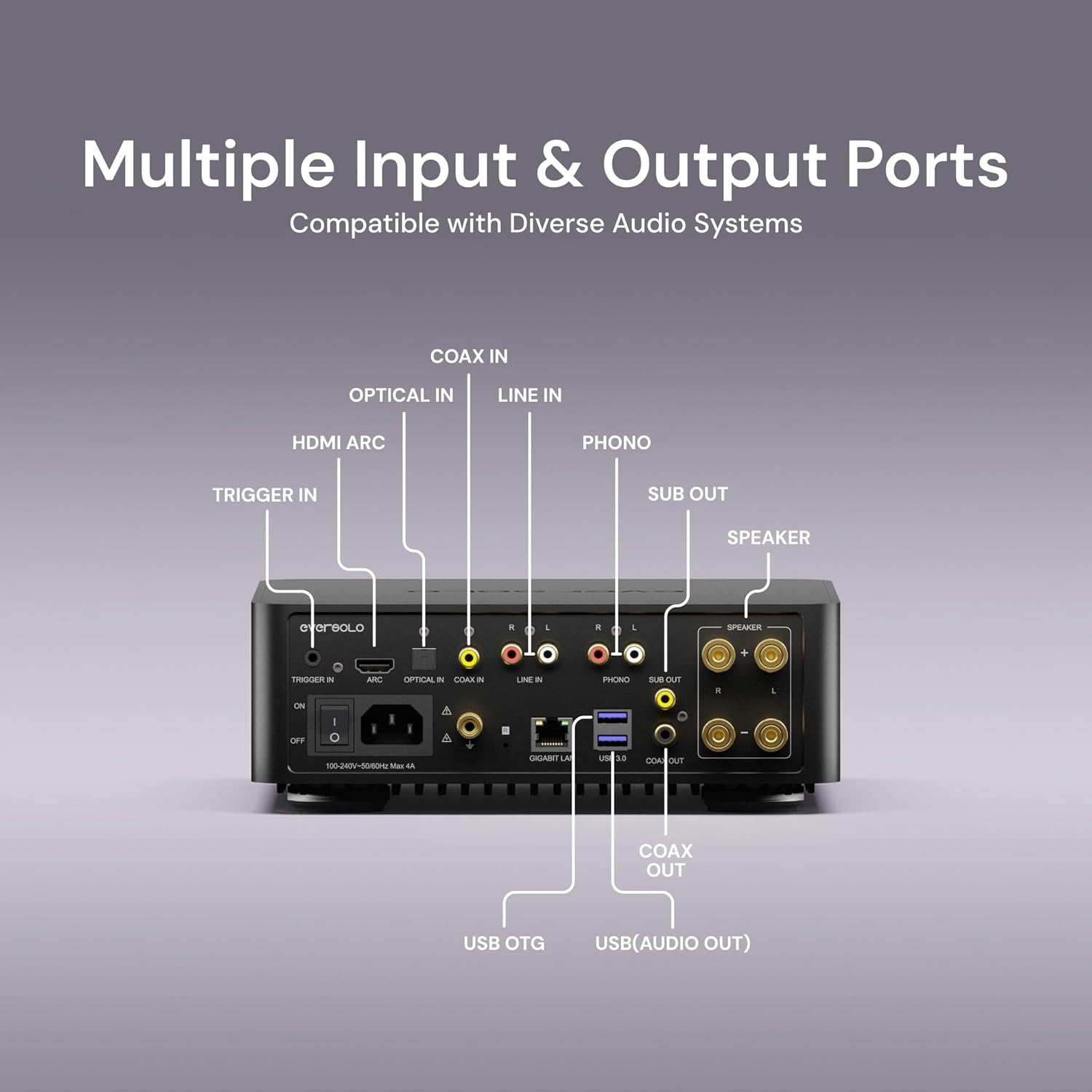
Figure 3.1: Multiple Input/Output Ports
รายละเอียด view of the Eversolo Play's rear panel, illustrating the various connectivity options including Trigger In, HDMI ARC, Optical In, Coax In, Line In, Phono, Sub Out, Speaker terminals, Gigabit LAN, USB 3.0 (OTG), USB (Audio Out), and Coax Out.
4. คู่มือการใช้งาน
4.1. การใช้งานหน้าจอสัมผัส
The 5.5-inch HD LCD touchscreen provides an intuitive and smooth user interface. All primary operations, such as browsing music libraries, switching playback modes, and adjusting settings, can be performed directly on the screen without needing a smartphone.
4.2. Eversolo Control App
For enhanced control and convenience, download the Eversolo Control app available for iOS, Android, and tablet devices. The app integrates extensive music streaming services and cloud storage platforms, offering global search, hybrid playback queues, screen mirroring, multi-device management, and Wake-on-LAN functionality.
Video 4.1: EVERSOLO Control Instruction
This video demonstrates the features and user interface of the Eversolo Control app, showing how to navigate music libraries, streaming services, and device settings from your mobile device.

Figure 4.1: Cross-Device Support
An illustration showing the Eversolo Control app running on an iPad, iPhone, and Android device, emphasizing its compatibility across different mobile platforms for remote control of the Eversolo Play.
4.3. การสตรีมเพลง
The Eversolo Play supports a wide range of mainstream music services, allowing you to stream directly through the device or via your smartphone. Supported services include Qobuz, Tidal, IDAGIO, Amazon Music, TuneIn Radio, Presto Music, KKBOX, Radio Paradise, Deezer, Roon Ready, TIDAL Connect, and Qobuz Connect.
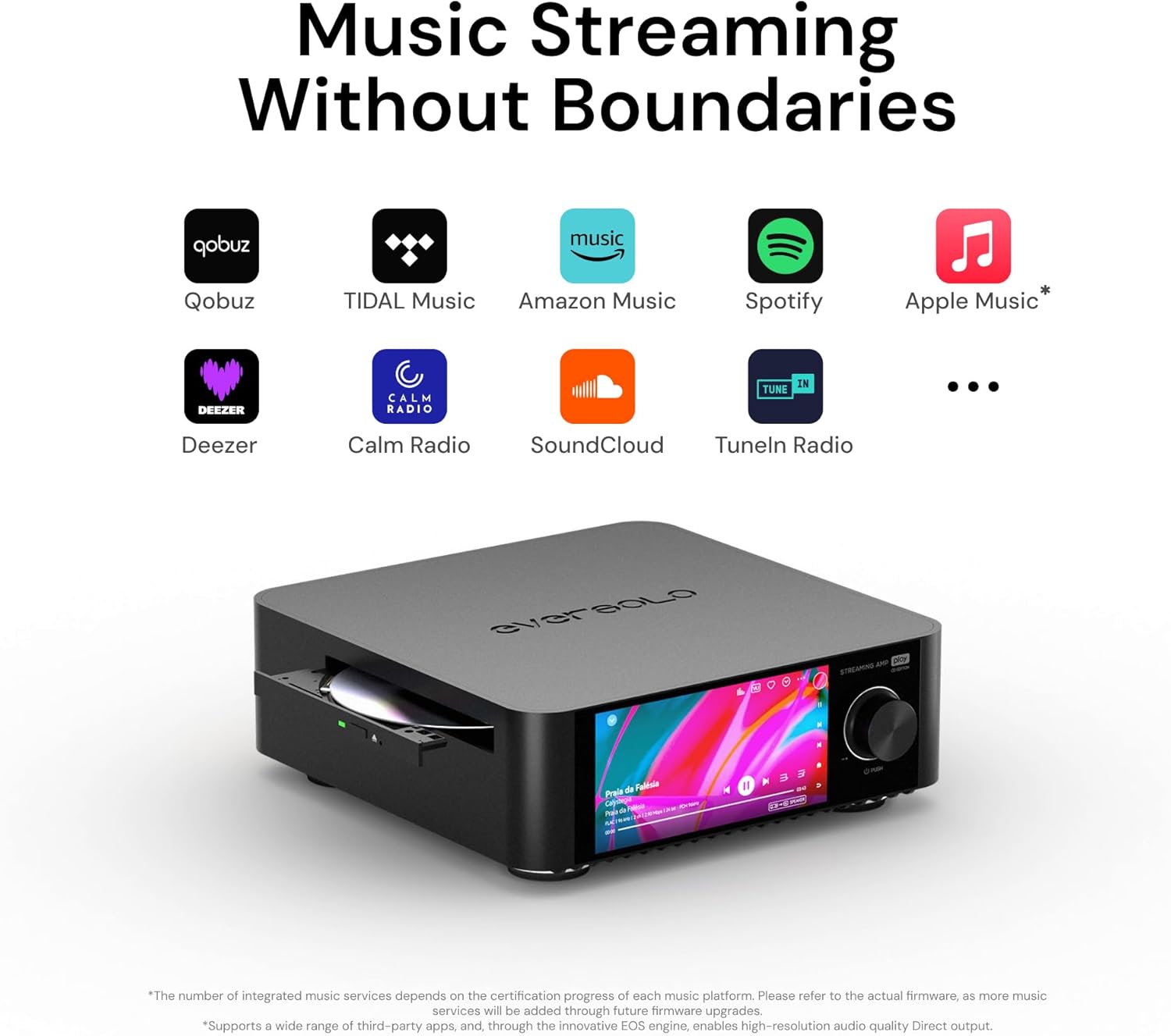
Figure 4.2: Music Streaming Without Boundaries
This image highlights the extensive range of music streaming services supported by the Eversolo Play, including popular platforms like Qobuz, Tidal, Amazon Music, and Spotify, ensuring broad compatibility for users.
4.4. CD Playback (CD Edition Only)
The CD Edition of the Eversolo Play features a built-in CD drive, allowing you to relive the classic CD experience with high-fidelity audio. Simply insert your audio CD into the slot on the front panel to begin playback.

Figure 4.3: Relive the Classic CD Experience
ภาพระยะใกล้ view of the Eversolo Play CD Edition, showing a compact disc being inserted into its integrated CD-ROM drive, emphasizing its capability for traditional physical media playback.
4.5. Multi-Room Playback and Room Correction
The Eversolo Multi-Room Playback System allows you to seamlessly interconnect multiple devices, synchronizing music across different spaces in your home. The integrated Room Correction feature intelligently identifies the acoustic characteristics of distinct environments and neutralizes environmental reflections, ensuring pristine audio reproduction in every location.

Figure 4.4: Multi-Room System
A 3D diagram depicting a multi-room audio system, showing Eversolo Play units wirelessly connected and playing synchronized music in different rooms such as a bedroom, office, and living room.
4.6. Intelligent Bass Management and EQ
The Play Series integrates an Intelligent Bass Management module for optimized acoustic balance and impactful performance. Equipped with multi-band professional-grade EQ and FIR filters, the system offers 23 genre-specific presets (e.g., Dance, Blues, Classical, Jazz) for one-touch audio customization.

Figure 4.5: Your Music's Pulse Comes Alive
This image showcases the Eversolo Play's dynamic visualizers and retro VU meters, indicating its ability to provide a personalized and engaging visual experience alongside high-fidelity audio streaming.
5. การบำรุงรักษา
To ensure the longevity and optimal performance of your Eversolo Play CD Edition, follow these maintenance guidelines:
- การทำความสะอาด: Use a soft, dry, lint-free cloth to clean the exterior surfaces. For the touchscreen, use a screen-specific cleaning solution and cloth. Avoid abrasive cleaners or solvents.
- การระบายอากาศ : Ensure the ventilation openings are clear and not obstructed. Do not place the unit on soft surfaces that may block airflow.
- สภาพแวดล้อม : Operate the device within recommended temperature and humidity ranges. Avoid extreme temperatures, high humidity, or dusty environments.
- หมดแรง: When not in use for extended periods, it is recommended to power off the unit and unplug it from the power outlet.
6 การแก้ไขปัญหา
If you encounter issues with your Eversolo Play, refer to the following common troubleshooting steps:
| ปัญหา | สาเหตุที่เป็นไปได้ | สารละลาย |
|---|---|---|
| ไม่มีไฟฟ้า | Power cable not connected; Power switch off; Outlet issue. | Ensure power cable is securely connected. Turn on the rear power switch. Test the outlet with another device. |
| ไม่มีเสียงออก | Incorrect input selected; Volume too low; Speakers not connected properly; Active speakers connected. | Select the correct input source on the touchscreen or app. Increase volume. Check speaker connections and polarity. Ensure only passive speakers are connected. |
| Cannot Connect to Network | รหัสผ่าน Wi-Fi ไม่ถูกต้อง; เราเตอร์มีปัญหา; สายอีเธอร์เน็ตหลวม | Verify Wi-Fi password. Restart your router. Check Ethernet cable connection. Try connecting via Ethernet if using Wi-Fi. |
| ปัญหาการเล่นซีดี | แผ่นซีดีสกปรกหรือมีรอยขีดข่วน; รูปแบบแผ่นไม่ถูกต้อง | Clean the CD with a soft cloth. Try a different CD. Ensure the disc is an audio CD. |
| การควบคุมแอปไม่ทำงาน | Device not on same network; App outdated; Device firmware outdated. | Ensure your mobile device and Eversolo Play are on the same Wi-Fi network. Update the Eversolo Control app. Check for and install any available firmware updates for the Eversolo Play. |
If the problem persists after attempting these solutions, please contact Eversolo customer support for further assistance.
7. ข้อมูลจำเพาะ
| คุณสมบัติ | รายละเอียด |
|---|---|
| ยี่ห้อ | เอเวอร์โซโล |
| ชื่อรุ่น | EVERSOLO Play CD Edition |
| ขนาด (กว้าง x ยาว x สูง) | 9.06 x 9.06 x 2.96 นิ้ว |
| น้ำหนักสินค้า | 6.38 ปอนด์ (2.9 กิโลกรัม) |
| สี | สีดำ |
| ชิป DAC | AK4493SEQ |
| Amplifier เอาท์พุท | 60W×2ch@8Ω / 110W×2ch@4Ω (Class D) |
| สแนร์ | ≥109dB @A-weighting |
| ทีเอชดี | 0.0037% |
| รูปแบบเสียงที่รองรับ | DSD (up to DSD512), PCM (up to 768kHz/32bit), FLAC, APE, WAV, etc. |
| แสดง | หน้าจอสัมผัส LCD ขนาด 5.5 นิ้ว |
| เทคโนโลยีการเชื่อมต่อ | Bluetooth, WiFi, อีเธอร์เน็ต |
| ประเภทของขั้วต่อ | Sub Out, USB, Speaker, Ethernet, Coaxial, Optical, Line In, Phono, Trigger In |
| คุณสมบัติพิเศษ | Room Correction, Multi Room Audio, Music Library Management, All-In-One Music Streamer Amplifier, Intelligent Bass Management, Multi-band EQ, FIR filters |
| ไดรฟ์ซีดี | Built-in (CD Edition only) |

Figure 7.1: Studio-Grade Chip Ecosystem
An image highlighting the high-performance AK4493SEQ DAC chip and TPA3255 amplifier chip, which are core components ensuring lossless detail, dynamic range, and sonic precision in the Eversolo Play.
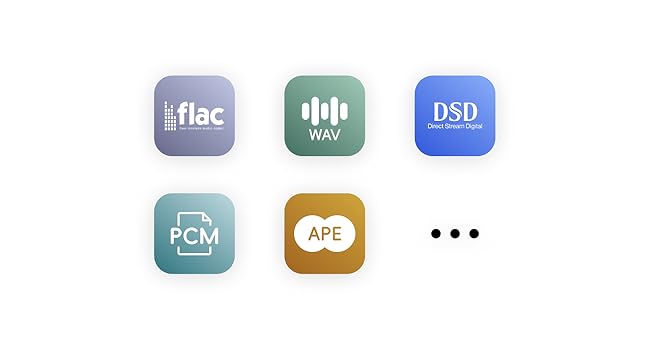
รูปที่ 7.2: รูปแบบเสียงที่รองรับ
This graphic displays icons for various high-fidelity audio formats supported by the Eversolo Play, including FLAC, WAV, DSD, PCM, and APE, indicating its versatility in handling different music file ประเภท
8. การรับประกันและการสนับสนุน
Eversolo products are designed and manufactured to the highest quality standards. For information regarding warranty coverage, terms, and conditions, please refer to the warranty card included with your product or visit the official Eversolo webเว็บไซต์.
For technical support, troubleshooting assistance beyond this manual, or service inquiries, please contact Eversolo customer support through their official website or the contact information provided in your product documentation. Please have your product model and serial number ready when contacting support.


