การแนะนำ
This manual provides comprehensive instructions for the setup, operation, and maintenance of your Lepro OE1 AI Smart RGBICW LED Corner Floor Lampโปรดอ่านคู่มือนี้อย่างละเอียดก่อนใช้งาน เพื่อให้มั่นใจได้ถึงการใช้งานที่ถูกต้องและความปลอดภัย
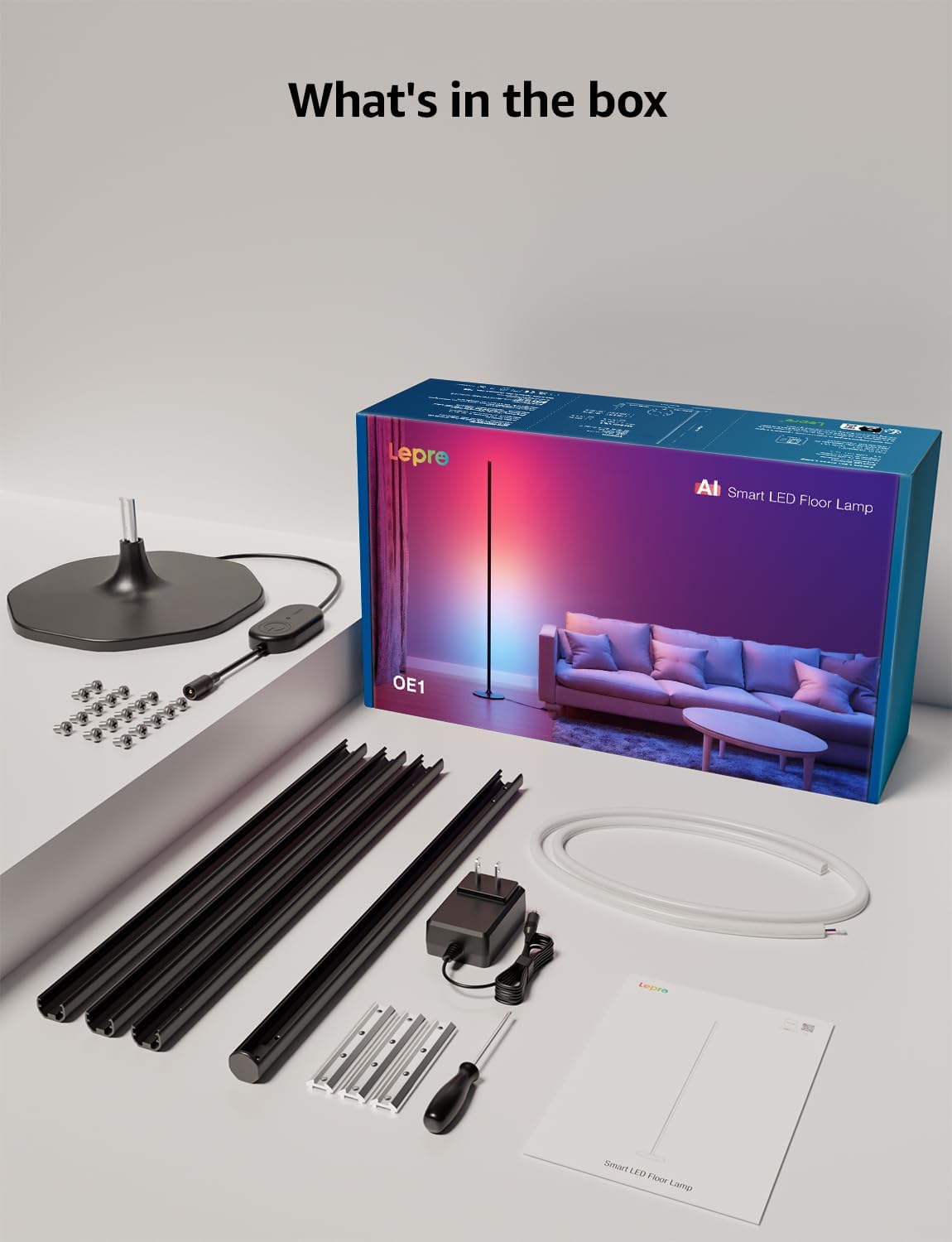
เนื้อหาแพ็คเกจ
ตรวจสอบว่ามีส่วนประกอบทั้งหมดอยู่ในแพ็คเกจ:
- Lamp ฐาน
- Metal Poles (multiple sections)
- Metal Connecting Pieces
- ไฟ LED Strip
- สกรูและไขควง
- อะแดปเตอร์แปลงไฟ
- คู่มือการใช้งาน
การติดตั้งและการประกอบ
Follow these steps to assemble and set up your Lepro OE1 floor lamp:
- Assemble the Metal Poles: Align the metal slots of the pole sections with the connecting pieces. Use the provided screws and screwdriver to tighten them securely. Continue this process until all pole sections are connected to form the main lamp ร่างกาย.
- ติดกับฐาน: Secure the assembled metal pole to the lamp base using the designated screws.
- Insert LED Strip: Carefully insert the LED strip light into the channel of the assembled metal pole. Ensure the strip's bottom connector aligns with the wire from the base.
- การเชื่อมต่อสายไฟ: Connect the wire from the LED strip to the wire extending from the lamp ฐาน.
- Position the LED Strip: Gently press and adjust the LED strip from the middle outwards to ensure it sits flush and evenly within the pole's channel. Do not cut the strip lights, as this will cause damage.
- การเชื่อมต่อไฟฟ้า: ต่ออะแดปเตอร์แปลงไฟเข้ากับ lamp and then plug it into a standard electrical outlet.

การดาวน์โหลดแอปและการเชื่อมต่อ
The Lepro OE1 lamp is controlled via the Lepro app. It is compatible with 2.4GHz WiFi networks only. Ensure your phone's Bluetooth is enabled during the pairing process.
- Download the "Lepro" app from your device's app store. (Note: Not compatible with "Lepro Lampux" or "Smart Life" apps).
- ลงทะเบียนบัญชีใหม่หรือเข้าสู่ระบบ
- Ensure your phone's Bluetooth is on and connected to a 2.4GHz WiFi network.
- In the app, select "Add Device" and follow the on-screen instructions to pair your OE1 lamp.
Video 1: Step-by-step guide on how to assemble the Lepro OE1 AI floor lamp.
Video 2: Instructions on how to connect the OE1 AI floor lamp to the Lepro app.
คำแนะนำการใช้งาน
The Lepro OE1 lamp offers various control methods and lighting features:
1. Lepro App Control
The Lepro app provides full control over your lamp's functions:
- LightGPM 4 - Personalized AI Lighting Designer: Use voice or text prompts to describe your desired mood or scene. The AI will generate lighting effects tailored to your preferences. The more you use it, the more it adapts.
- ไฟประดับแบบ DIY: Customize your ambiance with over 16 million RGB colors and various effects. Adjust colors, brightness, and speed. Save your custom settings and explore community ideas within the app.
- การซิงค์เพลง: The RGB+ICW color-changing floor lamp reacts to music beats, creating dynamic lighting effects.
- Photo-to-Vibe: Upload a photo of your room, a movie poster, or a game character, and LightGPM will generate a lighting design to match the image's theme.
- แสงสีขาวอุ่น: For daily use, the lamp provides 1000 lumens of warm white light at 2700K, adjustable from 1% to 100% brightness.
- การจัดการระยะไกล: ควบคุม l ของคุณamp remotely via the Lepro App, even when away from home.
- การกำหนดตารางเวลา: Set automatic on/off timers for convenience.


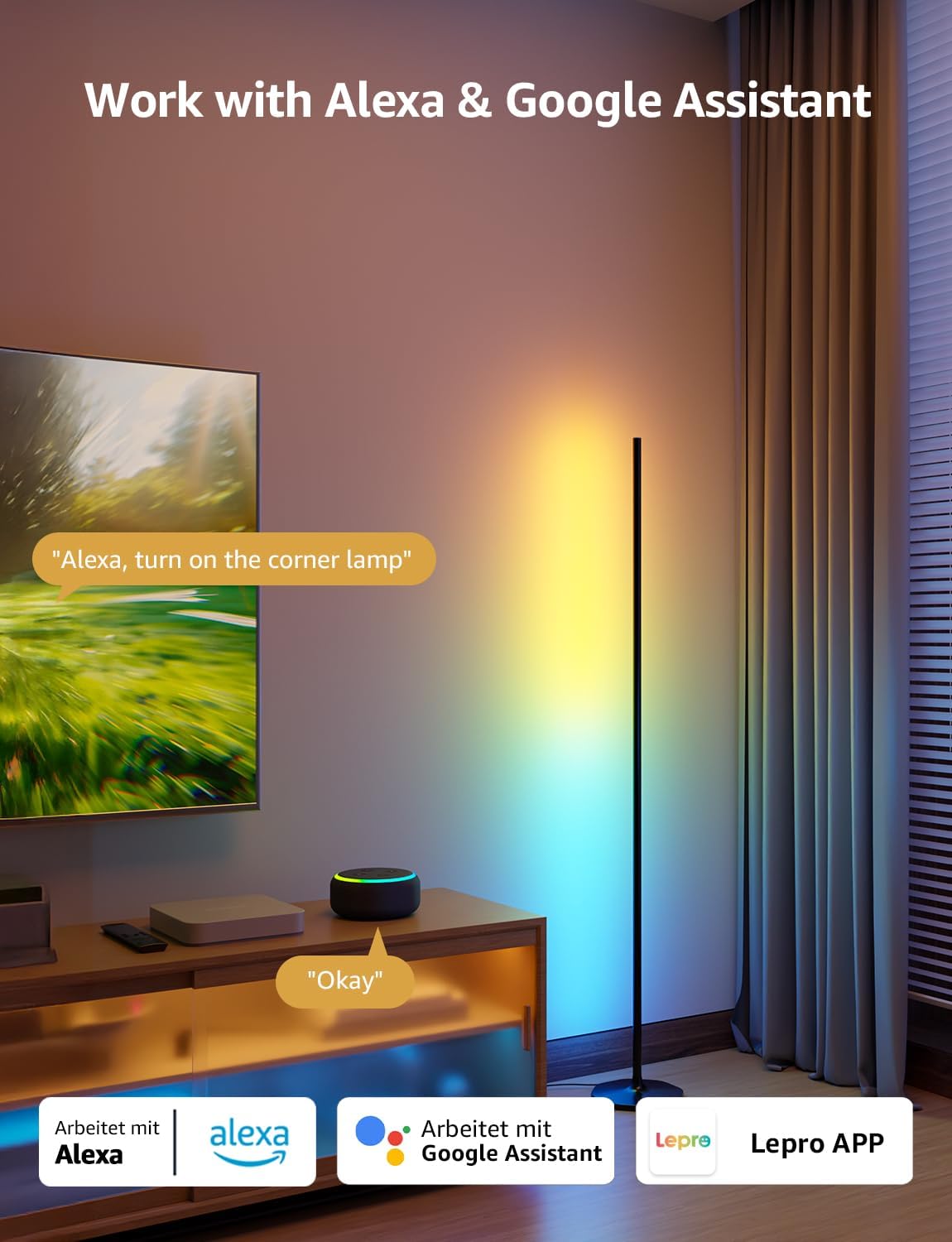
2. การควบคุมด้วยเสียง (Alexa และ Google Assistant)
The OE1 lamp supports effortless voice control through Amazon Alexa and Google Assistant. Link your Lepro account with Alexa or Google Assistant in their respective apps to enable voice commands.
- Example commands: "Alexa, turn on the corner lamp," "Hey Google, set the floor lamp to blue," "Alexa, dim the floor lamp ถึงร้อยละ 50”
3. การควบคุมกลุ่ม
For multiple Lepro AI devices, simultaneous group control is supported through the Lepro app, allowing you to manage all your smart lights together.
การซ่อมบำรุง
To ensure the longevity and optimal performance of your Lepro OE1 floor lamp:
- การทำความสะอาด: เช็ดลamp with a soft, dry cloth. Avoid using abrasive cleaners or solvents that may damage the finish or LED strip.
- การจัดวาง: วางลamp on a stable, flat surface. Avoid areas with excessive moisture or direct exposure to sunlight, which can affect the LED lifespan.
- พลัง: Always disconnect the power adapter before cleaning or performing any maintenance.
การแก้ไขปัญหา
If you encounter issues with your Lepro OE1 floor lampให้ดูวิธีแก้ปัญหาทั่วไปต่อไปนี้:
- Lamp ไม่เปิด:
- ตรวจสอบให้แน่ใจว่าอะแดปเตอร์ไฟฟ้าเสียบเข้ากับทั้งสองเครื่องอย่างแน่นหนาamp และเต้ารับไฟฟ้าที่ใช้งานได้
- ตรวจสอบว่าเต้ารับไฟฟ้าใช้งานได้หรือไม่โดยเสียบอุปกรณ์อื่นเข้าไป
- Unable to connect to the Lepro app:
- ตรวจสอบให้แน่ใจว่าบลูทูธในสมาร์ทโฟนของคุณเปิดใช้งานอยู่
- Confirm your WiFi network is 2.4GHz. The lamp does not support 5GHz WiFi.
- Ensure your phone is connected to the same 2.4GHz WiFi network as the lamp ระหว่างการตั้งค่าเริ่มต้น
- ลองรีเซ็ต lamp (see "Resetting the Lamp" below).
- การควบคุมด้วยเสียงไม่ทำงาน:
- Ensure your Lepro account is correctly linked with your Alexa or Google Assistant app.
- Check your internet connection for both the lamp and your voice assistant device.
การรีเซ็ต Lamp
If you experience persistent issues or need to re-pair your lamp, perform a factory reset:
- Locate the control button on the power cable.
- กดปุ่มค้างไว้ 5 วินาที
- A flashing blue light on the lamp indicates a successful reset. The lamp is now ready for re-pairing with the Lepro app.
Video 3: Visual demonstration of how to reset the Lepro OE1 AI floor lamp.
ข้อมูลจำเพาะ
| คุณสมบัติ | รายละเอียด |
|---|---|
| ยี่ห้อ | โรคเรื้อน |
| หมายเลขรุ่น | OE1 |
| ขนาดสินค้า | ลึก 7.87 นิ้ว x กว้าง 7.87 นิ้ว x สูง 55.11 นิ้ว |
| น้ำหนักสินค้า | 2.86 ปอนด์ |
| ประเภทแหล่งกำเนิดแสง | นำ |
| ความสว่าง | 1000 ลูเมน |
| อุณหภูมิสี | 2700 เคลวิน (สีขาวอุ่น) |
| สีอ่อน | RGB, วอร์มไวท์ |
| วัดtage | 20 วัตต์ |
| เล่มที่tage | 120 โวลต์ (AC) |
| วิธีการควบคุม | Voice, App (Lepro App) |
| การเชื่อมต่อ | Bluetooth, 2.4G WiFi (5GHz not supported) |
| ชีวิตเฉลี่ย | 20000 ชั่วโมง |
| วัสดุ | อลูมิเนียม |
| ประเภทการเสร็จสิ้น | แมทต์ |
| การใช้งานภายใน/ภายนอกอาคาร | ในร่ม |
| จำเป็นต้องประกอบ | ใช่ |
| ยูพีซี | 810168791135 |
การรับประกันและการสนับสนุน
สำหรับข้อมูลการรับประกันหรือการสนับสนุนทางเทคนิค โปรดดูที่เว็บไซต์อย่างเป็นทางการของ Lepro webหรือติดต่อฝ่ายบริการลูกค้าโดยตรง โปรดเก็บใบเสร็จรับเงินไว้เพื่อใช้ในกรณีที่ต้องการเคลมประกัน
Optional protection plans may be available for purchase separately. Please check with your retailer for details.


