1. บทนำ
This manual provides detailed instructions for the setup, operation, and maintenance of your EWEADN V96 Wireless Keyboard and Mouse Combo. This 2.4G wireless full-sized retro typewriter style keyboard with round keycaps and a matching mouse is designed for seamless plug-and-play functionality across various operating systems.

Image: The EWEADN V96 Wireless Keyboard and Mouse Combo, showcasing its gradient pink and black design with round keycaps and a compact USB receiver.
2. คุณสมบัติหลัก
- การเชื่อมต่อไร้สาย 2.4GHz: Reliable and stable connection with a 33ft (10m) range.
- Full-Sized 104-Key Keyboard: Includes a numeric keypad and 13 easy-to-reach function keys.
- สไตล์เครื่องพิมพ์ดีดย้อนยุค: วินtage round keycaps for a unique aesthetic and comfortable typing experience.
- Quiet Clicking Mouse: Designed for whisper-quiet operation to minimize disturbance.
- สามารถปรับค่า DPI ของเมาส์ได้: Three DPI levels (800-1200-1600) for customizable cursor sensitivity.
- โหมดสลีปอัตโนมัติ: Both keyboard and mouse enter power-save mode after 5 seconds of inactivity.
- ความเข้ากันได้กว้าง: Supports Windows 10/8/7/XP/Vista, Mac OS, Chrome OS, and Linux.
- การออกแบบตามหลักสรีรศาสตร์: Minimizes wrist strain for comfortable extended use.
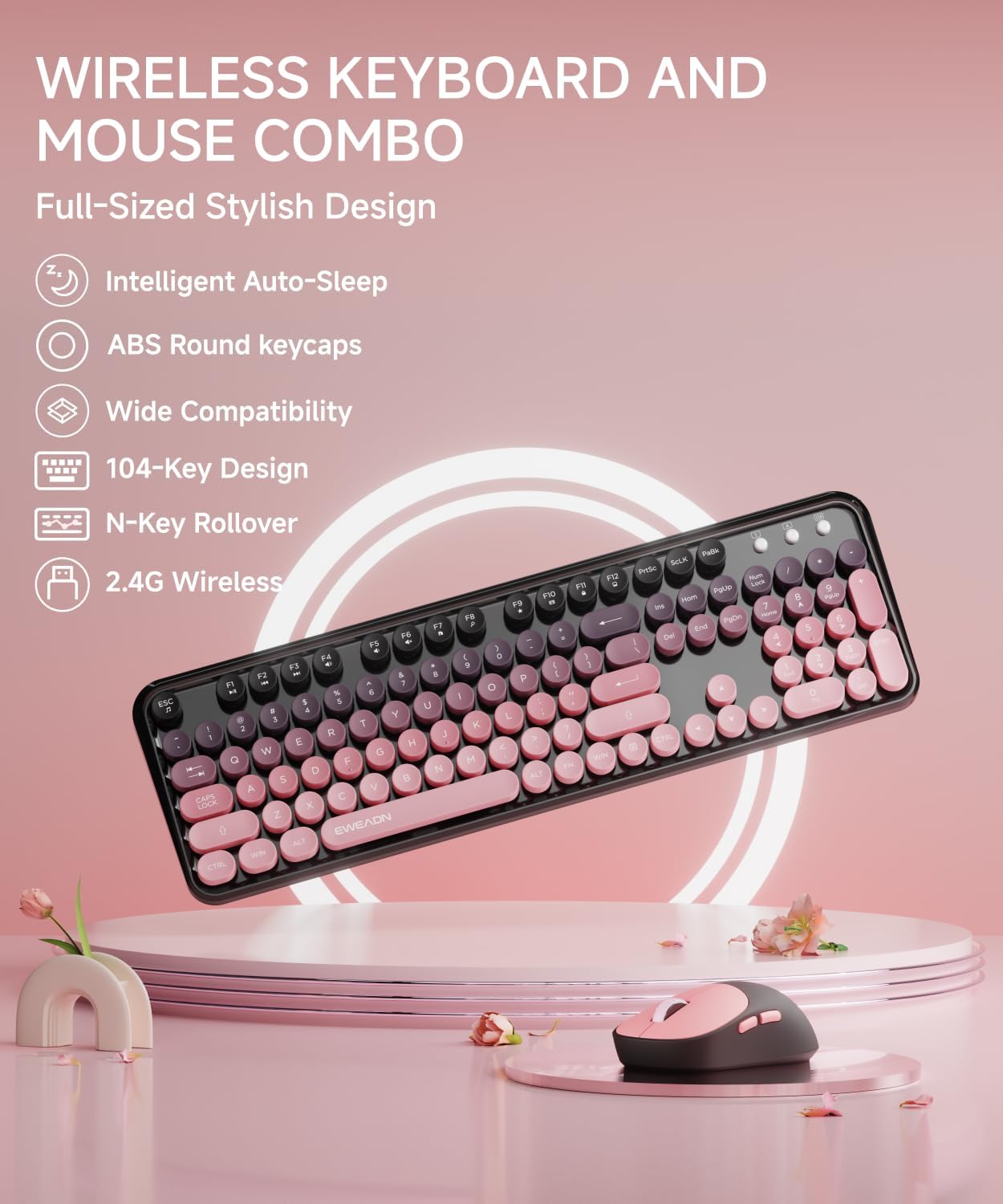
รูปภาพ: แผนภาพประกอบแสดงasing the key features of the V96 combo, including intelligent auto-sleep, ABS round keycaps, wide compatibility, 104-key design, N-key rollover, and 2.4G wireless connectivity.
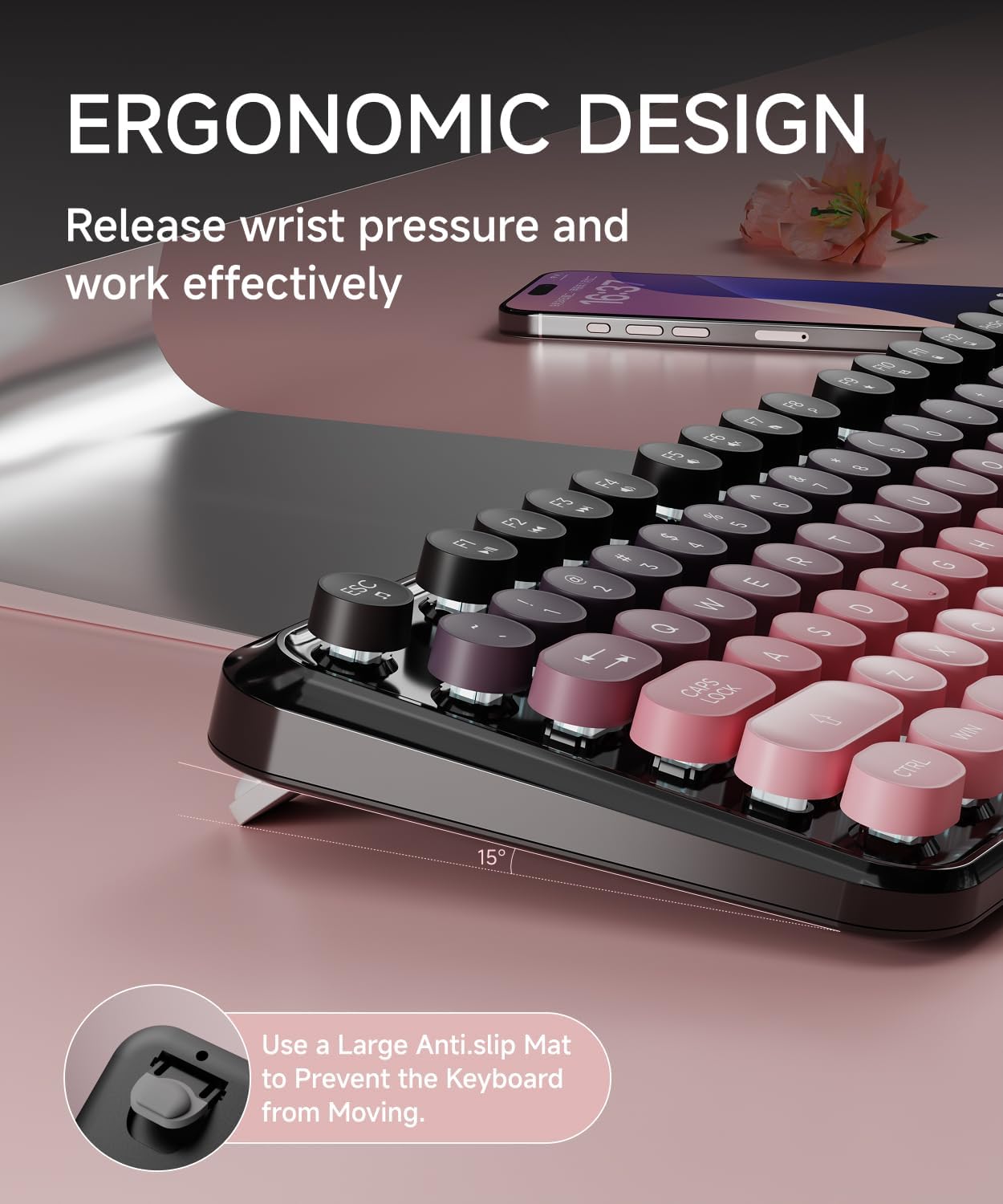
ภาพ: ภาพระยะใกล้ view of the keyboard demonstrating its ergonomic design with a 15-degree tilt angle and anti-slip mat to prevent movement.
3. เนื้อหาบรรจุภัณฑ์
โปรดตรวจสอบให้แน่ใจว่ามีสินค้าทั้งหมดอยู่ในแพ็คเกจของคุณ:
- 1 x EWEADN V96 Wireless Keyboard
- 1 x EWEADN Wireless Mouse
- 1 x USB Receiver (stored inside the keyboard's battery compartment)
- 1 x คู่มือผู้ใช้ (เอกสารนี้)
Note: AAA batteries for the keyboard (2 required) and AA battery for the mouse (1 required) are ไม่รวมอยู่.
4. คู่มือการติดตั้ง
ทำตามขั้นตอนเหล่านี้เพื่อตั้งค่าชุดคีย์บอร์ดและเมาส์ไร้สายของคุณ:
- ติดตั้งแบตเตอรี่:
- Open the battery compartment on the back of the keyboard and insert two AAA batteries, ensuring correct polarity.
- Open the battery compartment on the bottom of the mouse and insert one AA battery, ensuring correct polarity.
- ค้นหาตัวรับ USB: The USB receiver is conveniently stored inside the keyboard's battery compartment. Carefully remove it.
- Plug in USB Receiver: Insert the USB-A receiver into an available USB port on your computer (desktop, laptop, Chromebook, etc.).
- เปิดอุปกรณ์:
- For the keyboard, ensure the power switch (usually located near the battery compartment) is in the 'ON' position.
- For the mouse, ensure the power switch on the bottom is in the 'ON' position.
- การเชื่อมต่ออัตโนมัติ: The keyboard and mouse should automatically connect to your computer. No additional drivers are typically required.

Image: A visual guide illustrating the 2.4G wireless technology, showing the USB receiver being plugged into a laptop and its storage location within the keyboard's battery compartment.

Image: A four-step user guide showing battery insertion, USB receiver plugging, keyboard switch, and successful connection.

ภาพ: ด้านล่าง view of the keyboard and mouse, highlighting the battery compartments, power switches, and the dedicated slot for the USB receiver within the keyboard.
5. คู่มือการใช้งาน
5.1 การใช้งานแป้นพิมพ์
The V96 keyboard features a standard 104-key layout with additional multimedia functions.
ปุ่มลัดมัลติมีเดีย:
To use the multimedia functions (F1-F12), press and hold the Fn จากนั้นกดปุ่มฟังก์ชันที่ต้องการ
- Fn+F1: เครื่องเล่นเพลง
- Fn+F2: เล่น/หยุดชั่วคราว
- Fn+F3: เพลงก่อนหน้า
- Fn+F4: เพลงถัดไป
- Fn+F5: ลดระดับเสียง
- Fn+F6: เพิ่มระดับเสียง
- Fn+F7: ปิดเสียง
- Fn+F8: Web เบราว์เซอร์
- Fn+F9: ค้นหา
- Fn+F10: รายการโปรด
- Fn+F11: อีเมล
- Fn+F12: Lock/Windows Key

Image: A detailed layout of the V96 keyboard, highlighting the multimedia shortcut keys (F1-F12) and their corresponding functions when used with the Fn key.
5.2 การใช้งานเมาส์
The wireless mouse provides precise and quiet clicking. It features adjustable DPI settings.
การปรับ DPI:
The mouse has three adjustable DPI levels: 800, 1200 (default), and 1600. To change the DPI, press the DPI button located on the top of the mouse, usually behind the scroll wheel. Each press cycles through the available DPI settings.

Image: A close-up of the wireless mouse, indicating its quiet operation and the location of the DPI adjustment button, along with the 2.4G/OFF switch.
6. การจัดการพลังงาน
Both the keyboard and mouse are designed with automatic sleep functions to conserve battery life.
- สลีปอัตโนมัติ: After 5 seconds of inactivity, both devices will enter a power-saving sleep mode.
- ตื่นนอน: To wake up the keyboard, press any key. To wake up the mouse, click any button.
- สัญญาณเตือนแบตเตอรี่ต่ำ: The keyboard features a low battery indicator light in the top right corner. When the battery is low, this light will illuminate, reminding you to replace the batteries.

Image: An illustration detailing the automatic sleep function (10 mins auto sleep) and standby time (180 days), along with the battery requirements for both the keyboard (2 AAA) and mouse (1 AA).
7. ความเข้ากันได้
The EWEADN V96 Wireless Keyboard and Mouse Combo is widely compatible with various operating systems:
- วินโดวส์ 10 / 8 / 7 / XP / Vista
- ระบบปฏิบัติการ Mac
- ระบบปฏิบัติการ Chrome
- ลินุกซ์
It is suitable for use with desktops, Chromebooks, PCs, laptops, and more.

Image: The keyboard and mouse combo on a desk, with icons indicating compatibility with Mac OS, Windows, Chrome OS, and Linux.
8. การบำรุงรักษา
To ensure the longevity and optimal performance of your keyboard and mouse combo, follow these maintenance guidelines:
- การทำความสะอาด: ใช้ผ้าแห้งนุ่มเช็ดทำความสะอาดพื้นผิวของแป้นพิมพ์และเมาส์ สำหรับคราบสกปรกที่ติดแน่น ให้ใช้ผ้าชุบน้ำหมาดๆ เช็ดเบาๆamp สามารถใช้ผ้าได้ แต่ต้องแน่ใจว่าไม่มีความชื้นเข้าไปในส่วนประกอบภายใน
- หลีกเลี่ยงของเหลว: Do not expose the devices to water or other liquids. Spills can cause permanent damage.
- การเปลี่ยนแบตเตอรี่: Replace batteries promptly when the low battery indicator appears to maintain consistent performance. Dispose of old batteries responsibly.
- พื้นที่จัดเก็บ: When not in use for extended periods, turn off both the keyboard and mouse to conserve battery life. Store the USB receiver in its designated slot within the keyboard's battery compartment.
- จัดการด้วยความระมัดระวัง: หลีกเลี่ยงการทำอุปกรณ์ตกหรือได้รับแรงกระแทกรุนแรง
9 การแก้ไขปัญหา
If you encounter issues with your EWEADN V96 combo, refer to the following common solutions:
- No Connection / Devices Not Responding:
- Ensure both the keyboard and mouse are turned ON.
- Check if the USB receiver is securely plugged into a working USB port on your computer. Try a different USB port.
- Replace the batteries in both the keyboard and mouse, even if the low battery indicator is not on.
- Re-pairing Procedure: If the devices lose connection, you may need to re-pair them. This can sometimes be achieved by pressing เอฟเอ็น+คิว simultaneously, then Fn + ว until the keyboard lights up briefly, indicating a successful re-connection.
- การเชื่อมต่อล่าช้าหรือขาดๆ หายๆ:
- ย้ายคีย์บอร์ดและเมาส์ให้เข้าใกล้ตัวรับ USB
- Ensure there are no large metal objects or other wireless devices (like Wi-Fi routers, cordless phones) operating too close to the receiver, as they can cause interference.
- เคอร์เซอร์เมาส์กระโดดหรือไม่แม่นยำ:
- ทำความสะอาดเซ็นเซอร์ออปติคอลที่ด้านล่างของเมาส์
- Try using the mouse on a different surface. A mouse pad is recommended.
- หากเคอร์เซอร์ไวเกินไป ให้ปรับการตั้งค่า DPI ให้ต่ำลง
- Keys Not Registering / Sticky Keys:
- ตรวจสอบให้แน่ใจว่าแป้นพิมพ์สะอาดและไม่มีเศษสิ่งสกปรกอยู่ใต้ปุ่มพิมพ์
- ตรวจสอบระดับแบตเตอรี่
10. ข้อมูลจำเพาะ
| คุณสมบัติ | ข้อมูลจำเพาะ |
|---|---|
| หมายเลขรุ่น | วี96 |
| ยี่ห้อ | อีเวน |
| เทคโนโลยีการเชื่อมต่อ | 2.4G ไร้สาย |
| เค้าโครงแป้นพิมพ์ | 104 Keys, Full-Sized |
| Keycap Style | Round, Retro Typewriter |
| การตั้งค่า DPI ของเมาส์ | 800-1200-1600 (Adjustable) |
| แบตเตอรี่คีย์บอร์ด | 2 x AAA (ไม่รวม) |
| แบตเตอรี่เมาส์ | 1 x AA (ไม่รวม) |
| ช่วงสาย | สูงถึง 33 ฟุต (10 เมตร) |
| อุปกรณ์ที่รองรับ | Laptop, Desktop, PC, Chromebook |
| ระบบปฏิบัติการ | Windows 10/8/7/XP/Vista, Mac OS, Chrome OS, Linux |
| น้ำหนักสินค้า | 1.67 pounds (Keyboard and Mouse) |
| สี | Gradient Pink |
11. การรับประกันและการสนับสนุน
EWEADN is committed to providing powerful after-sales backing for its products. If you encounter any issues or have questions regarding your V96 Wireless Keyboard and Mouse Combo, please contact our support team.
การสนับสนุนลูกค้า:
- การสนับสนุนทางอีเมล์: eweadnkeyboard@outlook.com
Our support team can assist with pre-sales inquiries, troubleshooting, accessory reissues, and returns/exchanges.

Image: An illustration depicting various customer support services offered by EWEADN, including pre-sales Q&A, troubleshooting, accessories reissue, and returns and exchanges, with an email contact provided.


