1. บทนำ
Thank you for choosing the Baseus Qi2 Certified 15W Wireless Magnetic Power Bank. This device is designed to provide convenient and efficient charging for your compatible mobile devices, featuring both wireless and wired charging capabilities. Please read this manual thoroughly before use to ensure proper operation and to maximize the product's lifespan.

Image 1.1: The Baseus Qi2 Certified 15W Wireless Magnetic Power Bank.
2. สินค้าหมดview
2.1 เนื้อหาบรรจุภัณฑ์
- Baseus Qi2 Certified 15W Wireless Magnetic Power Bank (10000mAh)
- สายชาร์จ USB-C เป็น USB-C
- คู่มือการใช้งาน
2.2 คุณสมบัติหลัก
- Qi2 Certified Wireless Charging: Provides up to 15W wireless charging for compatible devices.
- High-Speed Wired Charging: Features a USB-C port with up to 22.5W Power Delivery (PD) output.
- การติดแม่เหล็ก: Strong magnetic connection compatible with MagSafe-enabled devices (iPhone 12-17 series).
- ความจุ 10000mAh: Offers substantial power for multiple charges.
- คุณสมบัติความปลอดภัยขั้นสูง: Equipped with AI temperature monitoring and graphene for enhanced heat dissipation, preventing overheating.
- การออกแบบกะทัดรัดและพกพาสะดวก: สลิมโปรfile เพื่อการพกพาที่สะดวก
- การชาร์จแบบพาสทรู: Allows simultaneous charging of the power bank and a connected device.
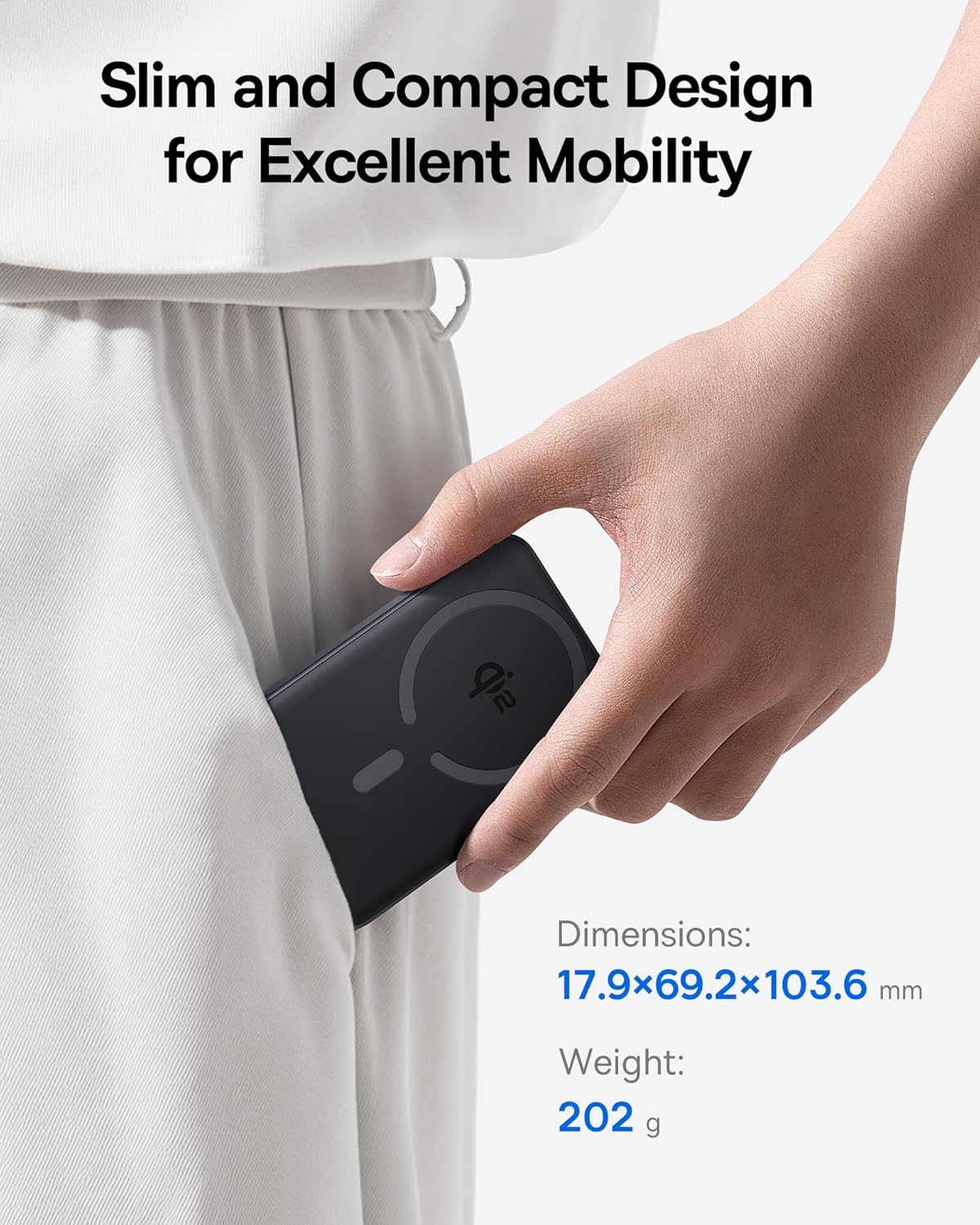
Image 2.1: The power bank's compact design allows for easy portability.
3. การตั้งค่า
3.1 ค่าบริการเริ่มต้น
- ก่อนใช้งานครั้งแรก โปรดชาร์จแบตเตอรี่สำรองให้เต็ม
- Connect the provided USB-C cable to the power bank's USB-C port.
- เชื่อมต่อปลายอีกด้านหนึ่งของสาย USB-C เข้ากับอะแดปเตอร์ไฟ USB ที่ใช้งานร่วมกันได้ (ไม่รวมอยู่ด้วย)
- The LED indicators on the power bank will illuminate to show the charging status. All LEDs will be solid when fully charged.
4. คู่มือการใช้งาน
4.1 การชาร์จพาวเวอร์แบงค์
To recharge the power bank, use the included USB-C cable and connect it to a power source. The power bank supports fast input charging.
4.2 Wireless Charging Your Device
- Ensure your device is compatible with MagSafe or Qi2 wireless charging (e.g., iPhone 12-17 series).
- Align the back of your compatible device with the magnetic charging area of the power bank. The magnets will snap into place, securing the connection.
- Wireless charging will begin automatically. The power bank does not require a power button for wireless charging.

Image 4.1: Wireless charging in progress, demonstrating the magnetic connection.

Image 4.2: Magnetic attachment for effortless charging.
4.3 Wired Charging Your Device
- Connect one end of the USB-C cable to the power bank's USB-C port.
- เสียบปลายอีกด้านของสาย USB-C เข้ากับพอร์ตชาร์จของอุปกรณ์ของคุณ
- พาวเวอร์แบงค์จะตรวจจับอุปกรณ์ที่เชื่อมต่อโดยอัตโนมัติและเริ่มชาร์จ
4.4 การชาร์จแบบผ่าน
The power bank supports pass-through charging, allowing you to charge both the power bank and a connected device simultaneously. Connect the power bank to a wall adapter, and then connect your device to the power bank via either wireless or wired connection.

Image 4.3: The power bank supports both wired and wireless charging simultaneously.
4.5 ความเข้ากันได้สากล

ภาพที่ 4.4: ความเข้ากันได้เหนือview for wireless and wired charging.
5. ข้อมูลด้านความปลอดภัย
To ensure safe operation and prevent damage to the device or injury, please observe the following safety guidelines:
- ห้ามให้พาวเวอร์แบงค์สัมผัสกับอุณหภูมิที่สูงหรือต่ำเกินไป แสงแดดโดยตรง หรือเปลวไฟ
- ห้ามถอดประกอบ ดัดแปลง หรือซ่อมแซมอุปกรณ์
- เก็บพาวเวอร์แบงค์ให้ห่างจากน้ำและของเหลวอื่นๆ
- หลีกเลี่ยงการทำอุปกรณ์หล่นหรือกระแทกอย่างรุนแรง
- ใช้เฉพาะสายชาร์จและอะแดปเตอร์ที่ผ่านการรับรองเท่านั้น
- เก็บให้พ้นจากมือเด็ก
- The power bank features multiple built-in protections, including over-voltage, ต่ำกว่า voltage, overcharge, over-discharge, over-temperature, over-current, short circuit, recovery, and over-power protection.

Image 5.1: Advanced thermal management for safe charging.

Image 5.2: Comprehensive safety protections integrated into the power bank.
6. การบำรุงรักษา
Proper maintenance ensures the longevity and optimal performance of your power bank:
- ทำความสะอาดอุปกรณ์ด้วยผ้านุ่มและแห้ง ห้ามใช้น้ำยาทำความสะอาดหรือสารละลายที่มีฤทธิ์กัดกร่อน
- เก็บพาวเวอร์แบงค์ไว้ในที่แห้งและเย็นเมื่อไม่ใช้งาน
- If storing for extended periods, charge the power bank to approximately 50% every three months to maintain battery health.
7 การแก้ไขปัญหา
7.1 อุปกรณ์ไม่ชาร์จแบบไร้สาย
- Ensure your device is Qi2 or MagSafe compatible.
- Check for proper alignment of your device on the power bank's charging surface.
- Remove any thick cases or metallic objects between your device and the power bank.
- Verify the power bank has sufficient charge.
7.2 Device Not Charging Via USB-C
- ตรวจสอบให้แน่ใจว่าสาย USB-C เชื่อมต่อกับพาวเวอร์แบงค์และอุปกรณ์ของคุณอย่างแน่นหนา
- Try using a different USB-C cable to rule out cable malfunction.
- Verify the power bank has sufficient charge.
7.3 พาวเวอร์แบงค์ไม่ชาร์จ
- Ensure the USB-C cable is securely connected to the power bank and the wall adapter.
- Try a different wall adapter and/or USB-C cable.
- Ensure the wall adapter provides sufficient power output.
8. ข้อมูลจำเพาะ
| หมายเลขรุ่น | E00285 |
| ความจุของแบตเตอรี่ | 10000mAh (3.7V/37Wh) |
| อินพุต USB-C | 5V=3A; 9V=2.22A |
| เอาท์พุต USB-C | 5V=3A; 9V=2.22A; 12V=1.5A; 10V=2.25A (สูงสุด 22.5W) |
| เอาท์พุตแบบไร้สาย | 5W/7.5W/15W (Max 15W) |
| ผลผลิตรวม | 5V=3A |
| ขนาดสินค้า | 4.6 x 2.7 x 0.7 นิ้ว (17.9 x 69.2 x 103.6 มม.) |
| น้ำหนักสินค้า | 8.8 ออนซ์ (202 กรัม) |
| สี | Black (also available in Moon White, Baby Pink) |
9. การรับประกันและการสนับสนุน
Baseus products are designed and manufactured to the highest quality standards. This product is covered by a limited warranty from the date of purchase. For detailed warranty information, product support, or to register your product, please visit the official Baseus webเว็บไซต์หรือติดต่อฝ่ายบริการลูกค้าของพวกเขา
โปรดเก็บหลักฐานการซื้อของคุณไว้เพื่อเรียกร้องการรับประกัน


