1. บทนำ
This manual provides comprehensive instructions for the installation, operation, and maintenance of your ZMISHIBO 60-inch Ceiling Fan with Light. Please read all instructions carefully before beginning installation and retain this manual for future reference. This ceiling fan is designed for indoor use in spacious areas such as living rooms, bedrooms, and kitchens, offering both powerful airflow and adjustable LED lighting.
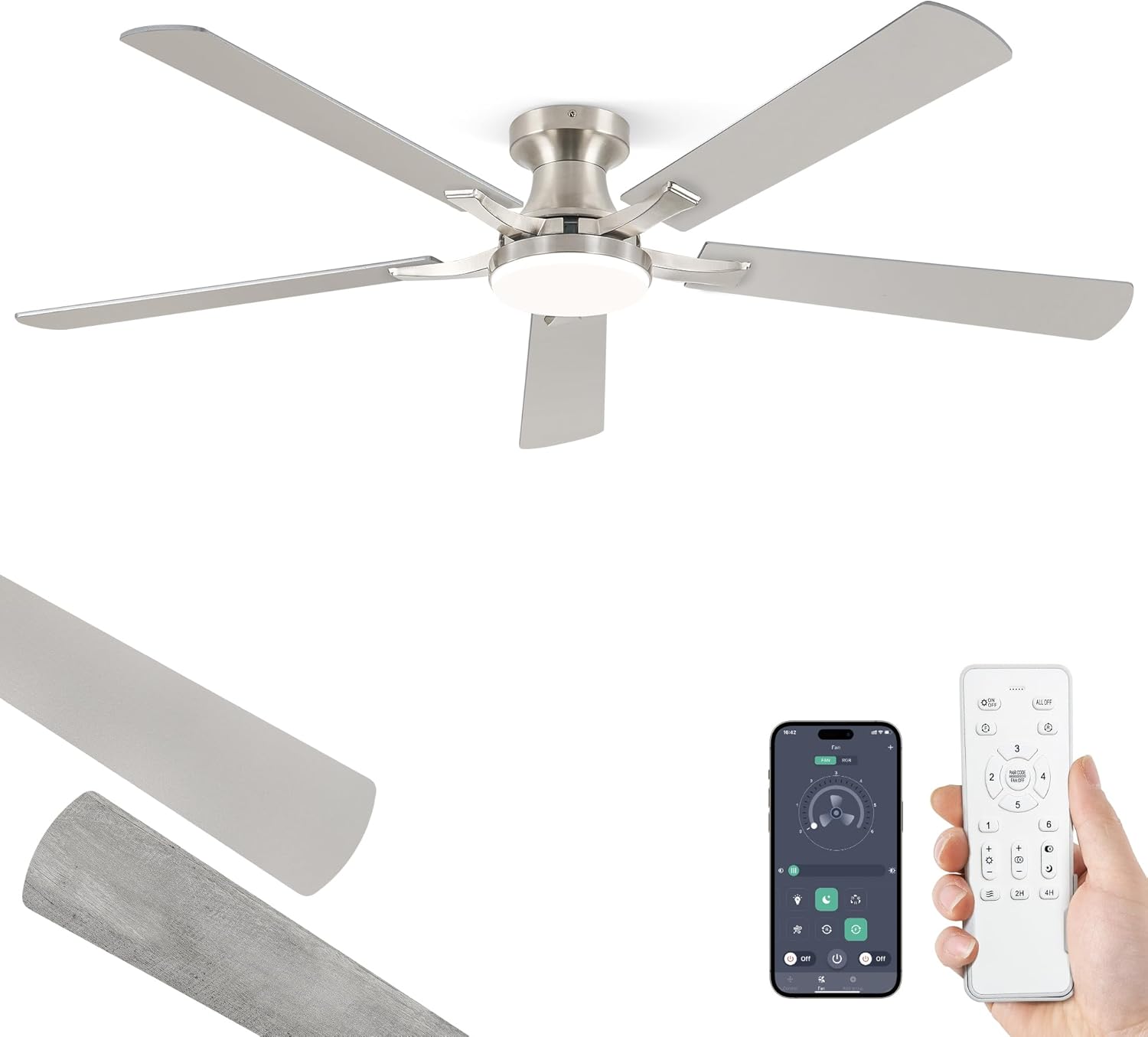
Figure 1: ZMISHIBO 60-inch Nickel Ceiling Fan with Integrated LED Light.
2. ข้อมูลด้านความปลอดภัยที่สำคัญ
To reduce the risk of electrical shock, fire, or personal injury, always follow these basic precautions:
- อ่านคำแนะนำทั้งหมดก่อนติดตั้งพัดลม
- ตรวจสอบให้แน่ใจว่าการเชื่อมต่อทางไฟฟ้าทั้งหมดเป็นไปตามข้อกำหนด กฎหมายท้องถิ่น และมาตรฐานรหัสไฟฟ้าแห่งชาติ (NEC)
- ตัดกระแสไฟที่เบรกเกอร์หลักก่อนทำการติดตั้งหรือซ่อมบำรุง
- จะต้องติดตั้งพัดลมบนคานเพดานหรือโครงสร้างรองรับที่สามารถรองรับน้ำหนักได้ขั้นต่ำ 35 ปอนด์ (15.9 กก.)
- ห้ามงอที่ยึดใบมีดในระหว่างการติดตั้ง การปรับสมดุล หรือการทำความสะอาด
- โปรดระวังอย่าให้มือ เครื่องมือ หรือสิ่งของอื่นๆ อยู่ใกล้ใบพัดลมขณะใช้งาน
- Do not operate the fan if there is any visible damage to the blades or motor housing.
3. เนื้อหาบรรจุภัณฑ์
ตรวจสอบว่าส่วนประกอบทั้งหมดมีอยู่ก่อนเริ่มการติดตั้ง:
- Ceiling Fan Motor Host
- ใบพัดพัดลม (5 ใบ)
- Blade Arms (5x)
- ชุดไฟ LED
- รีโมทคอนโทรล (พร้อมแบตเตอรี่ AAA 2 ก้อน)
- ตัวยึด
- กันสาด
- ตัวรับสัญญาณ
- Hardware Pack (screws, wire nuts, safety rope, blade balancing kit)
- คู่มือการใช้งาน
รูปที่ 2: เกินview of ZMISHIBO Ceiling Fan components, including the fan unit, remote control, and a visual representation of the app interface.
4. การตั้งค่าและการติดตั้ง
Follow these steps for proper assembly and installation. It is recommended to have a qualified electrician perform the installation if you are not comfortable with electrical wiring.
4.1. Prepare the Fan Blades
- Attach each blade arm to a fan blade using the provided screws. Ensure they are securely fastened. Note that the blades are reversible, offering two finish options (e.g., Nickel and Wood Grain). Choose your desired finish before assembly.

Figure 3: Detail of the fan blades, highlighting the high-quality plywood construction and the dual-sided finish options.
4.2. Assemble the Fan Motor
- Remove the pre-installed screws from the motor host where the blade arms will attach.
- Securely attach the assembled fan blades (with arms) to the motor host using the screws removed in the previous step.
- ติดตั้ง LED lamp panel into the motor housing, connecting the lamp ลวด.
- แนบลampshade by screwing it onto the motor housing.

Figure 4: Illustration of the easy installation process, emphasizing the quick assembly of the fan unit.
4.3. Mount the Bracket and Wiring
- Mount the ceiling bracket to the electrical junction box in the ceiling, ensuring it is securely fastened to a structural support.
- Hang the fan motor assembly onto the bracket using the safety rope.
- Connect the electrical wires: Neutral (white), Live (black), and Ground (green/bare copper) wires from the ceiling to the corresponding wires on the fan. Use wire nuts to secure connections.
- Connect the receiver and fan motor wires as per the wiring diagram in the detailed manual.
4.4. การประกอบขั้นสุดท้าย
- ค่อยๆ เก็บสายไฟทั้งหมดเข้าไปในกล่องรวมสัญญาณอย่างระมัดระวัง
- Raise the canopy to cover the mounting bracket and secure it with the provided screws.
- ตรวจสอบให้แน่ใจว่าการเชื่อมต่อทั้งหมดแน่นหนาและพัดลมทำงานได้อย่างมั่นคงก่อนที่จะเปิดเครื่องอีกครั้ง
5. คู่มือการใช้งาน
Your ZMISHIBO ceiling fan can be controlled via the included remote control or a smartphone app.
5.1. การทำงานของรีโมทคอนโทรล
The remote control allows for convenient adjustment of fan speed, light settings, and other functions:
- พัดลม เปิด/ปิด: กดปุ่มพัดลมเพื่อเปิดหรือปิดพัดลม
- ความเร็วพัดลม: Select from 6 fan speeds (1-6) to adjust airflow.
- เปิด/ปิดไฟ: กดปุ่มไฟเพื่อเปิดหรือปิดไฟ LED
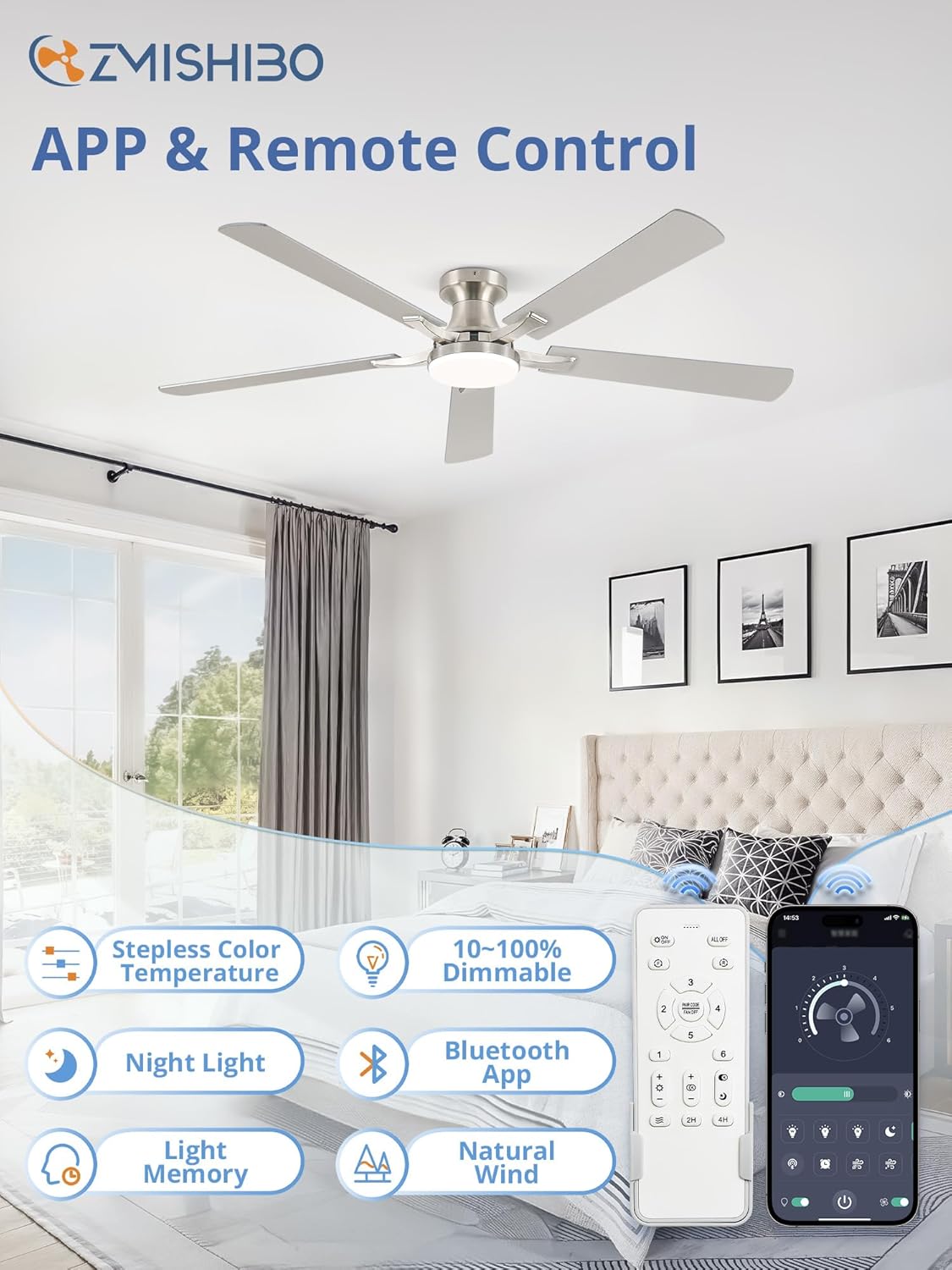
- dimming: Use the brightness buttons (+/-) to adjust the light intensity (10-100%).
- อุณหภูมิสี: Change the light color from warm white (3000K) to cool white (6500K) using the color temperature buttons.
- มอเตอร์แบบย้อนกลับ: Activate the reversible function for summer (downward airflow) or winter (upward airflow) modes.
- ตัวจับเวลา: ตั้งค่าพัดลมให้ปิดอัตโนมัติหลังจาก 2 หรือ 4 ชั่วโมง
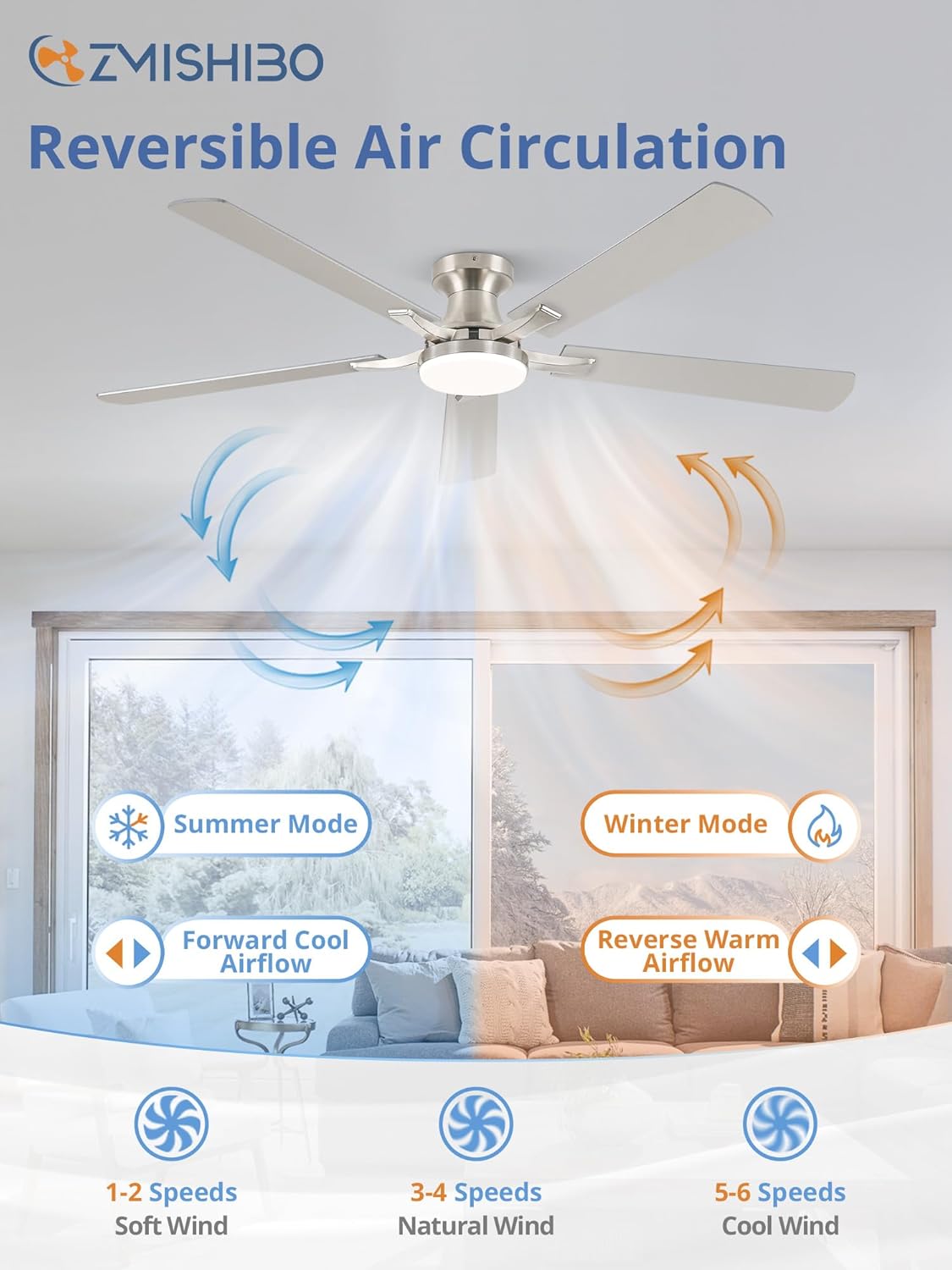
Figure 5: Illustration of the reversible air circulation feature, providing comfort year-round.
5.2. Smart Home App Control
For enhanced control, download the "Smart Home Light Pro" app (for iPhone) or scan the QR code (for Android) to connect your fan via Bluetooth. The app offers all remote control functions plus additional smart features.
Video 1: Connection Tutorial for Smart Home Light APP. This video demonstrates how to connect your ZMISHIBO ceiling fan to the Smart Home Light app for convenient smartphone control.
- Download the "Smart Home Light Pro" app from your device's app store or by scanning the QR code provided in the product packaging.
- ตรวจสอบให้แน่ใจว่าได้เปิดใช้งาน Bluetooth บนสมาร์ทโฟนของคุณแล้ว
- Open the app and allow it to access Bluetooth.
- In the app, click the plus sign to add a new device/group. Select "Fan" from the options.
- Power on the fan using the wall switch (not the remote).
- Quickly click the "Pairing" button in the app once within 5 seconds. The fan light will blink twice to confirm successful pairing.
- Once paired, you can control all fan and light functions directly from your smartphone.
6. คุณสมบัติหลัก
- ขนาดที่สมบูรณ์แบบ: 60-inch span ideal for large rooms (up to 18ft x 18ft, 8ft-11ft height).
- ไฟ LED หรี่แสงได้: Integrated 20W 2000LM LED light with 10-100% stepless dimming.
- อุณหภูมิสีปรับได้: Seamless transition from warm white (3000K) to cool white (6500K).
- ฟังก์ชั่นหน่วยความจำ: Retains your last light settings when turned off and on.
- มอเตอร์ DC แบบกลับด้านที่เงียบ: Operates at a low noise level (approx. 30 dB) while providing strong airflow (4304 CFM). Reversible function for year-round use.
- High-Quality Plywood Blades: Durable and lightweight, with dual-sided finishes to match various decors.
- ตัวเลือกการควบคุมหลายรายการ: Conveniently control via remote or smartphone app.
- ฟังก์ชั่นจับเวลา: 2-hour and 4-hour automatic shut-off settings.

Figure 6: Visual representation of the stepless color temperature and smooth dimming capabilities of the integrated LED light.
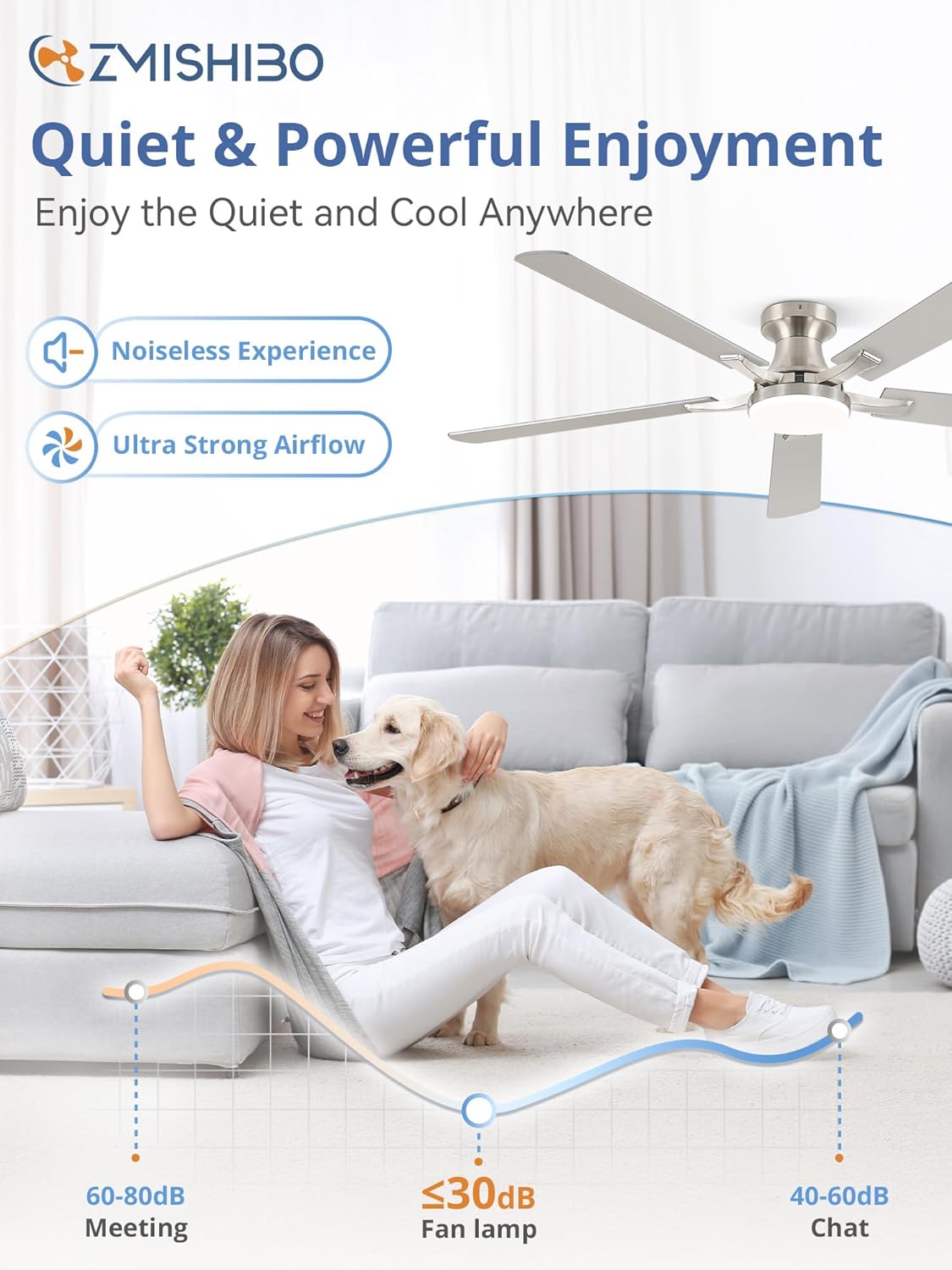
Figure 7: Demonstrates the quiet operation of the fan, with a noise level of approximately 30 dB, ensuring peaceful enjoyment.
7. การบำรุงรักษา
การบำรุงรักษาอย่างสม่ำเสมอจะช่วยให้พัดลมเพดานของคุณทำงานได้อย่างมีประสิทธิภาพสูงสุดและมีอายุการใช้งานยาวนาน:
- การทำความสะอาด: ใช้แบบนุ่มๆamp ผ้าสำหรับทำความสะอาดใบพัดลมและตัวเรือนมอเตอร์ ห้ามใช้น้ำยาทำความสะอาดที่มีฤทธิ์กัดกร่อนหรือตัวทำละลาย
- การปรับสมดุลใบมีด: If the fan wobbles, use the included blade balancing kit to correct it.
- ขันสกรูให้แน่น: Periodically check and tighten all screws on the fan blades and mounting hardware.
- แหล่งกำเนิดแสง: The integrated LED light is designed for long life. If replacement is needed, contact customer support.
8 การแก้ไขปัญหา
หากคุณประสบปัญหาเกี่ยวกับพัดลม โปรดดูปัญหาทั่วไปและวิธีแก้ไขต่อไปนี้:
| ปัญหา | สาเหตุที่เป็นไปได้ | สารละลาย |
|---|---|---|
| พัดลมไม่เริ่มทำงาน | No power to the fan; Loose wiring; Remote not paired. | Check circuit breaker; Ensure all wires are securely connected; Re-pair remote control or app. |
| ไฟไม่ทำงาน | Loose wiring; LED driver failure. | Check light kit wiring; Contact customer support for LED driver replacement. |
| พัดลมสั่นมากเกินไป | น็อตยึดใบเลื่อยหลวม; ใบเลื่อยไม่สมดุล; การติดตั้งไม่ถูกต้อง | Tighten all blade screws; Use blade balancing kit; Ensure mounting bracket is secure. |
| การทำงานมีเสียงดัง | Loose screws; Fan rubbing against ceiling. | Check and tighten all screws; Ensure proper clearance from ceiling. |
| รีโมตคอนโทรลไม่ทำงาน | แบตเตอรี่หมด; รีโมทไม่ได้จับคู่; มีสิ่งกีดขวาง | Replace batteries; Re-pair remote; Ensure clear line of sight to fan. |
9. ข้อมูลจำเพาะ
| คุณสมบัติ | รายละเอียด |
|---|---|
| ยี่ห้อ | สมิชิโบ |
| ชื่อรุ่น | บีเจ60 |
| ขนาด | 60 นิ้ว |
| สี | Nickel (Blades are reversible with wood grain option) |
| การออกแบบพัดลมไฟฟ้า | พัดลมเพดาน |
| แหล่งพลังงาน | มอเตอร์ DC |
| ประเภทการติดตั้ง | Flush Mount |
| คุณสมบัติพิเศษ | ใช้งานผ่านแอปได้, ไฟ LED, การทำงานเงียบ, ควบคุมจากระยะไกล, ตั้งเวลาได้ |
| ระดับเสียง | 30 เดซิเบล |
| วัดtage | 20 watts (LED Light) |
| จำนวนใบมีด | 5 |
| ความจุการไหลของอากาศ | 4304 ลูกบาศก์ฟุตต่อนาที |
| ส่วนประกอบที่รวมอยู่ | Cord, Light Kit, Remote |
| น้ำหนักสินค้า | 11.68 ปอนด์ |
10. การรับประกันและการสนับสนุน
ZMISHIBO Ceiling Fans with Light come with a 5-year motor support and a 2-year support on other parts. We are committed to upholding the highest standards for all our products. For any questions, technical assistance, or warranty claims, please contact ZMISHIBO customer support.


