การแนะนำ
This manual provides comprehensive instructions for the setup, operation, and maintenance of your ZEBRONICS Glassy 10 Wireless Mouse. Designed for comfort and efficiency, this mouse features dual-mode connectivity (2.4GHz and Bluetooth), adjustable DPI up to 1600, silent operation, and convenient Type-C charging. Please read this manual thoroughly before using the product to ensure optimal performance and longevity.
เนื้อหาแพ็คเกจ
- Mouse - 1 unit
- Nano Receiver - 1 unit
- สายชาร์จ - 1 ชิ้น
- Quick user Guide - 1 unit
คำแนะนำการตั้งค่า
1. การชาร์จเมาส์
The ZEBRONICS Glassy 10 mouse features a built-in rechargeable battery and Type-C charging. Connect the provided Type-C charging cable to the mouse's charging port and to a USB power source (e.g., computer, wall adapter). The LED indicator will show charging status and turn off when fully charged.

2. การเปิด/ปิดเครื่องและการเลือกโหมด
Locate the Mode/Power switch on the underside of the mouse. Slide the switch to turn the mouse ON or OFF, and to select between 2.4GHz wireless mode and Bluetooth mode.
3. Connecting via 2.4GHz Wireless Mode
- Take out the USB Nano Receiver from its storage slot on the underside of the mouse.
- เสียบตัวรับสัญญาณ USB Nano เข้ากับพอร์ต USB ที่ว่างอยู่บนคอมพิวเตอร์หรือแล็ปท็อปของคุณ
- Slide the Mode/Power switch on the mouse to the 2.4GHz position.
- เมาส์ควรเชื่อมต่อกับอุปกรณ์ของคุณโดยอัตโนมัติ
4. การเชื่อมต่อผ่านโหมดบลูทูธ
- Slide the Mode/Power switch on the mouse to the Bluetooth position.
- เมาส์จะเข้าสู่โหมดจับคู่ (ไฟแสดงสถานะอาจกะพริบ)
- เปิดการตั้งค่าบลูทูธบนคอมพิวเตอร์หรืออุปกรณ์ของคุณ
- ค้นหา new devices and select "ZEB-Glassy 10" (or similar) from the list.
- Confirm pairing on your device. The mouse will connect once paired.

คำแนะนำการใช้งาน
1. Mouse Buttons
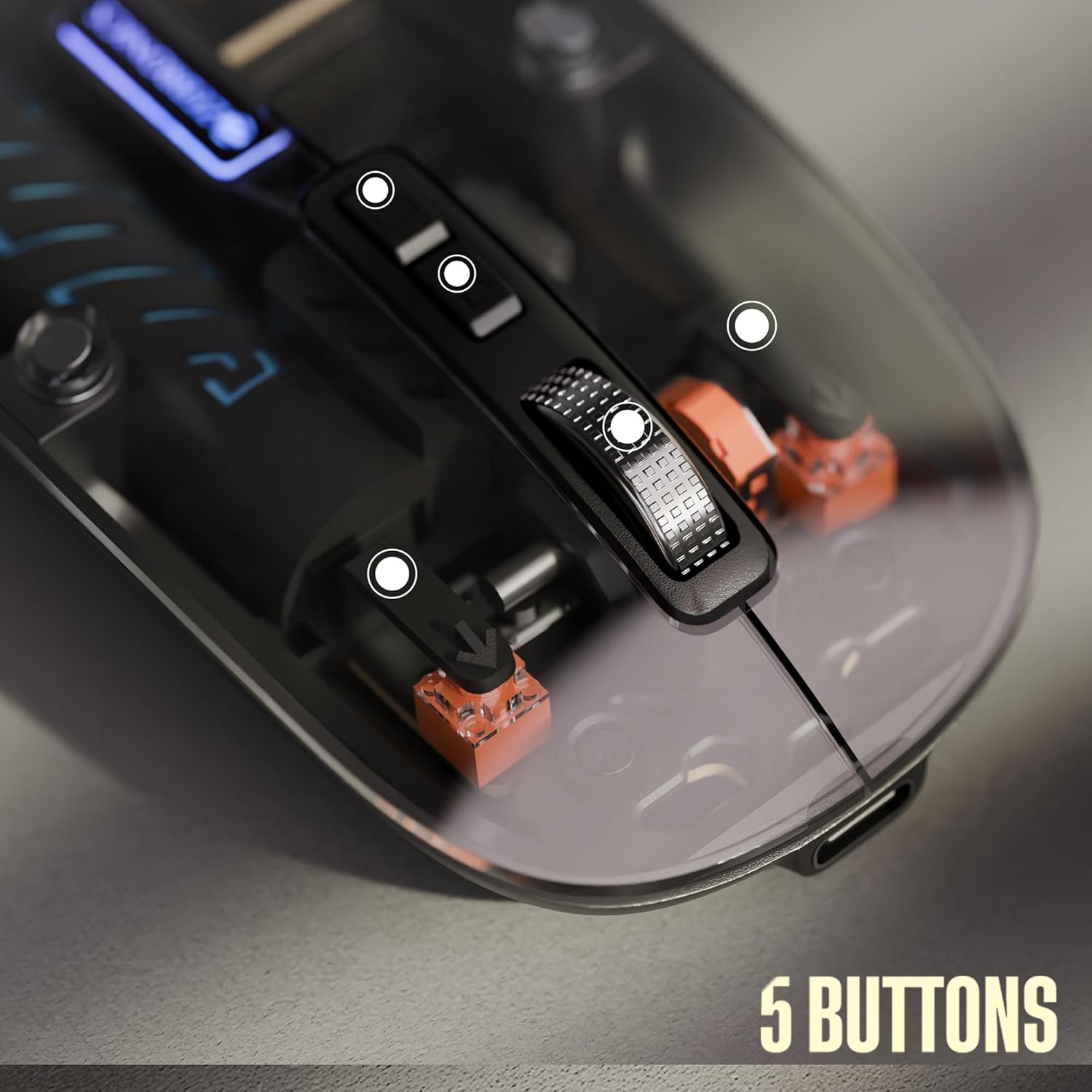
The ZEBRONICS Glassy 10 mouse is equipped with 5 buttons for enhanced functionality:
- คลิกซ้าย: การเลือกและการเปิดใช้งานตามมาตรฐาน
- คลิกขวา: Context menu access.
- Middle Scroll Wheel: สำหรับการเลื่อนดูเอกสารและ web pages. Can also be clicked for additional functions depending on software.
- DPI Control Button: ปรับความไวของเมาส์ (DPI)
- Dedicated Desktop Button: Provides quick access to the desktop or other programmed functions.

2. การปรับ DPI
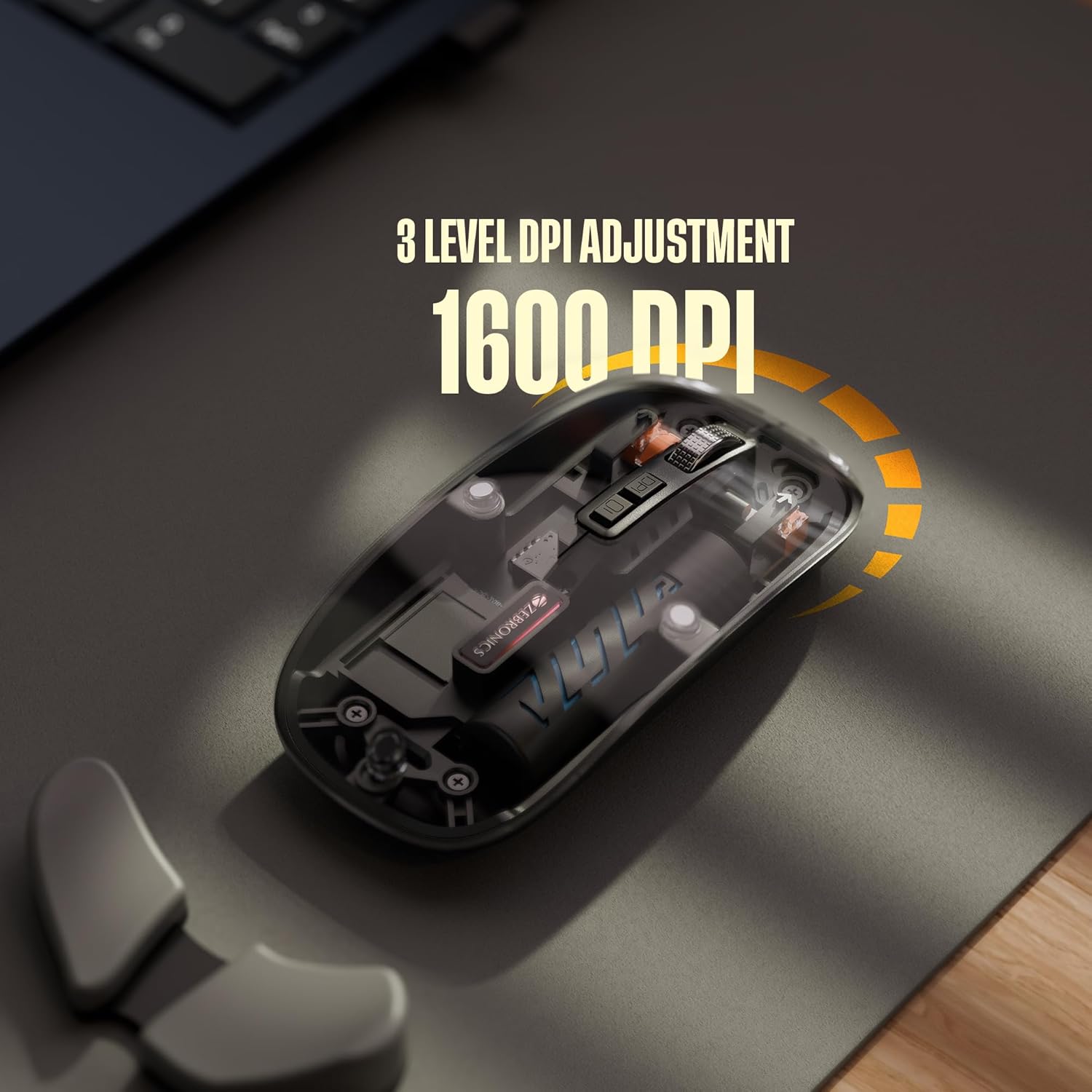
The mouse features 3 levels of DPI adjustment, up to 1600 DPI. Press the DPI control button to cycle through the available sensitivity settings. A higher DPI setting results in faster cursor movement across the screen with less physical mouse movement.
3. การทำงานเงียบสนิท
The ZEBRONICS Glassy 10 mouse is designed for silent operation, minimizing click sounds. This feature is beneficial in quiet environments, ensuring a less disruptive user experience.

4. ความเข้ากันได้ของพื้นผิว
The mouse is ergonomically designed to function effectively on various surfaces, including mouse pads, plain tables, and wooden surfaces, providing consistent tracking performance.
การซ่อมบำรุง
- การทำความสะอาด: ใช้ผ้านุ่มและแห้งเช็ดทำความสะอาดเมาส์ หลีกเลี่ยงการใช้สารเคมีรุนแรงหรือวัสดุที่มีฤทธิ์กัดกร่อน
- พื้นที่จัดเก็บ: When not in use, store the mouse in a cool, dry place. If storing for an extended period, ensure the mouse is turned off to preserve battery life.
- การดูแลแบตเตอรี่ Recharge the battery regularly. Avoid completely draining the battery frequently to prolong its lifespan.
การแก้ไขปัญหา
| ปัญหา | วิธีแก้ปัญหาที่เป็นไปได้ |
|---|---|
| เมาส์ไม่ตอบสนอง |
|
| การเชื่อมต่อช้าหรือขาดๆ หายๆ |
|
| Cursor movement is too fast/slow |
|
| ปัญหาการชาร์จ |
|
ข้อมูลจำเพาะ
| คุณสมบัติ | รายละเอียด |
|---|---|
| ยี่ห้อ | ม้าลาย |
| แบบอย่าง | Glassy 10 |
| เทคโนโลยีการเชื่อมต่อ | Dual Mode (2.4GHz Wireless, Bluetooth) |
| ระดับ DPI | Up to 1600 DPI (3-level adjustable) |
| ปุ่ม | 5 (Left, Right, Scroll Wheel, DPI, Dedicated Desktop) |
| การดำเนินการ | คลิกเงียบ |
| การชาร์จไฟ | Type-C, Built-in Rechargeable Battery |
| ความเข้ากันได้ของระบบปฏิบัติการ | Mac OS (and generally Windows, Linux compatible) |
| ขนาด (กxยxส) | 11.3 x 5.7 x 0.1 ซม. |
| น้ำหนักสินค้า | 70 กรัม |
การรับประกันและการสนับสนุน
For warranty information and technical support, please refer to the warranty card included in your package or visit the official ZEBRONICS webไซต์ โปรดเก็บใบเสร็จรับเงินไว้เป็นหลักฐานการซื้อสำหรับการเรียกร้องการรับประกัน
ผู้ผลิต: Zebronics India Private Limited
ที่อยู่: No.13/7, Smith Road, Royapettah, Chennai - 600 002, India


