การแนะนำ
The GUSGU G7 Wireless Gaming Controller is a versatile and high-performance device designed for an immersive gaming experience across multiple platforms. Featuring an interactive screen for easy configuration, Hall Effect joysticks and triggers for precision, and dual-mode connectivity, this controller is built for serious gamers.
คุณสมบัติหลัก
- Interactive Screen & Programmable Buttons: Configure settings directly on the controller's display. Four programmable back buttons allow for custom shortcuts and macros.
- จอยสติ๊กและไกปืนแบบ Hall Effect: Experience drift-free precision with Hall sensing technology. Customizable dead zones and dual-stage trigger locks enhance control.
- 6-Axis Gyroscope & Asymmetric Motors: Enjoy precise motion control for aiming and steering, complemented by realistic 4-level vibration feedback for immersive gameplay.
- การเชื่อมต่อแบบสองโหมด: Seamlessly switch between Bluetooth 5.1, 2.4GHz wireless, and USB-C wired connections.
- อายุการใช้งานแบตเตอรี่ยาวนาน: The 1000mAh battery provides up to 18 hours of gameplay on a single charge.
- Precise 8-Way D-Pad & Conductive Silicone Buttons: Designed for accurate control and comfortable, quiet presses during long gaming sessions.
- แจ็คหูฟัง 3.5 มม.: Supports game audio output when the controller is connected via USB cable to Switch or PS4.
คู่มือการติดตั้ง
เนื้อหาแพ็คเกจ:
- GUSGU G7 Wireless Gaming Controller
- USB-C Charging/Wired Cable
- ดองเกิลไร้สาย 2.4GHz
- คู่มือการใช้งาน
ค่าใช้จ่ายเริ่มต้น:
Before first use, fully charge the controller using the provided USB-C cable. Connect the USB-C end to the controller and the USB-A end to a compatible power source (e.g., computer USB port, USB wall adapter). The interactive screen will indicate charging status.
การเปิด/ปิดเครื่อง:
ในการเปิดเครื่อง ให้กด H ปุ่ม หากต้องการปิดเครื่อง ให้กดปุ่มค้างไว้ H button for 3 seconds until the screen turns off.
การเชื่อมต่อคอนโทรลเลอร์:
The GUSGU G7 supports multiple connection modes:
1. 2.4GHz Wireless Connection (Recommended for PC):
- เสียบตัวรับสัญญาณไร้สาย 2.4GHz เข้ากับพอร์ต USB ที่ว่างอยู่บนพีซีหรืออุปกรณ์ที่ใช้งานร่วมกันได้
- เปิดตัวควบคุม
- On the controller's interactive screen, navigate to โหมด และเลือก ดองเกิล. The controller will automatically pair with the dongle.

Image: GUSGU G7 Controller displaying the 2.4GHz wireless connection mode on its interactive screen, with the wireless dongle shown.
2. Bluetooth 5.1 Connection (for iOS, Android, Switch, PS4):
- เปิดตัวควบคุม
- On the controller's interactive screen, navigate to โหมด and select the desired platform (e.g., แอนดรอยด์, ไอโอเอส, สวิตช์, พีเอส4).
- Enable Bluetooth on your device (phone, tablet, Switch console, PS4).
- ค้นหา "GUSGU G7" in the Bluetooth device list and select it to pair.

Image: GUSGU G7 Controller with various compatible devices like PC, mobile, and consoles displayed around it.
3. USB-C Wired Connection:
- Connect the USB-C cable to the controller and the other end to your PC or compatible console.
- ตัวควบคุมจะเปลี่ยนเป็นโหมดสายโดยอัตโนมัติ

Image: Close-up of the GUSGU G7 Controller, highlighting its USB-C port for wired connection and charging.
คำแนะนำการใช้งาน
Interactive Screen Navigation:
กดปุ่มค้างไว้ H button for 3 seconds to access the main menu on the interactive screen. Use the joysticks or D-pad to navigate through options and the A/B buttons for confirmation/back.

Image: GUSGU G7 Controller displaying the interactive display screen with various settings menus, emphasizing ease of use without external apps.
ปุ่มย้อนกลับที่ตั้งโปรแกรมได้ (M1-M4):
The four back buttons (M1, M2, M3, M4) can be programmed to perform single actions or complex macros. Access the รายการโปรแกรม option in the interactive screen menu to set up custom commands.

Image: The underside of the GUSGU G7 Controller, highlighting the programmable macro buttons (M1, M2, N1, N2) for custom commands.
Adjusting Joystick Dead Zones:
To eliminate stick drift and fine-tune precision, use the interactive screen to adjust joystick dead zones from 0-50% via the เดดโซน การตั้งค่า

Image: Diagram illustrating the adjustable dead zone feature of the GUSGU G7's Hall Effect joysticks, showing precision control.
ทู-สtage Trigger Locks:
The Hall Effect triggers feature dual-stage locks. Use the physical switches on the underside of the controller to toggle between rapid short-press firing and full-press precision control, adapting to different game genres.

Image: Visual representation of the GUSGU G7's Hall Effect two-stage triggers, demonstrating their use in different gaming scenarios.
ข้อเสนอแนะการสั่นสะเทือน:
The asymmetric dual motors provide four adjustable levels of vibration feedback. Adjust the intensity via the การสั่นสะเทือน setting on the interactive screen to suit your preference.

ภาพ: ภายใน view of the GUSGU G7 Controller showing the asymmetric motors and illustrating the four levels of vibration feedback.
ไจโรสโคป 6 แกน:
The built-in 6-axis gyroscope enables precise motion control for aiming, steering, and action gameplay. This feature is automatically active when supported by the game.
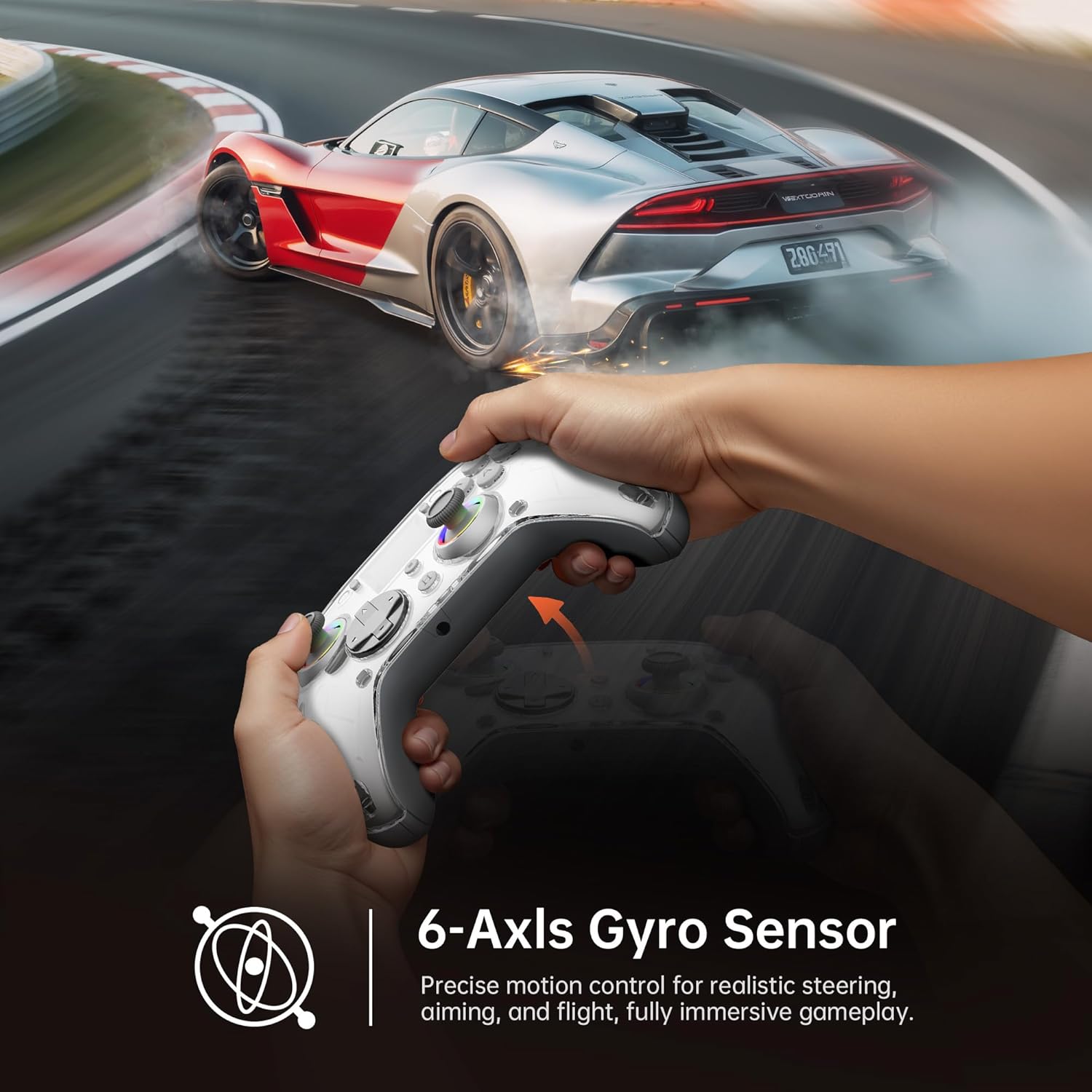
Image: Diagram illustrating the 6-Axis Gyro Sensor in the GUSGU G7 Controller, showing its application in precise motion control for gaming.
Changing Button Layouts:
Switch between Xbox and Switch button layouts (A/B/X/Y mapping) via the เค้าโครง setting on the interactive screen to match your preferred gaming style or console.
Headphone Jack Usage:
The 3.5mm headphone jack supports game audio output when the controller is connected via USB cable to a Nintendo Switch or PlayStation 4. Audio output is not supported on PC or mobile phones through this jack.
วิดีโอผลิตภัณฑ์อย่างเป็นทางการ:
วิดีโอ: วิดีโอแสดงผลิตภัณฑ์อย่างเป็นทางการasing the GUSGU G7 Wireless Gaming Controller's features and functionality.
การซ่อมบำรุง
- รักษาตัวควบคุมให้สะอาดด้วยการเช็ดด้วยผ้าแห้งและนุ่ม
- หลีกเลี่ยงการให้ตัวควบคุมสัมผัสกับอุณหภูมิที่สูงหรือความชื้นสูงหรือแสงแดดโดยตรง
- ห้ามถอดแยกชิ้นส่วนตัวควบคุม เพราะจะทำให้การรับประกันเป็นโมฆะ
- เก็บตัวควบคุมไว้ในที่แห้งและเย็นเมื่อไม่ได้ใช้งาน
การแก้ไขปัญหา
ตัวควบคุมไม่เชื่อมต่อ:
- ตรวจสอบให้แน่ใจว่าตัวควบคุมมีประจุไฟเต็ม
- Verify the correct connection mode is selected on the interactive screen (2.4GHz, Bluetooth, or Wired).
- สำหรับบลูทูธ โปรดตรวจสอบให้แน่ใจว่าอุปกรณ์ของคุณเปิดใช้งานบลูทูธแล้ว และตัวควบคุมอยู่ในโหมดจับคู่
- Try restarting both the controller and the device you are connecting to.
- หากใช้คลื่นความถี่ 2.4GHz โปรดตรวจสอบให้แน่ใจว่าเสียบดองเกิลแน่นสนิทและอุปกรณ์ของคุณรู้จักดองเกิลแล้ว
Stick Drift or Input Issues:
- Calibrate the joysticks and triggers via the การสอบเทียบ option in the interactive screen menu.
- Adjust the joystick dead zones using the เดดโซน การตั้งค่า
การสั่นสะเทือนไม่ทำงาน:
- ตรวจสอบ การสั่นสะเทือน setting on the interactive screen and ensure it's not set to 0%.
- ตรวจสอบให้แน่ใจว่าเกมที่คุณกำลังเล่นรองรับการตอบสนองการสั่นสะเทือน
ข้อมูลจำเพาะ
| คุณสมบัติ | รายละเอียด |
|---|---|
| หมายเลขรุ่น | กุสกู G7 |
| การเชื่อมต่อ | บลูทูธ 5.1, ไร้สาย 2.4GHz, USB-C แบบมีสาย |
| อัตราการสำรวจความคิดเห็น | 1000Hz (Wired/2.4GHz) |
| จอยสติ๊กและทริกเกอร์ | เอฟเฟกต์ฮอลล์ |
| ความจุของแบตเตอรี่ | 1000mAh (Up to 18 hours gameplay) |
| ไจโรสโคป | 6 แกน |
| การสั่นสะเทือน | Asymmetric Dual Motors (4 levels) |
| ความเข้ากันได้ | PC (Windows 10+), iOS (14.0+), Android (9.0+), Nintendo Switch, PS4, Tesla Arcade (Not compatible with Xbox or PS5) |
| น้ำหนัก | 15.5 ออนซ์ |
| ผู้ผลิต | Shenzhen Wojiayoupin Technology Co., Ltd. |
การรับประกันและการสนับสนุน
For warranty information, technical support, or customer service inquiries, please refer to the contact details provided on the product packaging or visit the official GUSGU webเว็บไซต์.


