1. สินค้าหมดview
The AstroAI P12 Jump Starter is a portable device designed to jump start vehicles with dead batteries. It also functions as a power bank for electronic devices and includes an LED flashlight. This unit is compatible with all gas engines and diesel engines up to 12L.
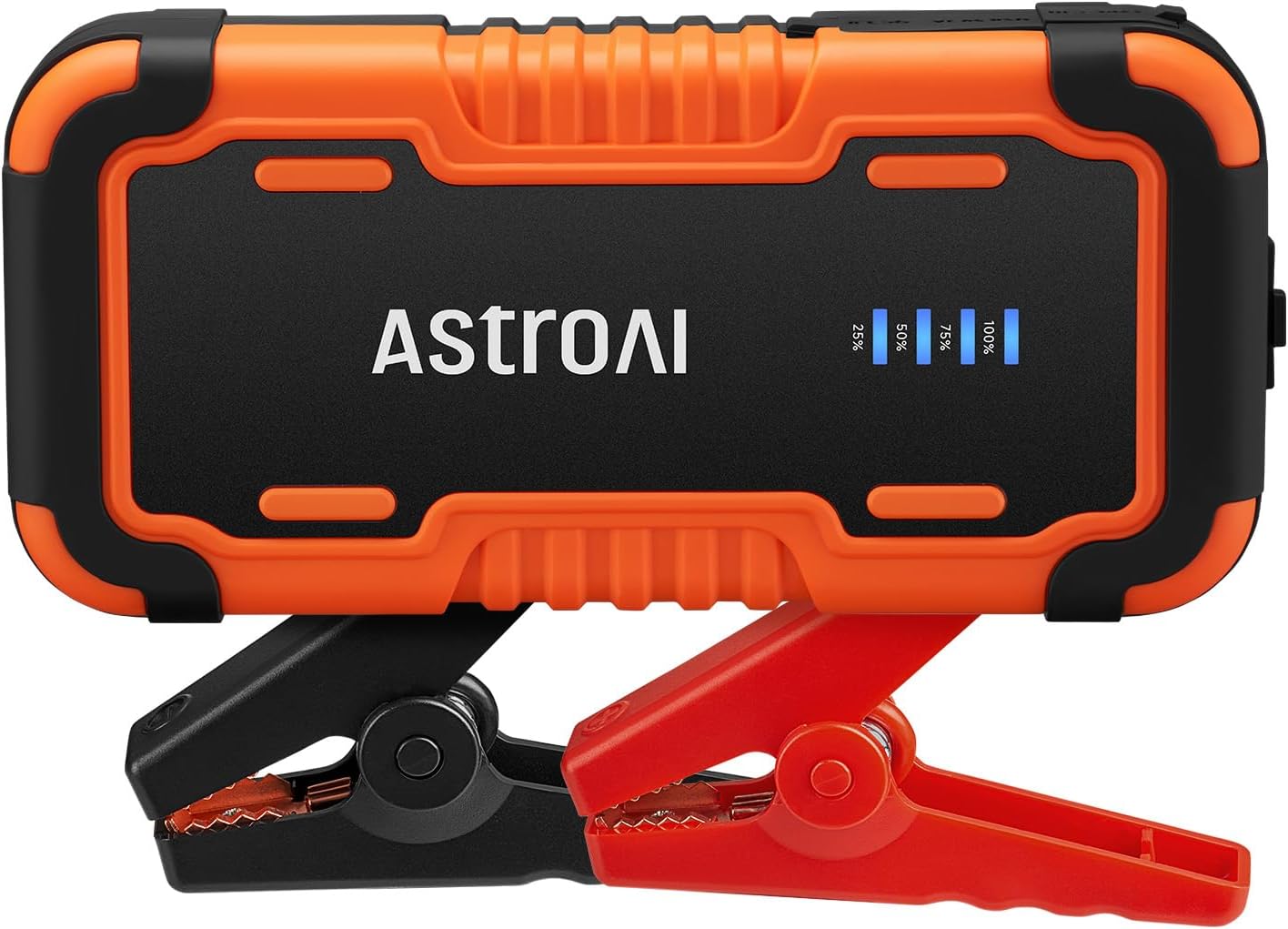
Image 1.1: AstroAI P12 Jump Starter with attached smart battery clamps.
2. สิ่งที่รวมอยู่
แพ็คเกจประกอบด้วยรายการดังต่อไปนี้:
- ชุดสตาร์ทรถฉุกเฉิน AstroAI P12
- สมาร์ทแบตเตอรี่Clamps
- กระเป๋าเก็บของ
- สาย USB AC
- คู่มือการใช้งาน (เอกสารนี้)

Image 2.1: All components included in the AstroAI P12 Jump Starter package.
3. ข้อมูลด้านความปลอดภัย
อ่านคำเตือนและคำแนะนำด้านความปลอดภัยทั้งหมดก่อนใช้ผลิตภัณฑ์นี้ การไม่ปฏิบัติตามคำเตือนและคำแนะนำอาจส่งผลให้เกิดไฟฟ้าช็อต ไฟไหม้ และ/หรือบาดเจ็บสาหัส
ข้อควรระวังเพื่อความปลอดภัยทั่วไป:
- Do not operate the jump starter if it has been damaged or modified.
- อย่าให้เครื่องสตาร์ทรถฉุกเฉินโดนฝนหรืออยู่ในสภาพเปียกชื้น
- อย่าใช้เอกสารแนบที่ไม่แนะนำหรือขายโดยผู้ผลิต
- ตรวจสอบให้แน่ใจว่ามีการระบายอากาศที่เหมาะสมระหว่างการใช้งาน
- เก็บให้พ้นจากมือเด็ก
- Wear eye protection when operating.
การป้องกันในตัว:
The AstroAI P12 includes 10 comprehensive safety protections:
- การป้องกันขั้วข้อมูลย้อนกลับ
- ระบบป้องกันกระแสไฟเกิน
- การป้องกันการชาร์จไฟเกิน
- การป้องกันการคายประจุมากเกินไป
- การป้องกันอุณหภูมิสูงและต่ำ
- การป้องกันการเชื่อมต่อย้อนกลับ
- มากกว่าVoltagการป้องกันอี
- ระบบป้องกันการโอเวอร์โหลด
- ระบบป้องกันไฟฟ้าลัดวงจร
- Spark-Proof Clamps

Image 3.1: Visual representation of the 10 safety protections integrated into the device.
4. การชาร์จเครื่องจั๊มสตาร์ท
Before initial use, fully charge the AstroAI P12 Jump Starter. It is recommended to recharge the unit every few months to maintain battery health, especially if not used regularly.
- Connect the provided USB A-C cable to the USB-C input port on the jump starter.
- Connect the other end of the USB A-C cable to a compatible USB wall adapter (not included) or a powered USB port.
- The LED indicator on the jump starter will show the charging progress. Charge until the indicator shows 100% or full charge.
A full charge typically takes approximately 4-5 hours from empty.
5. คู่มือการใช้งาน
5.1. การสตาร์ทเครื่องยนต์ด้วยจั๊มพ์สตาร์ท
ปฏิบัติตามขั้นตอนเหล่านี้อย่างระมัดระวังเพื่อสตาร์ทรถของคุณ:
- ตรวจสอบให้แน่ใจว่าเครื่องสตาร์ทรถฉุกเฉินมีแบตเตอรี่เหลือเพียงพอ (แนะนำอย่างน้อย 75%)
- ปิดสวิตช์กุญแจรถและอุปกรณ์เสริมทั้งหมด (ไฟ วิทยุ ฯลฯ)
- เชื่อมต่อแบตเตอรี่อัจฉริยะ clamps to the jump starter's output port. Ensure it is fully inserted.
- แนบไฟล์ สีแดง บวก (+) clamp เข้ากับขั้วบวก (+) ของแบตเตอรี่รถยนต์
- แนบไฟล์ สีดำ ลบ (-) clamp ต่อเข้ากับขั้วลบ (-) ของแบตเตอรี่รถยนต์
- Observe the indicator on the smart battery clamps. If it glows สีเขียวทึบ, the connection is correct and safe to proceed. If it flashes red/green or shows an error, recheck connections and refer to the troubleshooting section.
- Once the indicator is solid green, start the vehicle's engine.
- After the engine starts, immediately remove the smart battery clampจากแบตเตอรี่รถยนต์ ให้เริ่มจากขั้วลบ (-) ก่อนampจากนั้นค่าบวก (+) clamp.
- Disconnect the smart battery clampจากจั๊มสตาร์ท

Image 5.1: Step-by-step visual guide for jump starting a vehicle.

Image 5.2: AstroAI P12 Jump Starter connected to a vehicle battery.
5.2. ใช้เป็นพาวเวอร์แบงค์
The AstroAI P12 can charge electronic devices via its USB-A output ports.
- เอาต์พุต USB-A (QC 3.0): 5V;3A, 9V;2A, 12V;1.5A (18W Max)
- เอาต์พุต USB-A: 5V;2A
- Connect your device's charging cable to one of the USB-A output ports on the jump starter.
- เชื่อมต่อปลายอีกด้านของสายเคเบิลเข้ากับอุปกรณ์อิเล็กทรอนิกส์ของคุณ
- เครื่องจั๊มสตาร์ทจะเริ่มชาร์จอุปกรณ์ของคุณโดยอัตโนมัติ

Image 5.3: The jump starter functioning as a power bank for various electronic devices.
5.3. การใช้ไฟฉาย LED
The built-in LED flashlight offers three modes: illumination, SOS, and strobe.
- Press and hold the power button for approximately 3 seconds to turn on the flashlight (illumination mode).
- Press the power button again to cycle through the modes: SOS (flashing) and Strobe.
- Press and hold the power button again for 3 seconds to turn off the flashlight.

Image 5.4: The AstroAI P12 Jump Starter's LED flashlight in use.
6. การบำรุงรักษา
- การทำความสะอาด: เช็ดทำความสะอาดตัวเครื่องด้วยผ้าแห้งเนื้อนุ่ม ห้ามใช้สารเคมีรุนแรงหรือวัสดุที่มีฤทธิ์กัดกร่อน
- พื้นที่จัดเก็บ: Store the jump starter in a cool, dry place, away from direct sunlight and extreme temperatures. The operating temperature range is -20°C to 50°C (-4°F to 122°F).
- การชาร์จไฟ: Recharge the unit every 3-6 months, even if not used, to prolong battery life.
- แบตเตอรี่Clamps: ตรวจสอบคลีampตรวจสอบสายไฟและสายเคเบิลว่ามีส่วนใดเสียหายหรือไม่ก่อนใช้งานทุกครั้ง

Image 6.1: The AstroAI P12 Jump Starter is designed to operate in a wide range of temperatures.
7 การแก้ไขปัญหา
| ปัญหา | สาเหตุที่เป็นไปได้ | สารละลาย |
|---|---|---|
| Vehicle does not start after jump start attempt. |
|
|
| สมาร์ท clamps indicator shows red/flashing. |
|
|
| เครื่องสตาร์ทรถฉุกเฉินไม่สามารถชาร์จอุปกรณ์ได้ |
|
|
8. ข้อมูลจำเพาะ
| คุณสมบัติ | รายละเอียด |
|---|---|
| แบบอย่าง | P12 |
| กระแสสูงสุด | 6000 Amps |
| เล่มที่tage | 12 โวลต์ |
| ความเข้ากันได้กับเครื่องยนต์ | All Gas, up to 12L Diesel |
| ประเภทแบตเตอรี่ | Lithium Polymer (Lithium-Nickel Manganese Cobalt - NMC) |
| เอาต์พุต USB-A (QC 3.0) | 5V;3A, 9V;2A, 12V;1.5A (18W Max) |
| เอาต์พุต USB-A | 5V;2A |
| ขนาด | 183 มม. x 88 มม. x 39 มม. (7.20 นิ้ว x 3.45 นิ้ว x 1.53 นิ้ว) |
| น้ำหนักสินค้า | 800 กรัม |
| อุณหภูมิในการทำงาน | -20°C ถึง 50°C (-4°F ถึง 122°F) |

Image 8.1: The compact size of the AstroAI P12 Jump Starter.
9. การรับประกันและการสนับสนุน
For warranty information or technical support, please contact AstroAI customer service.
- ผู้ผลิต: AstroAI
- อีเมลติดต่อ: สนับสนุน@astroai.com
- Refer to the official AstroAI webเว็บไซต์สำหรับนโยบายการรับประกันล่าสุด


