การแนะนำ
Thank you for choosing the EZVALO UCL05-C 12-inch LED Motion Sensor Under Cabinet Light. This manual provides essential information for the safe and efficient operation of your new lighting solution. Please read these instructions thoroughly before installation and use, and retain them for future reference.
มีอะไรอยู่ในกล่อง
ตรวจสอบว่ามีส่วนประกอบทั้งหมดอยู่ในแพ็คเกจของคุณ:
- 2 x Motion Sensor Cabinet Lights
- 2 x USB-C Charging Cords
- 4 x Adhesive Iron Plates
- 1 x Product User Manual

Image: Contents of the EZVALO product package, including two light bars, two USB-C charging cables, and adhesive metal plates.
คุณสมบัติผลิตภัณฑ์
Smart Motion Sensor with Multiple Modes
The lights feature an advanced motion sensor that detects human movement within 12 feet and a 120° angle. Choose from three distinct operating modes:
- Night Motion Mode: Activates only in low-light environments, ideal for nighttime use.
- All-Day Motion Mode: Turns on whenever motion is detected, regardless of ambient light, suitable for consistently dim areas.
- โหมดเปิดตลอดเวลา: Provides continuous illumination for extended tasks.
Lights automatically turn off after approximately 20 seconds of no motion detected in sensor modes, conserving energy.

Image: Visual representation of the three operational modes (Always On, Day Mode, Night Mode) and their respective indicator lights.
Video: Demonstration of the EZVALO motion sensor under cabinet lights in various settings, highlighting their automatic activation and different modes.
ความสว่างหรี่แสงได้
Equipped with 53 energy-saving LEDs, these lights emit up to 150 lumens of bright, soft white light. Adjust brightness easily:
- ข่าวสารแบบสั้น: Cycle through 5 brightness levels (20%-40%-60%-80%-100%).
- กดแบบยาว: Engage stepless dimming (10%-100%).
The light remembers your last brightness setting for convenience.
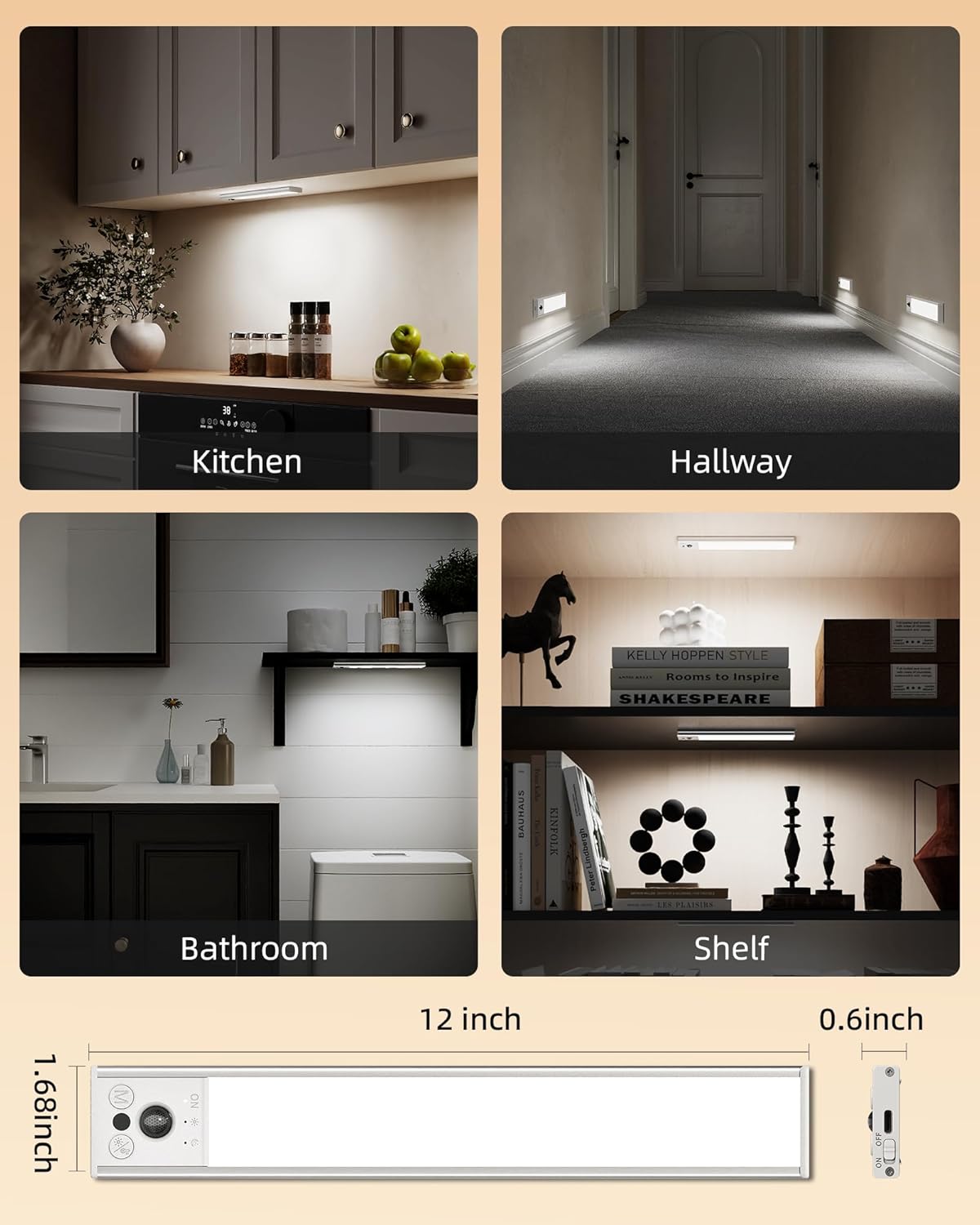
Image: Illustration of the adjustable brightness feature, demonstrating five distinct levels and continuous dimming capability.
แบตเตอรี่แบบชาร์จไฟได้ยาวนาน
Each light features a built-in 3100mAh high-capacity rechargeable battery, eliminating the need for wiring or frequent battery replacement. Fast USB-C charging (3.5 hours for a full charge) provides:
- 15-45 days of use on Motion Sensor Mode (depending on frequency).
- Up to 14 hours of continuous light on Always-on Mode.

Image: Details on the light's 3100mAh battery, including its duration in different modes and charging time.
ติดตั้งง่าย
The lights are designed for hassle-free installation with built-in strong magnets. They can be directly attached to iron surfaces or mounted anywhere using the included adhesive metal plates. This allows for easy removal for charging or relocation.
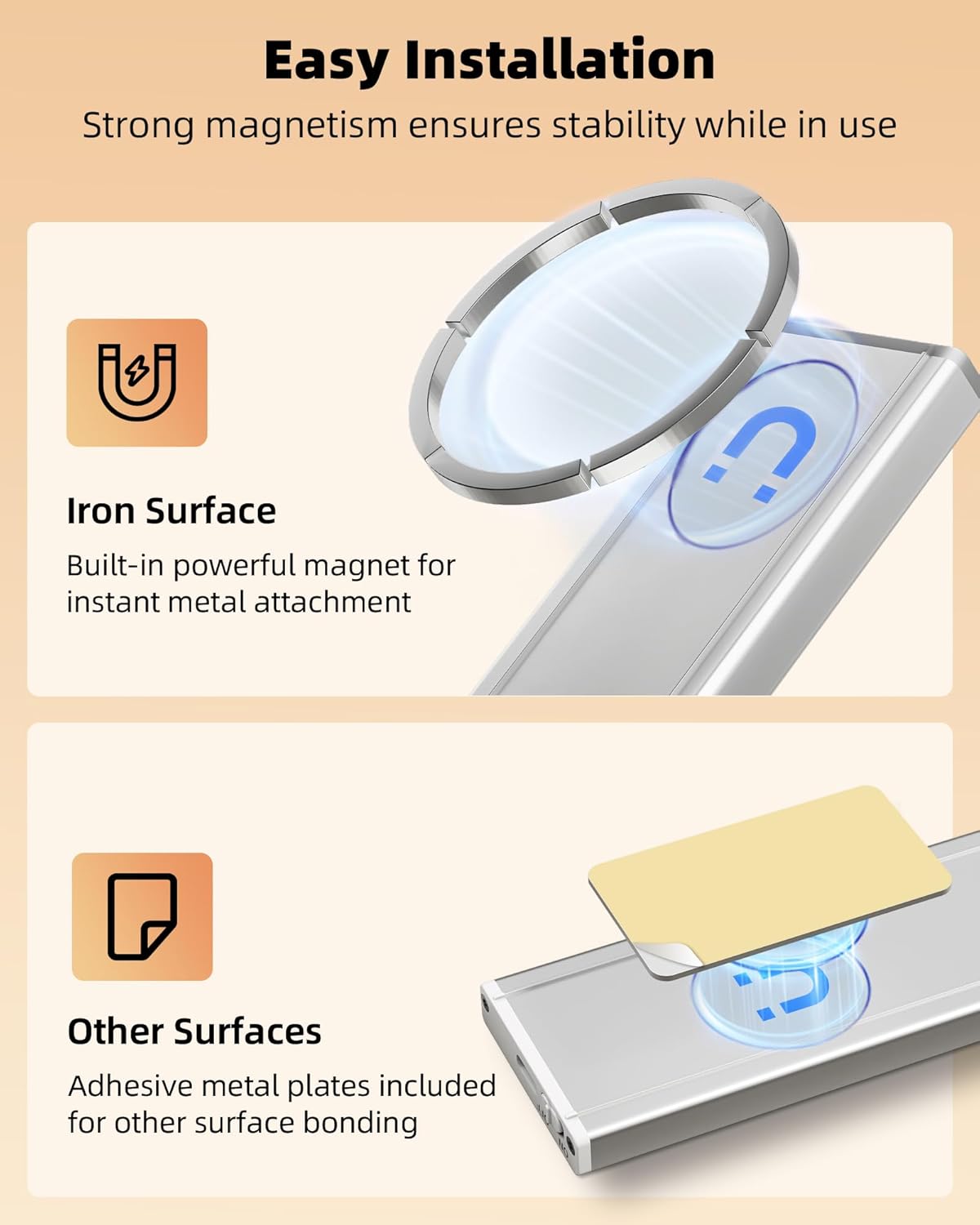
Image: Step-by-step guide for installing the lights using either direct magnetic attachment or adhesive metal plates.
การติดตั้งและการตั้งค่า
- ชาร์จไฟ: Before first use, fully charge both lights using the provided USB-C charging cords. A red light indicates charging, and a green light indicates a full charge.
- เตรียมพื้นผิวการติดตั้ง: Ensure the desired installation surface is clean and dry.
- เลือกวิธีการติดตั้ง:
- For Iron Surfaces: Simply place the light directly onto the iron surface. The built-in magnets will secure it.
- For Non-Iron Surfaces: Peel the protective film from one side of an adhesive metal plate. Stick this side firmly onto the desired surface. Then, attach the light to the metal plate using its built-in magnets. Repeat for the second light.
- การวางตำแหน่ง: For optimal motion detection, position the lights where movement will occur within the 12ft/120° range.
คำแนะนำการใช้งาน
- เปิด/ปิดเครื่อง: Locate the ON/OFF switch on the side of the light. Slide it to 'ON' to activate the light or 'OFF' to power down completely.
- เลือกโหมด: With the light powered on, press the 'M' (Mode) button to cycle through the three operating modes: Always On, Day Motion, and Night Motion. An LED indicator will confirm the selected mode.
- ปรับความสว่าง: Press the brightness button (sun icon) to cycle through 5 preset brightness levels. For stepless dimming, press and hold the brightness button until the desired light intensity is reached.
- การชาร์จ: When the battery is low, connect the USB-C charging cord to the light's charging port and a USB power source. The indicator light will be red during charging and turn green when fully charged.
การซ่อมบำรุง
- การทำความสะอาด: เช็ดพื้นผิวที่บอบบางด้วยผ้านุ่มและแห้ง ห้ามใช้น้ำยาทำความสะอาดที่มีฤทธิ์กัดกร่อนหรือตัวทำละลาย
- การดูแลแบตเตอรี่ For optimal battery life, avoid fully discharging the battery frequently. Recharge when the light output noticeably diminishes.
- พื้นที่จัดเก็บ: If storing the lights for an extended period, charge them fully and store in a cool, dry place. Recharge every 3-6 months to maintain battery health.
การแก้ไขปัญหา
- ไฟไม่ติด: Ensure the ON/OFF switch is in the 'ON' position. Check if the battery is charged. If in motion sensor mode, verify ambient light conditions and motion detection.
- เซ็นเซอร์ตรวจจับการเคลื่อนไหวไม่ทำงาน: Ensure the light is in either Day Motion or Night Motion mode. Check for obstructions blocking the sensor. Verify the ambient light level is appropriate for the selected mode.
- Light flickers or is dim: The battery may be low. Recharge the light.
ข้อมูลจำเพาะ
| ชื่อรุ่น | UCL05-C |
| ขนาดสินค้า | 12 x 1.68 x 0.6 นิ้ว |
| น้ำหนักสินค้า | 12.6 ออนซ์ (0.36 กิโลกรัม) |
| ประเภทแหล่งกำเนิดแสง | LED (53 LED) |
| ความสว่าง | 150 ลูเมน (สูงสุด) |
| อุณหภูมิสี | 6500 เคลวิน (สีขาวเย็น) |
| ความจุของแบตเตอรี่ | แบตเตอรี่ลิเธียมโลหะ 3100mAh (มีมาให้ในชุด) |
| เวลาในการชาร์จ | ประมาณ 3.5 ชั่วโมง (USB-C) |
| แหล่งพลังงาน | ใช้พลังงานจากแบตเตอรี่ |
| เล่มที่tage | 5 โวลต์ (กระแสตรง) |
| วัดtage | 1.5 วัตต์ |
| วัสดุ | อลูมิเนียม, พลาสติก |
| ประเภทการติดตั้ง | แม่เหล็กติด |
| การใช้งานภายใน/ภายนอกอาคาร | ในร่ม |
| คุณสมบัติพิเศษ | Cordless, Dimmable, Energy Efficient, Motion Sensor, Rechargeable |
การรับประกันและการสนับสนุน
EZVALO offers a 24-month warranty for this product. If you encounter any issues or have questions regarding your EZVALO LED Motion Sensor Light, please refer to the contact information provided in the product packaging or visit the official EZVALO webเว็บไซต์สำหรับการสนับสนุน


