การแนะนำ
Thank you for choosing the Monster S290 Portable Bluetooth Speaker. This manual provides essential information for setting up, operating, and maintaining your speaker to ensure optimal performance and longevity. Please read these instructions carefully before using the product.
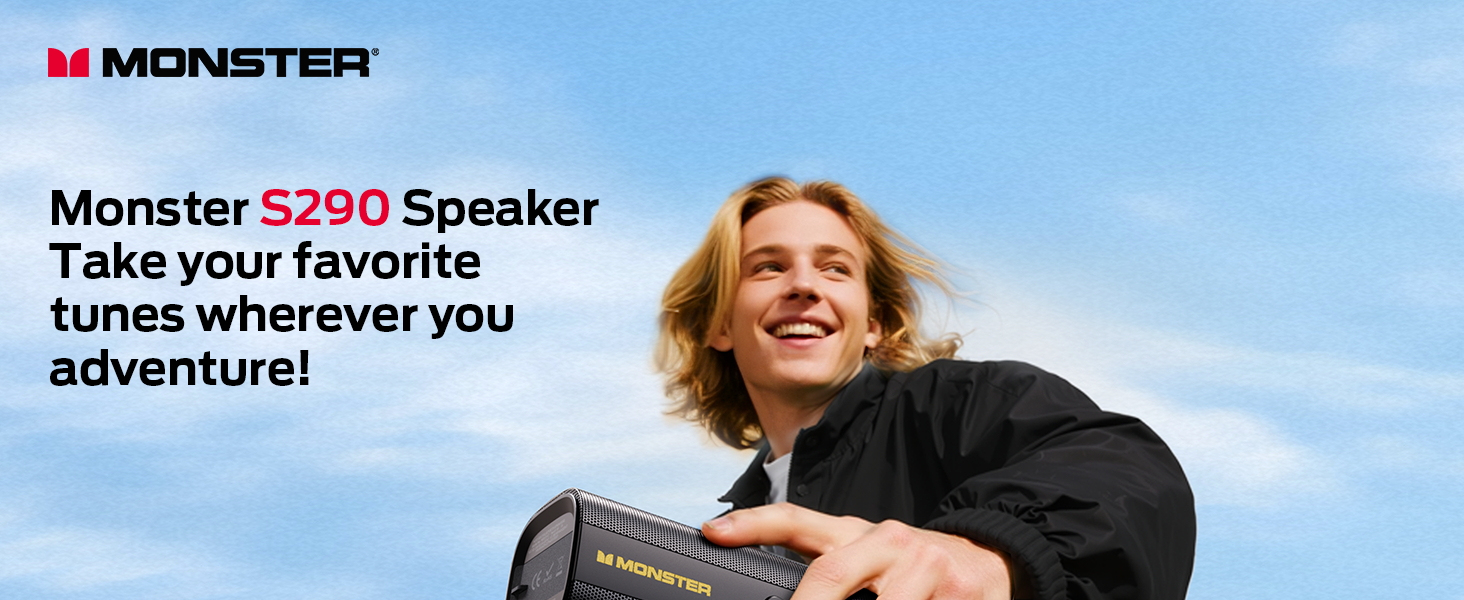
Image: The Monster S290 speaker, designed for portability, shown being carried by a person outdoors.
เนื้อหาแพ็คเกจ
ตรวจสอบว่ารายการทั้งหมดที่ระบุไว้ด้านล่างนี้รวมอยู่ในแพ็คเกจของคุณ:
- Monster S290 Speaker x1
- AUX-IN Cable x1
- สายชาร์จ USB-C x1
- คู่มือเริ่มต้นอย่างรวดเร็ว x1
- ใบรับประกัน x1
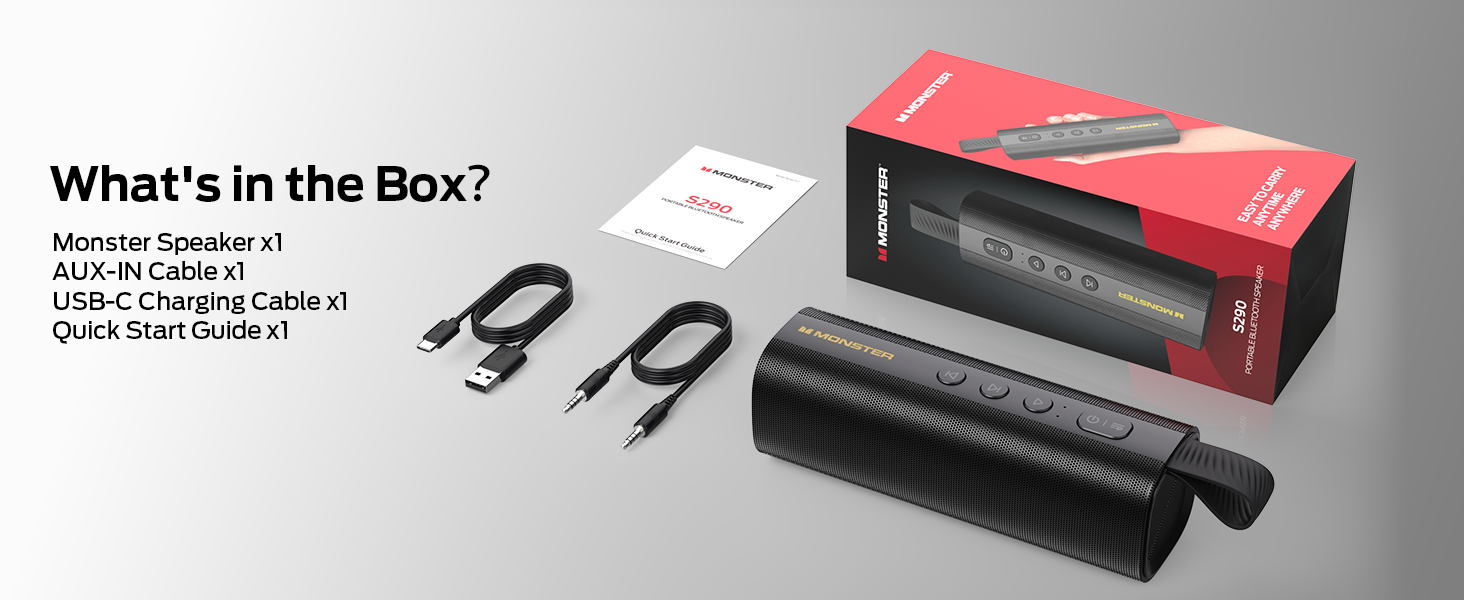
Image: A visual representation of the Monster S290 speaker and its included accessories: AUX-IN cable, USB-C charging cable, quick start guide, and warranty card.
สินค้าเกินview
เค้าโครงลำโพง
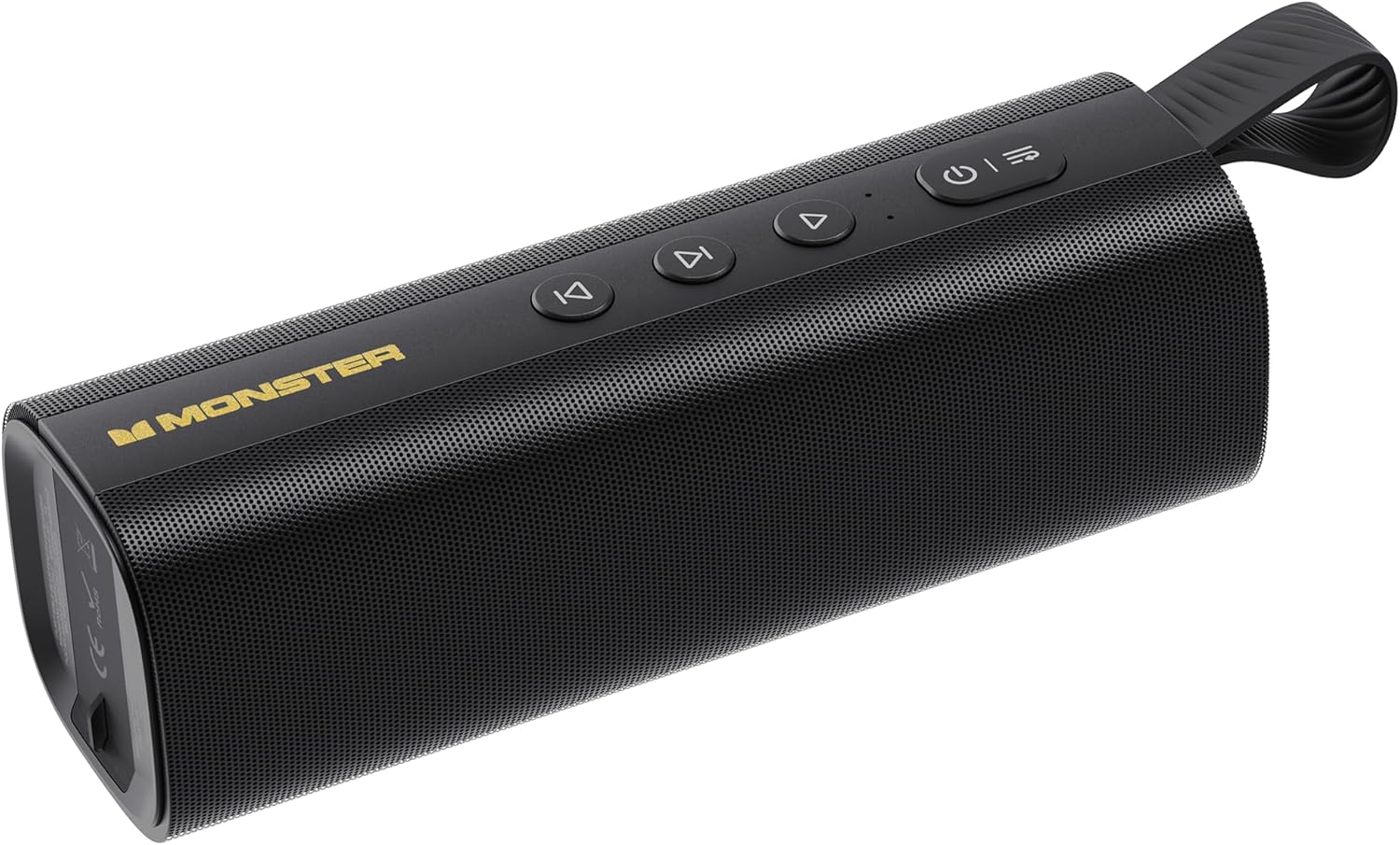
Image: The Monster S290 Portable Bluetooth Speaker, showcasing its cylindrical design, control buttons on top, and integrated carrying strap.
ปุ่มควบคุม
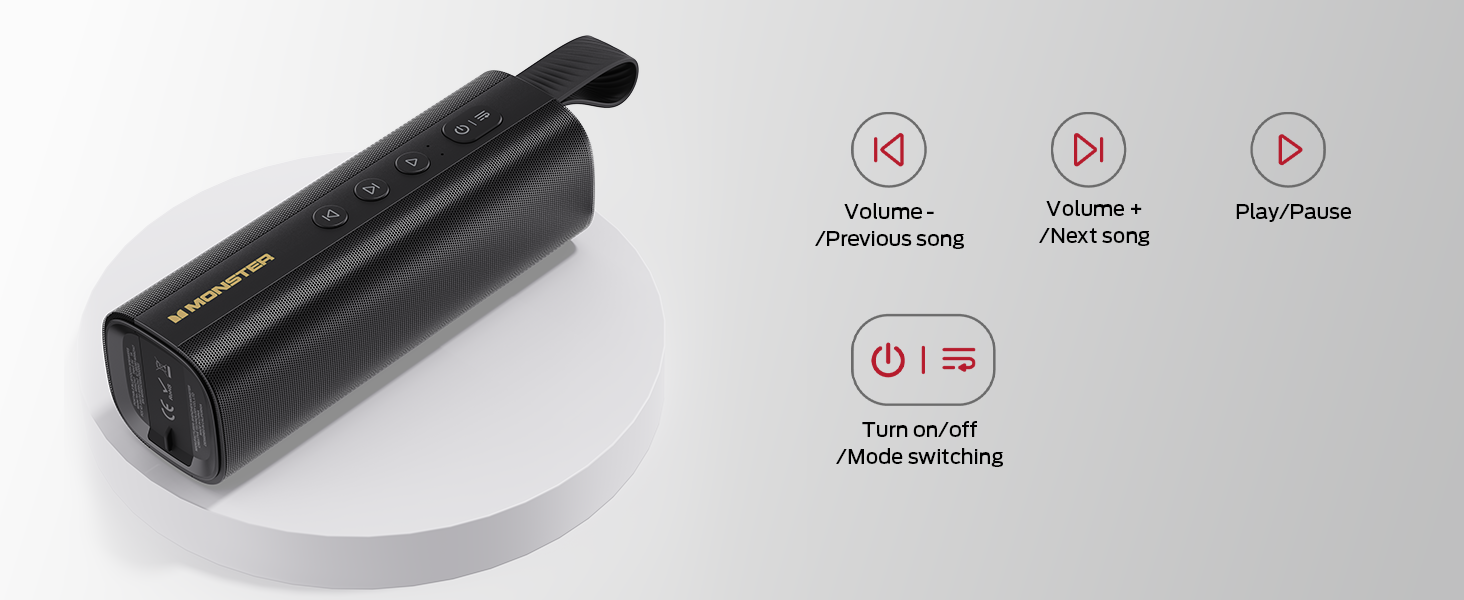
Image: A diagram detailing the functions of the speaker's buttons: Power On/Off/Mode Switching, Volume Down/Previous Song, Volume Up/Next Song, and Play/Pause.
- ปุ่มเพาเวอร์ (⏻): Press and hold to power on/off. Short press to switch between input modes (Bluetooth, AUX, TF Card, USB).
- Volume Down / Previous Song (⏮): Short press for previous song. Press and hold to decrease volume.
- Play / Pause (⏯): Short press to play or pause audio.
- Volume Up / Next Song (⏭): Short press for next song. Press and hold to increase volume.
พอร์ตอินพุต

ภาพ: รายละเอียด view of the speaker's connectivity panel, showing the TF card slot, USB port, USB-C charging port, and AUX-IN port, protected by a rubber flap.
- สล็อตบัตร TF: For playing audio directly from a MicroSD/TF card.
- พอร์ต USB: For playing audio directly from a USB flash drive.
- USB-C (กระแสตรง 5V): Charging port for the speaker.
- อ๊อกซ์อิน: 3.5mm audio input for wired connection to devices.
การตั้งค่า
การชาร์จลำโพง
- เชื่อมต่อสายชาร์จ USB-C ที่ให้มากับพอร์ต USB-C บนลำโพง
- เชื่อมต่อปลายสายอีกด้านหนึ่งเข้ากับอะแดปเตอร์ไฟ USB (ไม่รวมอยู่ด้วย) หรือพอร์ต USB ของคอมพิวเตอร์
- ไฟแสดงสถานะการชาร์จจะสว่างขึ้นในระหว่างการชาร์จ และดับลงเมื่อชาร์จเต็ม
- การชาร์จเต็มสามารถเล่นได้ประมาณ 15 ชั่วโมง

Image: The Monster S290 speaker held in a hand, visually representing its extended battery life of up to 15 hours on a single charge.
เปิด/ปิดเครื่อง
- เพื่อเปิดเครื่อง: กดปุ่มเปิด/ปิดค้างไว้ (⏻) for approximately 2-3 seconds until you hear an audible prompt and the indicator light turns on.
- ในการปิดเครื่อง: กดปุ่มเปิด/ปิดค้างไว้ (⏻) for approximately 2-3 seconds until you hear an audible prompt and the indicator light turns off.
คำแนะนำการใช้งาน
Bluetooth Pairing (Single Speaker)
- Ensure the speaker is powered on and in Bluetooth pairing mode (indicated by a flashing blue LED). If not, short press the Power button (⏻) to cycle through modes until Bluetooth mode is active.
- บนอุปกรณ์พกพาของคุณ (สมาร์ทโฟน แท็บเล็ต ฯลฯ) ให้เปิดใช้งานบลูทูธ
- ค้นหา available Bluetooth devices. You should see "Monster S290" in the list.
- Select "Monster S290" to connect. Once connected, the indicator light will turn solid blue, and you will hear a confirmation sound.
- ลำโพงจะพยายามเชื่อมต่อกับอุปกรณ์ที่จับคู่ไว้ครั้งสุดท้ายโดยอัตโนมัติเมื่อเปิดเครื่อง

ภาพ: เอกซเรย์ view of the Monster S290 speaker, emphasizing the integrated Bluetooth 6.0 chip for stable and efficient wireless connectivity.
การจับคู่ TWS (True Wireless Stereo)
TWS pairing allows you to connect two Monster S290 speakers together for a stereo sound experience.
- Ensure both Monster S290 speakers are powered on and not connected to any Bluetooth device.
- On one of the speakers (this will be the primary speaker), press and hold the Play/Pause button (⏯) เป็นเวลา 2-3 วินาที คุณจะได้ยินเสียงเตือนแจ้งโหมดจับคู่ TWS
- The two speakers will automatically search for and connect to each other. Once connected, you will hear a confirmation sound, and the primary speaker's indicator light will flash, while the secondary speaker's light will be solid.
- Now, connect your mobile device to the primary speaker via Bluetooth as described in the "Bluetooth Pairing" section.
- ขณะนี้เสียงจะเล่นในระบบสเตอริโอผ่านลำโพงทั้งสองข้าง

Image: Two Monster S290 speakers demonstrating TWS connectivity, allowing them to play audio in stereo from a single Bluetooth source.
โหมด AUX-IN
- Connect one end of the 3.5mm AUX-IN cable to the AUX-IN port on the speaker.
- ต่อปลายอีกด้านของสายเคเบิลเข้ากับช่องเสียบสัญญาณเสียงออกของอุปกรณ์ของคุณ
- กดปุ่มเปิด/ปิดเครื่องสั้นๆ (⏻) to switch to AUX mode. The speaker will announce "AUX mode".
- ควบคุมการเล่นและระดับเสียงจากอุปกรณ์ที่เชื่อมต่อของคุณ
โหมดการเล่นการ์ด TF
- ใส่การ์ด TF (MicroSD) ที่มีเสียง fileเข้าไปในช่องเสียบการ์ด TF
- กดปุ่มเปิด/ปิดเครื่องสั้นๆ (⏻) to switch to TF Card mode. The speaker will announce "TF card mode" and begin playing audio.
- Use the speaker's control buttons for playback (Play/Pause, Next/Previous Song, Volume Up/Down).
โหมดเล่น USB
- ใส่แฟลชไดรฟ์ USB พร้อมเสียง fileลงในพอร์ต USB
- กดปุ่มเปิด/ปิดเครื่องสั้นๆ (⏻) to switch to USB mode. The speaker will announce "USB mode" and begin playing audio.
- Use the speaker's control buttons for playback (Play/Pause, Next/Previous Song, Volume Up/Down).
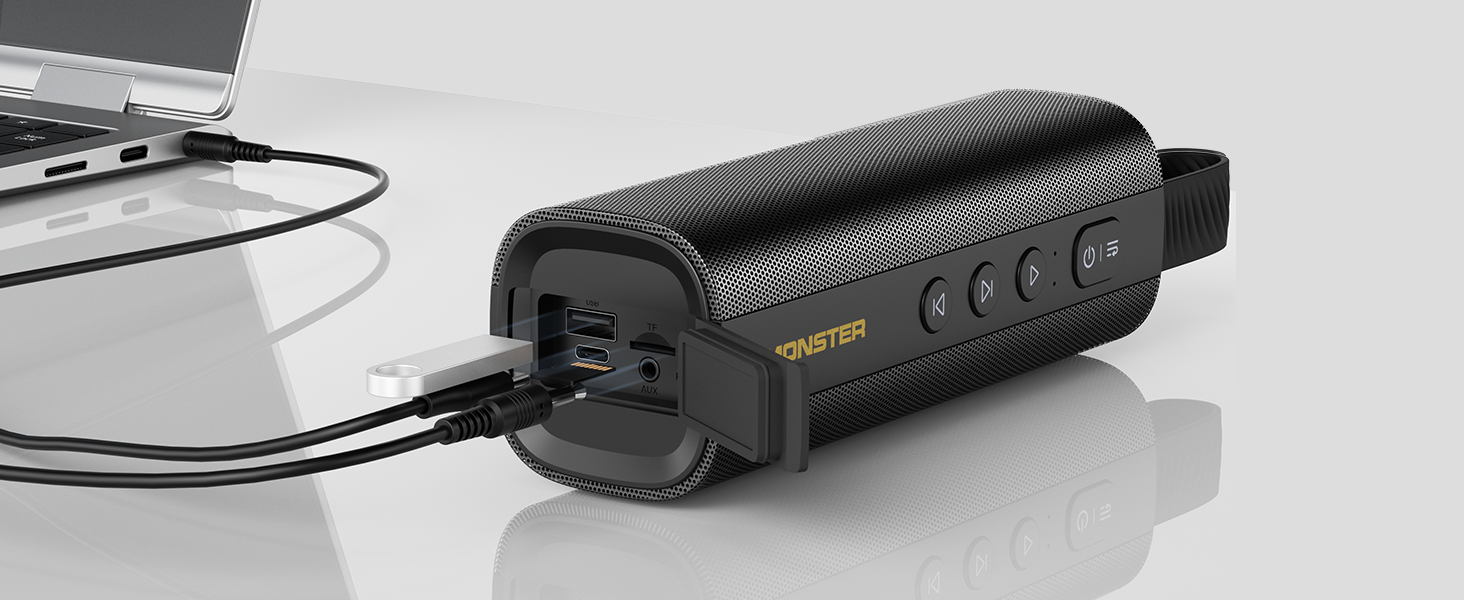
Image: The Monster S290 speaker connected to a laptop, illustrating its versatility with AUX, USB, and TF card input options.
การซ่อมบำรุง
ความต้านทานต่อน้ำ (IPX6)
The Monster S290 speaker features an IPX6 waterproof rating, meaning it is protected against high-pressure water jets from any direction. This makes it suitable for outdoor use and resistant to splashes, rain, and sweat.
- Ensure the rubber flap covering the charging and input ports is securely closed to maintain water resistance.
- อย่าจุ่มลำโพงลงในน้ำ
- หลังจากโดนน้ำ ให้เช็ดลำโพงให้แห้งด้วยผ้าเนื้อนุ่มก่อนชาร์จหรือเปิดฝาครอบพอร์ต

Image: The Monster S290 speaker positioned near a pool, illustrating its IPX6 waterproof capability, making it suitable for use in wet environments.
การทำความสะอาดและการเก็บรักษา
- ทำความสะอาดลำโพงด้วยผ้านุ่มๆamp ผ้า ห้ามใช้สารทำความสะอาดที่มีฤทธิ์กัดกร่อนหรือตัวทำละลาย
- เก็บลำโพงไว้ในที่แห้งและเย็น หลีกเลี่ยงแสงแดดโดยตรงและอุณหภูมิที่สูงหรือต่ำเกินไป
- หากจัดเก็บเป็นเวลานาน ควรชาร์จแบตเตอรี่เป็นระยะเพื่อรักษาสภาพแบตเตอรี่
การแก้ไขปัญหา
| ปัญหา | สาเหตุที่เป็นไปได้ | สารละลาย |
|---|---|---|
| ลำโพงไม่เปิดเครื่อง | แบตเตอรี่อ่อน | ชาร์จลำโพงโดยใช้สาย USB-C ที่ให้มา |
| ไม่มีเสียง. | Volume too low on speaker or connected device. Incorrect input mode. | Increase volume on both speaker and device. Ensure correct input mode is selected (Bluetooth, AUX, TF, USB). |
| ไม่สามารถจับคู่ผ่านบลูทูธได้ | Speaker not in pairing mode. Device Bluetooth is off. Speaker already connected to another device. | Ensure speaker is in Bluetooth pairing mode (flashing blue LED). Turn on Bluetooth on your device. Disconnect from other devices or restart the speaker. |
| การจับคู่ TWS ล้มเหลว | Speakers are too far apart. One speaker is already paired to a device. | Ensure speakers are within 10 meters of each other. Disconnect both speakers from any Bluetooth devices before initiating TWS pairing. |
| คุณภาพเสียงไม่ดี | Low battery. Device too far from speaker (Bluetooth). Interference. | Charge the speaker. Move device closer to the speaker. Avoid obstacles between device and speaker. |
ข้อมูลจำเพาะ
- ชื่อรุ่น: S290 (Item Model Number: S38)
- ยี่ห้อ: Monster
- เวอร์ชันบลูทูธ: 6.0
- เอาท์พุตเสียง: 30วัตต์
- เวลาเล่น: Up to 15 hours (varies by volume and content)
- ระดับการกันน้ำ: IPX6
- อินเทอร์เฟซอินพุต: Bluetooth, AUX-IN, TF Card, USB
- พอร์ตชาร์จ: USB-C (DC 5V)
- แบตเตอรี่: แบตเตอรี่ 1 ก้อน (รวมอยู่ด้วย)
- ขนาดสินค้า: 2.36 x 7.24 x 2.68 นิ้ว
- น้ำหนักสินค้า: 1.08 ปอนด์
- วัสดุ: พลาสติก
- สี: สีดำ
การรับประกันและการสนับสนุน
The Monster S290 Portable Bluetooth Speaker comes with a warranty. Please refer to the included "Warranty Card" for detailed terms and conditions. For further assistance or technical support, please consult the "Quick Start Guide" or visit the official Monster support webเว็บไซต์.
เก็บใบเสร็จรับเงินของคุณไว้เป็นหลักฐานการซื้อสำหรับการเรียกร้องการรับประกัน


