1. บทนำ
This manual provides essential information for the setup, operation, and maintenance of your iFFALCON 55-Inch Class U85 Series QD-Mini LED 4K UHD Google Smart TV. Please read this manual thoroughly before using your television to ensure proper and safe operation. Keep this manual for future reference.
The iFFALCON U85 Series TV features advanced display technologies including QD-Mini LED for precise lighting, QLED for vibrant colors, 4K UHD resolution, HDR 1000 nits peak brightness, and a 144Hz native refresh rate. It integrates Google TV for smart entertainment and offers enhanced audio with Dolby Atmos and DTS Virtual X. Gaming is optimized with features like 240Hz DLG and FreeSync Premium Pro.
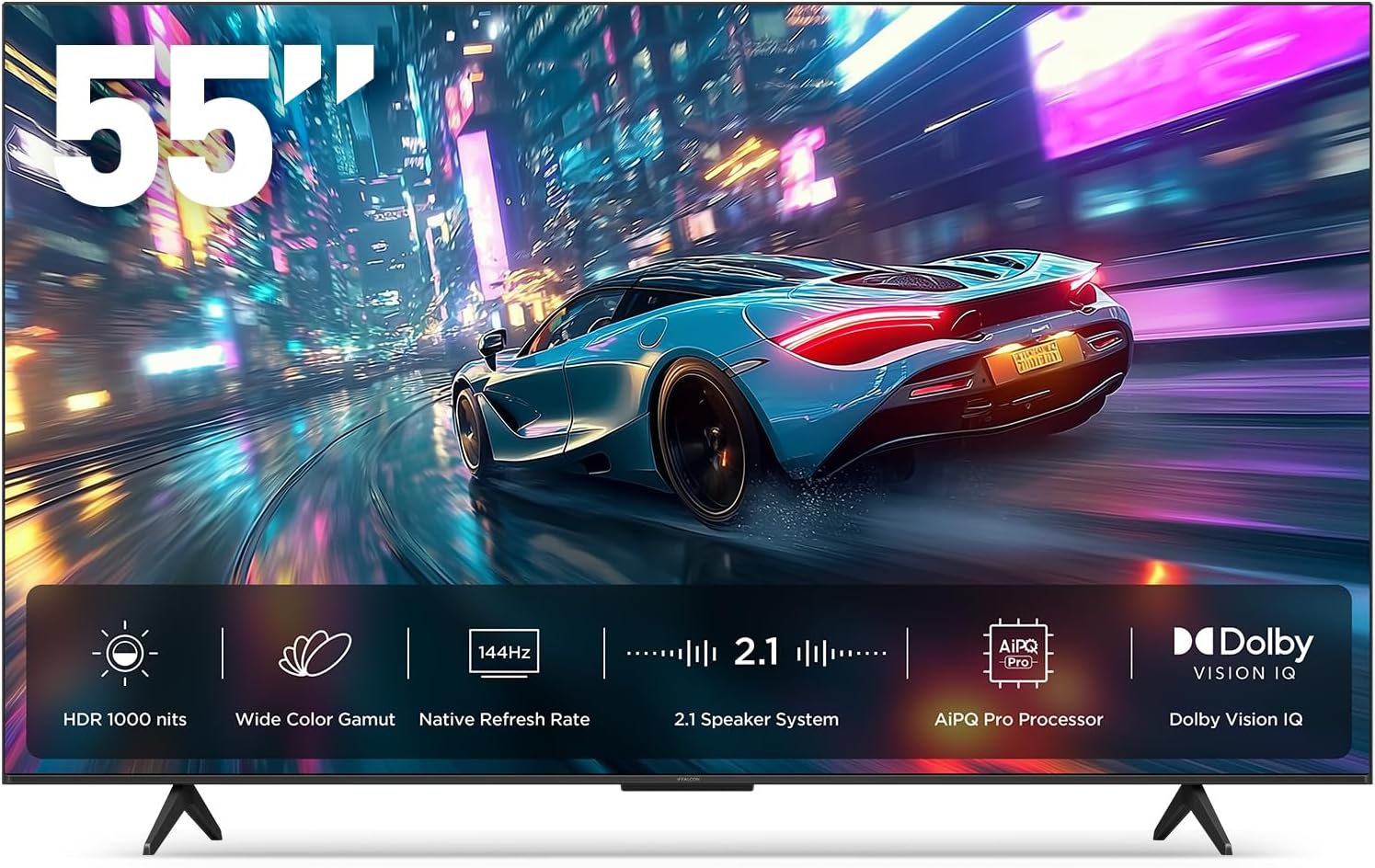
ภาพที่ 1.1: ด้านหน้า view of the iFFALCON 55-Inch U85 Series TV, showcasing its display with a vibrant image of a car on a city street.
2. อะไรอยู่ในกล่อง
Carefully unpack your television and ensure all items are present. If any items are missing or damaged, contact your retailer.
- มินิ LED TV
- สายไฟ
- แบตเตอรี่ AAA 2 ก้อนสำหรับรีโมท
- 6 x สกรูขาตั้ง
- Table stands (2 pieces)
- คลิปหนีบสายไฟ 5 ชิ้น
- คู่มือเริ่มต้นอย่างรวดเร็ว
- รีโมททีวี
3. การตั้งค่า
3.1 การตั้งค่าทางกายภาพ
Before proceeding, ensure the TV is placed on a stable, flat surface or securely mounted to a wall. Refer to the Quick Start Guide for detailed instructions on attaching the table stands or mounting the TV to a wall bracket (wall mount sold separately).
3.2 การเชื่อมต่ออุปกรณ์ต่อพ่วง
Connect your external devices such as cable boxes, gaming consoles, or Blu-ray players to the TV's HDMI ports. Ensure the power cable is securely connected to the TV and a power outlet.
3.3 การเปิดเครื่องครั้งแรกและการตั้งค่า Google TV
- เสียบสายไฟเข้ากับเต้ารับไฟฟ้า
- กดปุ่มเปิดปิดบนรีโมทคอนโทรลหรือทีวี
- Follow the on-screen instructions to complete the initial setup, including network connection, Google account sign-in, and channel scanning.
4. การใช้งานทีวี
4.1 ฟังก์ชั่นการควบคุมระยะไกล
The included remote control allows you to navigate menus, adjust volume, change channels, and access smart features. Familiarize yourself with the button layout for optimal use.
4.2 Smart Features: Google TV, Google Assistant, and Alexa
Your iFFALCON U85 TV is equipped with Google TV, providing access to a wide range of streaming services and apps. Use the built-in Google Assistant or connect to an Alexa-enabled device for hands-free voice control.
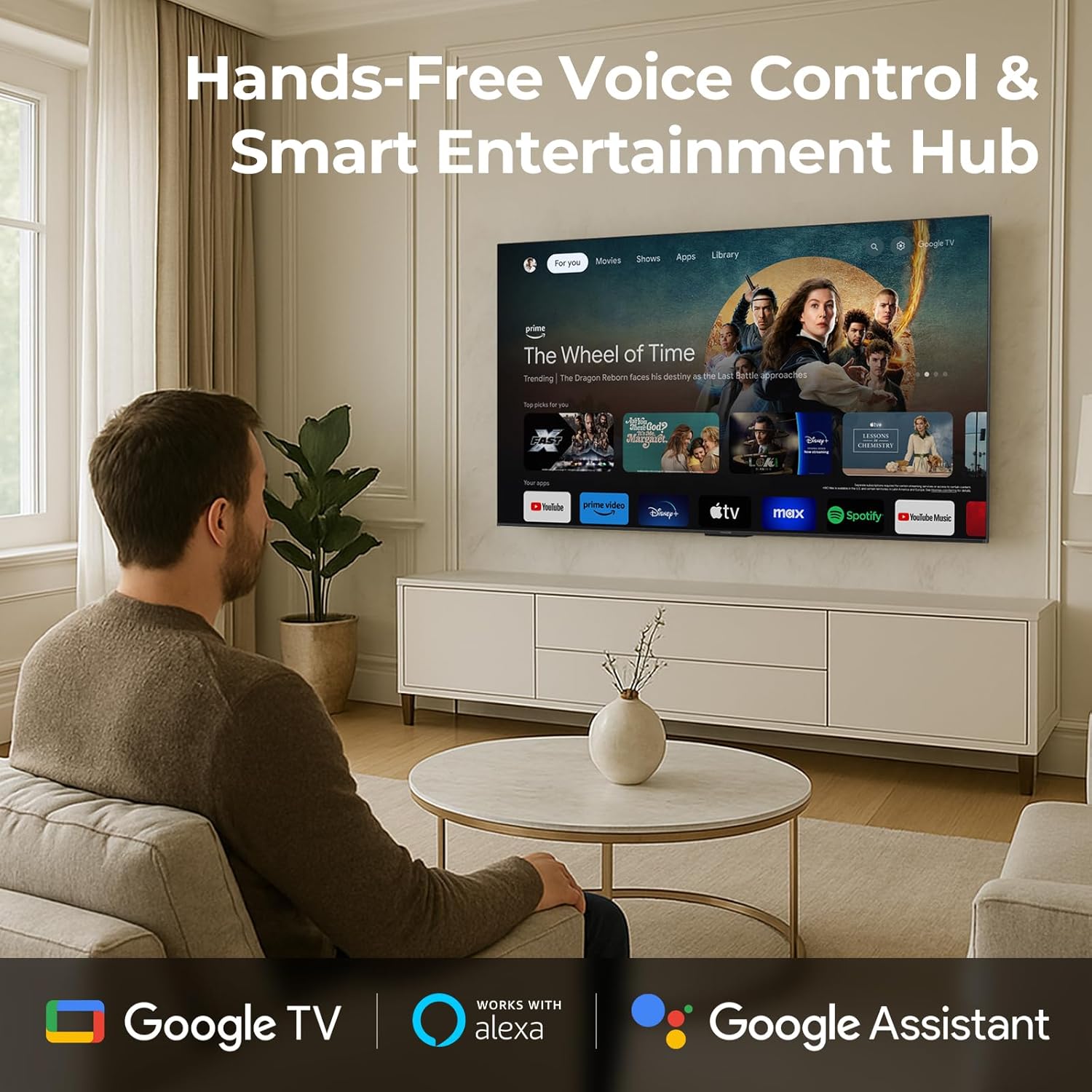
Image 4.1: A man interacting with the iFFALCON TV using voice commands, demonstrating the hands-free control feature.
4.3 การตั้งค่าภาพและคุณภาพ
The U85 Series TV offers exceptional picture quality through several advanced technologies:
- QD-Mini LED: Provides precise lighting control with up to 144 local dimming zones and 1000 nits peak brightness for bright highlights and deep blacks.
- QLED Wide Color: Quantum Dot technology delivers a 93% DCI-P3 wide color gamut for true-to-life images.
- AiPQ Pro Processor: Optimizes brightness, contrast, and detail in real-time for enhanced visual performance.
- Dolby Vision ไอคิว: Automatically adjusts HDR brightness based on ambient light conditions.
- อัตราส่วนคอนทราสต์ 6000:1: Achieves deep blacks and vibrant colors with enhanced contrast.

Image 4.2: Visual comparison illustrating how Mini-LED technology enhances bright highlights and deep blacks compared to conventional TVs.
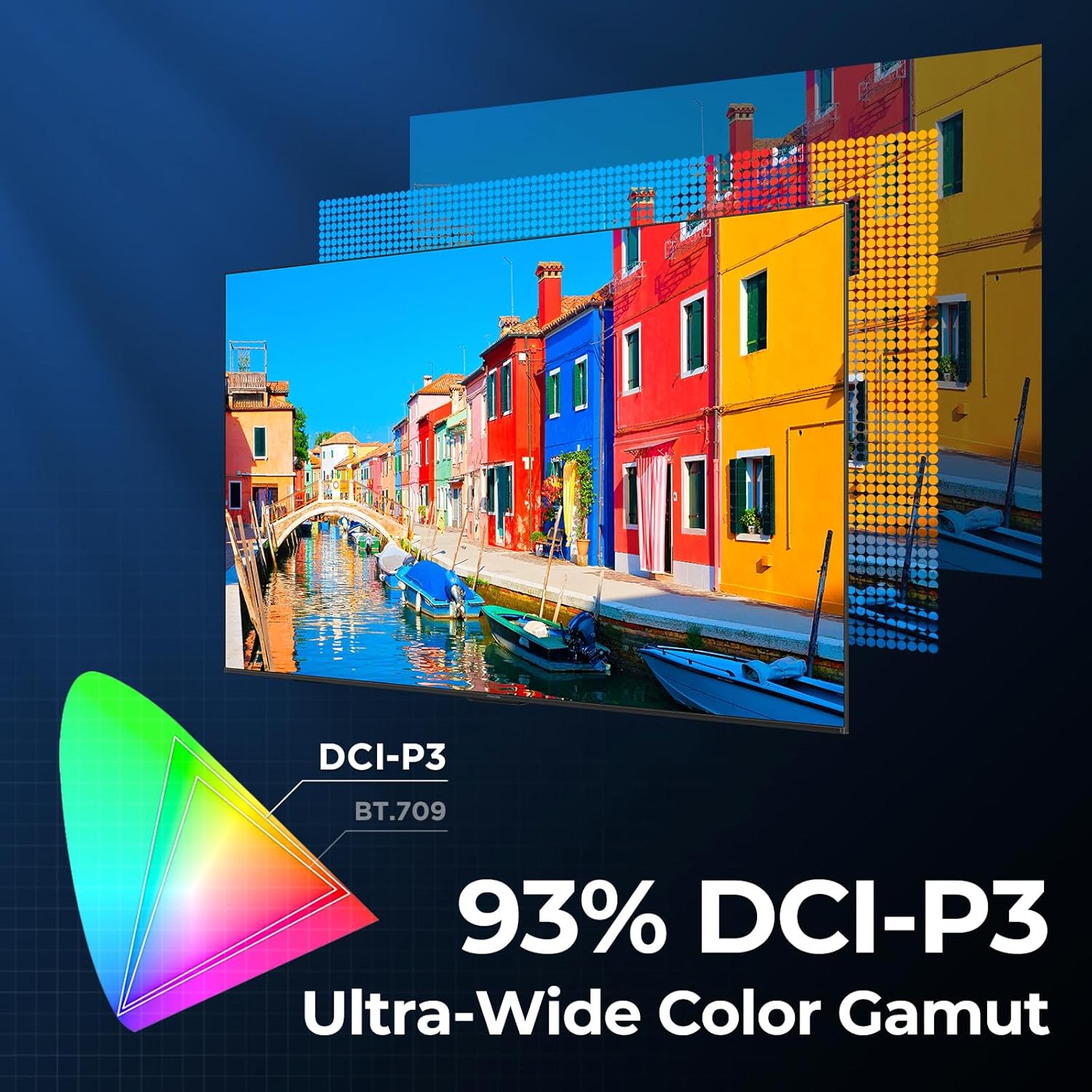
Image 4.3: Diagram showing the 93% DCI-P3 ultra-wide color gamut, indicating the TV's ability to display a broad spectrum of colors.
4.4 Audio Settings and Quality
Experience immersive sound with the TV's integrated audio features:
- 2.1-channel 50W Sound System: Delivers powerful stereo sound with deep bass.
- ระบบเสียง Dolby Atmos: Provides multi-dimensional audio that flows around and above you.
- ดีทีเอส เวอร์ชวล เอ็กซ์: Creates expansive, room-filling sound with virtual height and surround effects.
- ปรับปรุง IMAX: Optimizes audio and visual performance for a cinematic experience.

Image 4.4: A couple enjoying a movie on the iFFALCON TV, illustrating the immersive audio experience with sound waves emanating from the screen.
4.5 คุณสมบัติการเล่นเกม
The iFFALCON U85 TV is designed for an optimal gaming experience:
- 4K 144Hz Panel with VRR: Ensures smooth, crystal-clear motion and reduces screen tearing.
- 240Hz DLG Acceleration: Boosts refresh rates for ultra-smooth action.
- FreeSync Premium Pro: Provides tear-free, low-latency HDR gaming.
- Game Mode & Game Bar: Dedicated settings and on-screen overlay for quick adjustments during gameplay.
- ALLM (โหมดเวลาแฝงต่ำอัตโนมัติ): Automatically switches to a low-latency mode for responsive gameplay.

Image 4.5: A gaming console connected to the iFFALCON TV, highlighting the 144Hz refresh rate and other gaming features.
4.6 คุณสมบัติความสบายตา
สำหรับการขยาย viewing comfort, the TV incorporates multiple eye-care technologies:
- แสงสีฟ้าต่ำ: Reduces harmful blue light emissions.
- Flicker Reduction: Minimizes screen flicker for a more comfortable viewการสร้างประสบการณ์
5. การบำรุงรักษา
To ensure the longevity and optimal performance of your iFFALCON U85 TV, follow these maintenance guidelines:
- การทำความสะอาดหน้าจอ: เช็ดหน้าจอเบาๆ ด้วยผ้านุ่ม แห้ง และไม่เป็นขุย สำหรับรอยฝังแน่น ให้เช็ดเบาๆampเช็ดผ้าด้วยน้ำหรือน้ำยาทำความสะอาดหน้าจอโดยเฉพาะ หลีกเลี่ยงสารเคมีรุนแรงหรือวัสดุที่มีฤทธิ์กัดกร่อน
- การทำความสะอาดกรอบ: ใช้ผ้าแห้งนุ่มๆ เช็ดทำความสะอาดกรอบและขาตั้งทีวี
- การระบายอากาศ : ตรวจสอบให้แน่ใจว่ามีการระบายอากาศรอบทีวีอย่างเพียงพอ อย่าปิดกั้นช่องระบายอากาศ
- สายไฟ: ตรวจสอบสายไฟเป็นประจำเพื่อดูว่ามีความเสียหายหรือไม่ หากชำรุดเสียหาย ให้หยุดใช้งานและติดต่อฝ่ายสนับสนุนลูกค้า
- หลีกเลี่ยงแสงแดดโดยตรง: Do not expose the TV to direct sunlight or excessive heat.
6 การแก้ไขปัญหา
If you encounter issues with your TV, refer to the following common solutions. If the problem persists, contact customer support.
| ปัญหา | สาเหตุที่เป็นไปได้ | สารละลาย |
|---|---|---|
| ไม่มีไฟฟ้า | สายไฟไม่ได้เชื่อมต่อ เต้ารับไฟฟ้าไม่ทำงาน | ตรวจสอบให้แน่ใจว่าเสียบสายไฟแน่นหนา ทดสอบเต้ารับกับอุปกรณ์อื่น |
| ไม่มีภาพแต่มีเสียง | แหล่งสัญญาณเข้าไม่ถูกต้อง; สาย HDMI หลวม | Select correct input source; Reconnect HDMI cable securely |
| ไม่มีเสียงแต่มีภาพ | Volume muted or too low; External audio device issue | เปิดเสียงหรือเพิ่มระดับเสียง ตรวจสอบการเชื่อมต่อกับอุปกรณ์เสียงภายนอก |
| รีโมตคอนโทรลไม่ทำงาน | แบตเตอรี่หมด กีดขวางระหว่างรีโมทกับทีวี | เปลี่ยนแบตเตอรี่; นำสิ่งกีดขวางออก |
| ปัญหาการเชื่อมต่อเครือข่าย | Wi-Fi signal weak; Router issue | Move TV closer to router or use Ethernet; Restart router |
7. ข้อมูลจำเพาะ
| คุณสมบัติ | รายละเอียด |
|---|---|
| ยี่ห้อ | ไอฟัลคอน |
| หมายเลขรุ่น | 55U85 |
| ขนาดหน้าจอ | 55 นิ้ว |
| เทคโนโลยีการแสดงผล | มินิ LED, QLED |
| ปณิธาน | 4K ยูเอชดี |
| อัตราการรีเฟรช | 120 Hz (Native), 144Hz Game Mode Pro, 240Hz DLG |
| ความสว่างสูงสุด | 1000 นิต |
| อัตราส่วนคอนทราสต์ | 6000:1 น. |
| โซนลดแสงเฉพาะที่ | 144 |
| คุณสมบัติพิเศษ | Dynamic Contrast Enhancer, Eye Comfort Mode, Game Mode, Intelligent Voice Recognition, Local Dimming, Dolby Vision IQ, Dolby Atmos, DTS Virtual X, IMAX Enhanced, Google TV, Google Assistant, Alexa Compatibility, FreeSync Premium Pro, ALLM |
| เทคโนโลยีการเชื่อมต่อ | บลูทู ธ Wi-Fi |
| ขนาดสินค้า (ลึก x กว้าง x สูง) | 10.8" x 48.3" x 30.2" |
| น้ำหนักสินค้า | 27.3 ปอนด์ |
| แบตเตอรี่ที่จำเป็น | แบตเตอรี่ AAA 2 ก้อน (สำหรับรีโมท) |
8. การรับประกันและการสนับสนุน
Your iFFALCON 55-Inch Class U85 Series QD-Mini LED 4K UHD Google Smart TV is covered by a manufacturer's warranty. For specific warranty details and duration, please refer to the warranty card included with your product or visit the official iFFALCON support webเว็บไซต์.
For technical assistance, troubleshooting beyond this manual, or to inquire about warranty service, please contact iFFALCON customer support. Contact information can typically be found on the manufacturer's webไซต์หรือในคู่มือเริ่มต้นฉบับย่อ
โปรดเก็บหลักฐานการซื้อของคุณไว้เพื่อเรียกร้องการรับประกัน


