การแนะนำ
This manual provides detailed instructions for the assembly, operation, and maintenance of your FLEXISPOT Standing Desk with a 40x24 inch one-piece desktop. Please read this manual thoroughly before assembly and use to ensure proper function and safety.
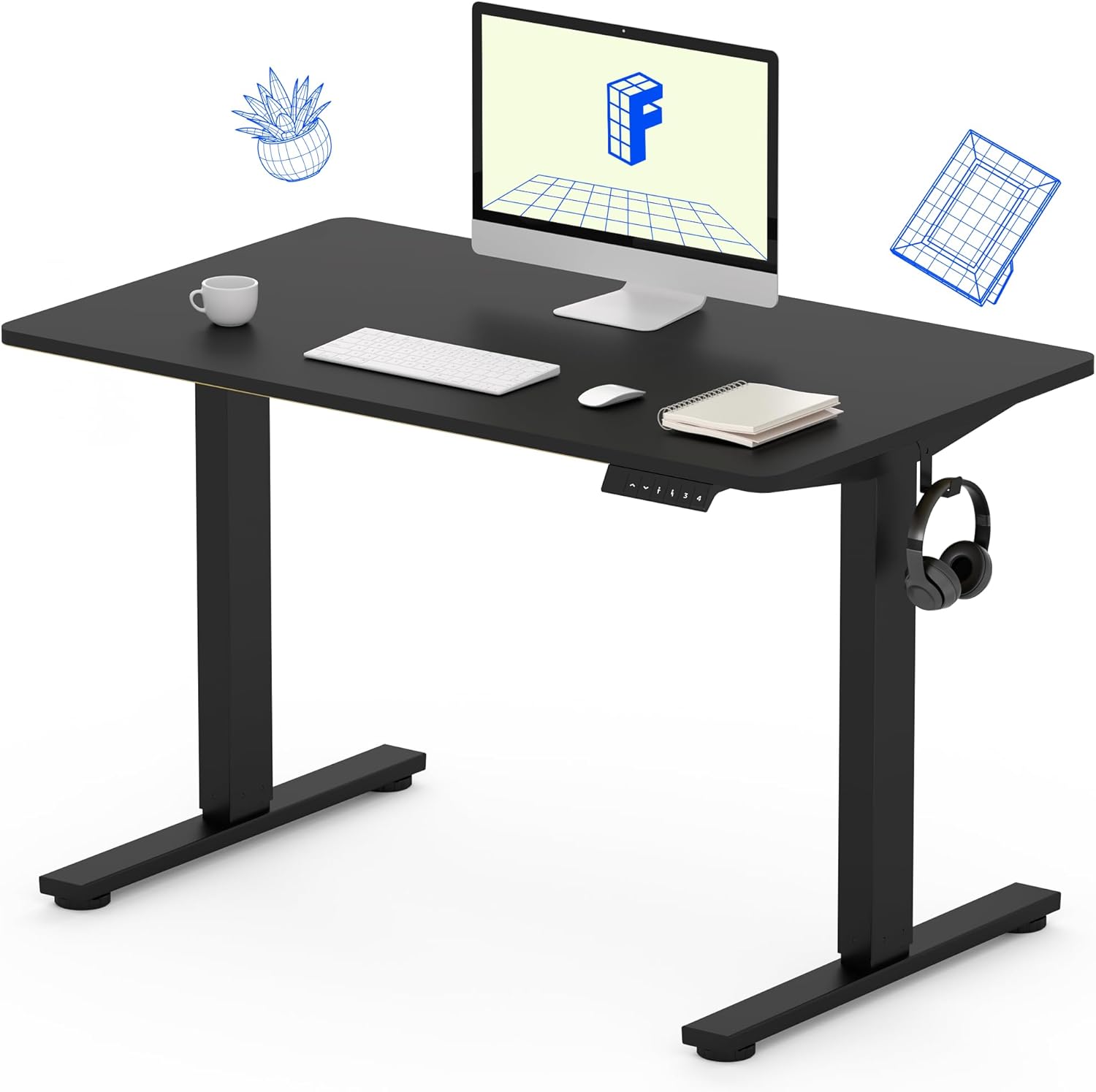
Image 1: The FLEXISPOT Standing Desk, showcasing its black desktop, black frame, and integrated control panel with a headphone hook.
ข้อมูลด้านความปลอดภัย
คำเตือน:
- Always use caution when assembling the desk, especially when using a drill.
- ห้ามเกินน้ำหนักสูงสุดที่กำหนดไว้ 154 ปอนด์ (70 กก.).
- Keep hands and body parts away from moving parts during height adjustment to prevent injury.
- Ensure all cables are properly managed to avoid entanglement during desk movement.
เนื้อหาแพ็คเกจ
ก่อนเริ่มประกอบ โปรดตรวจสอบให้แน่ใจว่าชิ้นส่วนทั้งหมดครบถ้วนและไม่เสียหาย หากมีชิ้นส่วนใดขาดหายหรือเสียหาย โปรดติดต่อฝ่ายบริการลูกค้า
- One-Piece Desktop (40" x 24", Black)
- Desk Legs (Black Frame, Dual-Stage)
- Motor and Control Box
- แผงควบคุมพร้อมการตั้งค่าหน่วยความจำ
- ที่แขวนหูฟัง
- อุปกรณ์ประกอบ (สกรู, ประแจหกเหลี่ยม)
- สายไฟ

Image 2: Illustration highlighting the seamless design of the FLEXISPOT one-piece desktop, contrasting it with multi-piece alternatives.
การติดตั้งและการประกอบ
Assembly typically requires 30 minutes to an hour. It is recommended to have two people for assembly due to the weight of the package. A power drill (not included) may be needed for some steps.
- แกะส่วนประกอบ: Carefully remove all parts from the packaging. Inspect for any damage. Note that the packaging can be heavy.
- ประกอบโครงโต๊ะ: Attach the crossbar to the lifting columns (legs) using the provided hardware. Ensure all screws are tightened securely.
- ติดขา: ยึดขาโต๊ะเข้ากับส่วนล่างของเสายกให้แน่น
- ติดตั้งบนเดสก์ท็อป: Carefully place the one-piece desktop upside down on a soft, clean surface. Position the assembled frame onto the desktop. Align the pre-drilled holes (if present) or mark positions for screws. Secure the frame to the desktop using the provided screws. A power drill may be helpful for this step.
- Install Control Box and Panel: Mount the control box and control panel to the underside of the desktop in the designated locations. Connect the motor cables and control panel cable to the control box.
- ติดอุปกรณ์เสริม: Install the headphone hook to the side of the desktop as desired.
- การจัดการสายเคเบิล: Route all cables neatly using cable ties or management clips (not included) to prevent interference with desk movement.
- ตำแหน่งสุดท้าย: With assistance, carefully flip the desk upright and place it in its desired location. Ensure it is stable and level.

Image 3: The FLEXISPOT Standing Desk integrated into a home office setup, demonstrating its spacious desktop and functionality.
คำแนะนำการใช้งาน
Your FLEXISPOT Standing Desk features an electric motor for smooth height adjustments and a control panel with memory presets.
การปรับความสูง
- กดปุ่ม ขึ้น (▲) button to raise the desk.
- กดปุ่ม ลง (▼) button to lower the desk.
- The desk moves smoothly and quietly (under 50 dB) between 28.7 นิ้ว (73 ซม.) และ 46.5 นิ้ว (118 ซม.).
หน่วยความจำที่ตั้งไว้ล่วงหน้า
The control panel allows you to save up to four preferred height settings.
- Set a Height: Adjust the desk to your desired sitting or standing height using the Up/Down buttons.
- บันทึกค่าที่ตั้งไว้ล่วงหน้า: กดปุ่ม "เอ็ม" button, then immediately press one of the numbered preset buttons (1, 2, 3 หรือ 4). The display will show "S-" followed by the number, indicating the height is saved.
- เรียกคืนที่ตั้งไว้ล่วงหน้า: Press the corresponding numbered preset button (1, 2, 3 หรือ 4) to automatically move the desk to the saved height.

Image 4: Visual representation of the desk's adjustable height range, showing it at its lowest (29") and highest (46.6") positions.
การซ่อมบำรุง
- การทำความสะอาด: เช็ดพื้นเดสก์ท็อปและกรอบด้วยผ้าเนื้อนุ่มamp ผ้า หลีกเลี่ยงสารเคมีรุนแรงหรือน้ำยาทำความสะอาดที่มีฤทธิ์กัดกร่อน
- ตรวจสอบสายเคเบิล: Periodically inspect all cables for wear or damage. Ensure they are securely connected and not pinched.
- ความแน่นของสกรู: Occasionally check and tighten any loose screws on the frame or desktop connections.
การแก้ไขปัญหา
| ปัญหา | สาเหตุที่เป็นไปได้ | สารละลาย |
|---|---|---|
| โต๊ะไม่ขยับ | Power cable disconnected, control box cable loose, overload. | Check power connection. Ensure all cables to the control box and motor are secure. Reduce weight on the desk if exceeding 154 lbs. |
| โต๊ะขยับไม่สม่ำเสมอหรือมีเสียงผิดปกติ | Loose connections, obstruction, uneven weight distribution. | Check all assembly screws. Ensure no objects are obstructing the legs. Distribute weight evenly on the desktop. |
| Control panel display shows an error code. | เงื่อนไขข้อผิดพลาดที่เฉพาะเจาะจง | Refer to the specific error code in the full product manual (if available) or contact customer support. Often, a power cycle (unplug for 10 seconds, then plug back in) can resolve temporary errors. |
ข้อมูลจำเพาะ
| คุณสมบัติ | รายละเอียด |
|---|---|
| ยี่ห้อ | เฟล็กซิสพอท |
| แบบอย่าง | B0F747SWWB |
| Desktop Dimensions (D x W) | 24" x 40" (One-Piece) |
| ช่วงความสูง | 28.7" - 46.5" (73 ซม. - 118 ซม.) |
| ความจุน้ำหนักสูงสุด | 154 ปอนด์ (70 กก.) |
| ระดับเสียง | น้อยกว่า 50 เดซิเบล |
| วัสดุกรอบ | เหล็กอัลลอยด์ |
| วัสดุชั้นยอด | ไม้แปรรูป |
| สี | Black Frame / Black Top |
| จำเป็นต้องประกอบ | ใช่ |

Image 5: Details of the desk's construction, including the dual-stage lifting columns and the convenient backpack/headphone hook.
การรับประกันและการสนับสนุน
Your FLEXISPOT Standing Desk is backed by a comprehensive warranty:
- Frame and Motor: รับประกันจำกัด 5 ปี
- อิเล็กทรอนิกส์: รับประกันจำกัด 2 ปี
For warranty claims, technical assistance, or any questions regarding your product, please contact FLEXISPOT customer support through their official webไซต์หรือผู้ค้าปลีกที่ซื้อผลิตภัณฑ์


