1. บทนำ
This manual provides essential information for the proper use and maintenance of your Logic B10L 4G Bar Phone. Please read it carefully to ensure optimal performance and longevity of your device. The Logic B10L is designed for reliable communication with modern 4G connectivity, a user-friendly interface, and essential features.
2. เนื้อหาบรรจุภัณฑ์
ตรวจสอบว่ามีรายการทั้งหมดอยู่ในบรรจุภัณฑ์ผลิตภัณฑ์ของคุณ:
- Logic B10L 4G Bar Phone
- แบตเตอรี่ลิเธียมไออน 1800mAh
- อะแดปเตอร์แปลงไฟ
- คู่มือการใช้งาน (เอกสารนี้)
3. Phone Layout and Components
Familiarize yourself with the physical components of your Logic B10L phone.

ภาพที่ 3.1: ด้านหน้าและด้านหลัง view of the Logic B10L 4G Bar Phone. The front displays the 2.4-inch LCD screen and alphanumeric keypad. The back shows the VGA camera with flash and the Logic B10L branding.
- 2.4-inch Curved LCD Display: Main screen for viewไอเอ็นจีข้อมูล
- ปุ่มกดตัวอักษรและตัวเลข: สำหรับการโทรออกและป้อนข้อความ
- Navigation Key (D-pad): สำหรับการนำทางเมนู
- ปุ่มโทร/วางสาย: เพื่อเริ่มต้นและวางสายการโทร
- VGA Camera with Flash: Located on the rear for capturing photos.
- พอร์ตไมโครยูเอสบี: สำหรับการชาร์จและถ่ายโอนข้อมูล
- แจ็คเสียงขนาด 3.5 มม.: สำหรับหูฟัง.
- Torchlight: Integrated flashlight, accessible via a dedicated key.
4. การตั้งค่า
4.1. การติดตั้งแบตเตอรี่
- Remove the back cover of the phone by gently prying it from the designated notch.
- วางแบตเตอรี่ลิเธียมไอออนขนาด 1800mAh ให้ตรงกับขั้วสัมผัสภายในช่องใส่แบตเตอรี่
- Press the battery down until it is securely in place.
- ปิดฝาหลังให้สนิท ตรวจสอบให้แน่ใจว่าล็อคเข้าที่แล้ว
4.2. การติดตั้งซิมการ์ด
The Logic B10L supports Dual Nano SIM cards.
- เมื่อถอดฝาหลังและแบตเตอรี่ออกแล้ว ให้หาช่องใส่ซิมการ์ด
- Insert your Nano SIM card(s) into the designated slot(s) with the gold contacts facing down, following the orientation indicated on the phone.
- ตรวจสอบให้แน่ใจว่าใส่ซิมการ์ดแน่นสนิทแล้ว
4.3. การติดตั้งการ์ด MicroSD (ไม่บังคับ)
You can expand the phone's storage up to 32GB using a MicroSD card.
- With the back cover and battery removed, locate the MicroSD card slot.
- Insert the MicroSD card into the slot with the gold contacts facing down, following the indicated orientation.
- กดเบาๆ จนกระทั่งล็อคเข้าที่
4.4. การชาร์จแบตเตอรี่
- Connect the Micro USB end of the power adapter to the Micro USB port on your phone.
- เสียบปลายอีกด้านหนึ่งของอะแดปเตอร์เข้ากับเต้ารับที่ผนัง
- ตัวแสดงสถานะแบตเตอรี่บนหน้าจอจะแสดงสถานะการชาร์จ
- เมื่อชาร์จเต็มแล้ว ให้ถอดเครื่องชาร์จออก
5. คู่มือการใช้งาน
5.1. เปิด/ปิดเครื่อง
- การเปิดเครื่อง: กดปุ่มค้างไว้ สิ้นสุดการโทร/พลังงาน กดค้างไว้จนกว่าหน้าจอจะสว่างขึ้น
- วิธีปิดเครื่อง: กดปุ่มค้างไว้ สิ้นสุดการโทร/พลังงาน key until the power-off options appear, then select 'Power Off'.
5.2. การนำทางพื้นฐาน
Use the navigation key (D-pad) to move through menus and options. The center key typically acts as a selection button.
5.3. โทรออก
- จากหน้าจอหลัก ให้ใช้แป้นพิมพ์เพื่อกดหมายเลขโทรศัพท์ที่ต้องการ
- กดปุ่ม เรียก กุญแจสำคัญในการเริ่มต้นการโทร
- หากต้องการวางสาย ให้กด วางสาย สำคัญ.
5.4. การส่งข้อความ
- ไปที่เมนู 'ข้อความ'
- เลือก 'ข้อความใหม่' หรือ 'สร้างข้อความ'
- ระบุหมายเลขผู้รับหรือเลือกจากรายชื่อติดต่อ
- พิมพ์ข้อความของคุณโดยใช้แป้นพิมพ์ตัวอักษรและตัวเลข
- กด 'ส่ง'
5.5. การใช้กล้อง
The Logic B10L features a VGA camera with flash for capturing photos.
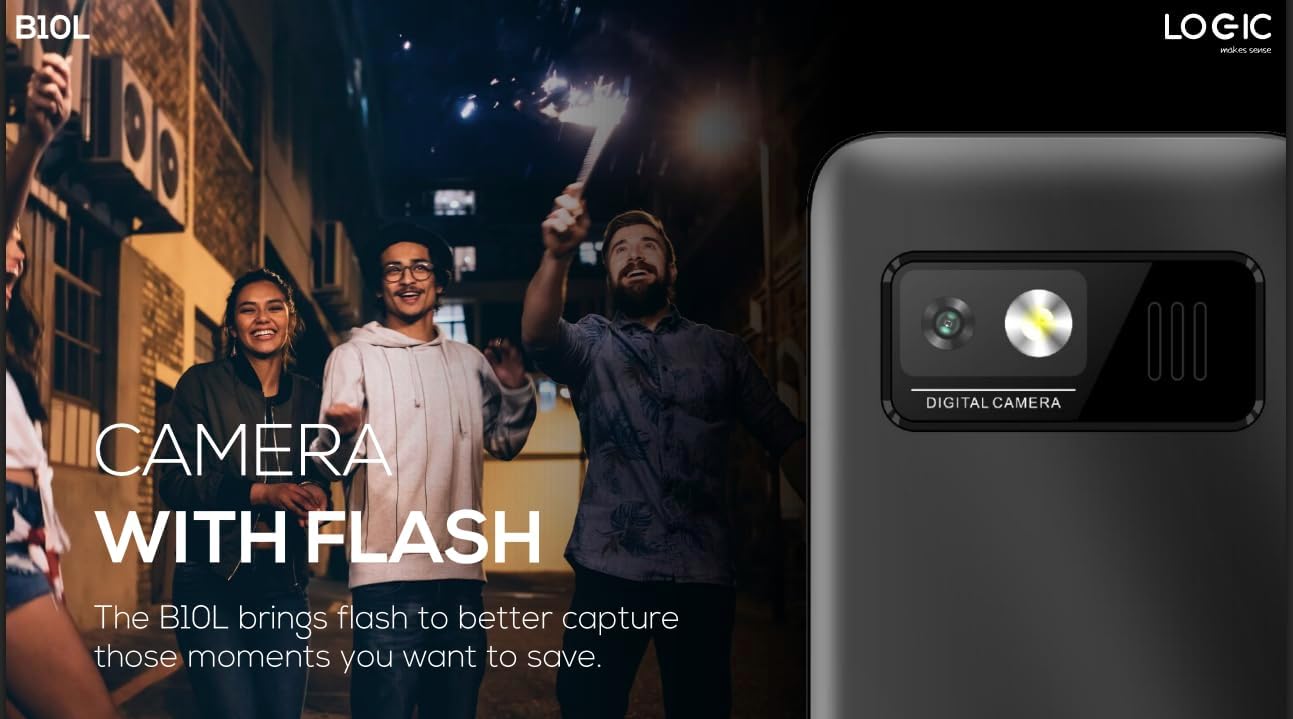
ภาพที่ 5.1: หลัง view of the Logic B10L phone, highlighting the VGA camera and flash module. This feature allows for capturing images even in low-light conditions.
- เลือกแอปพลิเคชัน 'กล้อง' จากเมนูหลัก
- จัดเฟรมภาพโดยใช้หน้าจอเป็นตัวช่วย viewตัวค้นหา
- Press the designated 'Capture' or 'OK' key to take a photo.
- Photos are saved to the phone's memory or MicroSD card.
5.6. Wireless FM Radio
Enjoy your favorite radio stations without needing headphones.
- Go to the 'FM Radio' application in the menu.
- ใช้ปุ่มควบคุมการนำทางเพื่อค้นหาสถานีที่ว่างอยู่
- Select a station to listen.
5.7. ไฟฉาย
The phone includes a direct access key for the torchlight function.

ภาพที่ 5.2: ด้านโปรfile of the Logic B10L phone, illustrating the dedicated direct access key for activating the built-in torchlight. This provides quick illumination.
- Press the dedicated torchlight key on the side of the phone to turn the flashlight on or off.
5.8. การเชื่อมต่อบลูทูธ
Connect your phone to other Bluetooth-enabled devices.
- Go to 'Settings' and then 'Bluetooth'.
- เปิดบลูทูธ
- ค้นหา เลือกอุปกรณ์ที่มีอยู่และเลือกอุปกรณ์ที่คุณต้องการจับคู่ด้วย
- ป้อนรหัสผ่านหากระบบถาม
5.9. 4G LTE and VoLTE
The Logic B10L supports 4G LTE for faster data speeds and VoLTE for clearer voice calls.

ภาพที่ 5.3: The Logic B10L phone screen showing the 'VoLTE' logo, indicating support for Voice over LTE for enhanced call quality and simultaneous voice and data usage.
- Ensure your SIM card and network provider support 4G LTE and VoLTE services.
- These features are typically enabled by default when available.
5.10. Curved LCD Display
The phone features a 2.4-inch curved LCD screen for clear visuals.
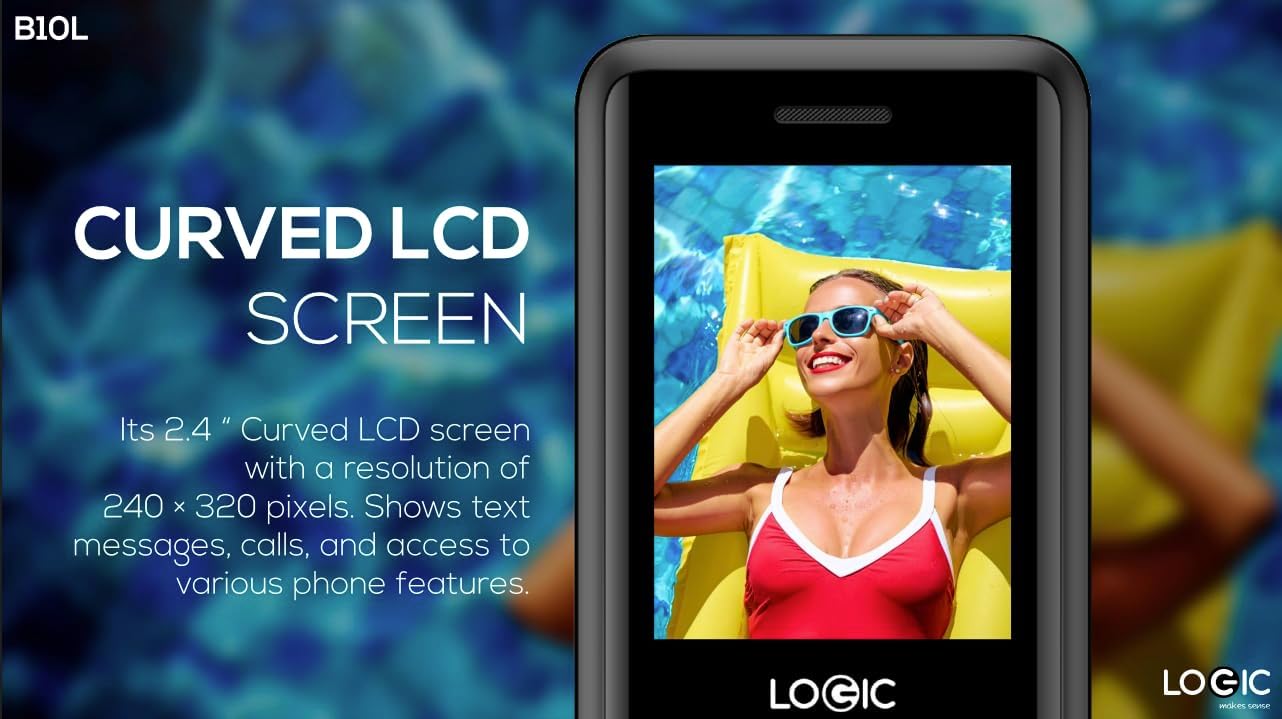
ภาพที่ 5.4: Close-up of the Logic B10L's 2.4-inch curved LCD screen, displaying a colorful image. The curved design enhances viewing comfort and aesthetics.
6. การบำรุงรักษา
6.1. การทำความสะอาดโทรศัพท์ของคุณ
- ใช้ผ้าแห้งนุ่มๆ ที่ไม่มีขน เช็ดทำความสะอาดหน้าจอและตัวเครื่องโทรศัพท์
- หลีกเลี่ยงการใช้สารเคมีรุนแรง สารละลายทำความสะอาด หรือวัสดุที่มีฤทธิ์กัดกร่อน
6.2. การดูแลแบตเตอรี่
- อย่าให้แบตเตอรี่สัมผัสกับอุณหภูมิที่สูงเกินไป
- หลีกเลี่ยงการปล่อยแบตเตอรี่จนหมดบ่อยครั้ง
- หากจะไม่ใช้โทรศัพท์เป็นเวลานาน ควรชาร์จแบตเตอรี่ให้ได้ประมาณ 50% ก่อนจัดเก็บ
6.3. การจัดเก็บ
- เก็บโทรศัพท์ไว้ในที่แห้งและเย็น ห่างจากแสงแดดโดยตรงและความชื้น
- เก็บให้พ้นจากมือเด็กและสัตว์เลี้ยง
7 การแก้ไขปัญหา
This section addresses common issues you might encounter with your Logic B10L phone.
| ปัญหา | วิธีแก้ปัญหาที่เป็นไปได้ |
|---|---|
| โทรศัพท์ไม่เปิด | Ensure the battery is correctly installed and charged. Connect the charger and try again. |
| ไม่สามารถโทรออกหรือรับสายได้ | Check if the SIM card is properly inserted. Verify network signal strength. Contact your service provider. |
| แบตเตอรี่ไม่ชาร์จ | Ensure the charger is correctly connected to the phone and a working power outlet. Try a different charger or cable if available. |
| คุณภาพการโทรไม่ดี | Move to an area with better network coverage. Check for obstructions around the phone's antenna. |
| ไม่พบการ์ด MicroSD | Ensure the MicroSD card is correctly inserted. Try reinserting it or using a different card to check for card malfunction. |
8. ข้อมูลจำเพาะ
Detailed technical specifications for the Logic B10L 4G Bar Phone.
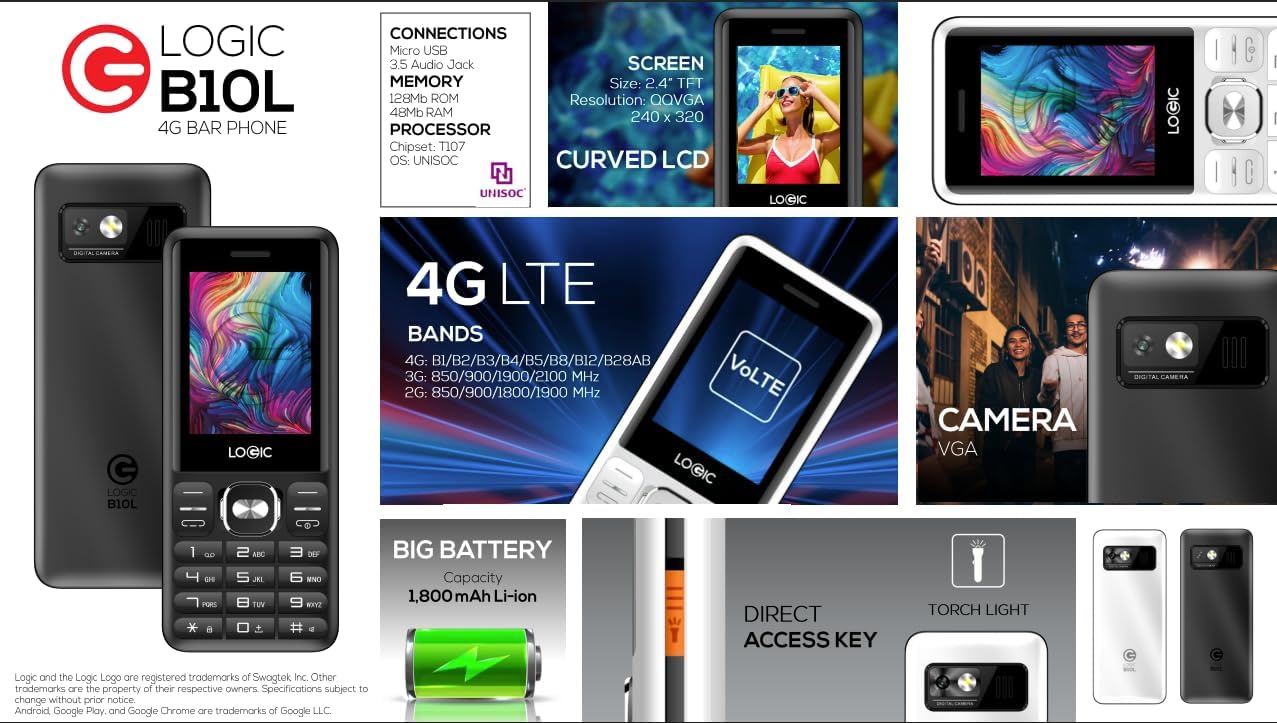
ภาพที่ 8.1: A visual summary of the Logic B10L's key features and specifications, including screen size, memory, processor, 4G LTE bands, battery capacity, and direct access torchlight.
- ชื่อรุ่น : บี10แอล
- หมายเลขรุ่นสินค้า: LO-27B10L90-C
- ระบบปฏิบัติการ: นิวเคลียส โอเอส
- เทคโนโลยีเซลลูล่าร์: 4G LTE, VoLTE
- ผู้ให้บริการไร้สาย: ปลดล็อคแล้ว
- แสดง: 2.4-inch Curved LCD (240x320 resolution)
- กล้อง: VGA Rear Camera with Flash
- แบตเตอรี่: แบตเตอรี่ลิเธียมไอออน 1800 mAh (3.7 โวลต์)
- หน่วยความจำแรม: 48MB
- พื้นที่เก็บข้อมูลภายใน: 0.13 GB (เพิ่มได้สูงสุด 32GB ผ่าน MicroSD)
- การรองรับซิม: ซิมนาโนคู่
- การเชื่อมต่อ: Bluetooth, Micro USB, 3.5mm Audio Jack
- คุณสมบัติพิเศษ: Wireless FM Radio, Direct Access Torchlight
- ฟอร์มแฟกเตอร์: โทรศัพท์บาร์
- น้ำหนักสินค้า: 7 ออนซ์
- ขนาดแพ็คเกจ: 5.67 x 2.8 x 2.44 นิ้ว
9. การรับประกันและการสนับสนุน
For warranty information and technical support, please refer to the warranty card included in your package or visit the official Logic webไซต์ โปรดเก็บใบเสร็จรับเงินไว้เป็นหลักฐานการซื้อ
If you encounter issues not covered in this manual, please contact Logic customer support for assistance.


