การแนะนำ
The ElecMoga 2-in-1 Bluetooth 5.4 Adapter is a versatile device designed to enhance your audio experience by providing both Bluetooth transmission (TX) and reception (RX) capabilities. This adapter allows you to easily convert non-Bluetooth audio sources into Bluetooth-enabled ones, or add Bluetooth functionality to traditional wired audio systems.
With advanced Bluetooth 5.4 technology, it ensures stable, fast connections and low latency, making it ideal for various applications including airplane travel, home entertainment, gym workouts, and car audio systems. Its compact and portable design makes it a perfect travel companion.

Image: The ElecMoga 2-in-1 Bluetooth 5.4 Adapter shown with its included dual 3.5mm airplane audio adapter, highlighting its compact size and primary components.
สินค้าเกินview และส่วนประกอบ
Familiarize yourself with the various parts and controls of your ElecMoga Bluetooth adapter.
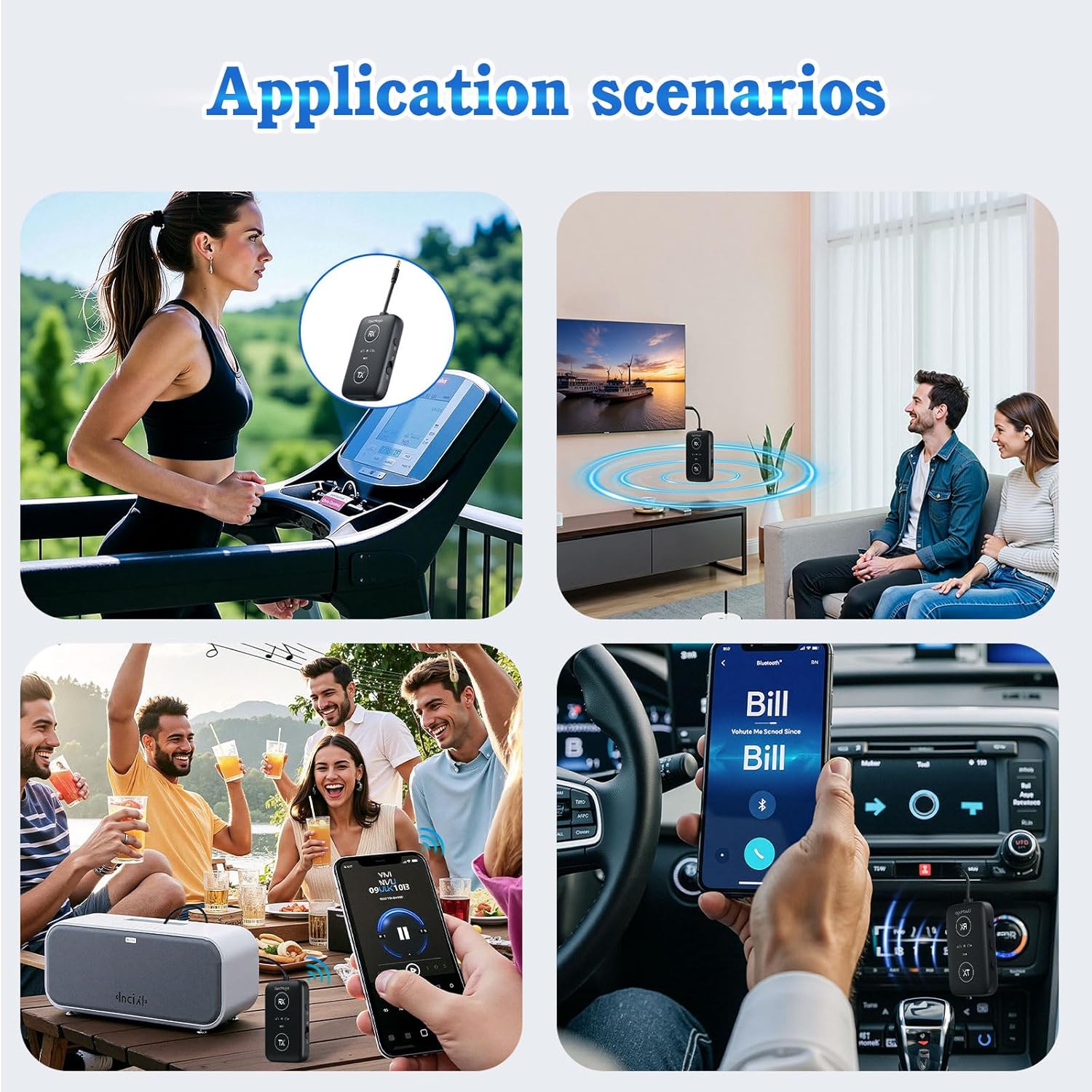
Image: A detailed diagram illustrating the various buttons and ports on the ElecMoga Bluetooth adapter, including the 3.5mm audio input/output, RX and TX pairing buttons, volume controls, microphone, P/R pairing button, power switch, and charging port.
- 3.5mm Audio Input/Output: สำหรับเชื่อมต่อกับแหล่งกำเนิดเสียงหรืออุปกรณ์เอาต์พุตเสียง
- RX Pairing Button: Used for pairing in Receiver mode.
- ปุ่ม TX: Used for pairing in Transmitter mode.
- เพิ่มเสียง / เพลงก่อนหน้า: Adjust volume up or skip to previous track.
- Play/Pause/Talk: Control media playback and answer/end calls.
- ไมค์: Built-in microphone for calls in RX mode.
- ระดับเสียง - / เพลงถัดไป: Adjust volume down or skip to next track.
- P/R Pairing Button: Power and Pairing button.
- สวิตช์ไฟ: ตัวเลื่อนเปิด/ปิด
- พอร์ตชาร์จ: พอร์ต USB-C สำหรับชาร์จอุปกรณ์
การตั้งค่าและการชาร์จ
การชาร์จอุปกรณ์
Before first use, ensure the adapter is fully charged. The device comes with a built-in rechargeable battery.
- Connect the provided USB-C charging cable to the charging port on the adapter.
- ต่อปลายอีกด้านของสาย USB-C เข้ากับแหล่งจ่ายไฟ USB (เช่น พอร์ต USB ของคอมพิวเตอร์ อะแดปเตอร์ติดผนัง)
- ไฟแสดงสถานะการชาร์จจะสว่างขึ้นขณะชาร์จและจะดับลงเมื่อชาร์จเต็มแล้ว การชาร์จเต็มใช้เวลาประมาณ 2 ชั่วโมง

Image: The ElecMoga Bluetooth adapter being charged via a USB-C cable, illustrating the charging process and port location.
A full charge provides over 16 hours of use in RX mode and over 12 hours in TX mode.
โหมดการทำงาน
1 โหมดส่งสัญญาณ (TX)
In TX mode, the ElecMoga adapter converts non-Bluetooth audio sources (like TVs, computers, or airplane entertainment systems) into Bluetooth signals, allowing you to wirelessly stream audio to Bluetooth headphones or speakers.

Image: A visual representation of the adapter in Transmitter (TX) mode, demonstrating its connection to a game console, computer, airplane audio jack, and TV, and wirelessly transmitting audio to Bluetooth headphones or headsets.
- สลับไปที่โหมด TX: Slide the power switch to the "ON" position. The adapter will automatically enter the last used mode. If it's not in TX mode, press the "TX" button to switch to Transmitter mode. The TX indicator light will illuminate.
- เชื่อมต่อกับแหล่งเสียง: Plug the 3.5mm audio cable from the adapter into the audio output jack of your non-Bluetooth device (e.g., TV, computer, airplane seat audio jack). For airplane use, utilize the included dual 3.5mm airplane adapter if needed.
- จับคู่กับอุปกรณ์บลูทูธ:
- ใส่หูฟังหรือลำโพง Bluetooth ของคุณเข้าสู่โหมดจับคู่
- The adapter will automatically search for nearby Bluetooth devices. The TX indicator light will flash rapidly during pairing.
- Once connected, the TX indicator light will remain solid.
- เพลิดเพลินไปกับเสียง: You can now listen to audio from your non-Bluetooth source wirelessly through your Bluetooth headphones or speakers.

Image: A hand plugging the ElecMoga Bluetooth adapter into an airplane seat's audio jack, demonstrating its use for in-flight entertainment.
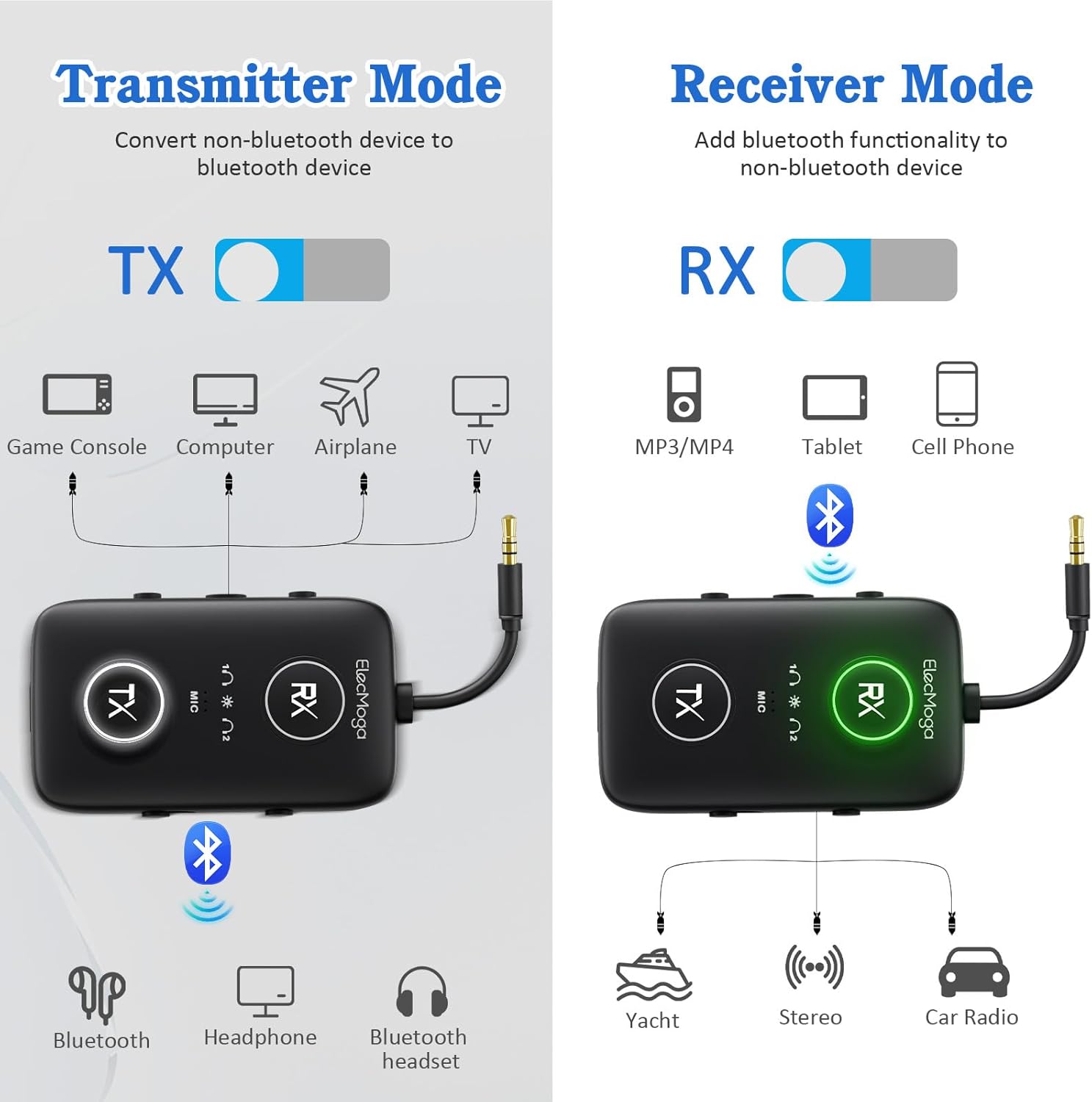
Image: A woman wearing earbuds and smiling, with the ElecMoga adapter in the foreground, illustrating the high-quality audio encoding capabilities (aptX Adaptive, aptX HD, aptX LL, aptX, SBC) in both TX and RX modes.
2. โหมดรับสัญญาณ (RX)
In RX mode, the ElecMoga adapter receives Bluetooth audio signals from your smartphone, tablet, or other Bluetooth-enabled devices and outputs them to non-Bluetooth audio systems like wired speakers, car stereos, or home theater systems.
Image: A visual representation of the adapter in Receiver (RX) mode, demonstrating its connection to a yacht's audio system, stereo, and car radio, and wirelessly receiving audio from a cell phone, tablet, or MP3/MP4 player.
- สลับไปที่โหมด RX: Slide the power switch to the "ON" position. If it's not in RX mode, press the "RX" button to switch to Receiver mode. The RX indicator light will illuminate.
- เชื่อมต่อกับอุปกรณ์ส่งสัญญาณเสียง: Plug the 3.5mm audio cable from the adapter into the audio input jack of your non-Bluetooth audio system (e.g., car stereo AUX input, home speaker system).
- จับคู่กับอุปกรณ์บลูทูธ:
- On your smartphone, tablet, or other Bluetooth-enabled device, go to Bluetooth settings and search for "ElecMoga" (or similar device name).
- Select the adapter to pair. The RX indicator light will flash rapidly during pairing and remain solid once connected.
- เพลิดเพลินไปกับเสียง: You can now stream audio from your Bluetooth device to your wired audio system.
- Hands-Free Calling (RX Mode): In RX mode, the built-in microphone allows you to answer calls. Press the Play/Pause/Talk button to answer or end a call.
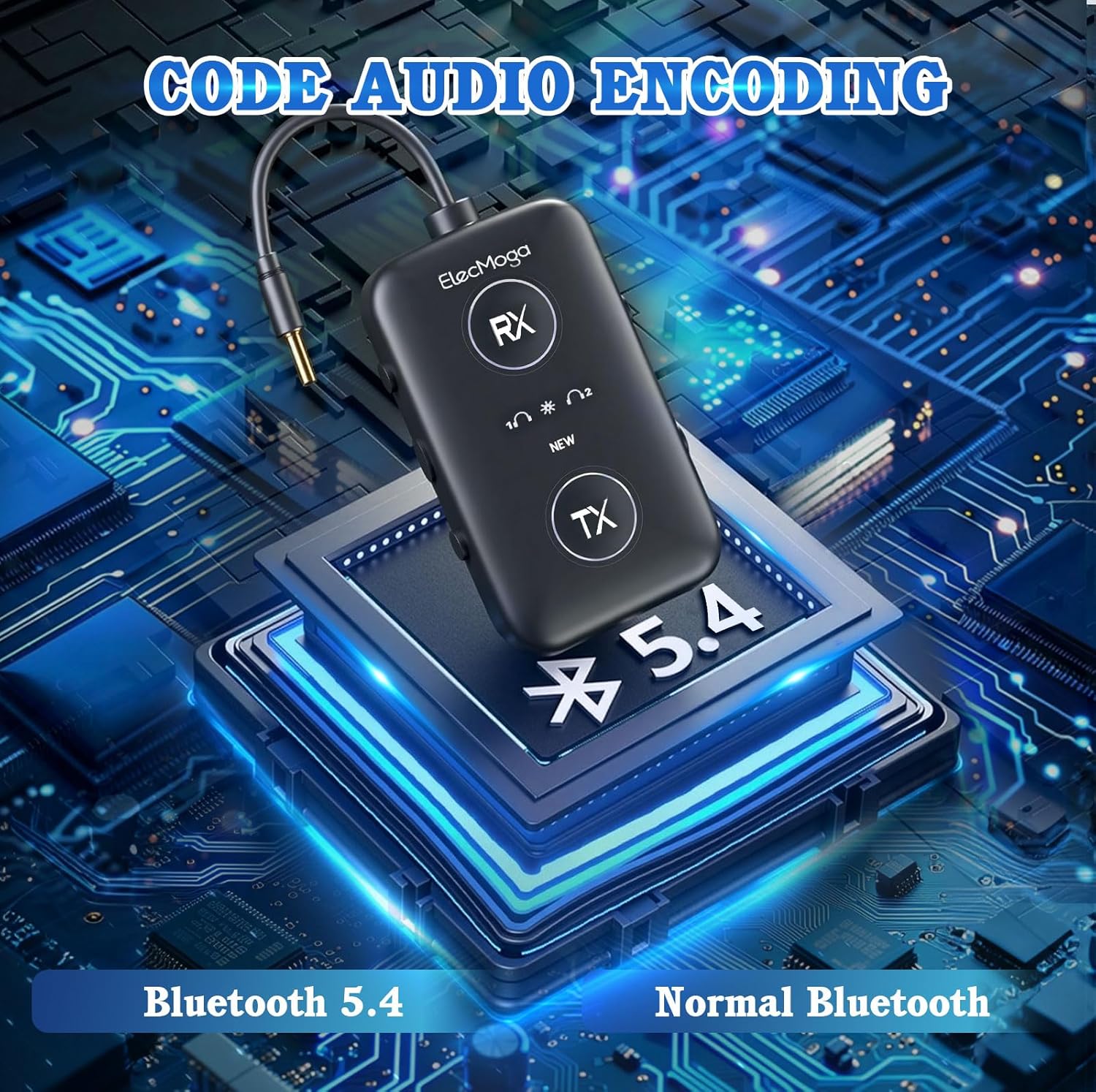
Image: Four application scenarios demonstrating the versatility of the ElecMoga adapter: a person using it at the gym, a couple watching TV with it, people enjoying music at a party, and a person using it for car audio.
การซ่อมบำรุง
Proper care and maintenance will ensure the longevity of your ElecMoga Bluetooth adapter.
- การทำความสะอาด: ใช้ผ้าแห้งนุ่มเช็ดทำความสะอาดพื้นผิวของอุปกรณ์ ห้ามใช้น้ำยาทำความสะอาดหรือสเปรย์กระป๋อง
- พื้นที่จัดเก็บ: เก็บอะแดปเตอร์ไว้ในที่แห้งและเย็น หลีกเลี่ยงแสงแดดโดยตรงและอุณหภูมิที่สูงหรือต่ำเกินไป
- หลีกเลี่ยงความชื้น: อย่าให้เครื่องโดนน้ำหรือความชื้นมากเกินไป
- จัดการด้วยความระมัดระวัง: หลีกเลี่ยงการทำอุปกรณ์หล่นหรือกระแทกอย่างรุนแรง
การแก้ไขปัญหา
If you encounter issues with your ElecMoga Bluetooth adapter, please refer to the following common solutions:
| ปัญหา | วิธีแก้ปัญหาที่เป็นไปได้ |
|---|---|
| อุปกรณ์ไม่เปิดเครื่อง | Ensure the power switch is in the "ON" position. Charge the device fully. |
| ไม่สามารถจับคู่กับอุปกรณ์บลูทูธได้ |
|
| ไม่มีเสียงหรือคุณภาพเสียงไม่ดี |
|
| แบตเตอรี่มีอายุสั้น | Ensure the device is fully charged before use. Battery life may vary based on usage and volume levels. |
ข้อมูลจำเพาะ
| คุณสมบัติ | รายละเอียด |
|---|---|
| ขนาดสินค้า | 2.36 x 1.42 x 0.54 นิ้ว |
| น้ำหนักสินค้า | 4.9 ออนซ์ (0.14 กิโลกรัม) |
| หมายเลขรุ่น | เอเล็คโมก้า |
| แบตเตอรี่ | ต้องใช้แบตเตอรี่ AAA 1 ก้อน (รวมอยู่ด้วย) |
| คุณสมบัติพิเศษ | Bluetooth 5.4, Fast Charging, Low Latency, Noise Cancellation, aptX adaptive, aptX HD |
| เทคโนโลยีการเชื่อมต่อ | AUX, บลูทูธ, RCA, USB |
| แหล่งพลังงาน | ใช้พลังงานจากแบตเตอรี่ |
| Battery Life (TX mode) | มากกว่า 12 ชั่วโมง |
| Battery Life (RX mode) | มากกว่า 16 ชั่วโมง |
| เวลาในการชาร์จ | ประมาณ 2 ชั่วโมง |
การรับประกันและการสนับสนุน
ข้อมูลการรับประกัน: กรุณาอ้างอิงจากคู่มืออย่างเป็นทางการของผู้ผลิต website or the product packaging for detailed warranty terms and conditions. Keep your purchase receipt as proof of purchase.
การสนับสนุนลูกค้า: For technical assistance, troubleshooting, or any inquiries regarding your ElecMoga Bluetooth adapter, please contact ElecMoga customer service through their official channels. Contact information can typically be found on the product packaging or the manufacturer's webเว็บไซต์.


