การแนะนำ
This manual provides detailed instructions for the safe and efficient operation of your Kuephom PM24 Portable CD Player with Speakers. Please read this manual thoroughly before using the device and retain it for future reference.
The Kuephom PM24 is a versatile audio device offering multiple playback options including CD, Bluetooth, FM Radio, USB, and TF card. It features built-in stereo speakers, a rechargeable battery for portability, and a remote control for convenient operation.

Image: The Kuephom PM24 Portable CD Player, showcasing its design with an open CD lid, remote control, and an indicator for its rechargeable battery.
เนื้อหาแพ็คเกจ
ตรวจสอบว่ามีรายการทั้งหมดอยู่ในแพ็คเกจ:
- Kuephom PM24 Portable CD Player with Speakers x 1
- สายชาร์จ x 1
- รีโมทคอนโทรล x 1
- คู่มือการใช้งาน x 1
สินค้าเกินview
The PM24 offers a range of features for diverse audio playback. Familiarize yourself with the device's components and capabilities.

Image: A visual representation of the PM24's key features, including CD/MP3 playback, Bluetooth connectivity, USB and TF card support, FM radio, audio input, headphone jack, remote control, rechargeable battery, and sleep timer.
คุณสมบัติหลัก:
- CD/MP3 Playback: Supports standard audio CDs and MP3 files from CD-R/RW discs.
- การเชื่อมต่อบลูทูธ: การสตรีมเสียงแบบไร้สายจากอุปกรณ์ที่รองรับ
- รองรับ USB และการ์ด TF: Play MP3/WMA audio files directly from USB flash drives or TF cards (up to 32GB).
- วิทยุ FM: Built-in FM tuner with retractable antenna and programmable presets.
- อินพุตเสริม: Connect external audio sources via a 3.5mm audio cable.
- แจ็คหูฟัง: สำหรับการฟังส่วนตัว
- รีโมทคอนโทรล: Full function remote for convenient operation.
- แบตเตอรี่แบบชาร์จไฟได้: ให้พลังงานแบบพกพาสำหรับการใช้งานต่อเนื่องยาวนาน
- เวลานอน: Automatically turns off the device after a set period.
- ลำโพงสเตอริโอ: Integrated speakers for clear audio output.
การตั้งค่า
1. การชาร์จอุปกรณ์
Before first use, fully charge the PM24. Connect the provided charging cable to the DC 5V input port on the device and the other end to a standard USB power adapter (not included) or a computer USB port.
- ไฟแสดงสถานะการชาร์จจะสว่างขึ้นขณะทำการชาร์จ
- โดยทั่วไปการชาร์จเต็มจะใช้เวลาประมาณ 4 ชั่วโมง
- The device provides approximately 5-8 hours of playback on a full charge, depending on volume and mode.

Image: Visual representation of the PM24's rechargeable nature, highlighting its play time and charge time.
2. เปิด/ปิดเครื่อง
กดปุ่มค้างไว้ พลัง button on the device or remote control to turn the unit on or off.
3. การติดตั้งแบตเตอรี่รีโมทคอนโทรล
The remote control requires 2 AAA batteries (not included). Open the battery compartment on the back of the remote and insert the batteries, observing the correct polarity (+/-).
คำแนะนำการใช้งาน
1. การใช้รีโมทคอนโทรล
The remote control allows for convenient operation of all functions from a distance.

Image: A user interacting with the PM24 using the remote control, illustrating various functions accessible from the remote.
- ปุ่มเปิด/ปิด: เปิดหรือปิดอุปกรณ์
- ปุ่มโหมด: Switches between CD, Bluetooth, FM, USB, TF, and AUX modes.
- ปุ่มเล่น/หยุดชั่วคราว: เริ่มหรือหยุดเล่นชั่วคราว
- ปุ่มแทร็กก่อนหน้า/ถัดไป: ข้ามไปยังแทร็ก/สถานีถัดไปหรือแทร็กก่อนหน้า
- ปุ่มปรับระดับเสียง +/-: ปรับระดับเสียง
- Repeat/Shuffle Button: Changes playback repeat modes (e.g., repeat one, repeat all, shuffle).
- ปุ่มนอน: Activates and sets the sleep timer.
2. การเล่นซีดี
- เปิดฝาช่องใส่ซีดี
- Carefully place a CD (audio CD or MP3 CD) onto the spindle with the label side facing up.
- ปิดฝาช่องใส่ซีดี
- กดปุ่ม โหมด button until "CD" mode is selected.
- The CD will begin playing automatically. If not, press the เล่น/หยุดชั่วคราว ปุ่ม.

Image: Icons illustrating various CD playback options such as sequential play, random play, repeating a single track, repeating all tracks, and the play memory function.
3. โหมดบลูทู ธ
- กดปุ่ม โหมด button until "BT" (Bluetooth) mode is selected. The display will show "bt" and flash, indicating it's in pairing mode.
- บนอุปกรณ์ที่รองรับ Bluetooth ของคุณ (สมาร์ทโฟน แท็บเล็ต ฯลฯ) ให้เปิดใช้งาน Bluetooth และค้นหาอุปกรณ์ที่มีอยู่
- Select "PM24" from the list of devices.
- Once paired, the "bt" indicator will stop flashing, and you can stream audio wirelessly to the PM24.

Image: A smartphone screen showing a successful Bluetooth connection to the PM24, with the player's display confirming 'bt' mode.
4. โหมดวิทยุ FM
- ยืดเสาอากาศแบบยืดหดได้ที่ด้านหลังของตัวเครื่องเพื่อให้รับสัญญาณได้ดีที่สุด
- กดปุ่ม โหมด กดปุ่มจนกว่าจะเลือกโหมด "FM"
- กดปุ่มค้างไว้ เล่น/หยุดชั่วคราว button to initiate an automatic station scan. The radio will scan and save available stations.
- ใช้ แทร็กก่อนหน้า/ถัดไป ปุ่มเพื่อนำทางผ่านสถานีที่บันทึกไว้

Image: A user enjoying FM radio on the PM24, with visual cues indicating different radio frequencies.
5. การเล่นการ์ด USB/TF
- Insert a USB flash drive into the USB port or a TF card into the TF card slot. Ensure the card is inserted correctly.
- กดปุ่ม โหมด button until "USB" or "TF" mode is selected.
- The device will automatically detect and begin playing MP3/WMA audio files from the inserted storage.
- ใช้ แทร็กก่อนหน้า/ถัดไป buttons to navigate between files.

ภาพ: ระยะใกล้ view of the USB and TF card slots on the PM24, indicating their function for playing media from external storage.
6. ช่องเสียบอินพุตเสริม (AUX)
- Connect one end of a 3.5mm audio cable (not included) to the AUX IN port on the PM24.
- Connect the other end to the headphone jack or audio output of an external audio device (e.g., smartphone, MP3 player).
- กดปุ่ม โหมด กดปุ่มจนกว่าจะเลือกโหมด "AUX"
- Control playback and volume from your external audio device.
7. ฟังก์ชั่นตั้งเวลาปิดเครื่อง
ตัวตั้งเวลาปิดเครื่องอัตโนมัติจะช่วยให้เครื่องปิดตัวเองหลังจากช่วงเวลาที่กำหนดไว้
- While the device is playing, press the นอน ปุ่มบนรีโมทคอนโทรล
- กดปุ่มซ้ำๆ นอน button to cycle through available timer settings (e.g., 10, 20, 30, 60, 90 minutes).
- The selected time will be displayed. The device will automatically power off once the timer expires.

Image: A visual demonstration of the sleep timer function, showing the PM24 on a nightstand while a person sleeps.
8. การใช้หูฟัง
For private listening, connect 3.5mm headphones (not included) to the แจ็คหูฟัง on the device. The built-in speakers will automatically mute when headphones are connected.
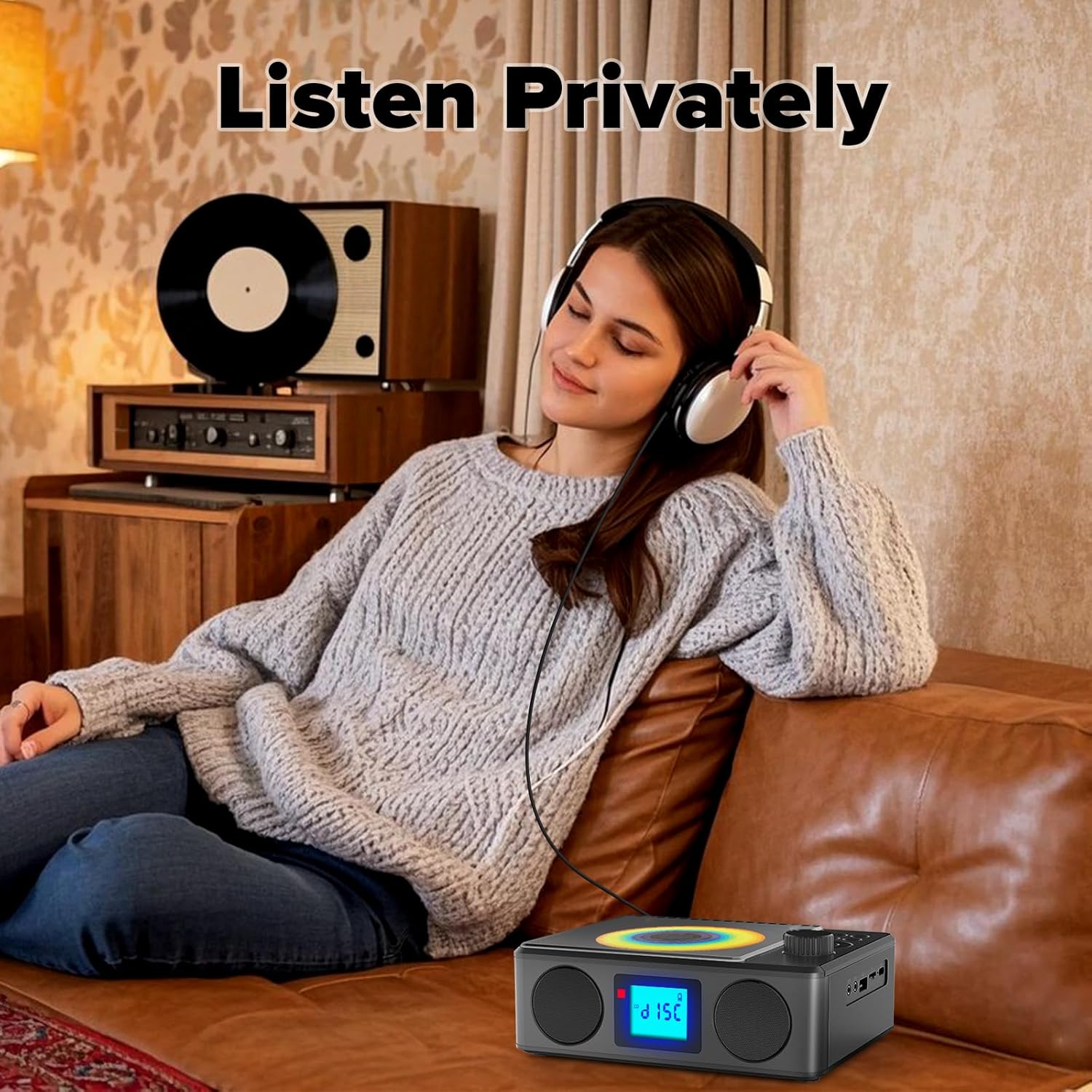
Image: A user enjoying private audio through headphones connected to the PM24.
การซ่อมบำรุง
- การทำความสะอาด: ใช้ผ้านุ่มและแห้งเช็ดทำความสะอาดภายนอกอุปกรณ์ ห้ามใช้น้ำยาทำความสะอาดหรือสารละลายที่มีฤทธิ์กัดกร่อน
- การดูแลรักษาซีดี: จับแผ่นซีดีที่ขอบ ทำความสะอาดแผ่นซีดีที่สกปรกด้วยผ้าเนื้อนุ่มที่ไม่เป็นขุย โดยเช็ดจากตรงกลางออกไปด้านนอก
- พื้นที่จัดเก็บ: เมื่อไม่ได้ใช้งานเป็นเวลานาน ควรเก็บอุปกรณ์ไว้ในที่แห้งและเย็น หลีกเลี่ยงแสงแดดโดยตรงและอุณหภูมิที่สูงหรือต่ำเกินไป
- แบตเตอรี่: To prolong battery life, avoid fully discharging the battery frequently. Charge the device regularly, even if not in use.
การแก้ไขปัญหา
| ปัญหา | สาเหตุที่เป็นไปได้ | สารละลาย |
|---|---|---|
| อุปกรณ์ไม่เปิดเครื่อง | แบตเตอรี่หมด | Connect the charging cable and allow the device to charge. |
| ไม่มีเสียงออกจากลำโพง | เสียงเบาเกินไปหรือปิดเสียงไว้ เสียบหูฟังอยู่ | เพิ่มระดับเสียง ถอดหูฟังออก |
| แผ่นซีดีเล่นสะดุดหรือไม่เล่นเลย | ซีดีสกปรก มีรอยขีดข่วน หรือใส่ไม่ถูกต้อง | Clean the CD. Ensure it is placed correctly. Try another CD. |
| การจับคู่บลูทูธล้มเหลว | Device is too far, not in pairing mode, or already paired. | Ensure PM24 is in BT mode and flashing. Move devices closer. Disconnect from other devices. |
| การรับสัญญาณวิทยุ FM ไม่ดี | เสาอากาศไม่ยืดออกหรือพื้นที่สัญญาณไม่ดี | Fully extend the telescopic antenna. Reposition the device for better signal. |
| รีโมทคอนโทรลไม่ทำงาน | Batteries are depleted or inserted incorrectly. Obstruction between remote and device. | Replace batteries, check polarity. Remove obstructions. Ensure remote is pointed at the device. |
ข้อมูลจำเพาะ
- แบบอย่าง: พีเอ็ม24
- ยี่ห้อ: เกื้อพรหม
- ขนาดสินค้า : 7.5 x 6.3 x 2.5 นิ้ว (19.05 x 16.00 x 6.35 ซม.)
- น้ำหนักสินค้า: 1.96 ปอนด์ (0.89 กก.)
- เทคโนโลยีการเชื่อมต่อ: อุปกรณ์เสริม, บลูทูธ, USB
- สี: สีดำ
- ประเภทลำโพง: สเตอริโอ
- แบตเตอรี่: แบตเตอรี่ที่ไม่ได้มาตรฐาน 1 ก้อน (รวมอยู่ด้วย)
- เวลาเล่น: 5-8 ชั่วโมง (โดยประมาณ)
- เวลาในการชาร์จ: 4 ชั่วโมง (โดยประมาณ)
การรับประกันและการสนับสนุน
Kuephom products are designed for reliability and performance. For warranty information or technical support, please refer to the contact details provided on the product packaging or visit the official Kuephom webเว็บไซต์.
โปรดเก็บหลักฐานการซื้อของคุณไว้เพื่อเรียกร้องการรับประกัน


