ข้อมูลด้านความปลอดภัยที่สำคัญ
Please read this entire manual before installation and assembly. If you have any questions regarding these instructions or the safety of the installation, please contact customer support. The manufacturer is not responsible for damage or injury caused by incorrect assembly or installation.
- ความจุน้ำหนัก: This TV wall mount is designed for televisions weighing up to 132 lbs (60 kg). Do not exceed this weight limit.
- ขนาดหน้าจอ: Compatible with most 32-84 inch TVs.
- ความเข้ากันได้ของ VESA: Supports VESA patterns from 200x100mm to 600x400mm. Verify your TV's VESA pattern before installation.
- ประเภทผนัง: This mount is designed for installation on wood studs (max 16 inches apart), concrete, and brick walls. ห้ามติดตั้งบนผนัง drywall เพียงอย่างเดียว
- เครื่องมือ: Ensure you have all necessary tools before beginning installation.
- ความช่วยเหลือ: Due to the weight and size of the TV mount and television, a minimum of two people are recommended for safe installation.
เนื้อหาแพ็คเกจ
Verify that all components are present and undamaged before proceeding with installation. If any parts are missing or defective, contact customer support.
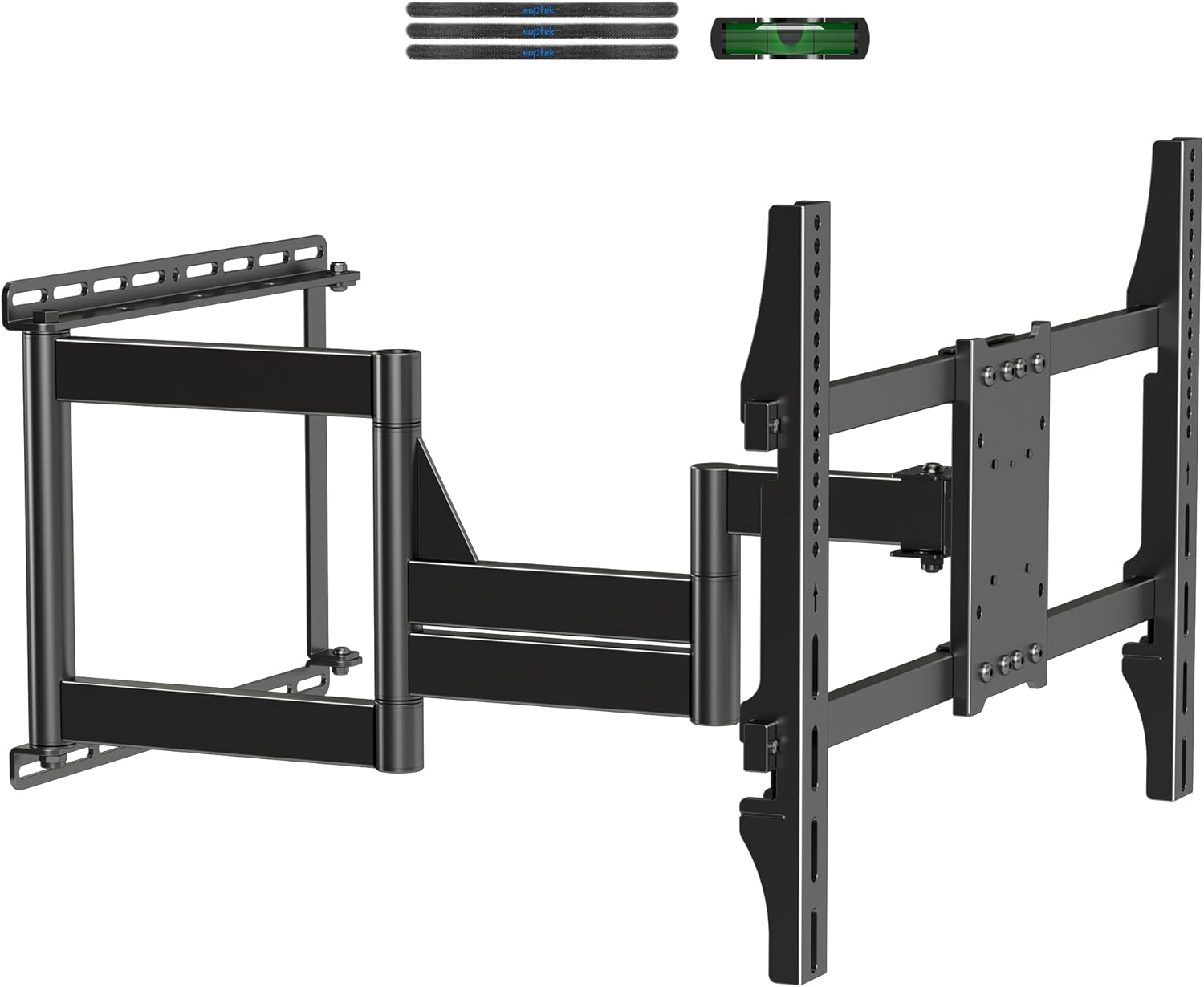
Image: All components of the XINLEI MA1079M TV Wall Mount, including the main articulating arm assembly, TV brackets, wall plate, and various screws and hardware.
- ชุดแผ่นยึดผนังพร้อมแขนปรับได้
- ขาตั้งทีวีแบบแขน (2 ชิ้น)
- ชุดอุปกรณ์ติดตั้ง (สกรู แหวนรอง ตัวเว้นระยะ พุกต่างๆ)
- คีย์ Hex
- Small Bubble Level
- คู่มือการใช้งาน
ข้อมูลจำเพาะ
| คุณสมบัติ | รายละเอียด |
|---|---|
| ยี่ห้อ | ซินเล่ย |
| หมายเลขรุ่น | MA1079M (also MA1076L) |
| ความเข้ากันได้ของขนาดทีวี | 32-84 นิ้ว |
| ความจุน้ำหนัก | 132 ปอนด์ (60 กก.) |
| ความเข้ากันได้ของ VESA | Min 200x100mm, Max 600x400mm |
| ช่วงขยาย | 2.99 นิ้ว (หด) ถึง 28.94 นิ้ว (ยืดออก) |
| มุมเอียง | +5° / -10° |
| มุมหมุน | +/- 90 ° |
| การปรับระดับ | +/- 3 ° |
| ความเข้ากันได้ของประเภทผนัง | Wood Stud (max 16"), Concrete, Brick |
| วัสดุ | โลหะ |
| สี | สีดำ |

Image: Detailed dimensions of the XINLEI MA1079M TV Wall Mount, illustrating its extension, height, and width measurements for planning installation.
คู่มือการติดตั้ง (การตั้งค่า)
Follow these steps carefully for a secure installation. It is highly recommended to watch the installation video for visual guidance.
Video: Official installation guide for the XINLEI MA1079M Long Arm TV Wall Mount, demonstrating each step from assembly to securing the TV.
Step 1: Assemble the Supporting Plate
Attach the horizontal support bars to the main wall plate using the provided screws and hex key. Ensure all connections are tight and secure.
Step 2: Attach to the Wall
Determine the desired mounting location on your wall. Use the included bubble level to ensure the wall plate is perfectly horizontal. Mark the drilling points for the lag bolts. Drill pilot holes according to the instructions for your specific wall type (wood stud, concrete, or brick). Secure the wall plate to the wall using the appropriate hardware.

Image: Illustration of compatible wall types for installation, including wood stud, concrete wall, and brick wall, with a warning against drywall-only installation.
Step 3: Hang Supporting Plate to the Bracket
Once the main wall plate is securely mounted, attach the articulating arm assembly to the wall plate. Ensure all pivot points are correctly aligned and secured with the designated bolts.
Step 4: Attach Hooks and TV Brackets to the TV
Lay your TV face down on a soft, clean surface. Attach the two vertical TV bracket arms to the back of your TV using the appropriate screws, washers, and spacers from the hardware kit. Ensure the VESA holes on your TV align with the bracket holes. The hooks on the TV brackets should face upwards.
Step 5: Hang TV and Secure
With assistance, carefully lift the TV and hook the TV bracket arms onto the wall plate assembly. Once the TV is securely hung, tighten the safety screws located at the bottom of the TV bracket arms to prevent accidental dislodging. Organize cables using the provided cable ties.

ภาพ: ระยะใกล้ view highlighting the upgraded sturdy design of the mount, featuring a thicker pivot shaft and triangular reinforcement for enhanced load bearing up to 132 lbs.
คำแนะนำการใช้งาน
The XINLEI MA1079M TV Wall Mount offers full motion capabilities for optimal viewการไอเอ็นจี
การยืดและการหด
Gently pull the TV away from the wall to extend the arm up to 28.94 inches. Push the TV back towards the wall to retract it to a minimum distance of 2.99 inches. Move smoothly to avoid sudden impacts.
การปรับความเอียง
The TV can be tilted +5° upwards or -10° downwards to reduce glare and achieve a comfortable viewing angle. Loosen the tilt adjustment knobs on the TV brackets, adjust to the desired angle, and then re-tighten the knobs to secure the position.
การปรับหมุน
The articulating arm allows for a swivel range of +/- 90° (left or right), depending on TV size and wall distance. Gently push the TV to the desired swivel angle.
การปรับระดับ
After installation, if the TV appears slightly unlevel, you can adjust it by +/- 3°. Consult the specific mechanism on your mount for this fine-tuning, usually involving loosening and re-tightening screws on the TV brackets.

Image: Demonstrates the tilt range (+5° to -10°) and extension/retraction capabilities (2.99" to 28.94") of the TV wall mount, showing how to achieve a perfect viewมุมอิง

Image: Illustrates the flexible viewing options provided by the 3-section swivel arms, allowing the TV to be positioned for optimal viewing from various locations in a room, including corner setups.

Image: Shows the XINLEI MA1079M TV Wall Mount installed in a corner, demonstrating its ability to swivel and extend to accommodate corner placements for 32-84 inch TVs.
การซ่อมบำรุง
การบำรุงรักษาอย่างสม่ำเสมอจะช่วยให้ขาตั้งทีวีติดผนังของคุณใช้งานได้ยาวนานและปลอดภัย
- การทำความสะอาด: เช็ดฐานยึดด้วยผ้าแห้งเนื้อนุ่ม หลีกเลี่ยงน้ำยาทำความสะอาดที่มีฤทธิ์กัดกร่อนหรือตัวทำละลายที่อาจทำให้พื้นผิวเสียหายได้
- การตรวจสอบตามระยะเวลา: ตรวจสอบสกรูและน็อตทั้งหมดเป็นระยะเพื่อให้แน่ใจว่ายังแน่นอยู่ เมื่อเวลาผ่านไป การสั่นสะเทือนหรือการปรับแต่งอาจทำให้ตัวยึดหลวมได้
- การหล่อลื่น: ข้อต่อต่างๆ ถูกออกแบบมาเพื่อให้เคลื่อนไหวได้อย่างราบรื่น หากการเคลื่อนไหวติดขัด สามารถใช้สารหล่อลื่นชนิดซิลิโคนเล็กน้อยทาบริเวณจุดหมุนได้
การแก้ไขปัญหา
หากคุณพบปัญหาเกี่ยวกับขาตั้งทีวีติดผนัง โปรดดูวิธีแก้ไขปัญหาทั่วไปต่อไปนี้:
- ทีวีไม่ตั้งตรง: Use the built-in leveling adjustment feature or carefully re-adjust the wall plate if necessary. Ensure the wall plate was installed perfectly level initially.
- มีปัญหาในการขยับแขน: Check for any obstructions. Ensure all pivot point bolts are not overtightened, which can restrict movement. Apply lubricant if needed.
- ทีวีดูไม่เสถียร: Immediately remove the TV from the mount. Re-check all installation steps, especially the wall attachment and TV bracket security. Ensure the mount is installed on a compatible and sturdy wall type and that the TV's weight does not exceed the mount's capacity.
- ส่วนที่หายไป: Refer to the package contents list. Contact customer support for replacement parts.
การรับประกันและการสนับสนุน
XINLEI products are manufactured with quality and durability in mind. For specific warranty information, please refer to the documentation included with your purchase or contact XINLEI customer support directly. If you require technical assistance or have questions regarding your MA1079M TV Wall Mount, please reach out to our support team through the retailer's platform or the official XINLEI webเว็บไซต์.
We are committed to providing reliable after-sale service and professional technical support to ensure your satisfaction.


