1. บทนำ
Thank you for choosing the GTRACING Gaming Desk. This manual provides essential information for the safe and efficient assembly, operation, and maintenance of your new desk. Please read these instructions carefully before beginning assembly and retain them for future reference.
2. ข้อมูลด้านความปลอดภัยที่สำคัญ
Always assemble the desk according to the provided instructions. Be cautious when moving the desk, as it can be heavy and may pose a risk of injury if not handled properly.
- ตรวจสอบให้แน่ใจว่าการเชื่อมต่อทั้งหมดปลอดภัยก่อนใช้งาน
- Do not overload the desk or monitor stand beyond the recommended weight capacity (300 lbs).
- Keep liquids away from electrical components (power outlets, USB ports, LED lights).
- Children should not climb on or play with the desk.
- กำจัดวัสดุบรรจุภัณฑ์อย่างมีความรับผิดชอบ
3. เนื้อหาบรรจุภัณฑ์
Verify that all components are present before assembly. If any parts are missing or damaged, please contact GTRACING customer support.
- Desk components (desktop panels, legs, monitor stand parts)
- Integrated power strip (2 AC outlets, 2 USB ports)
- ไฟเส้น LED
- Extended mouse pad
- Headphone hooks (x2)
- อุปกรณ์ประกอบ (สกรู น็อต ฯลฯ)
- เครื่องมือประกอบ
- คู่มือการใช้งาน
4. คำแนะนำในการประกอบ
Assembly is required. Please follow the detailed step-by-step instructions provided in the separate assembly guide included with your package. All necessary tools are included.
- แกะส่วนประกอบทั้งหมดออกและตรวจสอบกับรายการเนื้อหาในแพ็คเกจ
- Identify all hardware and tools.
- Assemble the desk frame and legs.
- Attach the desktop panels.
- ติดตั้งขาตั้งจอภาพ
- Mount the integrated power strip.
- Attach the LED light strip.
- Install the headphone hooks.
- Place the extended mouse pad.

Image: All components of the GTRACING Gaming Desk laid out, ready for assembly. This includes the desktop pieces, legs, monitor stand, and various hardware.

Image: A fully assembled GTRACING Gaming Desk, showcasing the monitor stand, LED lighting, and carbon fiber texture.
5. คู่มือการใช้งาน
5.1. ระบบไฟ LED
The GTRACING Gaming Desk features an integrated LED light strip to enhance your gaming or work environment. The LED lights offer 16 color changes and 6 dynamic modes.
- Connect the LED light strip to the designated power source.
- Use the included remote control to power on/off, change colors, and select dynamic modes.
- โปรดตรวจสอบให้แน่ใจว่ารีโมทคอนโทรลมีแบตเตอรี่ที่ใช้งานได้และหันไปทางตัวรับสัญญาณ LED เพื่อการใช้งานที่เหมาะสมที่สุด
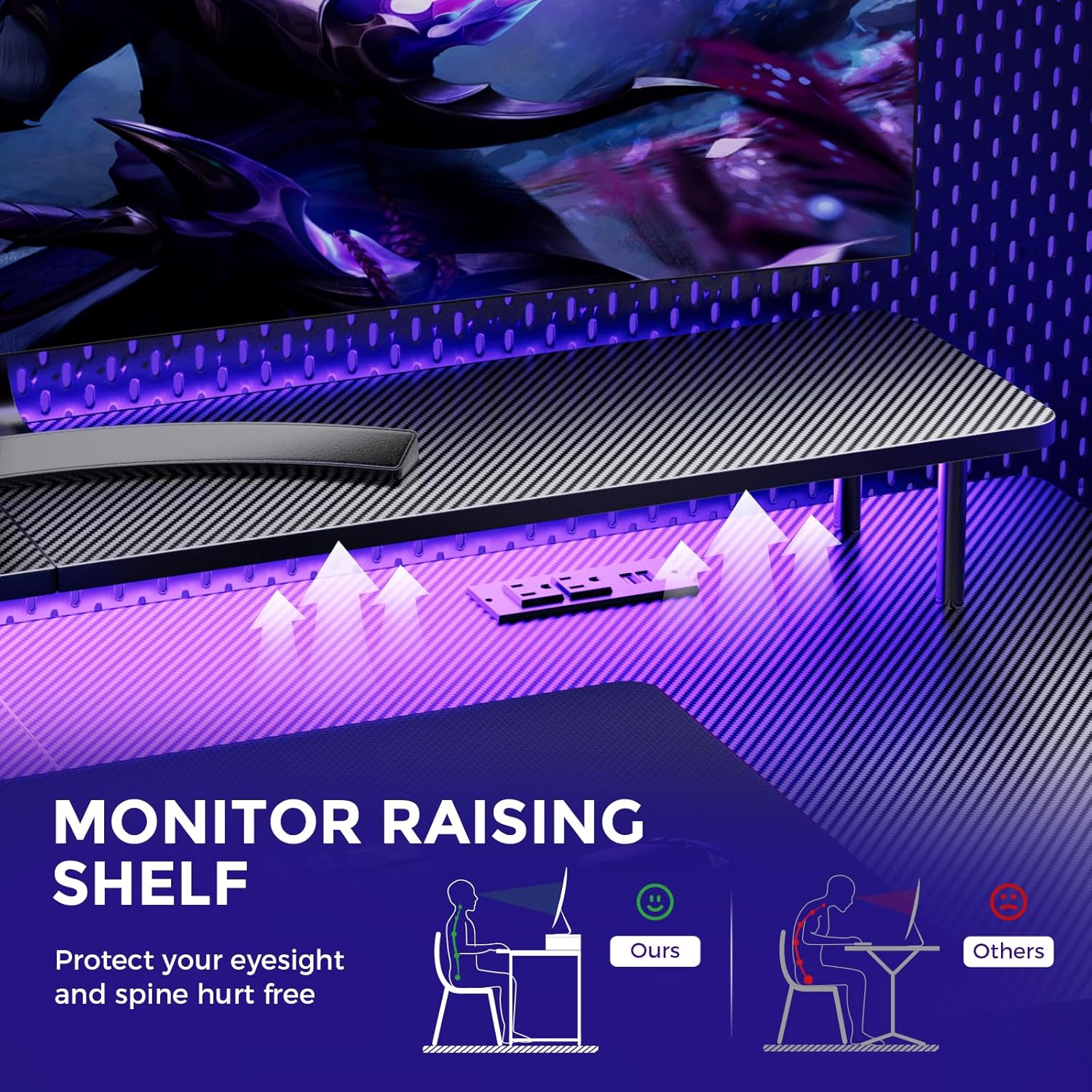
Image: A hand holding a remote control, demonstrating the control over the RGB LED light strip installed beneath the monitor stand of the desk.
Video: An official product video demonstrating the GTRACING 55 Inch Gaming Desk with LED Lights, showcasing its features and aesthetic appeal in a gaming setup.
5.2. Integrated Power Outlets & USB Ports
The desk includes a built-in power strip with 2 AC outlets (120V/12A) and 2 USB charging ports (5V/2A) for convenient device charging and power supply.
- เสียบสายไฟหลักของโต๊ะเข้ากับเต้ารับที่ผนัง
- เชื่อมต่ออุปกรณ์ของคุณเข้ากับปลั๊กไฟหรือพอร์ต USB ตามความจำเป็น
- Avoid exceeding the maximum power rating of the outlets.

ภาพ: ภาพระยะใกล้ view of the recessed power strip on the desk, showing two AC outlets and two USB charging ports in use, charging a phone and earbuds.
5.3. Ergonomic Monitor Stand
The raised monitor stand positions your screen at eye level, promoting better posture and reducing neck strain during extended use. It also provides additional storage space.

Image: A diagram comparing correct ergonomic posture achieved with the monitor stand to incorrect posture without it, highlighting benefits for eyesight and spine.
6. การบำรุงรักษา
- การทำความสะอาด: เช็ดพื้นผิวคาร์บอนไฟเบอร์ด้วยผ้าเนื้อนุ่มและแห้งamp ผ้า. หลีกเลี่ยงสารเคมีรุนแรงที่อาจสร้างความเสียหายให้กับผิวเคลือบ
- ฮาร์ดแวร์: ตรวจสอบสกรูและน็อตทั้งหมดเป็นระยะเพื่อให้แน่ใจว่ายังแน่นอยู่ ขันให้แน่นหากจำเป็น
- ส่วนประกอบไฟฟ้า: ควรทำความสะอาดปลั๊กไฟและพอร์ต USB ให้ปราศจากฝุ่นและสิ่งสกปรก อย่าพยายามซ่อมแซมอุปกรณ์ไฟฟ้าด้วยตนเอง
7 การแก้ไขปัญหา
7.1. LED Lights Not Working or Remote Not Responding
- ตรวจสอบการเชื่อมต่อพลังงาน: Ensure the LED light strip is securely plugged into the power source and the desk's main power cord is connected to a live wall outlet.
- แบตเตอรี่ระยะไกล: Verify that the remote control has a fresh battery and is inserted correctly.
- แนวสายตา: Ensure there is a clear line of sight between the remote control and the LED receiver. Obstructions can block the signal.
- ควบคุมด้วยมือ: If the remote is unresponsive, check if there's a manual button on the LED controller itself to cycle through modes or power on/off.
7.2. Desk Instability
- กระชับฮาร์ดแวร์: Re-check and tighten all assembly screws and bolts.
- พื้นผิวระดับ: ตรวจสอบให้แน่ใจว่าโต๊ะวางอยู่บนพื้นผิวที่เรียบและระดับเท่ากัน
8. ข้อมูลจำเพาะ
| คุณสมบัติ | รายละเอียด |
|---|---|
| ยี่ห้อ | จีเทรซิ่ง |
| หมายเลขรุ่น | 114vc07 |
| ขนาดสินค้า | ลึก 24 นิ้ว x กว้าง 55 นิ้ว x สูง 30 นิ้ว |
| สี | คาร์บอนแบล็ค |
| ประเภทวัสดุยอดนิยม | คาร์บอนไฟเบอร์ |
| วัสดุฐาน | สแตนเลส |
| คำแนะนำน้ำหนักสูงสุด | 300 ปอนด์ |
| รางปลั๊กไฟแบบรวม | ช่องเสียบไฟ AC 2 ช่อง (120V/12A), ช่องเสียบ USB 2 ช่อง (5V/2A) |
| คุณสมบัติพิเศษ | Built-In USB Outlet, Ergonomic, Monitor Stand, LED Lights, Headphone Hook |
| จำเป็นต้องประกอบ | ใช่ (มีเครื่องมือให้ครบ) |

Image: A detailed diagram illustrating the dimensions of the GTRACING Gaming Desk, including the main desktop and the monitor stand.
9. การรับประกันและการสนับสนุนลูกค้า
GTRACING is committed to providing high-quality products and customer satisfaction. For any questions, concerns, or missing parts, please contact our customer service team.
- Free Replacement/Refund: ภายใน 30 วันหลังการซื้อ
- Free Replacement/Repair: Within 1 year of purchase.
- ข้อมูลติดต่อ:
- อีเมล: info@gtracing.com
- Phone: 1-888-660-5669 (9:00-5:30 PST Mon-Fri)
- Webเว็บไซต์: www.gtracing.com

Image: GTRACING customer service representatives ready to assist with product inquiries and support.