1. บทนำ
This user manual provides essential information for the safe and efficient operation of your DALY Smart BMS (Battery Management System) 48V 16S 200A with 5A Active Balancer. This system is designed to protect and optimize 16-series 48-volt LiFePO4 battery packs, commonly used in applications such as golf carts, electric outboard motors, and solar energy power systems. Please read this manual thoroughly before installation and use.
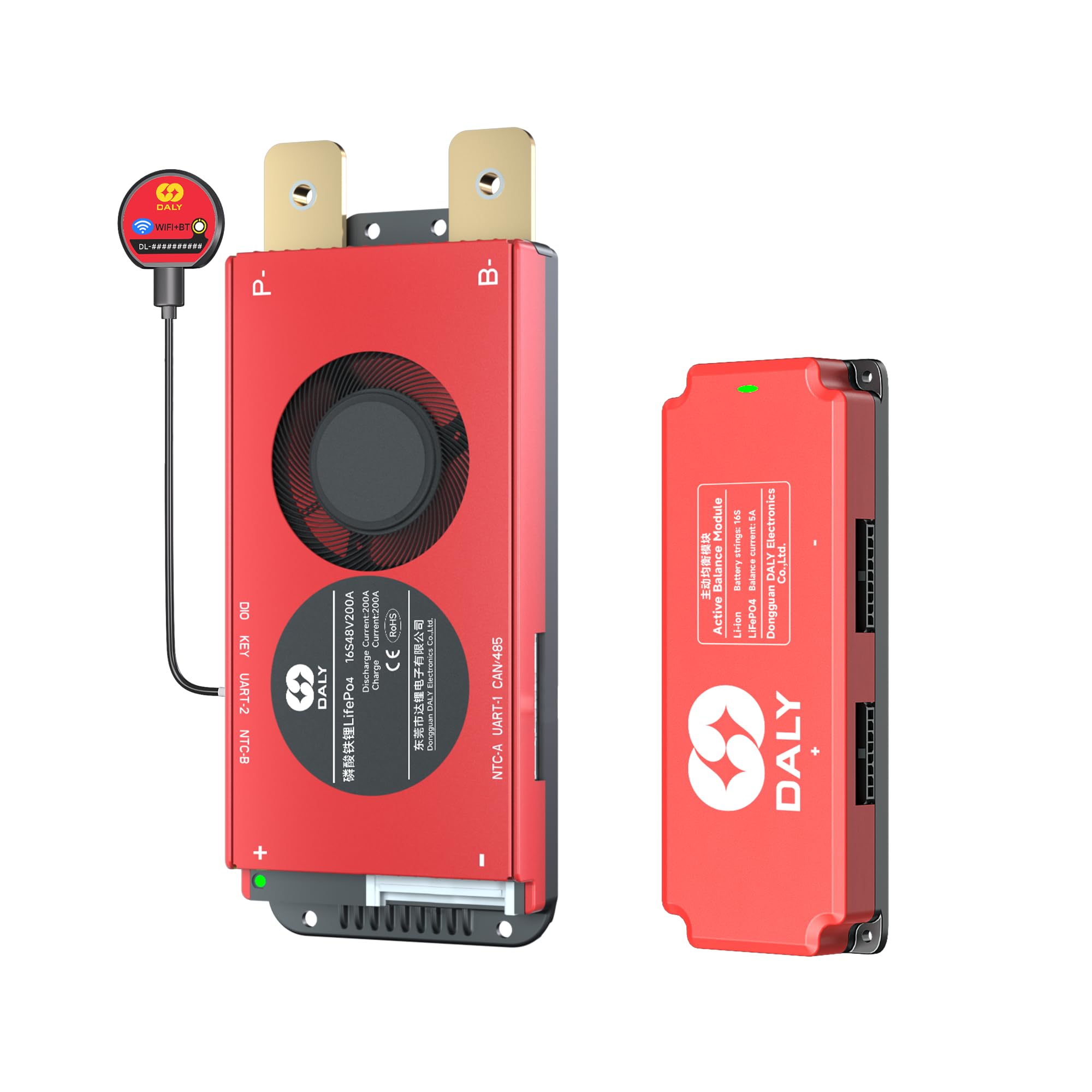
Image 1.1: DALY Smart BMS 48V 16S 200A with 5A Active Balancer, highlighting the 5-year extended warranty.
2. ข้อมูลด้านความปลอดภัย
Always prioritize safety when working with battery systems. Improper installation or handling can lead to serious injury or damage to equipment. Adhere to the following safety guidelines:
- การติดตั้งโดยมืออาชีพ: Installation should be performed by qualified personnel with experience in electrical systems and battery management.
- เครื่องมือหุ้มฉนวน: Use only insulated tools to prevent short circuits.
- ขั้วที่ถูกต้อง: Ensure all connections are made with correct polarity. Reversing polarity can cause severe damage to the BMS and battery.
- เล่มที่tagและขีดจำกัดปัจจุบัน: ไม่เกินปริมาตรที่กำหนดtage and current ratings of the BMS and battery pack.
- สภาพแวดล้อม : Install the BMS in a dry, well-ventilated area, away from flammable materials and direct sunlight.
- ขั้นตอนฉุกเฉิน: Familiarize yourself with emergency shutdown procedures for your battery system.
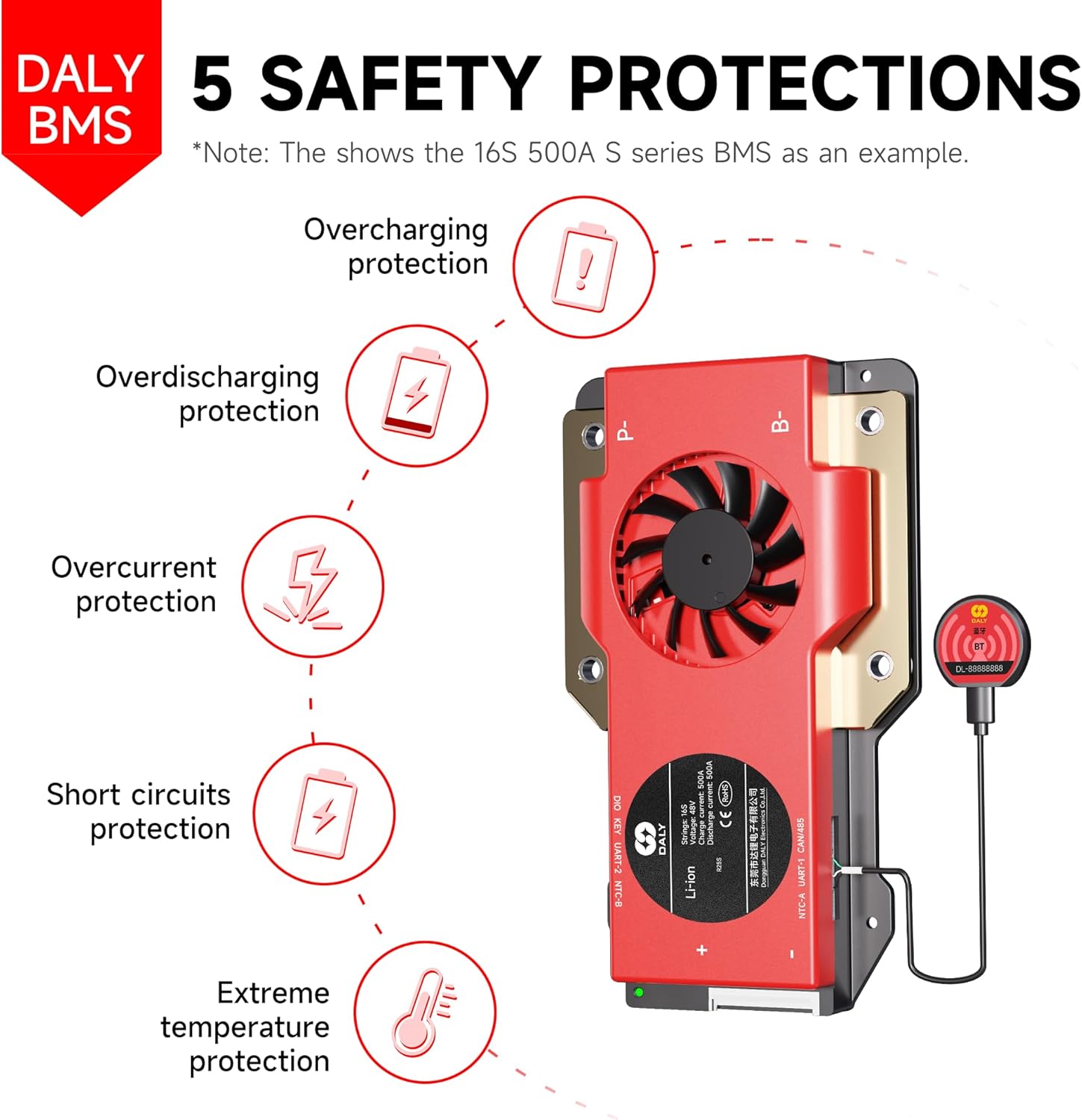
Image 2.1: The DALY BMS provides comprehensive protection against overcharging, overdischarging, overcurrent, short circuits, and extreme temperatures.
3. สินค้าหมดview
3.1 คุณสมบัติหลัก
- การป้องกันที่ครอบคลุม: รวมถึงระดับเสียงต่ำtage คัตออฟ โวลุ่มสูงtage cutoff, short circuit protection, and temperature protection for enhanced battery performance and longevity.
- การตรวจสอบอัจฉริยะ: Features a 2-in-1 Bluetooth/Wi-Fi dongle for local and remote battery monitoring via the Smart BMS mobile app. Provides real-time system alerts and customizable parameters.
- การสนับสนุนระบบคู่ขนาน: Built-in parallel circuit allows for scaling capacity by connecting up to 8+ battery packs.
- 5A Active Balancer: Enables faster cell balancing, reduces heat generation, improves energy efficiency, and increases system runtime.
- อินเทอร์เฟซการสื่อสาร: Supports RS485 and CAN communication protocols.
3.2 รายการบรรจุภัณฑ์
แพ็คเกจนี้ประกอบด้วยส่วนประกอบต่อไปนี้:
- 16S 48V 200 Ampระบบจัดการแบตเตอรี่อัจฉริยะ (x1)
- 5A 16S Active Balancer (x1)
- สายส่ง BP-Output (x1)
- 2-in-1 BT/WiFi dongle (x1)
- Sampสายเคเบิล (x1)
- NTC (เซ็นเซอร์วัดอุณหภูมิ) (1 ชิ้น)
- คู่มือการใช้งาน (x1)
- สกรู (สำหรับติดตั้ง)

ภาพที่ 3.1: สิ่งของภายในกล่องบรรจุภัณฑ์ของระบบจัดการแบตเตอรี่ DALY BMS
4. การตั้งค่าและการติดตั้ง
Careful installation is crucial for the proper functioning and safety of your BMS. Follow these steps for setup:
4.1 การตรวจสอบก่อนการติดตั้ง
- Verify that your battery pack is a 16S (16 series) LiFePO4 system with a nominal voltage ของ 48V
- Confirm that the total current draw of your application does not exceed the 200A rating of this BMS.
- Ensure all battery cells are balanced before connecting the BMS.
4.2 คำแนะนำในการเดินสายไฟ
- Connect B- wire: เชื่อมต่อสายไฟสีดำเส้นหนา (สาย B-) จาก BMS เข้ากับขั้วลบของชุดแบตเตอรี่ของคุณ
- Connect P- wire: เชื่อมต่อสายไฟสีดำเส้นหนา (P-) จาก BMS เข้ากับขั้วลบของอุปกรณ์โหลด/เครื่องชาร์จของคุณ
- เชื่อมต่อสายบาลานซ์: Carefully connect the multi-pin sampling cable to the balance port on the BMS. Then, connect each individual wire of the sampling cable to the corresponding positive terminal of each cell in your battery pack, starting from B0 (negative of the first cell) up to B16 (positive of the last cell). Ensure the order is correct.
- Connect Active Balancer: Connect the 5A active balancer to its dedicated port on the BMS.
- เชื่อมต่อ NTC (เซ็นเซอร์วัดอุณหภูมิ): Attach the NTC sensor to a central cell or area within the battery pack to monitor temperature.
- Connect BT/WiFi Dongle: Plug the 2-in-1 Bluetooth/Wi-Fi dongle into the communication port on the BMS.
- เชื่อมต่อขั้วบวก: Finally, connect the main positive wire from your battery pack to the positive terminal of your load/charger.
Note: Refer to the detailed wiring diagram provided in the separate installation guide or contact DALY support for specific wiring configurations if unsure.

Image 4.1: The DALY BMS supports multiple parallel systems to increase battery pack capacity.
5. คู่มือการใช้งาน
The DALY Smart BMS offers advanced monitoring and control capabilities via its mobile application.
5.1 การติดตั้งและการเชื่อมต่อแอปพลิเคชันบนมือถือ
- ดาวน์โหลดแอพ: ค้นหา "Smart BMS" in your device's app store (iOS/Android) and install the application.
- เปิดใช้งานบลูทูธ/Wi-Fi: โปรดตรวจสอบให้แน่ใจว่าได้เปิดใช้งาน Bluetooth หรือ Wi-Fi บนอุปกรณ์มือถือของคุณแล้ว
- เชื่อมต่อกับระบบจัดการแบตเตอรี่ (BMS): Open the Smart BMS app. The app should detect your BMS via the connected dongle. Select your BMS from the list to establish a connection.
5.2 Monitoring and Customization
Once connected, the app provides real-time data and allows for parameter adjustments:
- ข้อมูลเรียลไทม์: View ปริมาณแบตเตอรี่tagอี กระแส ปริมาตรเซลล์แต่ละเซลล์tages, temperature, State of Charge (SOC), and balance status.
- การแจ้งเตือน: Receive notifications for any protection triggers (e.g., over-voltage, ต่ำกว่า voltagเช่น อุณหภูมิสูงเกินไป)
- การตั้งค่าพารามิเตอร์: Customize various protection thresholds and operational parameters as needed for your specific battery configuration and application. Refer to the app's help section for detailed explanations of each setting.
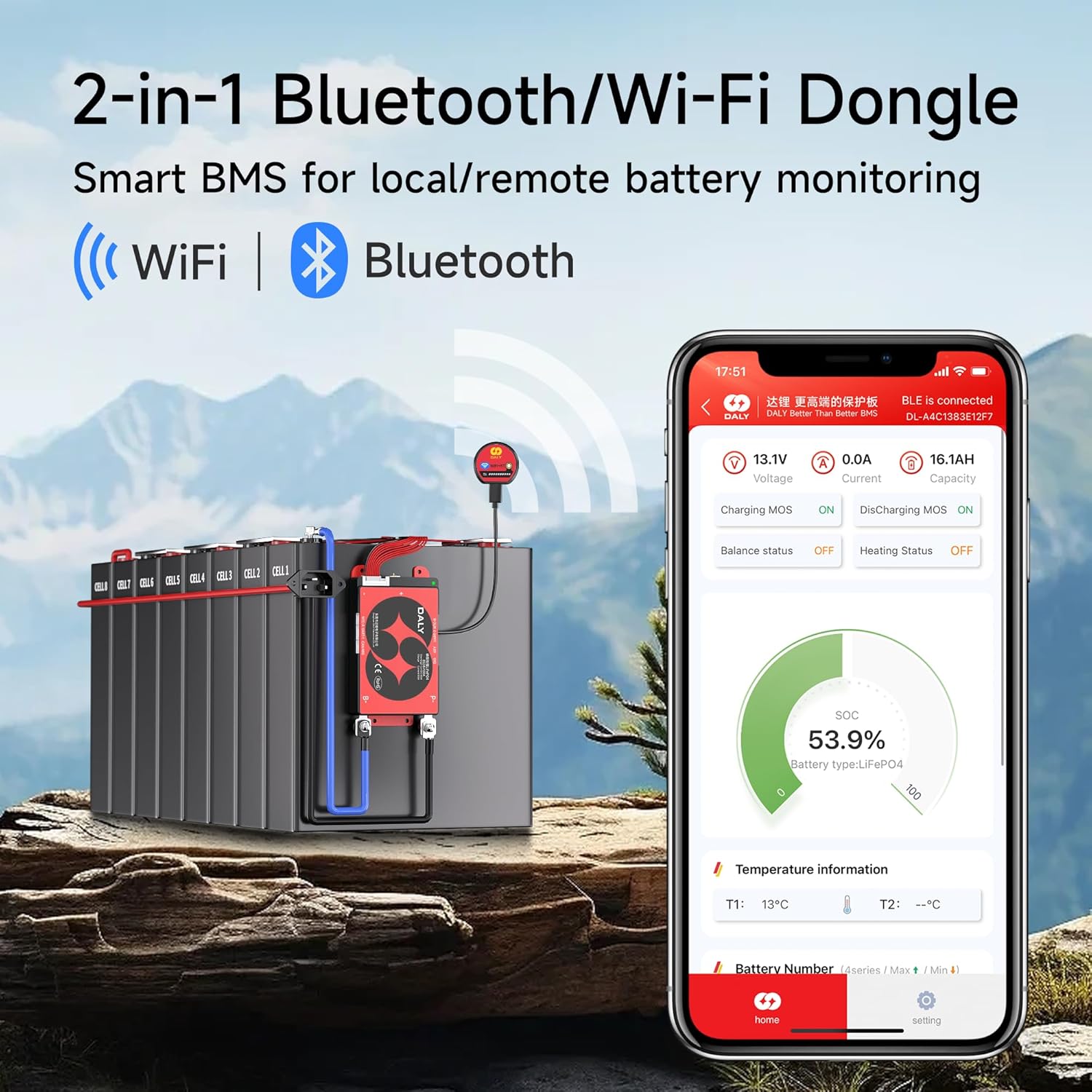
Image 5.1: The 2-in-1 Bluetooth/Wi-Fi Dongle enables smart monitoring via the mobile app.
6. การบำรุงรักษา
Regular maintenance ensures the longevity and optimal performance of your DALY Smart BMS and battery system.
- การตรวจสอบเป็นระยะ: Visually inspect all wiring and connections for signs of wear, corrosion, or damage. Ensure all terminals are secure.
- ความสะอาด : Keep the BMS unit clean and free from dust and debris. Do not use liquid cleaners directly on the unit.
- อัพเดตเฟิร์มแวร์: ตรวจสอบ DALY website or app periodically for firmware updates for your BMS to ensure you have the latest features and bug fixes.
- การตรวจสอบสุขภาพแบตเตอรี่: Regularly monitor cell voltages and temperatures via the Smart BMS app to detect any anomalies early.
- Active Balancer Check: The 5A active balancer works continuously. Monitor its status via the app to ensure it is functioning correctly, contributing to faster cell balancing and higher energy efficiency.
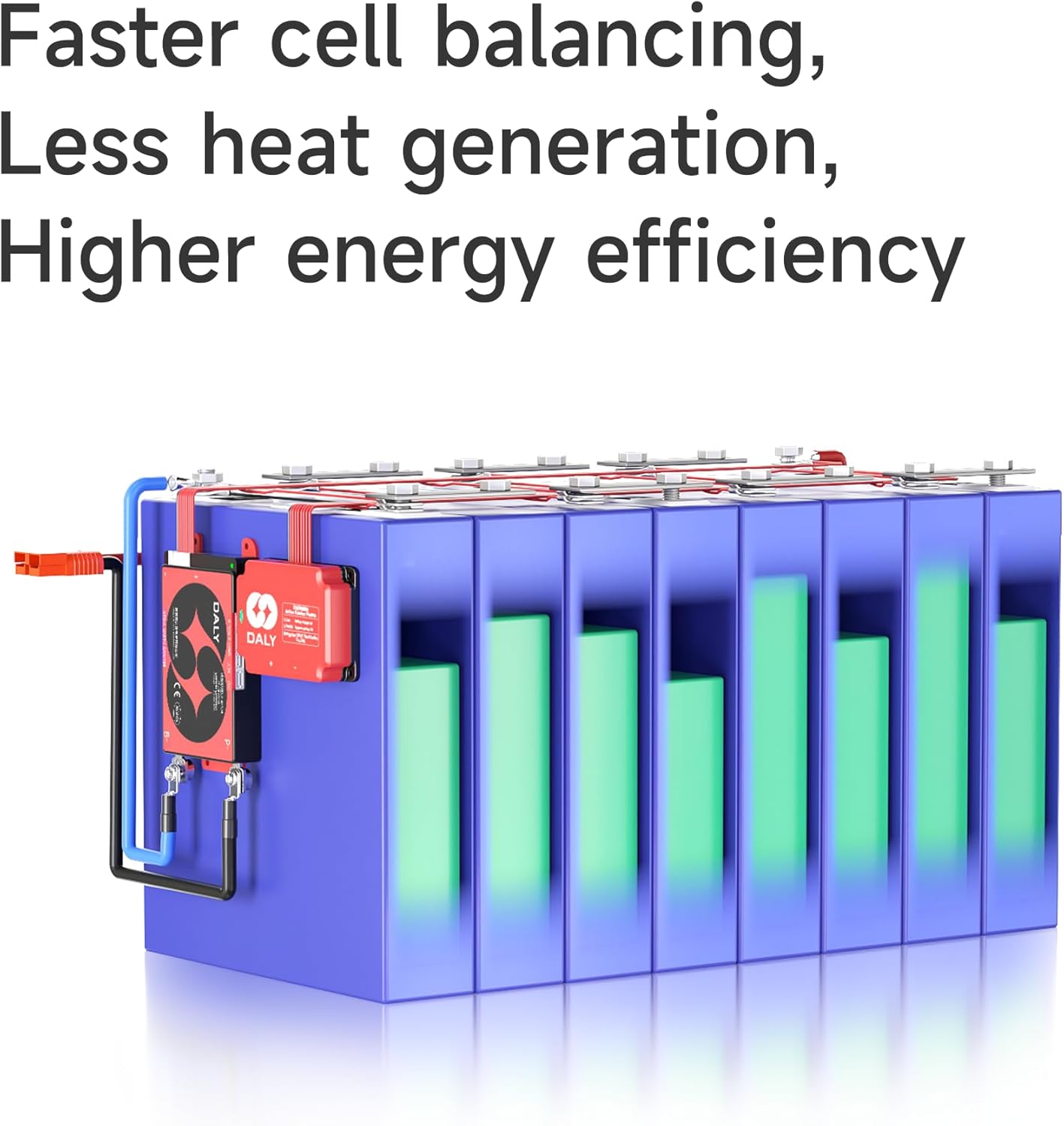
Image 6.1: The active balancer ensures faster cell balancing, less heat generation, and higher energy efficiency.
7 การแก้ไขปัญหา
This section addresses common issues you might encounter. For more complex problems, consult DALY technical support.
7.1 ปัญหาทั่วไปและแนวทางแก้ไข
| ปัญหา | สาเหตุที่เป็นไปได้ | สารละลาย |
|---|---|---|
| BMS not powering on / No display | Incorrect wiring (B-, P-), loose connections, battery voltagอีต่ำเกินไป | Check all main power connections. Verify battery voltage is within operating range. Ensure balance wires are correctly connected. |
| ไม่สามารถเชื่อมต่อผ่านบลูทูธ/ไวไฟได้ | Dongle not properly connected, Bluetooth/Wi-Fi disabled on device, app issues, signal interference. | Ensure dongle is securely plugged in. Restart mobile device and app. Move closer to the BMS. Check app permissions. |
| แบตเตอรี่ไม่ชาร์จ/ไม่คายประจุ | BMS protection triggered (e.g., over-voltage, ต่ำกว่า voltage, over-current, over-temperature), faulty charger/load. | Check app for active protection alerts. Address the cause of the protection (e.g., reduce load, allow cooling). Verify charger/load functionality. |
| Cell imbalance issues | Active balancer not functioning, significant cell degradation, incorrect balance wire connection. | Verify active balancer connection and status via app. Check individual cell voltages. If imbalance persists, inspect battery cells. |
7.2 General Troubleshooting Advice
The image below provides a helpful guide for determining the right BMS for your battery and addressing common questions.
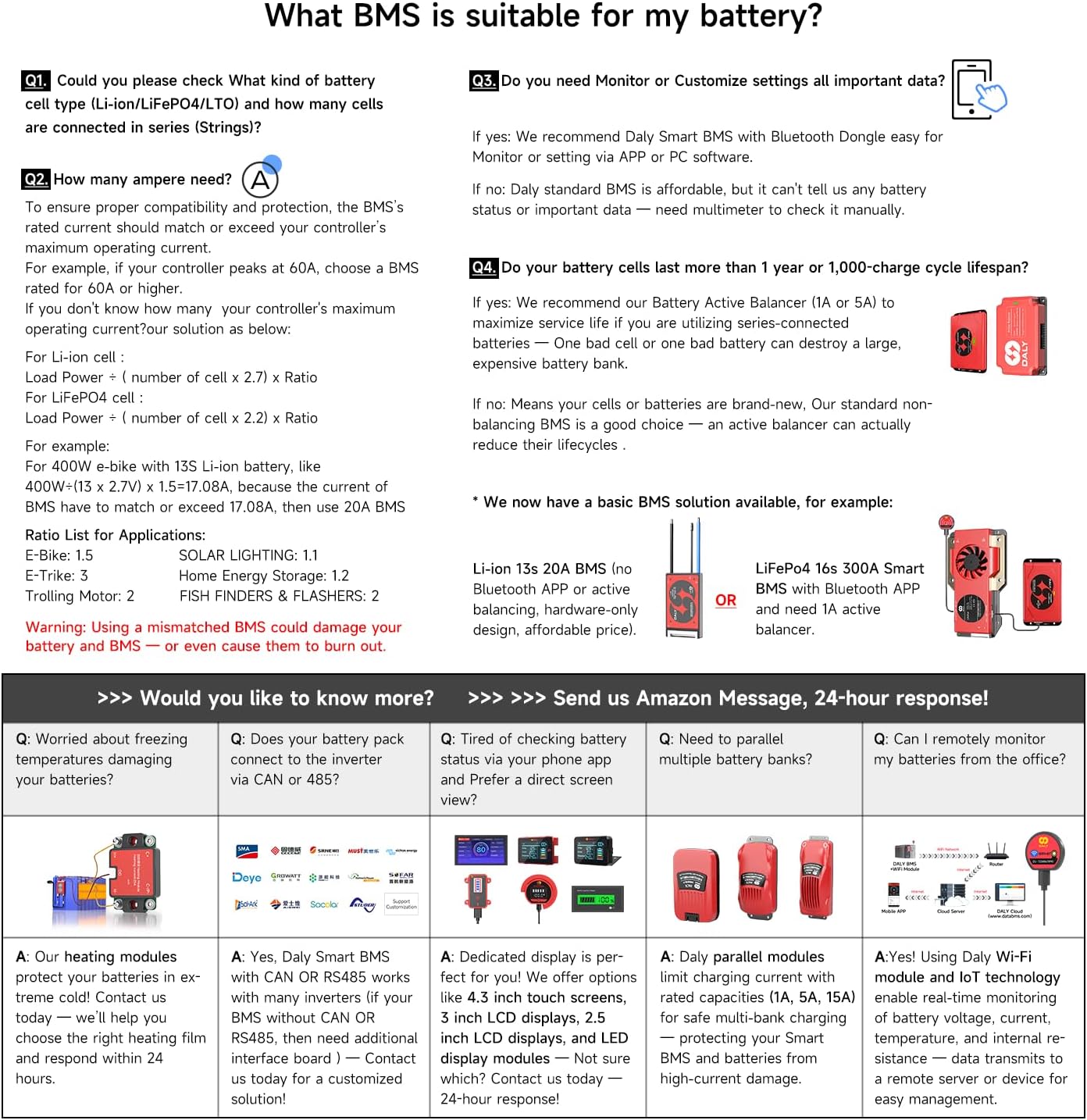
Image 7.1: Guide to selecting the correct BMS and addressing common battery management questions.
8. ข้อมูลจำเพาะ
Key technical specifications for the DALY Smart BMS 48V 16S 200A with 5A Active Balancer:
- แบบอย่าง: 48V 16S 200A Smart BMS with 5A Active Balancer
- ประเภทแบตเตอรี่: ลิเธียมไอออนฟอสเฟต
- การกำหนดค่าซีรีย์: 16วินาที
- กระแสคายประจุต่อเนื่อง: 200เอ
- กระแสสมดุลแบบแอ็คทีฟ: 5A
- การสื่อสาร: Bluetooth, Wi-Fi (via dongle), RS485, CAN
- อินพุต Voltage: 48 โวลต์ (กระแสตรง)
- ปริมาณการส่งออกtage: 48 โวลต์ (กระแสตรง)
- คุณสมบัติการป้องกัน: Overcharge, Overdischarge, Overcurrent, Short Circuit, Overtemperature
- ใบรับรอง: ได้รับการรับรองมาตรฐาน ISO/FCC/RoHS/PSE/CE
- ขนาดแพ็คเกจ: 13.39 x 9.8 x 2.24 นิ้ว
- น้ำหนักสินค้า: 2.01 ปอนด์
9. การรับประกันและการสนับสนุน
9.1 ข้อมูลการรับประกัน
The DALY Smart BMS 48V 16S 200A with 5A Active Balancer comes with a รับประกัน 5 ปี นับจากวันที่ซื้อสินค้า การรับประกันนี้ครอบคลุมถึงข้อบกพร่องในวัสดุและฝีมือการผลิตภายใต้การใช้งานปกติ ไม่ครอบคลุมถึงความเสียหายที่เกิดจากการติดตั้งที่ไม่ถูกต้อง การใช้งานผิดวิธี อุบัติเหตุ การดัดแปลงโดยไม่ได้รับอนุญาต หรือภัยพิบัติทางธรรมชาติ
9.2 การสนับสนุนด้านเทคนิค
For technical assistance, troubleshooting, or warranty claims, please contact DALY customer support through the official DALY website or your point of purchase. When contacting support, please have your product model number and purchase date available.
คุณยังสามารถเยี่ยมชม ร้าน DALY บน Amazon สำหรับทรัพยากรเพิ่มเติมและข้อมูลผลิตภัณฑ์


